Notion suits authors who track a lot of facts. Characters, locations, timelines and chapter status can live in databases you view as boards, timelines or calendars, and the free plan gives individuals unlimited pages.
Buying guide · 42 tools ranked
Best AI Tools for Authors & Fiction Writers
Find the best AI tools for authors, grouped by the job they do across a book's life, from planning and drafting to research, editing, cover art, audiobook narration, interviews, marketing and an author website. Each group compares its picks on what they handle and where they fall short, so you can choose one tool per job instead of trying everything.
Our top 3 AI Tools for Authors & Fiction Writers
ChatGPT is the brainstorming partner for authors who like to talk ideas through. The free plan has unlimited text chat, web search and projects, plus voice, file uploads and limited image generation, so cover ideas can be sketched in the same place.
Perplexity is the fact-checker: every answer, on every plan including free, comes with inline citations you can open.
Best planning tools for authors and fiction writers
4 picksA book needs a place to hold the plan: chapters, characters, timelines and deadlines. Notion keeps a series bible in databases that show as boards, timelines and calendars, and its free plan has unlimited pages for individuals. Taskade turns a plan into projects with list, board and Gantt views. Miro and Whimsical are visual: Miro is a canvas for mapping plot threads, and Whimsical generates a flowchart or mind map from a single prompt. Choose a database if you track a lot of facts, and a canvas if you think in pictures. Check the AI features on each free plan, because the fuller versions sit on higher tiers.
#ToolScorePriceWhy pick it
From $12free planNotion suits authors who track a lot of facts. Characters, locations, timelines and chapter status can live in databases you view as boards, timelines or calendars, and the free plan gives individuals unlimited pages.
Show detailsHide details01 Notion: Best for a series bible and chapter tracker8.3Score 8.3 out of 10From $12free planNotion suits authors who track a lot of facts. Characters, locations, timelines and chapter status can live in databases you view as boards, timelines or calendars, and the free plan gives individuals unlimited pages.Visit site ↗ReviewDetailsCloseShow more about Notion
From $12free plan
Notion suits authors who track a lot of facts. Characters, locations, timelines and chapter status can live in databases you view as boards, timelines or calendars, and the free plan gives individuals unlimited pages.
Show detailsHide detailsNotion: Best for a series bible and chapter tracker
8.3Score 8.3 out of 10From $12free planNotion suits authors who track a lot of facts. Characters, locations, timelines and chapter status can live in databases you view as boards, timelines or calendars, and the free plan gives individuals unlimited pages.Visit site ↗ReviewDetailsClose
Notion suits authors who track a lot of facts. Characters, locations, timelines and chapter status can live in databases you view as boards, timelines or calendars, and the free plan gives individuals unlimited pages. It works offline and does not train on customer data by default. The full AI, including its agent and meeting notes, comes with Business only, and Free and Plus get a limited trial. Miro is better for drawing plot threads.
- Docs, wikis and project databases are included in Notion at no extra cost.
- Guests never require a paid seat on any Notion plan.
- Notion's full AI, including its agent, meeting notes and cross-app search, is included only from the Business plan.
From $10free planMiro is a canvas for thinkers who plan in pictures: plot threads, family trees and timelines can sit on one board, with docs, tables and Kanban alongside.
Show detailsHide details02 Miro: Best for mapping plot threads on a visual canvas7.5Score 7.5 out of 10From $10free planMiro is a canvas for thinkers who plan in pictures: plot threads, family trees and timelines can sit on one board, with docs, tables and Kanban alongside.Visit site ↗ReviewDetailsCloseShow more about Miro
From $10free plan
Miro is a canvas for thinkers who plan in pictures: plot threads, family trees and timelines can sit on one board, with docs, tables and Kanban alongside.
Show detailsHide detailsMiro: Best for mapping plot threads on a visual canvas
7.5Score 7.5 out of 10From $10free planMiro is a canvas for thinkers who plan in pictures: plot threads, family trees and timelines can sit on one board, with docs, tables and Kanban alongside.Visit site ↗ReviewDetailsClose
Miro is a canvas for thinkers who plan in pictures: plot threads, family trees and timelines can sit on one board, with docs, tables and Kanban alongside. The free plan allows three editable boards, and it never trains on your data. Its AI Sidekicks and Flows are a limited trial on Free and Starter and full from Business. Whimsical is quicker if you only want a mind map or flowchart.
- Miro runs on web, Windows, Mac, iOS and Android, with a public REST API and its own MCP server for connecting boards to AI tools.
- Docs, tables, timelines and Kanban-style boards are included on every plan, including Free.
- Sidekicks and Flows are only a limited trial on Free and Starter, and included in full from Business.
From $12free planWhimsical is the fast route to a diagram: one prompt generates a flowchart, mind map or wireframe, which is handy for a plot outline or a character web.
Show detailsHide details03 Whimsical: Best for mind maps and flowcharts from one prompt7.3Score 7.3 out of 10From $12free planWhimsical is the fast route to a diagram: one prompt generates a flowchart, mind map or wireframe, which is handy for a plot outline or a character web.Visit site ↗ReviewDetailsCloseShow more about Whimsical
From $12free plan
Whimsical is the fast route to a diagram: one prompt generates a flowchart, mind map or wireframe, which is handy for a plot outline or a character web.
Show detailsHide detailsWhimsical: Best for mind maps and flowcharts from one prompt
7.3Score 7.3 out of 10From $12free planWhimsical is the fast route to a diagram: one prompt generates a flowchart, mind map or wireframe, which is handy for a plot outline or a character web.Visit site ↗ReviewDetailsClose
Whimsical is the fast route to a diagram: one prompt generates a flowchart, mind map or wireframe, which is handy for a plot outline or a character web. Real-time editing and comments are on every plan, and it states it does not use your data to train its AI. The free plan caps you at 50 board objects and 50 doc blocks a month, and exports carry a watermark. There is no mobile app.
- A single prompt generates a flowchart, mind map or wireframe.
- Real-time collaboration and commenting are included on every plan, from Free through Business.
- The free plan caps you at 50 board objects and 50 doc blocks a month.
From $20free planTaskade is for authors who want deadlines and a schedule behind the book. Projects show as a list, board, table, calendar or Gantt chart, and one prompt can generate an app or agent that you train on your files.
Show detailsHide details04 Taskade: Best for turning a book plan into a schedule5.5Score 5.5 out of 10From $20free planTaskade is for authors who want deadlines and a schedule behind the book. Projects show as a list, board, table, calendar or Gantt chart, and one prompt can generate an app or agent that you train on your files.Visit site ↗ReviewDetailsCloseShow more about Taskade
From $20free plan
Taskade is for authors who want deadlines and a schedule behind the book. Projects show as a list, board, table, calendar or Gantt chart, and one prompt can generate an app or agent that you train on your files.
Show detailsHide detailsTaskade: Best for turning a book plan into a schedule
5.5Score 5.5 out of 10From $20free planTaskade is for authors who want deadlines and a schedule behind the book. Projects show as a list, board, table, calendar or Gantt chart, and one prompt can generate an app or agent that you train on your files.Visit site ↗ReviewDetailsClose
Taskade is for authors who want deadlines and a schedule behind the book. Projects show as a list, board, table, calendar or Gantt chart, and one prompt can generate an app or agent that you train on your files. The free plan is for one user, and unlimited AI apps and agents start on Pro, metered by credits. SOC 2 and full GDPR compliance are still in progress. Notion is calmer for pure notes.
- Pro and up include unlimited AI apps, agents and automations, metered by a monthly credit allowance.
- Taskade gives access to more than a dozen models, including Claude Opus 5, Claude Sonnet 5 and GPT-5.6 Sol.
- SOC 2 Type II and full GDPR compliance are still in progress.
Best AI writing tools for authors and fiction writers
5 picksDrafting help splits into a fiction specialist and general assistants. Sudowrite is built for novelists, with a Story Bible for characters and lore and tools for writing, expanding and rewriting. Claude, ChatGPT, Gemini and Grok are general assistants with free plans: Claude and ChatGPT include projects, Claude adds memory, and Gemini offers a 1 million token window on paid plans, which helps with a whole manuscript. Check training first, because most of these use your conversations unless you opt out. Choose Sudowrite for long fiction, and an assistant for brainstorming, outlines and non-fiction.
#ToolScorePriceWhy pick it
From $8free planChatGPT is the brainstorming partner for authors who like to talk ideas through. The free plan has unlimited text chat, web search and projects, plus voice, file uploads and limited image generation, so cover ideas can be sketched in the same place.
Show detailsHide details05 ChatGPT: Best for brainstorming with voice, images and projects8.8Score 8.8 out of 10From $8free planChatGPT is the brainstorming partner for authors who like to talk ideas through. The free plan has unlimited text chat, web search and projects, plus voice, file uploads and limited image generation, so cover ideas can be sketched in the same place.Visit site ↗ReviewDetailsCloseShow more about ChatGPT
From $8free plan
ChatGPT is the brainstorming partner for authors who like to talk ideas through. The free plan has unlimited text chat, web search and projects, plus voice, file uploads and limited image generation, so cover ideas can be sketched in the same place.
Show detailsHide detailsChatGPT: Best for brainstorming with voice, images and projects
8.8Score 8.8 out of 10From $8free planChatGPT is the brainstorming partner for authors who like to talk ideas through. The free plan has unlimited text chat, web search and projects, plus voice, file uploads and limited image generation, so cover ideas can be sketched in the same place.Visit site ↗ReviewDetailsClose
ChatGPT is the brainstorming partner for authors who like to talk ideas through. The free plan has unlimited text chat, web search and projects, plus voice, file uploads and limited image generation, so cover ideas can be sketched in the same place. Deep research is fuller from Plus. You can opt out of training in settings. For long fiction with a story database, look at Sudowrite.
- The Free plan includes unlimited text chats with GPT-6 Luna, subject to abuse guardrails.
- Web search is included on every individual plan, including Free.
- Go, the cheapest paid plan, still does not unlock GPT-6.1 Sol, GPT-6 Astra or GPT-6 Sol, and may include ads.
From $10free planGrok appeals to authors who want live web and X search while they draft or research a topical book.
Show detailsHide details06 Grok: Best for drafting with live X and web search8.0Score 8.0 out of 10From $10free planGrok appeals to authors who want live web and X search while they draft or research a topical book.Visit site ↗ReviewDetailsCloseShow more about Grok
From $10free plan
Grok appeals to authors who want live web and X search while they draft or research a topical book.
Show detailsHide detailsGrok: Best for drafting with live X and web search
8.0Score 8.0 out of 10From $10free planGrok appeals to authors who want live web and X search while they draft or research a topical book.Visit site ↗ReviewDetailsClose
Grok appeals to authors who want live web and X search while they draft or research a topical book. The free plan already includes image generation, voice mode and a coding agent, and SOC 2 compliance applies on every plan. Real-time search is limited on free, your content trains Grok unless you opt out on plans below Business, and single sign-on is Enterprise only. Perplexity cites every source it uses.
- The free plan already includes image generation, voice mode and the Grok Build coding agent.
- Grok is SOC 2 Type I and Type II compliant on every plan, including Free.
- Real-time web and X search is limited on the free plan.
From $4.99free planGemini is worth a look if your notes already live in Google. It reads Gmail, Calendar and Drive through Connected Apps and is free with a personal account.
Show detailsHide details07 Gemini: Best for reading a whole manuscript on paid plans7.9Score 7.9 out of 10From $4.99free planGemini is worth a look if your notes already live in Google. It reads Gmail, Calendar and Drive through Connected Apps and is free with a personal account.Visit site ↗ReviewDetailsCloseShow more about Gemini
From $4.99free plan
Gemini is worth a look if your notes already live in Google. It reads Gmail, Calendar and Drive through Connected Apps and is free with a personal account.
Show detailsHide detailsGemini: Best for reading a whole manuscript on paid plans
7.9Score 7.9 out of 10From $4.99free planGemini is worth a look if your notes already live in Google. It reads Gmail, Calendar and Drive through Connected Apps and is free with a personal account.Visit site ↗ReviewDetailsClose
Gemini is worth a look if your notes already live in Google. It reads Gmail, Calendar and Drive through Connected Apps and is free with a personal account. The free context window is 32,000 tokens against 1 million on Google AI Pro and Ultra, which decides whether it can hold a full manuscript. Chats train Google's models unless you turn off Keep Activity, which also switches off memory. Claude offers memory free.
- Gemini is free to use with any personal Google account, with Google's Flash models included.
- Google AI Pro at $19.99 a month includes Gemini 4 Argon, Google's newest frontier model.
- The free plan's context window is capped at 32,000 tokens, far below the 1 million tokens on Pro and Ultra.
From $20free planReach for Claude when you want to work through a long manuscript with a careful reader. Projects and memory come with the free plan, alongside web search and code execution, and it runs on web, desktop and phone.
Show detailsHide details08 Claude: Best for long drafts with projects and memory7.8Score 7.8 out of 10From $20free planReach for Claude when you want to work through a long manuscript with a careful reader. Projects and memory come with the free plan, alongside web search and code execution, and it runs on web, desktop and phone.Visit site ↗ReviewDetailsCloseShow more about Claude
From $20free plan
Reach for Claude when you want to work through a long manuscript with a careful reader. Projects and memory come with the free plan, alongside web search and code execution, and it runs on web, desktop and phone.
Show detailsHide detailsClaude: Best for long drafts with projects and memory
7.8Score 7.8 out of 10From $20free planReach for Claude when you want to work through a long manuscript with a careful reader. Projects and memory come with the free plan, alongside web search and code execution, and it runs on web, desktop and phone.Visit site ↗ReviewDetailsClose
Reach for Claude when you want to work through a long manuscript with a careful reader. Projects and memory come with the free plan, alongside web search and code execution, and it runs on web, desktop and phone. Deep research and the top models start on Pro, it doesn't generate photos or illustrations, and consumer chats train Anthropic's models unless you opt out, so change that before pasting in unpublished chapters.
- The free plan already includes web search, file creation, code execution and memory across conversations.
- Deep research is available from the Pro plan up.
- The Opus and Fable models are only available from the Pro plan up.

#9Sudowrite: Best for novelists who want a Story Bible
From $10Sudowrite is the specialist for novelists and screenwriters. Its Story Bible keeps characters, worldbuilding rules and lore consistent, and tools cover writing, expanding, rewriting and feedback, on its own Muse model alongside Claude and OpenAI models.
Show detailsHide details09Sudowrite: Best for novelists who want a Story Biblen/aFrom $10Sudowrite is the specialist for novelists and screenwriters. Its Story Bible keeps characters, worldbuilding rules and lore consistent, and tools cover writing, expanding, rewriting and feedback, on its own Muse model alongside Claude and OpenAI models.Visit site ↗ReviewDetailsCloseShow more about Sudowrite
#9Sudowrite: Best for novelists who want a Story Bible
From $10
Sudowrite is the specialist for novelists and screenwriters. Its Story Bible keeps characters, worldbuilding rules and lore consistent, and tools cover writing, expanding, rewriting and feedback, on its own Muse model alongside Claude and OpenAI models.
Show detailsHide detailsSudowrite: Best for novelists who want a Story Bible
n/aFrom $10Sudowrite is the specialist for novelists and screenwriters. Its Story Bible keeps characters, worldbuilding rules and lore consistent, and tools cover writing, expanding, rewriting and feedback, on its own Muse model alongside Claude and OpenAI models.Visit site ↗ReviewDetailsClose
Sudowrite is the specialist for novelists and screenwriters. Its Story Bible keeps characters, worldbuilding rules and lore consistent, and tools cover writing, expanding, rewriting and feedback, on its own Muse model alongside Claude and OpenAI models. There is a free trial with no card, and credits roll over for 12 months on Max. It is unsuited to non-fiction or business copy. Claude is the broader choice.
- Built exclusively for fiction writing from the ground up, not a repurposed business-copy tool with a creative mode added on.
- Proprietary Muse model was designed specifically for creative writing, unlike generic AI models adapted for narrative use.
- Narrow feature scope means it is entirely unsuitable for non-fiction, blog posts, ad copy, or any business writing use case.
Best AI research tools for authors
4 picksResearch for a book means checking facts and keeping your notes usable. Perplexity puts inline citations on every answer, so each claim has a source you can open. NotebookLM works the other way: it answers strictly from the sources you upload, up to 50 per free notebook, which suits an interview library or a world-building canon. Elicit and Consensus search academic papers, which matters for non-fiction on science, history or health. Choose Perplexity for quick fact-checks, NotebookLM for your own notes, and Elicit or Consensus when a claim must stand up to peer-reviewed evidence.
#ToolScorePriceWhy pick it
From $20free planPerplexity is the fact-checker: every answer, on every plan including free, comes with inline citations you can open.
Show detailsHide details10 Perplexity: Best for fact-checking with cited sources8.7Score 8.7 out of 10From $20free planPerplexity is the fact-checker: every answer, on every plan including free, comes with inline citations you can open.Visit site ↗ReviewDetailsCloseShow more about Perplexity
From $20free plan
Perplexity is the fact-checker: every answer, on every plan including free, comes with inline citations you can open.
Show detailsHide detailsPerplexity: Best for fact-checking with cited sources
8.7Score 8.7 out of 10From $20free planPerplexity is the fact-checker: every answer, on every plan including free, comes with inline citations you can open.Visit site ↗ReviewDetailsClose
Perplexity is the fact-checker: every answer, on every plan including free, comes with inline citations you can open. It draws on models from several companies, and deep research starts on Pro. Data retention and training are on by default and must be switched off in settings. It searches the web, not your own files, so use NotebookLM for those.
- Every plan, including Free, returns answers with inline citations to sources.
- Perplexity orchestrates models from several AI companies alongside its own Sonar 2 model.
- AI data retention and training are on by default for Free, Pro and Max, and must be turned off in settings.
From $19free planElicit is for non-fiction authors whose book rests on published research. It searches an academic database semantically, screens papers in a systematic review workflow and pulls findings into tables.
Show detailsHide details11 Elicit: Best for non-fiction built on academic papers7.8Score 7.8 out of 10From $19free planElicit is for non-fiction authors whose book rests on published research. It searches an academic database semantically, screens papers in a systematic review workflow and pulls findings into tables.Visit site ↗ReviewDetailsCloseShow more about Elicit
From $19free plan
Elicit is for non-fiction authors whose book rests on published research. It searches an academic database semantically, screens papers in a systematic review workflow and pulls findings into tables.
Show detailsHide detailsElicit: Best for non-fiction built on academic papers
7.8Score 7.8 out of 10From $19free planElicit is for non-fiction authors whose book rests on published research. It searches an academic database semantically, screens papers in a systematic review workflow and pulls findings into tables.Visit site ↗ReviewDetailsClose
Elicit is for non-fiction authors whose book rests on published research. It searches an academic database semantically, screens papers in a systematic review workflow and pulls findings into tables. The free Basic plan has limited use of the agent and reports. It searches papers rather than the live web, so news and blogs are outside it. Consensus is quicker for a single question.
- Semantic search across 138 million academic papers means users don't need exact keyword phrasing to find relevant literature.
- Built specifically for rigorous, citation-dependent research workflows rather than general-purpose AI use.
- Not designed for general-purpose AI queries, so users expecting quick answers or tidy summaries will be disappointed.
From $20free planConsensus answers a research question from peer-reviewed papers, and its Consensus Meter shows how strongly the evidence backs a claim, which helps when a health, science or history book makes a strong statement.
Show detailsHide details12 Consensus: Best for checking a claim against peer-reviewed papers6.7Score 6.7 out of 10From $20free planConsensus answers a research question from peer-reviewed papers, and its Consensus Meter shows how strongly the evidence backs a claim, which helps when a health, science or history book makes a strong statement.Visit site ↗ReviewDetailsCloseShow more about Consensus
From $20free plan
Consensus answers a research question from peer-reviewed papers, and its Consensus Meter shows how strongly the evidence backs a claim, which helps when a health, science or history book makes a strong statement.
Show detailsHide detailsConsensus: Best for checking a claim against peer-reviewed papers
6.7Score 6.7 out of 10From $20free planConsensus answers a research question from peer-reviewed papers, and its Consensus Meter shows how strongly the evidence backs a claim, which helps when a health, science or history book makes a strong statement.Visit site ↗ReviewDetailsClose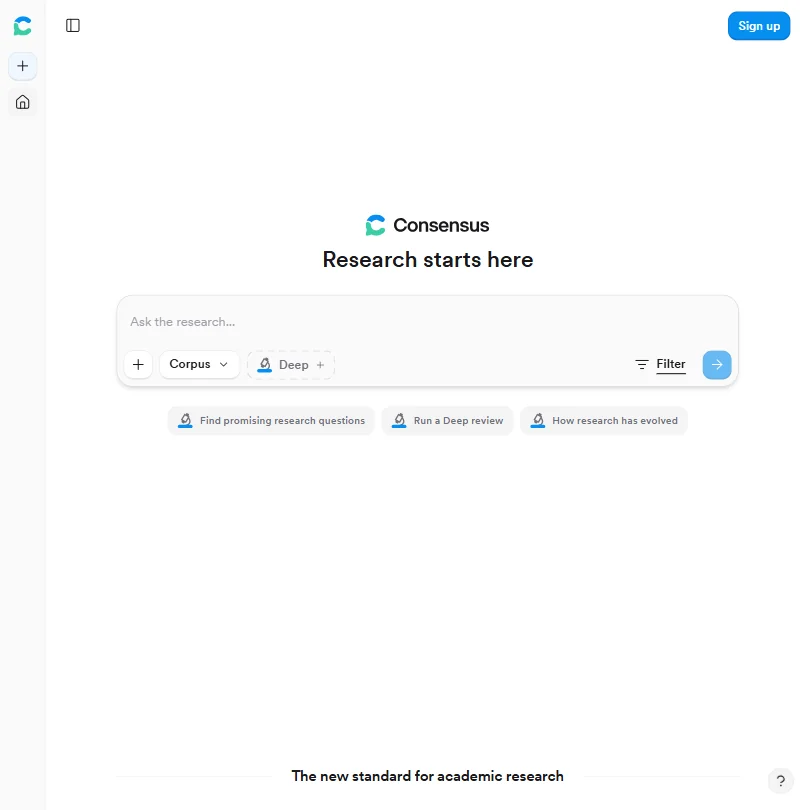
Consensus answers a research question from peer-reviewed papers, and its Consensus Meter shows how strongly the evidence backs a claim, which helps when a health, science or history book makes a strong statement. Free covers unlimited basic searches, 10 Pro messages and 3 Deep reviews a month. It has no mobile app, and a color bar can flatten a contested topic. Elicit goes deeper on reviews.
- Pulls answers from over 220 million peer-reviewed papers, not blogs or news articles, ensuring high-quality academic sources.
- The Consensus Meter provides a visual summary of how strongly existing evidence supports or contradicts a claim, saving synthesis time.
- No mobile app exists, which is a significant gap for clinicians needing quick literature checks away from their desk.
Pricing N/Afree planNotebookLM answers strictly from what you upload, with citations back to the passage, so it is a good home for interview transcripts, source books and your own world-building notes.
Show detailsHide details13 Google NotebookLM: Best for questions answered from your own notes4.9Score 4.9 out of 10Pricing N/Afree planNotebookLM answers strictly from what you upload, with citations back to the passage, so it is a good home for interview transcripts, source books and your own world-building notes.Visit site ↗ReviewDetailsCloseShow more about Google NotebookLM
Pricing N/Afree plan
NotebookLM answers strictly from what you upload, with citations back to the passage, so it is a good home for interview transcripts, source books and your own world-building notes.
Show detailsHide detailsGoogle NotebookLM: Best for questions answered from your own notes
4.9Score 4.9 out of 10Pricing N/Afree planNotebookLM answers strictly from what you upload, with citations back to the passage, so it is a good home for interview transcripts, source books and your own world-building notes.Visit site ↗ReviewDetailsClose
NotebookLM answers strictly from what you upload, with citations back to the passage, so it is a good home for interview transcripts, source books and your own world-building notes. Free notebooks hold 50 sources, and Audio Overviews turn them into a podcast-style discussion. Because it works only from your material, it cannot fill gaps with outside knowledge. Perplexity is the tool for open-web questions.
- The free tier is genuinely capable, handling up to 50 sources per notebook without requiring a paid subscription.
- Responses are constrained strictly to user-uploaded sources, with citations pointing back to the exact document and passage, making outputs verifiable.
- Output formats like slide decks and infographics feel outside the tool's core identity and may reflect feature sprawl rather than focused improvement.
Best AI editing and proofreading tools for authors
5 picksEditing tools differ in how deep they read. ProWritingAid works at manuscript level, with more than 25 reports including pacing, dialogue tags and repeated phrases, and integrates with Scrivener. Grammarly and LanguageTool are everyday proofreaders, and LanguageTool covers 30 plus languages. QuillBot and Wordtune rewrite sentences in different tones and lengths. Free plans differ sharply: ProWritingAid's is capped at 500 words, while Grammarly, LanguageTool, QuillBot and Wordtune have usable free versions. Choose ProWritingAid for a full manuscript, a proofreader for daily writing, and a rewriter when a sentence will not land.
#ToolScorePriceWhy pick it
From $12free planGrammarly is the proofreader you keep open all day. It works in Chrome, Safari, Firefox, Edge, Word, Google Docs, Windows, Mac, iOS and Android.
Show detailsHide details14 Grammarly: Best for everyday proofreading in every app8.3Score 8.3 out of 10From $12free planGrammarly is the proofreader you keep open all day. It works in Chrome, Safari, Firefox, Edge, Word, Google Docs, Windows, Mac, iOS and Android.Visit site ↗ReviewDetailsCloseShow more about Grammarly
From $12free plan
Grammarly is the proofreader you keep open all day. It works in Chrome, Safari, Firefox, Edge, Word, Google Docs, Windows, Mac, iOS and Android.
Show detailsHide detailsGrammarly: Best for everyday proofreading in every app
8.3Score 8.3 out of 10From $12free planGrammarly is the proofreader you keep open all day. It works in Chrome, Safari, Firefox, Edge, Word, Google Docs, Windows, Mac, iOS and Android.Visit site ↗ReviewDetailsClose
Grammarly is the proofreader you keep open all day. It works in Chrome, Safari, Firefox, Edge, Word, Google Docs, Windows, Mac, iOS and Android. The free plan gives grammar fixes, tone detection and 100 AI prompts a month, while full sentence rewrites, plagiarism checking and AI detection sit on Pro. You can opt out of training on your text, and Superhuman ownership adds uncertainty.
- Grammarly works across an impressive range of platforms including Chrome, Safari, Firefox, Edge, Windows, Mac, iOS, Android, Microsoft Word, and Google Docs.
- The plagiarism checker is built directly into the editor rather than being a separate export tool, a useful workflow for academic and content marketing use.
- The free plan is significantly limited, though it does include tone detection and 100 AI prompts a month alongside basic grammar, spelling, and punctuation; most meaningful features still require a paid Pro subscription.
From $19.95free planQuillBot rewrites, with ten paraphrasing modes including Formal and Academic, and adds grammar checking, a summariser, a translator and a citation generator for APA, MLA and Chicago.
Show detailsHide details15 QuillBot: Best for rewording clunky sentences in ten modes7.3Score 7.3 out of 10From $19.95free planQuillBot rewrites, with ten paraphrasing modes including Formal and Academic, and adds grammar checking, a summariser, a translator and a citation generator for APA, MLA and Chicago.Visit site ↗ReviewDetailsCloseShow more about QuillBot
From $19.95free plan
QuillBot rewrites, with ten paraphrasing modes including Formal and Academic, and adds grammar checking, a summariser, a translator and a citation generator for APA, MLA and Chicago.
Show detailsHide detailsQuillBot: Best for rewording clunky sentences in ten modes
7.3Score 7.3 out of 10From $19.95free planQuillBot rewrites, with ten paraphrasing modes including Formal and Academic, and adds grammar checking, a summariser, a translator and a citation generator for APA, MLA and Chicago.Visit site ↗ReviewDetailsClose
QuillBot rewrites, with ten paraphrasing modes including Formal and Academic, and adds grammar checking, a summariser, a translator and a citation generator for APA, MLA and Chicago. It has a Word add-in, browser extensions and mobile apps. Pricing is hard to see before you sign up, and the newer tools are recent additions. Choose it to rework clunky sentences, and ProWritingAid for story-level feedback.
- Offers ten paraphrasing modes, which is significantly more than most competitors that typically offer three or four.
- Comprehensive feature set includes grammar checker, plagiarism detector, citation generator (APA, MLA, Chicago), AI Detector, Summarizer, and Translator covering 50+ languages.
- Pricing is almost entirely invisible on the homepage, making it difficult to evaluate cost before committing.
From $4.89free planWordtune is for the sentence that will not sit right. It offers rewrites with tone and length adjustments, runs as a Chrome extension, in Google Docs and on iOS and Android, and has a free Basic plan with 10 rewrites a day.
Show detailsHide details16 Wordtune: Best for adjusting a sentence's tone and length5.8Score 5.8 out of 10From $4.89free planWordtune is for the sentence that will not sit right. It offers rewrites with tone and length adjustments, runs as a Chrome extension, in Google Docs and on iOS and Android, and has a free Basic plan with 10 rewrites a day.Visit site ↗ReviewDetailsCloseShow more about Wordtune
From $4.89free plan
Wordtune is for the sentence that will not sit right. It offers rewrites with tone and length adjustments, runs as a Chrome extension, in Google Docs and on iOS and Android, and has a free Basic plan with 10 rewrites a day.
Show detailsHide detailsWordtune: Best for adjusting a sentence's tone and length
5.8Score 5.8 out of 10From $4.89free planWordtune is for the sentence that will not sit right. It offers rewrites with tone and length adjustments, runs as a Chrome extension, in Google Docs and on iOS and Android, and has a free Basic plan with 10 rewrites a day.Visit site ↗ReviewDetailsClose
Wordtune is for the sentence that will not sit right. It offers rewrites with tone and length adjustments, runs as a Chrome extension, in Google Docs and on iOS and Android, and has a free Basic plan with 10 rewrites a day. Grammar checking is less deep than Grammarly, it has no API, and it is not built for whole chapters. A 3-day trial covers paid plans.
- Built on proprietary AI models from AI21 Labs, not a generic GPT wrapper, giving it a distinct output style.
- Fact-verified AI suggestions claim to cross-check generated content against five or more sources before surfacing.
- No WordPress integration, limiting utility for content publishers who work directly in CMS environments.
From $4.99free planLanguageTool suits authors who write in several languages or in a regional variant, since it checks grammar, style and spelling across 30 plus languages including dialects.
Show detailsHide details17 LanguageTool: Best for proofreading in 30 plus languages5.5Score 5.5 out of 10From $4.99free planLanguageTool suits authors who write in several languages or in a regional variant, since it checks grammar, style and spelling across 30 plus languages including dialects.Visit site ↗ReviewDetailsCloseShow more about LanguageTool
From $4.99free plan
LanguageTool suits authors who write in several languages or in a regional variant, since it checks grammar, style and spelling across 30 plus languages including dialects.
Show detailsHide detailsLanguageTool: Best for proofreading in 30 plus languages
5.5Score 5.5 out of 10From $4.99free planLanguageTool suits authors who write in several languages or in a regional variant, since it checks grammar, style and spelling across 30 plus languages including dialects.Visit site ↗ReviewDetailsClose
LanguageTool suits authors who write in several languages or in a regional variant, since it checks grammar, style and spelling across 30 plus languages including dialects. The free plan covers basic checks in browser extensions and the web editor, Picky Mode adjusts how hard it pushes back, and it works in Word, Google Docs and LibreOffice. It corrects rather than generates, so it will not draft or rework prose.
- Supports grammar, style, and spelling checking across 30+ languages including multiple dialects, making it genuinely useful for multilingual users.
- Has been operational since 2003, predating most competitors including Grammarly, indicating long-term stability and refinement.
- The tool is narrower in scope than competitors like Grammarly, which may disappoint users expecting a full-featured writing assistant.
From $10free planProWritingAid reads a whole manuscript, not a single sentence. More than 25 reports cover pacing, dialogue tag tracking and repeated phrases, Chapter Critique gives feedback on a full chapter, and a Scrivener integration fits fiction workflows.
Show detailsHide details18 ProWritingAid: Best for manuscript-level reports with Scrivener4.5Score 4.5 out of 10From $10free planProWritingAid reads a whole manuscript, not a single sentence. More than 25 reports cover pacing, dialogue tag tracking and repeated phrases, Chapter Critique gives feedback on a full chapter, and a Scrivener integration fits fiction workflows.Visit site ↗ReviewDetailsCloseShow more about ProWritingAid
From $10free plan
ProWritingAid reads a whole manuscript, not a single sentence. More than 25 reports cover pacing, dialogue tag tracking and repeated phrases, Chapter Critique gives feedback on a full chapter, and a Scrivener integration fits fiction workflows.
Show detailsHide detailsProWritingAid: Best for manuscript-level reports with Scrivener
4.5Score 4.5 out of 10From $10free planProWritingAid reads a whole manuscript, not a single sentence. More than 25 reports cover pacing, dialogue tag tracking and repeated phrases, Chapter Critique gives feedback on a full chapter, and a Scrivener integration fits fiction workflows.Visit site ↗ReviewDetailsClose
ProWritingAid reads a whole manuscript, not a single sentence. More than 25 reports cover pacing, dialogue tag tracking and repeated phrases, Chapter Critique gives feedback on a full chapter, and a Scrivener integration fits fiction workflows. The free plan is a demo, capped at 500 words, and the interface is English only. The reports can overwhelm. Grammarly is lighter for everyday proofreading.
- Offers 25+ writing reports including pacing analysis, dialogue tag tracking, and repeated phrase detection that go far beyond surface-level grammar checks.
- Integrates with Scrivener, a major differentiator over Grammarly that fiction writers in long-form workflows genuinely value.
- Runs on a proprietary AI model with no recognizable third-party AI partnership, which may raise questions about model quality and transparency.
Best AI art tools for book covers and illustration
7 picksA cover has to look professional as a thumbnail and carry a readable title. Midjourney has a distinctive painterly look but no free plan. Ideogram is the pick for lettering inside an image and gives ownership and commercial use on every plan. Leonardo.Ai lets you train a model on your own images for a consistent series look, Adobe Firefly generates from licensed training content inside Adobe apps, ComicInk keeps characters consistent across comic panels, and Canva lays out finished designs from templates. ChatGPT turns scene or character descriptions into images, a few a day on its free plan. Check rights and training before publishing: Midjourney and Ideogram train on your prompts and uploads with no opt-out on standard plans.
#ToolScorePriceWhy pick it
From $8free planChatGPT turns a scene or character description into an image, which suits mood boards, chapter art and first cover ideas.
Show detailsHide details19ChatGPT: Best for cover ideas and scene art from a description8.8Score 8.8 out of 10From $8free planChatGPT turns a scene or character description into an image, which suits mood boards, chapter art and first cover ideas.Visit site ↗ReviewDetailsCloseShow more about ChatGPT
From $8free plan
ChatGPT turns a scene or character description into an image, which suits mood boards, chapter art and first cover ideas.
Show detailsHide detailsChatGPT: Best for cover ideas and scene art from a description
8.8Score 8.8 out of 10From $8free planChatGPT turns a scene or character description into an image, which suits mood boards, chapter art and first cover ideas.Visit site ↗ReviewDetailsCloseChatGPT turns a scene or character description into an image, which suits mood boards, chapter art and first cover ideas. It is the same assistant many authors already use for drafting. The free plan gives a few images a day and Go or Plus give more. For a finished cover with the title set properly, pair it with Canva, or Ideogram when the lettering sits inside the art.
- The Free plan includes unlimited text chats with GPT-6 Luna, subject to abuse guardrails.
- Web search is included on every individual plan, including Free.
- Go, the cheapest paid plan, still does not unlock GPT-6.1 Sol, GPT-6 Astra or GPT-6 Sol, and may include ads.
From $9.99free planAdobe Firefly suits authors who already use Photoshop or Express, because it generates images from models trained on licensed content inside those apps, and does not train on your content by default.
Show detailsHide details20 Adobe Firefly: Best for licensed-content images inside Photoshop8.1Score 8.1 out of 10From $9.99free planAdobe Firefly suits authors who already use Photoshop or Express, because it generates images from models trained on licensed content inside those apps, and does not train on your content by default.Visit site ↗ReviewDetailsCloseShow more about Adobe Firefly
From $9.99free plan
Adobe Firefly suits authors who already use Photoshop or Express, because it generates images from models trained on licensed content inside those apps, and does not train on your content by default.
Show detailsHide detailsAdobe Firefly: Best for licensed-content images inside Photoshop
8.1Score 8.1 out of 10From $9.99free planAdobe Firefly suits authors who already use Photoshop or Express, because it generates images from models trained on licensed content inside those apps, and does not train on your content by default.Visit site ↗ReviewDetailsClose
Adobe Firefly suits authors who already use Photoshop or Express, because it generates images from models trained on licensed content inside those apps, and does not train on your content by default. A free plan gives limited daily generations. Every paid plan is an annual commitment paid monthly, and its text-to-image tool has no seed or negative-prompt field. Leonardo.Ai gives finer control.
- The free plan gives limited daily generations across image, video and audio models at no cost.
- Adobe will not use your content to train its models, except content you choose to submit to Adobe Stock, which is opt-in.
- No paid plan has a true month-to-month price; every one is an annual commitment paid in monthly instalments.
From $12free planLeonardo.Ai is the pick for a series that needs one visual style. You can train personal models on your own images, keep characters consistent, and reach many companies' models in one account.
Show detailsHide details21 Leonardo.Ai: Best for series covers in one trained style8.0Score 8.0 out of 10From $12free planLeonardo.Ai is the pick for a series that needs one visual style. You can train personal models on your own images, keep characters consistent, and reach many companies' models in one account.Visit site ↗ReviewDetailsCloseShow more about Leonardo.Ai
From $12free plan
Leonardo.Ai is the pick for a series that needs one visual style. You can train personal models on your own images, keep characters consistent, and reach many companies' models in one account.
Show detailsHide detailsLeonardo.Ai: Best for series covers in one trained style
8.0Score 8.0 out of 10From $12free planLeonardo.Ai is the pick for a series that needs one visual style. You can train personal models on your own images, keep characters consistent, and reach many companies' models in one account.Visit site ↗ReviewDetailsClose
Leonardo.Ai is the pick for a series that needs one visual style. You can train personal models on your own images, keep characters consistent, and reach many companies' models in one account. The free plan gives 150 fast tokens a day, but free generations are public by default and paid plans keep them private. It has no vector output. Ideogram handles the title lettering better.
- The free plan gives 150 Fast Tokens a day plus a 150 Token Bank, at no cost.
- Its own models accept a fixed seed, a negative prompt field and adjustable prompt enhancement for precise control.
- Leonardo does not offer vector output.
From $18free planCanva is where authors lay out finished designs: covers, author-page banners and social images from a library of more than 1.6 million templates on the free plan.
Show detailsHide details22 Canva: Best for laying out covers and social graphics7.8Score 7.8 out of 10From $18free planCanva is where authors lay out finished designs: covers, author-page banners and social images from a library of more than 1.6 million templates on the free plan.Visit site ↗ReviewDetailsCloseShow more about Canva
From $18free plan
Canva is where authors lay out finished designs: covers, author-page banners and social images from a library of more than 1.6 million templates on the free plan.
Show detailsHide detailsCanva: Best for laying out covers and social graphics
7.8Score 7.8 out of 10From $18free planCanva is where authors lay out finished designs: covers, author-page banners and social images from a library of more than 1.6 million templates on the free plan.Visit site ↗ReviewDetailsClose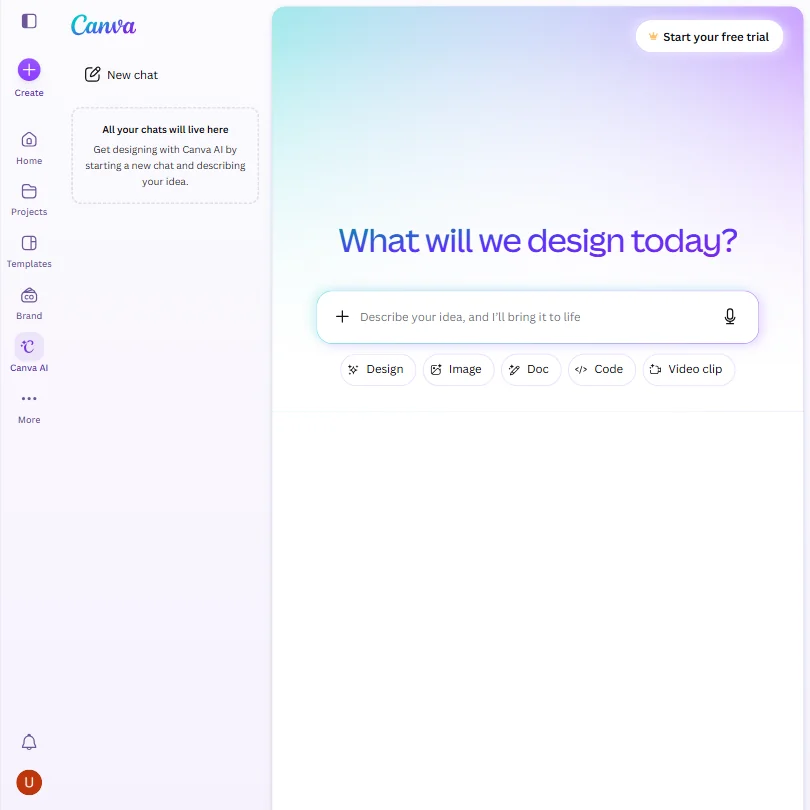
Canva is where authors lay out finished designs: covers, author-page banners and social images from a library of more than 1.6 million templates on the free plan. Magic Design turns a prompt into a layout, and one Brand Kit keeps colors consistent. AI use is capped, with around 20 uses on free, and uploads train Canva's algorithms unless you opt out. Ideogram generates artwork with lettering.
- The free plan includes over 1,000 design types, more than 1.6 million templates, more than 4.7 million stock photos, videos, graphics and audio clips, and 5GB of storage at no cost.
- Magic Design turns a written prompt into a finished design, extending the same approach to presentations and video.
- The AI Image Generator's Vector style produces a raster image with a vector look, not an editable vector or SVG file.
From $20free planIdeogram is the tool for a cover where the title has to be part of the picture. Readable text inside images is its strength, and every plan, free included, gives you ownership and commercial use of what you generate.
Show detailsHide details23 Ideogram: Best for titles and lettering rendered inside the image7.6Score 7.6 out of 10From $20free planIdeogram is the tool for a cover where the title has to be part of the picture. Readable text inside images is its strength, and every plan, free included, gives you ownership and commercial use of what you generate.Visit site ↗ReviewDetailsCloseShow more about Ideogram
From $20free plan
Ideogram is the tool for a cover where the title has to be part of the picture. Readable text inside images is its strength, and every plan, free included, gives you ownership and commercial use of what you generate.
Show detailsHide detailsIdeogram: Best for titles and lettering rendered inside the image
7.6Score 7.6 out of 10From $20free planIdeogram is the tool for a cover where the title has to be part of the picture. Readable text inside images is its strength, and every plan, free included, gives you ownership and commercial use of what you generate.Visit site ↗ReviewDetailsClose
Ideogram is the tool for a cover where the title has to be part of the picture. Readable text inside images is its strength, and every plan, free included, gives you ownership and commercial use of what you generate. Background removal, outpainting and prompt rewriting are built in. It trains on what you generate and upload by default, and private generations are withheld from free. Midjourney is more painterly.
- A free plan lets you try Ideogram 4.0 before paying, with weekly credits for eligible accounts.
- Every plan gives full ownership and unrestricted commercial use of what you generate, with no separate paid tier required for those rights.
- Ideogram trains on what you generate and upload by default, with no opt-out on the Free, Plus, Pro or Team plans.
From $10Midjourney is the choice when you want a distinctive painterly cover with style references, seed and negative prompt controls.
Show detailsHide details24 Midjourney: Best for painterly cover art with style references6.0Score 6.0 out of 10From $10Midjourney is the choice when you want a distinctive painterly cover with style references, seed and negative prompt controls.Visit site ↗ReviewDetailsCloseShow more about Midjourney
From $10
Midjourney is the choice when you want a distinctive painterly cover with style references, seed and negative prompt controls.
Show detailsHide detailsMidjourney: Best for painterly cover art with style references
6.0Score 6.0 out of 10From $10Midjourney is the choice when you want a distinctive painterly cover with style references, seed and negative prompt controls.Visit site ↗ReviewDetailsClose
Midjourney is the choice when you want a distinctive painterly cover with style references, seed and negative prompt controls. Every subscriber owns what they create and can use it commercially from the cheapest paid plan, though larger companies need Pro or Mega. There is no free plan or trial, prompts train the model with no opt-out, and it runs on its website and Discord. Ideogram lets you try free.
- Every subscriber owns what they create and may use it commercially from the cheapest paid plan.
- Midjourney turns a still image into a 5-second video as well as generating stills, alongside style reference, seed and negative prompt controls.
- There is no free plan and no free trial, so there is no way to try Midjourney before paying.
From $9.99free planComicInk turns a story into comic panels with the same characters throughout, using Character Lock to keep a hero's face and outfit stable, across 12 art styles and 20 languages.
Show detailsHide details25 Comicink: Best for graphic novels with consistent characters5.0Score 5.0 out of 10From $9.99free planComicInk turns a story into comic panels with the same characters throughout, using Character Lock to keep a hero's face and outfit stable, across 12 art styles and 20 languages.Visit site ↗ReviewDetailsCloseShow more about Comicink
From $9.99free plan
ComicInk turns a story into comic panels with the same characters throughout, using Character Lock to keep a hero's face and outfit stable, across 12 art styles and 20 languages.
Show detailsHide detailsComicink: Best for graphic novels with consistent characters
5.0Score 5.0 out of 10From $9.99free planComicInk turns a story into comic panels with the same characters throughout, using Character Lock to keep a hero's face and outfit stable, across 12 art styles and 20 languages.Visit site ↗ReviewDetailsClose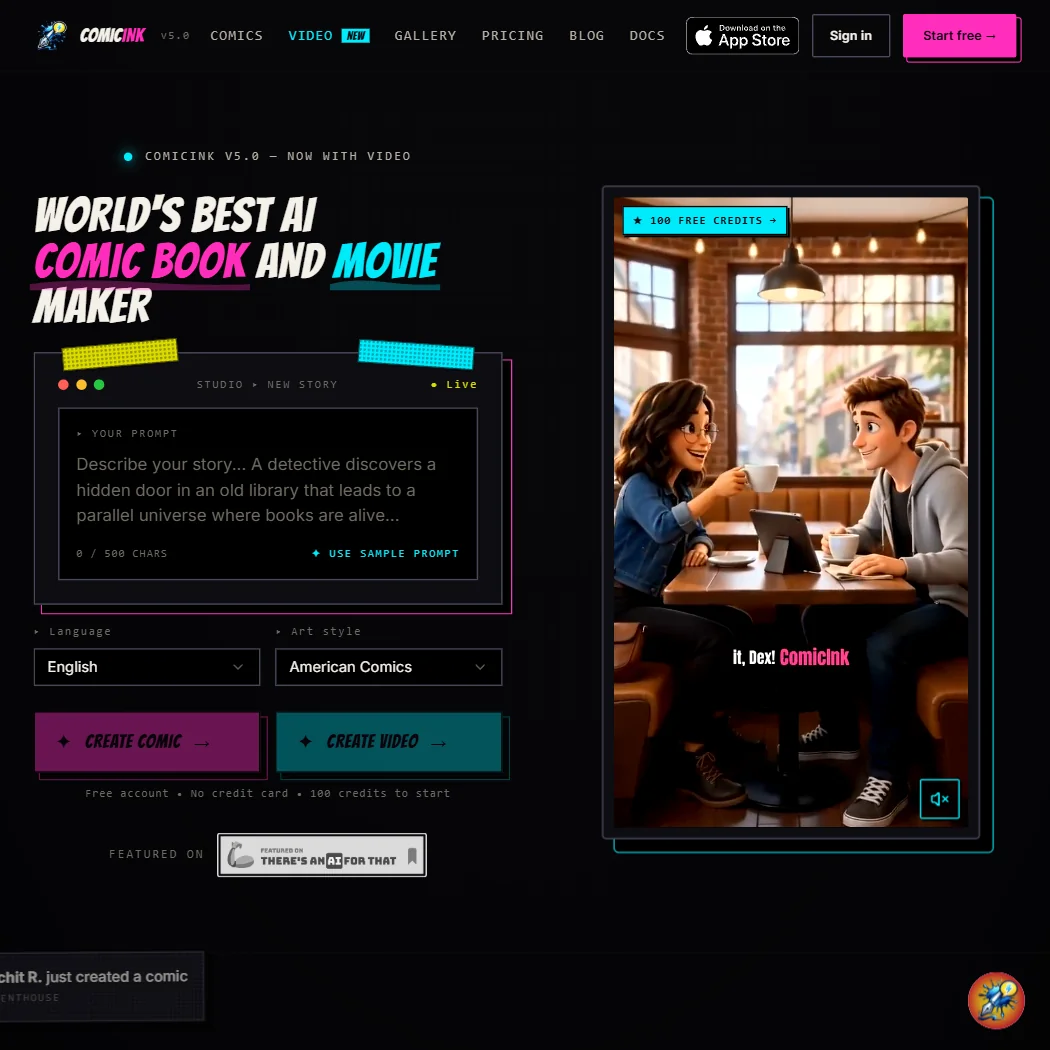
ComicInk turns a story into comic panels with the same characters throughout, using Character Lock to keep a hero's face and outfit stable, across 12 art styles and 20 languages. Commercial use and ownership belong to you on every account, and it does not train on your content. The free tier is a one-time 100-credit bonus. It has no API and no batch generation.
- ComicInk grants full commercial use of what you create on every account, not just paid ones.
- ComicInk does not use your content to train its own AI models.
- ComicInk's free tier is a one-time 100-credit signup bonus, not a recurring monthly free plan.
Best AI narration tools for authors and audiobooks
5 picksNarration is where free plans stop you first, because most free voices cannot be used commercially. ElevenLabs offers cloned voices and multi-speaker dialogue, WellSaid uses licensed voice-actor recordings and lets you regenerate a single chapter, and Typecast lets you generate and listen without limit before spending a download credit. Murf has a large voice library, and Speechify is a reading app that suits hearing your own manuscript aloud. Check the license on each plan before you publish, and audition voices on a chapter with dialogue, since multi-speaker support is what separates the picks.
#ToolScorePriceWhy pick it
From $6free planElevenLabs is the widest option for an audiobook: over 11,000 voices across 70 plus languages, instant cloning from the cheapest paid plan, multi-speaker dialogue and pronunciation dictionaries for invented names.
Show detailsHide details26 ElevenLabs: Best for cloned voices and multi-speaker dialogue8.5Score 8.5 out of 10From $6free planElevenLabs is the widest option for an audiobook: over 11,000 voices across 70 plus languages, instant cloning from the cheapest paid plan, multi-speaker dialogue and pronunciation dictionaries for invented names.Visit site ↗ReviewDetailsCloseShow more about ElevenLabs
From $6free plan
ElevenLabs is the widest option for an audiobook: over 11,000 voices across 70 plus languages, instant cloning from the cheapest paid plan, multi-speaker dialogue and pronunciation dictionaries for invented names.
Show detailsHide detailsElevenLabs: Best for cloned voices and multi-speaker dialogue
8.5Score 8.5 out of 10From $6free planElevenLabs is the widest option for an audiobook: over 11,000 voices across 70 plus languages, instant cloning from the cheapest paid plan, multi-speaker dialogue and pronunciation dictionaries for invented names.Visit site ↗ReviewDetailsClose
ElevenLabs is the widest option for an audiobook: over 11,000 voices across 70 plus languages, instant cloning from the cheapest paid plan, multi-speaker dialogue and pronunciation dictionaries for invented names. The free plan carries no commercial license, and audio you generate or upload trains its models unless you opt out. A team workspace starts on Scale. Typecast lets you generate without limit before paying.
- More than 11,000 voices are available across 70+ languages through the Eleven v3 model.
- Instant voice cloning is available from the cheapest paid plan, with professional cloning opening on Creator.
- The free plan carries no commercial license, so its output cannot be used commercially without upgrading.
From $29free planSpeechify is a reading app first, which makes it useful for hearing your own manuscript read aloud and catching what the eye skips.
Show detailsHide details27 Speechify: Best for hearing your own manuscript read aloud7.5Score 7.5 out of 10From $29free planSpeechify is a reading app first, which makes it useful for hearing your own manuscript read aloud and catching what the eye skips.Visit site ↗ReviewDetailsCloseShow more about Speechify
From $29free plan
Speechify is a reading app first, which makes it useful for hearing your own manuscript read aloud and catching what the eye skips.
Show detailsHide detailsSpeechify: Best for hearing your own manuscript read aloud
7.5Score 7.5 out of 10From $29free planSpeechify is a reading app first, which makes it useful for hearing your own manuscript read aloud and catching what the eye skips.Visit site ↗ReviewDetailsClose
Speechify is a reading app first, which makes it useful for hearing your own manuscript read aloud and catching what the eye skips. It works across web, Windows, Mac, iOS and Android, and the free plan needs no card but has 10 robotic voices and 1.5x playback. Cloning, dubbing and the full voice library sit in Speechify Studio, a separate product. It does not train on your data.
- An ongoing free plan lets you try the Reader with no credit card before paying for Premium.
- Premium billed annually works out to about $11.58 a month, a clear discount against the $29 monthly rate.
- The free plan limits you to 10 robotic sounding voices and playback speeds capped at 1.5x.
From $4.50free planTypecast lets you audition before you pay: generation and playback are unlimited even on the free plan, and only downloads spend credits.
Show detailsHide details28 Typecast: Best for auditioning voices before spending credits7.1Score 7.1 out of 10From $4.50free planTypecast lets you audition before you pay: generation and playback are unlimited even on the free plan, and only downloads spend credits.Visit site ↗ReviewDetailsCloseShow more about Typecast
From $4.50free plan
Typecast lets you audition before you pay: generation and playback are unlimited even on the free plan, and only downloads spend credits.
Show detailsHide detailsTypecast: Best for auditioning voices before spending credits
7.1Score 7.1 out of 10From $4.50free planTypecast lets you audition before you pay: generation and playback are unlimited even on the free plan, and only downloads spend credits.Visit site ↗ReviewDetailsClose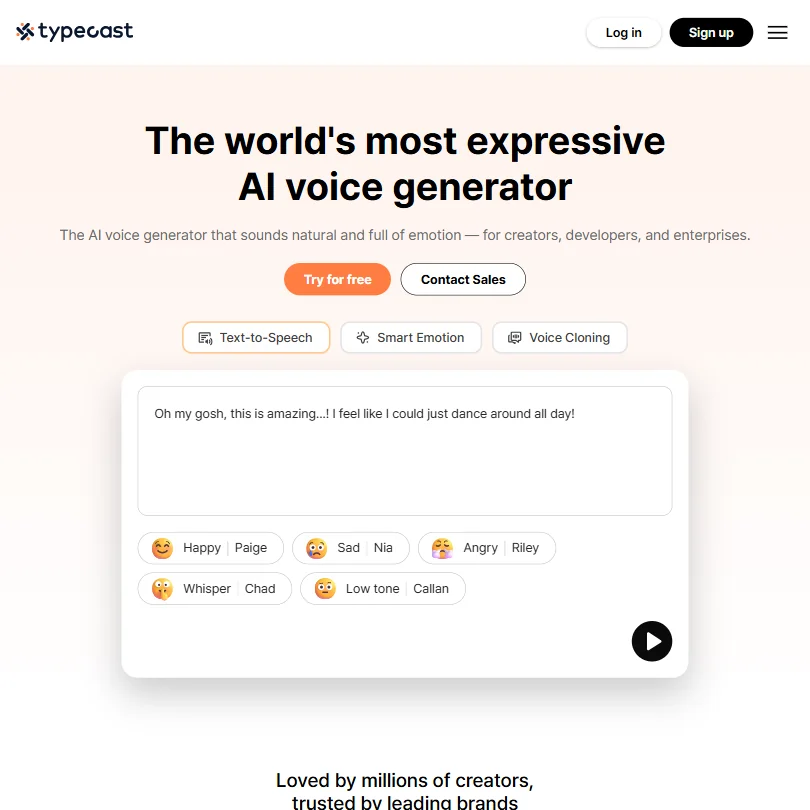
Typecast lets you audition before you pay: generation and playback are unlimited even on the free plan, and only downloads spend credits. It supports multi-speaker scripts, can turn a full manuscript into an audiobook without recording, has two kinds of cloning and phone apps. Free downloads need attribution and carry no commercial license, and advanced emotion controls start on Pro.
- The free plan allows unlimited generation and playback, with 3,000 lifetime download credits.
- Voice cloning comes in two forms: instant cloning from a 5-second sample and professional cloning from a 5-minute sample.
- The Free plan carries no commercial licence and requires attribution on every download.
From $29free planMurf offers more than 200 voices across 30 plus languages with instant and professional cloning, and plugs into Canva, PowerPoint and Google Slides.
Show detailsHide details29 Murf AI: Best for voiceover with a 200 plus voice library7.0Score 7.0 out of 10From $29free planMurf offers more than 200 voices across 30 plus languages with instant and professional cloning, and plugs into Canva, PowerPoint and Google Slides.Visit site ↗ReviewDetailsCloseShow more about Murf AI
From $29free plan
Murf offers more than 200 voices across 30 plus languages with instant and professional cloning, and plugs into Canva, PowerPoint and Google Slides.
Show detailsHide detailsMurf AI: Best for voiceover with a 200 plus voice library
7.0Score 7.0 out of 10From $29free planMurf offers more than 200 voices across 30 plus languages with instant and professional cloning, and plugs into Canva, PowerPoint and Google Slides.Visit site ↗ReviewDetailsClose
Murf offers more than 200 voices across 30 plus languages with instant and professional cloning, and plugs into Canva, PowerPoint and Google Slides. The free plan blocks downloads and commercial use entirely, so it is a preview, and delivery controls such as emphasis start on the Business plan. Creator and Business allow one editor seat. WellSaid or ElevenLabs are closer to audiobook work.
- Murf Studio has an ongoing free plan with no credit card required, giving 10 minutes of voice generation before you pay anything.
- The library runs to 200+ voices across 30+ languages and accents.
- The free plan blocks commercial use and downloads entirely, so anything you make on it stays unusable outside Murf.
From $19free planWellSaid is built on licensed voice-actor recordings, and its audiobook editor lets you update and regenerate one chapter without redoing the book.
Show detailsHide details30 WellSaid: Best for licensed narrator voices, chapter by chapter5.7Score 5.7 out of 10From $19free planWellSaid is built on licensed voice-actor recordings, and its audiobook editor lets you update and regenerate one chapter without redoing the book.Visit site ↗ReviewDetailsCloseShow more about WellSaid
From $19free plan
WellSaid is built on licensed voice-actor recordings, and its audiobook editor lets you update and regenerate one chapter without redoing the book.
Show detailsHide detailsWellSaid: Best for licensed narrator voices, chapter by chapter
5.7Score 5.7 out of 10From $19free planWellSaid is built on licensed voice-actor recordings, and its audiobook editor lets you update and regenerate one chapter without redoing the book.Visit site ↗ReviewDetailsClose
WellSaid is built on licensed voice-actor recordings, and its audiobook editor lets you update and regenerate one chapter without redoing the book. It does not train on customer data on any plan and offers word-level control of pacing and pronunciation. There is no self-serve voice cloning or multi-speaker dialogue from one script, and the free Trial carries no commercial rights. Typecast handles dialogue.
- WellSaid's free Trial tier needs no card and allows unlimited generation and retakes before you download anything.
- WellSaid does not use customer data to train its model, on any plan.
- The free Trial tier's output carries no commercial usage rights; only Starter and higher plans do.
Best transcription tools for authors
4 picksMemoir and non-fiction rely on recorded conversations, so a transcript that keeps speakers apart is worth more than raw speed. Otter and Fireflies have free plans, with Fireflies offering unlimited transcription and Otter 300 minutes a month. Sonix labels speakers automatically and charges by the hour. Trint lets you reorder key moments into a sequence, but bills per seat. Check training policy before uploading interviews with real people: Fireflies, Sonix and Trint say they do not train on your recordings, and Otter trains on them with no opt-out. Choose Fireflies to start free, and Sonix for a one-off project.
#ToolScorePriceWhy pick it
From $18free planFireflies is the pick when you want unlimited transcription without paying: the free plan includes live transcripts, video at 720p and AskFred for searching across past recordings.
Show detailsHide details31 Fireflies.ai: Best for unlimited free transcription without training9.1Score 9.1 out of 10From $18free planFireflies is the pick when you want unlimited transcription without paying: the free plan includes live transcripts, video at 720p and AskFred for searching across past recordings.Visit site ↗ReviewDetailsCloseShow more about Fireflies.ai
From $18free plan
Fireflies is the pick when you want unlimited transcription without paying: the free plan includes live transcripts, video at 720p and AskFred for searching across past recordings.
Show detailsHide detailsFireflies.ai: Best for unlimited free transcription without training
9.1Score 9.1 out of 10From $18free planFireflies is the pick when you want unlimited transcription without paying: the free plan includes live transcripts, video at 720p and AskFred for searching across past recordings.Visit site ↗ReviewDetailsClose
Fireflies is the pick when you want unlimited transcription without paying: the free plan includes live transcripts, video at 720p and AskFred for searching across past recordings. It does not train on your data, works with a bot or a desktop app, and its phone app transcribes in-person talks. AI credits stay capped at 20 per seat on Pro. Sonix labels speakers well.
- The free plan includes unlimited transcription and live transcription at no cost.
- It does not use personal information to train its AI models and contractually prohibits its vendors from doing so.
- AI credits for premium AI features stay capped at 20 per seat on the Pro plan, rising only on higher tiers.
From $10Sonix suits research interviews. The editor stays synced to the audio, speakers are labelled automatically, and transcripts cover 54 plus languages with translation and subtitles.
Show detailsHide details32 Sonix: Best for pay-per-hour transcripts with speaker labels6.6Score 6.6 out of 10From $10Sonix suits research interviews. The editor stays synced to the audio, speakers are labelled automatically, and transcripts cover 54 plus languages with translation and subtitles.Visit site ↗ReviewDetailsCloseShow more about Sonix
From $10
Sonix suits research interviews. The editor stays synced to the audio, speakers are labelled automatically, and transcripts cover 54 plus languages with translation and subtitles.
Show detailsHide detailsSonix: Best for pay-per-hour transcripts with speaker labels
6.6Score 6.6 out of 10From $10Sonix suits research interviews. The editor stays synced to the audio, speakers are labelled automatically, and transcripts cover 54 plus languages with translation and subtitles.Visit site ↗ReviewDetailsClose
Sonix suits research interviews. The editor stays synced to the audio, speakers are labelled automatically, and transcripts cover 54 plus languages with translation and subtitles. You can pay per hour instead of subscribing, which suits a single book project, and it does not train on your data. There is no free plan, only a 30-minute trial, and it runs in the browser only.
- Automatic speaker identification labels different speakers in every recording, with no extra setup.
- None of the data processed through Sonix is used to train its models.
- There is no ongoing free plan, only a 30-minute trial.
From $8.33free planOtter is the familiar transcriber for interviews. The free plan gives 300 minutes a month with live transcripts and AI Chat across recordings, and its apps capture in-person conversations without a bot.
Show detailsHide details33 Otter.ai: Best for live interview transcripts on a free plan6.5Score 6.5 out of 10From $8.33free planOtter is the familiar transcriber for interviews. The free plan gives 300 minutes a month with live transcripts and AI Chat across recordings, and its apps capture in-person conversations without a bot.Visit site ↗ReviewDetailsCloseShow more about Otter.ai
From $8.33free plan
Otter is the familiar transcriber for interviews. The free plan gives 300 minutes a month with live transcripts and AI Chat across recordings, and its apps capture in-person conversations without a bot.
Show detailsHide detailsOtter.ai: Best for live interview transcripts on a free plan
6.5Score 6.5 out of 10From $8.33free planOtter is the familiar transcriber for interviews. The free plan gives 300 minutes a month with live transcripts and AI Chat across recordings, and its apps capture in-person conversations without a bot.Visit site ↗ReviewDetailsClose
Otter is the familiar transcriber for interviews. The free plan gives 300 minutes a month with live transcripts and AI Chat across recordings, and its apps capture in-person conversations without a bot. Two catches matter for a memoir: free imports of existing audio files are three for life, and recordings train Otter's models with no opt-out. Fireflies does not train on your meetings.
- The free Basic plan runs forever and includes live transcription and AI Chat across meetings.
- Meetings can be captured with a bot that auto-joins Zoom, Google Meet and Microsoft Teams, or without one through desktop and mobile apps, including in-person conversations.
- Recordings and transcripts are automatically de-identified and used to train Otter's models, with no opt-out.
From $79Trint is aimed at newsrooms, which makes it a fit for journalistic non-fiction. It transcribes and translates recordings in 50 plus languages, and Story Builder reorders key moments into a new sequence with timecodes.
Show detailsHide details34 Trint: Best for arranging interview quotes into a sequence5.8Score 5.8 out of 10From $79Trint is aimed at newsrooms, which makes it a fit for journalistic non-fiction. It transcribes and translates recordings in 50 plus languages, and Story Builder reorders key moments into a new sequence with timecodes.Visit site ↗ReviewDetailsCloseShow more about Trint
From $79
Trint is aimed at newsrooms, which makes it a fit for journalistic non-fiction. It transcribes and translates recordings in 50 plus languages, and Story Builder reorders key moments into a new sequence with timecodes.
Show detailsHide detailsTrint: Best for arranging interview quotes into a sequence
5.8Score 5.8 out of 10From $79Trint is aimed at newsrooms, which makes it a fit for journalistic non-fiction. It transcribes and translates recordings in 50 plus languages, and Story Builder reorders key moments into a new sequence with timecodes.Visit site ↗ReviewDetailsClose
Trint is aimed at newsrooms, which makes it a fit for journalistic non-fiction. It transcribes and translates recordings in 50 plus languages, and Story Builder reorders key moments into a new sequence with timecodes. It never trains on your recordings. There is no free plan, only a trial, and every self-serve plan is billed per seat, so a solo author pays more than with Sonix.
- Trint Live transcribes a microphone, screen or broadcast stream in real time.
- Story Builder reorders key moments from a recording into a new sequence with timecodes synced to the source transcript.
- There is no free plan, only a trial.
Best AI marketing tools for authors
5 picksMarketing is a steady flow of posts, so scheduling matters more than clever copy. Buffer schedules across many networks with a free plan for three channels. Typefully is a writing-first scheduler for X, LinkedIn, Bluesky and Threads, and Hypefury adds automatic first comments to promote a newsletter or launch. Jasper and Anyword focus on copy: Jasper applies one brand voice across ads and posts, and Anyword scores copy variants before you test them. Both copy tools cost more and have no free plan. Choose a scheduler first, and add a copy tool only if you run paid ads.
#ToolScorePriceWhy pick it
From $6Hypefury is a solo creator's tool. Its autoplugs feature posts a pre-written first comment after a post goes live, handy for promoting a newsletter or offer, and its AI generator is trained on your own past posts.
Show detailsHide details35 Hypefury: Best for auto first comments promoting your newsletter8.2Score 8.2 out of 10From $6Hypefury is a solo creator's tool. Its autoplugs feature posts a pre-written first comment after a post goes live, handy for promoting a newsletter or offer, and its AI generator is trained on your own past posts.Visit site ↗ReviewDetailsCloseShow more about Hypefury
From $6
Hypefury is a solo creator's tool. Its autoplugs feature posts a pre-written first comment after a post goes live, handy for promoting a newsletter or offer, and its AI generator is trained on your own past posts.
Show detailsHide detailsHypefury: Best for auto first comments promoting your newsletter
8.2Score 8.2 out of 10From $6Hypefury is a solo creator's tool. Its autoplugs feature posts a pre-written first comment after a post goes live, handy for promoting a newsletter or offer, and its AI generator is trained on your own past posts.Visit site ↗ReviewDetailsClose
Hypefury is a solo creator's tool. Its autoplugs feature posts a pre-written first comment after a post goes live, handy for promoting a newsletter or offer, and its AI generator is trained on your own past posts. It offers unlimited scheduling and works with LinkedIn, Instagram, TikTok, Threads and Bluesky. There is a 7-day trial and no permanent free plan, and analytics are shallow.
- Autoplugs feature automatically posts a pre-written first comment on your own content after it goes live, saving time for creators promoting newsletters or offers.
- Unlimited scheduling across all connected channels, allowing creators to plan a full week of content in a single session.
- Analytics are shallow and not suitable for anyone needing advanced reporting beyond basic post-level engagement metrics.
From $99 per yearfree planTypefully is the writer's scheduler for X, LinkedIn, Bluesky and Threads. Its distraction-free editor and exact post previews suit authors who care about wording, and threads are supported.
Show detailsHide details36 Typefully: Best for writing threads for X and LinkedIn7.8Score 7.8 out of 10From $99 per yearfree planTypefully is the writer's scheduler for X, LinkedIn, Bluesky and Threads. Its distraction-free editor and exact post previews suit authors who care about wording, and threads are supported.Visit site ↗ReviewDetailsCloseShow more about Typefully
From $99 per yearfree plan
Typefully is the writer's scheduler for X, LinkedIn, Bluesky and Threads. Its distraction-free editor and exact post previews suit authors who care about wording, and threads are supported.
Show detailsHide detailsTypefully: Best for writing threads for X and LinkedIn
7.8Score 7.8 out of 10From $99 per yearfree planTypefully is the writer's scheduler for X, LinkedIn, Bluesky and Threads. Its distraction-free editor and exact post previews suit authors who care about wording, and threads are supported.Visit site ↗ReviewDetailsClose
Typefully is the writer's scheduler for X, LinkedIn, Bluesky and Threads. Its distraction-free editor and exact post previews suit authors who care about wording, and threads are supported. The free plan gives 15 posts a month, one social set and API access. Monthly post caps are tight, team features sit on Business, and it does not cover Instagram or Facebook. Buffer covers more networks.
- The free plan is genuinely usable, offering 15 posts per month, one social set, and API access, which most competitors lock behind paid tiers.
- Pixel-perfect preview lets users see exactly how posts will look before publishing, reducing formatting surprises across platforms.
- Monthly post caps are restrictive by category standards.
From $69Jasper is for authors who market seriously and want one brand voice on ads, posts and campaigns.
Show detailsHide details37 Jasper AI: Best for one brand voice across ads and posts7.2Score 7.2 out of 10From $69Jasper is for authors who market seriously and want one brand voice on ads, posts and campaigns.Visit site ↗ReviewDetailsCloseShow more about Jasper AI
From $69
Jasper is for authors who market seriously and want one brand voice on ads, posts and campaigns.
Show detailsHide detailsJasper AI: Best for one brand voice across ads and posts
7.2Score 7.2 out of 10From $69Jasper is for authors who market seriously and want one brand voice on ads, posts and campaigns.Visit site ↗ReviewDetailsClose
Jasper is for authors who market seriously and want one brand voice on ads, posts and campaigns. Jasper IQ applies your tone across output, the Canvas editor handles longer drafts, and more than 100 templates cover short copy. There is a 7-day trial but no free plan, and the entry price is high for a solo author. Anyword is narrower, focused on scoring copy.
- Jasper routes across multiple large language models including GPT-4 and Claude, reducing dependency on any single provider's limitations.
- The Jasper IQ feature embeds brand voice, tone, and style guidelines into every piece of content generated.
- The entry-level pricing is high enough to exclude solo bloggers and small-budget users, making it viable only for teams that can justify the spend.
From $49Anyword is for authors running paid ads or email campaigns who want to test copy. It generates ad copy and email subject lines from over 100 templates and scores variants with predictive performance ratings before you test them.
Show detailsHide details38 Anyword: Best for choosing between ad copy variants7.0Score 7.0 out of 10From $49Anyword is for authors running paid ads or email campaigns who want to test copy. It generates ad copy and email subject lines from over 100 templates and scores variants with predictive performance ratings before you test them.Visit site ↗ReviewDetailsCloseShow more about Anyword
From $49
Anyword is for authors running paid ads or email campaigns who want to test copy. It generates ad copy and email subject lines from over 100 templates and scores variants with predictive performance ratings before you test them.
Show detailsHide detailsAnyword: Best for choosing between ad copy variants
7.0Score 7.0 out of 10From $49Anyword is for authors running paid ads or email campaigns who want to test copy. It generates ad copy and email subject lines from over 100 templates and scores variants with predictive performance ratings before you test them.Visit site ↗ReviewDetailsClose
Anyword is for authors running paid ads or email campaigns who want to test copy. It generates ad copy and email subject lines from over 100 templates and scores variants with predictive performance ratings before you test them. It has brand voice and a Chrome extension. A 7-day trial covers paid plans, there is no free plan or mobile app, and it is narrowly built for marketing.
- Predictive performance scoring claims 82% accuracy in predicting which copy variation will outperform others, based on historical A/B testing data.
- LLM-agnostic architecture means it isn't locked to a single AI model, giving it flexibility as the underlying technology evolves.
- No mobile app is available, limiting access for marketers who need to work on the go.
From $6free planBuffer is the easy scheduler for an author with a few channels. The free plan covers up to three channels with 10 scheduled posts each and 100 saved ideas, its AI Assistant is included on every plan, and pricing is per channel.
Show detailsHide details39 Buffer: Best for scheduling across many networks, free to start5.7Score 5.7 out of 10From $6free planBuffer is the easy scheduler for an author with a few channels. The free plan covers up to three channels with 10 scheduled posts each and 100 saved ideas, its AI Assistant is included on every plan, and pricing is per channel.Visit site ↗ReviewDetailsCloseShow more about Buffer
From $6free plan
Buffer is the easy scheduler for an author with a few channels. The free plan covers up to three channels with 10 scheduled posts each and 100 saved ideas, its AI Assistant is included on every plan, and pricing is per channel.
Show detailsHide detailsBuffer: Best for scheduling across many networks, free to start
5.7Score 5.7 out of 10From $6free planBuffer is the easy scheduler for an author with a few channels. The free plan covers up to three channels with 10 scheduled posts each and 100 saved ideas, its AI Assistant is included on every plan, and pricing is per channel.Visit site ↗ReviewDetailsClose
Buffer is the easy scheduler for an author with a few channels. The free plan covers up to three channels with 10 scheduled posts each and 100 saved ideas, its AI Assistant is included on every plan, and pricing is per channel. It reaches 11 networks and has iOS and Android apps. There is no competitor tracking or white-labelling. Typefully is more writer-focused.
- Per-channel billing model means solo creators and small businesses only pay for the accounts they actually connect, not a bloated seat-based tier.
- Covers 11 social media networks, giving broad platform support for most small business and creator use cases.
- Per-channel pricing becomes expensive and complicated for agencies managing 20 or more client accounts.
Best website builders for authors
4 picksAn author site needs a home for your bio, books and mailing list, and it should be quick to change. Wix and Durable build a site from a prompt, and both have free plans, with Durable including AI agents that can publish blog posts. Framer and Webflow give more design control: Framer has a built-in CMS and hosting, and Webflow lets you export the site's code on paid plans. Check what happens to your site later, because Wix and Framer keep it on their own hosting with no code export. Choose Wix or Durable for speed, and Webflow for control.
#ToolScorePriceWhy pick it
From $17free planWix is the easy start for an author site. Describe yourself in a prompt and the AI builder generates the pages, and the free plan is a working site on a Wix domain, not a demo.
Show detailsHide details40 Wix: Best for an author site from a written prompt8.0Score 8.0 out of 10From $17free planWix is the easy start for an author site. Describe yourself in a prompt and the AI builder generates the pages, and the free plan is a working site on a Wix domain, not a demo.Visit site ↗ReviewDetailsCloseShow more about Wix
From $17free plan
Wix is the easy start for an author site. Describe yourself in a prompt and the AI builder generates the pages, and the free plan is a working site on a Wix domain, not a demo.
Show detailsHide detailsWix: Best for an author site from a written prompt
8.0Score 8.0 out of 10From $17free planWix is the easy start for an author site. Describe yourself in a prompt and the AI builder generates the pages, and the free plan is a working site on a Wix domain, not a demo.Visit site ↗ReviewDetailsClose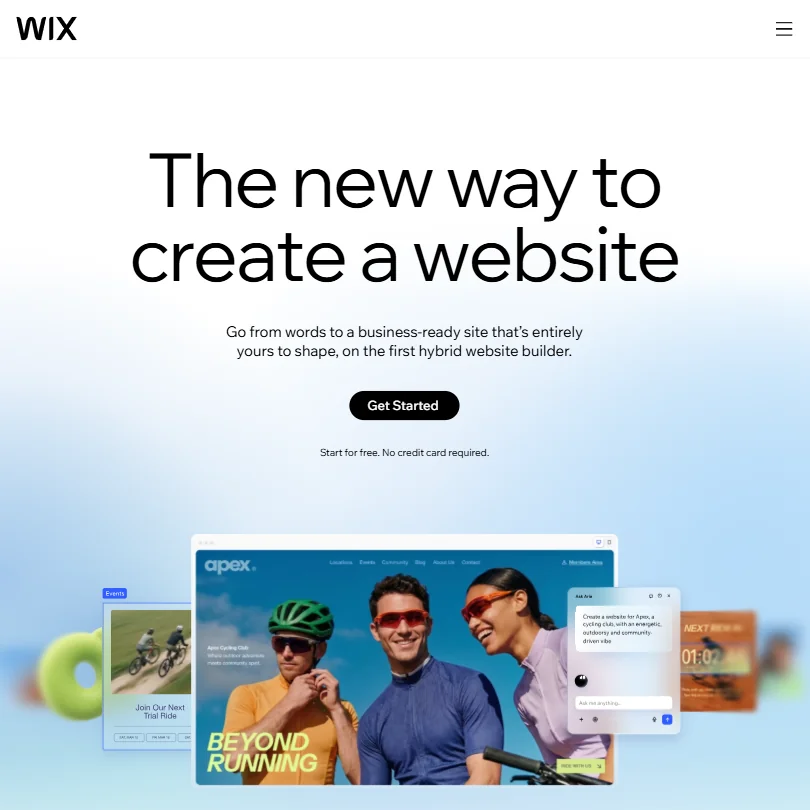
Wix is the easy start for an author site. Describe yourself in a prompt and the AI builder generates the pages, and the free plan is a working site on a Wix domain, not a demo. Ecommerce features begin on the Core plan for selling books directly, and paid plans include a free domain for a year. A finished site's code cannot be exported. Webflow allows export.
- Wix's AI website builder can generate a full, business-ready site from a written prompt.
- Every paid tier includes a built-in eCommerce store, from Basic on Light and Core up to Advanced on Business Elite.
- Wix does not offer a way to export a site's underlying code; Velo only adds custom code that stays on Wix.
From $24free planWebflow is for authors who want a content-heavy site and a real CMS, with the site's own code exportable on paid plans.
Show detailsHide details41 Webflow: Best for content-heavy sites with real code export8.0Score 8.0 out of 10From $24free planWebflow is for authors who want a content-heavy site and a real CMS, with the site's own code exportable on paid plans.Visit site ↗ReviewDetailsCloseShow more about Webflow
From $24free plan
Webflow is for authors who want a content-heavy site and a real CMS, with the site's own code exportable on paid plans.
Show detailsHide detailsWebflow: Best for content-heavy sites with real code export
8.0Score 8.0 out of 10From $24free planWebflow is for authors who want a content-heavy site and a real CMS, with the site's own code exportable on paid plans.Visit site ↗ReviewDetailsClose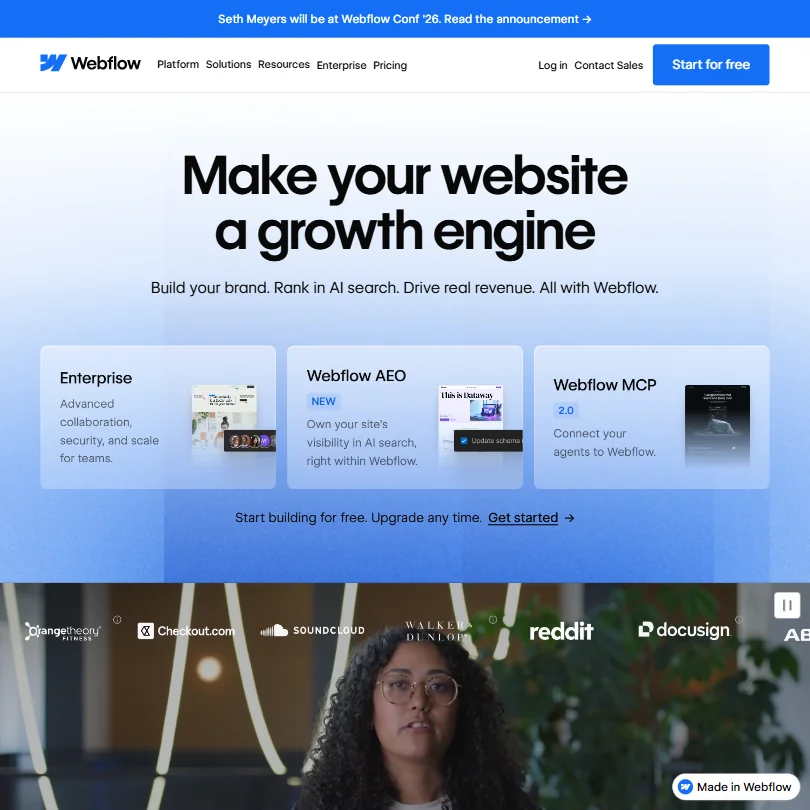
Webflow is for authors who want a content-heavy site and a real CMS, with the site's own code exportable on paid plans. It can generate a whole site from a prompt, fills SEO metadata from CMS fields and has an ecommerce add-on. The free Starter plan allows two static pages on a webflow.io domain. Pricing splits across separate tracks, and the jump to a Team plan is steep.
- Generates an entire website, with a scalable design system, from a basic prompt.
- Includes a built-in CMS with collection lists and dynamic pages, plus an ecommerce add-on for selling physical or digital products.
- Does not generate or edit images with AI; Webflow AI covers site generation, copy, code and CMS content only.
From $10free planFramer suits authors with a design eye who want a site published straight from a canvas. AI agents draft structure and copy from a prompt, and hosting, a CMS and SEO tools are bundled.
Show detailsHide details42 Framer: Best for a design-led site with a built-in CMS7.1Score 7.1 out of 10From $10free planFramer suits authors with a design eye who want a site published straight from a canvas. AI agents draft structure and copy from a prompt, and hosting, a CMS and SEO tools are bundled.Visit site ↗ReviewDetailsCloseShow more about Framer
From $10free plan
Framer suits authors with a design eye who want a site published straight from a canvas. AI agents draft structure and copy from a prompt, and hosting, a CMS and SEO tools are bundled.
Show detailsHide detailsFramer: Best for a design-led site with a built-in CMS
7.1Score 7.1 out of 10From $10free planFramer suits authors with a design eye who want a site published straight from a canvas. AI agents draft structure and copy from a prompt, and hosting, a CMS and SEO tools are bundled.Visit site ↗ReviewDetailsClose
Framer suits authors with a design eye who want a site published straight from a canvas. AI agents draft structure and copy from a prompt, and hosting, a CMS and SEO tools are bundled. The free plan never expires, with a Framer subdomain and no custom domain. There is no code export, no built-in ecommerce, and non-Enterprise inputs and outputs may train its AI. Wix is simpler.
- AI agents generate a site's structure, sections and draft copy from a prompt or brief.
- Hosting, a CMS and SEO tools are bundled together with the builder on one platform.
- No native ecommerce; selling products requires a third-party plugin that syncs an external Shopify store.
From $25free planDurable builds a website in about thirty seconds, and its agents can publish blog posts and reply to leads automatically.
Show detailsHide details43 Durable: Best for a quick site with automatic blog posts5.0Score 5.0 out of 10From $25free planDurable builds a website in about thirty seconds, and its agents can publish blog posts and reply to leads automatically.Visit site ↗ReviewDetailsCloseShow more about Durable
From $25free plan
Durable builds a website in about thirty seconds, and its agents can publish blog posts and reply to leads automatically.
Show detailsHide detailsDurable: Best for a quick site with automatic blog posts
5.0Score 5.0 out of 10From $25free planDurable builds a website in about thirty seconds, and its agents can publish blog posts and reply to leads automatically.Visit site ↗ReviewDetailsClose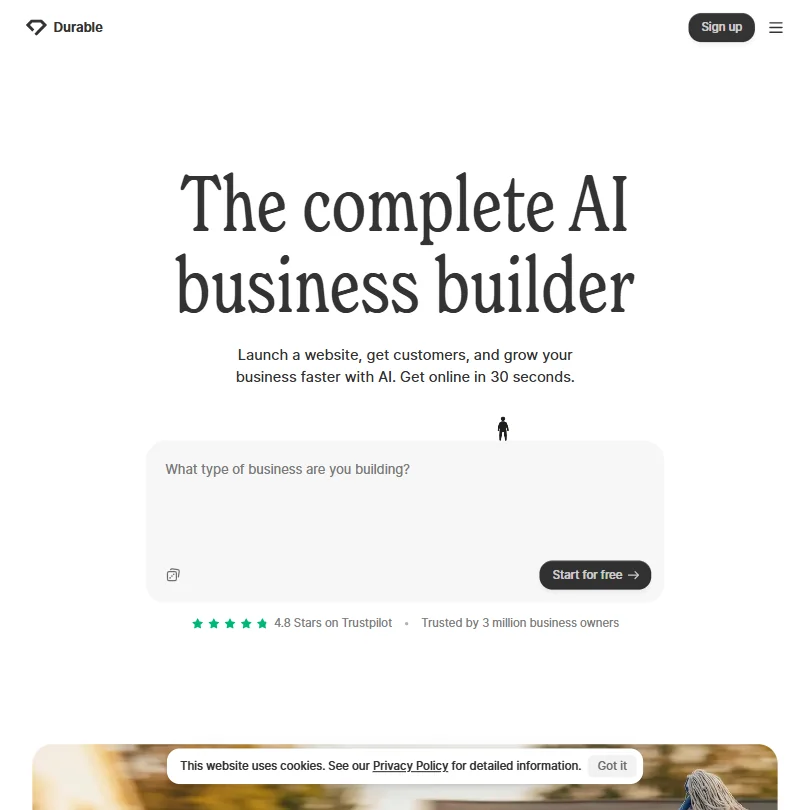
Durable builds a website in about thirty seconds, and its agents can publish blog posts and reply to leads automatically. The free plan gives a .durable.site subdomain, 10 CRM customers and 10 AI chat messages a month. It is aimed at solo service businesses, so the CRM and booking tools go unused by most authors, generated copy often needs editing, and there is no mobile app.
- Durable can generate a full website with real pages, copy, and images in approximately thirty seconds, requiring no design skills.
- AI agents can automatically publish blog posts, collect reviews, and reply to inbound leads without manual triggering.
- The AI-generated website copy is not always high quality, often requiring manual editing after initial generation.
How to choose AI tools for authors
A book touches more kinds of tool than most projects, and each kind rations something different. Writing assistants count messages, voice tools count minutes of audio, cover generators count credits, and website builders count pages and bandwidth. What you need depends on whether you write fiction or non-fiction and whether you plan an audiobook. This guide matches the jobs in a book to the tools on this page, then covers the free plans, where they stop and when paying makes sense.
Start with the job, not the tool
A book moves through eight jobs, and few tools do more than one or two of them.
- Planning. Chapters, deadlines and plot maps. Notion and Taskade hold the schedule, while Miro and Whimsical draw story structure on a shared board.
- Drafting. Producing prose or outlines. Sudowrite is built for fiction, and Claude, ChatGPT, Gemini and Grok are general assistants with free plans.
- Research. Facts for non-fiction and a canon for fiction. Perplexity, Consensus and Elicit search the web or papers, and Google NotebookLM answers from the notes you upload.
- Editing. Correcting and tightening a manuscript. ProWritingAid, Grammarly and LanguageTool correct it, and QuillBot and Wordtune reword stubborn sentences.
- Cover art. The image on the front. Ideogram handles readable title lettering, Midjourney and Leonardo.Ai make the art, ComicInk turns a story into comic panels, and Canva lays it out.
- Audiobook. Narration without a studio. ElevenLabs, Typecast, WellSaid and Murf generate voices, and Speechify reads your manuscript back to you.
- Interviews. Memoir and reportage start with recordings. Otter.ai and Fireflies.ai transcribe on free plans, and Sonix and Trint are paid transcription tools.
- Marketing and site. Buffer, Typefully and Hypefury schedule posts, Jasper AI and Anyword write ad copy, and Wix, Framer, Webflow and Durable build the author website.
Start with the free column below and add a paid tool where the free plan blocks the work.
| Job | Free | Worth paying for |
|---|---|---|
| Planning | Notion, Miro or Whimsical | Notion Plus at $12 a month, if you share the workspace |
| Drafting | Claude, ChatGPT, Gemini or Grok | Sudowrite from $19 a month, or $10 billed yearly, for long fiction |
| Research | Perplexity, NotebookLM or Consensus | Consensus Pro at $20 a month, for 15 Deep reviews a month |
| Editing | Grammarly or LanguageTool | ProWritingAid Premium at $30 a month, for no word cap on a manuscript |
| Cover art | ChatGPT, Ideogram, Leonardo.Ai or Canva | Midjourney from $10 a month, which has no free plan |
| Audiobook | Preview free, in Typecast or WellSaid | ElevenLabs from $6 a month, for a commercial license |
| Interviews | Fireflies or Otter | Sonix at $10 an hour pay as you go |
| Marketing | Buffer or Typefully | Hypefury at $6 a month, if X and LinkedIn are your main channels |
| Author website | Wix, Framer, Webflow or Durable free plans | A paid plan of the same tool, for a custom domain |
Free voice plans do not allow commercial use, and free editors count words or reports. Pay first for narration if you sell an audiobook, and for ProWritingAid if you edit a full manuscript.
What the free plans actually give you
Each kind of tool rations something different, so one free plan lasts a book and another lasts a chapter.
- Planners. Space is rarely the limit. Notion's free plan gives unlimited pages and blocks to an individual, and its full AI starts on the $24 per member Business plan. Miro's free plan holds 3 editable boards, and Whimsical's holds 50 board objects and 50 doc blocks a month, with a watermark on exports.
- Writing assistants. Messages and model tiers are the meter. Claude's free plan gives the Sonnet and Haiku models, and ChatGPT's offers unlimited text chat. Gemini's free plan has a 32,000 token context window, against 1 million on paid plans, which matters when you paste in chapters. Grok's free plan includes chat, image generation and voice.
- Research tools. Questions and reports are the meter. Consensus gives unlimited basic searches, 10 Pro messages and 3 Deep reviews, and NotebookLM holds up to 50 sources per notebook, enough for one book's notes.
- Editors. Grammarly's free plan corrects grammar and detects tone, with 100 AI prompts a month. ProWritingAid's free check stops at 500 words, with 2 reports a day.
- Cover generators. Credits and privacy are the meter. Leonardo.Ai gives 150 fast tokens a day, but its free creations are public. Ideogram gives weekly slow credits and one generation at a time. ComicInk's 100 credits arrive once at signup, and Canva's free plan includes up to 20 AI uses.
- Voice tools. Minutes and downloads are the meter. ElevenLabs gives 10,000 credits a month, Murf 10 minutes of generation with no downloads, and WellSaid 3 download minutes a month. Typecast gives 3,000 credits, about 5 minutes, and generation and playback stay unlimited, and downloads are what spend credits.
- Transcription. Otter.ai's free plan allows 300 minutes a month and 3 lifetime file imports. Fireflies.ai offers live transcripts and clips free, while Sonix and Trint offer a trial rather than a free plan.
- Site builders. Wix's free plan includes hosting, the editor and a Wix-branded domain. Framer gives a free domain with 500 AI credits, Webflow gives 2 static pages on a webflow.io address, and Durable gives a .durable.site address with 5 images and 10 AI chat messages a month.
Which tools fit which author
- A novelist drafting a first book. Start with Sudowrite, because it is built for fiction, with a free trial and no card, and Hobby and Student begins at $10 a month billed yearly. Add NotebookLM to hold your canon, and Claude for a second opinion on a scene.
- A non-fiction author. Start with Perplexity and Consensus, because both return cited answers. Add Claude or ChatGPT to turn notes into an outline, and ProWritingAid for the manuscript.
- A memoir or reportage writer. Start with Otter.ai or Fireflies.ai for interviews, since both transcribe free. Fireflies says it does not train on meetings, while Otter trains on recordings with no opt-out, so choose Fireflies for sensitive talks. Sonix pays by the hour when a single long recording needs a clean transcript.
- A self-publisher making a cover. Start with Ideogram for readable title lettering, which lists commercial use on every plan. Add Midjourney or Leonardo.Ai for the art and Canva for the layout. ComicInk suits a comic or graphic novel.
- An author recording an audiobook. Start with ElevenLabs Starter at $6 a month, because it adds a commercial license the free plan lacks. Typecast Basic at $5 a month suits multi-speaker scripts, and WellSaid Starter at $19 a month gives full commercial rights.
- An author launching a site. Start with Wix, whose free plan covers hosting and a Wix domain. Move to Webflow if you want a content system, or Framer if the site starts from a design file.
A typical book step by step
- Plan it. Notion or Taskade for chapters and deadlines, Miro or Whimsical for plot maps.
- Research it. For non-fiction, Perplexity, Consensus or Elicit. For fiction, keep a canon in NotebookLM.
- Capture interviews. For memoir and reportage, Fireflies, Otter, Sonix or Trint.
- Draft it. Sudowrite for a novel, or Claude, ChatGPT, Gemini or Grok for outlines and non-fiction.
- Edit it. ProWritingAid for the manuscript, then Grammarly or LanguageTool, with QuillBot or Wordtune for stubborn sentences.
- Make the cover. Ideogram for the title, Midjourney or Leonardo.Ai for the art, Canva for layout.
- Record the audiobook. ElevenLabs, Typecast, WellSaid or Murf. Speechify reads the manuscript aloud first.
- Build the site. Wix or Durable for speed, Framer or Webflow for design control.
- Promote it. Buffer, Typefully or Hypefury to schedule, Jasper AI or Anyword for ad copy.
Where free plans stop
| Limit | Tools | What happens when you hit it |
|---|---|---|
| Daily count | Leonardo.Ai (150 fast tokens), ProWritingAid (2 reports) | It renews the next day |
| Monthly count | ElevenLabs (10,000 credits), Otter.ai (300 minutes), Grammarly (100 AI prompts), Consensus (3 Deep reviews) | You wait for the new month or move to a paid plan |
| One-off allowance | ComicInk (100 credits), Sonix (30-minute trial) | Once used, it does not come back |
| Size of one job | ProWritingAid (500 words), Murf (10 minutes of generation) | Longer text or audio has to be split |
| Held back for paid plans | Murf and WellSaid (commercial use), Typecast (attribution on downloads), Leonardo.Ai (private creations) | That part needs a paid plan |
Match each meter to your habit. A monthly cap rewards planning, so spend scarce allowances such as Deep reviews and voice credits on the final draft rather than the first. A one-off allowance is a trial, so test it on a real chapter or a real cover before deciding.
Privacy and who sees your manuscript
An unpublished manuscript is your most valuable file, so how a tool treats text matters before any feature. Many tools on this page state what they do, and a few give you a switch.
| Tool | Training on your content |
|---|---|
| Notion, Miro, Whimsical | Not used for training |
| Consensus, Fireflies.ai, Trint, Sonix | Not used for training |
| LanguageTool, ProWritingAid, Speechify, WellSaid | Not used for training |
| Claude, ChatGPT, Gemini, Grok, ElevenLabs | You can opt out |
| Otter.ai | Trains on recordings, no opt-out |
| Midjourney | Trains on prompts, no opt-out |
| Ideogram | Trains by default, no opt-out on Free, Plus, Pro or Team |
Keep unpublished chapters in the first group, and switch training off in the fourth group right after you sign up. Commercial rights matter for anything you sell. Ideogram and ComicInk list commercial use on every plan, Midjourney from its first paid plan, and ElevenLabs and Murf on paid plans.
Mistakes to avoid
- Selling audiobook files made on a free voice plan. ElevenLabs, Murf, WellSaid and Typecast free plans carry no commercial license, and Typecast requires attribution. Pay for the plan before you export for sale.
- Pasting a manuscript into a tool that trains with no opt-out. Otter.ai and Midjourney offer none, so keep sensitive text elsewhere.
- Judging ProWritingAid on its free check. It stops at 500 words, so it cannot show how it handles a chapter. Test the paid plan for a month on a full manuscript.
- Making a cover on a public free plan. Leonardo.Ai's free creations are public by default, and Ideogram's free plan has no private generation. Move to a paid plan for an unreleased cover.
- Using up one-time credits early. ComicInk's 100 credits and Sonix's 30 minutes do not renew. Save them for the project that matters.
When it is worth paying
You have outgrown a free plan when you plan your book around its limit. Splitting a chapter to fit 500 words, holding a voice test until the month turns, or choosing which interview is worth a transcription minute are all signs.
| If you are | Upgrade to | What changes |
|---|---|---|
| A novelist | Sudowrite Professional | 1,000,000 credits a month, plus developmental edits, line edits and beta reads |
| Editing a full manuscript | ProWritingAid Premium | No word cap and unlimited reports |
| Selling an audiobook | ElevenLabs Starter | A commercial license, 30,000 credits a month and instant voice cloning |
| Making covers often | Midjourney Basic | About 200 image jobs a month, with commercial use included |
| Needing a custom domain | Wix Light, Webflow Basic or Framer Basic | The site moves off the builder's own address |
Billing period changes the price more than the plan does. Sudowrite Hobby and Student is $19 a month or $10 billed yearly, ElevenLabs Starter $6 a month or $60 a year, and Typecast Basic $5 a month or $4.50 billed yearly. Wix Light is billed yearly. Jasper AI, Anyword and Hypefury offer 7-day trials, Miro 14 days, and Sudowrite a free trial with no card.
What would this stack cost you?
Add our top picks (Notion, ChatGPT, Perplexity and 5 more) to the calculator and see the monthly total, then swap in the plans you would pay for.
How we picked
Every tool here is ranked by its score, and each score is worked out from the vendor’s own published pages: pricing, plans, features and terms. No score is adjusted by hand. 41 of the 42 tools have enough published facts to show a score, and on average 93% of each score comes from facts the vendor publishes. The facts behind these scores were checked between 14 September 2026 and 27 October 2026.
Scores compare tools that do the same job, which is why the list is grouped by job: a video editor and a grammar checker are never ranked against each other.
| Ranked as | On this page | What we score | Scoring guide |
|---|---|---|---|
| AI assistants23 reviewed | 5 | 4 criteria, 13 checked facts: what it can do, where it works, pricing, privacy and trust | How we score these → |
| AI writing assistants7 reviewed | 5 | 5 criteria, 20 checked facts: what it helps with, pricing, where it works, teams and control, privacy and security | How we score these → |
| AI voice generators8 reviewed | 5 | 4 criteria, 19 checked facts: what you can make, workflow and output, pricing, privacy and trust | How we score these → |
| AI image generators7 reviewed | 4 | 5 criteria, 26 checked facts: what it makes, control and automation, rights and privacy, pricing, openness and support | How we score these → |
| AI website builders8 reviewed | 4 | 5 criteria, 22 checked facts: what you can build, workflow and output, pricing, teams and platforms, privacy and trust | How we score these → |
| AI work management tools9 reviewed | 3 | 4 criteria, 17 checked facts: what it manages, working with others, pricing, privacy and trust | How we score these → |
| Literature search tools13 reviewed | 2 | 6 criteria, 29 checked facts: finding papers, reading and analysing papers, systematic reviews, pricing, citing and writing, access | How we score these → |
| AI meeting assistants20 reviewed | 2 | 4 criteria, 18 checked facts: what it captures, where it works, pricing, privacy and trust | How we score these → |
| AI transcription tools5 reviewed | 2 | 4 criteria, 21 checked facts: what you get from a recording, workflow and output, pricing, privacy and trust | How we score these → |
| X and LinkedIn growth tools6 reviewed | 2 | 5 criteria, 19 checked facts: growing an audience, pricing, where it posts, writing and repurposing, analytics and teams | How we score these → |
| AI copywriting tools6 reviewed | 2 | 5 criteria, 19 checked facts: brand and content, pricing, where the copy goes, teams and control, privacy and security | How we score these → |
| AI diagram tools3 reviewed | 1 | 5 criteria, 15 checked facts: what you can make, workflow and output, pricing, teams and platforms, privacy and trust | How we score these → |
| Paper readers8 reviewed | 1 | 6 criteria, 29 checked facts: finding papers, reading and analysing papers, systematic reviews, pricing, citing and writing, access | How we score these → |
| AI graphic design tools9 reviewed | 1 | 5 criteria, 23 checked facts: what you can make, workflow and output, pricing, teams and platforms, privacy and trust | How we score these → |
| Brand and product image tools8 reviewed | 1 | 4 criteria, 19 checked facts: the imagery it is built for, getting volume out, rights and privacy, pricing | How we score these → |
| AI social media management tools19 reviewed | 1 | 6 criteria, 28 checked facts: publishing, pricing, AI content, agencies and teams, listening and competitors, privacy and support | How we score these → |
Common questions
Which tools keep characters and world details consistent across a long book?
Several approach it differently. Sudowrite's Story Bible holds character, lore and worldbuilding rules, Claude and ChatGPT keep them in projects, and NotebookLM answers from your own canon notes. On the visual side, ComicInk's Character Lock and Leonardo.Ai's trained models keep faces consistent. Pick one home for your canon and keep it current.
Which editing tools include a plagiarism check?
Three here. Grammarly puts plagiarism checking and AI detection on Pro, QuillBot includes a plagiarism checker and an AI detector, and ProWritingAid sells plagiarism checks through credits. LanguageTool and Wordtune do not offer one. If you quote sources heavily in non-fiction, run one check on the final draft, not on every chapter.
Which tools work on a phone or tablet when I am away from my desk?
Claude, ChatGPT, Gemini, Grok, Notion, Taskade, Miro, Grammarly, Wordtune, Buffer and Typecast all have phone apps, and Sudowrite has an Android app. Whimsical, Midjourney and Durable have no mobile app. For capturing ideas or recording interviews on the move, an assistant app or Otter or Fireflies on your phone will do most of the work.
Do editing tools work with Scrivener and Word?
Partly. ProWritingAid integrates with Scrivener, Word, Google Docs and Chrome, while Grammarly and LanguageTool work in Word and Google Docs, and LanguageTool also in LibreOffice. QuillBot has a Word add-in, and Wordtune works in Google Docs. Sudowrite has its own editor with chapter organization, so you write inside it instead of importing changes.
How many tools does one book really need?
Fewer than this page lists. A minimal route is one assistant for drafting, one editor for proofreading, one cover generator, and a website builder, all on free plans. Add narration only if you publish an audiobook, and a scheduler once you have something to promote. Extra tools earn their place only when a free plan limit stops the work.