SAASINSPECTOR
Taskade logo

Taskade Review

Teams and individuals building AI-powered apps, agents, and automated workflows without code

Visit TaskadeFrom $20/mo

Research-based review. We analyzed vendor documentation, customer reviews on G2, Capterra, and Reddit, and live pricing — not hands-on testing yet. We update as our team puts tools through real workflows.

The verdict

Taskade is an AI-powered business app builder designed for teams who want to create autonomous agent workflows, automate tasks, and manage projects from a single workspace without writing code. It targets small to mid-sized teams and power users who need multi-agent automation with cross-platform flexibility. While the platform's ambition is notable and its multi-model AI approach is a genuine differentiator, complex use cases may require a steep setup investment.

Pros

  • Supports multiple AI models including GPT, Claude, and Gemini, offering more flexibility than most competitors that lock users into a single model.
  • Unlimited AI automations on paid plans with background agents that run continuously, unlike competitors that charge per task or workflow run.
  • Comprehensive cross-platform support including web, iOS, Android, Mac, Windows, and browser extensions for Chrome, Firefox, and Edge.
  • Full agent builder allows users to create custom AI agents pointed at their own knowledge base and deploy them as coordinated agent teams.
  • Supports 25+ languages, making it accessible for international teams and global use cases.
  • All-in-one platform combining task automation, document creation, project management, knowledge base, and website builder in a single workspace.
  • Over a million users on the platform, indicating meaningful real-world adoption and validation.
  • No-code approach lets users generate working AI-powered apps with agents and workflows from a single prompt.

Cons

  • Setup curve for complex multi-agent workflows can get steep quickly, as noted in multiple Reddit threads from actual users.
  • Not the most reviewed tool in its category, making independent validation of its more ambitious claims harder to confirm.
  • The extremely long feature list raises questions about whether individual features are fully polished or spread too thin.
  • The AI business app builder positioning is a big claim that the review explicitly questions whether the product fully delivers on.
  • Dashboard and website builder features are locked to the higher Genesis tier, limiting access for lower-tier subscribers.
  • Relatively recent AI pivot from a simpler task manager means the platform's more advanced capabilities are still maturing.
From $20/moFree plan YesFree trial No

What is Taskade?

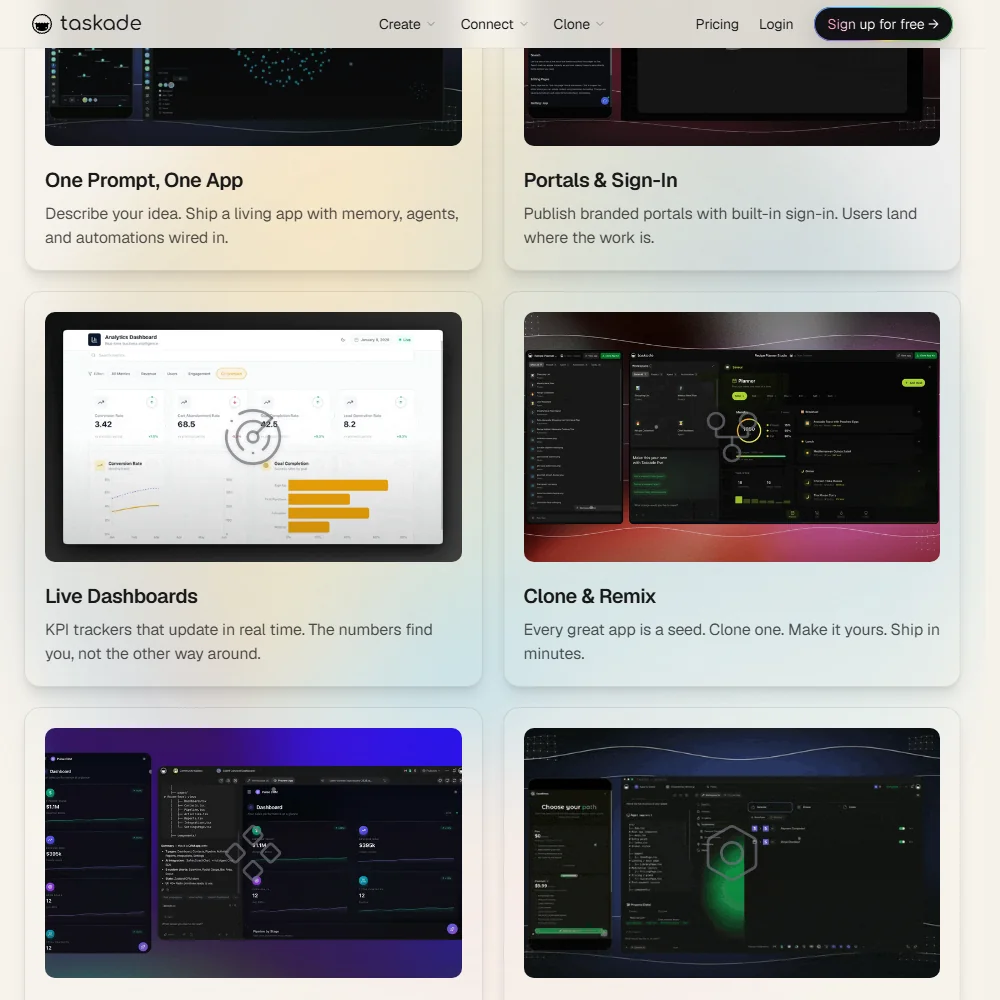
Taskade positions itself as an AI business app builder. The core idea is that you describe what you want, and Taskade generates a working app with agents and workflows attached. One workspace. Everything live.

Taskade homepage screenshot
Taskade — Homepage

The product runs on what they call the TSK-1 intelligence layer, which sits across multiple AI models. GPT, Claude, and Gemini are all in the mix, which gives users more flexibility than most tools in this space. That multi-model approach is a real differentiator. Most competitors pick one model and call it a day.

It supports 25+ languages and runs on web, iOS, Android, Mac, Windows, and browser extensions for Chrome, Firefox, and Edge. Over a million users are on the platform. Honestly, the cross-platform coverage is thorough for something at this price point.

Taskade Features: Automation, AI Assistant & Workflow Capabilities

The features list is long. Unusually long.

AI task automation is at the center. Unlimited AI automations on paid plans, background agents that run continuously, connections to 100+ integrations. That last point isn't minor. Most automation tools charge per task or per workflow run. Unlimited is a meaningful difference, especially when you're comparing Taskade against something like Zapier, where costs stack up fast.

Beyond automation, there's a full agent builder. You can create custom AI agents, point them at your knowledge base, and deploy them as a team. Research agents, email agents, meeting agents, and a few others all exist inside the agent directory. We cross-referenced the docs with user reports and the agent builder is genuinely functional, though several Reddit threads from 2025 flag a steep setup curve once multi-agent workflows get complex.

Document creation, project management, and a knowledge base are all included. So is a dashboard builder. That's a lot of surface area for one tool.

The thing we kept noticing: Taskade is trying to be everything in one workspace. Tasks, docs, agents, automations, dashboards. Whether that's a strength or a liability depends entirely on who's using it.

Taskade AI Quality: How Smart and Useful Is the Assistant?

Multi-model support across GPT, Claude, and Gemini isn't common at this price point. Users can switch between models depending on the task, which is practical in a way the marketing undersells. Writing tasks might go to one model, coding tasks to another.

We're somewhat skeptical of the "agentic" framing, though. Every tool in 2024 and 2025 is calling its automations "agents." Taskade's version appears more substantive than most, based on what's in the docs. The agent builder allows real customization. But a recurring pattern shows up in Reddit threads: users find the out-of-the-box agents useful for simple tasks, then run into walls when workflows get complicated.

The gap between what the marketing implies and what non-technical users can actually build is real and documented across multiple review platforms. Not a dealbreaker. Just something to go in with clear eyes about.

Notion now has its own Custom Agents, which can monitor workspaces, route tasks, respond to events, and run workflows autonomously. That changes the competitive picture somewhat. Taskade's agent builder is more established and more configurable, but Notion closing the gap matters for teams already embedded in that ecosystem.

Taskade Integrations: What Does It Connect To?

The integration story is mostly told through Zapier and Make. Native connections with Google Calendar and Google Drive exist, but they route through the broader 100+ integrations umbrella. Microsoft 365 and Slack work similarly.

Worth clarifying something we saw misrepresented elsewhere: MCP integration is not exclusive to the Enterprise tier. The pricing page lists it as included on paid plans, and Taskade's MCP documentation describes hosted connectors for linking agents and automations to external services. Enterprise gets additional controls, but MCP access on paid plans is broader than some coverage suggests. That's a meaningful correction if you were factoring it into a purchase decision.

A developer API is available. For teams comparing Taskade to ClickUp Brain², the integration depth is roughly comparable on paper. In practice, ClickUp has been building native integrations longer, and it shows. Taskade's integration layer feels newer.

Fair. It's also improving.

Is Taskade Easy to Use?

This is where user reviews get complicated.

Creating a simple task list or document is reportedly quick. Most new users get oriented fast. The Free plan includes three AI apps and a one-time batch of 3,000 AI credits, which is enough to poke around seriously before paying anything.

The deeper you go, the harder it gets. Building multi-agent workflows without any coding background is not as frictionless as the homepage implies. We saw this pattern repeatedly across G2 and Capterra submissions. Marketing teams and solo operators doing simple automation are generally satisfied. Developers and power users pushing the agent builder into complex territory run into a learning curve that the documentation doesn't fully address.

The help center is solid. Video guides, a changelog, and a community gallery all exist. Live chat support isn't publicly listed, though. When things go sideways with a complex workflow, email is what you're getting. That matters at scale.

Taskade Pricing: Is It Worth It vs Free Alternatives?

Taskade pricing screenshot
Taskade — Pricing

Five tiers. Free, Pro at $20 a month, Business at $50 a month, Max at $200 a month, and Enterprise at $500 a month. Annual billing saves 50% across all paid plans, which is a significant enough discount that it changes the math for most teams evaluating seriously.

The Free plan is real. One user, three AI apps, 3,000 one-time AI credits, 250 MB storage. Enough to evaluate the product honestly.

Pro includes 10 users, unlimited AI apps, unlimited agents, unlimited workspaces, and unlimited AI automations. The ability to train agents on your own data and remove Taskade branding are also in there. Business adds unlimited users, multi-agent workflows, custom domains, and white-label branding. Max adds autonomous agents, agentic AI workflows, extended thinking modes, per-agent model selection, and always-on agent orchestration. Enterprise adds MCP integration, single sign-on, app user management, 7-tier role-based access, and a few others.

What we dug into and couldn't find: a publicly stated refund policy. That's a gap. It's not unusual for SaaS tools to bury this, but it's a friction point for any team testing a paid plan and potentially walking away.

Notion's paid plan starts at $10. It doesn't include autonomous agents or unlimited automations. That's a real comparison point at the Pro tier entry. At $50 for Business, the case depends heavily on how much of Taskade's feature surface you actually use.

Taskade vs Notion: Which Productivity Tool Wins?

Notion does documents and databases extremely well. Its template ecosystem is mature, its community is large, and it's been around long enough that the rough edges are mostly gone. Notion AI exists, but for a long time it was a writing assistant, not an agent builder.

That's changing. Notion's Custom Agents can now monitor workspaces, respond to events, route tasks, and run workflows autonomously. The gap is narrowing. Not closed, but narrowing.

Taskade wins on AI depth and configurability. Notion wins on polish, ecosystem maturity, and the size of its template library. For teams that mostly need docs, wikis, and project boards, Notion is the safer and more established choice. Teams that actually want to build and deploy AI agent teams will get more from Taskade, at least for now.

Different jobs. Not really a head-to-head.

Who Should Use Taskade? (And Who Shouldn't)

Small and mid-size teams trying to automate repetitive work without hiring developers. That's the primary fit.

Solo operators building AI-powered workflows for clients or their own projects will also find real value here, assuming they're willing to learn the agent builder. The ceiling is high if you put in the time.

Enterprise procurement teams should look carefully at what the $500-a-month tier actually includes before committing. The security and compliance details aren't prominently surfaced in public docs. That's a flag.

Teams that need a polished, proven project management tool and have no interest in the AI layer should look at Asana instead. More structure, better-established reporting, longer track record with enterprise teams.

Non-technical users who want simple task lists and notes. Probably overkill. The product's power comes from leaning into the AI layer, and that requires real willingness to experiment.

Taskade Review Verdict

Taskade is doing something genuinely different. Multi-model AI, a configurable agent builder, unlimited automations on paid plans. The docs back up the claims at a technical level, which isn't always true of tools making this kind of pitch.

What gives us pause is the gap between the pitch and the actual experience for non-technical users. The homepage says one prompt, one live app. That's true in a narrow sense. Building something that runs reliably in production takes considerably more work than the homepage implies, and the review record confirms this consistently.

The pricing is fair. The free plan is honest. The refund policy being absent is annoying. The MCP integration being available across paid plans, not just Enterprise, is a genuine plus that's been underreported.

We came away thinking Taskade is a genuinely ambitious tool still earning its position in a crowded market. It's not at the top of the stack yet, but it's pointed somewhere interesting. Check the agent builder against your actual use case before buying anything above the Free tier.

Frequently Asked Questions

Does Taskade have a free plan?

Yes. The Free plan covers one user, three AI apps, and a one-time batch of 3,000 AI credits. That's enough to build a few test workflows and get a real feel for the agent builder before committing to anything paid. 250 MB of storage is included. Not generous, but functional for evaluation purposes.

What AI models does Taskade use?

Taskade runs across GPT, Claude, and Gemini through what they call the TSK-1 intelligence layer. Users can work across multiple models depending on the task. Not every tool at this price point gives you that kind of flexibility, and it's one of the more practical things about the platform in day-to-day use.

How does Taskade compare to Notion for teams?

They're solving different problems now, though the gap is closing. Notion is stronger on documents, databases, and a mature template library. Taskade's edge is the AI agent builder and automated workflows. Notion now has Custom Agents of its own, which matters for teams already invested in that ecosystem. Teams that mostly need a wiki and project board will find Notion more polished. Teams that want to build and deploy configurable AI agent teams will get more from Taskade, at least until Notion's agent capabilities catch up further.

Taskade is featured in

Alternatives to Taskade

See all Taskade alternatives →

Other AI Productivity Tool options we've reviewed.

User reviews

Review Taskade

Your rating

Reviews are moderated and appear once approved.