Founded in 2020, Typefully targets writers and creators who spend real time on X and, increasingly, on LinkedIn and Bluesky. The pitch has sharpened over six years. Less "scheduling tool," more "writing environment that happens to schedule."
What is Typefully?
The editor is the whole argument. Typefully positions itself not as a scheduler that also lets you write, but as a writing environment with scheduling bolted on correctly.
The pixel-perfect post preview is a core feature. You see what the post will look like before it goes live, accurately, and that's not a given in this category. Buffer doesn't do it as well. Hypefury doesn't prioritize it.
Coverage runs across X, LinkedIn, Bluesky, Threads, and Mastodon. The product serves solo creators on the Free plan, individual professionals on Creator at $99 a year, and small teams on Business. Enterprise exists too, request-a-trial only, no public number. That last part comes up again below.
Honestly, six years in and the product is more focused than most tools competing at this price point. That focus is what makes it useful. It's also what makes it the wrong answer for certain teams.
Typefully Features: Scheduling, AI Content & Analytics
The Free plan is real. One social set, one user, 15 posts per month, advanced scheduling, and API plus MCP access. That last part is genuinely unusual. Most tools in this category gate API access behind paid plans entirely, and Typefully hands it to free users. Worth something for developers who want to prototype automations before committing.
Creator at $99 a year adds X analytics and AI writing features, and expands media uploads to unlimited. Business layers in collaborative writing tools, comments with Slack notifications, teams with roles and permissions, higher API rate limits, and unlimited users. The jump from Creator to Business is essentially the jump from solo to team. The dividing line is clean, which we appreciate.
Auto-RT and Auto-Plug are X-specific growth features. They signal activity to the algorithm. We're mildly skeptical of how much they move the needle, but we're not dismissing them either. Fair.
Typefully Platform Support: Which Networks Does It Cover?
Five networks. X, LinkedIn, Bluesky, Threads, and Mastodon. That's a reasonable list for the target audience, and cross-posting between Bluesky and Threads in one step is genuinely useful for writers trying to hold a presence across newer platforms without doubling the effort.
What's absent is notable. No Instagram. No Facebook. No TikTok. Teams managing brand presence on visual-first or mixed platforms will hit a wall immediately. That's not a flaw exactly, it's a scope decision. But it does cut a significant portion of potential users out of the consideration entirely.
Buffer handles Instagram and Facebook alongside the text-first channels Typefully covers, which makes it a more complete option for mixed-platform teams. If that's the situation, the decision isn't close.
Typefully AI Content Creation: Caption & Copy Quality
The AI assistant pulls from Claude and ChatGPT with some proprietary layer on top. The claim is that the AI learns your voice over time, not just pattern-matching against generic social copy templates. We went in skeptical. Most tools say something like this.
Starting from your own rough idea and having the AI sharpen it is a more honest use of these models than asking them to create from nothing.
MCP integration and AI agent support are newer additions. Claude and ChatGPT can queue drafts and leave feedback inside the workflow, not just generate text and exit. Interesting direction. We're watching how users actually end up using it before calling it essential.
Hashtag research isn't documented. Competitor analysis isn't there either. Not great, for users who depend on those features specifically.
Is Typefully Easy to Use?
Thread formatting is clear. The path from draft to scheduled post doesn't require touching settings you don't need.
A Mac app is available for users who want the tool off the browser. Raycast integration is a nice addition for keyboard-driven workflows, and it signals that the product is built with a specific type of user in mind.
Hootsuite ships with configuration that most solo users will never touch. Typefully doesn't. Whether that simplicity holds as teams scale into Business-tier workflows is hard to assess.
Help documentation exists. No community forum. Support is email-based. Fine for individual users. Potentially frustrating for teams who need a fast answer on something unusual.
Typefully Pricing: Is It Worth It for Creators & Agencies?

The pricing is public. Free at $0, Creator at $99 a year, and Business for teams. Enterprise is request-only.
Agencies running multiple client accounts will want to do the math before committing. Whether that's competitive depends on what you'd otherwise pay across Buffer or TweetHunter for comparable coverage.
The Free plan's API and MCP access remains the most unusual offering at that tier. Fifteen posts per month is limiting for active creators, but for developers or teams evaluating fit before a procurement decision, the free tier gives enough to make a real assessment. No free trial otherwise. Just the permanent Free plan, then a paid upgrade.
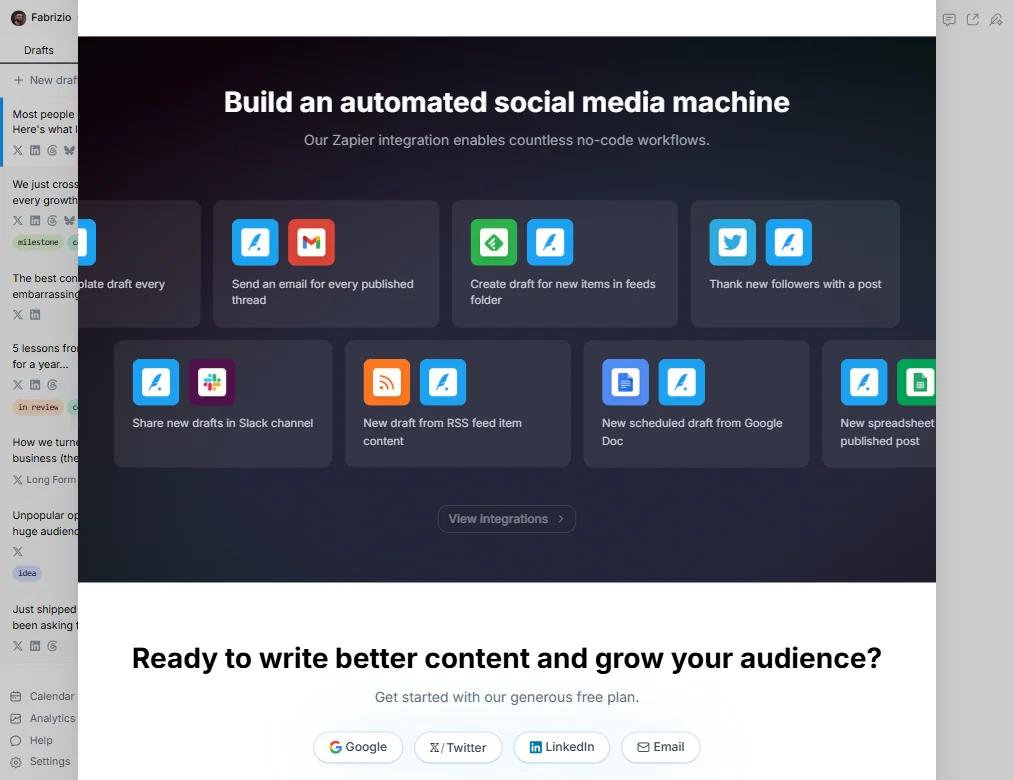
Zapier and Notion integrations are in there too. Not a long list, but those two cover a lot of workflow automation ground for the target audience.
Typefully vs Buffer: Which Social Media Tool Wins?
Buffer is the comparison that comes up most. Both target creators. Both have free plans. Both treat scheduling as a core feature rather than a bolt-on.
The differences are real at the edges. Buffer covers Instagram and Facebook. Typefully doesn't. That's the platform coverage gap and it matters for mixed-channel teams.
Analytics splits along platform lines. Typefully's detailed X analytics, including profile and post-performance metrics, are more thorough than what Buffer offers on that channel specifically. Buffer distributes analytics more evenly across its supported platforms. Which matters more depends on where you actually post.
Team collaboration is more fleshed out in Typefully's Business tier. The comments, Slack notifications, and shared draft system seem more considered than Buffer's equivalent. Buffer's collaboration works. It isn't the focus.
For writers invested in X and LinkedIn, Typefully. For teams managing a broader platform mix, Buffer's coverage wins on scope alone.
Who Should Use Typefully? (And Who Shouldn't)
Solo creators and writers building on X or LinkedIn. That's the core fit. The editor, the AI rewriting, the streak tracking, all of it assumes you're invested in the craft of posting, not just volume.
Small content teams doing collaborative drafting on Business. A team of two to five people iterating on posts before they go out is going to find the shared drafts and commenting system genuinely useful. That's what the Business tier is built for.
Agencies or brand managers who need Instagram, Facebook, or TikTok coverage. Not the right tool. The platform scope is too narrow and nothing in the vendor documentation suggests that's changing.
Marketing operations teams that need to clear internal budget approval before testing. The Free plan gets you far enough to make a real assessment without a procurement conversation. That's actually useful compared to tools that require a paid trial to see anything meaningful.
Typefully Review Verdict
The Free plan's API access is a genuine differentiator.
The platform coverage gap is the most limiting factor for teams. Five networks is a considered decision, not an oversight, but it does mean Typefully is a partial solution for anyone running Instagram or Facebook alongside their text-first channels.
For creators who care about how they write, not just when they schedule, this is worth looking at seriously. Free plan first. Then decide.
How Typefully compares
Typefully scores 7.8 out of 10 among the X and LinkedIn growth tools we rate. These three do the same job and are the closest to it, compared on what each vendor publishes.
Hypefury
Typefully has a free plan, posts to X, LinkedIn, Bluesky, Threads and Mastodon, but its paid Creator plan is sold yearly only. Hypefury has no free plan, starts at $6 a month, and posts to Instagram and TikTok too, but does not support X at all. Hypefury suggests posts and people to reply to and keeps a library of high-performing posts, neither of which Typefully offers. Typefully lets several people work on one account and has an API; Hypefury has neither.
Pick Hypefury if you want Instagram and TikTok posting at a lower price.
Pick Typefully if you want a free plan and multi-user accounts with an API.
Tweet Hunter
Tweet Hunter posts only to X but suggests posts and people to reply to and keeps a library of high-performing tweets, neither of which Typefully offers. Typefully posts to X, LinkedIn, Bluesky, Threads and Mastodon and has a free plan, though its paid Creator plan is sold yearly only, unlike Tweet Hunter's $29 a month billing. Typefully lets several people work on one account and has an API; Tweet Hunter has neither. Both add a plug once a post takes off.
Pick Tweet Hunter if you want built-in reply suggestions and a tweet library.
Pick Typefully if you want a free plan across five networks with an API.
Re-engage
Typefully has a free plan and posts to X, LinkedIn, Bluesky, Threads and Mastodon, auto-reposting your best content and adding a plug once a post takes off. Re-engage never connects an account: it only writes text for you to paste onto X or LinkedIn yourself, and its cheapest plan is $15 a month with no free tier. Re-engage turns articles and links into drafts, which Typefully does not list. Typefully also has an API and states GDPR compliance; Re-engage lists neither.
Pick Re-engage if you only need drafts to paste in yourself each month.
Pick Typefully if you want built-in publishing to five networks and a free plan.
Frequently Asked Questions
Does Typefully have a free plan?
Yes, and it's more substantive than most. One social set, one user, 15 posts per month, advanced scheduling, and API plus MCP access. The post cap is limiting for active publishers, but the API access at the free tier is unusual enough to matter for developers or teams evaluating fit before a paid commitment. Enough there to make a real assessment.
What platforms does Typefully support?
X, LinkedIn, Bluesky, Threads, and Mastodon. Text-first platforms, covered well. Instagram, Facebook, and TikTok are not supported. If those channels are part of the workflow, Typefully isn't a complete solution on its own and you'd need a second tool to cover the gap.
How does Typefully's AI writing assistant work?
It draws on Claude and ChatGPT, with a proprietary layer on top. The practical use case is rewriting and expanding drafts you've already started, not generating from scratch. Whether the voice-learning claim holds over extended use is worth tracking before treating it as confirmed.