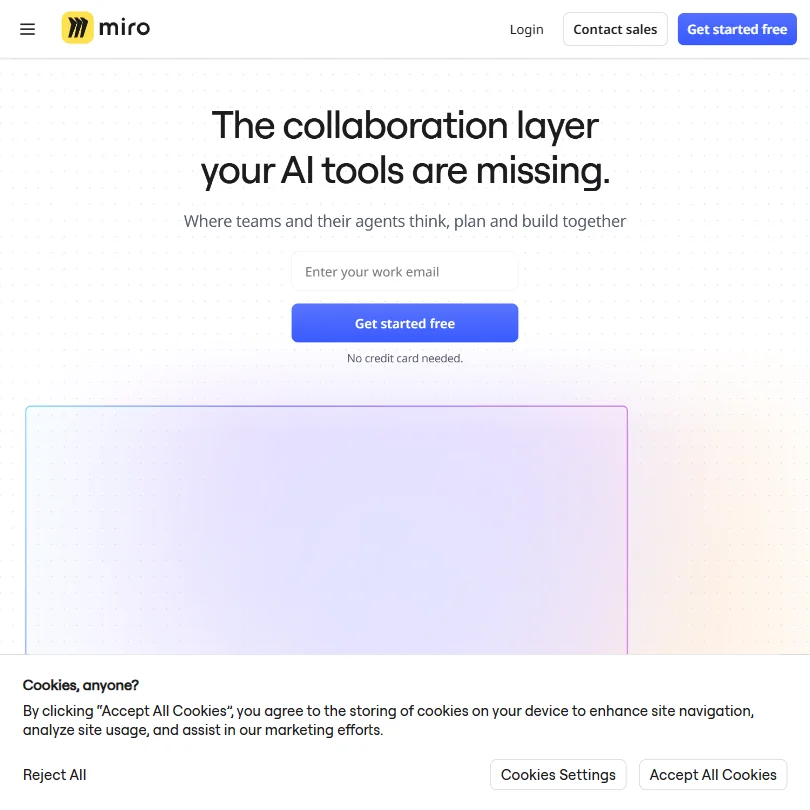
Over 100 million users on a product that started as an online whiteboard in 2011. That number keeps surfacing in Miro's own materials, and we've long stopped being surprised by it. What's shifted recently is the AI layer, which Miro now frames as the core reason to stay in their ecosystem rather than a checkbox feature. The pitch is "the collaboration layer your AI tools are missing." We cross-referenced that claim against vendor docs, G2 and Capterra reviews, and a fair amount of Reddit threads. The honest answer is it's closer to accurate than most vendors deserve to say.

What is Miro?
An infinite multiplayer canvas. That's the foundation, and it hasn't changed. Teams open a board, drop in sticky notes, diagrams, wireframes, whatever fits the moment, and work on it together in real time. Product planning, retrospectives, stakeholder alignment, roadmapping sessions. Wide use case spread.
The AI layer has grown fast. Miro AI now generates diagrams, clusters sticky notes, summarizes workshop outputs, and runs automated workflows directly on the canvas, plus connects to external AI agents through an MCP server. That last part is a meaningful departure from what most whiteboard tools are doing. More on it below.
San Francisco-based. Founded 2011. Available on web, iOS, Android, Windows, and Mac. The free plan doesn't expire, though you're capped at three editable boards. The AI integrations include a proprietary layer plus connections to Claude and Copilot, which are the two worth naming here.
Miro Features: Automation, AI Assistant & Workflow Capabilities

More than most people expect when they first sign up thinking it's a whiteboard.
The automation side runs through AI Workflows and Blueprints. You build a repeatable process once on the canvas, then run it again with AI handling the mechanical parts. Sprint retros, research synthesis, planning sessions. Teams that run these repeatedly say this is where Miro starts earning its cost at the Business tier, not at Starter.
Beyond sticky notes, Miro now has Docs, Tables, and Slides with tree views and nesting for roadmapping. Kanban boards. Timelines. Two-way sync with Jira and Linear, and a few others. The Kanban and Timeline views aren't trying to replace dedicated project management tools. Different goal entirely, keeping everything visible in one place.
Honestly, the breadth can work against them. We kept seeing G2 reviewers in product and design roles say they use maybe a third of what's available. Discovery inside the tool is a documented friction point. Not a dealbreaker, but flagging it before someone commits a full team to it feels necessary.
The presentation builder lives directly on the canvas as a Slides format. You're not exporting to PowerPoint. You're framing sections of your board as slides and presenting from there. Engineers on Reddit tended to like this. Designers were more split.
TalkTrack deserves a separate mention. Record a narrated walkthrough of a board. Async communication that keeps context. Small feature. Popular one.
Miro AI Quality: How Smart and Useful Is the Assistant?
The AI assistant handles a real spread. It generates diagrams from text prompts, creates tables, writes summaries, and clusters sticky notes from a workshop into themes. That clustering feature comes up constantly in reviews from facilitators and researchers. Real time saved when you're staring at 80 sticky notes from a two-hour session.
The MCP server is the part of Miro's AI story we find most credible. MCP stands for Model Context Protocol. Miro's implementation lets external AI agents, including Cursor and Claude, interact with the canvas directly. Not just pulling data out. Actually writing to the board. That's a different kind of integration than most canvas tools have attempted, and we don't say that lightly.
We're cautiously optimistic about it. Not fully sold. The use case is real for engineering teams using AI coding tools who want planning context in one place, but MCP integrations in practice are still early. Reviews referencing this specifically are sparse, which either means it's too new or too niche to have attracted vocal users yet. Both are plausible.
The AI also synthesizes meeting and workshop outputs. It pulls together results from polls and activities run on the canvas and writes a summary of what happened. Teams using Miro for structured workshops find this useful. Teams doing loose brainstorms, less so.
One pattern that came up repeatedly across Capterra reviews: AI diagram generation is solid but inconsistent. Faster than building from scratch, but you'll spend time cleaning up the output. That tracks. Same pattern we see with AI-generated content across most tools in this category.
Miro Integrations: What Does It Connect To?
250+ integrations total. We're not listing them. The ones that matter most based on actual usage patterns are Jira and Linear for engineering work, then Figma for design handoff. Slack and Microsoft Teams are in there too, and a few others. Two-way sync with project management tools is a genuine differentiator over Mural.
Google Drive and Microsoft 365 are both covered. GitHub is in there too, along with Confluence and a few others. The developer platform at developers.miro.com lets larger organizations build custom apps on top of the canvas, and many of them do.
The Claude integration via MCP is the one we'd watch most closely. If your team already uses Claude for research or writing, having it interact directly with a Miro board changes the workflow in a way that's hard to replicate by copy-pasting between tabs. Whether that justifies the subscription cost depends on how central Miro already is to how your team works.
Zapier is supported for connecting Miro to tools outside the native list. API access is available. Browser extensions exist for Chrome. No offline mode that we could find documented anywhere. Fair. The integration list is one of the stronger arguments for Miro at scale.
Is Miro Easy to Use?
First board up in under five minutes for most users. The canvas metaphor is approachable enough that new team members can contribute in a workshop without any training. That part is genuinely true.
Then things get complicated. The feature surface is enormous, and Reddit threads kept surfacing the same complaint from new paid users: too many places to look for things. Templates scattered across menus. AI features not surfaced prominently enough for people who'd benefit from them. Blueprints and Workflows buried deep enough that some users apparently didn't know they existed.
Miro Academy is a real resource, not a token one. Webinars, courses, community forum. Teams that invest time in onboarding report much higher satisfaction, which is the good news and a warning in the same breath. Drop someone into Miro Business on day one without a walkthrough and they'll probably make do with a third of the product. That's a real cost.
Mobile apps cover iOS and Android. Not the primary way to use Miro. Reviews consistently describe them as useful for reviewing boards and light edits. Running a workshop from a phone isn't the intended workflow, and it shows.
Web, Windows, Mac, iOS, Android. Cross-platform coverage is solid. No serious complaints there from what we read.
Miro Pricing: Is It Worth It vs Free Alternatives?

The free plan is one of the better free tiers in this category. Three editable boards, basic AI exploration, and 250+ integrations, and it doesn't expire. That puts Miro ahead of FigJam on the free tier.
Starter runs $10 per member per month billed monthly. Business is $25 per member per month billed monthly. Enterprise is custom pricing, starting from 30 members. The AI features that make Miro's pitch credible, specifically Blueprints and AI Workflows, are gated at Business or above. That matters. The Starter tier doesn't give you the full AI story Miro advertises in their marketing. Starter does include 25 AI credits per member per month, which is enough to get a feel for the assistant but not enough to build workflows around it.
$25 per seat per month is where the product becomes what the marketing promises. A team of 10 is $250 a month billed monthly. Not outrageous for a tool this central to how product and design teams operate, but not nothing. Small teams will feel it.
The refund policy isn't publicly documented anywhere we could find. Minor annoyance. Worth asking sales about before committing a larger team. Enterprise sales requires a minimum of 30 members and routes through a contact form, which suggests the conversation changes depending on company size and what you tell them upfront.
We're skeptical of the value framing at Starter. The price is lower, but if you need AI Workflows and two-way Jira sync, you're going to Business. That's the real entry price for teams using Miro as an actual system.
Miro vs Lucidspark: Which Productivity Tool Wins?
Lucidspark is the most direct comparison. Both are multiplayer visual canvases. Both have moved toward AI features. The gap has widened in Miro's favor on integration depth, specifically the Jira sync, the Linear connection, and the MCP server. Lucidspark integrates well with Lucidchart, which helps in certain organizations, but it doesn't match Miro's coverage across engineering and design toolchains.
On ease of use, Capterra gives both Miro and Lucidspark a 4.5 out of 5 for ease of use. Identical. We're not going to conclude Lucidspark is easier to navigate based on that alone. Individual users may prefer its interface, and it has fewer features to get lost in, but the data doesn't support a clean "Lucidspark wins on usability" narrative. Teams that tried Miro and bounced often cite the complexity. Teams that tried Lucidspark and moved to Miro often cite the ceiling.
FigJam is tighter with Figma, obviously. Design teams already in the Figma ecosystem sometimes prefer it for that reason. But FigJam doesn't try to be a project management layer. Miro is attempting something larger in scope, and the reviews suggest it largely delivers for product-centric teams.
Mural has stronger facilitation templates in some areas. Similar canvas model. But Miro's AI layer and integration list have pulled ahead, and the user base reflects it. Notion and Confluence come up in comparisons from teams asking whether they need Miro at all. Document-first tools with visual features attached. Different starting assumptions than Miro, which is visual-first with documents added later.
Who Should Use Miro? (And Who Shouldn't)
Product management teams. Strongest fit across the reviews we read. Roadmapping, sprint planning, retros, stakeholder alignment, all of it in one place with connections to the tools engineers are already using.
Design and UX teams are close behind. Wireframing, journey mapping, research synthesis. The Figma integration matters here. Qualitative researchers making sense of large volumes of user feedback get specific value from the AI clustering features.
Engineering teams using AI coding tools like Cursor are an emerging audience. The MCP server is specifically aimed at them. Early days.
Solo users. Not the fit. Three free boards is fine for lightweight use, but the product scales with team complexity. $10 or $25 per month for a single user is steep when Notion or FigJam solves a simpler version of the problem for less money.
Teams needing deep document management or knowledge bases should look at Glean for enterprise search or stay with Confluence. Miro isn't trying to be a knowledge repository, and reviewers who expected that were consistently disappointed. If your team's main pain point is meeting notes and async summaries rather than visual collaboration, something like Fathom AI Notetaker solves a narrower problem better and cheaper.
Miro Review Verdict
Serious product. The AI Workflows, Blueprints, MCP server connectivity, and the depth of integrations with Jira, Linear, and Figma add up to something real. This isn't a whiteboard tool that slapped an AI badge on its homepage.
The discovery problem is real too. Miro rewards teams that invest in it and punishes teams that pick it up expecting it to be intuitive from day one. The learning curve is genuine. Miro Academy is the answer to that, but not everyone wants to take a course to use a canvas tool.
At the Business tier, $25 per seat billed monthly, Miro is one of the stronger tools available for product teams that collaborate visually and need planning context connected to execution tools. That's a specific claim, and the reviews support it. The G2 sample is large and not from casual users ticking boxes.
The AI story is still maturing. MCP integration and agent workflows are early. The AI assistant is useful but not magical. Expect to clean up its outputs. Expect to spend time learning where features live.
Worth it for the right team. We wouldn't hesitate to recommend it at Business tier for product or design teams already using Jira or Linear. Free tier is worth starting with for anyone curious. Just don't expect the full picture until you're at $25.
Frequently Asked Questions
Does Miro have a free plan?
Yes, and it's one of the better free tiers in this category. Three editable boards, access to basic AI features, and 250+ integrations included. Doesn't expire. The catch is that the more powerful AI features, specifically AI Workflows and Blueprints, are locked behind the Business plan at $25 per month per seat billed monthly. The free plan is real, but it's not the product Miro markets most heavily.
How does Miro AI compare to other whiteboard tools?
Miro's AI layer is more developed than Lucidspark's and goes further than FigJam on automation and integrations. The MCP server connection, which lets tools like Claude interact directly with the canvas, is genuinely different from what competitors are doing right now. That said, AI outputs for diagrams and summaries require cleanup, same as any tool in this space. Accelerator. Not a replacement for judgment.
Is Miro good for remote teams?
Strongest track record is here. The multiplayer canvas, visitor editing, voting, timers, and private boards are all built around async and live remote collaboration. Teams running distributed workshops or planning sessions across time zones consistently rate it highly. TalkTrack, the async board walkthrough feature, gets specific praise from remote teams. That one comes up often enough that we'd call it a genuine differentiator for distributed work.