
Whimsical is a real-time collaborative tool for flowcharts, mind maps, wireframes and docs, with AI generation built on Claude and other models. Whether it suits you depends on whether that focused set of diagram types covers what you need, since pricing runs per editor and the free plan caps you at 50 board objects and 50 doc blocks a month.

What is Whimsical?
Whimsical (whimsical.com), a United States company, runs in the browser and has desktop apps for macOS and Windows. Whimsical AI, its diagram-generation feature, is powered by Claude, with OpenAI and Anthropic also named as governing AI providers.
What Whimsical can draw
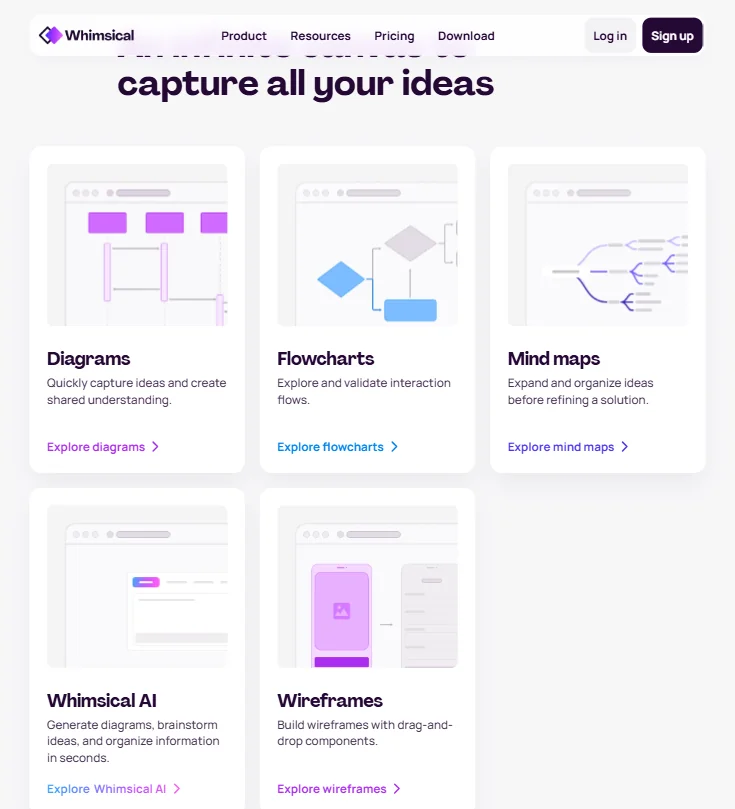
A single prompt generates a flowchart, mind map or wireframe. Beyond those, Whimsical's template library also covers sequence diagrams, org charts and Gantt-style charts.
Boards are an infinite canvas for whiteboarding, and a separate docs feature, metered in doc blocks, sits alongside the boards.
Working with other people
Real-time collaboration and commenting are included on every plan, Free through Business. An API, currently in beta, and a Whimsical MCP server both let other tools connect to Whimsical.
Direct integrations include GitHub, Linear, Notion, Slack and Jira, along with AI tools such as ChatGPT, Claude and Cursor; other apps such as Confluence, Trello and Asana can embed a Whimsical board rather than integrate directly.
Whimsical pricing: what each plan gives

The Free plan allows up to 50 board objects and 50 doc blocks a month, with a watermark on exports, 7-day version history, and unlimited boards, workspace members and guests, plus 10 AI credits per member. There is no time-limited trial; the Free plan takes its place.
Pro costs $12 a month per editor, or $10 a month per editor billed annually, and removes the watermark. Business costs $24 a month per editor, or $20 a month per editor billed annually, and adds SAML single sign-on.
Privacy and support
Whimsical does not use your data, or let others use it, to train the AI models behind Whimsical AI. The company is SOC 2 Type II compliant and states its GDPR and CCPA compliance directly. SAML single sign-on is available on the Business plan.
Support runs through a help center; no separate email address, live chat or phone line is listed.
Who Whimsical suits
Whimsical suits product teams who want a fast flowchart, mind map, wireframe or org chart from a prompt, and who collaborate in real time on the same board. Its desktop apps for macOS and Windows, alongside the browser, cover most team setups.
It suits less well anyone needing a broader set of diagram types than flowcharts, mind maps, wireframes, sequence diagrams, org charts and Gantt-style charts, or anyone who wants same-day support through email or live chat rather than a help center.
How Whimsical compares
Whimsical scores 7.3 out of 10 among the AI diagram tools we rate. These two do the same job and are the closest to it, compared on what each vendor publishes.
MockFlow
MockFlow's AI generates images as well as diagrams, something Whimsical's AI cannot do. Whimsical answers back with range: it makes 6 kinds of diagrams against MockFlow's 4, and its boards embed in 18 places to MockFlow's 9. Whimsical also holds SOC 2 certification, which MockFlow lacks, and promises never to train its AI on what you upload. Both share a whiteboard, documents alongside diagrams, GDPR compliance and a $12 monthly starting price.
Pick MockFlow if you want the AI to generate images as well as diagrams.
Pick Whimsical if you need more diagram types, more places to embed boards, or certified data privacy.
Napkin AI
Whimsical guarantees it never trains its AI on what you upload, and holds both SOC 2 certification and GDPR compliance. Napkin AI trains on your uploads unless you opt out, and holds neither certification. Whimsical's workspace also includes a shared whiteboard, which Napkin does not have, plus separate documents alongside diagrams, another feature Napkin lacks. Whimsical makes 6 kinds of diagrams to Napkin's 4, and its boards embed in 18 places and connect to 14 apps, where Napkin connects to none.
Pick Napkin AI if you want diagrams in your own brand colours and fonts.
Pick Whimsical if you want a shared whiteboard and documents alongside your diagrams, with certified privacy protections.
Frequently Asked Questions
Does Whimsical have a free plan?
Yes. It includes unlimited boards, workspace members and guests, plus 10 AI credits per member, capped at 50 board objects and 50 doc blocks a month. Exports carry a watermark, and version history runs 7 days.
What does Whimsical cost?
Pro costs $12 a month per editor, or $10 a month billed annually. Business costs $24 a month per editor, or $20 a month billed annually. There is no time-limited trial; the Free plan serves that purpose.
What kinds of diagrams can Whimsical generate from a prompt?
Flowcharts, mind maps and wireframes can each be generated from a single prompt. Sequence diagrams, org charts and Gantt-style charts are available through the template library.
Does Whimsical train its AI on what I create?
No. Whimsical states that it does not use your data, or let others use your data, to train the models behind Whimsical AI.










