Our research on Trint started where most trint reviews start: the homepage. Big claims about live transcription, broadcaster-grade workflows, and "the world's leading AI transcription platform." We cross-referenced that against G2 and Capterra reviews, dug through their documentation, and tracked down what journalists and media teams were actually saying. The picture that emerged is more specific than the marketing suggests. Trint is a real product built for a real niche. The question is whether that niche is yours, and whether the price is something you can stomach.

What is Trint?
Founded in 2014 and headquartered in London, Trint has been at this longer than most of its competitors. That matters. Ten-plus years in transcription software means the product has actual scar tissue. It's been shaped by newsrooms, broadcasters, and documentary teams, not pivot-chasing product managers.
The core pitch is **AI transcription built for media professionals**. You feed it audio or video, it generates an editable, searchable transcript, and from there you can build stories, export captions, and collaborate with a team in real time. The integrations tell you everything about the target customer: ENPS, LiveU, Mimir, Octopus. These are broadcast and newsroom tools. Not marketing stacks. Not podcast hobbyist apps.
That focus is both Trint's biggest strength and its natural ceiling.
Trint Features: Voice, Music & Audio Capabilities

No text-to-speech here. No voice cloning. No music generation. Worth stating plainly, because those are common "AI audio tool" expectations, and Trint doesn't touch them.
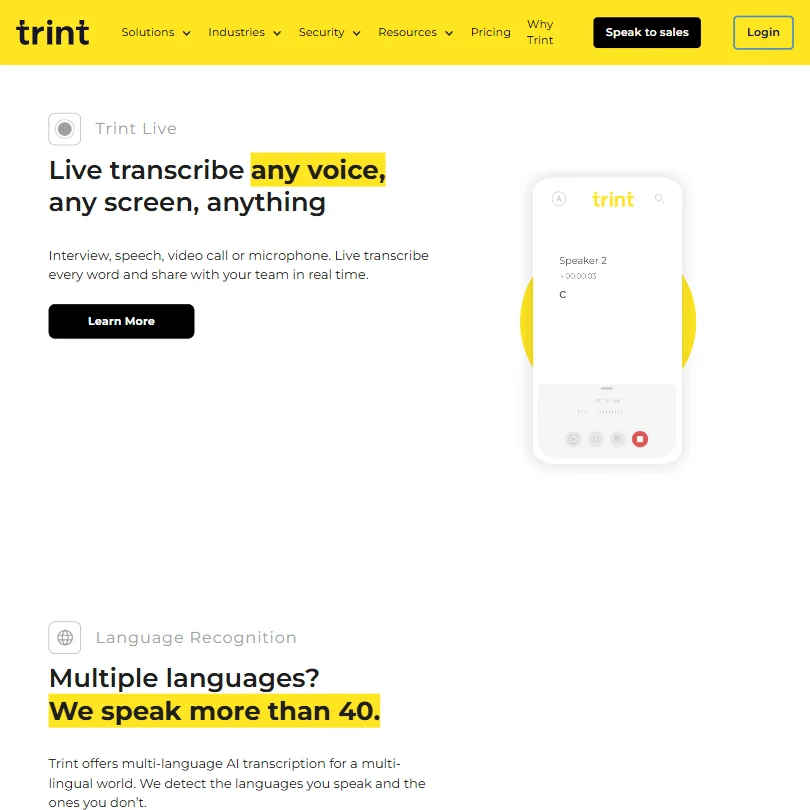
What it does instead: **transcription in 50+ languages**, translation into 70+, live transcription from mobile via iOS and Android apps, and real-time collaboration on transcripts. The Story Builder feature lets you pull clips from transcripts and assemble draft content. It's useful for journalists writing from interviews. Less useful for anyone outside that workflow.
Batch processing is available, though Trint wraps it in a "fair-use policy" rather than giving hard limits. That's vague. Capterra reviewers flag it occasionally.
Speaker identification is built in. Caption export works across SRT, VTT, Avid, and Premiere XML formats. API access shows up on the Business plan only, not on the $69/month Team tier. Honestly, that's a meaningful gap for teams wanting to automate anything.
The mobile app handles live transcription. G2 reviewers working in field journalism mention it favorably. Podcasters show up in the user base too, using the platform to find key moments and speed up editing. It works for that. It's not built for it.
Trint Audio Quality: How Natural Does It Sound?
Trint doesn't generate audio. So the "audio quality" question here is really about transcription accuracy.
In our research across G2 reviews, the pattern was consistent: accuracy is solid for clear recordings in English. Reviewers with strong accents or recordings in noisier environments report more errors. That's not unique to Trint, but it's worth knowing.
**The 50+ language support is real**, though quality varies by language. English, French, and Spanish get mentioned positively. Reviewers working in less common languages are more mixed. Their own documentation doesn't break down accuracy rates by language, which is a gap we'd like to see closed.
One thing that came up repeatedly: there's no audio enhancement or noise removal built in. You clean the audio upstream, or you deal with the transcription errors downstream. That's our concern with any transcription-first tool, and Trint doesn't solve it.
Trint Voice Cloning & Customization: How Deep Does It Go?
It doesn't. That's the full answer.
Trint is a transcription and translation product. It doesn't clone voices, generate speech, or style audio in any way. If you landed on this review looking for voice synthesis, you're in the wrong place. Something like ElevenLabs is closer to what you need.
We include this section because the "AI audio tool" category label creates a reasonable expectation that we should correct early. Trint's customization options live in the transcript editor, not in anything audio-generative.
Is Trint Easy to Use?
Mixed, honestly.
G2 sits at 4.4 out of 5 across 66 reviews. Capterra is lower at 3.9 out of 5, though only 18 reviews. The spread between those two is worth noting. Smaller sample on Capterra, but the lower rating tracks with specific friction points we saw in the text.
**New users consistently flag a learning curve** around the editor and the Story Builder workflow. It's not a drag-and-drop experience. There's structure to learn. Reviewers who stuck with it for a few weeks describe it as intuitive once it clicked. Reviewers who needed it to click on day one were frustrated.
The mobile app gets kinder treatment. Live transcription from a phone is genuinely useful for field work, and the app is described as functional without being beautiful. That tracks with a product built for journalists under deadline, not UX awards.
No community forum. Email support and a help center. Live chat availability isn't publicly stated, which usually means it's either not available or buried behind a plan tier.
Trint Pricing: Is It Worth It for Creators & Businesses?

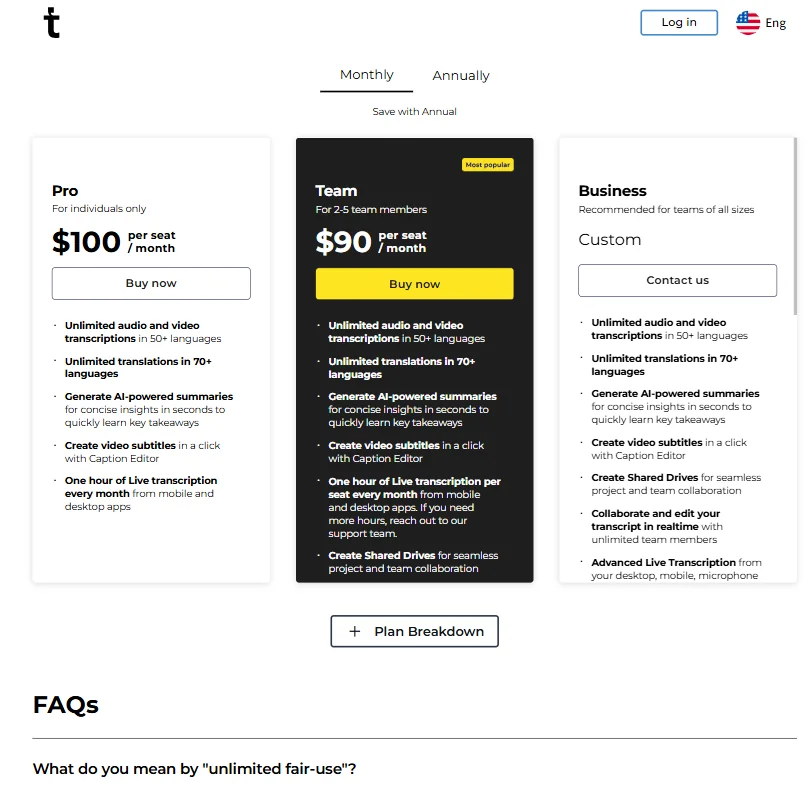
$69 per seat per month on the Team plan, billed annually. That's the entry point.
Not cheap. And the Team plan doesn't include API access. For teams that want to wire Trint into a larger workflow, that means negotiating a custom Business plan. Pricing for that tier isn't published. We dug through the pricing page and found no numbers for Business. Just a "contact us" prompt.
**The refund policy isn't publicly stated.** That's a real problem for a $69/month per-seat product. Free trial is available, but the duration isn't specified anywhere visible. That's a pattern from a company that'd rather get you in the door than tell you the terms upfront. We don't love it.
Compared to Otter.ai, which starts around $10/month, Trint is expensive. Compared to Rev's human transcription services, it's cheaper. The right comparison depends on what you're actually doing. For a solo podcaster, the price is hard to justify. For a newsroom running live coverage in multiple languages, it might be the only tool that fits.
Trint vs Otter.ai: Which AI Audio Tool Wins?
Different products chasing different users. That's the honest framing.
**Otter.ai** is built around meetings. Real-time transcription of Zoom calls, Google Meet, Teams. It's approachable, cheap, and good at one specific job. It doesn't have broadcast integrations. It doesn't have 50+ language transcription at production scale. It doesn't plug into ENPS or LiveU.
Trint is built around media production. Longer recordings, multi-speaker interviews, field audio, multilingual output. The Story Builder has no equivalent in Otter.ai. Neither does the depth of export formats for video editors.
Where Otter.ai wins: price, simplicity, and meeting-specific workflows. Where Trint wins: scale, language coverage, and integrations that matter in a newsroom. These tools aren't really fighting for the same customer. Trint's $69/month entry price is harder to justify for casual use. For production teams, the question isn't whether Trint or Otter wins. It's whether Trint's media-specific features justify the seat cost.
For developers building transcription into applications, neither of these is ideal. That's a different category, closer to AssemblyAI.
Who Should Use Trint? (And Who Shouldn't)
Journalists and broadcast teams. That's the clearest fit. The integrations, the live transcription, the multilingual output, all of it is built around that workflow.
Documentary producers and podcast teams who work in multiple languages also show up in the positive reviews. The translation capabilities are real, and 70+ languages is a wide net.
Solo creators and small podcasters. Not the fit. At $69/month per seat with no clear free tier, the math doesn't work unless transcription is central to your revenue. Hobbyist use doesn't justify this.
Marketing teams looking for a general transcription tool. Probably look elsewhere. The broadcast integrations you're paying for aren't relevant to you, and competitors will be cheaper.
Trint Review Verdict
Trint is a genuinely specialized product that has spent a decade getting good at a specific problem. That's rare. Most tools in this space are generalists. Trint is not.
The transcription accuracy holds up for the core use case. The language coverage is real. The newsroom integrations are things competitors don't have. **The Story Builder and live mobile transcription are genuinely useful for field journalists.** That's a meaningful list of things working correctly.
But the pricing is aggressive for what the Team plan actually delivers. No API, no clear refund terms, a free trial with an unspecified duration. For a $69/month per-seat product, that's asking a lot on faith.
We're not skeptical of the product itself. We're skeptical of the pricing structure and the opacity around trial terms. The tool does what it says. Whether the budget fits is a separate question, and for most teams outside broadcast media, the answer is probably no.
Frequently Asked Questions
Does Trint have a free plan?
No. Trint doesn't offer a free plan. A free trial is available, though the duration isn't clearly stated on the pricing page, which is frustrating when you're trying to evaluate a $69/month per-seat product. Get into the trial early and test with real audio from your actual workflow.
How accurate is Trint's transcription?
For clear English recordings, accuracy is consistently described as strong across G2 reviews. For noisier audio or less common languages, results are more variable. Trint doesn't publish accuracy benchmarks by language, which makes it hard to set expectations before you buy. The free trial is where you should test this with your own material.
Is Trint good for podcasters?
It can handle podcast audio and lets you find key moments and edit from the transcript. Some podcasters use it for that. But at $69/month per seat with no audio enhancement tools built in, it's a harder sell than tools built specifically for that format. Most podcasters would be better served by something cheaper with fewer features they'll never touch.