ContentStudio suits agencies that want unlimited scheduling on every plan, client workspaces and white-label branding.
Buying guide · 36 tools ranked
Best AI Tools for Social Media Managers
Find the best AI tools for social media managers, grouped by the job each one does in the week, from scheduling and captions to graphics, short video, growth on X and LinkedIn, YouTube and Pinterest, and listening. Pick one tool per job instead of comparing every product against every other, and read who each one suits before you connect client accounts to it.
Our top 3 AI Tools for Social Media Managers
ChatGPT is the flexible starting point for captions, content plans and quick images. Web search and projects are on every plan, Free included, and it generates images, more slowly and with limits on Free.
Adobe Express suits managers who already touch Adobe apps, since it links to Photoshop and Illustrator and publishes straight to social platforms.
Best social media scheduling tools for social media managers
6 picksA scheduler is the tool you open every day, so what matters is how many profiles and people a plan covers and what comes after publishing. Buffer prices per channel and has a free plan. Hootsuite and Sprout Social price per user and add inbox, listening and reporting for larger teams. Metricool has a free plan and brings ads and analytics into one dashboard. ContentStudio and Vista Social include unlimited scheduling on paid plans and suit agencies with client workspaces. Choose by the number of brands, whether clients need branded reports and whether you need an inbox, and check how long each trial lasts.
#ToolScorePriceWhy pick it
From $29ContentStudio suits agencies that want unlimited scheduling on every plan, client workspaces and white-label branding.
Show detailsHide details01 ContentStudio: Best for agencies wanting white label and workspaces7.7Score 7.7 out of 10From $29ContentStudio suits agencies that want unlimited scheduling on every plan, client workspaces and white-label branding.Visit site ↗ReviewDetailsCloseShow more about ContentStudio
From $29
ContentStudio suits agencies that want unlimited scheduling on every plan, client workspaces and white-label branding.
Show detailsHide detailsContentStudio: Best for agencies wanting white label and workspaces
7.7Score 7.7 out of 10From $29ContentStudio suits agencies that want unlimited scheduling on every plan, client workspaces and white-label branding.Visit site ↗ReviewDetailsClose
ContentStudio suits agencies that want unlimited scheduling on every plan, client workspaces and white-label branding. Its AI writing uses Claude, and paid plans include image and video credits. Bulk scheduling by CSV and competitor tracking on Facebook and Instagram need the Advanced plan, there is only a 7-day trial and no free plan, and the wide feature set can overwhelm a small team. Buffer is the simpler queue.
- Unlimited post scheduling is included across all plans, which outperforms most competitors at this price tier.
- Feature depth is genuinely strong, combining social media management, AI content creation, scheduling, and analytics in one platform.
- Bulk scheduling via CSV upload is locked behind the Advanced plan (starting at $69 a month, $49 billed yearly), frustrating teams who need it from day one.
From $20free planMetricool is the value pick for managers who report on results. The free plan offers one brand, 20 posts a month, 30 days of analytics and 5 competitor profiles, and paid plans bring Facebook, Google and TikTok ads into the same dashboard, with client management and Looker Studio on Advanced.
Show detailsHide details02 Metricool: Best for reporting results on a free plan7.2Score 7.2 out of 10From $20free planMetricool is the value pick for managers who report on results. The free plan offers one brand, 20 posts a month, 30 days of analytics and 5 competitor profiles, and paid plans bring Facebook, Google and TikTok ads into the same dashboard, with client management and Looker Studio on Advanced.Visit site ↗ReviewDetailsCloseShow more about Metricool
From $20free plan
Metricool is the value pick for managers who report on results. The free plan offers one brand, 20 posts a month, 30 days of analytics and 5 competitor profiles, and paid plans bring Facebook, Google and TikTok ads into the same dashboard, with client management and Looker Studio on Advanced.
Show detailsHide detailsMetricool: Best for reporting results on a free plan
7.2Score 7.2 out of 10From $20free planMetricool is the value pick for managers who report on results. The free plan offers one brand, 20 posts a month, 30 days of analytics and 5 competitor profiles, and paid plans bring Facebook, Google and TikTok ads into the same dashboard, with client management and Looker Studio on Advanced.Visit site ↗ReviewDetailsClose
Metricool is the value pick for managers who report on results. The free plan offers one brand, 20 posts a month, 30 days of analytics and 5 competitor profiles, and paid plans bring Facebook, Google and TikTok ads into the same dashboard, with client management and Looker Studio on Advanced. Its AI assistant runs on credits, 5 per brand a month on free, and the hashtag tracker costs extra.
- Single dashboard covers scheduling, analytics, ads management, and link-in-bio without requiring multiple subscriptions.
- The free tier is genuinely usable, offering one brand, 20 posts per month, 30 days of analytics history, and five competitor profiles.
- The Hashtag Tracker is a separate add-on rather than included in standard paid plans, adding potential extra cost.
From $79Vista Social is aimed at agencies and multi-brand teams: unlimited scheduled posts on paid plans, CSV bulk scheduling, inbox, listening and DM automations in one bundle with no gated add-on tabs.
Show detailsHide details03 Vista Social: Best for multi-brand agencies with DM automation7.1Score 7.1 out of 10From $79Vista Social is aimed at agencies and multi-brand teams: unlimited scheduled posts on paid plans, CSV bulk scheduling, inbox, listening and DM automations in one bundle with no gated add-on tabs.Visit site ↗ReviewDetailsCloseShow more about Vista Social
From $79
Vista Social is aimed at agencies and multi-brand teams: unlimited scheduled posts on paid plans, CSV bulk scheduling, inbox, listening and DM automations in one bundle with no gated add-on tabs.
Show detailsHide detailsVista Social: Best for multi-brand agencies with DM automation
7.1Score 7.1 out of 10From $79Vista Social is aimed at agencies and multi-brand teams: unlimited scheduled posts on paid plans, CSV bulk scheduling, inbox, listening and DM automations in one bundle with no gated add-on tabs.Visit site ↗ReviewDetailsClose
Vista Social is aimed at agencies and multi-brand teams: unlimited scheduled posts on paid plans, CSV bulk scheduling, inbox, listening and DM automations in one bundle with no gated add-on tabs. A 14-day trial needs no card. Deeper analytics need Advanced, white label starts on Scale, the product is still young, and its named AI agents are described more confidently in marketing than proven in use. Hootsuite is the established alternative.
- Unlimited scheduled posts are included across all paid plans, which is rare at this price point.
- The content calendar supports drag-and-drop and displays multiple profiles simultaneously, making it practical for agencies.
- Premium analytics and deeper reporting features are locked behind the Advanced tier or higher, not available on the base Professional plan.
From $99Hootsuite is the pick for a team handling many accounts across networks. Paid plans include unlimited scheduling, bulk scheduling, a shared calendar and Wisdom AI for trends, competitor intelligence and captions.
Show detailsHide details04 Hootsuite: Best for large teams across many networks6.8Score 6.8 out of 10From $99Hootsuite is the pick for a team handling many accounts across networks. Paid plans include unlimited scheduling, bulk scheduling, a shared calendar and Wisdom AI for trends, competitor intelligence and captions.Visit site ↗ReviewDetailsCloseShow more about Hootsuite
From $99
Hootsuite is the pick for a team handling many accounts across networks. Paid plans include unlimited scheduling, bulk scheduling, a shared calendar and Wisdom AI for trends, competitor intelligence and captions.
Show detailsHide detailsHootsuite: Best for large teams across many networks
6.8Score 6.8 out of 10From $99Hootsuite is the pick for a team handling many accounts across networks. Paid plans include unlimited scheduling, bulk scheduling, a shared calendar and Wisdom AI for trends, competitor intelligence and captions.Visit site ↗ReviewDetailsClose
Hootsuite is the pick for a team handling many accounts across networks. Paid plans include unlimited scheduling, bulk scheduling, a shared calendar and Wisdom AI for trends, competitor intelligence and captions. There is no permanent free plan, only a 14-day trial, and it is priced per user, so it is a poor fit for a solo manager on a small budget. Buffer is far simpler, and Sprout Social competes on inbox depth.
- Hootsuite has been operating since 2008, giving it one of the most mature and battle-tested scheduling engines in the social media management space.
- Unlimited post scheduling is available on paid plans, with bulk scheduling included from the start rather than locked behind higher tiers.
- Hootsuite is not designed for solo creators or small budgets, and its pricing requires a serious cost-benefit conversation before committing.
From $6free planBuffer is the plain scheduler for one person or a small brand: a week and month calendar, drag-and-drop rescheduling and up to 11 networks.
Show detailsHide details05 Buffer: Best for a simple queue with a free plan5.7Score 5.7 out of 10From $6free planBuffer is the plain scheduler for one person or a small brand: a week and month calendar, drag-and-drop rescheduling and up to 11 networks.Visit site ↗ReviewDetailsCloseShow more about Buffer
From $6free plan
Buffer is the plain scheduler for one person or a small brand: a week and month calendar, drag-and-drop rescheduling and up to 11 networks.
Show detailsHide detailsBuffer: Best for a simple queue with a free plan
5.7Score 5.7 out of 10From $6free planBuffer is the plain scheduler for one person or a small brand: a week and month calendar, drag-and-drop rescheduling and up to 11 networks.Visit site ↗ReviewDetailsClose
Buffer is the plain scheduler for one person or a small brand: a week and month calendar, drag-and-drop rescheduling and up to 11 networks. The free plan covers 3 channels with 10 scheduled posts each, and the AI Assistant is on every plan. Pricing is per channel, which grows costly at agency scale, and there is no white label and no competitor analysis. Metricool is the step up for analytics.
- Per-channel billing model means solo creators and small businesses only pay for the accounts they actually connect, not a bloated seat-based tier.
- Covers 11 social media networks, giving broad platform support for most small business and creator use cases.
- Per-channel pricing becomes expensive and complicated for agencies managing 20 or more client accounts.
From $99Sprout Social is built for mid-market and enterprise teams: a Smart Inbox that pulls in messages from every connected network, listening, reporting, influencer marketing and employee advocacy.
Show detailsHide details06 Sprout Social: Best for inbox and reporting for big teams5.3Score 5.3 out of 10From $99Sprout Social is built for mid-market and enterprise teams: a Smart Inbox that pulls in messages from every connected network, listening, reporting, influencer marketing and employee advocacy.Visit site ↗ReviewDetailsCloseShow more about Sprout Social
From $99
Sprout Social is built for mid-market and enterprise teams: a Smart Inbox that pulls in messages from every connected network, listening, reporting, influencer marketing and employee advocacy.
Show detailsHide detailsSprout Social: Best for inbox and reporting for big teams
5.3Score 5.3 out of 10From $99Sprout Social is built for mid-market and enterprise teams: a Smart Inbox that pulls in messages from every connected network, listening, reporting, influencer marketing and employee advocacy.Visit site ↗ReviewDetailsClose
Sprout Social is built for mid-market and enterprise teams: a Smart Inbox that pulls in messages from every connected network, listening, reporting, influencer marketing and employee advocacy. Unlimited scheduling starts on Essentials, and a 30-day trial needs no card. It is priced per seat at the top end of this group and has no free plan, so solo managers and small agencies will look at Metricool or Vista Social first.
- The Smart Inbox consolidates messages across all connected social networks into one view.
- Unlimited scheduling is available from the Essentials plan, including optimal send times and bulk publishing support.
- Pricing is firmly mid-market and upward, making it a poor fit for solo creators, small teams, or anyone on a tight budget.
Best AI caption and content tools for social media managers
6 picksCaptions and post ideas repeat every day, so the picks differ in how much of the workflow they take over. ChatGPT and Claude are general assistants with free plans, and ChatGPT also makes images while Claude keeps a standing brief in a project. Jasper stores brand voice for teams. Syllaby joins topic research, video generation and scheduling. Predis.ai makes ad creatives and posts from credits. Ocoya adds automations such as DM replies. Choose an assistant to start, a brand-voice tool when several people write for one account, and an all-in-one only if you are willing to leave your scheduler.
#ToolScorePriceWhy pick it
From $8free planChatGPT is the flexible starting point for captions, content plans and quick images. Web search and projects are on every plan, Free included, and it generates images, more slowly and with limits on Free.
Show detailsHide details07 ChatGPT: Best for captions and images in one assistant8.8Score 8.8 out of 10From $8free planChatGPT is the flexible starting point for captions, content plans and quick images. Web search and projects are on every plan, Free included, and it generates images, more slowly and with limits on Free.Visit site ↗ReviewDetailsCloseShow more about ChatGPT
From $8free plan
ChatGPT is the flexible starting point for captions, content plans and quick images. Web search and projects are on every plan, Free included, and it generates images, more slowly and with limits on Free.
Show detailsHide detailsChatGPT: Best for captions and images in one assistant
8.8Score 8.8 out of 10From $8free planChatGPT is the flexible starting point for captions, content plans and quick images. Web search and projects are on every plan, Free included, and it generates images, more slowly and with limits on Free.Visit site ↗ReviewDetailsClose
ChatGPT is the flexible starting point for captions, content plans and quick images. Web search and projects are on every plan, Free included, and it generates images, more slowly and with limits on Free. It offers only OpenAI's own models. There is no built-in brand voice, so consistency comes from your instructions in a project. Claude is the alternative if you write long posts, and Jasper if a team needs one voice.
- The Free plan includes unlimited text chats with GPT-6 Luna, subject to abuse guardrails.
- Web search is included on every individual plan, including Free.
- Go, the cheapest paid plan, still does not unlock GPT-6.1 Sol, GPT-6 Astra or GPT-6 Sol, and may include ads.
From $20free planClaude is the careful writer of the group. Web search, memory and projects come with the free plan, so a project can hold each client's tone guide and past posts.
Show detailsHide details08 Claude: Best for tone guides kept per client7.8Score 7.8 out of 10From $20free planClaude is the careful writer of the group. Web search, memory and projects come with the free plan, so a project can hold each client's tone guide and past posts.Visit site ↗ReviewDetailsCloseShow more about Claude
From $20free plan
Claude is the careful writer of the group. Web search, memory and projects come with the free plan, so a project can hold each client's tone guide and past posts.
Show detailsHide detailsClaude: Best for tone guides kept per client
7.8Score 7.8 out of 10From $20free planClaude is the careful writer of the group. Web search, memory and projects come with the free plan, so a project can hold each client's tone guide and past posts.Visit site ↗ReviewDetailsClose
Claude is the careful writer of the group. Web search, memory and projects come with the free plan, so a project can hold each client's tone guide and past posts. Deep research needs Pro, and consumer chats train Anthropic's models unless you opt out. It doesn't generate photos or illustrations, so graphics need Canva or Adobe Express, and it has no scheduling or brand-voice feature like Jasper's.
- The free plan already includes web search, file creation, code execution and memory across conversations.
- Deep research is available from the Pro plan up.
- The Opus and Fable models are only available from the Pro plan up.
From $69Jasper is for social teams where several people write for one brand and every caption must sound the same.
Show detailsHide details09 Jasper AI: Best for several writers on one brand voice7.2Score 7.2 out of 10From $69Jasper is for social teams where several people write for one brand and every caption must sound the same.Visit site ↗ReviewDetailsCloseShow more about Jasper AI
From $69
Jasper is for social teams where several people write for one brand and every caption must sound the same.
Show detailsHide detailsJasper AI: Best for several writers on one brand voice
7.2Score 7.2 out of 10From $69Jasper is for social teams where several people write for one brand and every caption must sound the same.Visit site ↗ReviewDetailsClose
Jasper is for social teams where several people write for one brand and every caption must sound the same. Jasper IQ applies brand voice and style guidance, and 100+ short-form templates cover social posts and ad copy. There is no free plan, only a 7-day trial, and the entry price and hard-to-read pricing page suit teams, not a solo manager. ChatGPT or Claude cover most solo needs.
- Jasper routes across multiple large language models including GPT-4 and Claude, reducing dependency on any single provider's limitations.
- The Jasper IQ feature embeds brand voice, tone, and style guidelines into every piece of content generated.
- The entry-level pricing is high enough to exclude solo bloggers and small-budget users, making it viable only for teams that can justify the spend.
From $29Syllaby suits a solo creator or small business who wants topic ideas from keyword research, scripts, generated video and scheduling in one place, with voice cloning and models such as Veo 3 and Seedance.
Show detailsHide details10 Syllaby: Best for topic ideas through to scheduling5.5Score 5.5 out of 10From $29Syllaby suits a solo creator or small business who wants topic ideas from keyword research, scripts, generated video and scheduling in one place, with voice cloning and models such as Veo 3 and Seedance.Visit site ↗ReviewDetailsCloseShow more about Syllaby
From $29
Syllaby suits a solo creator or small business who wants topic ideas from keyword research, scripts, generated video and scheduling in one place, with voice cloning and models such as Veo 3 and Seedance.
Show detailsHide detailsSyllaby: Best for topic ideas through to scheduling
5.5Score 5.5 out of 10From $29Syllaby suits a solo creator or small business who wants topic ideas from keyword research, scripts, generated video and scheduling in one place, with voice cloning and models such as Veo 3 and Seedance.Visit site ↗ReviewDetailsClose
Syllaby suits a solo creator or small business who wants topic ideas from keyword research, scripts, generated video and scheduling in one place, with voice cloning and models such as Veo 3 and Seedance. It has web, iOS and Android apps. There is a 7-day trial and no permanent free plan, credits cover ideas, scripts and video together, and its analytics documentation is thin, so pair it with a scheduler that reports well.
- Runs on multiple cutting-edge AI video models including Google VEO 3 and Seedance, offering flexibility rare at this price point.
- End-to-end workflow covers ideation, scripting, video creation, and scheduling in a single platform without requiring any editing experience.
- Analytics and reporting documentation is nearly nonexistent, making it unclear whether meaningful performance insights are available to users.
From $29Ocoya stands out for automation: agents that post automatically, chatbot replies to DMs, and DM triggers from comment activity, in 25+ languages, plus RSS-to-social.
Show detailsHide details11 Ocoya: Best for automated replies and posting agents5.3Score 5.3 out of 10From $29Ocoya stands out for automation: agents that post automatically, chatbot replies to DMs, and DM triggers from comment activity, in 25+ languages, plus RSS-to-social.Visit site ↗ReviewDetailsCloseShow more about Ocoya
From $29
Ocoya stands out for automation: agents that post automatically, chatbot replies to DMs, and DM triggers from comment activity, in 25+ languages, plus RSS-to-social.
Show detailsHide detailsOcoya: Best for automated replies and posting agents
5.3Score 5.3 out of 10From $29Ocoya stands out for automation: agents that post automatically, chatbot replies to DMs, and DM triggers from comment activity, in 25+ languages, plus RSS-to-social.Visit site ↗ReviewDetailsClose
Ocoya stands out for automation: agents that post automatically, chatbot replies to DMs, and DM triggers from comment activity, in 25+ languages, plus RSS-to-social. Approval flows and client share links make it workable for a small agency. Analytics lack depth, there are no competitor tools and no mobile app, and the 7-day trial is short for the number of features. Vista Social gives more reporting.
- AI workflow automations allow you to build agents that post automatically, respond to DMs via chatbot, and trigger DM responses based on comment activity.
- Supports over 25 languages through its proprietary GPT-based model, making it viable for international teams and multilingual campaigns.
- Deep audience analytics are absent, leaving users without the insights needed for data-driven strategy at scale.
From $32free planPredis.ai is for managers who need ad creatives and posts from one place: AI images and videos from credits, one-click resizing, competitor runs and scheduling.
Show detailsHide details12 Predis.ai: Best for ad creatives and posts together4.1Score 4.1 out of 10From $32free planPredis.ai is for managers who need ad creatives and posts from one place: AI images and videos from credits, one-click resizing, competitor runs and scheduling.Visit site ↗ReviewDetailsCloseShow more about Predis.ai
From $32free plan
Predis.ai is for managers who need ad creatives and posts from one place: AI images and videos from credits, one-click resizing, competitor runs and scheduling.
Show detailsHide detailsPredis.ai: Best for ad creatives and posts together
4.1Score 4.1 out of 10From $32free planPredis.ai is for managers who need ad creatives and posts from one place: AI images and videos from credits, one-click resizing, competitor runs and scheduling.Visit site ↗ReviewDetailsClose
Predis.ai is for managers who need ad creatives and posts from one place: AI images and videos from credits, one-click resizing, competitor runs and scheduling. Core includes no auto-posting, and its channel list does not include Pinterest, Threads or Bluesky. A 7-day trial includes your first ad creation. The all-in-one scope means some features feel rough, and its vendor-reported user numbers deserve doubt. Ocoya is the closer rival.
- Predis.ai combines AI ad generation, UGC video creation, and social scheduling in a single platform, which is rare at its price point.
- The tool uses advanced model infrastructure including Google Veo, Gemini, and ByteDance Seedance 2.0, which is unusually powerful for a tool starting at $32 a month ($24 billed yearly).
- Trying to operate across AI ads, UGC video, and scheduling simultaneously means the tool risks being a jack-of-all-trades without excelling in any single area.
Best design tools for social media managers
6 picksSocial graphics need the right sizes, brand colors and speed more than design depth. Canva and Adobe Express are template tools with brand kits, and Adobe Express also schedules to social and publishes to platforms. Picsart edits photos and short video on a phone as readily as on a desktop and offers 140+ AI models. Kittl adds a vector editor for logos and merchandise, and its free plan is for personal use only. Adobe Firefly generates images from prompts. ChatGPT generates post images from a description, a few a day on its free plan. Choose Canva or Adobe Express for the daily feed, Picsart if you edit on your phone, and check commercial rights on any free plan you use for client work.
#ToolScorePriceWhy pick it
From $8free planChatGPT creates a post image from a description, in the same chat where you write the caption, which keeps a day of posts moving.
Show detailsHide details13ChatGPT: Best for post images alongside the caption8.8Score 8.8 out of 10From $8free planChatGPT creates a post image from a description, in the same chat where you write the caption, which keeps a day of posts moving.Visit site ↗ReviewDetailsCloseShow more about ChatGPT
From $8free plan
ChatGPT creates a post image from a description, in the same chat where you write the caption, which keeps a day of posts moving.
Show detailsHide detailsChatGPT: Best for post images alongside the caption
8.8Score 8.8 out of 10From $8free planChatGPT creates a post image from a description, in the same chat where you write the caption, which keeps a day of posts moving.Visit site ↗ReviewDetailsCloseChatGPT creates a post image from a description, in the same chat where you write the caption, which keeps a day of posts moving. The free plan gives a few images a day and Go or Plus give more. Canva and Adobe Express are still where you set the format for each network and apply the brand kit.
- The Free plan includes unlimited text chats with GPT-6 Luna, subject to abuse guardrails.
- Web search is included on every individual plan, including Free.
- Go, the cheapest paid plan, still does not unlock GPT-6.1 Sol, GPT-6 Astra or GPT-6 Sol, and may include ads.
From $9.99free planAdobe Express suits managers who already touch Adobe apps, since it links to Photoshop and Illustrator and publishes straight to social platforms.
Show detailsHide details14 Adobe Express: Best for templates linked to Adobe apps8.6Score 8.6 out of 10From $9.99free planAdobe Express suits managers who already touch Adobe apps, since it links to Photoshop and Illustrator and publishes straight to social platforms.Visit site ↗ReviewDetailsCloseShow more about Adobe Express
From $9.99free plan
Adobe Express suits managers who already touch Adobe apps, since it links to Photoshop and Illustrator and publishes straight to social platforms.
Show detailsHide detailsAdobe Express: Best for templates linked to Adobe apps
8.6Score 8.6 out of 10From $9.99free planAdobe Express suits managers who already touch Adobe apps, since it links to Photoshop and Illustrator and publishes straight to social platforms.Visit site ↗ReviewDetailsClose
Adobe Express suits managers who already touch Adobe apps, since it links to Photoshop and Illustrator and publishes straight to social platforms. The free plan carries 100,000+ templates, Adobe Stock content, 4,000+ fonts and scheduling to one account per network, and Adobe does not train on your content. It has no desktop app, no node-level vector editing, and Premium caps generative AI at 250 credits a month. Canva has broader design tooling.
- The free plan alone includes more than 100,000 templates, over a million Adobe Stock photos, videos and music tracks, and more than 4,000 fonts, at no cost.
- Real-time co-editing and commenting let more than one person work on the same project together.
- Generative AI on the paid Premium plan is capped at 250 credits a month per user.
From $15free planKittl is for brand artwork where precision matters: a full online vector editor with pen and Boolean tools beside AI image, vector and video generators.
Show detailsHide details15 Kittl: Best for vector artwork for brand assets8.1Score 8.1 out of 10From $15free planKittl is for brand artwork where precision matters: a full online vector editor with pen and Boolean tools beside AI image, vector and video generators.Visit site ↗ReviewDetailsCloseShow more about Kittl
From $15free plan
Kittl is for brand artwork where precision matters: a full online vector editor with pen and Boolean tools beside AI image, vector and video generators.
Show detailsHide detailsKittl: Best for vector artwork for brand assets
8.1Score 8.1 out of 10From $15free planKittl is for brand artwork where precision matters: a full online vector editor with pen and Boolean tools beside AI image, vector and video generators.Visit site ↗ReviewDetailsClose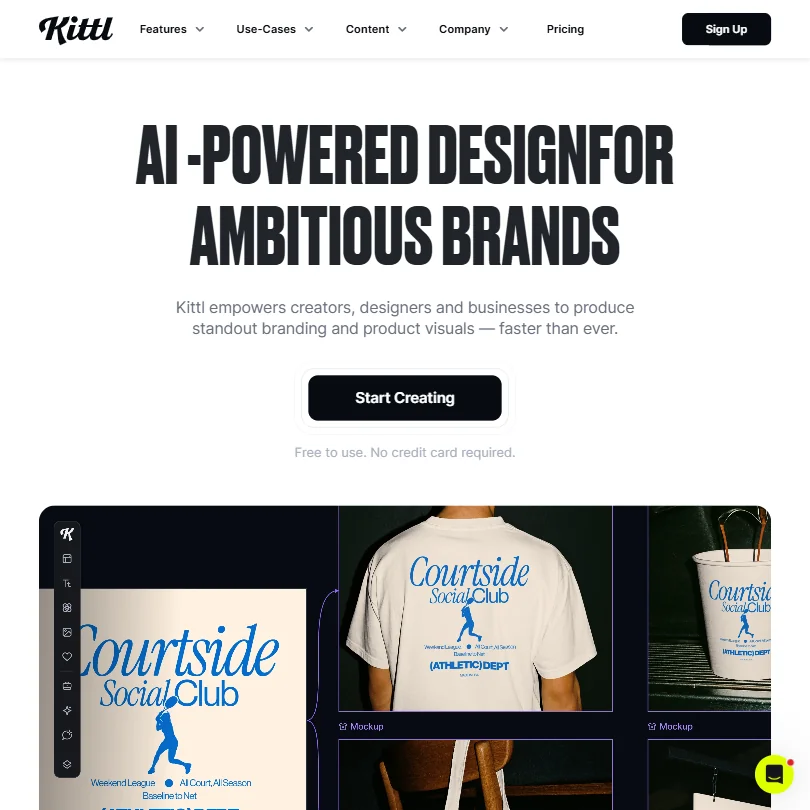
Kittl is for brand artwork where precision matters: a full online vector editor with pen and Boolean tools beside AI image, vector and video generators. The free plan is forever but personal use only, with exports capped at 800 pixels, so client work needs Pro or Expert. It runs in the browser only, with no mobile app. For quick feed graphics, Canva is faster.
- Kittl's free plan is free forever, with no time limit or expiry, rather than a timed trial.
- The free plan includes 100 AI tokens, enough for up to 100 images, plus five active projects and 500MB of storage.
- Kittl runs in the browser only, with no desktop app for Windows or Mac.
From $9.99free planAdobe Firefly is for managers who need generated images with clear licensing: it is trained on licensed content, includes commercial use, and Adobe does not train on your content by default.
Show detailsHide details16 Adobe Firefly: Best for generated images with clear licensing8.1Score 8.1 out of 10From $9.99free planAdobe Firefly is for managers who need generated images with clear licensing: it is trained on licensed content, includes commercial use, and Adobe does not train on your content by default.Visit site ↗ReviewDetailsCloseShow more about Adobe Firefly
From $9.99free plan
Adobe Firefly is for managers who need generated images with clear licensing: it is trained on licensed content, includes commercial use, and Adobe does not train on your content by default.
Show detailsHide detailsAdobe Firefly: Best for generated images with clear licensing
8.1Score 8.1 out of 10From $9.99free planAdobe Firefly is for managers who need generated images with clear licensing: it is trained on licensed content, includes commercial use, and Adobe does not train on your content by default.Visit site ↗ReviewDetailsClose
Adobe Firefly is for managers who need generated images with clear licensing: it is trained on licensed content, includes commercial use, and Adobe does not train on your content by default. It works inside Photoshop and Express, and the free plan gives limited daily generations. Every paid plan is an annual commitment billed monthly, and Text to Image has no seed or negative-prompt field. Picsart offers more models.
- The free plan gives limited daily generations across image, video and audio models at no cost.
- Adobe will not use your content to train its models, except content you choose to submit to Adobe Stock, which is opt-in.
- No paid plan has a true month-to-month price; every one is an annual commitment paid in monthly instalments.
From $18free planCanva is the everyday choice for feeds: templates, a Brand Kit, video and scheduling from one browser tab, with desktop and mobile apps.
Show detailsHide details17 Canva: Best for everyday templates for the feed7.8Score 7.8 out of 10From $18free planCanva is the everyday choice for feeds: templates, a Brand Kit, video and scheduling from one browser tab, with desktop and mobile apps.Visit site ↗ReviewDetailsCloseShow more about Canva
From $18free plan
Canva is the everyday choice for feeds: templates, a Brand Kit, video and scheduling from one browser tab, with desktop and mobile apps.
Show detailsHide detailsCanva: Best for everyday templates for the feed
7.8Score 7.8 out of 10From $18free planCanva is the everyday choice for feeds: templates, a Brand Kit, video and scheduling from one browser tab, with desktop and mobile apps.Visit site ↗ReviewDetailsClose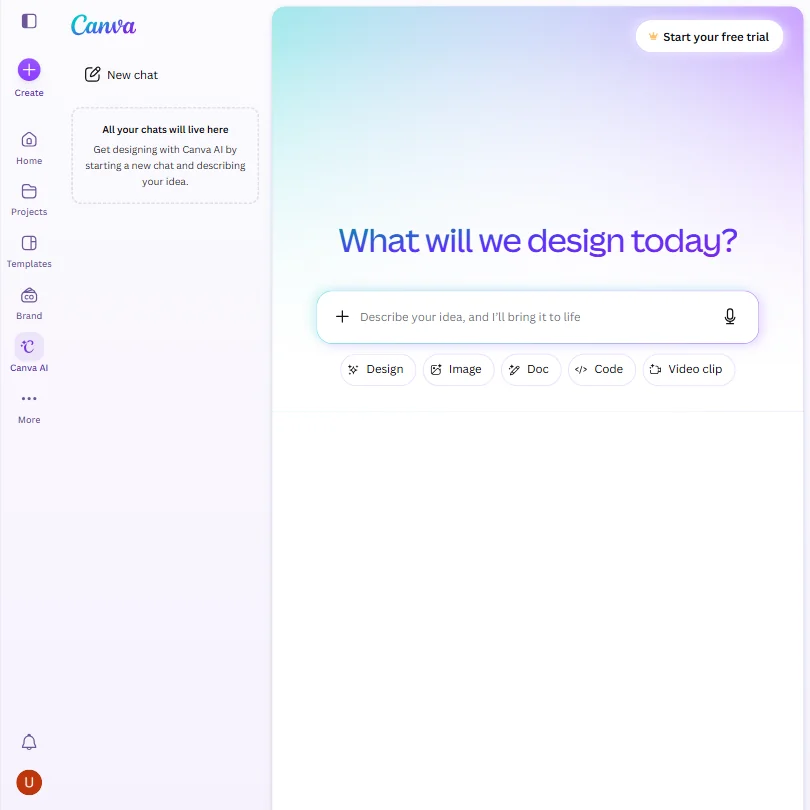
Canva is the everyday choice for feeds: templates, a Brand Kit, video and scheduling from one browser tab, with desktop and mobile apps. The free plan has a large template and stock library and up to 20 AI uses, with roughly ten times that on Pro. Uploads train Canva's algorithms unless you opt out, and paid plans charge per person. Adobe Express is the closest rival and publishes straight to social.
- The free plan includes over 1,000 design types, more than 1.6 million templates, more than 4.7 million stock photos, videos, graphics and audio clips, and 5GB of storage at no cost.
- Magic Design turns a written prompt into a finished design, extending the same approach to presentations and video.
- The AI Image Generator's Vector style produces a raster image with a vector look, not an editable vector or SVG file.
From $10.50free planPicsart is the one to try if you edit on your phone as much as at a desk: photo and video editing with AI generation drawn from 140+ models, including Kling, Veo and Nano Banana Pro, on web, Windows, iOS and Android.
Show detailsHide details18 Picsart: Best for editing on the phone with many models7.3Score 7.3 out of 10From $10.50free planPicsart is the one to try if you edit on your phone as much as at a desk: photo and video editing with AI generation drawn from 140+ models, including Kling, Veo and Nano Banana Pro, on web, Windows, iOS and Android.Visit site ↗ReviewDetailsCloseShow more about Picsart
From $10.50free plan
Picsart is the one to try if you edit on your phone as much as at a desk: photo and video editing with AI generation drawn from 140+ models, including Kling, Veo and Nano Banana Pro, on web, Windows, iOS and Android.
Show detailsHide detailsPicsart: Best for editing on the phone with many models
7.3Score 7.3 out of 10From $10.50free planPicsart is the one to try if you edit on your phone as much as at a desk: photo and video editing with AI generation drawn from 140+ models, including Kling, Veo and Nano Banana Pro, on web, Windows, iOS and Android.Visit site ↗ReviewDetailsClose
Picsart is the one to try if you edit on your phone as much as at a desk: photo and video editing with AI generation drawn from 140+ models, including Kling, Veo and Nano Banana Pro, on web, Windows, iOS and Android. AI output is available for commercial use, and there is a free plan. Real-time collaboration is still listed as coming soon, there is no scheduling, and exports are PNG and PDF only.
- Picsart names more than 140 AI models available inside the app, including Kling 3.0, Nano Banana Pro, Veo 3.1 and Sora 2 Pro.
- AI-generated output from Picsart is available for commercial use.
- Real-time collaboration is listed as coming soon rather than available now.
Best short-form video editors for social media managers
6 picksShort-form video is where a manager's hours go, and the picks fall into three jobs: clipping long videos, finishing them with captions, and editing. Opus Clip and Vizard cut long videos into clips, and their free plans carry a watermark. Submagic specialises in animated captions, silence removal and auto-zoom, with a watermark-free Starter plan. Captions does similar finishing work on an iPhone, with auto captions, filler-word removal and dubbing. CapCut is a full editor whose free exports carry no watermark on most videos. VEED edits in the browser with AI generation added on top. Choose a clipper if you have long recordings, a finisher for captions, and CapCut or VEED if you cut footage from scratch.
#ToolScorePriceWhy pick it
From $15Opus Clip is the clipper for long recordings such as webinars and podcasts: it scores clips with a Virality Score, reframes landscape footage to vertical with subject tracking and publishes to social.
Show detailsHide details19 Opus Clip: Best for clips picked from long recordings8.4Score 8.4 out of 10From $15Opus Clip is the clipper for long recordings such as webinars and podcasts: it scores clips with a Virality Score, reframes landscape footage to vertical with subject tracking and publishes to social.Visit site ↗ReviewDetailsCloseShow more about Opus Clip
From $15
Opus Clip is the clipper for long recordings such as webinars and podcasts: it scores clips with a Virality Score, reframes landscape footage to vertical with subject tracking and publishes to social.
Show detailsHide detailsOpus Clip: Best for clips picked from long recordings
8.4Score 8.4 out of 10From $15Opus Clip is the clipper for long recordings such as webinars and podcasts: it scores clips with a Virality Score, reframes landscape footage to vertical with subject tracking and publishes to social.Visit site ↗ReviewDetailsClose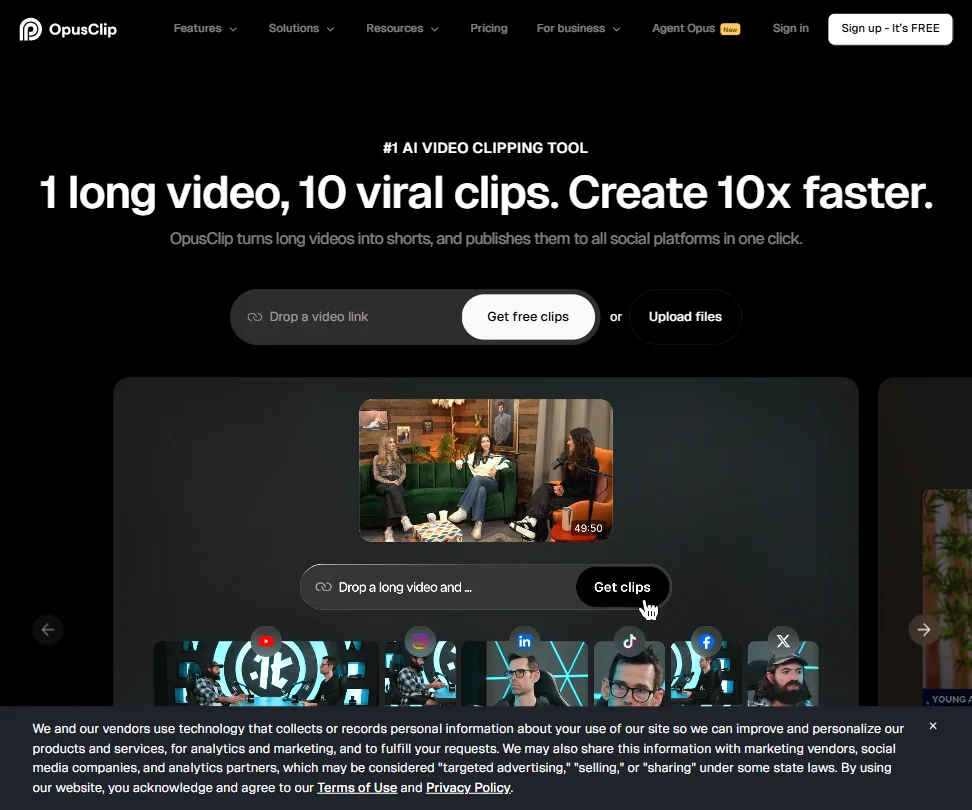
Opus Clip is the clipper for long recordings such as webinars and podcasts: it scores clips with a Virality Score, reframes landscape footage to vertical with subject tracking and publishes to social. The free plan gives 60 credits a month with a watermark and clips that expire after 3 days, credit use is hard to predict, and it is web-only. Vizard is the closest alternative.
- The ClipAnything model works across diverse video genres, including lectures, cooking videos, sports and tutorials, as well as podcasts and talking-head content.
- ReframeAnything model uses AI object tracking to keep subjects centered when converting landscape video to vertical format.
- The tool is entirely web-based with no desktop app, which may limit workflow flexibility for users who prefer offline or native applications.
From $25free planVEED is a browser editor for social videos where subtitles, avatars, voice cloning, translation, text-based editing and AI generation from models such as Veo and Kling live in one tab.
Show detailsHide details20 VEED: Best for browser editing with AI generation7.9Score 7.9 out of 10From $25free planVEED is a browser editor for social videos where subtitles, avatars, voice cloning, translation, text-based editing and AI generation from models such as Veo and Kling live in one tab.Visit site ↗ReviewDetailsCloseShow more about VEED
From $25free plan
VEED is a browser editor for social videos where subtitles, avatars, voice cloning, translation, text-based editing and AI generation from models such as Veo and Kling live in one tab.
Show detailsHide detailsVEED: Best for browser editing with AI generation
7.9Score 7.9 out of 10From $25free planVEED is a browser editor for social videos where subtitles, avatars, voice cloning, translation, text-based editing and AI generation from models such as Veo and Kling live in one tab.Visit site ↗ReviewDetailsClose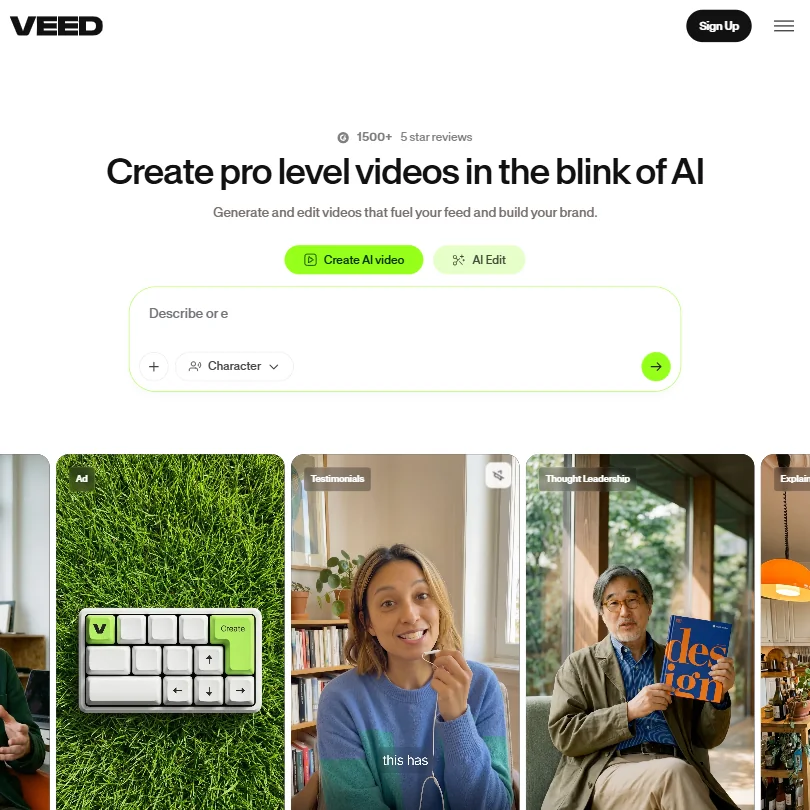
VEED is a browser editor for social videos where subtitles, avatars, voice cloning, translation, text-based editing and AI generation from models such as Veo and Kling live in one tab. Free exports are 720p with a watermark, and paid plans run on AI credits. It has no desktop app and no Premiere integration, so post-production specialists will find it shallow. CapCut has a desktop app and free watermark-free exports.
- VEED integrates multiple frontier AI generation models including Veo 3.1 and Kling AI through a single interface, giving users access to best-in-class engines without switching tools.
- The entire platform runs in the browser with no desktop installation required, making it immediately accessible for teams without IT overhead.
- VEED has no Adobe Premiere integration, which limits its appeal for users already embedded in professional post-production workflows.
From $19Submagic is the finisher for short videos: animated captions, silence removal, auto-zoom and B-roll, with publishing to TikTok, YouTube and Instagram on Pro.
Show detailsHide details21 Submagic: Best for animated captions and finishing7.8Score 7.8 out of 10From $19Submagic is the finisher for short videos: animated captions, silence removal, auto-zoom and B-roll, with publishing to TikTok, YouTube and Instagram on Pro.Visit site ↗ReviewDetailsCloseShow more about Submagic
From $19
Submagic is the finisher for short videos: animated captions, silence removal, auto-zoom and B-roll, with publishing to TikTok, YouTube and Instagram on Pro.
Show detailsHide detailsSubmagic: Best for animated captions and finishing
7.8Score 7.8 out of 10From $19Submagic is the finisher for short videos: animated captions, silence removal, auto-zoom and B-roll, with publishing to TikTok, YouTube and Instagram on Pro.Visit site ↗ReviewDetailsClose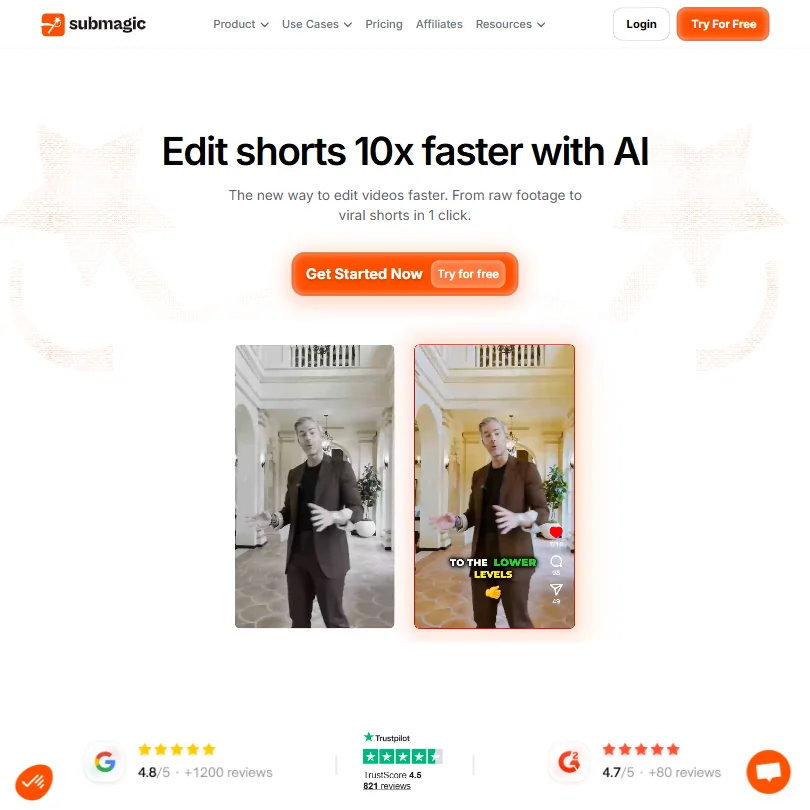
Submagic is the finisher for short videos: animated captions, silence removal, auto-zoom and B-roll, with publishing to TikTok, YouTube and Instagram on Pro. Starter exports have no watermark, and three free videos let you test it. It is web-only, less capable than Descript or VEED for complex edits, and the avatar tool feels bolted on. Pick Opus Clip instead when choosing which moments to clip is the harder job.
- Magic Clips feature automatically extracts multiple short-form clips from a single long video, saving significant editing time.
- Auto-captions claim 99% accuracy across 123 languages, with styles designed to match high-performing TikTok formats.
- Narrowly focused on short-form video editing, making it unsuitable for teams that need a full-featured video editor.
From $9.99free planCaptions is the phone-first finisher for talking-head videos: automatic captions with translated subtitles in 100+ languages, filler-word and pause removal, eye contact correction and dubbing, on iPhone and the web.
Show detailsHide details22 Captions: Best for captions and AI edits on a phone7.8Score 7.8 out of 10From $9.99free planCaptions is the phone-first finisher for talking-head videos: automatic captions with translated subtitles in 100+ languages, filler-word and pause removal, eye contact correction and dubbing, on iPhone and the web.Visit site ↗ReviewDetailsCloseShow more about Captions
From $9.99free plan
Captions is the phone-first finisher for talking-head videos: automatic captions with translated subtitles in 100+ languages, filler-word and pause removal, eye contact correction and dubbing, on iPhone and the web.
Show detailsHide detailsCaptions: Best for captions and AI edits on a phone
7.8Score 7.8 out of 10From $9.99free planCaptions is the phone-first finisher for talking-head videos: automatic captions with translated subtitles in 100+ languages, filler-word and pause removal, eye contact correction and dubbing, on iPhone and the web.Visit site ↗ReviewDetailsClose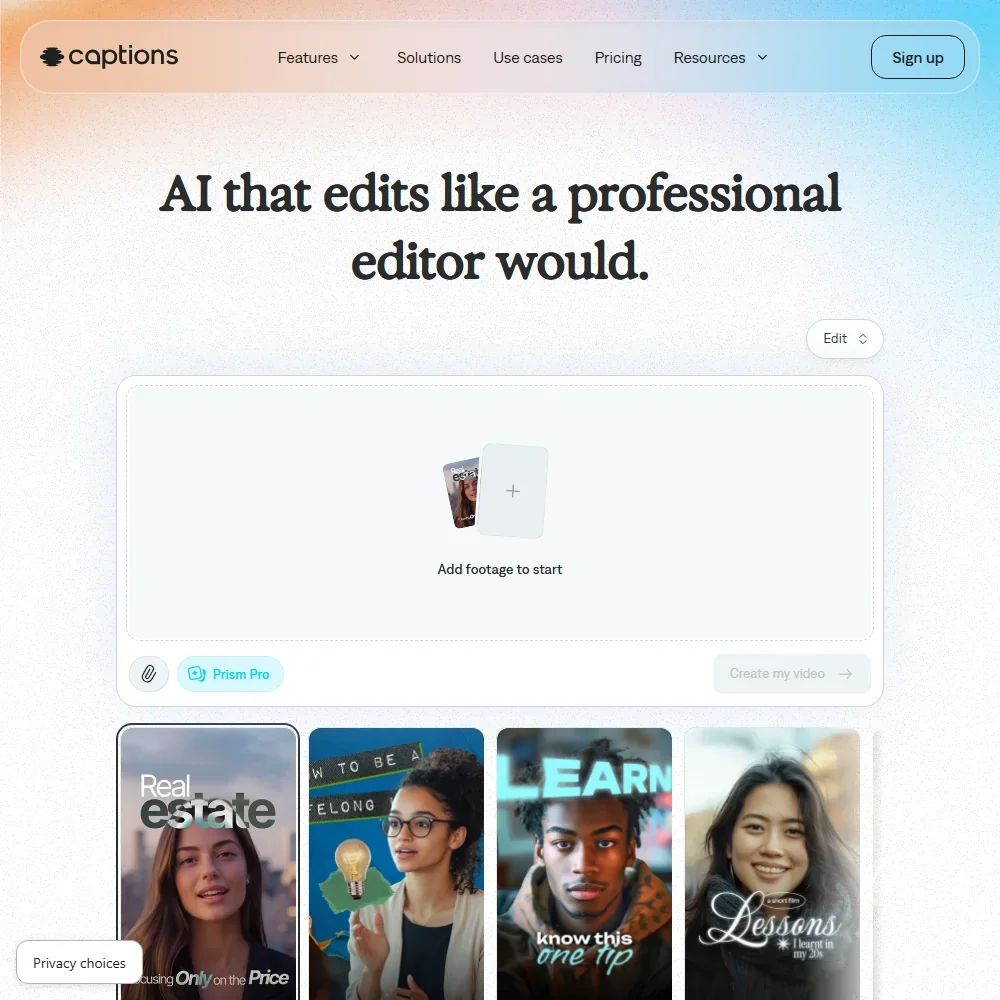
Captions is the phone-first finisher for talking-head videos: automatic captions with translated subtitles in 100+ languages, filler-word and pause removal, eye contact correction and dubbing, on iPhone and the web. Free exports carry no watermark but cover the basic tools, and AI Edit and clips need a paid plan metered in credits. There is no Windows or Mac app. Submagic is the browser pick for animated captions with B-roll and direct publishing.
- The free plan exports without a watermark.
- Dubbing and Lipdub translate speech into more than 30 languages, with lip movement synced to the new audio.
- Captions trains its AI models on your data, and training data exclusion comes with Enterprise plans.
Pricing N/Afree planCapCut is the no-cost editor for managers cutting fast videos on phone or desktop: free exports carry no watermark on most videos, and auto subtitles cover 25+ languages, with AI video generation built in.
Show detailsHide details23 CapCut: Best for free edits without a watermark7.6Score 7.6 out of 10Pricing N/Afree planCapCut is the no-cost editor for managers cutting fast videos on phone or desktop: free exports carry no watermark on most videos, and auto subtitles cover 25+ languages, with AI video generation built in.Visit site ↗ReviewDetailsCloseShow more about CapCut
Pricing N/Afree plan
CapCut is the no-cost editor for managers cutting fast videos on phone or desktop: free exports carry no watermark on most videos, and auto subtitles cover 25+ languages, with AI video generation built in.
Show detailsHide detailsCapCut: Best for free edits without a watermark
7.6Score 7.6 out of 10Pricing N/Afree planCapCut is the no-cost editor for managers cutting fast videos on phone or desktop: free exports carry no watermark on most videos, and auto subtitles cover 25+ languages, with AI video generation built in.Visit site ↗ReviewDetailsClose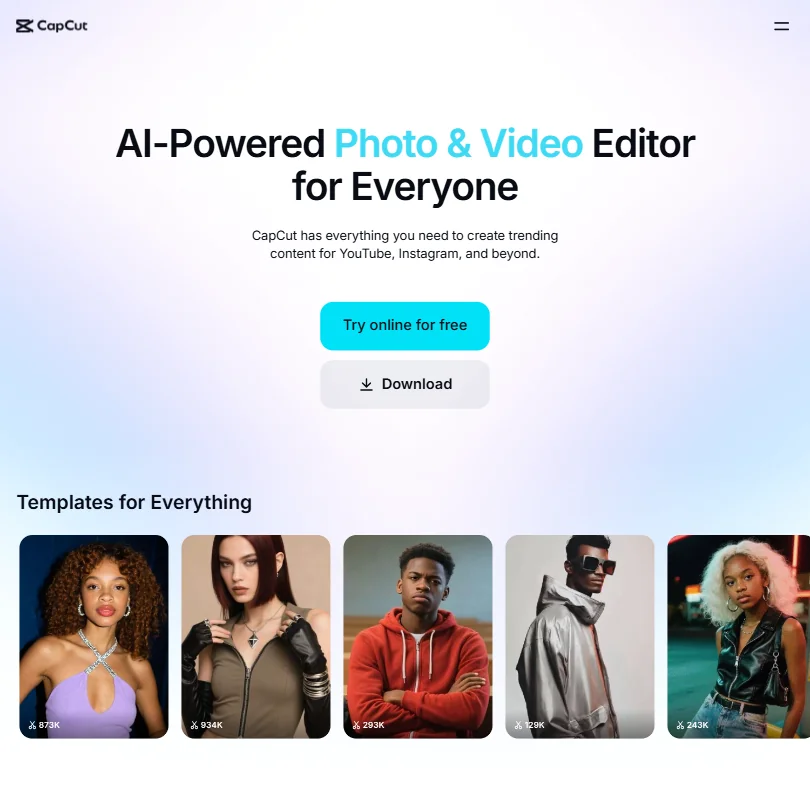
CapCut is the no-cost editor for managers cutting fast videos on phone or desktop: free exports carry no watermark on most videos, and auto subtitles cover 25+ languages, with AI video generation built in. Its pricing page shows no dollar figures, and ByteDance ownership makes some professionals hesitate with client material. VEED is the browser-based alternative.
- CapCut exports video without a watermark even on the free tier, which is a major advantage over competing free editors.
- The tool is available across all major platforms including mobile, web, Windows, Mac, and iPad with a consistent experience.
- Pricing is not clearly published for a product at this scale.
From $29free planVizard turns one long upload into a batch of 30 or more short clips, lets you cut them by editing the transcript, reframes to vertical around the speaker and publishes to social.
Show detailsHide details24 Vizard.ai: Best for batches of clips from podcasts6.8Score 6.8 out of 10From $29free planVizard turns one long upload into a batch of 30 or more short clips, lets you cut them by editing the transcript, reframes to vertical around the speaker and publishes to social.Visit site ↗ReviewDetailsCloseShow more about Vizard.ai
From $29free plan
Vizard turns one long upload into a batch of 30 or more short clips, lets you cut them by editing the transcript, reframes to vertical around the speaker and publishes to social.
Show detailsHide detailsVizard.ai: Best for batches of clips from podcasts
6.8Score 6.8 out of 10From $29free planVizard turns one long upload into a batch of 30 or more short clips, lets you cut them by editing the transcript, reframes to vertical around the speaker and publishes to social.Visit site ↗ReviewDetailsClose
Vizard turns one long upload into a batch of 30 or more short clips, lets you cut them by editing the transcript, reframes to vertical around the speaker and publishes to social. It suits podcast and interview content. The free plan exports 720p with a watermark and one social account, and commercial use needs a paid plan. Opus Clip adds a Virality Score and, on Pro, AI B-roll.
- Batch clip generation reliably produces 30 or more platform-ready clips from a single long-form video upload, saving significant time for content teams.
- Text-based editing lets users cut footage by editing the transcript, reducing back-and-forth compared to traditional timeline editing.
- Pricing structure has notable gaps worth investigating before committing to a paid plan.
Best AI avatar and video ad tools for social media managers
4 picksAvatar tools let you post video without filming. HeyGen and Synthesia build presenter videos from scripts in 160+ languages, and HeyGen can also make a digital twin of you. Creatify turns a product page into ad videos and launches them to Meta and TikTok, while MakeUGC focuses on UGC-style creatives, with a library of 1,000+ avatars and proven ad formats. Free plans are watermarked or limited in minutes, and MakeUGC has no free plan at all. Choose a presenter tool for explainers and multilingual posts, and the UGC or ad tools when the goal is performance creative.
#ToolScorePriceWhy pick it
From $19free planSynthesia builds avatar videos from text with no camera, in 160+ languages, and adds SCORM export, Bulk Personalization and an AI assistant that drafts scripts from a document or URL.
Show detailsHide details25 Synthesia: Best for explainer videos in 160 languages9.3Score 9.3 out of 10From $19free planSynthesia builds avatar videos from text with no camera, in 160+ languages, and adds SCORM export, Bulk Personalization and an AI assistant that drafts scripts from a document or URL.Visit site ↗ReviewDetailsCloseShow more about Synthesia
From $19free plan
Synthesia builds avatar videos from text with no camera, in 160+ languages, and adds SCORM export, Bulk Personalization and an AI assistant that drafts scripts from a document or URL.
Show detailsHide detailsSynthesia: Best for explainer videos in 160 languages
9.3Score 9.3 out of 10From $19free planSynthesia builds avatar videos from text with no camera, in 160+ languages, and adds SCORM export, Bulk Personalization and an AI assistant that drafts scripts from a document or URL.Visit site ↗ReviewDetailsClose
Synthesia builds avatar videos from text with no camera, in 160+ languages, and adds SCORM export, Bulk Personalization and an AI assistant that drafts scripts from a document or URL. The free plan gives 10 minutes a month and needs no card. It is aimed at corporate training and sales enablement, and the strongest features sit on higher plans, so personality-led social content fits HeyGen better.
- Supports 160+ languages, making it practical for global teams needing multilingual video content without hiring voice actors.
- No camera, microphone or studio required; the entire production workflow runs in-browser from script to export.
- Higher-tier pricing creates a feature wall that enterprise buyers can clear but smaller teams and individual users quietly cannot.
From $29free planHeyGen has the widest range for presenter videos: 500+ stock avatars, a digital twin built from a short recording, and translation into 175+ languages with lip sync, so one script can serve many markets.
Show detailsHide details26 HeyGen: Best for presenter videos in many languages8.9Score 8.9 out of 10From $29free planHeyGen has the widest range for presenter videos: 500+ stock avatars, a digital twin built from a short recording, and translation into 175+ languages with lip sync, so one script can serve many markets.Visit site ↗ReviewDetailsCloseShow more about HeyGen
From $29free plan
HeyGen has the widest range for presenter videos: 500+ stock avatars, a digital twin built from a short recording, and translation into 175+ languages with lip sync, so one script can serve many markets.
Show detailsHide detailsHeyGen: Best for presenter videos in many languages
8.9Score 8.9 out of 10From $29free planHeyGen has the widest range for presenter videos: 500+ stock avatars, a digital twin built from a short recording, and translation into 175+ languages with lip sync, so one script can serve many markets.Visit site ↗ReviewDetailsClose
HeyGen has the widest range for presenter videos: 500+ stock avatars, a digital twin built from a short recording, and translation into 175+ languages with lip sync, so one script can serve many markets. The free plan gives 3 watermarked videos a month. The feature set is busy and early tutorials may be outdated. Synthesia is calmer for training-style videos.
- HeyGen supports video translation across 175+ languages with lip-sync matched to the new voice, making localization highly accessible.
- The AI Studio editor allows users to adjust tone, delivery, gesture timing, and emotional register through text controls without re-recording.
- The feature set is described as getting 'busy,' suggesting a steeper learning curve for new users navigating the full platform.
From $39free planCreatify is for testing many ad variants fast: paste a product URL and it pulls visuals, writes a script and picks an avatar, and batch creation makes 50+ variants.
Show detailsHide details27 Creatify: Best for testing ad variants from a URL6.4Score 6.4 out of 10From $39free planCreatify is for testing many ad variants fast: paste a product URL and it pulls visuals, writes a script and picks an avatar, and batch creation makes 50+ variants.Visit site ↗ReviewDetailsCloseShow more about Creatify
From $39free plan
Creatify is for testing many ad variants fast: paste a product URL and it pulls visuals, writes a script and picks an avatar, and batch creation makes 50+ variants.
Show detailsHide detailsCreatify: Best for testing ad variants from a URL
6.4Score 6.4 out of 10From $39free planCreatify is for testing many ad variants fast: paste a product URL and it pulls visuals, writes a script and picks an avatar, and batch creation makes 50+ variants.Visit site ↗ReviewDetailsClose
Creatify is for testing many ad variants fast: paste a product URL and it pulls visuals, writes a script and picks an avatar, and batch creation makes 50+ variants. A competitor ad tracker shows what works in your category, and videos launch straight to Meta and TikTok. The free plan gives 10 credits, about 2 video ads, with a watermark. It is narrow, so use CapCut or VEED for general editing.
- URL-to-video feature automatically pulls visuals, generates a script, picks an avatar, and assembles a video ad from just a product page link.
- Batch creation allows users to spin up 50+ ad variants quickly without manual assembly for each one.
- The platform is narrowly focused on ad creation and not suitable for general video editing or broader content production needs.
From $89MakeUGC is for brands and agencies producing UGC-style ads: write a script, pick from 1,000+ AI creators and generate, with a content library of proven ad formats filtered by niche and style.
Show detailsHide details28 MakeUGC: Best for UGC-style ads with AI creators4.5Score 4.5 out of 10From $89MakeUGC is for brands and agencies producing UGC-style ads: write a script, pick from 1,000+ AI creators and generate, with a content library of proven ad formats filtered by niche and style.Visit site ↗ReviewDetailsCloseShow more about MakeUGC
From $89
MakeUGC is for brands and agencies producing UGC-style ads: write a script, pick from 1,000+ AI creators and generate, with a content library of proven ad formats filtered by niche and style.
Show detailsHide detailsMakeUGC: Best for UGC-style ads with AI creators
4.5Score 4.5 out of 10From $89MakeUGC is for brands and agencies producing UGC-style ads: write a script, pick from 1,000+ AI creators and generate, with a content library of proven ad formats filtered by niche and style.Visit site ↗ReviewDetailsClose
MakeUGC is for brands and agencies producing UGC-style ads: write a script, pick from 1,000+ AI creators and generate, with a content library of proven ad formats filtered by niche and style. It has no free plan and no desktop app, refunds depend on how many credits you have used, and it has little independent validation. Creatify covers URL-based ads at a lower entry point.
- The avatar library offers over 1,000 AI actor options, giving users substantial variety for UGC-style ad creatives.
- The Content Library provides a catalog of real, high-performing UGC ad formats filtered by niche, style, and ad format, reducing the need for prompting.
- At $59 per month from day three, the price point is difficult to justify without proven output benchmarks.
Best X and LinkedIn growth tools for social media managers
5 picksGrowth on X and LinkedIn depends on writing well and showing up daily, so these tools specialise. Typefully is a writing-first editor with a free plan and accurate previews. Hypefury automates first comments and trains its AI on your own posts. Taplio is LinkedIn only, with a carousel builder and engagement tools. Tweet Hunter is X only, with a library of 12 million viral tweets and auto-DMs. Postwise generates and queues posts for X, LinkedIn and Threads. All but Typefully offer a trial only. Choose by network first, then by whether you want a writing editor, automation or inspiration.
#ToolScorePriceWhy pick it
From $6Hypefury is for a solo creator building a personal brand on LinkedIn, Instagram, Threads, TikTok and Bluesky.
Show detailsHide details29 Hypefury: Best for solo creators posting first comments8.2Score 8.2 out of 10From $6Hypefury is for a solo creator building a personal brand on LinkedIn, Instagram, Threads, TikTok and Bluesky.Visit site ↗ReviewDetailsCloseShow more about Hypefury
From $6
Hypefury is for a solo creator building a personal brand on LinkedIn, Instagram, Threads, TikTok and Bluesky.
Show detailsHide detailsHypefury: Best for solo creators posting first comments
8.2Score 8.2 out of 10From $6Hypefury is for a solo creator building a personal brand on LinkedIn, Instagram, Threads, TikTok and Bluesky.Visit site ↗ReviewDetailsClose
Hypefury is for a solo creator building a personal brand on LinkedIn, Instagram, Threads, TikTok and Bluesky. Autoplugs post a pre-written first comment after your post goes live, scheduling is unlimited, and the AI generator learns from your own posts. Analytics are shallow, it is explicitly not built for agencies, there is a 7-day trial and no free plan. Typefully has a free plan.
- Autoplugs feature automatically posts a pre-written first comment on your own content after it goes live, saving time for creators promoting newsletters or offers.
- Unlimited scheduling across all connected channels, allowing creators to plan a full week of content in a single session.
- Analytics are shallow and not suitable for anyone needing advanced reporting beyond basic post-level engagement metrics.
From $99 per yearfree planTypefully is the writing-first choice: a distraction-free editor with exact previews for X, LinkedIn, Threads, Bluesky and Mastodon.
Show detailsHide details30 Typefully: Best for writing posts with exact previews7.8Score 7.8 out of 10From $99 per yearfree planTypefully is the writing-first choice: a distraction-free editor with exact previews for X, LinkedIn, Threads, Bluesky and Mastodon.Visit site ↗ReviewDetailsCloseShow more about Typefully
From $99 per yearfree plan
Typefully is the writing-first choice: a distraction-free editor with exact previews for X, LinkedIn, Threads, Bluesky and Mastodon.
Show detailsHide detailsTypefully: Best for writing posts with exact previews
7.8Score 7.8 out of 10From $99 per yearfree planTypefully is the writing-first choice: a distraction-free editor with exact previews for X, LinkedIn, Threads, Bluesky and Mastodon.Visit site ↗ReviewDetailsClose
Typefully is the writing-first choice: a distraction-free editor with exact previews for X, LinkedIn, Threads, Bluesky and Mastodon. Its free plan is unusually usable, with 15 posts a month, one social set and API access, and a Mac app is available. Monthly caps on free are tight, and team collaboration is locked behind Business, a hard jump from solo use. Hypefury adds more automation.
- The free plan is genuinely usable, offering 15 posts per month, one social set, and API access, which most competitors lock behind paid tiers.
- Pixel-perfect preview lets users see exactly how posts will look before publishing, reducing formatting surprises across platforms.
- Monthly post caps are restrictive by category standards.
From $29Tweet Hunter is for X-first creators: a library of 12 million viral tweets, scheduling with evergreen posts, an AI writer on Grow, an X CRM and Auto-DMs.
Show detailsHide details31 Tweet Hunter: Best for X creators mining viral tweets6.0Score 6.0 out of 10From $29Tweet Hunter is for X-first creators: a library of 12 million viral tweets, scheduling with evergreen posts, an AI writer on Grow, an X CRM and Auto-DMs.Visit site ↗ReviewDetailsCloseShow more about Tweet Hunter
From $29
Tweet Hunter is for X-first creators: a library of 12 million viral tweets, scheduling with evergreen posts, an AI writer on Grow, an X CRM and Auto-DMs.
Show detailsHide detailsTweet Hunter: Best for X creators mining viral tweets
6.0Score 6.0 out of 10From $29Tweet Hunter is for X-first creators: a library of 12 million viral tweets, scheduling with evergreen posts, an AI writer on Grow, an X CRM and Auto-DMs.Visit site ↗ReviewDetailsClose
Tweet Hunter is for X-first creators: a library of 12 million viral tweets, scheduling with evergreen posts, an AI writer on Grow, an X CRM and Auto-DMs. Bulk scheduling can queue a month at once. It is X only, with no team seats, no public API documentation and no Canva integration found, and the Enterprise tier's custom-trained AI is not explained. Typefully covers more networks.
- The viral tweet library indexes over 12 million tweets by topic or handle, giving creators a large-scale resource for content inspiration in their niche.
- All-in-one X platform combining scheduling, AI writing, analytics, CRM, and Auto-DM automation in a single tool.
- Tweet Hunter is X-only with no multi-platform support, making it a poor fit for creators who manage other social channels.
From $39Taplio is the LinkedIn specialist: AI post writing using GPT-4 and Claude, a carousel builder, an Engage module for interacting with other creators, analytics and a Chrome extension.
Show detailsHide details32 Taplio: Best for LinkedIn-only growth with carousels5.9Score 5.9 out of 10From $39Taplio is the LinkedIn specialist: AI post writing using GPT-4 and Claude, a carousel builder, an Engage module for interacting with other creators, analytics and a Chrome extension.Visit site ↗ReviewDetailsCloseShow more about Taplio
From $39
Taplio is the LinkedIn specialist: AI post writing using GPT-4 and Claude, a carousel builder, an Engage module for interacting with other creators, analytics and a Chrome extension.
Show detailsHide detailsTaplio: Best for LinkedIn-only growth with carousels
5.9Score 5.9 out of 10From $39Taplio is the LinkedIn specialist: AI post writing using GPT-4 and Claude, a carousel builder, an Engage module for interacting with other creators, analytics and a Chrome extension.Visit site ↗ReviewDetailsClose
Taplio is the LinkedIn specialist: AI post writing using GPT-4 and Claude, a carousel builder, an Engage module for interacting with other creators, analytics and a Chrome extension. It suits creators and corporate communications teams focused on LinkedIn alone. A 7-day trial needs a card, there is no free plan, its engagement automation sits in a grey area with LinkedIn's terms, and there is no X or Instagram support.
- Uses both GPT-4 and Claude simultaneously, which is unusual for tools in this price tier and gives more AI flexibility.
- Laser-focused on LinkedIn only, creating a more specialized and refined toolset compared to general-purpose social schedulers.
- A significant pricing wall makes it genuinely difficult to evaluate the product before committing financially.
From $37Postwise runs a tight loop for solo creators: turn an idea into several post variations, batch a week of content and schedule it across X, LinkedIn and Threads.
Show detailsHide details33 Postwise: Best for batching posts across X and LinkedIn5.3Score 5.3 out of 10From $37Postwise runs a tight loop for solo creators: turn an idea into several post variations, batch a week of content and schedule it across X, LinkedIn and Threads.Visit site ↗ReviewDetailsCloseShow more about Postwise
From $37
Postwise runs a tight loop for solo creators: turn an idea into several post variations, batch a week of content and schedule it across X, LinkedIn and Threads.
Show detailsHide detailsPostwise: Best for batching posts across X and LinkedIn
5.3Score 5.3 out of 10From $37Postwise runs a tight loop for solo creators: turn an idea into several post variations, batch a week of content and schedule it across X, LinkedIn and Threads.Visit site ↗ReviewDetailsClose
Postwise runs a tight loop for solo creators: turn an idea into several post variations, batch a week of content and schedule it across X, LinkedIn and Threads. It can remix earlier high-performing posts. Analytics are basic with no competitor analysis, Basic caps scheduling to six months. It has a 7-day trial and no free plan.
- Fast content generation lets users go from a rough idea to multiple publishable post variations in seconds.
- Batch creation allows solo creators to generate and queue a full week of content in a single session.
- Analytics is vague and limited to basic engagement tracking with no competitor analysis or deep audience insights.
Best YouTube and Pinterest tools for social media managers
3 picksYouTube and Pinterest behave like search engines as much as social feeds, so the tools center on keywords and timing. vidIQ and TubeBuddy sit inside YouTube and score keywords and titles, TubeBuddy adds A/B thumbnail tests on higher plans, and vidIQ also supports Instagram Reels. Tailwind is built for Pinterest: it generates pin designs and descriptions from your website and picks posting slots. Both YouTube tools have free plans, while the Tailwind plans listed are paid. Choose vidIQ or TubeBuddy for a YouTube channel and Tailwind for Pinterest traffic, and expect to pair them with a general scheduler.
#ToolScorePriceWhy pick it
From $15free planTubeBuddy is for managers who run YouTube channels and want to squeeze more from each upload.
Show detailsHide details34 TubeBuddy: Best for A/B thumbnail tests in Studio6.8Score 6.8 out of 10From $15free planTubeBuddy is for managers who run YouTube channels and want to squeeze more from each upload.Visit site ↗ReviewDetailsCloseShow more about TubeBuddy
From $15free plan
TubeBuddy is for managers who run YouTube channels and want to squeeze more from each upload.
Show detailsHide detailsTubeBuddy: Best for A/B thumbnail tests in Studio
6.8Score 6.8 out of 10From $15free planTubeBuddy is for managers who run YouTube channels and want to squeeze more from each upload.Visit site ↗ReviewDetailsClose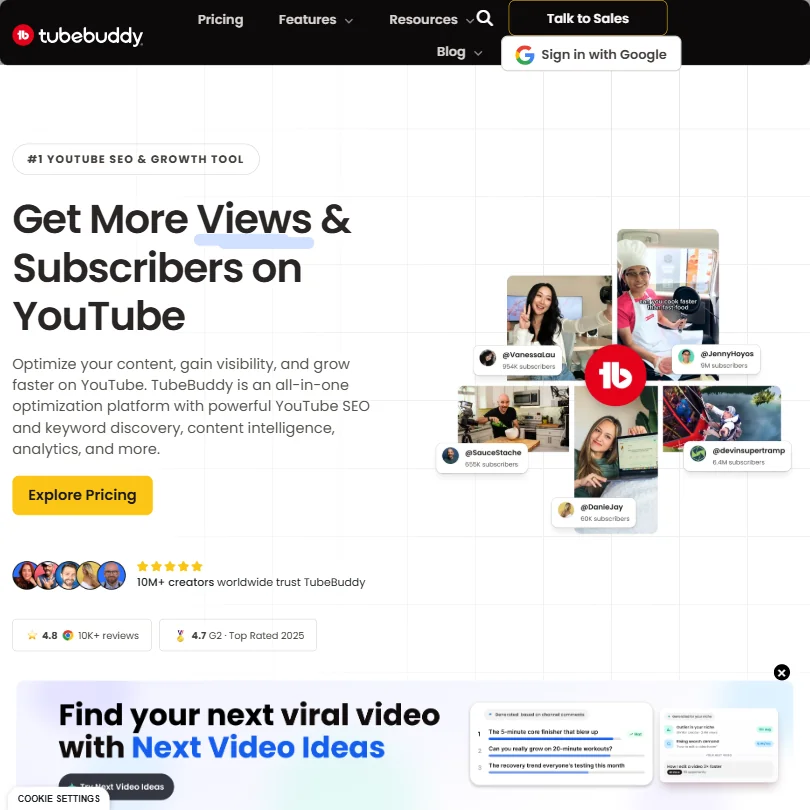
TubeBuddy is for managers who run YouTube channels and want to squeeze more from each upload. Keyword Explorer, real-time title and description scoring and A/B thumbnail tests all run inside YouTube Studio through a Chrome and Firefox extension, and there is a mobile app. A free plan covers basic tools, but thumbnail testing sits on higher plans, and it does nothing to help produce videos. vidIQ leans more on ideas and coaching.
- Keyword Explorer helps creators find topics with real searchable volume and lower competition directly within YouTube's interface.
- SEO Studio scores titles and descriptions in real time and provides actionable suggestions without leaving YouTube Studio.
- A/B thumbnail testing, one of the most valuable features, is locked behind higher-priced subscription tiers.
From $19free planvidIQ is the YouTube tool with the most generous free plan: 150 AI credits a month, niche trends and a content ideas feed, with keyword scores and competition levels shown inside YouTube.
Show detailsHide details35 vidIQ: Best for a generous free YouTube plan6.7Score 6.7 out of 10From $19free planvidIQ is the YouTube tool with the most generous free plan: 150 AI credits a month, niche trends and a content ideas feed, with keyword scores and competition levels shown inside YouTube.Visit site ↗ReviewDetailsCloseShow more about vidIQ
From $19free plan
vidIQ is the YouTube tool with the most generous free plan: 150 AI credits a month, niche trends and a content ideas feed, with keyword scores and competition levels shown inside YouTube.
Show detailsHide detailsvidIQ: Best for a generous free YouTube plan
6.7Score 6.7 out of 10From $19free planvidIQ is the YouTube tool with the most generous free plan: 150 AI credits a month, niche trends and a content ideas feed, with keyword scores and competition levels shown inside YouTube.Visit site ↗ReviewDetailsClose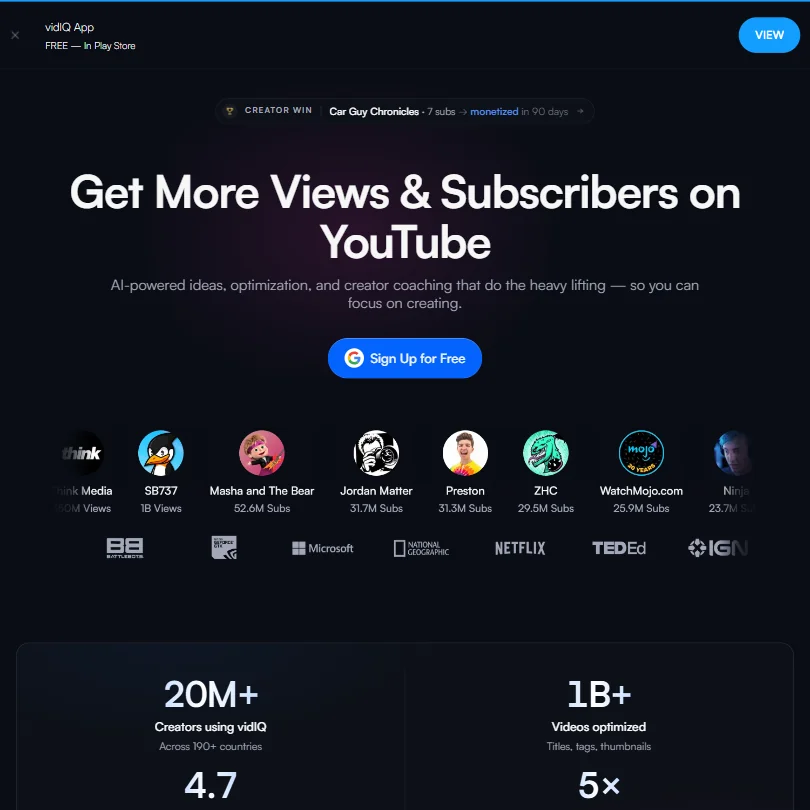
vidIQ is the YouTube tool with the most generous free plan: 150 AI credits a month, niche trends and a content ideas feed, with keyword scores and competition levels shown inside YouTube. It also covers Instagram Reels and has iOS and Android apps. Paid plans have no free trial, its AI clipping produces generated rather than curated clips, and human coaching is a large expense. TubeBuddy is stronger on thumbnail testing.
- The free plan includes 150 AI credits per month and a basic ideas feed, offering more value than most competing tools at no cost.
- vidIQ extends beyond YouTube to cover Instagram Reels, a cross-platform expansion that competitors like TubeBuddy and Morningfame have not matched.
- The AI clipping tool produces generated clips rather than curated ones.
From $29.99free planTailwind is the Pinterest specialist: SmartPin generates pin designs, titles and keyword-rich descriptions from your website each week, and SmartSchedule picks posting slots.
Show detailsHide details36 Tailwindapp: Best for Pinterest pin design and timing6.5Score 6.5 out of 10From $29.99free planTailwind is the Pinterest specialist: SmartPin generates pin designs, titles and keyword-rich descriptions from your website each week, and SmartSchedule picks posting slots.Visit site ↗ReviewDetailsCloseShow more about Tailwindapp
From $29.99free plan
Tailwind is the Pinterest specialist: SmartPin generates pin designs, titles and keyword-rich descriptions from your website each week, and SmartSchedule picks posting slots.
Show detailsHide detailsTailwindapp: Best for Pinterest pin design and timing
6.5Score 6.5 out of 10From $29.99free planTailwind is the Pinterest specialist: SmartPin generates pin designs, titles and keyword-rich descriptions from your website each week, and SmartSchedule picks posting slots.Visit site ↗ReviewDetailsClose
Tailwind is the Pinterest specialist: SmartPin generates pin designs, titles and keyword-rich descriptions from your website each week, and SmartSchedule picks posting slots. Plans also connect Instagram and Facebook, and extensions cover Chrome, Firefox and Safari. It is narrow, so a manager with several networks still needs a general scheduler, and its Turbo community engagement feature raises questions about how organic that engagement is.
- Tailwindapp has been Pinterest's longest-standing developer partner since 2012, giving it deep platform expertise and credibility.
- The SmartPin AI engine automatically generates Pin designs, titles, and keyword-rich descriptions from your website each week, reducing manual content creation.
- The tool is narrowly focused on Pinterest only, making it unsuitable for social media managers or teams handling multiple platforms or brand accounts.
Best social listening and analytics tools for social media managers
3 picksListening tells you what people say about a brand or client, which scheduling alone cannot. Brand24 is a dedicated monitoring tool covering 25 million sources with sentiment in 108 languages, but it publishes nothing and has no free plan. Sprout Social builds keyword and location monitoring into a full management platform, and Metricool adds competitor profiles and analytics to a scheduler with a free plan. Choose Brand24 when reputation monitoring is a job in itself, and a platform you already use when listening is one task among many, then check how many keywords and mentions your plan allows.
#ToolScorePriceWhy pick it

#37Brand24: Best for dedicated brand mention monitoring
From $249Brand24 is for PR teams and managers where reputation monitoring is a job of its own: 25 million sources including social, news, blogs, podcasts, forums and review sites, sentiment in 108 languages, an AI Brand Assistant and a Presence Score.
Show detailsHide details37Brand24: Best for dedicated brand mention monitoringn/aFrom $249Brand24 is for PR teams and managers where reputation monitoring is a job of its own: 25 million sources including social, news, blogs, podcasts, forums and review sites, sentiment in 108 languages, an AI Brand Assistant and a Presence Score.Visit site ↗ReviewDetailsCloseShow more about Brand24
#37Brand24: Best for dedicated brand mention monitoring
From $249
Brand24 is for PR teams and managers where reputation monitoring is a job of its own: 25 million sources including social, news, blogs, podcasts, forums and review sites, sentiment in 108 languages, an AI Brand Assistant and a Presence Score.
Show detailsHide detailsBrand24: Best for dedicated brand mention monitoring
n/aFrom $249Brand24 is for PR teams and managers where reputation monitoring is a job of its own: 25 million sources including social, news, blogs, podcasts, forums and review sites, sentiment in 108 languages, an AI Brand Assistant and a Presence Score.Visit site ↗ReviewDetailsClose
Brand24 is for PR teams and managers where reputation monitoring is a job of its own: 25 million sources including social, news, blogs, podcasts, forums and review sites, sentiment in 108 languages, an AI Brand Assistant and a Presence Score. It has no scheduling, calendar or caption tools, no free plan and a 14-day trial, and its price is high for a narrow feature set. It has iOS and Android apps.
- Monitors mentions across 25 million online sources including social media, news, blogs, podcasts, forums, and review sites in real time.
- Sentiment analysis powered by proprietary AI covers 108 languages, making it viable for global brand monitoring.
- No post scheduling, content calendar, or caption generation tools, making it a poor fit for teams seeking an all-in-one social media management platform.
From $20free planMetricool suits managers who want listening and analytics without a separate contract: the free plan shows 30 days of analytics and 5 competitor profiles, and paid plans extend history and competitor tracking to 100 profiles.
Show detailsHide details38Metricool: Best for light listening beside analytics7.2Score 7.2 out of 10From $20free planMetricool suits managers who want listening and analytics without a separate contract: the free plan shows 30 days of analytics and 5 competitor profiles, and paid plans extend history and competitor tracking to 100 profiles.Visit site ↗ReviewDetailsCloseShow more about Metricool
From $20free plan
Metricool suits managers who want listening and analytics without a separate contract: the free plan shows 30 days of analytics and 5 competitor profiles, and paid plans extend history and competitor tracking to 100 profiles.
Show detailsHide detailsMetricool: Best for light listening beside analytics
7.2Score 7.2 out of 10From $20free planMetricool suits managers who want listening and analytics without a separate contract: the free plan shows 30 days of analytics and 5 competitor profiles, and paid plans extend history and competitor tracking to 100 profiles.Visit site ↗ReviewDetailsCloseMetricool suits managers who want listening and analytics without a separate contract: the free plan shows 30 days of analytics and 5 competitor profiles, and paid plans extend history and competitor tracking to 100 profiles. It also puts ads reporting beside organic results. Its listening is lighter than a dedicated monitoring tool, the hashtag tracker is an add-on, and Brand24 covers far more sources.
- Single dashboard covers scheduling, analytics, ads management, and link-in-bio without requiring multiple subscriptions.
- The free tier is genuinely usable, offering one brand, 20 posts per month, 30 days of analytics history, and five competitor profiles.
- The Hashtag Tracker is a separate add-on rather than included in standard paid plans, adding potential extra cost.
From $99Choose Sprout Social for listening when you also want the inbox, publishing and reports in one platform.
Show detailsHide details39Sprout Social: Best for listening inside a full platform5.3Score 5.3 out of 10From $99Choose Sprout Social for listening when you also want the inbox, publishing and reports in one platform.Visit site ↗ReviewDetailsCloseShow more about Sprout Social
From $99
Choose Sprout Social for listening when you also want the inbox, publishing and reports in one platform.
Show detailsHide detailsSprout Social: Best for listening inside a full platform
5.3Score 5.3 out of 10From $99Choose Sprout Social for listening when you also want the inbox, publishing and reports in one platform.Visit site ↗ReviewDetailsCloseChoose Sprout Social for listening when you also want the inbox, publishing and reports in one platform. Keyword and location monitoring arrive on the Standard plan, competitor and paid insights on Professional, and sentiment in the Smart Inbox on Advanced. It is priced per seat and only a 30-day trial is free, so it is heavy if listening is the only need. Brand24 is the dedicated alternative.
- The Smart Inbox consolidates messages across all connected social networks into one view.
- Unlimited scheduling is available from the Essentials plan, including optimal send times and bulk publishing support.
- Pricing is firmly mid-market and upward, making it a poor fit for solo creators, small teams, or anyone on a tight budget.
How to choose AI tools for social media managers
Social media tools look alike on their home pages and ration very different things. Schedulers count accounts, brands or posts, caption tools count credits, video tools count clips and minutes, and listening tools count keywords and mentions. What you need depends on how many accounts you handle, whether clients see your work and which networks carry the results. This guide matches each job in a week of posting to the tools on this page, then covers free plans, where they stop, privacy and when paying is worth it.
Start with the job, not the tool
A piece of content passes through six jobs, and no single tool covers them all on a free plan.
- Scheduling. Queuing posts across networks and approving them. Buffer and Metricool have free plans, while Hootsuite, Sprout Social, ContentStudio and Vista Social run on trials and paid plans.
- Captions and ideas. Writing the words. ChatGPT and Claude have free plans, Jasper stores brand voice for teams, and Syllaby, Predis.ai and Ocoya fold ideas, creatives or automations into paid plans.
- Graphics. Sized, on-brand images. Canva, Adobe Express and Picsart are template and editing tools with free plans, Kittl adds a vector editor, and Adobe Firefly and ChatGPT generate images from a prompt.
- Video. Short clips and presenters. Opus Clip, Vizard and Submagic cut long recordings into clips, CapCut and VEED edit them, and HeyGen, Synthesia, Creatify and MakeUGC build avatar and ad videos without filming.
- Platform growth. Tools tied to one network. Typefully, Hypefury, Taplio, Tweet Hunter and Postwise serve X and LinkedIn, while vidIQ, TubeBuddy and Tailwind serve YouTube and Pinterest.
- Listening and analytics. Knowing what people say about a brand. Brand24 is a dedicated monitoring tool, Sprout Social builds keyword monitoring into a full platform, and Metricool adds competitor profiles to a scheduler.
The table shows where to start on any budget.
| Job | Free | Worth paying for |
|---|---|---|
| Scheduling | Buffer or Metricool | Metricool Starter at $20 a month billed yearly, for up to 5 brands |
| Captions | ChatGPT or Claude | Jasper Pro at $59 a month per seat billed yearly, for a team with one brand voice |
| Graphics | ChatGPT, Canva, Adobe Express or Picsart | Canva Pro at $18 a month, for 5 Brand Kits and more AI |
| Short video | CapCut, with no watermark on most exports | Submagic Starter at $19 a month, for captioned clips without a watermark |
| Avatars and ads | The free plans of HeyGen, Synthesia or Creatify | HeyGen Creator at $29 a month or Synthesia Starter at $19 a month |
| X and LinkedIn | Typefully's free plan | Hypefury Essentials at $6 a month, after its 7 day trial |
| YouTube and Pinterest | vidIQ or TubeBuddy | vidIQ Boost at $19 a month, or Tailwind Pro for Pinterest |
| Listening | Metricool's 5 competitor profiles | Brand24 at $199 a month billed yearly |
Free plans cap posts, watermark clips and stop short of real monitoring. Pay first for the scheduler once you handle more than one brand, and for listening when a client asks for it.
What the free plans actually give you
Each kind of tool rations something different, so one free plan lasts a month and another lasts an afternoon.
- Schedulers. Channels and posts are the meter. Buffer's free plan allows 3 channels, 10 scheduled posts per channel, 100 saved ideas and 1 user, with its AI Assistant included. Metricool's allows 1 brand, 20 posts a month and 30 days of analytics, so it suits one small account and not a client list.
- Caption and chat tools. Credits and messages are the meter. ChatGPT's free plan gives unlimited text chat with limited image generation, and Claude's gives the Sonnet and Haiku models. Metricool's AI assistant gets 5 credits per brand a month on the free plan, which is a taste more than a workflow.
- Design tools. Storage, brand kits and AI uses are the meter. Canva's free plan includes 1.6 million templates, one Brand Kit with 3 colors, 5GB of storage and up to 20 AI uses. Adobe Express includes templates, stock and scheduling to one account per network. Kittl's free plan exports PNG or JPG up to 800px and is for personal use.
- Video tools. Credits, resolution and watermarks are the meter. Opus Clip and Vizard each give 60 credits a month on the free plan, with watermarks, and Opus Clip clips expire after 3 days. VEED's free plan exports at 720p with a watermark and has no expiry. CapCut's free plan includes the full editor and auto subtitles in more than 25 languages.
- Avatar tools. Minutes and videos are the meter. HeyGen's free plan allows 3 videos a month with 500 or more stock avatars and 1 voice clone. Synthesia's gives 10 minutes of video a month with 9 stock avatars and needs no card. Creatify's gives 10 credits a month, about 2 video ads, with watermarked exports.
- Growth tools. Typefully's free plan includes API and MCP access with monthly post caps. vidIQ's gives 150 AI credits a month, and TubeBuddy's gives limited basic SEO and video tools with no card. Hypefury, Taplio, Tweet Hunter and Postwise start with a 7 day trial and then paid plans.
Which tools fit which social media manager
- A solo creator or small business. Start with Buffer, because its free plan covers 3 channels with 10 scheduled posts each and includes an AI Assistant. Add Canva for graphics and CapCut for video.
- A manager with several client brands. Start with Metricool, whose paid plans run from 5 brands at $20 a month billed yearly up to 50 brands. Add ContentStudio or Vista Social when you need workspaces and more AI credits, since ContentStudio Standard has 25,000 AI text credits and Vista Social's Professional plan covers 15 profiles.
- An agency or in-house team. Start with Hootsuite at $99 a month or Sprout Social at $99 per seat, because both add inbox, approval and reporting that cheaper schedulers lack. Add Brand24 when a client wants reputation monitoring.
- A short-form video creator. Start with CapCut for editing and Opus Clip or Vizard to cut long recordings into clips. Add Submagic Starter for captions with no watermark.
- A personal brand on X or LinkedIn. Start with Typefully, because its free plan includes API access. Add Hypefury at $6 a month for scheduling and cross-posting, or Taplio at $39 a month if LinkedIn is your main network.
- A creator who does not want to film. Start with HeyGen or Synthesia for a presenter built from a script, and add Creatify or MakeUGC when the goal is ad creative. MakeUGC has no free plan and starts at $89 a month.
A typical post step by step
- Find the idea. Syllaby surfaces ideas, vidIQ and TubeBuddy do it for YouTube, and Tailwind for Pinterest.
- Write the caption. ChatGPT, Claude or Jasper write it. For X and LinkedIn, use Typefully, Hypefury, Taplio, Tweet Hunter or Postwise.
- Make the visual. Canva, Adobe Express, Kittl or Picsart, with Firefly for generated images.
- Make the video. If you film, cut long recordings with Opus Clip or Vizard, add captions in Submagic and edit in CapCut or VEED. If you do not, use HeyGen or Synthesia for a presenter and MakeUGC or Creatify for ads.
- Schedule and approve. Buffer, Hootsuite, ContentStudio, Vista Social or Metricool queue the post, and the team plans add approvals.
- Reply. Sprout Social's Smart Inbox, or Vista Social's DM automations.
- Listen and measure. Brand24 for mentions, Metricool or Sprout Social for results.
- Report. Metricool's Advanced plans add team and client management, and Vista Social's Scale plan adds white label.
Where free plans stop
| Limit | Tools | What happens when you hit it |
|---|---|---|
| Monthly count | Metricool (20 posts, 5 AI credits per brand), Opus Clip (60 credits), Vizard (60 credits), HeyGen (3 videos), Synthesia (10 minutes), Creatify (10 credits), vidIQ (150 AI credits) | You wait for the new month or move to a paid plan |
| Accounts and posts | Buffer (3 channels, 10 posts each, 1 user), Metricool (1 brand), Vizard (1 social account) | Extra channels, brands or posts need a paid plan |
| Quality and expiry | VEED (720p, watermark), Vizard (720p, watermark), Opus Clip (3 day expiry), Kittl (800px, personal use) | Exports stay marked or small until you pay |
| Trial window | Hootsuite (14 days), Sprout Social (30 days), ContentStudio (7 days), Vista Social (14 days), Hypefury (7 days), Taplio (7 days), Brand24 (14 days) | The trial ends and the plan has to be paid for |
Match each meter to how you work. Monthly credits reward batching, so plan a week of clips in one sitting and keep the scarce allowances for client work. A trial is a test of one real week, so line up content, a client account and a report before you start the clock.
Privacy and who sees your work
Client campaigns, drafts and unreleased videos are not yours to hand over, so check how a tool treats them before the first upload. Several tools on this page state what they do.
| Stated policy | Tools |
|---|---|
| Does not train on your content | Metricool, Jasper, Typefully, Adobe Express, Adobe Firefly, Kittl, Vizard, Synthesia |
| You can opt out of training | ChatGPT, Claude, Canva, CapCut, VEED, MakeUGC |
Keep unreleased client work in the first row, and switch training off in the second right after you sign up. For client work, also check commercial use: Kittl's free plan is for personal use, and Vizard allows commercial use on paid plans.
Mistakes to avoid
- Buying a client scheduler before counting brands. Buffer's free plan stops at 3 channels and Metricool's at 1 brand. Count your accounts first, then pick the plan whose limit sits just above them.
- Sending free exports to a client. Vizard and VEED mark free exports with a watermark at 720p, and Opus Clip free clips expire after 3 days. Use CapCut's free exports, which carry no watermark on most videos, or pay for Submagic Starter.
- Starting a trial before the content is ready. Hypefury, Taplio, Tweet Hunter and Postwise give 7 days, and Ocoya and ContentStudio give 7. Prepare a week of posts first so the trial tests the real workflow.
- Expecting one tool to cover every network. Taplio is built for LinkedIn and Tweet Hunter for X, while Tailwind serves Pinterest and vidIQ and TubeBuddy serve YouTube. Check the networks you post to before paying.
- Burning credits on drafts. Opus Clip, Vizard, HeyGen and Creatify all count credits or videos. Write the script and choose the clip first, then generate once.
When it is worth paying
You have outgrown a free plan when you plan your week around its limit. Rationing scheduled posts across channels, re-exporting clips to dodge a watermark or declining a second client because of the brand cap are all signs.
| If you are | Upgrade to | What changes |
|---|---|---|
| Managing up to 5 brands | Metricool Starter | Unlimited publishing, 100 competitors, unlimited analytics history and PDF or PPT reports |
| Posting every day on several networks | Buffer Essentials | Unlimited posts and ideas, advanced analytics and a hashtag manager, at $6 a month per channel |
| Posting captioned clips | Submagic Starter | 15 videos a month, 1080p and no watermark |
| Working with a team and one brand voice | Jasper Pro | 2 Brand Voices, 5 Knowledge assets and 3 Audiences per seat |
| Growing a YouTube channel | vidIQ Boost | 2,000 AI credits a month and thumbnails |
| Monitoring a brand | Brand24 Individual | 3 keywords and 2K mentions a month |
Billing period changes the price. Metricool Starter is $25 monthly and $20 billed yearly, Sprout Social Essentials is $99 a seat monthly and $79 billed yearly, Jasper Pro is $69 monthly and $59 billed yearly, and Tailwind Pro is $29.99 monthly and $17.99 billed yearly. Trials differ too: Sprout Social gives 30 days with no card, Hootsuite, Vista Social and Brand24 give 14, and ContentStudio, Jasper, Ocoya and Predis.ai give 7.
What would this stack cost you?
Add our top picks (ContentStudio, ChatGPT, ChatGPT and 5 more) to the calculator and see the monthly total, then swap in the plans you would pay for.
How we picked
Every tool here is ranked by its score, and each score is worked out from the vendor’s own published pages: pricing, plans, features and terms. No score is adjusted by hand. 35 of the 36 tools have enough published facts to show a score, and on average 94% of each score comes from facts the vendor publishes. The facts behind these scores were checked between 15 September 2026 and 28 October 2026.
Scores compare tools that do the same job, which is why the list is grouped by job: a video editor and a grammar checker are never ranked against each other.
| Ranked as | On this page | What we score | Scoring guide |
|---|---|---|---|
| AI social media management tools19 reviewed | 8 | 6 criteria, 28 checked facts: publishing, pricing, AI content, agencies and teams, listening and competitors, privacy and support | How we score these → |
| X and LinkedIn growth tools6 reviewed | 5 | 5 criteria, 19 checked facts: growing an audience, pricing, where it posts, writing and repurposing, analytics and teams | How we score these → |
| AI graphic design tools9 reviewed | 4 | 5 criteria, 23 checked facts: what you can make, workflow and output, pricing, teams and platforms, privacy and trust | How we score these → |
| Clip repurposing tools5 reviewed | 3 | 5 criteria, 20 checked facts: turning long video into clips, pricing, getting the clips out, AI on top of the cut, teams and privacy | How we score these → |
| AI video editors8 reviewed | 3 | 5 criteria, 23 checked facts: editing, pricing, recording, AI in the editor, teams | How we score these → |
| YouTube and Pinterest growth tools3 reviewed | 3 | 5 criteria, 14 checked facts: research and testing, pricing, scheduling and reach, AI help, apps and support | How we score these → |
| AI assistants23 reviewed | 2 | 4 criteria, 13 checked facts: what it can do, where it works, pricing, privacy and trust | How we score these → |
| AI avatar video tools8 reviewed | 2 | 5 criteria, 20 checked facts: avatars, pricing, training and interactivity, languages and output, teams and privacy | How we score these → |
| AI ad video tools6 reviewed | 2 | 5 criteria, 16 checked facts: making the ad, pricing, languages and output, assets and teams, security and privacy | How we score these → |
| AI copywriting tools6 reviewed | 1 | 5 criteria, 19 checked facts: brand and content, pricing, where the copy goes, teams and control, privacy and security | How we score these → |
| Text to video tools5 reviewed | 1 | 5 criteria, 14 checked facts: what it turns into video, pricing, languages, publishing and output, API | How we score these → |
| AI image generators7 reviewed | 1 | 5 criteria, 26 checked facts: what it makes, control and automation, rights and privacy, pricing, openness and support | How we score these → |
Common questions
Do I need an X or LinkedIn specialist if my scheduler covers them?
A general scheduler is enough for a queue. Specialists add writing and growth features: Typefully and Postwise for drafting, Hypefury for first-comment autoplugs, Taplio for carousels and engagement, Tweet Hunter for a viral tweet library. Add one only when a single network drives your results and you write for it daily.
Which tools suit agencies managing client accounts?
ContentStudio has unlimited workspaces and users on its Agency plan and white-label branding. Vista Social offers white label on Scale, Metricool adds client management on Advanced, and Ocoya has approval flows and client share links. Buffer has no white label, and Hypefury says it is not built for agencies. Check where white label starts before promising it.
Which tools publish directly to TikTok, Reels and Shorts?
Submagic publishes to TikTok, YouTube and Instagram on Pro, and Opus Clip and Vizard both include social publishing. Syllaby schedules the videos it generates, and Buffer, Hootsuite and Metricool reach these networks as general schedulers. Confirm the exact network on your plan, because some plans limit which accounts you can connect.
How do I compare pricing across tools with different units?
Convert everything into your own account count. Hootsuite and Sprout Social charge per user, Buffer per channel, Metricool per brand, Typefully per social set, and Vista Social and Ocoya by bundles of profiles and users. Credit-based tools such as Predis.ai and Syllaby also cap ideas and videos. List your accounts and team first, then price each.
Which AI caption tools learn from my own posts?
Hypefury says its generator is trained on your own past posts, and Vista Social's AI is described as trained on brand voice. Jasper stores voice through Jasper IQ, and Postwise claims training on high-performing posts. Run one week of captions through any of them and compare against your real posts before you commit.