Every score is worked out from the vendor's own pages · How we score →Disclosure
SAASINSPECTOR
Captions logo

Captions Review

Captions is an AI video editor for the web and phone that adds captions automatically and cleans up talking-head footage. It is best at dubbing and lip-synced translation, voice cloning, eye contact correction and cutting long recordings into short clips for social posts.

Visit Captions →From $9.99/mo

Research-based review. Features and prices are checked on the vendor's own website, and the score is worked out from those facts. We haven't tested it hands-on yet.

The verdict

Captions is worth paying for if you are a creator who wants an AI video editor on your phone for captions, dubbing and clips, though it trains on your data outside Enterprise.

Pros

  • The free plan exports without a watermark.
  • Dubbing and Lipdub translate speech into more than 30 languages, with lip movement synced to the new audio.
  • Eye Contact, Denoise, Cutout and automatic filler word removal clean up talking-head video.
  • Clips turns podcasts, streams and webinars of up to 3 hours into short ranked clips.

Cons

  • Captions trains its AI models on your data, and training data exclusion comes with Enterprise plans.
  • There is no downloadable app for Windows or Mac.
  • Free credits are a one-time allowance, and AI Edit, clips and video generation need a paid plan.
From $9.99/moFree plan Yes
7.8/10

Spec Score

Captions against 7 AI video editors
#4
of 7 AI video editors
+0.3
vs the average
75%
from published facts
Ahead of other AI video editors
Pricing+2.3Editing+0.5
Behind other AI video editors
Teams, brand and privacy-2.0Recording-1.9
Every criterion
Tap a row for the facts
Editing8.5
+0.5 vs 8.0 avg25.5 of 30 points
Edit the video by editing its transcriptnot published, half points1.3 / 2.5
Strips ums and long pausesyes2 / 2
Removes the background without a green screenyes1.5 / 1.5
Cleans up noise and echoyes1.5 / 1.5
Corrects gaze to the camerayes1.5 / 1.5
Where it runswebiosandroid0.8 / 1
Why these numbers

Strips ums and long pauses: Pauses and filler words.

Removes the background without a green screen: Called Cutout.

Cleans up noise and echo: Called Denoise.

Where it runs: Web app, iPhone app (also runs on iPad) and Captions Lite on Android, a reduced manual-editing app. No Windows or Mac app; the older desktop app is legacy.

Pricing9.4
+2.3 vs 7.1 avg23.5 of 25 points
Monthly price, cheapest paid plan$9.99/mo5.5 / 6
Free planyes2 / 2
Free trialdoes not applyn/a
Why these numbers

Monthly price, cheapest paid plan: Cheapest paid plan on the iOS and web apps, per the vendor help centre. The pricing page itself lists only Max ($24.99) and Frontier ($69.99) and says prices reflect iOS plans only. Android has a separate Lite plan at $4.99/month.

Free plan: Free credits are a one-time allotment, not monthly.

Recording3.5
-1.9 vs 5.4 avg5.3 of 15 points
Records remote guests on separate tracksnot published, half points2 / 4
Records your screennot published, half points1.5 / 3
Desktop appno0 / 3
Why these numbers

Desktop app: No downloadable Windows or Mac app; use the web app. A legacy desktop app is listed in the help centre as moved to web.

AI in the editor10.0
+0.4 vs 9.6 avg15 of 15 points
AI voiceoveryes2.5 / 2.5
Clone your own voiceyes2.5 / 2.5
Translates a finished videoyes2.5 / 2.5
Lip syncyes2.5 / 2.5
Why these numbers

Clone your own voice: Also an 'AI Voice Clone' row on the pricing comparison.

Translates a finished video: Dubbed audio (30+ languages) and translated captions (100+ languages).

Lip sync: Feature is called Lipdub; 30+ languages.

Teams, brand and privacy5.5
-2.0 vs 7.5 avg8.3 of 15 points
Shared workspacenot published, half points1 / 2
Brand kitnot published, half points0.8 / 1.5
Built-in stock footage and musicyes1.5 / 1.5
SOC 2yes1.5 / 1.5
Does not train AI on your videosno0 / 1.5
Single sign-onnot published, half points0.5 / 1
Ways to reach supportemail0.3 / 1
Why these numbers

Built-in stock footage and music: Also music and sound effect libraries and AI-generated media.

SOC 2: The vendor is Mirage (formerly Captions). The enterprise page also says Captions is SOC 2 compliant.

Does not train AI on your videos: Terms also license Input and Output to improve the Services and develop new products. Enterprise plans list 'Training data exclusion' as an included feature, so excluding data is an enterprise option.

Ways to reach support: In-app messaging is answered 24/7 but is described as not live chat.

yesnonot published average for AI video editors
How the Spec Score works

Scored from what Captions publishes on its own site. Not a hands-on test.

Compared with 7 AI video editors. Facts checked 22 Oct 2026.

A fact the vendor does not publish gets half the points, or the typical value for a number, and says so. It never counts as a no. How we score.

Captions is a video editing app built around automatic captions, with AI tools for cleanup, dubbing, voice cloning and generated footage. It runs in the browser and on phones. What decides whether it suits you is how much AI work you plan to do, because every paid plan is a monthly allowance of credits and the free plan covers the basic tools.
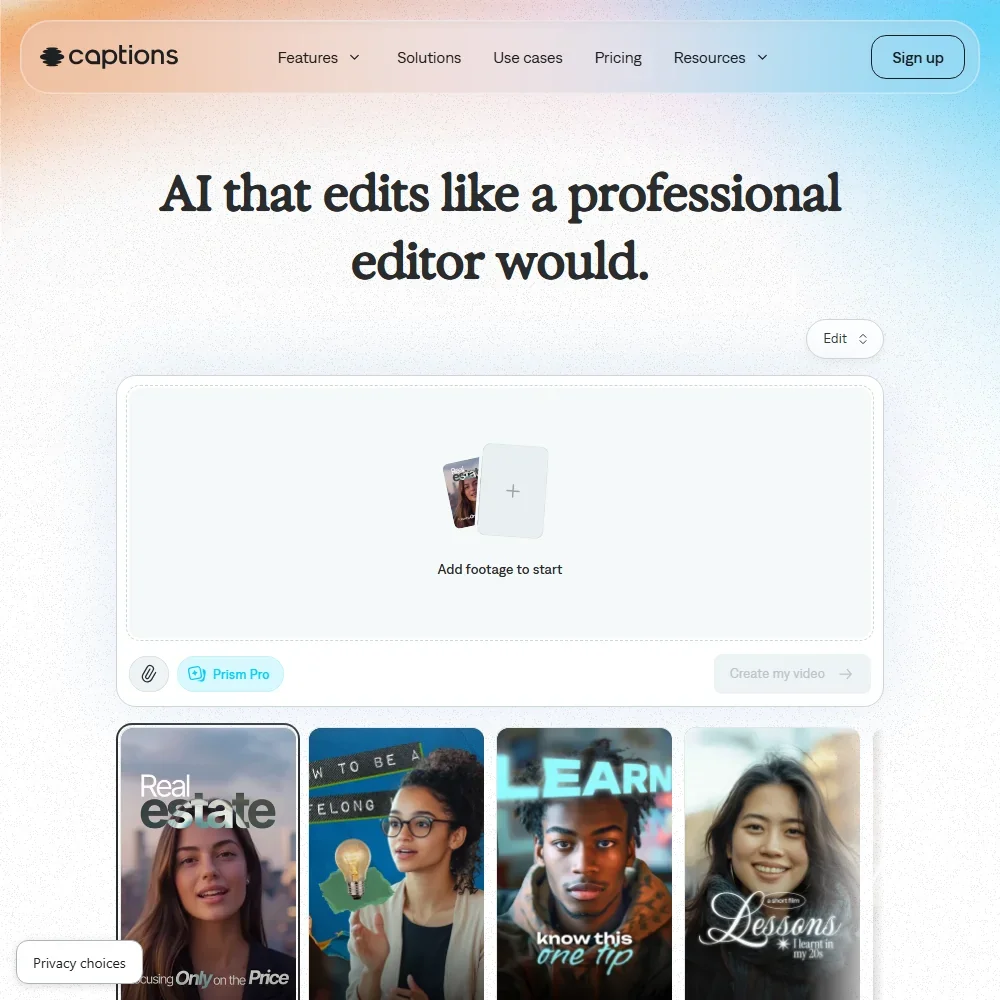
Captions homepage screenshot
Captions, Homepage

What is Captions?

Captions is an AI video editing and generation app. The company behind it has rebranded as Mirage, and Captions remains the name of the product. The operating companies are NOCAP, Inc., which trades as Captions, and Mirage US LLC, and the team builds the app in New York City.

Captions runs as a web app and as an iPhone app that also works on iPad. On Android there is Captions Lite, a reduced app for manual editing. There is no downloadable app for Windows or Mac: the older desktop app has moved to the web, and the web app's interface is in English.

Editing video with Captions

Captions has a timeline with shots, overlays and separate music and audio tracks, and you trim each one by dragging its handles. Its AI trim removes pauses and filler words for you. Captions come in more than 100 languages, with caption templates and styling you can customize.

The cleanup tools each have their own name. Denoise removes background noise, echo, wind and crowd sounds. Cutout removes and replaces the background behind a video or an overlay, and Eye Contact redirects your gaze toward the camera.

For voice, you can generate an AI voiceover with models from ElevenLabs, Cartesia, PlayHT and OpenAI, import your own audio, or create a voice clone by reading a one-minute script. Dubbing translates speech into more than 30 languages, and you can edit the dubbed captions and adjust the volume. Lipdub syncs lip and face movement to the translated audio, also in more than 30 languages.

Captions also generates footage. You can create AI images and b-roll with models from Luma, Google, OpenAI and others, along with AI actors, avatars and video from a prompt. The media panel has stock images, GIFs and stickers, plus music and sound effect libraries.

Clips turns long podcasts, streams, webinars or gameplay into short social clips. The AI finds, cuts, reframes and ranks the best moments, from a source of up to 3 hours or 10 GB. Clips, AI Edit, chat editing and video generation all need a paid plan.

The Mirage API and Enterprise

Mirage sells the Mirage API for video captioning, generation and more, with its own pricing.

Enterprise plans are custom, and they include training data exclusion.

Captions pricing: what each plan gives
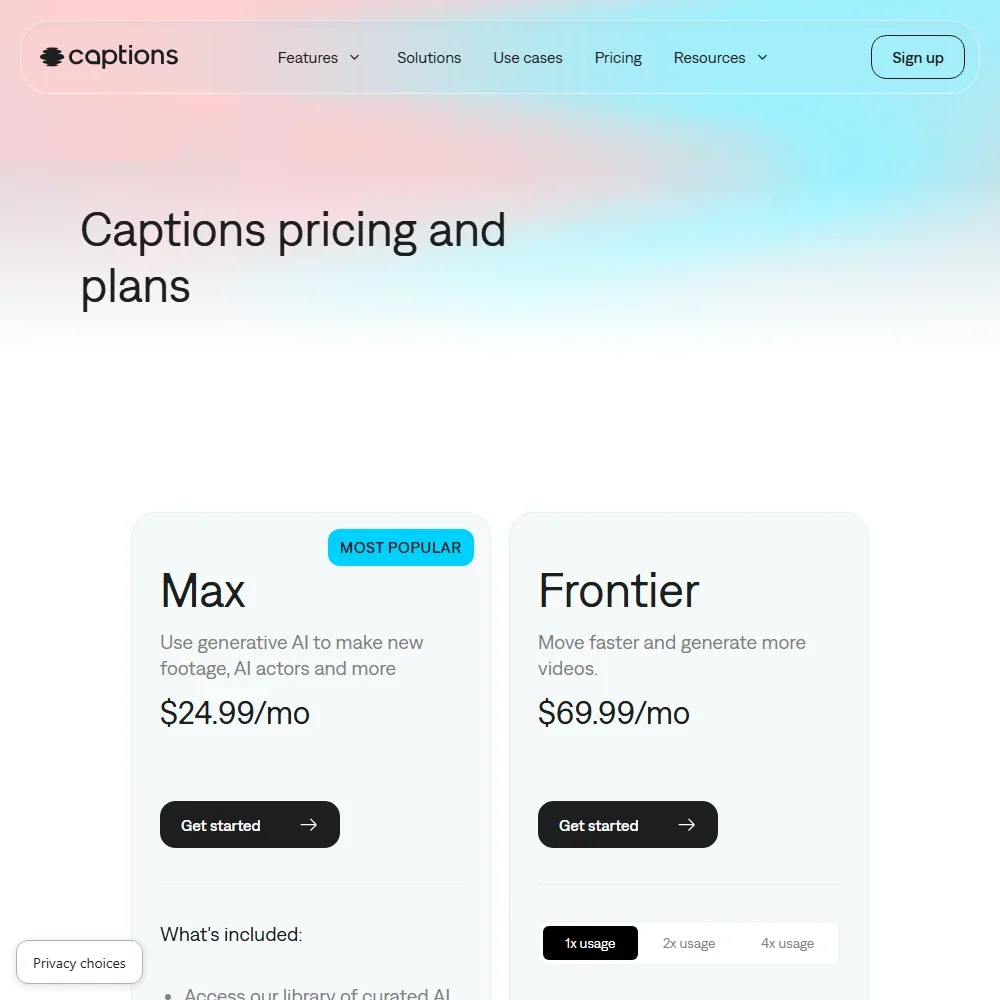
Captions pricing screenshot
Captions, Pricing

The Free plan gives you 60 to 200 credits once, not every month. It includes one caption template, Eclipse, and the basic tools: captions, camera, trim, zoom, sounds, media, voiceover, transitions and resize. Free exports carry no watermark.

The paid plans on the iPhone and web apps are priced by the month:

  • Basic: $9.99 a month with 200 credits a month, project creation and exports with no watermark.
  • Max: $24.99 a month with 500 credits a month.
  • Frontier: $69.99 a month with 1,400 credits a month.
  • Frontier 2x: $139.99 a month with 2,800 credits a month.
  • Frontier 4x: $279.99 a month with 5,600 credits a month.
  • Lite: $4.99 a month, for the Android app.
  • Enterprise: custom pricing.

Credits renew each month on your subscription date. Unused credits roll over, up to three times your monthly allowance. Yearly plans are also sold at a discount.

You own the rights to what you put in and what you make. Output from third-party AI models is also subject to those model owners' terms.

Privacy and security

Captions trains on your data. Its privacy policy uses your information to provide the service "including to train our artificial intelligence/machine learning models", and its terms license your input and output to improve the service and develop new products. Training data exclusion comes with Enterprise plans.

Mirage is SOC 2 compliant, with its security and operational controls independently audited. The privacy policy has additional disclosures for people in the UK and the European Economic Area. Support is by email, and in-app messages are answered around the clock, though that is not live chat.

Who Captions suits

Captions suits creators who record and edit on a phone or in the browser and want captions, cleanup and dubbing in one place. Eye Contact, Denoise and filler word removal fit talking-head videos, and Clips fits anyone cutting long podcasts or streams into short posts. The range of plans lets you buy more credits as your AI use grows.

It suits less well if you edit on a Windows or Mac app, since there is no downloadable desktop version. It also suits less well if you do not want your footage used to train models, because training data exclusion comes with Enterprise plans. On Android, Captions Lite is a reduced app for manual editing.

Frequently Asked Questions

How much does Captions cost?

Captions has a free plan with 60 to 200 one-time credits. Paid plans are Basic at $9.99 a month, Max at $24.99, Frontier at $69.99, Frontier 2x at $139.99 and Frontier 4x at $279.99, with Captions Lite on Android at $4.99 a month and custom Enterprise pricing.

Does the free plan add a watermark?

No. Free exports carry no watermark. The free plan covers basic editing, and AI Edit, chat editing, clips and video generation need a paid plan.

Is there a Captions app for Windows or Mac?

No. There is no downloadable Captions app for Windows or Mac, and the older desktop app has moved to the web. You can use the web app in a browser, the iPhone app or Captions Lite on Android.

Does Captions train AI on my videos?

Yes. Its privacy policy includes using your information to train its AI and machine learning models. Enterprise plans include training data exclusion.


Captions is featured in

Alternatives to Captions

See all Captions alternatives →

Other AI Video Tool options we've reviewed.

HeyGen logo

HeyGen

Solo creators and advanced individuals creating AI videos at scale

8.9
Rank #1 of 7 AI avatar video tools
Best:Avatars10
Weakest:Pricing6.9
Exports to SCORM for an LMS: yes
From $29Free plan
95% from published facts · checked 16 Sep
→
Riverside logo

Riverside

Podcast and video recording, live streaming, and webinars

8.4
Rank #2 of 7 AI video editors
Best:Recording10
Weakest:Pricing6.9
Records remote guests on separate tracks: yes
From $24Free plan
100% from published facts · checked 15 Oct
→
Adobe Firefly logo

Adobe Firefly

Creative Cloud users who want generation inside the apps they already use, from a vendor that does not train on their content

8.1
Rank #1 of 7 AI image generators
Best:Rights and privacy9.2
Weakest:Openness and support3
Does not train on what you make: yes
From $9.99Free plan
78% from published facts · checked 26 Sep
→
Creatify logo

Creatify

Creators and solopreneurs

6.4
Rank #3 of 5 AI ad video tools
Best:Making the ad7.5
Weakest:Assets and teams4.5
Free plan: yesFree trial: yesAPI: yes
From $39Free plan
91% from published facts · checked 16 Sep
→
Kling AI logo

Kling AI

Filmmakers, content creators, and creative professionals seeking high-quality AI video and image generation with cinematic control

8.9
Rank #2 of 8 AI video generators
Best:What it can generate9.8
Weakest:Privacy and platforms3.2
Free plan: yesFree trial: noAPI: yes
From $8.80Free plan
94% from published facts · checked 19 Sep
→
Krea logo

Krea

Designers who want one of the broadest model menus, plus a node canvas, an AI agent and an API

9.0
Rank #2 of 13 multi-model AI platforms
Best:For video10
Weakest:Pricing6
SOC 2: yesOffers Veo 3.1: yesOffers Nano Banana Pro: yes
From $35Free plan
93% from published facts · checked 19 Sep
→

User reviews

Review Captions

Your rating

Reviews are moderated and appear once approved.