
VEED launched out of London in 2018 as a browser-based editor. What it is now barely resembles that. The AI tooling added since then is substantial enough that the original product feels like a footnote, which is either encouraging or disorienting depending on what you came here for. It's a tool that's genuinely more complete than most in this category, with some operational gaps that matter more the heavier you use it.
What is VEED?
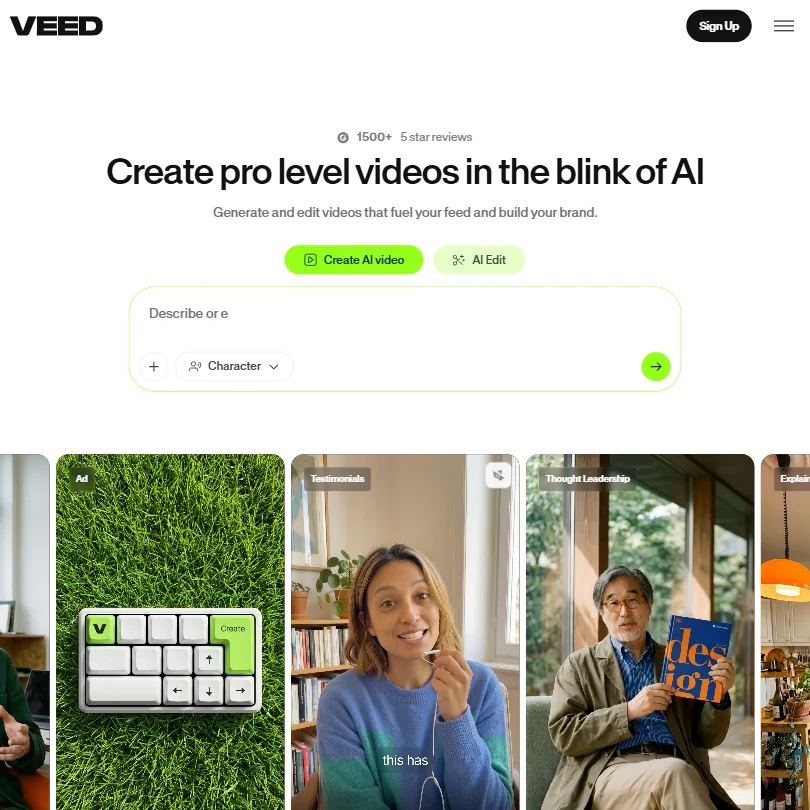
Four years of layering AI features onto a browser editor has produced something that now covers generation, editing, subtitles, avatars, voice cloning, and brand management without leaving a single tab. No desktop install. No Adobe Premiere handoff. That consolidation is real and it's the core of what VEED is selling.
The AI architecture underneath is called Fabric 1.0. It's a proprietary model layer that routes generation requests to external frontier models, specifically Veo 3.1 and Kling AI. Most tools in this category are locked to one generation model. VEED's multi-model routing is the structural bet the whole product is built around, and it's a more interesting architecture than it sounds on first read.
Honestly, we think that's a reasonable bet. Not that VEED's own model is best, but that being a capable wrapper around the models that are best is worth more in the medium term. Whether it stays true depends on how fast those underlying models commoditize.
The audience fit is marketing teams and content creators making social video and ads fast. Filmmakers. Not post-production professionals. VEED has no interest in that audience and doesn't pretend to.
VEED Features: Video Generation, Editing & AI Capabilities
The text-to-video generation workflow is prompt-driven. You write something, pick a style, and Fabric 1.0 routes the request to the appropriate underlying model. Because the ceiling here is Veo 3.1, the output quality ceiling is higher than what a single-model tool can offer. That's not a marketing point, it's a structural consequence of the architecture.
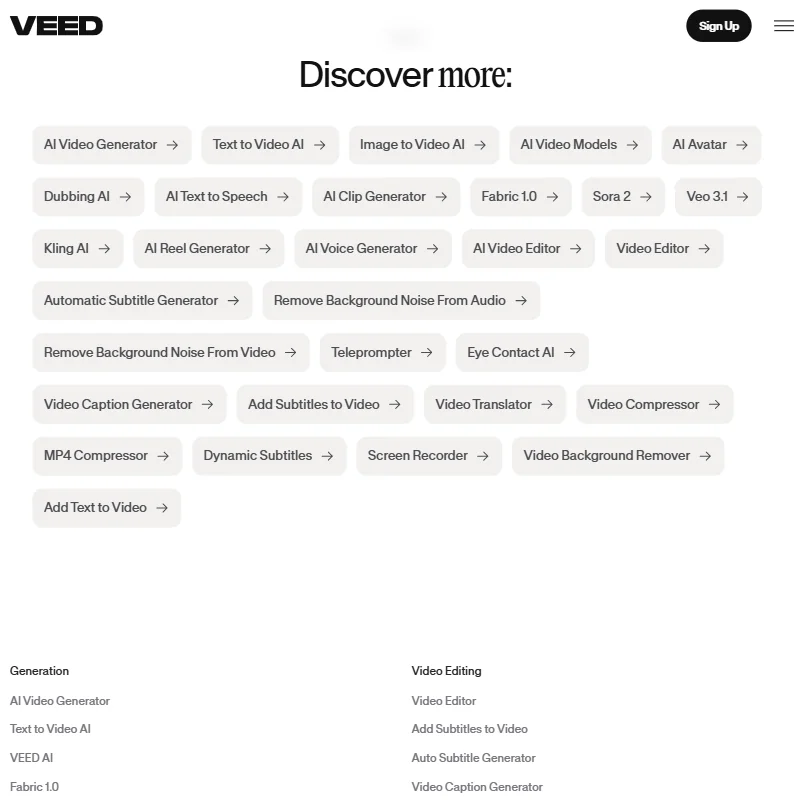
On the editing side, the AI features worth knowing are Eye Contact AI, which repositions a speaker's gaze to face camera even when recorded off-axis, and noise removal for background audio. Background removal works on video, not just stills.
Auto subtitles are included on all paid plans with no cap. Subtitles compound fast because you use them on every single video.
Screen recording is built in. Template library too, though custom templates are locked to Studio at $79 a month. Voice cloning and text-to-speech sit in the same workspace, not a third-party tab. That matters for speed.
The API surface is broader than most competitors in this price range. There's a Lip Sync API and a Subtitle API available separately, plus Background Removal and Green Screen APIs. Teams building video tooling into their own products should look at this. Most alternatives don't publish an API surface this wide at comparable price points.
No publicly documented batch processing. For high-volume teams, that's a gap worth confirming with support before committing.
VEED Video Quality: How Good Does the Output Actually Look?
For longer-form AI-generated video, the picture gets mixed. Not a VEED-specific problem. AI-generated video quality drops as clip length and scene complexity increase across every tool in this category, Runway included. VEED's multi-model routing gives you more options to work around a specific model's weaknesses, which is a real advantage even when none of the options are perfect.
Export resolution is publicly listed. Free exports at 720p, Creator at up to 1080p, and Pro, Studio, and Enterprise at up to 4K. Worth knowing before you pick a plan.
VEED AI Avatars & Voiceover: How Realistic Are They?
VEED has an AI Avatar product with a Live Avatar API. Talking head generation was a differentiator two years ago and is now table stakes. The question is whether VEED's version is good enough to compete with tools built around nothing else.
Compared to HeyGen, which has made avatar quality its primary differentiator, VEED's output is functional but not exceptional. We don't have test footage, but user sentiment consistently positions VEED's avatars as good enough for most things rather than best available. Honest read. We'll leave it there.
The voice side is more interesting. Voice cloning and full text-to-speech catalog are in the same workspace. Translation to 50+ languages is built in on Pro and above, which means the dubbing workflow is a real capability, not a bolt-on. Useful for teams with multilingual distribution requirements.
The voice and avatar tools were clearly designed for the good-enough-fast use case rather than the flawless use case. For brand video and social content, fine. For high-stakes L&D or compliance training, we'd look harder at Synthesia, which was built specifically for that problem.
Is VEED Easy to Use?
Browser-based removes a whole category of friction before you even open the product. No install, no system requirements, no version conflicts.
Not universal, though.
The learning curve seems tied to which feature set you're in. Basic editing and subtitle work, fast. Advanced AI generation tools, steeper.
VEED offers an iOS app. An Android version is still in development, with a waitlist on VEED's site. For a tool aimed at fast content creation, web-only is an odd place to be, though for team workflows on desktop it's not a dealbreaker.
Team collaboration features are tiered. Centralized team management and data controls are Enterprise-only. Multiple brand kits start at Pro, which is $45 a month. Small teams on Creator at $25 a month get limited collaboration. Know that before you onboard a team.
VEED Pricing: Is It Worth It for Creators & Teams?
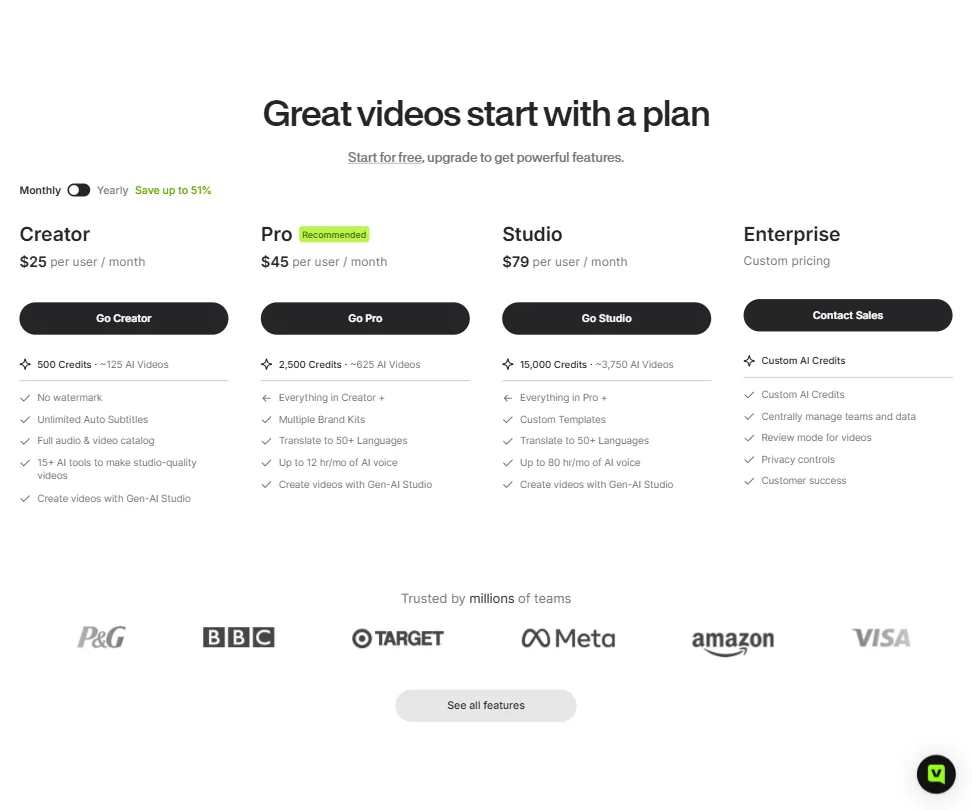
Four tiers. Creator at $25 per user per month, Pro at $45, Studio at $79, Enterprise at custom pricing. Annual billing saves up to 51% across tiers. The free plan exists with no stated expiry and a watermark on exported video, which is more than many competitors offer at the starting line.
The free plan watermark disappears at Creator. Commercial rights come in on paid plans. That's the basic trade.
Creator gives you 500 credits, approximately 125 AI videos. Pro jumps to 2,500 credits, approximately 625 AI videos. Studio goes to 15,000 credits, approximately 3,750 AI videos. Credit costs vary by model and are shown before generation, which is a reasonable level of transparency. Monthly and annual allowances expire at the end of their respective periods, and unused subscription credits generally do not roll over, per VEED's Terms of Sale. Worth factoring into any usage estimate before picking a tier.
On the refund side, VEED's Terms of Sale allow a full refund within 14 days only when the service hasn't been used. After you've used it, the standard change-of-mind refund right no longer applies. Certain material service changes may qualify for a prorated refund. We'd read that policy before committing to annual.
The value of the Pro plan at $45 depends almost entirely on how much AI generation you're doing versus just editing and subtitles. If you're mostly editing, Creator probably covers you. Pro adds multiple brand kits and translation to 50+ languages on top of the credit jump, so there's more than just credits in the tier difference, but credits are the headline.
Studio at $79 unlocks custom templates and expands AI voice to up to 80 hours per month. That's a significant price jump for templates specifically. Unless you're running a team with strict brand guidelines across a high volume of output, we're not sure who Studio is for. The AI voice hours expansion is the more defensible reason to be there.
VEED vs Runway: Which AI Video Tool Is Better?
The comparison comes up constantly in user research.
Runway is generation-first with editing added around the core. VEED is editing-first with generation added. That DNA difference shapes everything downstream. Runway's generation output for cinematic and stylized video is widely considered stronger. Its model releases have been the benchmark in several independent comparisons we've seen cited. VEED's multi-model routing can approach that ceiling by routing to Veo 3.1, but the workflow around generation is more cluttered than Runway's focused interface.
Where VEED pulls ahead clearly is post-generation. Subtitles, voice dubbing, Eye Contact AI, brand kits, and avatar tools exist natively inside VEED and don't exist in Runway in any meaningful form. If you're generating video and then finishing it for social distribution, VEED's workspace keeps more of that work in one place. That matters for speed and for teams without dedicated post-production resources.
Pricing is closer than it looks at the entry level. The divergence happens at professional tiers, where Runway gets expensive fast. VEED's Studio at $79 sits below Runway's equivalent professional tier. For pure generation quality, Runway. For the whole workflow from generation to published social video, VEED is a more complete answer.
Who Should Use VEED? (And Who Shouldn't)
Marketing teams making social video at volume. Clearest fit. The subtitle tool, Eye Contact AI, brand kits at Pro, and template library all point at exactly that workflow.
Content creators doing single-person talking-head content at speed. The combination of Eye Contact AI, auto subtitles, and noise removal is built for that format.
Developers building video features into their own products. The API surface, Lip Sync API, Subtitle API, and a few others, is broader than most alternatives at this price range.
L&D teams needing high-quality avatar-based training content. Synthesia was built for that use case and it shows in the avatar quality and compliance tooling. VEED is more generalist and the avatar output reflects that.
Video professionals needing precision editing or color grading won't find what they need here. Not a DaVinci Resolve replacement. Not trying to be.
Teams that need desktop software or reliable mobile workflows. VEED offers an iOS app and Android is in development, but the core product is browser-based and that's where it lives.
VEED Review Verdict
One of the more complete AI video tools we've reviewed. Not perfect. Complete in a way most competitors aren't.
The multi-model generation architecture is genuinely smart. Sitting on top of Veo 3.1 and Kling AI rather than betting on a single proprietary model gives VEED a quality ceiling that single-model tools can't match without a rebuild. That's a structural advantage, not a marketing point, and it's durable until those underlying models commoditize.
The caveats are real. Unused subscription credits don't roll over, which requires active usage planning to avoid waste. The 14-day refund window disappears the moment you use the service, so test before you commit annually. Batch processing isn't confirmed in documentation. Avatar quality is good but not best-in-class. None of these are fatal. They're the kind of thing that erodes trust over time, especially for teams trying to budget usage costs tightly.
The free plan has no expiry. Creator starts at $25 a month. The entry cost is low enough to test before committing. We'd spend a month on Creator using the subtitle and editing tools heavily, and only move to Pro if the brand kit, translation, and multi-model generation features are pulling real weight in the actual workflow. Don't pay for Studio unless the custom templates and expanded AI voice hours are specifically what you need. That tier doesn't earn its price jump for most users.
Above category median on the things that matter. Gaps are all knowable before you pay. Fair.
Frequently Asked Questions
Does VEED have a free plan?
Yes. The free plan has no stated expiry, so it's a real free tier rather than a trial countdown. The catch is a watermark on all exported video, which makes it unsuitable for anything client-facing or published. The watermark comes off at Creator, which is $25 per user per month. Commercial rights come in on paid plans too.
Is VEED good for auto subtitles?
Auto subtitles are included on all paid plans with no cap.
How does VEED compare to CapCut for social video?
Closer than you'd expect at the feature level, but the workflows diverge. CapCut skews younger, is stronger on mobile, and has deep TikTok-native features. VEED skews toward marketing teams working on desktop, with stronger brand kit tooling and a broader API surface. For teams working browser-based with brand guidelines to enforce, VEED is the better fit. For individual creators on mobile, CapCut is faster to reach for.











