Founded in Chicago, Sprout Social has grown into something considerably larger than a scheduling tool. Whether it's actually gotten there is worth a harder look.

What is Sprout Social?
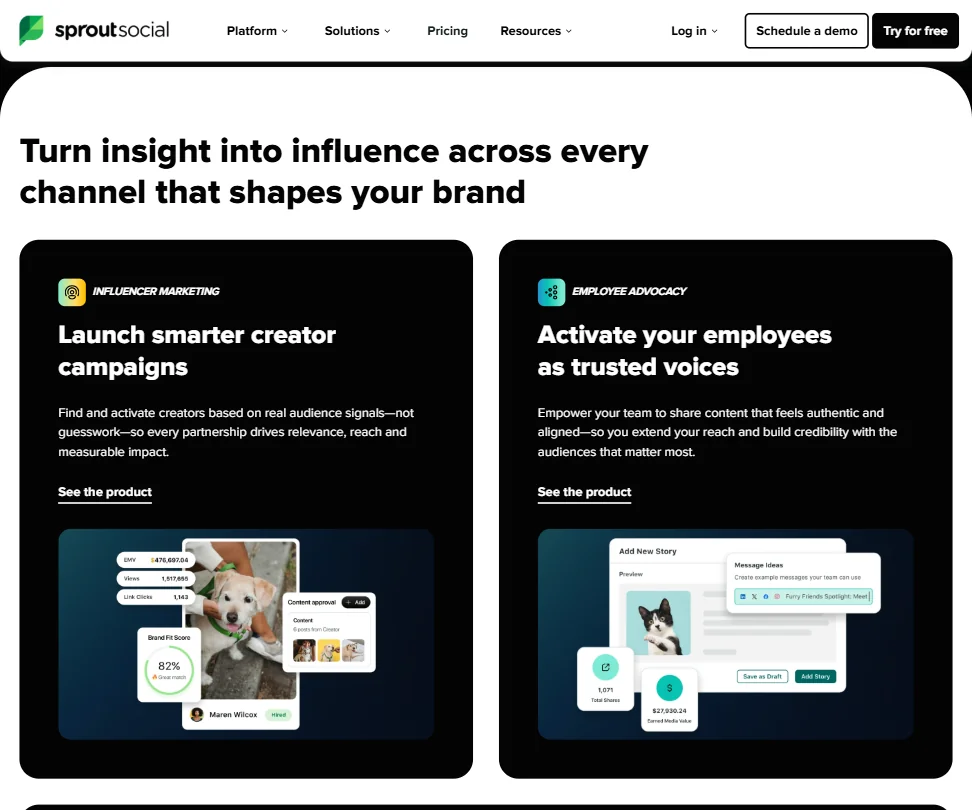
Sprout positions itself as a social intelligence platform, not just a place to queue posts. The pitch has shifted considerably over the years. Early Sprout was a publishing and engagement tool for marketing teams. Current Sprout is pitching real-time signal detection, an AI agent called Trellis, built-in influencer marketing, employee advocacy features, and media monitoring through a Newswhip integration. That's a lot of ground to cover from one platform.
Sprout positions itself as mission control for mid-market brands and agencies running social operations. It handles the inbox, the publishing calendar, and the reporting. Increasingly the listening, too. That tracks with who Sprout is actually built for. Not a solo creator's tool.
Salesforce integrations and Helpdesk connections suggest the target customer already has a real tech stack. The Enterprise tier includes custom pricing, white-glove onboarding, and dedicated SSO setup per their current plan page. This is mid-market upward territory. Small teams on tight budgets should read the pricing section before getting excited about the demo.
Sprout Social Features: Scheduling, AI Content & Analytics
The core publishing workflow covers what you'd expect. Unlimited scheduling is available from Essentials. Optimal send times come with it. The content calendar gives teams a shared view of what's going out and when. Standard stuff, executed well by most accounts.
The Smart Inbox pulls messages across connected networks into a single view.
Reporting is tiered deliberately. Basic profile and post-level data comes on Essentials. Competitor insights, tag reporting, and paid insights show up on Professional. Premium Analytics is a separate add-on with custom dashboards and shareable reports. Honestly, the add-on model here is a real cost multiplier if you need the deeper data. Budget accordingly.
The Trellis AI agent is the newest headline feature. According to their documentation, it's designed to turn conversation data into action items. Detect a spike in brand mentions, understand what's driving it, decide what to do next. That's the stated loop.
Employee advocacy functionality is built directly into the platform. Content composed in the main workflow can be pushed straight to an advocacy program. That's a real differentiator compared to tools like Buffer, which don't touch advocacy at all. Larger organizations with internal amplification goals will notice that gap.
Sprout Social Platform Support: Which Networks Does It Cover?
Facebook and Instagram are the obvious core. X (Twitter), LinkedIn, and TikTok round out the most-used networks, with YouTube, Pinterest, and Threads also supported. Threads support is no longer unusual at this level. Buffer is an official Threads partner with dedicated publishing features, so Sprout isn't alone there. Fine.
Web, iOS, and Android apps are all available.
API access is locked to the Advanced and Enterprise tiers, per their current plan structure. That's a meaningful restriction for teams that want to pull data into their own systems without paying $399 per seat per month. Not a surprising call from Sprout's end, but worth knowing before you plan an integration project on a lower plan.
25-plus languages are supported, per their documentation. For global teams, that matters.
Sprout Social AI Content Creation: Caption & Copy Quality
Two AI content features are live in the product. Enhance Post by AI Assist handles caption generation and is available on Professional and above, at $299 per seat per month. Enhance Reply by AI Assist, which helps with responding to incoming messages, requires the Advanced plan at $399. Neither feature is available on Essentials.
That gating is a choice, and not a great one for Essentials users. It pushes the AI features you might actually want into plans that cost considerably more, and for context, Buffer has AI caption features at much lower price points. Sprout is betting the rest of the platform justifies the premium. That bet doesn't always land for smaller teams.
Hashtag suggestions come through AI Assist during content creation. Deeper hashtag research requires the Listening add-on, which is additional cost on top of your base plan. Splitting basic hashtag functionality from research-level functionality into separate payment tiers reads more like a monetization decision than a product one.
Is Sprout Social Easy to Use?
Sprout is learnable, but not immediately obvious. Publishing, inbox, reports, listening, advocacy, influencer tools. That's a lot of surface area for someone new to it.
Onboarding support differs by tier. Enterprise customers get dedicated success managers and white-glove implementation support, per the plan page. Essentials users are more on their own, pointing at the help center and the Sprout Community forum.
Live chat is available, with priority support reserved for Enterprise. Email support exists across plans. Functional. Not a support story you lead with when you're trying to win the market.
Sprout Social Pricing: Is It Worth It for Creators & Agencies?

The plan page we reviewed lists a Standard plan at $199 per seat per month and a Professional plan at $299. There's also an Essentials plan, positioned as new, starting at $79 per seat per month annually, or $99 billed monthly. That's the entry point. Sprout Social is not cheap at any tier.
Advanced runs $399 per seat per month. Enterprise is custom. Per-seat pricing compounds fast for agencies with multiple users. A three-person team on Professional is $897 per month before add-ons. Premium Analytics costs more. The Listening add-on costs more. The line item can grow quickly.
The jump between tiers is steep. Users on Essentials who want competitor analytics or AI content features have to upgrade to a plan that costs significantly more, not just a little more.
No permanent free plan. Thirty days free trial, no credit card required per their site. Ask about the refund policy. At this price point, that should be a clear answer.
Not great. The bill gets harder to defend as team size and feature needs grow.
Sprout Social vs Hootsuite: Which Social Media Tool Wins?
These two get compared constantly. Fair fight. Both are enterprise-adjacent and both have deep publishing and analytics. Both are expensive relative to lighter tools.
Where Sprout pulls ahead: Sprout's Newswhip integration gives it a media monitoring angle that Hootsuite doesn't match natively, and the employee advocacy tools don't have a real parallel there either.
Where Hootsuite competes: broader third-party app integrations and a longer track record on enterprise-level social ad management.
Honest answer for most teams: both tools do the job at this level. Sprout wins on inbox management and reporting depth. Hootsuite has more of an ecosystem feel. The call usually comes down to which workflows matter most to your specific operation.
Agencies running lean, by the way, are sometimes better served by neither. Vista Social covers a lot of the same ground at a lower per-seat cost and has grown its feature set meaningfully in the past couple of years.
Who Should Use Sprout Social? (And Who Shouldn't)
Mid-market social teams and in-house agency operations. That's the core fit. Teams where multiple people manage a shared inbox, run reporting for stakeholders, and want listening workflows layered on top of publishing. Sprout is built exactly for that work.
Brands with employee advocacy programs will find real native support here that most competitors skip entirely. Organizations already running Salesforce will find the integration worth something. Enterprise buyers needing SSO and white-glove onboarding reach that on the custom tier, as the plan page makes clear.
Solo creators. Look elsewhere. The pricing doesn't make sense at small scale, and the platform depth is overhead, not value, at that size. Small agencies watching margin carefully should do the math on per-seat costs before the trial ends.
Teams needing deep social listening on a budget won't find it here without add-on costs. The Listening feature is real, but it's additional spend on top of an already steep base plan. Factor that in before you build an internal business case.
Sprout Social Review Verdict
Sprout Social is a mature, genuinely capable platform. The publishing tools work. The Smart Inbox is a real differentiator. The reporting depth, especially with Premium Analytics, covers what most professional social teams need. Trellis is interesting, even if it's too new to judge with confidence.
The concerns are real, though. The pricing model is aggressive. Per-seat costs stack up fast, and add-ons push the real-world monthly number well above the headline plan price.
For mid-market teams with a real budget, Sprout is a defensible choice. The platform earns its price if you use the inbox, the analytics, and the team workflow features together. If you're only going to use two or three of those, you're overpaying.
The AI features are growing. Trellis suggests Sprout is betting hard on intelligence as the next competitive layer. Whether that bet pays off in the next product cycle matters. Watch it.
How Sprout Social compares
Sprout Social scores 5.3 out of 10 among the AI social media management tools we rate. These three do the same job and are the closest to it, compared on what each vendor publishes.
Hootsuite
Sprout Social and Hootsuite both charge $99 a month for five profiles and both track competitors, listen for mentions and report on paid ads. Hootsuite does bulk scheduling and writes captions in your brand voice from uploaded guidelines, neither of which Sprout Social offers; Hootsuite also has white-label reports. Sprout Social keeps a browser extension, which Hootsuite dropped when it retired its Hootlet extension. Both hold a SOC 2 report.
Pick Hootsuite if you want bulk scheduling, brand voice AI and white-label reports.
Pick Sprout Social if you want a browser extension at the same price.
Buffer
Buffer has a free plan and its five profiles cost $30 a month, against $99 a month with no free tier on Sprout Social. Sprout Social tracks competitors, listens for mentions beyond your own accounts, reports on paid ads, and manages influencer marketing, none of which Buffer offers. Sprout Social also has a Trellis AI agent and a SOC 2 report. Buffer schedules a first comment on posts; Sprout Social does not.
Pick Buffer if you want a free plan with a lower price.
Pick Sprout Social if you need competitor tracking, mention listening and influencer management.
Loomly
Loomly's five profiles cost $65 a month against $99 a month on Sprout Social, and Loomly does bulk scheduling, re-queues evergreen posts, and generates AI images, none of which Sprout Social offers. Sprout Social posts to X, where Loomly does not list X among its networks. Sprout Social also reports on paid ads; Loomly has no such feature. Loomly states it does not train its AI on your content, which Sprout Social does not state.
Pick Loomly if you want bulk scheduling, evergreen re-queuing and AI images cheaper.
Pick Sprout Social if you post to X and need paid-ads reporting.
Frequently Asked Questions
Does Sprout Social have a free plan?
No permanent free tier exists. Sprout offers a 30-day free trial with no credit card required, which is a reasonable runway to evaluate the platform. After that, the lowest paid option is the Essentials plan at $79 per month on annual billing, or $99 billed monthly, though pricing on their homepage has shown some variation and is worth checking directly before you commit.
What is the Trellis AI agent in Sprout Social?
Trellis is Sprout's proprietary AI agent, designed to interpret real-time social conversation data and surface actionable direction for teams. According to their documentation, it's meant to help users understand what's driving a spike in brand mentions and figure out what to do about it quickly. It's a newer feature. We'd treat vendor claims here with some caution until more independent feedback accumulates.
Is Sprout Social worth the price for small agencies?
Depends heavily on team size and which features you'll actually use. The per-seat pricing means a small team hits a real monthly number fast, and the features that justify higher tiers, like competitor analytics on Professional at $299 and API access on Advanced at $399, aren't available on the entry-level plan. Small agencies watching margin closely should compare costs against lighter options before committing to a full Sprout contract.