
Kittl is a browser-based design tool built around an infinite canvas, a real vector editor and a growing set of AI image, vector and video generators, aimed at logos, merchandise, print and social graphics. Whether it suits you depends on how much you value vector precision alongside AI generation, since Kittl has no desktop app, and the free plan is generous for personal projects but keeps commercial use, the full template library and larger exports behind a paid plan.
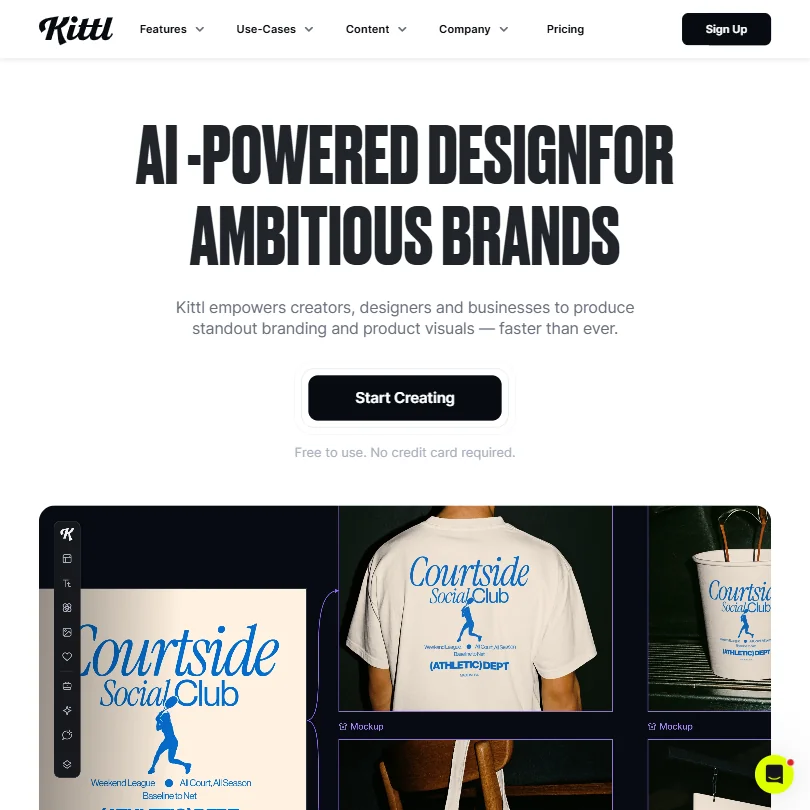
What is Kittl?
Kittl is headquartered in Berlin, Germany. It runs in the browser only, with no desktop or mobile app.
Kittl's AI generation runs through a model picker rather than a single house model. Named options include ChatGPT Image 1, Google Imagen 4, FLUX 1.1 Pro and FLUX 1.1 Pro Ultra, Ideogram 3 Quality and Ideogram 2.0a, Seedream 3, FLUX Kontext Pro, Nano Banana, DALL-E 3, FLUX Schnell and SDXL Flash.
What you can make with Kittl
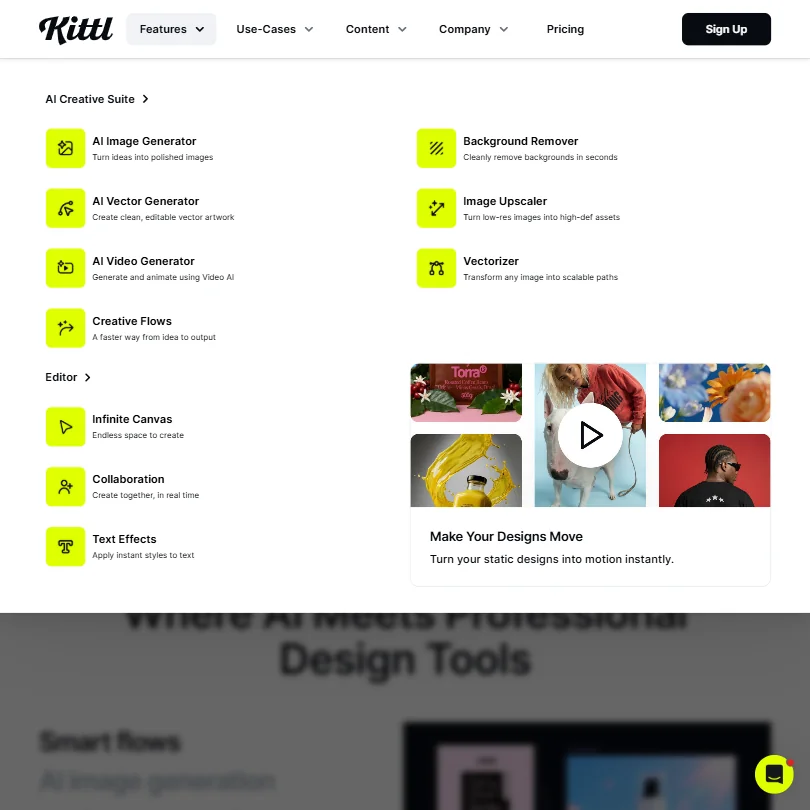
The canvas includes a full online vector editor, with a pen tool and Boolean tools for combining shapes and customizing paths. A Vector Generator produces original SVG artwork from a text prompt, which can then be refined on the same canvas.
A mockup generator applies finished designs to product mockups, and exports cover PNG, JPG, SVG, PDF and MP4.
Kittl's AI models generate images from a prompt, and a background remover and image upscaler handle editing afterward. On video, Kittl can turn static designs into motion and generate video through its own AI Video Generator.
Stock access scales with plan: the free plan includes more than 1 million photos, graphics and fonts, and paid plans raise that to more than 10 million. Templates follow the same pattern, more than 10,000 on the free plan and more than 100,000 on paid plans.
Working with other people
Kittl supports real-time collaboration: teammates can be invited into a project by email or link, work on the same canvas at once, and see each other's live presence. A comment tool, opened from the toolbar or the C key, lets people leave feedback directly on a design.
A Brand feature stores logos, colors, fonts, graphics, visual style and tone of voice so they can be applied consistently across projects. Kittl has no traditional developer API; instead it offers an MCP connector that works with Claude, ChatGPT, Cursor and Claude Code without needing an API key.
Kittl pricing: what each plan gives
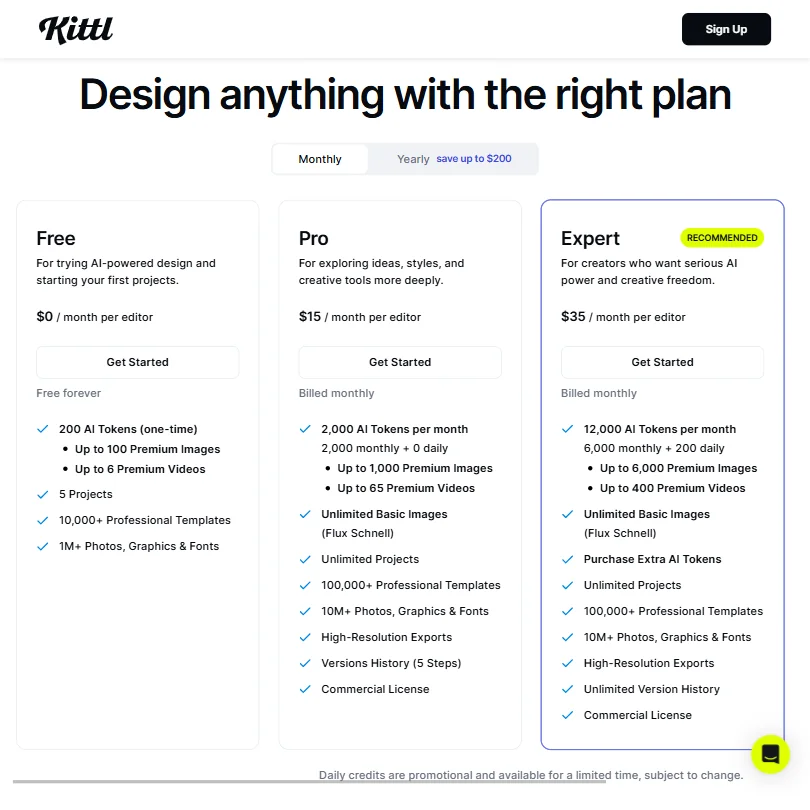
Kittl's free plan is free forever, with no trial period or expiry. It includes 100 AI tokens, enough for up to 100 images, five active projects, 500MB of storage, and PNG or JPG exports capped at 800 pixels and 72dpi. Designs made on the free plan are for personal use only, and AI-generated images made on it are shared publicly with the Kittl community.
Pro costs $15 a month per editor, or $12 a month per editor billed annually, and includes 2,000 AI tokens a month. Expert costs $35 a month per editor, or $26 a month per editor billed annually, and adds daily tokens on top of its monthly allowance. Max costs $65 a month per editor, or $48 a month per editor billed annually.
Commercial use of AI-generated images is available to Pro and Expert subscribers, letting them sell designs made with Kittl's AI; the free plan does not carry that right.
Privacy and support
Kittl says uploads are used only to let you use and create designs in its editor, including processing and storing them on its servers for that purpose. Account sign-in works through email, or through a Google or Facebook account, with no enterprise single sign-on.
Support runs through email and a full self-serve help center, with a Discord community alongside it. There is no live chat or phone line.
Who Kittl suits
Kittl suits designers, freelancers and e-commerce sellers who want a real vector editor alongside AI generation, especially for logos, merchandise and product mockups that need to go to print. The model picker also suits anyone who wants to try several AI engines, from FLUX and Ideogram to Nano Banana and DALL-E 3, on the same project without leaving the canvas.
It suits less well anyone who needs a desktop app, since Kittl runs in the browser only. Anyone who needs enterprise sign-on or built-in social post scheduling will not find either on Kittl, and anyone on the free plan should know that output there is personal use only and that AI-generated images are shared publicly.
How Kittl compares
Kittl scores 8.1 out of 10 among the AI graphic design tools we rate. These three do the same job and are the closest to it, compared on what each vendor publishes.
Canva
Kittl can generate editable vectors from a prompt and includes a vector editor of its own; Canva's AI generator produces a vector-style image but not an editable vector file. Kittl is web only, while Canva runs on 5 platforms, has single sign-on and publishes directly to social. Kittl connects AI agents through MCP rather than a public API, which Canva has. Both offer a free plan, though Kittl's free designs are for personal use only until you upgrade to a paid tier.
Pick Canva if you want apps beyond the browser, single sign-on or social publishing.
Pick Kittl if you need real vector output and don't mind working from the browser.
Adobe Express
Kittl edits vector artwork and generates editable vectors from a prompt, neither of which Adobe Express does. Express costs $9.99 a month against Kittl's $15, runs on 3 platforms against Kittl's web app, and adds social scheduling and an API. Kittl's free plan is for personal use only, with commercial use on its paid plans, and neither tool trains AI on what you upload.
Pick Adobe Express if you want a cheaper plan, social scheduling or an API.
Pick Kittl if you need real vector editing or vectors from a prompt.
Picsart
Kittl includes mockup tools for products and print, exports to 5 file formats against Picsart's 2, and lets several people edit together, which Picsart lists as coming soon. Picsart runs on 4 platforms with single sign-on and a public API; Kittl is web only, has no single sign-on, and connects to AI agents through MCP instead of an API. Picsart also lets you order printed products through a partner, which Kittl does not. Both include a free plan and vector generation from a prompt.
Pick Picsart if you want to work outside the browser with single sign-on or an API.
Pick Kittl if you want more export formats and several people editing at once.
Frequently Asked Questions
Does Kittl have a free plan?
Yes, and it is free forever rather than a timed trial. It includes 100 AI tokens, five active projects, 500MB of storage and PNG or JPG exports capped at 800 pixels and 72dpi, though designs made on it are for personal use only.
What does Kittl cost?
Pro costs $15 a month per editor, or $12 a month per editor billed annually. Expert costs $35 a month per editor, or $26 a month per editor billed annually. Max costs $65 a month per editor, or $48 a month per editor billed annually.
Which AI models can you use inside Kittl?
Kittl's model picker includes ChatGPT Image 1, Google Imagen 4, FLUX 1.1 Pro and FLUX 1.1 Pro Ultra, Ideogram 3 Quality and Ideogram 2.0a, Seedream 3, FLUX Kontext Pro, Nano Banana, DALL-E 3, FLUX Schnell and SDXL Flash, so a project can switch models depending on the task.
Can I sell what I make with Kittl's AI?
On Pro and Expert plans, yes: Kittl says subscribers own the images they create with its AI and can sell those designs freely. The free plan is personal use only, and AI-generated images made on it are shared publicly with the Kittl community.










