
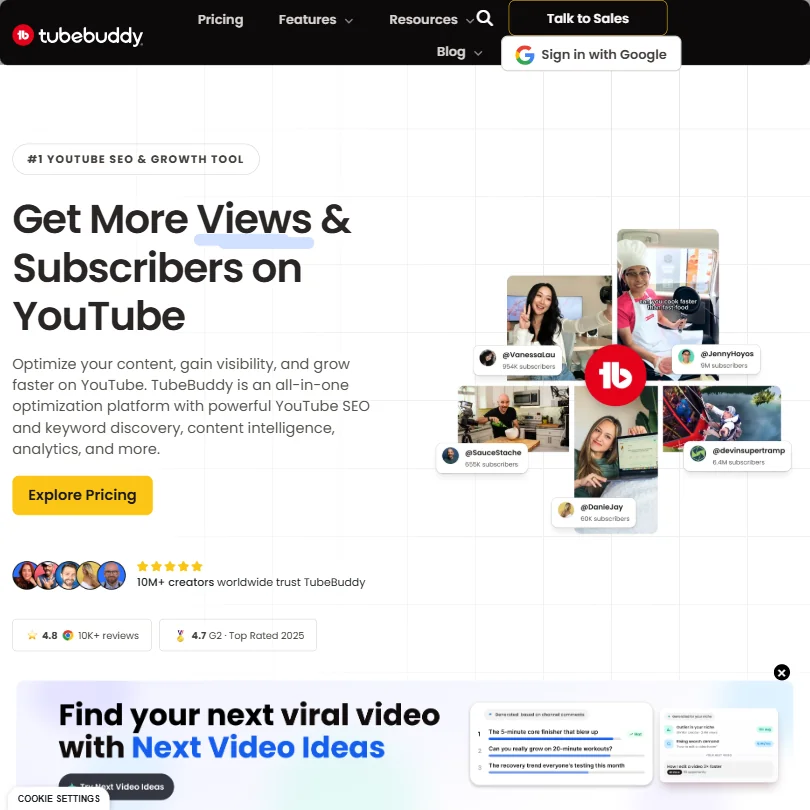
TubeBuddy is a browser extension that sits on top of YouTube and helps you optimize what you've already made. It is not a video editor and does not create video.
Based in Los Angeles, TubeBuddy has had years to get this right.
What is TubeBuddy?
A browser extension for Chrome and Firefox that bolts onto YouTube Studio. That's the core product. Once installed, it layers SEO and optimization tools directly into YouTube's interface without you ever leaving the page. Keyword Explorer and the A/B thumbnail testing feature are the heart of it.
The keyword research side helps you find topics with searchable volume and lower competition. SEO Studio scores your title and description in real time. The A/B thumbnail testing, locked to higher tiers, lets you run actual experiments on which thumbnails pull more clicks. For creators trying to get traction without guessing, that's genuinely useful.
What it doesn't do is also worth spelling out early. No video generation. No editing. No voiceovers.
The tool does exactly what it says.
TubeBuddy Features: Bulk Editing, SEO & AI Capabilities
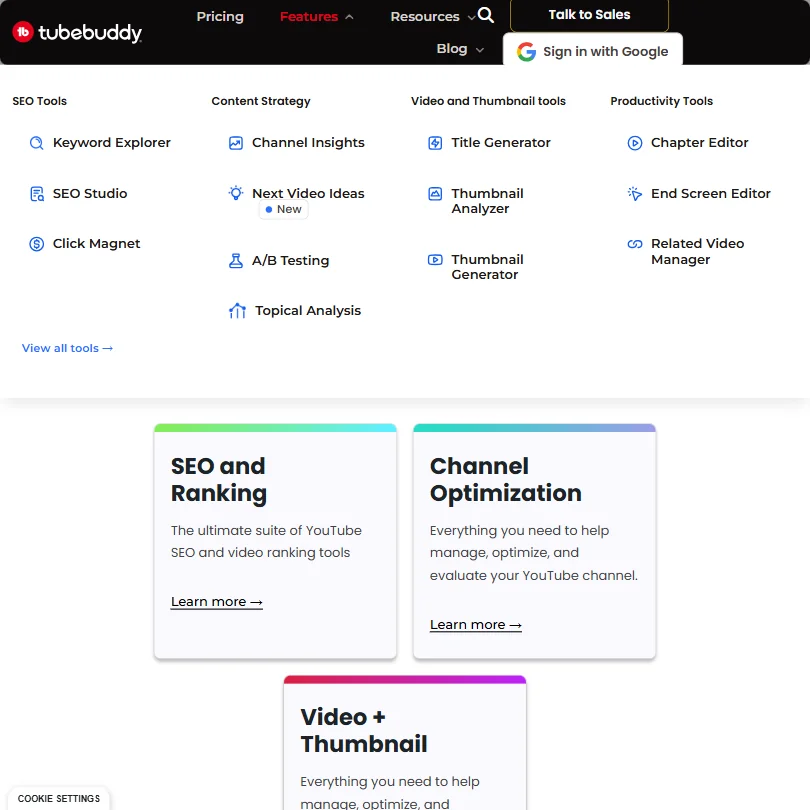
What the bulk processing tools do is save time on the repetitive stuff. The Bulk End Screen Editor lets you apply templates across many videos at once, and Bulk Find/Replace/Append handles descriptions at scale. For channels with hundreds of videos and an inconsistent back catalog, that's genuinely useful work that would otherwise be tedious.
The AI-adjacent features sit mostly on the SEO side. Tag suggestions and real-time optimization feedback inside SEO Studio are the main ones. Their own documentation describes it as a complete YouTube SEO software suite. For once, that doesn't feel like a stretch. The tag generator pulls relevant suggestions based on your title and competes directly with VidIQ's equivalent. We'll get into that comparison later.
The A/B testing feature deserves its own mention. YouTube natively offers nothing like it. TubeBuddy built it in. Data-backed creative decisions beat gut instinct.
End Screen Templates and Card Templates are included too. Practical, not flashy.
Is TubeBuddy Easy to Use?
The Chrome extension install is straightforward. You connect your Google account, authorize access to your YouTube channel, and the tools show up inside YouTube Studio. No separate app. No separate dashboard to learn. That's a real advantage over tools that pull you out of your existing workflow.
The help center is thorough, and TubeBuddy runs a YouTube Academy with tutorial content. A community forum exists too.
Where usability gets messier is feature density. A long history of additions means there's a lot on screen.
The keyword research workflow is probably the most intuitive part of the product. Type a topic, see search volume data and competition scoring, act on it. Direct and fast. The bulk editing tools require more setup.
Enterprise customers get dedicated support. Everyone else gets the help center and email. Live chat isn't really on the table unless you're a large account.
TubeBuddy Pricing: Is It Worth It for Creators & Teams?
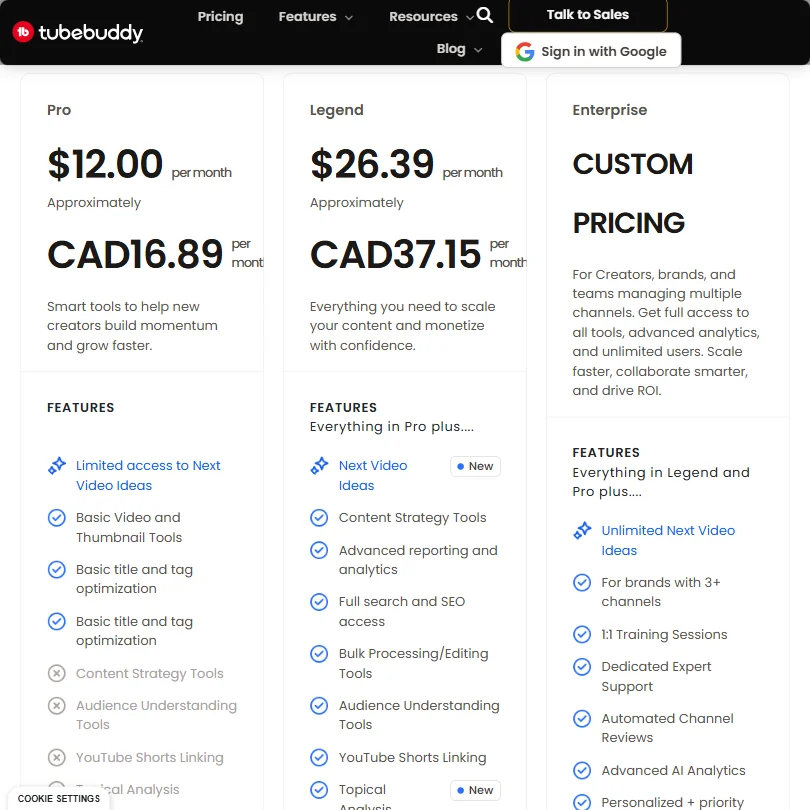
Three public tiers and an enterprise option with custom pricing. Pro starts at $15.00 per month. Legend runs $32.99 per month. There's a free plan with no credit card required, covering basic tools.
At $15.00, Pro is a reasonable entry point. But the features that actually move the needle, including A/B thumbnail testing and the full bulk editing suite, are locked to higher tiers.
Legend at $32.99 is where most serious creators end up. For a solo creator running one channel, it's defensible. For a team managing multiple channels, Enterprise is the only option with unlimited users and multi-channel management, and the pricing there is invisible until you contact sales.
The pricing page carries no public refund policy. That's a gap. Not unusual for SaaS tools to bury refund terms, but the absence of any public statement is worth flagging.
Compared to VidIQ, TubeBuddy's pricing is slightly friendlier at the entry level. The value question depends heavily on whether you'd actually use the bulk tools. Running a single small channel and doing everything manually, Pro at $15.00 is probably enough.
TubeBuddy vs VidIQ: Which YouTube Growth Tool Is Better?
VidIQ is the obvious comparison, and the two products are genuinely close. Both operate as YouTube SEO tools delivered through a browser extension. Both offer keyword research and video optimization scoring. Both have free tiers that let you test before committing.
Where they diverge: TubeBuddy's bulk editing suite is stronger. The Bulk End Screen Editor and Bulk Find/Replace/Append have no direct equivalent in VidIQ, and for established channels managing a large back catalog, that's a real differentiator.
VidIQ leans harder into competitor analytics. If you want to track what rival channels are doing and benchmark your growth against them, VidIQ's data views are more detailed. TubeBuddy's analytics exist, but they're not what the product is famous for.
A/B thumbnail testing is TubeBuddy's sharpest edge. VidIQ doesn't offer native thumbnail testing. For creators who treat thumbnails as a primary growth lever, that one feature could decide the question.
Pricing is close enough that it shouldn't be the deciding factor. Pick based on whether you need bulk editing tools or deeper competitive analysis. Those are the real differences.
Who Should Use TubeBuddy? (And Who Shouldn't)
Established YouTube channels with large back catalogs. That's where TubeBuddy earns its keep most clearly. The bulk editing tools become more valuable the more videos you have. A creator with 300 videos who needs to update end screens across all of them would otherwise spend days on it manually.
Newer creators looking for keyword research guidance. The free plan covers basic keyword tools, and Pro at $15.00 is a low-risk way to add SEO data to a new channel. The learning curve is manageable.
Brand channels running multiple accounts. Wait for Enterprise pricing to come in before committing. Multi-channel management only lives there, and the cost could surprise you.
TubeBuddy is not the right tool for anyone building a video production workflow. No editing, no generation, no voiceover. If that's what you need, CapCut covers AI-assisted editing at a price point that's hard to argue with. TubeBuddy and a video editing tool solve different problems. You'll probably need both.
TubeBuddy Review Verdict
TubeBuddy is a mature, narrow product built for one specific use case. The bulk editing tools and A/B thumbnail testing are genuinely hard to replicate elsewhere. The keyword research is solid. The SEO Studio feedback is useful, if occasionally vague about what exactly to fix.
The weaknesses are real. The refund policy is missing from the public-facing site. The Enterprise tier is opaque on pricing in a way that always frustrates us.
If you need YouTube SEO and bulk channel management, TubeBuddy is still the first name to consider. It has more history, more polish, and more documented depth than most alternatives in that specific niche. Just don't come in expecting something it isn't.
Frequently Asked Questions
Does TubeBuddy work as a standalone app or only as a browser extension?
TubeBuddy runs as a browser extension for Chrome and Firefox. There's no standalone desktop app or separate web dashboard. The tools surface directly inside YouTube Studio once the extension is installed and your Google account is connected.
Is the TubeBuddy free plan actually usable or just a teaser?
The free plan gives you access to basic keyword tools and some SEO features without requiring a credit card. Honest answer: it's useful enough for a new creator to get started, but the features most people actually want, including A/B thumbnail testing and the full bulk editing suite, are behind the paid tiers. Think of it as a working sample, not a full product.
How does TubeBuddy handle multi-language support for non-English creators?
TubeBuddy supports 25-plus languages and includes a Tag Translator feature along with Language Analysis tools. Non-English creators have used it for channel optimization in markets where YouTube SEO is less competitive than English-language niches.