
Repurposing long-form video into short clips is one of those jobs that sounds simple until you're doing it manually at midnight. Opus Clip launched in 2022 out of San Francisco.
What is Opus Clip?
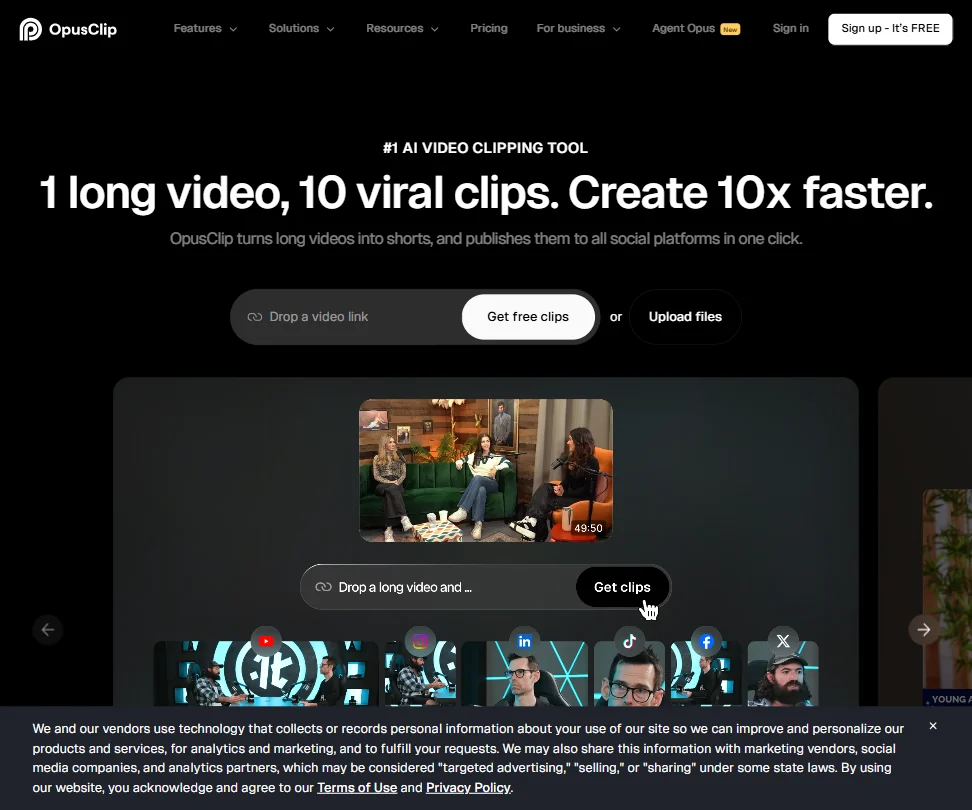
The pitch is dead simple. Drop in a long video. Get short clips out. That's the loop.
What separates Opus Clip from most AI video clipping tools in this space is their ClipAnything model. Most competitors built their clipping logic around podcasts and talking-head content. Opus Clip says ClipAnything works across any video genre: lectures, cooking videos, sports, tutorials. Their ReframeAnything model handles the reframing side, using AI object tracking to keep subjects centered when converting from landscape to vertical. That's the actual technical differentiator, not just a marketing label.
The tool lives entirely on the web. No desktop app. You paste a link from YouTube, Vimeo, Loom, Zoom, or a handful of other sources, and the AI processes it. For uploaded files, you can push content directly. The output is short-form clips ready for TikTok, Instagram Reels, LinkedIn, and similar platforms.
Sixteen million users is a real number. You don't hit that from podcasters alone.
Opus Clip Features: Video Generation, Editing & AI Capabilities
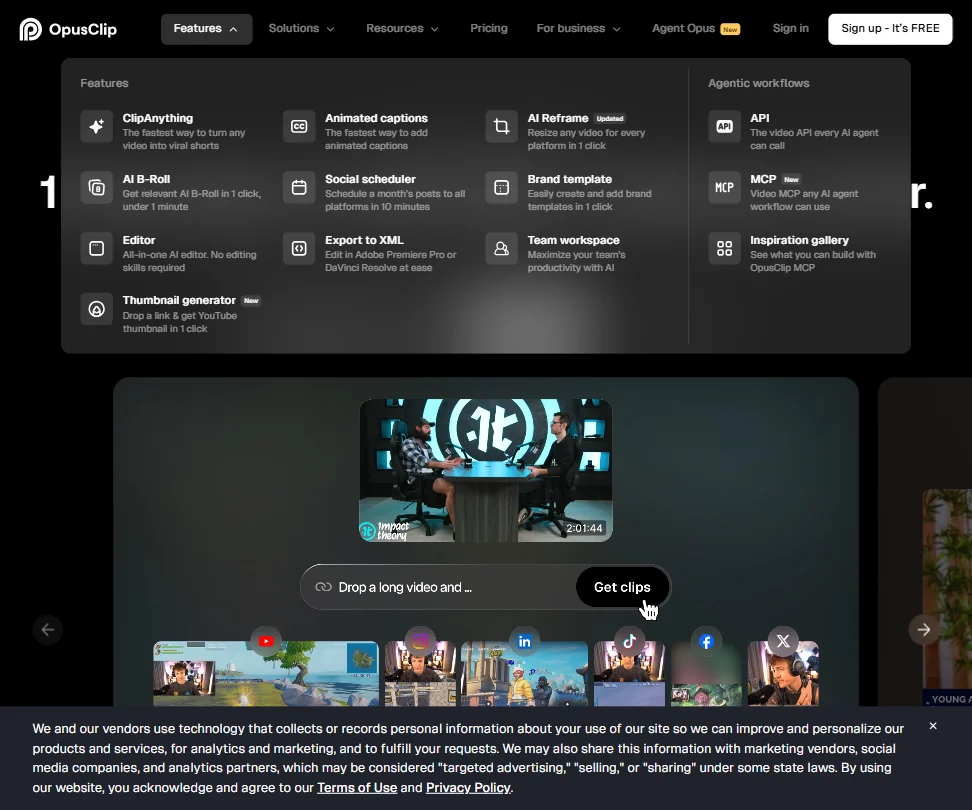
ClipAnything does the heavy lifting. It identifies which segments of a long video are likely to perform well as standalone shorts, scores them by what it predicts will drive engagement, and surfaces the top clips. You can adjust, override, or ignore the scores. That's the starting point for most workflows.
From there, the editing layer takes over. Captions are handled by an AI captioning system with animated styles, keyword highlights, emoji overlays, and support for 20+ languages. Custom fonts are available on Pro. The captions aren't just burned-in text, they're styled.
The ReframeAnything model handles aspect ratio conversion with object tracking. This matters. Most tools just crop to center or use a fixed crop window. Object tracking means the frame follows the speaker or subject, and that's a genuinely useful distinction for anyone doing talking-head content.
Beyond clipping and captions, the editor includes B-Roll insertion and filler and silence removal, plus text overlays. Batch export is on Pro and Business tiers only. The feature set here runs deeper than most one-trick clipping tools in this category, and that's not something we say lightly given how crowded this space is getting.
Honestly, the breadth surprised us. We expected a glorified trim-and-export tool. That's not what this is.
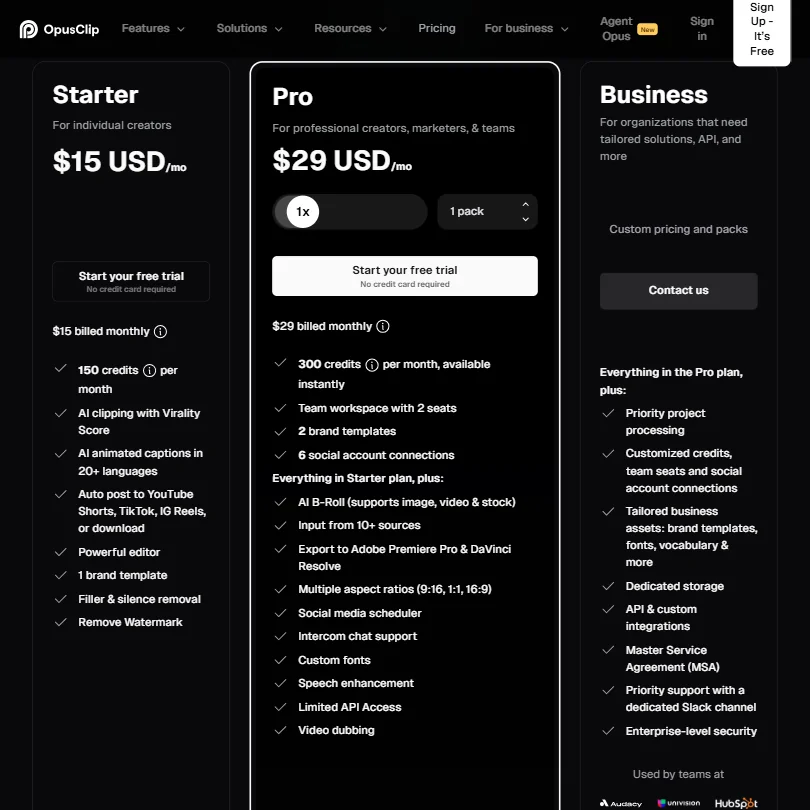
On the integration side, Adobe Premiere Pro and DaVinci Resolve exports are available on Pro and above. YouTube and Google Drive are in the source list. So are Zoom and Riverside, among others. The Pro plan also surfaces input from 10+ sources, per the pricing page. API access exists but is limited on Pro and fuller only on Business.
The free plan gives 60 credits per month, and clips expire after 3 days on the free tier. Their own documentation doesn't make the credit consumption rate easy to understand upfront. That's a friction point worth calling out.
Opus Clip Video Quality: How Good Does the Output Actually Look?
Free and Starter plans export up to 1080p. Pro and Business unlock higher resolution output, and 4K scheduling and download are on Pro. That's a meaningful step up if you're pushing content to audiences who notice quality.
Object tracking beats static cropping. That's not a hard bar, but Opus Clip clears it.
We've seen worse output from tools charging more. Reasonable benchmark at this price point.
Opus Clip AI Avatars & Voiceover: How Realistic Are They?
No avatars. That's just not what this tool does. If that's what you're after, HeyGen is built for exactly that use case and worth a separate look.
What Opus Clip does have is an AI voice-over feature on paid plans, capped at 20 generations per day. There's no voice cloning. No text-to-speech character library. It's a functional layer, not a showcase feature.
Voice-over quality barely comes up in user discussions, and then only in passing. Nobody seems to be buying Opus Clip for its voice-over, they're buying it for the clipping and captioning. The voice-over exists as a convenience layer, not a reason to choose this tool over others.
Speaker tracking through ReframeAnything does pick up individual speakers and applies distinct caption color coding per speaker on multi-person content. That's a nice touch for podcast clips. Probably more useful day-to-day than the voice-over.
Fair.
Is Opus Clip Easy to Use?
The core workflow requires almost no learning curve. Paste a link, pick your clip length range, let it run. That part works the way it claims to work. The friction shows up in two places.
First, the credit system. Figuring out how credits map to processing time and clip count is not intuitive from the dashboard. That's a UX problem, not a pricing problem. Just tell users upfront.
Second, the editor. The AI editing layer is more capable than most competitors, but more capable also means more to navigate. B-Roll insertion and caption styling and timeline editing all sit inside a web-based editor.
Support is live chat on Pro via Intercom. Free and Starter users get an AI chatbot. That's a real gap if something goes wrong on the free tier. A Discord community exists. The help center and Learning Center are both there.
Not sure that's enough for beginners who get stuck.
Opus Clip Pricing: Is It Worth It for Creators & Teams?
The free plan gives 60 credits per month with 1080p output. Clips expire after 3 days and carry a watermark. It's usable for trying the product. Not usable for real work.
Starter is $15 per month. Pro is $29 per month. Business is custom pricing, which means a sales call. The Pro plan is where most of the meaningful features unlock: batch export, 4K output, 2 team seats included with the option to add more per pack, and Adobe Premiere Pro and DaVinci Resolve export. Live chat via Intercom is Pro-only.
At $29 per month, Pro is priced competitively against Vidyo.ai and Klap for the feature surface you get. The question is whether you hit credit limits fast enough that it stops feeling like a deal. That's tool-and-workflow dependent.
OpusClip offers a free trial without requiring a credit card in supported countries, which is a genuine plus. Ask about the refund policy before you pay, since none is published. For a subscription starting at $15 that locks you into a credit system, that should be settled before anyone puts in a credit card.
Opus Clip vs Vidyo.ai: Which AI Video Tool Is Better?
Vidyo.ai and Opus Clip overlap heavily in use case: long video in, short clips out.
The biggest practical difference is ClipAnything. Vidyo.ai's clipping is solid for podcast and interview content. Opus Clip's model claims broader genre coverage. For non-podcast content, tutorials, lectures, entertainment, Opus Clip has the more credible story.
On captions, they're roughly comparable. Both have styled captions with customization. Opus Clip's caption color-coding per speaker is a small but real edge for multi-host content.
Pricing is close enough that it's not the deciding factor. Neither one is dramatically cheaper in practice once you account for credit structures.
If you're working purely in talking-head podcast territory and you're already set up on Vidyo.ai, there's probably not a strong case to switch. For anything broader, Opus Clip is the better tool. We also think users who need production-level editing beyond clipping should look at Descript, which takes a fundamentally different approach to the editing workflow.
Who Should Use Opus Clip? (And Who Shouldn't)
Content creators with a backlog of long-form videos. That's the clearest fit. One long interview becomes ten clips, and the tool is built around that math.
Marketing teams repurposing webinar recordings and branded video content will find real value here, especially on Pro where batch export and team seats are live. Two seats at $29 per month is reasonable for a small team starting out.
Businesses with multilingual video libraries should be more cautious. The language support exists on paper.
Solo creators on a tight budget can start free. The 60 credits will show you whether the tool fits your workflow before you spend anything. The 3-day clip expiration is annoying but manageable for evaluation purposes.
Podcasters doing talking-head content. Still a strong use case. Always has been for tools in this category.
People who need avatars or voice cloning need to look elsewhere. That's not what Opus Clip is building toward, at least not as of this writing.
Opus Clip Review Verdict
Opus Clip is doing something more interesting than most clipping tools. ClipAnything genuinely attempts to work beyond the podcast use case, and the ReframeAnything object tracking is better than the static crop approaches most competitors still rely on. The feature depth at $29 per month on Pro is hard to argue with.
That said, a few things hold it back. The credit system needs more transparency at every touchpoint, not just in the fine print. The refund policy being absent from the public pricing page is a basic trust problem.
For video repurposing as a core workflow, Opus Clip is among the better tools at this price. Not the only choice. Not without real friction. But built by people who are clearly thinking harder about the problem than most of their competitors.
How Opus Clip compares
Opus Clip scores 8.4 out of 10 among the clip repurposing tools we rate. These two do the same job and are the closest to it, compared on what each vendor publishes.
Submagic
Opus Clip has a free plan and starts its paid tier at $15 a month; Submagic has no free plan and starts at $19. Opus Clip accepts videos up to 600 minutes long against Submagic's 30 minute cap, useful for longer source footage. Submagic reaches 4K export on its Business plan against Opus Clip's stated 1080p ceiling, and adds lip sync through an AI avatar feature Opus Clip lacks. Both score clips by predicted performance and post straight to YouTube, TikTok and Instagram.
Pick Submagic if you want 4K export and built in lip sync.
Pick Opus Clip if you need a free plan and longer video uploads.
Vizard.ai
Opus Clip's cheapest paid plan is $15 a month against Vizard.ai's $29, and both include a free plan. Opus Clip scores clips by predicted performance and generates an AI voiceover, neither of which Vizard.ai offers. Vizard.ai instead reaches 4K export where Opus Clip's stated ceiling is 1080p. Vizard.ai also says its models train only on public YouTube data, while Opus Clip's general terms allow training on customer content outside an enterprise contract.
Pick Vizard.ai if you want 4K export and a stated limit on what its models train on.
Pick Opus Clip if you want clip scoring and a lower price.
Frequently Asked Questions
Does Opus Clip work with non-English video content?
Technically yes. The platform supports 25+ languages including German, Spanish, French, and Portuguese. The gap between "supported" and "accurate" is real though. User reports we reviewed consistently flagged caption quality dropping in non-English languages, particularly for languages outside the main five. If non-English accuracy is critical to your workflow, test thoroughly before committing to a paid plan.
What happens to clips on the free plan?
Free plan clips expire after 3 days and carry a watermark on export. You also get 60 credits per month, which sounds like a lot until you realize the credit consumption rate isn't immediately obvious from the dashboard. It's genuinely enough to evaluate whether the tool works for your content type. Just don't expect to run real production work through it long-term.
Is there a team plan for Opus Clip?
Pro at $29 per month includes 2 seats, with the option to add more users per additional pack. Business is custom pricing with expanded seats, folder management, sub-teams, and member permissions. For small teams testing the product, Pro covers the basics. Larger teams will need to get on a call for Business pricing, which is a normal enterprise move but worth knowing upfront.











