There's a real product here, with a sharper niche focus than most of its competitors. Whether it earns the price tag from day four onwards is the harder question.
What is MakeUGC?
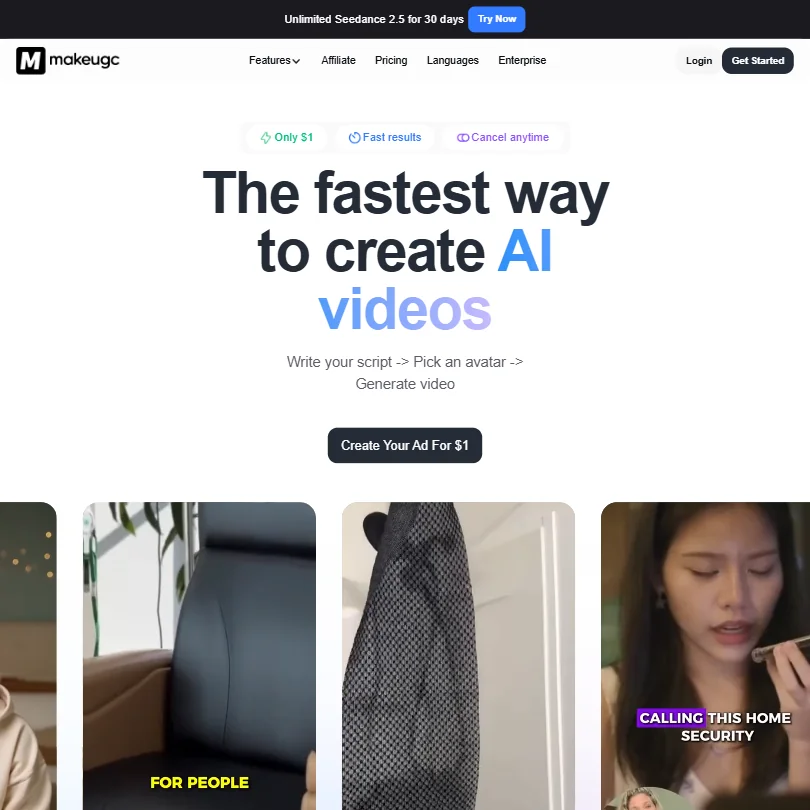
A web-based AI video tool, purpose-built for UGC-style ad creatives. The core loop is simple: write a script, pick an AI actor from a library of over 1,000 options, generate. Done. That's it.
The target users are DTC brands, e-commerce teams, and the agencies managing their paid social budgets. SaaS companies appear in the marketing too, but the product's visual identity is squarely performance advertising. Green screen avatars laid over B-roll. Product-in-hand shots. Talking-head clips designed to pass as creator content, not studio output.
The company is London-based. No public founding date, which is a minor frustration when you're trying to gauge product maturity. Worth knowing before you treat the testimonials as gospel.
MakeUGC Features: Video Generation, Editing & AI Capabilities
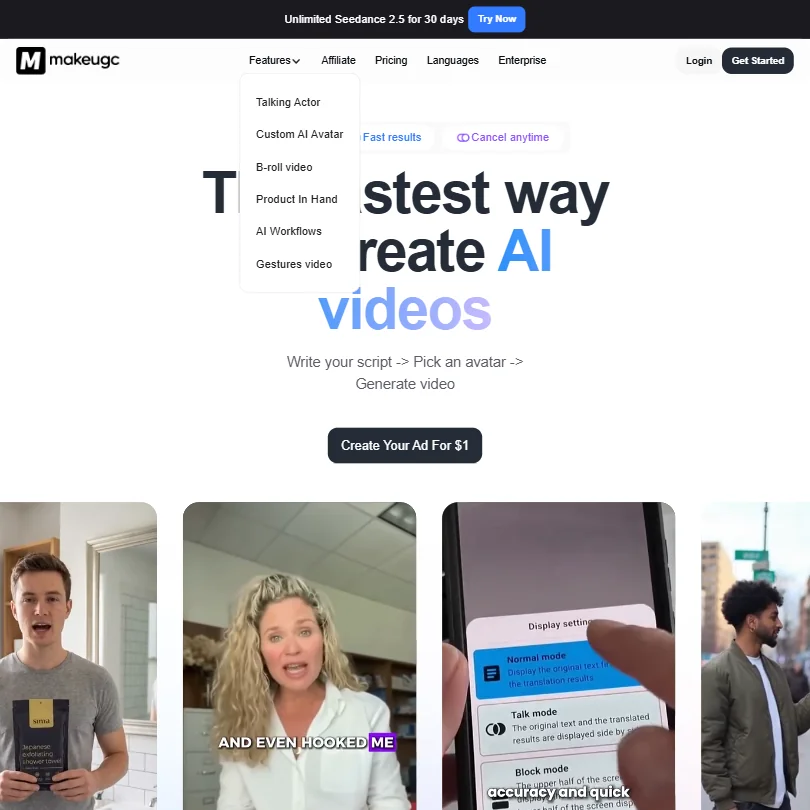
The editor covers the expected ground. Captions, music layering, B-roll, basic trimming. Nothing exotic there.
What's actually interesting is the Content Library, which functions as a catalog of real high-performing UGC ad formats, filterable by niche, style, and ad type. You pick a format, add your product image and dialogue, and the system handles the rest without any prompting from you. That's a meaningful shortcut for marketing teams who don't want to spend time engineering prompts. They want to pick, produce, and move on.
Batch Mode comes in on the Growth plan and above. Relevant for agencies running volume. The AI workflow builder handles custom automation, though the public documentation on what it actually does is thin.
MakeUGC runs on its own proprietary pipeline, which they name Nano Banana 2 and Nano Banana Pro, alongside Seedance 2.5 Unlimited on Growth and Pro tiers. Unusual naming. No independent benchmarks on output quality from those models exist yet. Honestly, that's a real gap in the public record.
MakeUGC Video Quality: How Good Does the Output Actually Look?
The homepage testimonials cite strong ROAS figures, one referencing $19K in ad spend producing $69K in sales, another claiming 3x to 4x ROAS. Compelling. Also vendor-curated and unverifiable from the outside.
Export resolution runs up to 4K on all paid plans, which is fine for paid social placements. The green screen avatar approach, laid over B-roll, reads as a genuine production shortcut for performance ads. That part tracks with the product's stated purpose.
We've seen worse output from tools that charge more. But a firm call on quality isn't something we're prepared to make.
MakeUGC AI Avatars & Voiceover: How Realistic Are They?
The avatar library is the headline feature, and it's genuinely large. Over 1,000 options, including actors who hold physical products on camera or wear clothing items. A custom avatar builder exists for faces outside the library. Full motion control re-creation rounds out the top tier.
Voice capabilities are a more complicated picture. The tool documents speech-to-speech voice transformation and indexes an AI voice cloning capability, though that feature page no longer resolves at its original URL. What that means for current availability isn't clear from public docs. Enterprise plans include ElevenLabs voice integration, which is genuinely good technology, but that's priced well above the entry tiers. Text-to-speech covers 50-plus languages across all plans.
Competitors like HeyGen have voice cloning clearly documented and available at lower price points. That gap matters.
The avatar realism question is where we stay most cautious. Demo footage looks polished. Real UGC ads carry a lo-fi credibility that AI avatars can easily undercut, and whether MakeUGC's output clears that bar consistently at scale remains an open question. We're skeptical, but not dismissive.
Is MakeUGC Easy to Use?
The workflow is designed to eliminate decisions. Pick, generate, edit, export. No steep learning curve implied by the product structure.
The Content Library is the strongest ease-of-use argument here. Skipping the prompting step is a real time save for marketing teams who aren't AI power users. One click to recreate a proven ad format is a sensible design call.
The AI workflow builder adds complexity. That's appropriate for teams wanting automation, not a criticism of the base product.
Web only. No desktop app, no screen recording. Fine for the target user. Not fine if you expected anything beyond scripted ad production. Teams finishing in Adobe Premiere or DaVinci Resolve won't find any native connection here.
MakeUGC Pricing: Is It Worth It for Creators & Teams?
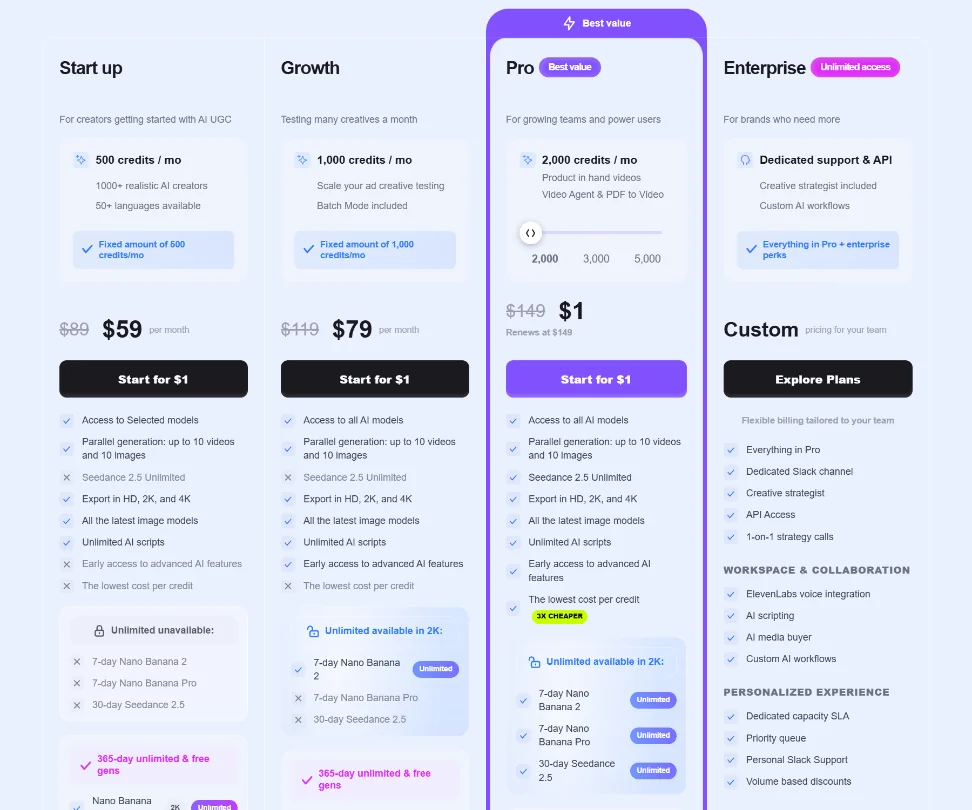
Four tiers. Start Up, Growth, Pro, and Enterprise. The Start Up plan lists at $89/month and is currently billed at $59/month on the monthly term. Growth lists at $119/month and is billed at $79/month. Pro costs $1 for the first month as a promotional entry, then renews at $149. Enterprise is custom.
Credits scale across the plans: 500 per month on Start Up, 1,000 on Growth, 2,000 on Pro with a slider going up to 5,000. The difference in what those credits unlock matters. Seedance 2.5 Unlimited, for instance, is unavailable on Start Up entirely.
Within the roughly 40 AI video tools in this category, MakeUGC sits well above the category median on price. The median entry point in this category runs around $20/month. This is not a cheap starting point.
The refund policy, however, is actually more detailed than we initially gave them credit for. A full refund is available within three business days if credits haven't been substantially consumed. Under 50% credit usage may qualify for a 50% refund. At 50% or more usage, or plans active beyond two weeks, refunds are generally off the table. The documentation also covers request procedures and processing timelines. Fair. That's clearer than most tools in this category bother to publish.
The 3-day trial is still a short window to evaluate something at this price. No free plan exists. Batch Mode is locked to Growth and above, so agencies are looking at $79/month minimum as the real operational floor.
MakeUGC vs HeyGen: Which AI Video Tool Is Better?
HeyGen is the natural comparison. Both produce AI talking-head video. Both target commercial use cases.
MakeUGC's edge is the Content Library and the product-in-hand avatar concept. Those are more ad-specific than anything HeyGen ships natively. The niche focus is sharper.
HeyGen's edge is voice cloning clearly documented at accessible price points. That's not nothing.
Creatify operates in the same ad-creative niche and comes in at a lower entry price. Worth comparing before committing here.
Who Should Use MakeUGC? (And Who Shouldn't)
DTC brands running paid social. That's the clearest fit, no qualification needed.
Agencies handling multiple e-commerce clients in volume get real value from Batch Mode and the Content Library, but they need to be comfortable with the $79/month floor and the limited independent documentation on output quality.
Teams that need voice cloning at a sub-Enterprise price, or strong integration with existing editing tools. Not a fit. Three days is also a tight window to properly evaluate a tool at this price point, so anyone expecting a leisurely trial period should adjust expectations before handing over card details.
MakeUGC Review Verdict
The Content Library is a genuinely good idea. Not a gimmick, a real workflow shortcut that most competitors haven't replicated with the same specificity. The avatar count is large. The ad-specific focus gives MakeUGC a cleaner identity than most generalist tools in this category.
The problems are real though. The $59/month entry price, discounted from a listed $89, sits well above the category median with no free plan to soften that initial commitment. Voice cloning availability below Enterprise is ambiguous at best. And while the refund policy is now reasonably detailed, three days and a credit consumption threshold is still a narrow safety net for a relatively expensive tool.
This is a product with a clear point of view. That's actually a strength. But the pricing confidence outpaces the publicly verifiable track record, and we'd want a clearer track record before recommending it outright. The bones are good. The trust infrastructure isn't fully built yet.
Frequently Asked Questions
Does MakeUGC have a free plan?
No. A 3-day free trial exists, but there's no ongoing free tier. That's a shorter evaluation window than most comparable tools offer. Plan your trial carefully before the clock starts, because the refund window and the trial window overlap in ways that can catch you off guard.
Can I use MakeUGC videos for paid advertising?
Yes. Commercial rights are included across paid plans, and the entire product is designed around producing paid ad creatives. The Content Library exists specifically to help teams generate test-ready ads fast, without prompting from scratch.
How does MakeUGC compare to Synthesia for enterprise use?
Synthesia is built for training video and internal communications at scale, with a stronger localization and compliance story. MakeUGC is ad-first. If your primary use case is performance marketing, MakeUGC's Content Library is the more relevant tool. If you need onboarding content or multilingual training material, Synthesia is the better fit. Different problems, different products.