Synthesia's free plan needs no credit card and gives ten minutes of video a month with nine stock avatars in over 160 languages, which is generous for testing avatar videos.
Best of · 29 tools ranked
Best Free AI Video Tools
This page compares free AI video tools by what the free plan really lets you make, and where it stops. Some give a small monthly allowance, some a one-off pot of credits, and some a full editor. Read the takes for watermarks, export quality and commercial use before you build anything you plan to publish.
Updated 22 October 2026Ranked by our score, worked out from each vendor’s own pages.How we score →All AI Video Tool →
Our top 3 Free AI Video Tools
Descript edits video the way you edit a document: change the transcript and the cut follows.
Veo's free plan in Flow gives 50 credits a day with no rollover, which covers two Veo 3.1 Fast clips of up to eight seconds, each with dialogue and sound effects generated in the same pass.
Best free AI avatar video tools
5 picksIf you want an AI avatar video generator free of charge, ask what the meter counts. Synthesia gives ten minutes a month, Elai one minute, HeyGen three videos, and Colossyan a solo Starter plan. Choose Synthesia for runtime, HeyGen for avatar choice, Colossyan for training material and Elai for a quick look at the format.
#ToolScoreFree plan gives youPaid from
10 min video/month, 9 AI avatars, 25 AI-generated video assets, 160+ languages
✕ Watermarked↻ Renews monthlyPaid $19/moShow detailsHide details01 Synthesia: Best for free avatar minutes with no card9.3Score 9.3 out of 1010 min video/month, 9 AI avatars, 25 AI-generated video assets, 160+ languages✕ Watermarked↻ Renews monthly$19/moVisit site ↗ReviewDetailsCloseShow more about Synthesia
10 min video/month, 9 AI avatars, 25 AI-generated video assets, 160+ languages
✕ Watermarked↻ Renews monthlyPaid $19/mo
Show detailsHide detailsSynthesia: Best for free avatar minutes with no card
9.3Score 9.3 out of 1010 min video/month, 9 AI avatars, 25 AI-generated video assets, 160+ languages✕ Watermarked↻ Renews monthly$19/moVisit site ↗ReviewDetailsClose
Synthesia's free plan needs no credit card and gives ten minutes of video a month with nine stock avatars in over 160 languages, which is generous for testing avatar videos. The catch is that the logo comes off only on paid plans, and the more compelling features are built for corporate teams. HeyGen has far more stock avatars on its free plan.
- Supports 160+ languages, making it practical for global teams needing multilingual video content without hiring voice actors.
- No camera, microphone or studio required; the entire production workflow runs in-browser from script to export.
- Higher-tier pricing creates a feature wall that enterprise buyers can clear but smaller teams and individual users quietly cannot.
3 videos a month, watermarked, 500+ stock avatars, 1 voice clone
✕ Watermarked↻ Renews monthlyPaid $29/moShow detailsHide details02 HeyGen: Best for stock avatars and a voice clone8.9Score 8.9 out of 103 videos a month, watermarked, 500+ stock avatars, 1 voice clone✕ Watermarked↻ Renews monthly$29/moVisit site ↗ReviewDetailsCloseShow more about HeyGen
3 videos a month, watermarked, 500+ stock avatars, 1 voice clone
✕ Watermarked↻ Renews monthlyPaid $29/mo
Show detailsHide detailsHeyGen: Best for stock avatars and a voice clone
8.9Score 8.9 out of 103 videos a month, watermarked, 500+ stock avatars, 1 voice clone✕ Watermarked↻ Renews monthly$29/moVisit site ↗ReviewDetailsClose
HeyGen's free plan is permanent and lets you get a first talking-avatar video out without reading documentation, with 500+ stock avatars and one voice clone to work with. Output carries a watermark, and the monthly video count runs out fast if you have real production needs. Synthesia is the closest rival if you want avatar videos with no card required.
- HeyGen supports video translation across 175+ languages with lip-sync matched to the new voice, making localization highly accessible.
- The AI Studio editor allows users to adjust tone, delivery, gesture timing, and emotional register through text controls without re-recording.
- The feature set is described as getting 'busy,' suggesting a steeper learning curve for new users navigating the full platform.
Free Starter plan, no card needed, watermarked exports, solo use
✕ WatermarkedPaid $89/moShow detailsHide details03 Colossyan Creator: Best for presenter videos without a card8.2Score 8.2 out of 10Free Starter plan, no card needed, watermarked exports, solo use✕ Watermarked$89/moVisit site ↗ReviewDetailsCloseShow more about Colossyan Creator
Free Starter plan, no card needed, watermarked exports, solo use
✕ WatermarkedPaid $89/mo
Show detailsHide detailsColossyan Creator: Best for presenter videos without a card
8.2Score 8.2 out of 10Free Starter plan, no card needed, watermarked exports, solo use✕ Watermarked$89/moVisit site ↗ReviewDetailsClose
Colossyan's free Starter plan needs no credit card and lets you build presenter-led videos from text, which is useful for evaluating it before pitching it to a boss. Exports keep a watermark until you upgrade, and the tier is effectively solo. It is aimed at corporate training, and outside that niche HeyGen or Synthesia are easier fits.
- SCORM export for LMS platforms is a core feature built with serious intent, not a checkbox addition like many competitors offer.
- Bulk translation across 120+ languages allows global onboarding videos to be localized without rebuilding from scratch.
- Team collaboration features like shared workspaces, commenting, and permissions are locked behind the Professional plan at $89/month.
Free plan, limits not published
? Watermark not statedPaid $26.99/moShow detailsHide details04 Vidnoz#4 of 8 AI avatar video tools7.7Score 7.7 out of 10Free plan, limits not published? Watermark not stated$26.99/moVisit site ↗ReviewDetailsCloseShow more about Vidnoz
Free plan, limits not published
? Watermark not statedPaid $26.99/mo
Show detailsHide detailsVidnoz#4 of 8 AI avatar video tools
7.7Score 7.7 out of 10Free plan, limits not published? Watermark not stated$26.99/moVisit site ↗ReviewDetailsClose
- More than 1,900 lip-synced stock avatars are available, and more than 1,800 of them are open to the free plan.
- The AI Video Translator produces lip-synced translations in more than 140 languages, as dubbed audio in a cloned voice or as subtitles.
- Video translation, voice cloning and the team workspace are on the Business plan, with Voice Clone sold as an add-on below it.
1 user, 1 minute/mo, 80+ avatars, 75+ languages, all creator features
? Watermark not stated↻ Renews monthlyPaid $29/moShow detailsHide details05 Elai.io: Best for previewing the avatar workflow7.2Score 7.2 out of 101 user, 1 minute/mo, 80+ avatars, 75+ languages, all creator features? Watermark not stated↻ Renews monthly$29/moVisit site ↗ReviewDetailsCloseShow more about Elai.io
1 user, 1 minute/mo, 80+ avatars, 75+ languages, all creator features
? Watermark not stated↻ Renews monthlyPaid $29/mo
Show detailsHide detailsElai.io: Best for previewing the avatar workflow
7.2Score 7.2 out of 101 user, 1 minute/mo, 80+ avatars, 75+ languages, all creator features? Watermark not stated↻ Renews monthly$29/moVisit site ↗ReviewDetailsClose
Elai gives you one minute of video a month with 80+ avatars and 75+ languages, which is enough to see how its avatar videos feel and no more. Think of it as an extended preview, not a working free tier. It is built for learning and development teams, so if you want more free avatar minutes, Synthesia offers ten a month.
- Supports voice cloning in 28 languages, with a library of 300+ standard and 100+ premium voices across 450+ accents.
- SCORM export makes it directly compatible with corporate LMS platforms, a rare feature among AI video tools.
- Voice cloning is a paid add-on unless you're on a Team or Enterprise plan, limiting access for lower-tier subscribers.
Best free AI video editors
7 picksA free AI video editor with clean output is rare, because most plans mark what they export. CapCut exports without a watermark and adds AI generation on top, while VEED's free plan has no expiry but marks its 720p files. Choose CapCut for anything you will post, and VEED to try a browser editor with subtitles and generation tools.
#ToolScoreFree plan gives youPaid from
60 media minutes a month, 100 AI credits once, 720p export with watermark, 5 GB storage
✕ WatermarkedOne-off creditsPaid $24/moShow detailsHide details06 Descript: Best for editing video like a document9.0Score 9.0 out of 1060 media minutes a month, 100 AI credits once, 720p export with watermark, 5 GB storage✕ WatermarkedOne-off credits$24/moVisit site ↗ReviewDetailsCloseShow more about Descript
60 media minutes a month, 100 AI credits once, 720p export with watermark, 5 GB storage
✕ WatermarkedOne-off creditsPaid $24/mo
Show detailsHide detailsDescript: Best for editing video like a document
9.0Score 9.0 out of 1060 media minutes a month, 100 AI credits once, 720p export with watermark, 5 GB storage✕ WatermarkedOne-off credits$24/moVisit site ↗ReviewDetailsClose
Descript edits video the way you edit a document: change the transcript and the cut follows. The free plan gives 60 media minutes a month, 100 AI credits once and 720p exports with a watermark, enough to learn the editor on a short project. Hobbyist removes the watermark and exports at 1080p. Choose CapCut if you need clean free exports today.
- Text-based video editing allows users to edit footage simply by editing the transcript, making the process intuitive and fast.
- Underlord AI is deeply integrated into the workflow, handling script writing, layout design, B-roll generation, and clip creation for social formats.
- Despite being around since 2017, some rough edges in the product still haven't been resolved.
Free plan, limits not published
? Watermark not statedPaid $19.99/moShow detailsHide details07 Async#2 of 8 AI video editors8.4Score 8.4 out of 10Free plan, limits not published? Watermark not stated$19.99/moVisit site ↗ReviewDetailsCloseShow more about Async
Free plan, limits not published
? Watermark not statedPaid $19.99/mo
Show detailsHide detailsAsync#2 of 8 AI video editors
8.4Score 8.4 out of 10Free plan, limits not published? Watermark not stated$19.99/moVisit site ↗ReviewDetailsClose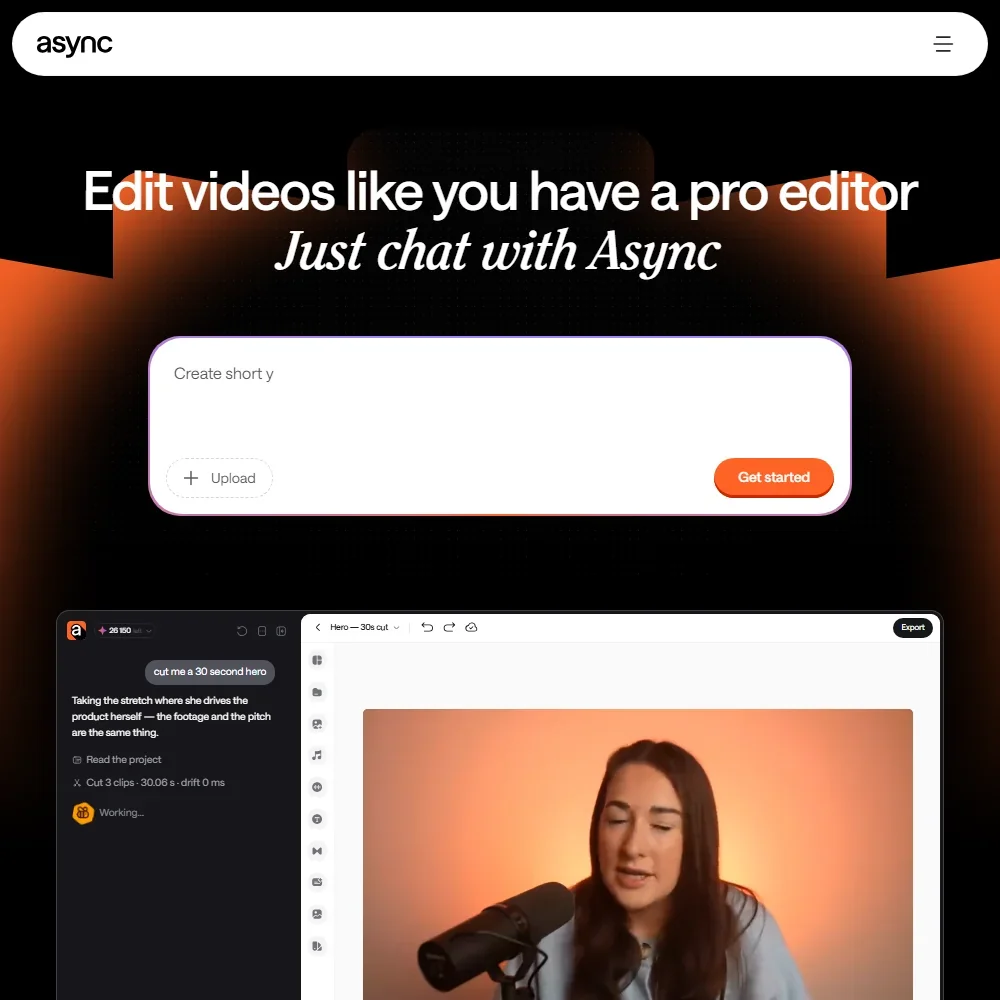
- Remote recording takes up to 10 participants, each recorded locally with a cloud backup on separate tracks.
- AI dubbing translates video into more than 30 languages in your own voice, with optional lip sync.
- The free plan's allowances are lifetime totals, including 10 AI credits and 1 hour of remote recording, with a watermark on exports.
Free plan listed on page
✕ WatermarkedPaid $24/moShow detailsHide details08 Riverside: Best for recording remote guests in the browser8.4Score 8.4 out of 10Free plan listed on page✕ Watermarked$24/moVisit site ↗ReviewDetailsCloseShow more about Riverside
Free plan listed on page
✕ WatermarkedPaid $24/mo
Show detailsHide detailsRiverside: Best for recording remote guests in the browser
8.4Score 8.4 out of 10Free plan listed on page✕ Watermarked$24/moVisit site ↗ReviewDetailsClose
Riverside records each guest locally in the browser, so an unstable connection does not ruin the take, and adds AI editing, clipping and captions on top. The free plan caps exports at 720p with a Riverside watermark, which is fine for a test recording and not for a client session. Pro removes both. Choose it over Descript when you record remote interviews rather than edit footage you already have.
- Local recording on each participant's device ensures high-quality audio and video even if the internet connection drops mid-session.
- Captures separate 4K video and audio tracks per participant, making post-production significantly cleaner with no bleed between speakers.
- Free-tier users face meaningful limitations, suggesting the platform cuts corners for those not on paid plans.
No expiry, exports at 720p with a watermark
✕ Watermarked∞ No expiryPaid $25/moShow detailsHide details09 VEED: Best for a browser editor with no expiry7.9Score 7.9 out of 10No expiry, exports at 720p with a watermark✕ Watermarked∞ No expiry$25/moVisit site ↗ReviewDetailsCloseShow more about VEED
No expiry, exports at 720p with a watermark
✕ Watermarked∞ No expiryPaid $25/mo
Show detailsHide detailsVEED: Best for a browser editor with no expiry
7.9Score 7.9 out of 10No expiry, exports at 720p with a watermark✕ Watermarked∞ No expiry$25/moVisit site ↗ReviewDetailsClose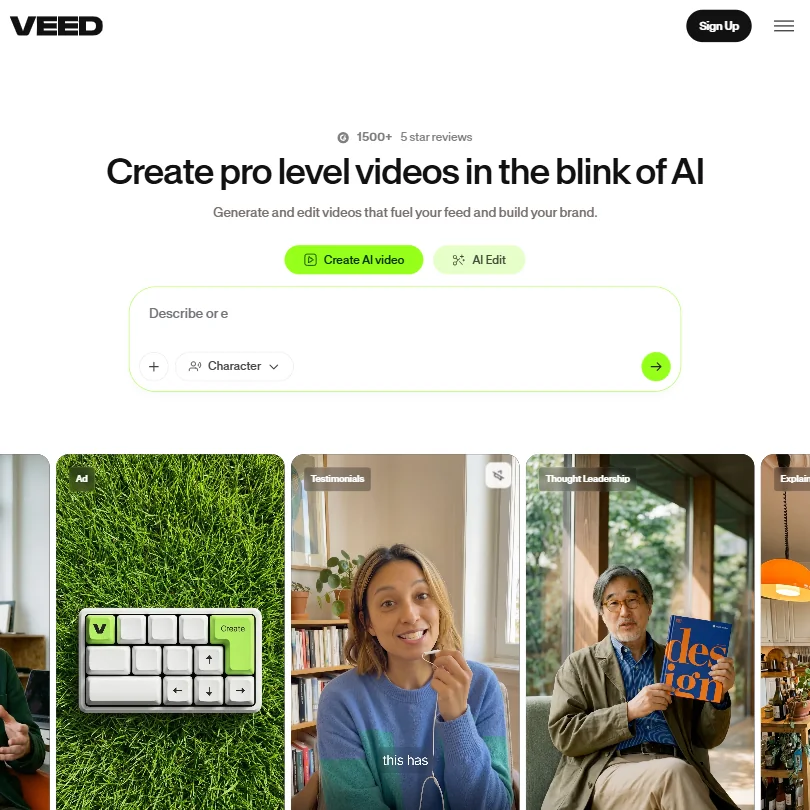
VEED's free plan has no expiry, so it is a real tier and not a countdown trial. The catch is a watermark on all exported video at 720p, which makes it unfit for anything you publish or send to a client. It suits testing the browser editor, subtitles and generation tools. If you need watermark-free exports at no cost, CapCut is the alternative.
- VEED integrates multiple frontier AI generation models including Veo 3.1 and Kling AI through a single interface, giving users access to best-in-class engines without switching tools.
- The entire platform runs in the browser with no desktop installation required, making it immediately accessible for teams without IT overhead.
- VEED has no Adobe Premiere integration, which limits its appeal for users already embedded in professional post-production workflows.
One-time credits, basic editing; AI Edit, clips and generation need a paid plan
? Watermark not statedOne-off creditsPaid $9.99/moShow detailsHide details10 Captions: Best for quick captioned edits without a watermark7.8Score 7.8 out of 10One-time credits, basic editing; AI Edit, clips and generation need a paid plan? Watermark not statedOne-off credits$9.99/moVisit site ↗ReviewDetailsCloseShow more about Captions
One-time credits, basic editing; AI Edit, clips and generation need a paid plan
? Watermark not statedOne-off creditsPaid $9.99/mo
Show detailsHide detailsCaptions: Best for quick captioned edits without a watermark
7.8Score 7.8 out of 10One-time credits, basic editing; AI Edit, clips and generation need a paid plan? Watermark not statedOne-off credits$9.99/moVisit site ↗ReviewDetailsClose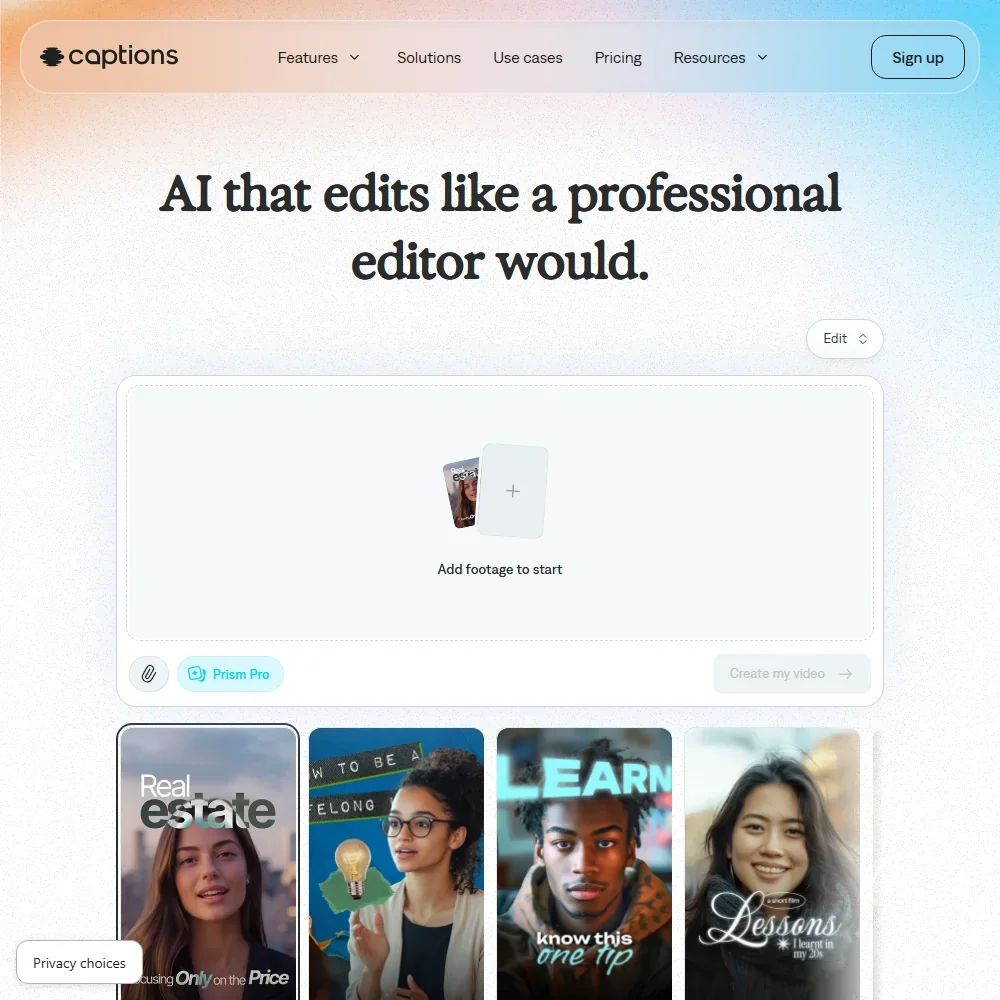
Free exports here carry no watermark, but the plan is narrow: a one-time pot of credits that does not renew, one caption template and basic editing such as trim, zoom, transitions, voiceover and resizing. AI Edit, chat editing, clips and video generation all need a paid plan. Pick it over Kapwing when a clean export of a simple phone video matters more than AI tools.
- The free plan exports without a watermark.
- Dubbing and Lipdub translate speech into more than 30 languages, with lip movement synced to the new audio.
- Captions trains its AI models on your data, and training data exclusion comes with Enterprise plans.
10 credits, watermark, 720p, exports up to 4 minutes
✕ WatermarkedPaid $24/moShow detailsHide details11 Kapwing: Best for subtitles and resizing in a browser editor7.7Score 7.7 out of 1010 credits, watermark, 720p, exports up to 4 minutes✕ Watermarked$24/moVisit site ↗ReviewDetailsCloseShow more about Kapwing
10 credits, watermark, 720p, exports up to 4 minutes
✕ WatermarkedPaid $24/mo
Show detailsHide detailsKapwing: Best for subtitles and resizing in a browser editor
7.7Score 7.7 out of 1010 credits, watermark, 720p, exports up to 4 minutes✕ Watermarked$24/moVisit site ↗ReviewDetailsClose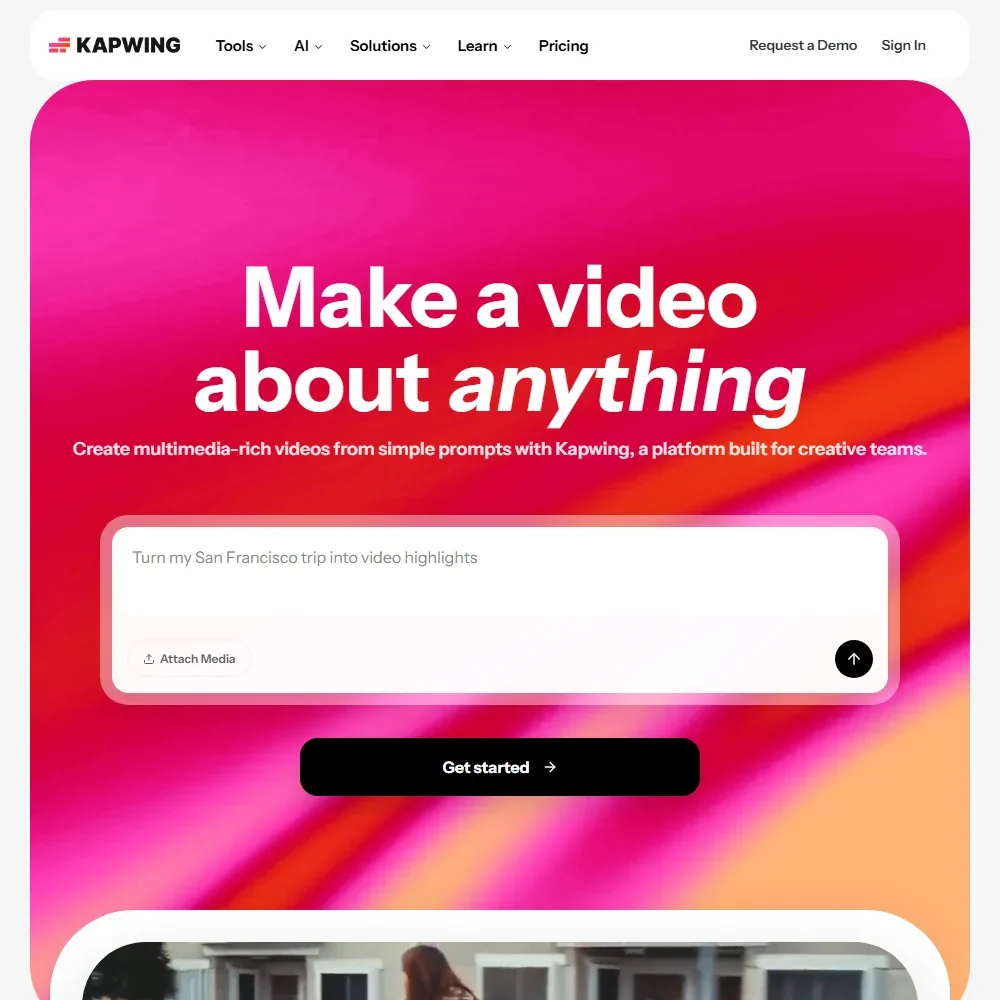
Kapwing's free plan is permanent and lets you export as often as you like, yet every video carries its watermark, stops at 720p and runs no longer than four minutes. Ten credits, a short allowance of auto subtitles and one minute of text to speech cover a first test, and uploads stay in storage for three days. Choose it to learn a browser editor with subtitles and dubbing; Descript suits edits led by the transcript.
- Trim with Transcript removes parts of a video when you delete text from its transcript.
- Subtitles translate into more than 100 languages, and dubbing covers more than 40.
- Free exports carry a Kapwing watermark, stop at 720p and run up to 4 minutes.
Full editor, no watermark on most exports, auto subtitles in 25+ languages
✓ No watermark∞ No expiryNot listedShow detailsHide details12 CapCut: Best for watermark-free free exports7.6Score 7.6 out of 10Full editor, no watermark on most exports, auto subtitles in 25+ languages✓ No watermark∞ No expiryNot listedVisit site ↗ReviewDetailsCloseShow more about CapCut
Full editor, no watermark on most exports, auto subtitles in 25+ languages
✓ No watermark∞ No expiryNot listed
Show detailsHide detailsCapCut: Best for watermark-free free exports
7.6Score 7.6 out of 10Full editor, no watermark on most exports, auto subtitles in 25+ languages✓ No watermark∞ No expiryNot listedVisit site ↗ReviewDetailsClose
If you want to publish without a watermark, start here. CapCut's free editor exports without one on most tools, and its auto subtitles work across 25+ languages, with AI video generation from text or images on top. Pricing is opaque, since the pricing page lists no dollar figures, and ByteDance ownership worries some professionals. That makes it the safest free pick for anything you plan to post.
- CapCut exports video without a watermark even on the free tier, which is a major advantage over competing free editors.
- The tool is available across all major platforms including mobile, web, Windows, Mac, and iPad with a consistent experience.
- Pricing is not clearly published for a product at this scale.
Best free AI video generators
8 picksA free AI video generator spends credits per clip, and when they arrive matters more than how many. Kling and PixVerse top up daily, Vidu monthly, while Runway, Hailuo and Genmo hand over one-off pots and Luma offers trial credits. Choose Kling for steady testing, Runway to judge a model before paying, Luma for its look and Genmo to try an open-weight model.
#ToolScoreFree plan gives youPaid from
Free plan, limits not published
✓ No watermarkPaid $4.99/moShow detailsHide details13 Google Veo: Best for free clips with sound, no visible mark9.0Score 9.0 out of 10Free plan, limits not published✓ No watermark$4.99/moVisit site ↗ReviewDetailsCloseShow more about Google Veo
Free plan, limits not published
✓ No watermarkPaid $4.99/mo
Show detailsHide detailsGoogle Veo: Best for free clips with sound, no visible mark
9.0Score 9.0 out of 10Free plan, limits not published✓ No watermark$4.99/moVisit site ↗ReviewDetailsClose
Veo's free plan in Flow gives 50 credits a day with no rollover, which covers two Veo 3.1 Fast clips of up to eight seconds, each with dialogue and sound effects generated in the same pass. Output carries an invisible SynthID mark, and a visible watermark is an optional toggle, applied automatically in India, South Korea and Vietnam. Without a subscription, generation can be unavailable around 2 PM to 5 PM UTC. Choose it over CapCut when the footage itself has to be generated.
- Veo 3.1 generates dialogue and sound effects together with the video from the prompt.
- A free Google account gets 50 Flow credits a day.
- One generation is 4, 6 or 8 seconds, and 1080p and 4K generations are 8 seconds.
Free plan, limits not published
✕ WatermarkedPaid $8.80/moShow detailsHide details14 Kling AI: Best for daily credits for repeat prompting8.9Score 8.9 out of 10Free plan, limits not published✕ Watermarked$8.80/moVisit site ↗ReviewDetailsCloseShow more about Kling AI
Free plan, limits not published
✕ WatermarkedPaid $8.80/mo
Show detailsHide detailsKling AI: Best for daily credits for repeat prompting
8.9Score 8.9 out of 10Free plan, limits not published✕ Watermarked$8.80/moVisit site ↗ReviewDetailsClose
Kling gives daily free credits, so you can keep coming back to try prompts rather than spend a single pot. Free output is 720p with a watermark, and paid plans remove the watermark. Its terms let it train on what you create. For cinematic shots it stands beside Runway and Luma AI, but with a steadier free supply.
- Kling VIDEO 3.0 generates sound, speech and lip sync together with the picture, in English, Chinese, Japanese, Korean and Spanish.
- Start and end frames, multi-shot storyboards and element references give close control over each shot.
- Standard's 660 monthly credits make about five ten-second 1080p clips with audio, or about eight without.
Free plan, limits not published
✕ WatermarkedPaid $10/moShow detailsHide details15 Vidu AI: Best for characters steady across shots8.9Score 8.9 out of 10Free plan, limits not published✕ Watermarked$10/moVisit site ↗ReviewDetailsCloseShow more about Vidu AI
Free plan, limits not published
✕ WatermarkedPaid $10/mo
Show detailsHide detailsVidu AI: Best for characters steady across shots
8.9Score 8.9 out of 10Free plan, limits not published✕ Watermarked$10/moVisit site ↗ReviewDetailsClose
Vidu's free plan gives a small monthly allowance of credits and lets you try reference-to-video, which keeps characters steady across shots. Videos carry a watermark and cannot be used commercially until you pay, and saved subjects are capped at ten. Its terms let it train on what you upload. Compare Hailuo AI, whose free credits arrive once, not monthly.
- Vidu Q3 generates dialogue, voiceover, sound effects and music together with the picture, in clips of up to 16 seconds.
- Reference to video keeps characters, products and settings consistent from up to seven reference images.
- Standard's 800 monthly credits make about ten ten-second Q3 Cinematic clips.
Daily credits that expire each day, watermarked output
✕ Watermarked↻ Daily creditsPaid $10/moShow detailsHide details16 PixVerse: Best for fresh credits every day8.8Score 8.8 out of 10Daily credits that expire each day, watermarked output✕ Watermarked↻ Daily credits$10/moVisit site ↗ReviewDetailsCloseShow more about PixVerse
Daily credits that expire each day, watermarked output
✕ Watermarked↻ Daily creditsPaid $10/mo
Show detailsHide detailsPixVerse: Best for fresh credits every day
8.8Score 8.8 out of 10Daily credits that expire each day, watermarked output✕ Watermarked↻ Daily credits$10/moVisit site ↗ReviewDetailsClose
PixVerse hands out daily free credits that expire at the end of each day, so it rewards logging in regularly more than saving up. Free output carries a watermark, and paid plans remove it and open outside models such as Kling. The entry paid plan stops at 720p, so 1080p work starts higher. It trains on content unless you opt out where offered.
- V6 and C1 generate dialogue, sound effects and ambient sound with the picture.
- Native multi-shot turns one generation into wide, medium and close-up shots.
- Standard is capped at 720p; 1080p and 4K start on Pro.
One-time trial credits; Hailuo models only; watermark
✕ WatermarkedOne-off creditsPaid $10.50/moShow detailsHide details17 Hailuo AI: Best for a one-time trial of Hailuo models8.6Score 8.6 out of 10One-time trial credits; Hailuo models only; watermark✕ WatermarkedOne-off credits$10.50/moVisit site ↗ReviewDetailsCloseShow more about Hailuo AI
One-time trial credits; Hailuo models only; watermark
✕ WatermarkedOne-off creditsPaid $10.50/mo
Show detailsHide detailsHailuo AI: Best for a one-time trial of Hailuo models
8.6Score 8.6 out of 10One-time trial credits; Hailuo models only; watermark✕ WatermarkedOne-off credits$10.50/moVisit site ↗ReviewDetailsClose
Hailuo's free plan gives trial credits once, works with its own models only and adds a watermark, so treat it as a single afternoon of testing. Paid plans remove the watermark, allow commercial use and open Veo 3.1. Credits do not roll over. If you would like allowances that keep coming back, Vidu and PixVerse give recurring credits.
- MiniMax H3 generates dialogue, sound effects and ambience with the picture, in clips of up to 15 seconds at 2K.
- H3 takes up to nine reference images, three videos and three audio clips to keep characters, motion and voices consistent.
- Standard's 1,000 monthly credits make about eight ten-second H3 clips at 2K.
125 one-time credits; limited to 3 video editor projects, 5GB storage, Gen-4 Turbo and basic tools
✕ WatermarkedOne-off creditsPaid $15/moShow detailsHide details18 Runway: Best for trying Runway's own model8.1Score 8.1 out of 10125 one-time credits; limited to 3 video editor projects, 5GB storage, Gen-4 Turbo and basic tools✕ WatermarkedOne-off credits$15/moVisit site ↗ReviewDetailsCloseShow more about Runway
125 one-time credits; limited to 3 video editor projects, 5GB storage, Gen-4 Turbo and basic tools
✕ WatermarkedOne-off creditsPaid $15/mo
Show detailsHide detailsRunway: Best for trying Runway's own model
8.1Score 8.1 out of 10125 one-time credits; limited to 3 video editor projects, 5GB storage, Gen-4 Turbo and basic tools✕ WatermarkedOne-off credits$15/moVisit site ↗ReviewDetailsClose
Runway's free plan is a one-off gift of credits, which covers about one ten-second clip from its newest model and does not refresh. Everything made on it carries a watermark, and paid plans remove it. Use it to judge quality before paying, not to make a series. If you would rather keep coming back daily, Kling and PixVerse hand out credits over time.
- Kling 3.0, Veo 3.1, Seedance 2.5 and other outside video models sit in the same account as Runway's own Gen-4.5, all paid from one credit balance.
- First and last frame control through Veo 3.1 and Kling 3.0, keyframes through Kling O3, and clip extension through Grok Imagine.
- Standard's 625 monthly credits make about five ten-second Gen-4.5 clips.
Free trial credits, personal use only, may carry a watermark
✕ WatermarkedOne-off creditsPaid $30/moShow detailsHide details19 Luma AI: Best for sampling Luma's look8.0Score 8.0 out of 10Free trial credits, personal use only, may carry a watermark✕ WatermarkedOne-off credits$30/moVisit site ↗ReviewDetailsCloseShow more about Luma AI
Free trial credits, personal use only, may carry a watermark
✕ WatermarkedOne-off creditsPaid $30/mo
Show detailsHide detailsLuma AI: Best for sampling Luma's look
8.0Score 8.0 out of 10Free trial credits, personal use only, may carry a watermark✕ WatermarkedOne-off credits$30/moVisit site ↗ReviewDetailsClose
Luma gives new accounts free trial credits, but the output is for personal use only and can carry a watermark, so it is a way to sample the look, not to produce work for clients. Paid plans remove the watermark and allow commercial use. Luma's terms let it train on your uploads. For gentler free access, try Kling.
- Ray3.2 takes up to 16 keyframes per clip, giving close control over how a shot unfolds.
- Native HDR generation in 16-bit colour with EXR export, which few video models offer.
- Plus's 10,000 monthly credits make about eight ten-second Ray3.2 clips at 1080p.
250 credits once (about 2 clips), watermarked, needs a payment method
✕ WatermarkedOne-off creditsPaid $10/moShow detailsHide details20 Genmo: Best for running an open-weight model yourself4.2Score 4.2 out of 10250 credits once (about 2 clips), watermarked, needs a payment method✕ WatermarkedOne-off credits$10/moVisit site ↗ReviewDetailsCloseShow more about Genmo
250 credits once (about 2 clips), watermarked, needs a payment method
✕ WatermarkedOne-off creditsPaid $10/mo
Show detailsHide detailsGenmo: Best for running an open-weight model yourself
4.2Score 4.2 out of 10250 credits once (about 2 clips), watermarked, needs a payment method✕ WatermarkedOne-off credits$10/moVisit site ↗ReviewDetailsClose
Genmo's free plan is 250 credits once, given once you add a payment method that is not charged, and it covers about two watermarked clips. Clips are silent, at most 5.4 seconds and text-only. The real draw is Mochi 1, an open-weight model you can download and run yourself. That suits developers, not creators wanting a full video tool.
- Mochi 1 is open-weight: download it from GitHub or Hugging Face and run it on your own hardware.
- Runs in ComfyUI for developers who want to build it into their own workflows.
- Clips are at most 5.4 seconds, so a ten-second shot is not possible in one generation.
Best free Multi-model AI video platforms
2 picksFree plans on multi-model AI video platforms differ sharply. Higgsfield's account reaches a wide menu but stamps every generation, while Pika reaches every model with clean output and pays for generation through credit packs. Pick Higgsfield to browse the model list, and Pika when a watermark would ruin the result.
#ToolScoreFree plan gives youPaid from
Free plan, limits not published
✕ WatermarkedPaid $19/moShow detailsHide details21 Higgsfield: Best for previewing many models on one pool9.0Score 9.0 out of 10Free plan, limits not published✕ Watermarked$19/moVisit site ↗ReviewDetailsCloseShow more about Higgsfield
Free plan, limits not published
✕ WatermarkedPaid $19/mo
Show detailsHide detailsHiggsfield: Best for previewing many models on one pool
9.0Score 9.0 out of 10Free plan, limits not published✕ Watermarked$19/moVisit site ↗ReviewDetailsClose
Treat the free account as a preview: it runs, but every generation carries a visible watermark and only one job can run at a time. What you are previewing is a wide model menu, with Kling 3.0, Veo 3.1 and Seedance 2.0 on one credit pool. Paid Starter removes the watermark, though its credits stretch to about 15 Seedance 2.0 Fast videos a month.
- Kling 3.0, Veo 3.1, Seedance 2.0, Nano Banana Pro, GPT Image 2 and Flux 2 are all on the account alongside Higgsfield's own Soul models.
- Seedance 2.0 generates synchronized dialogue and sound in the same pass as the video.
- Every generation on the free account carries a visible watermark.
No watermark, all models, credit packs only
✓ No watermarkPaid $8/moShow detailsHide details22 Pika: Best for clean exports on every model6.2Score 6.2 out of 10No watermark, all models, credit packs only✓ No watermark$8/moVisit site ↗ReviewDetailsCloseShow more about Pika
No watermark, all models, credit packs only
✓ No watermarkPaid $8/mo
Show detailsHide detailsPika: Best for clean exports on every model
6.2Score 6.2 out of 10No watermark, all models, credit packs only✓ No watermark$8/moVisit site ↗ReviewDetailsClose
Pick Pika when a watermark is a dealbreaker: the free plan exports clean and opens all models, with two videos generating at once. The catch is that free gives no monthly credits, so generation runs through one-time credit packs, and there is no commercial license below the Creator plan. Kling, by comparison, hands out daily credits but stamps its videos.
- Pika combines its own Pika 2.5 video model with Seedance, Veo 3.1, Wan 3.0 and GPT Image 2.5 in one account.
- The free plan and the $10 Starter plan are both watermark-free.
- Kling and Flux are not among the models Pika lists.
Best free AI ad video tools
3 picksFree ad tools give a small taste of the product-link flow. Creatify's ten monthly credits cover about two video ads, while KreadoAI hands over ten K-coins, good for three minutes of video and five avatars. Pick Creatify when you want a large actor roster and ad templates, and KreadoAI to hear voices in 31 languages with no card.
#ToolScoreFree plan gives youPaid from
180 K-Coins, 3 minutes of video in total, 5 AI avatars, 1 instant avatar clone, no card
✕ WatermarkedPaid $19/moShow detailsHide details23 KreadoAI: Best for testing ad avatars in three minutes7.3Score 7.3 out of 10180 K-Coins, 3 minutes of video in total, 5 AI avatars, 1 instant avatar clone, no card✕ Watermarked$19/moVisit site ↗ReviewDetailsCloseShow more about KreadoAI
180 K-Coins, 3 minutes of video in total, 5 AI avatars, 1 instant avatar clone, no card
✕ WatermarkedPaid $19/mo
Show detailsHide detailsKreadoAI: Best for testing ad avatars in three minutes
7.3Score 7.3 out of 10180 K-Coins, 3 minutes of video in total, 5 AI avatars, 1 instant avatar clone, no card✕ Watermarked$19/moVisit site ↗ReviewDetailsClose
KreadoAI's free tier is real: 180 K-coins, three minutes of total video, five avatars and 120+ voices in 31 languages, no card needed. It suits testing an ad made from a product link before you commit, and the paid tiers add watermark-free exports. The feature set is wide and performance is described as uneven. Creatify and JoggAI cover similar ad territory.
- URL-to-video conversion workflow allows e-commerce brands to generate launch-ready ad videos from a single product page link in minutes.
- Wide feature surface includes text-to-video, image-to-video, and PowerPoint-to-video conversion beyond just the flagship URL input.
- Homepage claims such as '$1 billion in real ad spend informing the AI' come with no published evidence behind them.
200 credits (about 1 minute of avatar video), 1 custom avatar
✕ WatermarkedPaid $24/moShow detailsHide details24 JoggAI: Best for three one-minute avatar videos7.1Score 7.1 out of 10200 credits (about 1 minute of avatar video), 1 custom avatar✕ Watermarked$24/moVisit site ↗ReviewDetailsCloseShow more about JoggAI
200 credits (about 1 minute of avatar video), 1 custom avatar
✕ WatermarkedPaid $24/mo
Show detailsHide detailsJoggAI: Best for three one-minute avatar videos
7.1Score 7.1 out of 10200 credits (about 1 minute of avatar video), 1 custom avatar✕ Watermarked$24/moVisit site ↗ReviewDetailsClose
JoggAI's free plan needs no card and gives three credits, enough for up to three avatar videos of one minute each, plus one custom avatar. Every export carries a watermark. It leans on product-link ads, though independent coverage of it is thin, so treat quality claims cautiously. HeyGen has the fuller free avatar library if you mainly want avatars.
- The URL-to-Video feature scrapes product imagery, writes copy, and generates a short video ad automatically, saving significant time for e-commerce marketers.
- Batch Video Creation allows users to produce multiple video variants in a single session, making high-volume ad production more efficient.
- The platform offers no scheduling, content calendar, analytics dashboard, or competitor analysis, limiting its utility beyond raw video creation.
10 credits/mo, ~2 video ads, 300 AI actors, watermark on exports
✕ Watermarked↻ Renews monthlyPaid $39/moShow detailsHide details25 Creatify: Best for product-link video ads6.4Score 6.4 out of 1010 credits/mo, ~2 video ads, 300 AI actors, watermark on exports✕ Watermarked↻ Renews monthly$39/moVisit site ↗ReviewDetailsCloseShow more about Creatify
10 credits/mo, ~2 video ads, 300 AI actors, watermark on exports
✕ Watermarked↻ Renews monthlyPaid $39/mo
Show detailsHide detailsCreatify: Best for product-link video ads
6.4Score 6.4 out of 1010 credits/mo, ~2 video ads, 300 AI actors, watermark on exports✕ Watermarked↻ Renews monthly$39/moVisit site ↗ReviewDetailsClose
Try Creatify's free plan if you make product ads: it is enough to run a couple of video ads through the URL-to-video flow, with 300 AI actors on offer. Exports carry a watermark and credits are small, so it works as a test drive. It is narrow on purpose, so look at CapCut if you want general editing.
- URL-to-video feature automatically pulls visuals, generates a script, picks an avatar, and assembles a video ad from just a product page link.
- Batch creation allows users to spin up 50+ ad variants quickly without manual assembly for each one.
- The platform is narrowly focused on ad creation and not suitable for general video editing or broader content production needs.
Best free text to video tools
3 picksAnyone looking for a free AI video maker that works from words will meet limits on count and length. Lumen5 allows five videos of up to two minutes, Fliki 3 credits a month with 300 voices, and Zebracat recurring credits for short social videos. Pick Lumen5 for articles, Fliki for voiceover and Zebracat for Reels and TikTok.
#ToolScoreFree plan gives youPaid from
3 credits a month, 720p video, 300 voices, Fliki watermark
✕ Watermarked↻ Renews monthlyPaid $28/moShow detailsHide details26 Fliki: Best for trying a large voice library6.8Score 6.8 out of 103 credits a month, 720p video, 300 voices, Fliki watermark✕ Watermarked↻ Renews monthly$28/moVisit site ↗ReviewDetailsCloseShow more about Fliki
3 credits a month, 720p video, 300 voices, Fliki watermark
✕ Watermarked↻ Renews monthlyPaid $28/mo
Show detailsHide detailsFliki: Best for trying a large voice library
6.8Score 6.8 out of 103 credits a month, 720p video, 300 voices, Fliki watermark✕ Watermarked↻ Renews monthly$28/moVisit site ↗ReviewDetailsClose
Fliki turns a script or blog URL into a finished video with voiceover, and the free plan lets you see that whole loop with 300 voices. Output is 720p with a Fliki watermark, and the credit allowance is tiny, so it shows how the tool works rather than powering a channel. The voice library is the draw. For talking avatars, Synthesia or HeyGen fit better.
- Fliki offers 2,000+ AI voices across 80+ languages, more than any comparable tool in its class without additional charges.
- The core workflow is fast: paste a script or URL and the tool assembles a draft video with voiceover, visuals, music and captions automatically.
- Fliki is web-only with no desktop app or mobile editing support, which limits flexibility for users who work across devices.
Ongoing free plan with recurring monthly credits
✕ Watermarked↻ Renews monthlyPaid $39/moShow detailsHide details27 Zebracat: Best for recurring credits for short social videos6.0Score 6.0 out of 10Ongoing free plan with recurring monthly credits✕ Watermarked↻ Renews monthly$39/moVisit site ↗ReviewDetailsCloseShow more about Zebracat
Ongoing free plan with recurring monthly credits
✕ Watermarked↻ Renews monthlyPaid $39/mo
Show detailsHide detailsZebracat: Best for recurring credits for short social videos
6.0Score 6.0 out of 10Ongoing free plan with recurring monthly credits✕ Watermarked↻ Renews monthly$39/moVisit site ↗ReviewDetailsClose
Zebracat offers an ongoing free plan with recurring credits, so you can turn a prompt or website link into a short social video and see how the scheduling side works. It is built for short-form only, which suits Reels and TikTok more than long videos.
- Handles the full content cycle from strategy to scheduling in one platform, reducing tool-switching for small teams.
- Converts text prompts or blog/site URLs directly into short-form social videos with minimal manual input.
- The company is barely two years old and it remains unclear whether its 50,000+ user growth reflects product quality or marketing spend.
5 videos/month, 720p, 2-min max, Lumen5 branded outro
✕ Watermarked↻ Renews monthlyPaid $29/moShow detailsHide details28 Lumen5: Best for turning articles into short videos4.2Score 4.2 out of 105 videos/month, 720p, 2-min max, Lumen5 branded outro✕ Watermarked↻ Renews monthly$29/moVisit site ↗ReviewDetailsCloseShow more about Lumen5
5 videos/month, 720p, 2-min max, Lumen5 branded outro
✕ Watermarked↻ Renews monthlyPaid $29/mo
Show detailsHide detailsLumen5: Best for turning articles into short videos
4.2Score 4.2 out of 105 videos/month, 720p, 2-min max, Lumen5 branded outro✕ Watermarked↻ Renews monthly$29/moVisit site ↗ReviewDetailsClose
Lumen5's free plan gives you five videos a month up to two minutes at 720p. Your videos end on a Lumen5 branded outro, and there is no support on Free. The jump to the first paid tier is steep. It turns articles into video and is a poor pick for detailed editing.
- The blog-to-video AI engine automatically converts URLs or pasted scripts into a rough cut with matched visuals, saving significant editing time.
- The stock library contains 500 million+ Getty-licensed assets, with no reported content ID issues for commercially licensed material.
- Key features like custom branded templates are locked behind higher-tier plans, meaning entry-level users get a noticeably limited experience.
More free AI video tools
1 pickThese two share a free plan, not a job. JoggAI makes avatar videos from a script or product link, up to three of them at a minute each, while Vizard cuts a long video into short clips on 60 credits a month. Pick JoggAI for a quick avatar ad and Vizard to turn a podcast or interview into shorts.
#ToolScoreFree plan gives youPaid from
60 credits/month, 720p export, 3-day storage, 1 social account, watermark
✕ Watermarked↻ Renews monthlyPaid $29/moShow detailsHide details29 Vizard.ai: Best for clipping podcasts and interviews6.8Score 6.8 out of 1060 credits/month, 720p export, 3-day storage, 1 social account, watermark✕ Watermarked↻ Renews monthly$29/moVisit site ↗ReviewDetailsCloseShow more about Vizard.ai
60 credits/month, 720p export, 3-day storage, 1 social account, watermark
✕ Watermarked↻ Renews monthlyPaid $29/mo
Show detailsHide detailsVizard.ai: Best for clipping podcasts and interviews
6.8Score 6.8 out of 1060 credits/month, 720p export, 3-day storage, 1 social account, watermark✕ Watermarked↻ Renews monthly$29/moVisit site ↗ReviewDetailsClose
Vizard's free plan turns long videos into short clips with 60 credits a month, which suits a first trial on a podcast or interview. Exports are 720p and watermarked, clips are stored for three days, and you can manage one social account. Commercial use needs a paid plan. It only repurposes, so it is not a general video editor.
- Batch clip generation reliably produces 30 or more platform-ready clips from a single long-form video upload, saving significant time for content teams.
- Text-based editing lets users cut footage by editing the transcript, reducing back-and-forth compared to traditional timeline editing.
- Pricing structure has notable gaps worth investigating before committing to a paid plan.
How to choose a free AI video tool
Free AI video plans are generous in four different ways: seconds of avatar footage, daily or one-off credits, clean exports, and permission to publish. A plan that suits a trainer building a ten-minute walkthrough is useless to a YouTuber who wants one cinematic shot, and the reverse holds too. This guide covers the job each tool is built for, how each kind rations its free plan, where the limits bite, and which pairs of tools work well together.
Start with the job, not the tool
Most free video work falls into four jobs, and few plans cover more than one of them.
- Presenting. An avatar reads your script on screen, which suits training, explainers and sales walkthroughs. Synthesia, HeyGen, Colossyan Creator and Elai are built for it, and JoggAI and KreadoAI point the same idea at marketing clips.
- Generating shots. You describe a scene and get a clip back, which is useful for b-roll and social loops. Kling, Vidu, PixVerse, Hailuo, Runway, Luma and Genmo run their own models, while Higgsfield and Pika put several companies' models behind one account.
- Assembling from what you have. You hold footage, an article or a script and want a finished video. CapCut and VEED edit footage, Lumen5 and Fliki build videos from articles and scripts, and Zebracat targets short social posts.
- Cutting and advertising. Vizard slices a long recording into short clips, and Creatify turns a product link into video ads.
Match your job to a starting plan in the table, then read on to see what each plan counts.
| Job | Start with | Runner-up, and the trade-off |
|---|---|---|
| Post a clip with no watermark | CapCut | Pika also leaves its generated clips clean, but a commercial license starts at its Creator plan |
| Try new prompts every day | Kling AI | PixVerse refills daily too, though unused credits expire that evening |
| Present a script on camera | Synthesia | HeyGen offers three videos a month with 500+ stock avatars |
| Make a short ad from a product link | Creatify | KreadoAI gives three minutes of video with 120+ voices and asks for no card |
| Cut shorts from a recording | Vizard | JoggAI builds avatar clips from scripts instead of cutting your footage |
| Compare models in one place | Pika | Higgsfield lists Veo, Seedance and Kling in one account but marks every output |
| Turn an article into video | Lumen5 | Fliki starts from scripts and links and brings 300 voices on its free plan |
| Judge cinematic quality before paying | Runway | Genmo's 250 credits make about two silent clips of at most 5.4 seconds |
What you actually get for free
Each kind of tool counts something different, so one plan can last a month while another ends within an afternoon.
- Avatar tools. Minutes or videos are the meter. Synthesia gives 10 minutes a month with 9 stock avatars and no card, HeyGen gives three videos, JoggAI gives three videos of up to a minute each, and Elai gives one minute. Ten minutes covers a couple of short explainers; one minute covers a single trial run.
- Generators with daily credits. Kling and PixVerse top up every day, so a skipped day costs nothing, yet credits never bank. Kling's free output is 720p with a watermark. This pattern rewards trying one idea each morning and punishes saving up for a big project.
- Generators with one-off credits. Runway gives 125 credits once, with three editor projects and 5GB of storage. Genmo gives 250 credits once and wants a payment method on file. Hailuo gives trial credits that work on its own models only, and Luma gives trial credits for personal use. Once the pot is empty, free use ends.
- Editors. Export quality is the meter. CapCut leaves most exports clean and adds auto subtitles in 25+ languages. VEED never expires, but its free exports are 720p with a watermark.
- Template and clip tools. Creatify gives 10 credits, about two video ads, and KreadoAI 180 K-coins, about three minutes of video. Fliki gives 3 credits, Lumen5 five videos a month of up to two minutes, and Vizard 60 credits a month with 720p exports and clips stored for three days. Zebracat describes recurring monthly credits.
- Multi-model platforms. Higgsfield runs one generation at a time and marks everything it makes. Pika leaves outputs clean and runs two at once, but its free plan has no monthly credits, so generating means buying a credit pack.
Which tool fits which video maker
- YouTubers. Start with CapCut, because most exports leave without a watermark and subtitles arrive automatically in 25+ languages. Add Kling to test b-roll ideas on daily credits, and Vizard to see which moments of a long recording make good shorts.
- Marketers. Start with Creatify, because 10 credits give you about two video ads with 300 AI actors to choose from. Add KreadoAI for 120+ voices across 31 languages, and Fliki when the starting point is a written script.
- Social video makers. Start with Kling for a daily pot of credits, and add PixVerse for a second one. Try Pika when you want Veo and Seedance with lip sync and no watermark on the result.
- Trainers. Start with Synthesia, which asks for no card and states it does not train on your content. Add Colossyan Creator for its training-focused tools on a solo free plan, and Elai when you want 80+ avatars in 75+ languages for a quick sample.
- Podcasters and bloggers. Start with Vizard for clips cut from audio-led recordings, and Lumen5 when the raw material is an article that should become a short video.
Where free plans stop
| Limit | Tools | What happens when you hit it |
|---|---|---|
| Watermark on exports | Higgsfield, HeyGen, Kling, Hailuo, Colossyan Creator, VEED, Fliki, JoggAI, Vizard, Creatify, Genmo | Fine for review, not for posting |
| One-off credits | Runway, Genmo, Hailuo | Free use ends when the credits do |
| Daily credits that expire | Kling, PixVerse | Whatever is unspent disappears at the end of the day |
| 720p ceiling | Kling, VEED, Vizard, Fliki, Lumen5 | Sharper output starts on a paid plan |
| Personal use only | Luma, Vidu | Client or monetized work needs a paid plan |
| Short runtime | Elai (one minute), JoggAI (one minute per video), Lumen5 (two minutes) | Longer pieces cannot be made |
| Monthly count | HeyGen (3 videos), Synthesia (10 minutes), Lumen5 (5 videos), Vizard (60 credits) | You wait for the next month |
Living within these limits mostly means picking the one you can tolerate. A watermark is irrelevant if the clip only goes to a colleague for feedback, a 720p cap is irrelevant for a phone-first audience, and a monthly count is easy to plan around. Expiring credits are the hardest to work with because they punish a busy week.
What you give up by staying free
Several tools hold back whole features, not only volume. Synthesia keeps logo removal, AI dubbing and 125+ avatars for Starter. Colossyan Creator keeps watermark removal, shared workspaces and comments for its Professional plan. HeyGen's free plan allows a single voice clone, while higher resolution begins at Creator for 1080p and Pro for 4K. Runway's free plan runs Gen-4 Turbo and basic tools, with all models and 4K upscaling on Standard.
Free plans are also built for one person at a time. Colossyan's free tier is solo only, Elai's allows one user, and Vizard's covers one social account. Higgsfield allows one job at once and Pika two, so a batch of ideas queues rather than runs together.
Privacy and who sees your footage
Uploading a face, a voice or a client script means handing it to a company, so how each handles that matters before you press generate. Three tools say they do not train on your content, four let you switch it off or find a route out, and five state that they may train on it.
| Tool | Training on your content |
|---|---|
| Synthesia | Does not train |
| Colossyan Creator | Does not train |
| Vizard | Does not train |
| PixVerse | Opt out where offered |
| CapCut | Opt out |
| VEED | Opt out |
| Higgsfield | Opt out, which means deleting your content |
| Kling | Terms allow training |
| Vidu | Terms allow training |
| Luma | Terms allow training, including on paid plans |
| Pika | Terms allow training by default, no self-serve opt-out |
| Genmo | Terms allow training on prompts and videos |
Keep client scripts and real faces to the first three, and switch training off in the apps that offer a route. Commercial use needs its own check: Vidu's free plan excludes it, Luma's trial credits are for personal use, Pika's license begins at Creator, and Vizard reserves it for paid plans.
Mistakes to avoid
- Planning to post a watermarked clip. The mark sits on every free export from most tools here. Use those plans to judge the result, and take the clean file from CapCut or Pika, or from a paid month.
- Burning one-off credits on casual tests. Runway's 125, Genmo's 250 and Hailuo's trial credits never refill, and Genmo's cover about two clips. Save them for the shot you actually need.
- Treating a clean export as cleared for clients. Pika's free plan is clean, but its commercial license starts at Creator. Check the license before a clip goes into paid work.
- Choosing an avatar tool by minutes alone. JoggAI caps each video at a minute and Elai's whole allowance is one. Match the length you need to the cap before you write a script.
- Uploading a real face to a tool that trains on it. Kling, Vidu, Luma, Pika and Genmo may use what you upload. Use Synthesia or Colossyan Creator for footage of people.
When it is worth paying
The signs are practical: you crop a corner to hide a mark, you skip an idea because the credits are low, or you hesitate over a client job because the license is personal use. At that point a paid month usually costs less than the time you spend working around the limit.
| If you are | Upgrade to | What changes |
|---|---|---|
| Making cinematic clips | Runway Standard | 625 credits a month, every model, 4K upscaling and no watermark |
| Testing prompts daily | Kling Standard | 660 credits a month, about five ten-second 1080p clips with audio |
| Posting short social clips | PixVerse Standard | 1,200 credits a month at up to 720p |
| Presenting weekly | HeyGen Creator | 600 credits, 1080p and videos up to 30 minutes |
| Producing training | Synthesia Starter | Your own branding without the Synthesia logo, and AI dubbing |
| Cutting recordings | Vizard Creator | 600 credits a month and clean 4K exports |
| Making article videos | Lumen5 Basic | Unlimited videos with no branded outro, up to ten minutes each |
| Trying Hailuo's models | Hailuo Standard | 1,000 credits a month with no watermark |
Billing period shifts the price as much as the plan does. Fliki Standard is $28 monthly against $21 billed yearly, Genmo Lite is $10 against $8, and Vizard Creator is $29 monthly against $174 for the year. Kling's Standard plan lists a lower first month. Zebracat advertises a seven-day trial on some pages, so use the free tier and any trial before paying for a full year.
Using two free tools together
Allowances reset on different schedules, so one plan often covers what another cannot.
- Find the moments. Run a long recording through Vizard to see which sections it picks as shorts.
- Rebuild the keepers. Recut the best ones in CapCut, whose exports carry no watermark and whose auto subtitles save a pass.
- Test an opener. Try a new opening shot on PixVerse or Kling credits before deciding it deserves a paid month.
For training material, draft the narration in Synthesia, which asks for no card, then compare the same script on Colossyan Creator's solo free plan to see which presenter style suits your audience.
What would this stack cost you?
Add our top picks (Synthesia, Descript, Google Veo and 4 more) to the calculator and see the monthly total, then swap in the plans you would pay for.
How we picked
Every tool here is ranked by its score, and each score is worked out from the vendor’s own published pages: pricing, plans, features and terms. No score is adjusted by hand. All 29 tools have enough published facts to be scored, and on average 93% of each score comes from facts the vendor publishes. The facts behind these scores were checked between 16 September 2026 and 29 October 2026.
Scores compare tools that do the same job, which is why the list is grouped by job: a video editor and a grammar checker are never ranked against each other.
| Ranked as | On this page | What we score | Scoring guide |
|---|---|---|---|
| AI video generators9 reviewed | 8 | 5 criteria, 27 checked facts: what it can generate, pricing, resolution and watermarks, voice, privacy and platforms | How we score these → |
| AI video editors8 reviewed | 7 | 5 criteria, 23 checked facts: editing, pricing, recording, AI in the editor, teams | How we score these → |
| AI avatar video tools8 reviewed | 5 | 5 criteria, 20 checked facts: avatars, pricing, training and interactivity, languages and output, teams and privacy | How we score these → |
| AI ad video tools6 reviewed | 3 | 5 criteria, 16 checked facts: making the ad, pricing, languages and output, assets and teams, security and privacy | How we score these → |
| Text to video tools5 reviewed | 3 | 5 criteria, 14 checked facts: what it turns into video, pricing, languages, publishing and output, API | How we score these → |
| Multi-model AI platforms14 reviewed | 2 | 5 criteria, 28 checked facts: for video, for images, pricing, workflow and teams, privacy and trust | How we score these → |
| Clip repurposing tools5 reviewed | 1 | 5 criteria, 20 checked facts: turning long video into clips, pricing, getting the clips out, AI on top of the cut, teams and privacy | How we score these → |
Common questions
Is there an AI video generator with no watermark for free?
For an AI video generator no watermark on free, Pika's plan exports clean and opens every model, but it gives no monthly credits, so each generation uses a one-time credit pack. CapCut also exports clean as an editor with AI generation. Kling, Runway, Hailuo and Higgsfield all mark their free output, so removing the mark means paying.
Can I use free AI video on YouTube or for a client?
Not from the free plans that state a rule. Luma's free credits are personal use only, Vidu's free plan bars commercial use, Pika has no commercial license below Creator, and Vizard and Genmo reserve commercial use for paid plans. A watermark also makes most free output unsuitable for clients, so treat free as a way to prepare, not to deliver.
How long can a free AI video be?
It depends on the kind of tool. Genmo clips run at most 5.4 seconds, JoggAI's three videos are a minute each, and Lumen5 allows two minutes. Synthesia counts ten minutes a month in total, KreadoAI three minutes in total, and Elai one minute a month. For a longer piece, pick an avatar plan whose minutes can go on one video.
Which free AI video tool needs no credit card?
Synthesia, Colossyan Creator, KreadoAI, JoggAI and Creatify all say no card is needed to start. Genmo is the opposite: its 250 credits arrive only after you add a payment method, which is not charged. If you want to try several tools without handing over details, begin with Synthesia or KreadoAI.
What is a cheap AI video generator once free credits run out?
Genmo Lite and Pika Starter both list a ten-dollar monthly price, or eight dollars billed yearly, and Genmo Lite adds commercial use and no watermark for about twelve short clips. Kling discounts the first month of Standard, and Higgsfield Starter removes its watermark at the same price monthly or yearly. Compare what one clip costs, not the headline credits.
Which free plan lets me clone my own voice?
HeyGen's free plan includes one voice clone alongside 500+ stock avatars, and JoggAI includes one custom avatar. Elai keeps voice cloning as an add-on until its Team plan, and most other plans here put cloning on a paid step. If your voice is the point, HeyGen is the one to start with, and Fliki is the voiceover alternative.
Is there text to video AI free that works from an article or link?
Yes. Fliki builds a voiced video from a script or blog link, Lumen5 turns articles into short videos with its own outro, and Zebracat turns a prompt or website link into short social video. Genmo also works from text, but it makes silent clips only. Lumen5 gives the most videos each month on its free plan.