
Launched in 2021.

What is Fliki?
A web-based text-to-video tool. Paste a script, drop in a blog URL, or type a one-line prompt, and Fliki assembles a video with voiceover, visuals, music, and captions. No camera. No timeline to wrestle with. That's the core proposition for solo creators and marketing teams who need volume but don't have a production setup.
The 2,000+ AI voices across 80+ languages are the headline feature. The underlying models aren't proprietary either. Fliki pulls from VEO, KLING, ElevenLabs, and a few others. Smart sourcing.
Web-only. No desktop app, no mobile editing. Worth knowing before you start.
Fliki Features: Video Generation, Editing & AI Capabilities
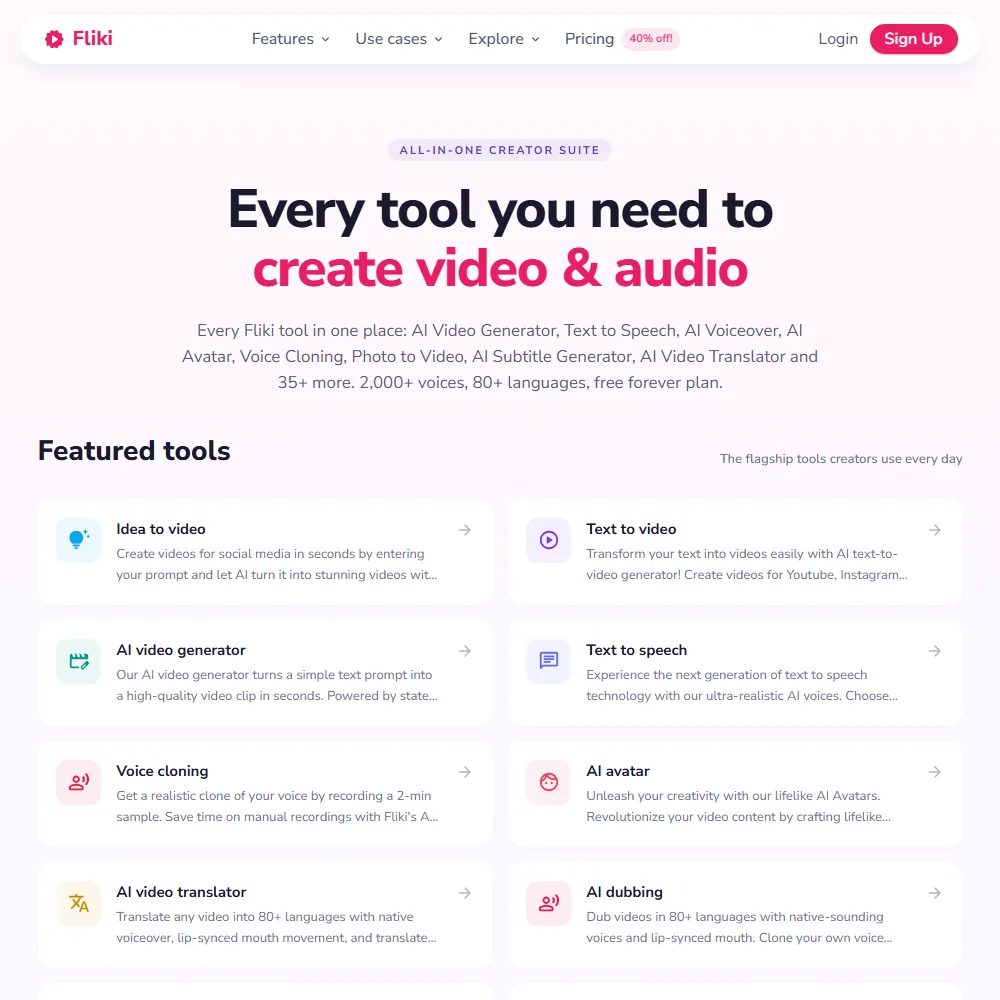
The core loop is genuinely fast. Write or paste a script, pick a voice, select a visual style, and Fliki produces a draft. Scene-by-scene editing follows, so you're not locked into whatever the AI generated on the first attempt. That matters more than people give it credit for.
The Series feature takes batching further than most. It auto-plans and schedules batches of videos, meaning a content team could theoretically queue a week of short-form clips in one sitting. How polished the batch output is at scale is worth testing, but the concept is sound and the reviews don't contradict it outright.
The Digital Twin feature deserves more attention than it typically gets in comparisons: upload your face, record your voice, and Fliki generates an AI presenter version of you capable of narrating in 70+ languages. Voice cloning from a short sample is baked into that same system. HeyGen does this too, but Fliki's language range is notably wider.
Blog-to-video and PowerPoint-to-video conversion are both present. The PPT conversion specifically comes up in L&D conversations more than anywhere else. One-click publishing to TikTok, Instagram, and YouTube is included. No Zapier connection appears in the documentation, and no Adobe integration. What's built in is the whole toolkit.
A stop-motion story generator also landed in a recent AI Playground update. Genuinely unusual for a text-to-video tool. Screen recording is built in too, capturing screen, webcam, and audio together. Not the reason most people come here, but it's there.
Fliki Video Quality: How Good Does the Output Actually Look?
The AI video generation draws on VEO and KLING at the model level. Those are capable generators. The stock media library supplements AI-generated visuals, so you're not waiting on generation time for every single scene.
Fliki AI Avatars & Voiceover: How Realistic Are They?
2,000 voices is not a rounded-up number. ElevenLabs underpins the quality ceiling here, and that ceiling is real.
Voice cloning carries across 70+ languages from a short sample.
The 2,000+ voices include regional dialects, not just language-level options. Most competitors in this category offer one or two accents per language and consider the job done. Fliki goes further, which matters for anyone targeting regional audiences rather than just broad language markets.
Synthesia and HeyGen are stronger choices in the enterprise avatar space, particularly where compliance documentation around AI-generated content is required. Fliki's positioning is accessible and fast, not enterprise-grade and auditable.
Is Fliki Easy to Use?
The core text-to-video flow is accessible. Paste text, pick voice, generate. No meaningful learning curve for that part.
No live chat listed. No community forum listed.
Fliki Pricing: Is It Worth It for Creators & Teams?
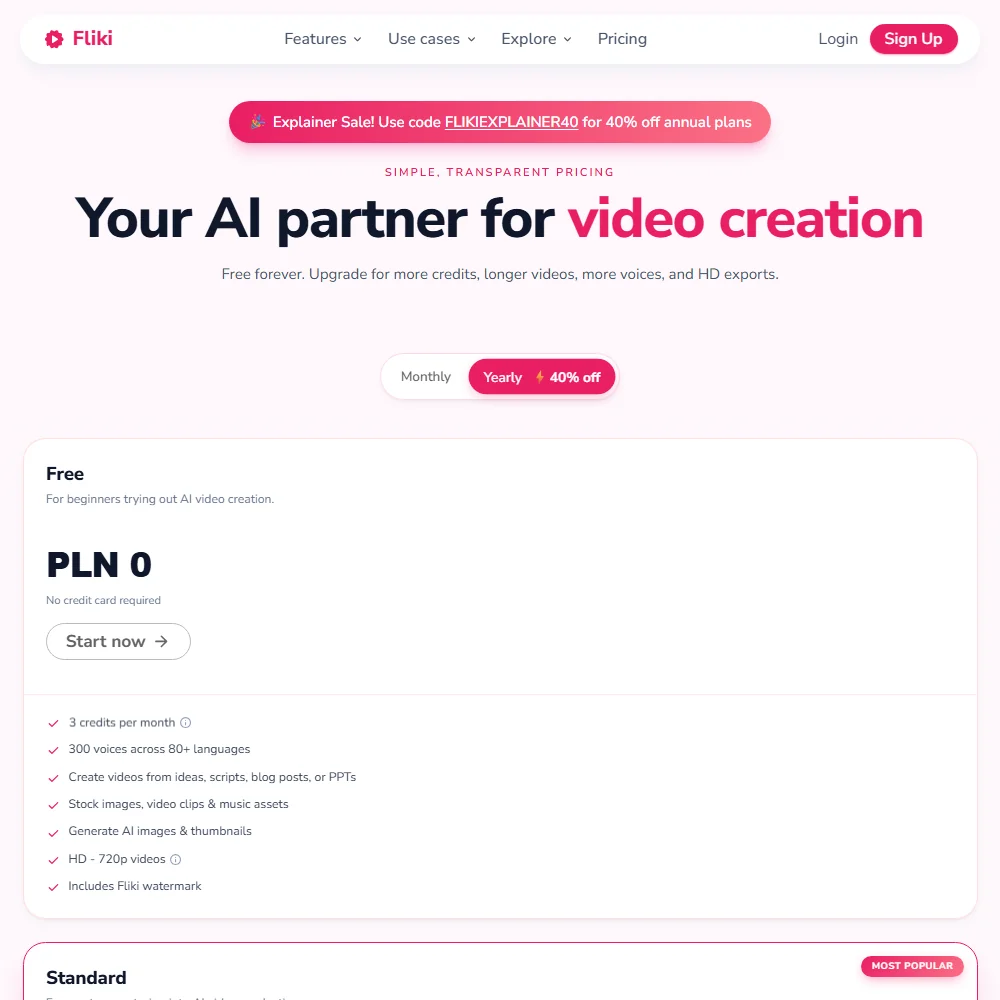
The pricing page does disclose real numbers. The Standard plan is $28 per month, or $21 a month billed yearly, and includes 2,160 credits per year, 1,000 voices with 500 ultra-realistic options, full HD 1080p output, and videos up to 15 minutes translated to 80+ languages. Voice cloning and limited stock avatars are included, along with commercial rights and AI Playground access.
Premium runs $88 per month ($66 billed yearly) and bumps credits to 7,200 per year. Video length extends to 40 minutes, voices expand to 2,000+ with 1,000+ ultra-realistic options, and you get AI video clip generation plus photo avatars. Multiple brand kits and priority support are gated at the Premium tier, which matters for teams running content across multiple clients or product lines.
Enterprise is custom pricing with invoiced billing. API access, personalized avatars, professional voice cloning, and a dedicated account manager come with it. The Free plan gives you 3 credits per month, 720p video with a Fliki watermark, and 300 voices. Enough to evaluate. Not enough to build a workflow around.
Commercial rights for AI-generated content are included across paid plans, which is a practical positive for agencies.
Fliki vs Pictory: Which AI Video Tool Is Better?
Pictory is the comparison that comes up most often in forums and review threads. Both handle blog-to-video conversion. Both target creators and marketers. The overlap is genuine.
The divergence is significant. Fliki's voice library is dramatically larger, and Pictory doesn't offer anything close to multilingual voice cloning or Digital Twin avatars. Pictory's public pricing page makes budget evaluation straightforward, which is a real advantage over Fliki for teams running procurement processes.
For pure blog-to-video speed, reviews suggest Pictory is simpler to operate. For multilingual output, voice cloning, or avatar-based presentation, Fliki does more. Not a clean win either direction.
Lumen5 surfaces in this same comparison set, particularly for teams wanting a template-driven approach. The quality ceiling is lower, but the workflow is simpler still. For enterprise avatar use cases with compliance requirements, Synthesia is the more controlled environment. Fliki is faster to start and cheaper to evaluate. That's the actual trade-off.
Who Should Use Fliki? (And Who Shouldn't)
Content creators running short-form video at volume. That's the clearest fit. Anyone making TikToks, Reels, or YouTube Shorts from existing scripts or blog posts will find the speed and voice options genuinely useful.
L&D professionals needing multilingual training content without a film crew. The 80+ language range and voice cloning build a real case here. It won't replace professional production.
Marketing teams running content across multiple languages. The multilingual dubbing and character consistency features are built for exactly that workflow.
Enterprise teams with strict brand standards and compliance requirements shouldn't expect Fliki to be the answer. Avatar quality is good, not flawless. Clear pricing documentation exists at the Standard and Premium tiers, but Enterprise requires a conversation, which adds procurement friction. Synthesia is the more auditable environment for that use case.
Solo creators expecting the simplest possible tool should know the editing side has real depth to navigate. Not a dealbreaker. Manage expectations.
Anyone needing deep integration with existing production workflows will hit a wall. No Adobe Premiere connection, no publicly documented API at lower tiers. What's built in is what you have.
Fliki Review Verdict
Fliki does a lot. That's both the appeal and the complication. The voice library is legitimately impressive at 2,000+ voices. The Digital Twin avatar system is useful and differentiated. Multilingual output at the depth Fliki offers puts it in a different tier than most text-to-video tools at the Standard price point of $28 per month.
Support is thin, with no live chat path listed. Anyone without a high tolerance for self-serve troubleshooting should think twice about Fliki.
The AI model lineup, pulling from VEO, KLING, and ElevenLabs, is competitive with anything else in this category. The bones are solid. For creators and content teams who can absorb some ambiguity in the credit system, Fliki is worth evaluating. For enterprise procurement with compliance requirements or strict budget controls, wait until the support infrastructure catches up with the platform's actual scale.
Frequently Asked Questions
Does Fliki offer a free plan?
Yes. The free plan gives you 3 credits per month, 720p video output, and 300 voices. The Fliki watermark stays on all free-tier output. A free trial also exists for testing paid features before committing.
What languages does Fliki support for voiceover and video generation?
Fliki supports 80+ languages for voiceover and dubbing. Voice cloning works across 70+ of those. That's a wider range than Pictory, InVideo, or Lumen5 at comparable price points.
How does Fliki's Digital Twin feature actually work?
You record a short video sample of yourself and provide a voice sample. Fliki builds an AI presenter model from those inputs, and that model can narrate and appear in videos you generate afterward, with consistent appearance across scenes and multilingual capability. It generates pre-produced video clips using your likeness, not live output.











