Every score is worked out from the vendor's own pages · How we score →Disclosure
SAASINSPECTOR
Async logo

Async Review

Async is a browser-based recording studio and AI video editor for podcasts, interviews and talking-head videos. It is best at recording remote guests on separate tracks, then cleaning up the sound, dubbing the result into other languages and cutting short clips from it.

Visit Async →From $19.99/mo

Research-based review. Features and prices are checked on the vendor's own website, and the score is worked out from those facts. We haven't tested it hands-on yet.

The verdict

Worth paying for if you record remote guests and want editing, dubbing and clips in one browser app, though Essentials gives few recording hours and there is no desktop app.

Pros

  • Remote recording takes up to 10 participants, each recorded locally with a cloud backup on separate tracks.
  • AI dubbing translates video into more than 30 languages in your own voice, with optional lip sync.
  • Cleanup tools include filler word and silence removal, Magic Dust audio enhancement, background removal and eye contact correction.
  • Async is SOC 2 certified and GDPR compliant, with encryption at rest and in transit.

Cons

  • The free plan's allowances are lifetime totals, including 10 AI credits and 1 hour of remote recording, with a watermark on exports.
  • The 7-day free trial is available only on yearly plans, and the full year is charged when it ends.
  • There is no Windows or Mac desktop app, and the iPhone app does not work on iPads.
From $19.99/moFree plan YesFree trial Yes
8.4/10

Spec Score

Async against 8 AI video editors
#2
of 8 AI video editors
+0.8
vs the average
89%
from published facts
Ahead of other AI video editors
Recording+1.4Teams, brand and privacy+1.1Pricing+0.9
Behind other AI video editors
Nothing clearly below the average
Every criterion
Tap a row for the facts
Editing8.2
+0.2 vs 8.0 avg24.6 of 30 points
Edit the video by editing its transcriptnot published, half points1.3 / 2.5
Strips ums and long pausesyes2 / 2
Removes the background without a green screenyes1.5 / 1.5
Cleans up noise and echoyes1.5 / 1.5
Corrects gaze to the camerayes1.5 / 1.5
Where it runswebios0.5 / 1
Why these numbers

Strips ums and long pauses: Silence removal too.

Cleans up noise and echo: Plus noise reduction and auto leveling.

Where it runs: Web app (Chrome recommended), iPhone app for recording and clips, and a Chrome extension.

Pricing8.1
+0.9 vs 7.2 avg20.3 of 25 points
Monthly price, cheapest paid plan$19.99/mo4.5 / 6
Free planyes2 / 2
Free trialdoes not applyn/a
Why these numbers

Monthly price, cheapest paid plan: Essentials, billed monthly. $11.99 a month billed yearly.

Recording7.0
+1.4 vs 5.6 avg10.5 of 15 points
Records remote guests on separate tracksyes4 / 4
Records your screenyes3 / 3
Desktop appno0 / 3
Why these numbers

Records remote guests on separate tracks: Up to 10 participants, local recording with cloud backup; 2 hours a month on Essentials, 20 on Pro, 50 on Teams.

Desktop app: Runs in the browser and on iPhone; no Windows or Mac app.

AI in the editor10.0
+0.3 vs 9.7 avg15 of 15 points
AI voiceoveryes2.5 / 2.5
Clone your own voiceyes2.5 / 2.5
Translates a finished videoyes2.5 / 2.5
Lip syncyes2.5 / 2.5
Why these numbers

Translates a finished video: Dubbed audio in your own voice, with optional lip sync; subtitles can also be translated.

Teams, brand and privacy8.8
+1.1 vs 7.7 avg13.2 of 15 points
Shared workspaceyes2 / 2
Brand kityes1.5 / 1.5
Built-in stock footage and musicyes1.5 / 1.5
SOC 2yes1.5 / 1.5
Does not train AI on your videosnot published, half points0.8 / 1.5
Single sign-onnot published, half points0.5 / 1
Ways to reach supportemaillive chatcommunitySlack1 / 1
Why these numbers

Shared workspace: Shared workspaces with reviewer, creator, admin and owner roles.

Brand kit: Teams plan.

Built-in stock footage and music: Stock images and video plus 7,000+ music and sound effect tracks.

Ways to reach support: Email on the free plan; in-app live chat on paid plans (Monday to Friday); a Discord community; a dedicated Slack channel on Business.

yesnonot published average for AI video editors
How the Spec Score works

Scored from what Async publishes on its own site. Not a hands-on test.

Compared with 8 AI video editors. Facts checked 29 Oct 2026.

A fact the vendor does not publish gets half the points, or the typical value for a number, and says so. It never counts as a no. How we score.

Async is a browser-based recording studio and AI video editor: you record remote guests, clean up the sound, cut the video and turn it into clips, dubs and subtitles in one place. It has a free plan with small lifetime allowances, and the paid plans run on monthly credits. What decides whether it suits you is how many hours of remote recording and how much AI work you need each month.
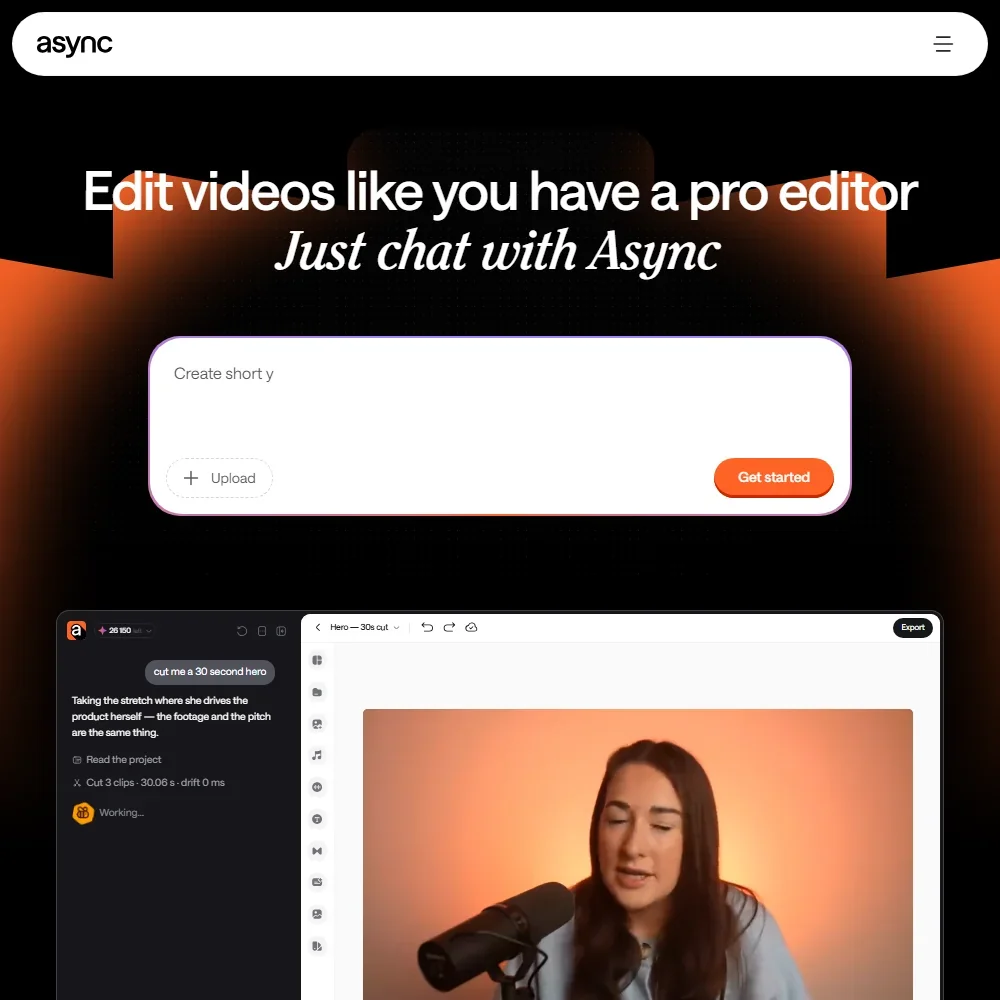
Async homepage screenshot
Async, Homepage

What is Async?

Async was called Podcastle. The company is Podcastle Inc., a Delaware company in the United States that now trades as Async, and the old podcastle.ai address leads to async.com. The site is published in English and Spanish.

Async runs in the browser, with Chrome recommended, and comes with a Chrome extension. An iPhone app handles recording and clips, though it does not work on iPads. There is no Windows or Mac desktop app.

Recording and editing with Async

Remote recording brings up to 10 participants into one session and records each person locally, with a backup in the cloud, so every speaker lands on a separate track. Screen share recording is built in. The monthly recording allowance is 2 hours on Essentials, 20 on Pro and 50 on Teams.

Video is edited on a multitrack timeline or by giving the AI chat instructions. The cleanup tools cover filler word and silence removal, Magic Dust to bring any audio up to studio quality, noise reduction and auto leveling. Background Removal takes the background out of a video recording, and Eye contact adjusts your eyes to face the camera even while you read.

Automatic subtitles come on every plan, and paid plans can translate subtitles into more than 70 languages. Transcription covers English, Spanish, German, French and Italian. AI dubbing translates your video into more than 30 languages in your own voice, with options to remove background audio and add lip sync.

For voice work, text to speech offers more than 1,000 AI voices in more than 15 languages, and voice cloning makes a digital copy of your voice that speaks whatever you type. AI Clips finds the strongest moments in a recording and turns them into short clips for TikTok, Reels, Shorts or ads, in the web app and the iPhone app.

Async also generates media from credits. Its video models include Seedance 2.0, Veo 3.1, Kling 3, Wan 2.7 and Grok Imagine, alongside image models, HeyGen avatars and music. A 4-second Seedance 2.0 clip at 720p costs 18 credits. The stock library adds images, video and more than 7,000 royalty-free music and sound effect tracks.

Exports reach 4K on Pro and Teams, Full HD on Essentials and 720p on the free plan. The watermark can be switched off at export on any paid plan.

Working with other people

Async offers team workspaces with reviewer, creator, admin and owner roles. The Teams plan adds a Brand Kit that holds logos, fonts, colors, images and voices, so content matches your brand.

Async's public API is a Voice API covering text to speech, speech to text and voice cloning. It does not create or edit videos.

Async pricing: what each plan gives
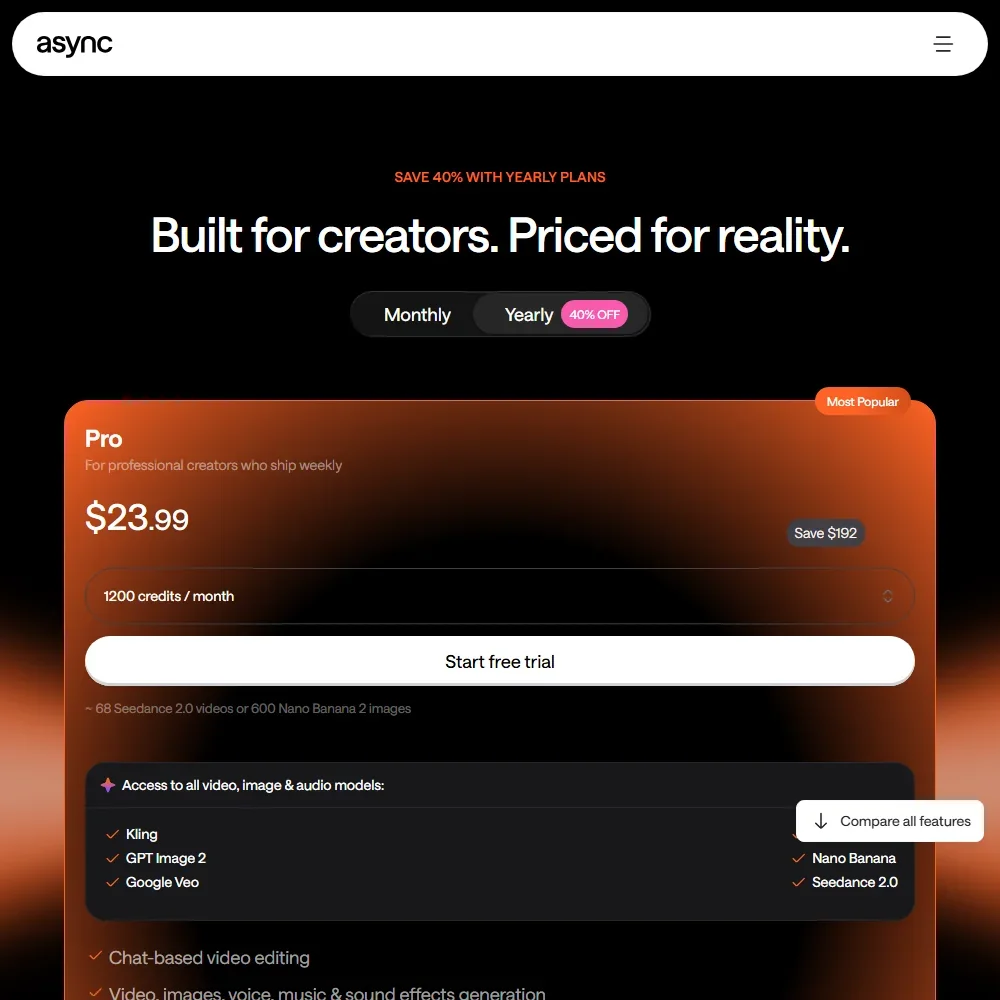
Async pricing screenshot
Async, Pricing

Credits are Async's main cost unit. AI tools, media generation, dubbing and chat editing all draw on a monthly credit allowance that resets each cycle.

The Free plan needs no credit card. Its allowances are lifetime totals: 10 AI credits, 1 hour of media in AI chat, 1 hour of remote recording and 1 hour of automatic subtitles. Exports run at 720p with the Async watermark, limited to one export file, with 2 GB of storage.

Essentials costs $19.99 a month, or $11.99 a month billed yearly, with 450 credits a month and Full HD export. Pro costs $39.99 a month, or $23.99 a month billed yearly, with 1,200 credits a month and 4K export. Teams costs $84.99 per creator a month, or $49.99 a month billed yearly, with 3,000 credits a month per creator, 4K export and the Brand Kit. Business is custom priced and aimed at enterprises that need team collaboration and commercial usage.

A 7-day free trial covers every paid plan, but only on yearly billing, and the full year is charged when the trial ends. You own the content you produce.

Privacy and security

Async is SOC 2 certified and GDPR compliant. Data is encrypted at rest and in transit, and the platform runs advanced vulnerability checks.

Support on the free plan is by email. Paid plans add live chat inside the app, Monday to Friday, and Business adds a dedicated Slack channel. There is also a Discord community.

Who Async suits

Async suits podcasters, interviewers and video creators who record remote guests and want to edit, clean up, subtitle and clip the result without leaving the browser. Creators who publish in several languages get dubbing in their own voice, and the credit plans also cover AI video and image generation from several model makers.

It suits less well anyone who wants a desktop app or editing on an iPad, since it runs in the browser and on iPhone. The free plan's lifetime allowances are enough to try it but not to keep working on, the trial is only on yearly billing, and remote recording hours on Essentials are small next to Pro and Teams.

Frequently Asked Questions

Is Async the same as Podcastle?

Yes. Async was called Podcastle, the company is Podcastle Inc. trading as Async, and podcastle.ai now leads to async.com.

How much does Async cost?

Essentials costs $19.99 a month or $11.99 a month billed yearly, Pro $39.99 or $23.99, and Teams $84.99 per creator or $49.99 billed yearly. Business is custom priced, and there is a free plan with lifetime allowances.

How many people can join a remote recording in Async?

Up to 10 participants, each recorded locally with a cloud backup. Recording time is 2 hours a month on Essentials, 20 on Pro and 50 on Teams.

Is Async secure?

Async is SOC 2 certified and GDPR compliant, and it encrypts data at rest and in transit.
Async is featured in

Alternatives to Async

See all Async alternatives →

Other AI Video Tool options we've reviewed.

HeyGen logo

HeyGen

Solo creators and advanced individuals creating AI videos at scale

8.9
Rank #2 of 8 AI avatar video tools
Best:Avatars10
Weakest:Pricing6.9
Free plan: yesFree trial: noAPI: yes
From $29Free plan
95% from published facts · checked 16 Sep
→
Riverside logo

Riverside

Podcast and video recording, live streaming, and webinars

8.4
Rank #2 of 8 AI video editors
Best:Recording10
Weakest:Pricing6.9
SOC 2: yesRecords remote guests on separate tracks: yes
From $24Free plan
100% from published facts · checked 15 Oct
→
Adobe Firefly logo

Adobe Firefly

Creative Cloud users who want generation inside the apps they already use, from a vendor that does not train on their content

8.1
Rank #1 of 7 AI image generators
Best:Rights and privacy9.2
Weakest:Openness and support3
Weights published under a named licence: noDoes not train on what you make: yes
From $9.99Free plan
78% from published facts · checked 8 Oct
→
Creatify logo

Creatify

Creators and solopreneurs

6.4
Rank #4 of 6 AI ad video tools
Best:Making the ad7.5
Weakest:Assets and teams4.5
SOC 2: yes
From $39Free plan
91% from published facts · checked 16 Sep
→
Kling AI logo

Kling AI

Filmmakers, content creators, and creative professionals seeking high-quality AI video and image generation with cinematic control

8.9
Rank #2 of 8 AI video generators
Best:What it can generate9.8
Weakest:Privacy and platforms3.2
Does not train AI on your videos: no
From $8.80Free plan
94% from published facts · checked 28 Oct
→
Krea logo

Krea

Designers who want one of the broadest model menus, plus a node canvas, an AI agent and an API

9.4
Rank #1 of 13 multi-model AI platforms
Best:For video10
Weakest:Privacy and trust7.2
SOC 2: yesOffers Veo 3.1: yesOffers Nano Banana Pro: yes
From $9Free plan
93% from published facts · checked 28 Oct
→

User reviews

Review Async

Your rating

Reviews are moderated and appear once approved.