
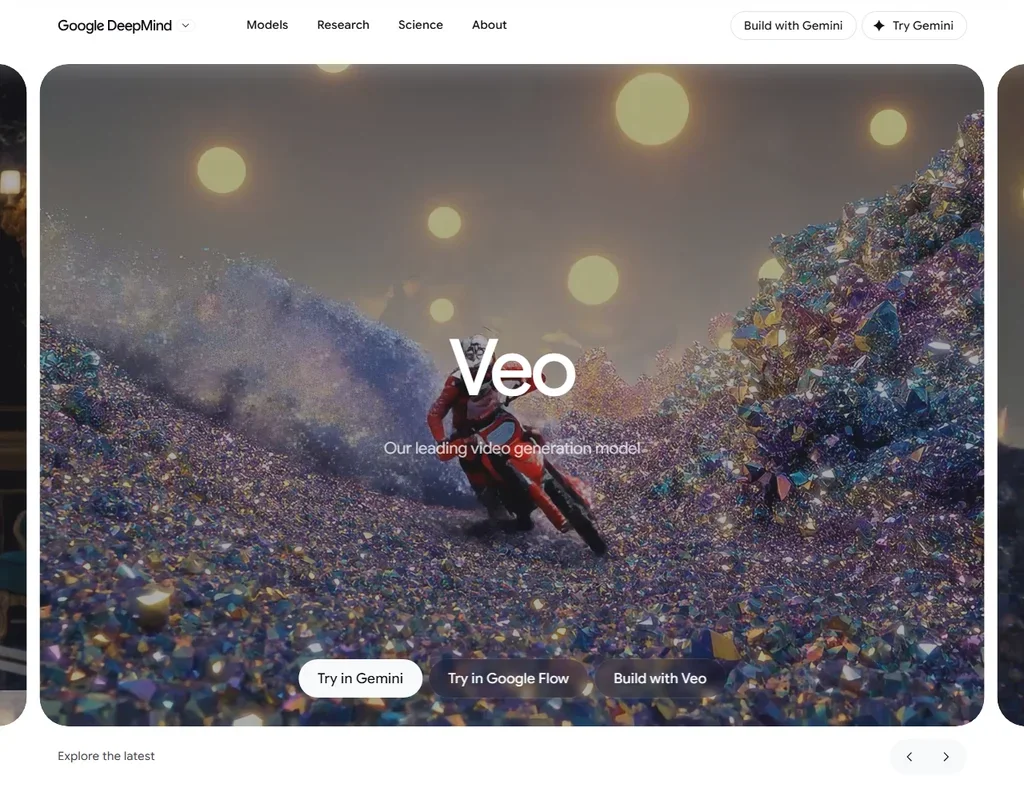
Google Veo is Google DeepMind's family of video models, which generate clips with native audio from text, images and references. You use it through Google Flow, the Gemini app and the Gemini API. What decides whether it suits you is how many clips you need and how long each must be, since Flow runs on credits and one generation is at most 8 seconds.
What is Google Veo?
Veo is built by Google DeepMind, and Google LLC is the operating company, headquartered in the United States. Google Flow is a web app, and mobile browsers work but are not fully optimized. Veo is also available in the Gemini app and through the Gemini API and the Gemini Enterprise Agent Platform. This review covers Veo as you can use it today, which is Veo 3.1.
Making video with Google Veo
The Veo 3.1 models in Flow are Lite, Fast and Quality. Flow also offers Gemini Omni Flash 1.1, and the image models in Flow are Google's Nano Banana family. Flow runs Google's own Veo, Gemini Omni and Nano Banana models, with no other companies' video models.
One generation is 4, 6 or 8 seconds, and Gemini Omni Flash in Flow makes 10 second clips. Extension adds 7 seconds up to 20 times, to 148 seconds in total, but only Veo-generated videos can be extended. Veo generates up to 4K natively, and 1080p and 4K generations are 8 seconds only. In Flow, 1080p upscaling is free for Plus, Pro and Ultra, and 4K upscaling is on Ultra and costs 50 credits. The Gemini API generates 4K directly.
Veo works from text and from images. It supports a start frame and an end frame, and reference images keep a subject consistent: in Flow, Veo 3.1 Fast and Lite take up to 3 references, and the Quality model does not. Camera control is by prompt wording, not a separate slider tool.
Audio is made with the video. Veo 3.1 generates dialogue and sound effects from the prompt, so speech and lip movement are produced in one pass. Spoken audio quality for longer speech is still developing. Flow avatars use your own voice and face, and Gemini Omni Flash also offers custom voices from a prompt. There is no separate lip-sync tool for uploaded footage, and Flow has no stock footage library.
Working with other people
Veo is available to developers through the Gemini API and the Gemini Enterprise Agent Platform. On the Gemini API, Veo 3.1 costs $0.05 to $0.08 per second for Lite, $0.10 to $0.12 for Fast and $0.40 for Standard, at 720p to 1080p and with audio. Commercial use follows Google's Terms of Service, and Google does not claim ownership of generated content.
Google Veo pricing: what each plan gives
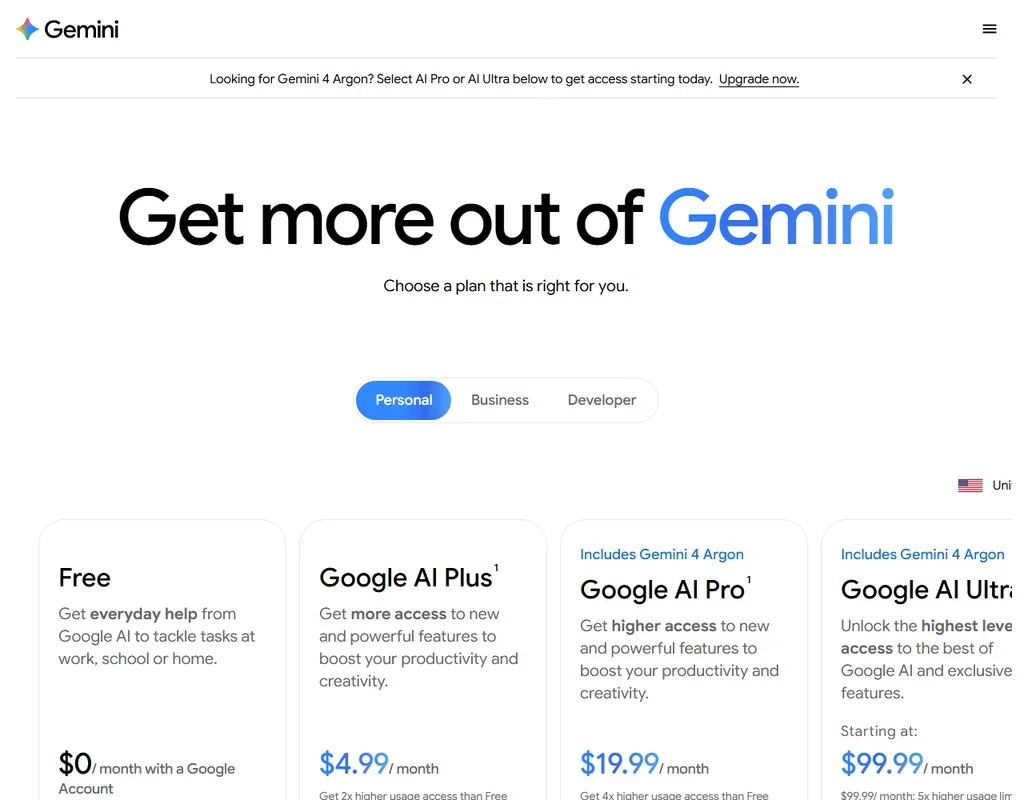
Flow bills in credits, and monthly credits do not roll over. Every account gets 50 credits a day, including a free Google account. Video generation can be unavailable to non-subscribers at peak hours, roughly 2 PM to 5 PM UTC.
A clip of 8 seconds costs 100 credits on Veo 3.1 Quality, which is 12.5 credits a second. Veo 3.1 Fast costs 20 credits and Veo 3.1 Lite costs 10, or 10 and 5 for Ultra. Gemini Omni Flash 10 second clips cost 15 credits at 720p. For non-Ultra users, the daily allowance covers 2 Fast clips.
Google AI Plus costs $4.99 a month and gives 200 Flow credits a month plus daily credits. Google AI Pro costs $19.99 a month with 1,000 Flow credits a month. Google AI Ultra costs $99.99 a month with 10,000 Flow credits, and the top Ultra tier costs $199.99 a month with 25,000. Twenty 8-second Fast clips come to 400 credits, which Plus covers with its 200 monthly credits plus 50 a day.
Privacy and security
In Flow, your interactions can be used to improve models unless you turn history off. On the paid tier of the Gemini API, your content is not used to improve Google products. All outputs carry an invisible SynthID watermark. A visible watermark is an optional toggle, and it is applied automatically only in India, South Korea and Vietnam.
Support is through the Flow Help Center and Discord, and Google One support handles plan and billing issues.
Who Google Veo suits
Veo suits creators who want cinematic clips with built-in sound from a Google account, since dialogue and sound effects come with the video and a free account gets 50 Flow credits a day. It also suits developers who want per-second video generation through the Gemini API, with 4K output.
It suits less well anyone who needs a single clip longer than 8 seconds without extending it, or who wants 4K upscaling in Flow, since that is on Ultra. It also suits less well people who want stock footage, a separate lip-sync tool for uploaded footage, or other companies' video models, because Flow has none of these.
Frequently Asked Questions
How much does Google Veo cost?
A free Google account gets 50 Flow credits a day. Paid Google AI plans start at $4.99 a month for Plus, then $19.99 for Pro and $99.99 or $199.99 for Ultra. On the Gemini API, Veo 3.1 is billed per second.
How long can a Veo clip be?
One generation is 4, 6 or 8 seconds. Extension adds 7 seconds up to 20 times, to 148 seconds in total, and Gemini Omni Flash in Flow makes 10 second clips.
Does Veo make sound?
Yes. Veo 3.1 generates dialogue and sound effects with the video from your prompt, and spoken audio quality for longer speech is still developing.
Do Veo clips carry a watermark?
Outputs carry an invisible SynthID watermark. A visible watermark is an optional toggle, applied automatically only in India, South Korea and Vietnam.