
Vidu is ShengShu's video generator, and everything in it runs on ShengShu's own models: Vidu Q3 for clips with sound and speech, the newer Vidu R1 for 4K picture quality, and a line of reference and real-time models around them. The paid plans are priced in credits, so what matters is which model and mode you pick for a shot and how many clips a plan's credits cover.

What is Vidu?
Vidu is a web, iOS and Android app for making video, images and audio with AI. You can start from a text prompt, a single image, a first and last frame, or a set of reference images of a character or product. Vidu Q3 generates clips of up to 16 seconds with dialogue, voiceover, sound effects and music made together with the picture. Vidu R1, released in August 2026, focuses on picture quality and prompt following and outputs up to 4K.
Around generation sit an agent that builds short videos from a conversation, a library of effect templates, and tools for lip sync, voice cloning, sound effects and extending clips. A developer API offers the same models.
Vidu's models
- Vidu R1 (latest): text or reference image to video, up to 4K.
- Vidu Q3 (latest with native audio): text, image, and first and last frame to video, up to 16 seconds at up to 1080p, with speech in English, Japanese or Chinese. In the app it has two modes, Cinematic for the best motion and detail and Flash for speed and lower cost.
- Vidu Q3 Mix: reference to video, keeping characters, products and scenes from up to seven reference images.
- Vidu Q2 Pro and Q2 Turbo: the previous generation. Q2 Pro is the model that accepts a video as a reference.
- Vidu Q1 and Vidu 2.0: older video models, still available.
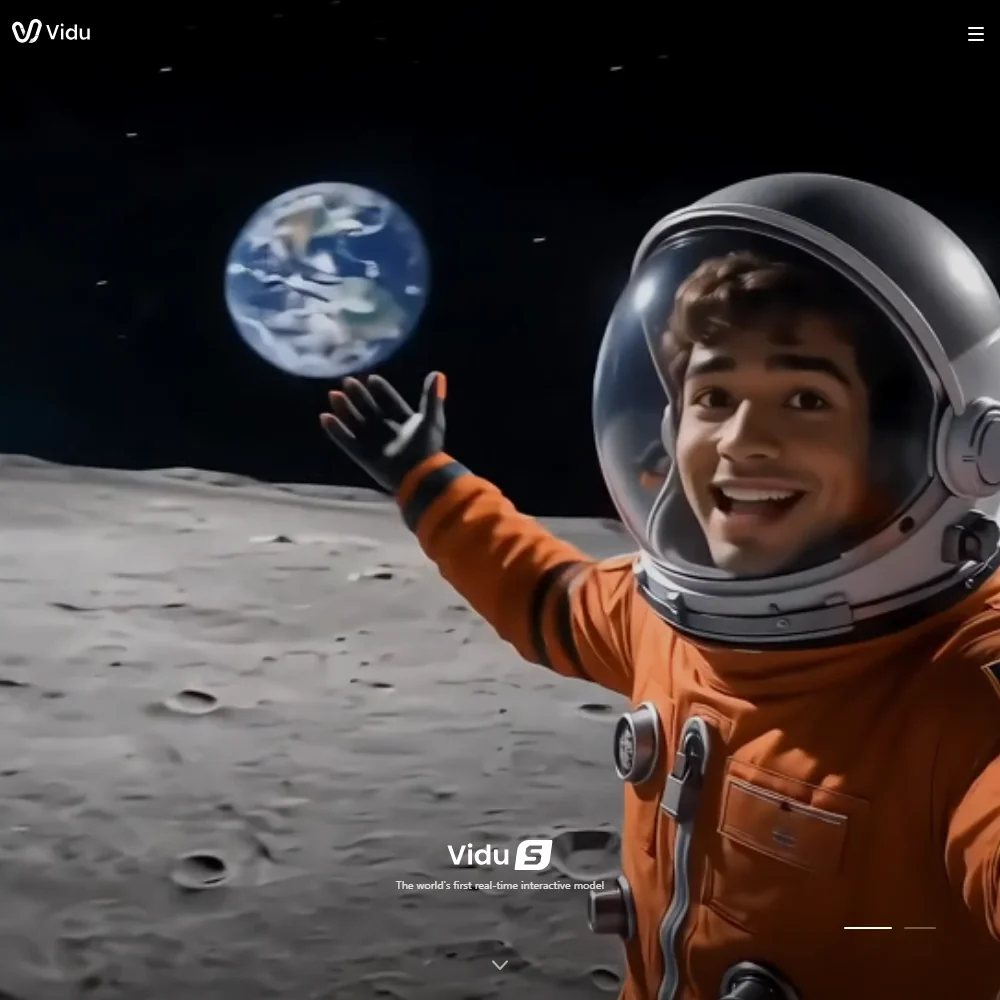
- Vidu S2: real-time interactive video, with S2-Avatar for talking characters and S2-Editing for streaming edits.
- Vidu Q2 image: image generation at 1080p.
Vidu does not offer other companies' video models. The agent plan's strings name GPT Image 2 and Nano Banana 2 for images, but video is Vidu's own throughout.
What you can make with Vidu
Text to video and image to video work on Q3 and R1. For control over how a shot starts and ends, Q3 takes a first and a last frame. Camera movement and pacing are directed in the prompt, and Vidu's Q3 page describes frame-level control of camera language. Clips can be extended with the Video Extender tool, and higher plans allow longer extensions.
Reference to video is where Vidu stands out. You upload one to seven images of a person, product or place, and Q3 Mix keeps them recognisable across the clip, which makes it practical for recurring characters and product ads. Saved subjects count against a monthly quota: 10 on the free plan, 50 on Standard, 100 on Premium and 300 on Ultimate.
For sound, Q3 generates speech, sound effects and music in the same pass as the video. Separate tools add lip sync to an uploaded video, clone a voice, generate sound effects, and add subtitles automatically in the music-video tool. Paid plans can generate four videos from one prompt at once.
Vidu pricing: what each plan makes

Credits pay for everything, and the cost depends on the model, mode, length and resolution. A ten-second 1080p Q3 clip costs 80 credits in Cinematic mode (90 from an image) and 25 in Flash. Reference to video is charged by the second: 6 credits a second in Cinematic, 3 in Flash.
The free plan gives a small monthly allowance of credits, adds a watermark and does not allow commercial use. Standard costs $10 a month ($8.25 a month billed yearly) for 800 credits: about ten ten-second Q3 Cinematic clips or 32 in Flash. It removes the watermark and allows commercial use.
Premium costs $43 a month ($35.42 billed yearly) for 3,500 credits, about 43 Cinematic clips or 140 in Flash, with a faster generation channel and early access to new features. Ultimate costs $230 a month ($191.67 billed yearly) for 8,000 credits, about 100 Cinematic clips, plus Off-Peak mode: up to 200 video tasks a day at no credit cost, run in quieter hours and slower to finish. Ultimate also includes unlimited Q2 image generation at 1080p.
Subscription credits expire at the end of each cycle and do not roll over. Credits bought separately last two years, and credits spent on a generation that fails on Vidu's side are refunded.
Privacy and support
Vidu is run by ShengShu AI HK Limited in Hong Kong, and its privacy policy says account data is stored in Singapore. Vidu's terms give it a licence to use what you upload and create to improve its products, including for AI training, and neither the terms nor the privacy policy describe an opt-out. Subscriptions belong to one person and cannot be shared across a team.
Support is by email at support@vidu.com, backed by a help center, tutorials and a Discord community. No live chat or phone support is listed.
Who Vidu suits
Vidu suits creators making character-driven clips, anime and short dramas who need the same faces and products to hold from shot to shot, and who want speech and sound generated with the picture. Flash mode keeps drafts cheap, and Ultimate's Off-Peak mode suits anyone generating in volume who can wait for results.
It suits less well anyone who wants other companies' video models in the same account, or teams working under confidentiality terms, since Vidu can train on uploaded material. On Standard, Cinematic mode runs out after about ten clips a month.
How Vidu AI compares
Vidu AI scores 8.9 out of 10 among the AI video generators we rate. These three do the same job and are the closest to it, compared on what each vendor publishes.
Kling AI
Both make their own models only. Vidu AI makes 4K with its R1 model and clips of up to 16 seconds with Q3, against Kling AI's 15. Kling AI's VIDEO 3.0 generates 4K with sound, and Kling runs as a Windows and Mac app as well as on the web and phones. A working month of 20 ten-second clips costs $35 on Vidu AI's Premium plan against $32.56 on Kling AI's Pro plan.
Pick Kling AI if you want 4K and sound from one model, a desktop app and the lower price.
Pick Vidu AI if you want 16-second clips in a single generation.
Hailuo AI
Vidu AI's Q3 model makes clips of up to 16 seconds and its R1 model reaches 4K, while Hailuo AI's MiniMax H3 tops out at 2K. A working month of 20 ten-second clips costs $35 on Vidu AI's Premium plan against $38 on Hailuo AI's Pro plan. Hailuo AI adds Google's Veo 3.1 in the same account. Vidu AI's terms let it use what you make for AI training; Hailuo AI does not state either way.
Pick Hailuo AI if you want Google's Veo 3.1 alongside the tool's own models.
Pick Vidu AI if you want 4K, 16-second clips or the lower price.
Runway
Vidu AI's own R1 model reaches 4K, and a working month of 20 ten-second clips on its Q3 model costs $43 on the Premium plan. Runway's own Gen-4.5 outputs 720p and reaches 4K through Seedance 2.0 and Kling O3, and its working month costs $95 on the Max plan. Runway holds SOC 2 and GDPR and offers single sign-on on Enterprise, which Vidu AI does not list.
Pick Runway if you need SOC 2, GDPR or single sign-on.
Pick Vidu AI if you want 4K from the tool's own model at well under half the cost.
Frequently Asked Questions
Does Vidu have a free plan?
Yes. It includes a small monthly credit allowance and ten saved references a month. Videos carry a watermark and cannot be used commercially; that needs a paid plan.
What is Vidu's latest model?
Vidu R1, released in August 2026, is the newest and generates up to 4K. Vidu Q3 is the latest model that generates audio with the video, up to 16 seconds per clip.
How many reference images can Vidu use?
Up to seven in reference to video, to keep characters, products and settings consistent. Video references need Vidu Q2 Pro.
How many videos do you get on Vidu's plans?
About ten ten-second 1080p Q3 Cinematic clips a month on Standard, 43 on Premium and 100 on Ultimate. Flash mode costs less than a third as much per clip, and Ultimate adds up to 200 free off-peak tasks a day.











