Our research into JoggAI started the way most of these do: pull the vendor docs, cross-reference the pricing page, dig through whatever user reviews exist. This particular joggai review took longer than expected, mostly because the review trail is thin. Not on G2. Not on Capterra. Not on Trustpilot. Founded in 2023 and headquartered in Singapore, JoggAI has moved fast, claims 800,000+ users, and built a product that genuinely does a few things differently. Whether "differently" means "better" is the question worth asking.
What is JoggAI?
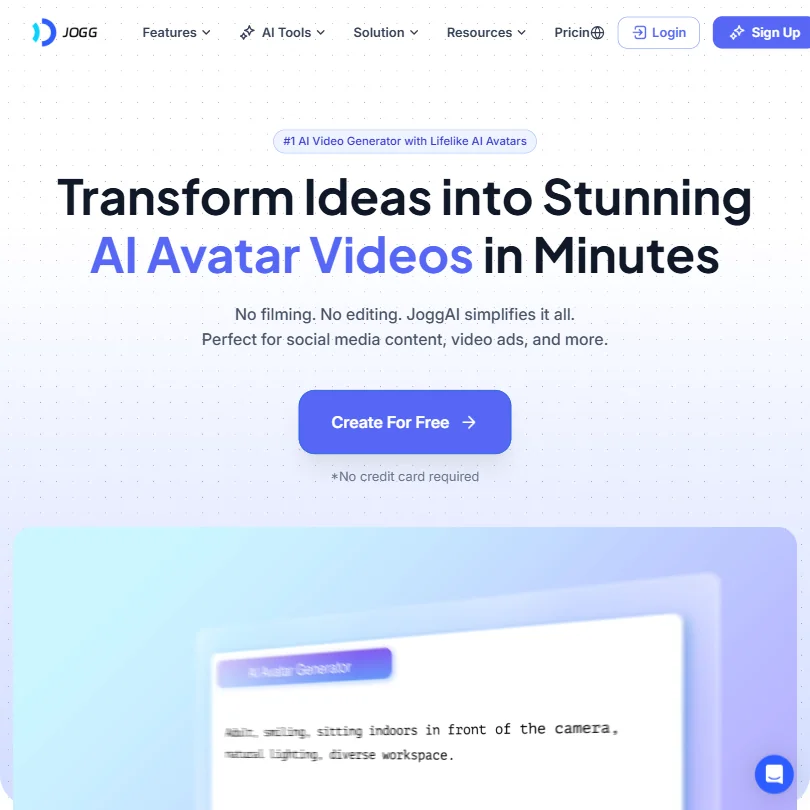
JoggAI sits in the AI avatar video generation space. The pitch, stripped of the marketing layer, is this: you shouldn't need a camera, an actor, or an editing suite to produce video content. Paste a product URL, or type a script, and something watchable comes out the other side.
That's the loop. Their proprietary tech stack includes AvatarX for the avatar rendering and Seedance 2.0 for video generation. Happy Horse also gets a mention in their model lineup. Three internal models, all proprietary, none of them names you'd recognize from the open-source world.
What separates JoggAI from Synthesia or D-ID isn't the avatar tech alone. It's the URL-to-Video feature. Drop in a product link and the tool scrapes imagery, writes copy, and spits out a short video ad. For e-commerce marketers running product campaigns on TikTok or Instagram, that's a real time saver. Honestly, that surprised us. Most avatar tools stop at the talking head. This one reaches further into the ad production workflow.
JoggAI Features: Scheduling, AI Content & Analytics
Worth being direct here: JoggAI is a video creation tool, not a social media management platform. No scheduling. No content calendar. No analytics dashboard. No competitor analysis. None of it.
What it does have is a Batch Video Creation feature, which functions as a kind of bulk production tool. You can generate multiple videos in one session rather than building each one from scratch. That matters if your workflow is high-volume, low-variation content, like spinning up product ad variants.
Auto-Caption ships natively. That's the most useful satellite feature here. Captions are table stakes for short-form video now, so having them auto-generated rather than uploaded separately saves real time.
The avatar side of the product is genuinely deep. Text to Avatar, Photo to Avatar, and a Custom Avatar option all sit under the same umbrella. There's also a Video Translator feature supporting 25+ languages, which makes the tool more interesting for international e-commerce teams than the homepage makes obvious.
We don't buy the comparison they make on their homepage about "$15 vs $1,000+ production costs." It's technically true and wildly misleading at the same time.
JoggAI Platform Support: Which Networks Does It Cover?
JoggAI exports in 9:16 and 16:9 formats. That covers TikTok, Instagram Reels, and YouTube. Good.
But there's no direct publishing. You generate the video, download it, then upload it yourself. A few user comments mentioned that direct publishing was on the roadmap, but it hadn't shipped at the time of those reports. For a tool aimed at social media marketers, that gap is annoying. Not fatal, but annoying.
The absence of any scheduling or publishing layer means JoggAI is always going to be one step removed from the actual workflow. You'd need something else running alongside it. Tools like ContentStudio handle scheduling across platforms and could run parallel to JoggAI's output without much friction.
JoggAI AI Content Creation: Caption & Copy Quality
The auto-caption quality reads well in the demos. Real-world performance varies, as it does everywhere in this category. We couldn't find enough independent user reports specifically on caption accuracy to call it either way.
The copy side, meaning the scripts the AI generates from product URLs or text prompts, gets more commentary. Users in Reddit threads described the output as functional but flat. It gets the job done. It doesn't sound like a person wrote it. That's typical for this category, and not unique to JoggAI, but it's worth naming.
Lip sync is where JoggAI does better than average. Their marketing leans hard on "perfect lip-sync," and user reports mostly back that up. The lip-sync quality seems to be the standout technical achievement in the current build. We've seen competitors where the mouth movements look like a broken puppet. JoggAI seems to have sorted that out reasonably well.
Is JoggAI Easy to Use?
The free plan exists, no credit card required, and that's a meaningful commitment. You get 3 credits, up to 3 avatar videos capped at one minute each, and one custom avatar. Exports carry a watermark. Fair. That's enough to actually evaluate the product before paying anything.
The web-only platform keeps things simple. No desktop app to manage. The core workflow appears to be: pick an avatar, enter your script or URL, generate, download. Most user reports describe getting a first video out in under 15 minutes.
That said, the more advanced features, specifically Custom Avatars and Batch Video Creation, have a steeper learning curve than the basic interface suggests. We're not skeptical of that. It's predictable.
JoggAI Pricing: Is It Worth It for Creators & Agencies?
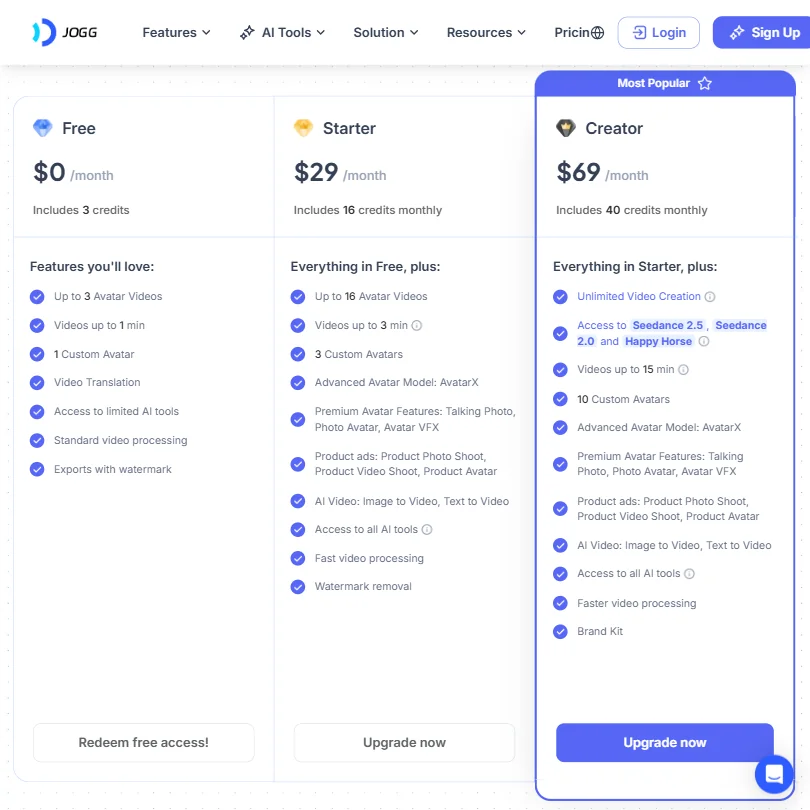
Three paid tiers, all annual pricing. Starter runs $24 per month. Creator is $36. The Team plan lands at $46 per seat per month and adds multi-user workspace features, roles, and shared templates.
Against the category median of roughly $29 per month, JoggAI's Starter tier comes in below average. That's real. But pricing in this category is hard to compare cleanly because what you're buying varies so much from tool to tool. A $24/month avatar video tool and a $24/month scheduling platform aren't the same type of purchase.
No public refund policy is a problem. We looked. It's not there. For a tool with an annual billing model and no hands-on trial for paid features, the absence of a stated refund window is a gap that should bother people before they commit.
Enterprise pricing exists. Custom, obviously. No details.
JoggAI vs HeyGen: Which Social Media Tool Wins?
HeyGen is the obvious comparison for an AI avatar video generator review. Both tools do AI avatars. Both target marketers. Both are aimed at people who don't want to film themselves.
HeyGen has more established brand recognition, a longer track record, and considerably more third-party documentation. Its pricing starts higher, around $29/month for comparable features on the low end. JoggAI comes in cheaper on the entry tier.
Where JoggAI has an edge is the URL-to-Video ad creation angle. HeyGen doesn't offer that same product-URL-to-video workflow in the same integrated way. For e-commerce specifically, that's a meaningful difference. For everyone else, HeyGen's review trail is longer and more reliable, which is worth something when you're deciding where to put a credit card.
We'd also mention that JoggAI's API access has been noted positively in user comments. Developers building it into WooCommerce or other product pipelines seem to find it workable. HeyGen's API is more mature, but JoggAI's is apparently functional enough that it's not a dealbreaker.
Who Should Use JoggAI? (And Who Shouldn't)
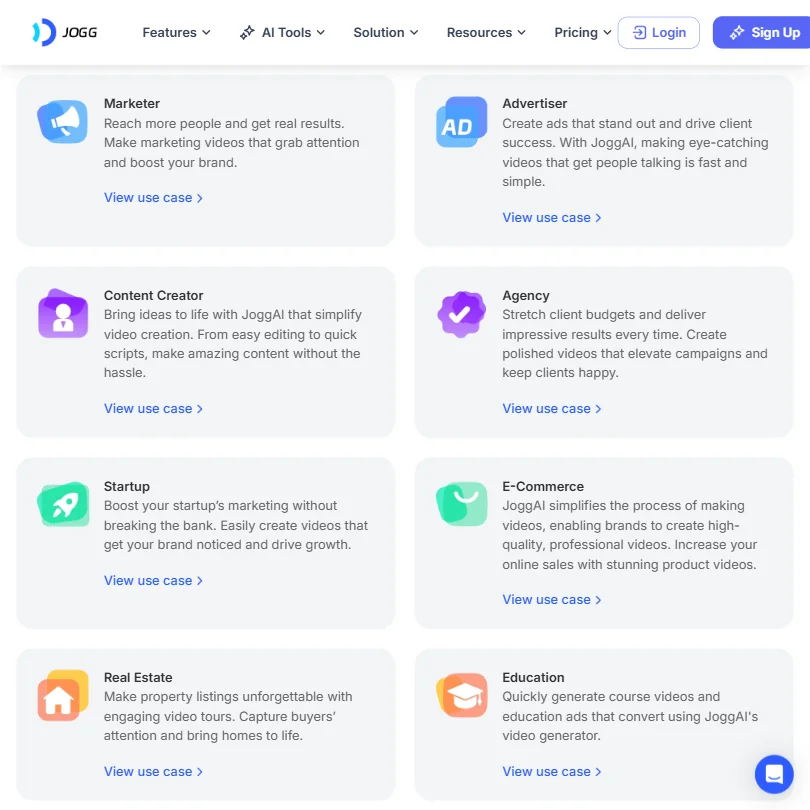
E-commerce marketers running product ad campaigns. That's the clearest fit. The URL-to-Video workflow is built for exactly that use case and nothing else comes close to it in the sub-$50 range.
Content creators who need multilingual video output and don't want to film anything. The 25+ language support via Video Translator makes this useful for teams operating across markets.
Social media managers who need scheduling, analytics, or any kind of publishing workflow built in. Not this tool. The feature set doesn't cover that ground. Something like Vista Social belongs in that conversation instead.
Agencies who want a white-label offering should also look elsewhere. White-label availability isn't publicly stated, which usually means no.
JoggAI Review Verdict
JoggAI does what it says it does. The avatar quality is solid. The URL-to-Video feature is genuinely useful for e-commerce teams. The multilingual support adds range that competitors often charge a premium for.
But the gaps are real. No scheduling. No analytics. No direct publishing. No public refund policy on annual billing is the kind of thing that quietly costs a company trust. The review trail is thin across every major platform, which makes it hard to verify whether the demos match reality at scale.
At $24/month for the Starter tier, the price is reasonable for what you get. For avatar video creation specifically, it's competitive. For a full social media workflow, it's half a solution.
We'd call it a specialist tool that works best alongside something else. Not the single-platform answer it sometimes presents itself as.