n8n is for operations teams with an engineer nearby: the self-hosted Community Edition is free with no workflow limits, code nodes accept JavaScript or Python anywhere, and it runs on Docker, on-premises or in the cloud.
Buying guide · 25 tools ranked
Best AI Tools for Ops & Automation
Find the best AI tools for operations, grouped by the job each one does when you automate a process: connecting apps, enterprise automation, AI agents, internal tools and web data, project and knowledge management, and meeting follow-up. Pick one tool per job rather than comparing everything, and read who each one suits and where it falls short before you build a process on it.
Our top 3 AI Tools for Ops & Automation
UiPath is the pick when a process runs through applications that expose no connectors, because its robotic process automation works through the screen, with AI agents and Maestro orchestration added on top.
MindStudio is the easiest agent builder to try: the free plan gives one agent and 1,000 runs a month, and its drag-and-drop editor supports branching across more than 200 models including Claude.
Best AI workflow automation tools for operations teams
5 picksConnecting apps is the base of most operations work, and the picks differ on who will build and where the work runs. Zapier links thousands of apps with no code and has a free plan. Make draws workflows on a visual canvas with routers and iterators for branching. n8n and Activepieces can be self-hosted, n8n with code nodes and Activepieces as open source with unlimited runs. Pipedream is aimed at engineers who want code in every step. Choose Zapier when nobody codes, Make when a process has many branches, and a self-hosted tool when data must stay on your own servers.
#ToolScorePriceWhy pick it
From $20free plann8n is for operations teams with an engineer nearby: the self-hosted Community Edition is free with no workflow limits, code nodes accept JavaScript or Python anywhere, and it runs on Docker, on-premises or in the cloud.
Show detailsHide details01 n8n: Best for technical teams that self-host8.8Score 8.8 out of 10From $20free plann8n is for operations teams with an engineer nearby: the self-hosted Community Edition is free with no workflow limits, code nodes accept JavaScript or Python anywhere, and it runs on Docker, on-premises or in the cloud.Visit site ↗ReviewDetailsCloseShow more about n8n
From $20free plan
n8n is for operations teams with an engineer nearby: the self-hosted Community Edition is free with no workflow limits, code nodes accept JavaScript or Python anywhere, and it runs on Docker, on-premises or in the cloud.
Show detailsHide detailsn8n: Best for technical teams that self-host
8.8Score 8.8 out of 10From $20free plann8n is for operations teams with an engineer nearby: the self-hosted Community Edition is free with no workflow limits, code nodes accept JavaScript or Python anywhere, and it runs on Docker, on-premises or in the cloud.Visit site ↗ReviewDetailsClose
n8n is for operations teams with an engineer nearby: the self-hosted Community Edition is free with no workflow limits, code nodes accept JavaScript or Python anywhere, and it runs on Docker, on-premises or in the cloud. Non-technical users tend to struggle with its interface, and support tickets can be slow, so you lean on the forum. Zapier is the easier start for anyone who does not code.
- The self-hosted community edition is genuinely free with no workflow limits, which is rare among automation platforms.
- Code nodes allow JavaScript or Python to be inserted anywhere in a workflow, so developers never feel constrained by visual node limitations.
- Non-technical users tend to bounce off the platform quickly due to its complexity and technical design philosophy.
From $29.99free planPick Zapier when the person building the process does not code: it links over 9,000 apps, supports branches and AI steps, and runs a Code step in JavaScript or Python when you need one.
Show detailsHide details02 Zapier: Best for connecting apps with no code7.9Score 7.9 out of 10From $29.99free planPick Zapier when the person building the process does not code: it links over 9,000 apps, supports branches and AI steps, and runs a Code step in JavaScript or Python when you need one.Visit site ↗ReviewDetailsCloseShow more about Zapier
From $29.99free plan
Pick Zapier when the person building the process does not code: it links over 9,000 apps, supports branches and AI steps, and runs a Code step in JavaScript or Python when you need one.
Show detailsHide detailsZapier: Best for connecting apps with no code
7.9Score 7.9 out of 10From $29.99free planPick Zapier when the person building the process does not code: it links over 9,000 apps, supports branches and AI steps, and runs a Code step in JavaScript or Python when you need one.Visit site ↗ReviewDetailsClose
Pick Zapier when the person building the process does not code: it links over 9,000 apps, supports branches and AI steps, and runs a Code step in JavaScript or Python when you need one. The free plan allows 100 tasks a month with two-step Zaps, and multi-step Zaps begin on Professional. Costs rise with task volume, and n8n is cheaper to run at scale if you can host it.
- Zapier integrates with over 9,000 apps, making it one of the largest integration libraries available on any automation platform.
- The visual workflow builder supports logic branches, conditional paths, and AI processing steps without requiring any coding knowledge.
- Users tend to stay not out of satisfaction but because rebuilding existing workflows on another platform is too costly and time-consuming.
From $20free planTeams that want to own their automation should look at Activepieces, which is open source under the MIT license, self-hosts on Docker or Helm, and charges nothing extra for runs.
Show detailsHide details03 Activepieces: Best for open-source automation with unlimited runs7.7Score 7.7 out of 10From $20free planTeams that want to own their automation should look at Activepieces, which is open source under the MIT license, self-hosts on Docker or Helm, and charges nothing extra for runs.Visit site ↗ReviewDetailsCloseShow more about Activepieces
From $20free plan
Teams that want to own their automation should look at Activepieces, which is open source under the MIT license, self-hosts on Docker or Helm, and charges nothing extra for runs.
Show detailsHide detailsActivepieces: Best for open-source automation with unlimited runs
7.7Score 7.7 out of 10From $20free planTeams that want to own their automation should look at Activepieces, which is open source under the MIT license, self-hosts on Docker or Helm, and charges nothing extra for runs.Visit site ↗ReviewDetailsClose
Teams that want to own their automation should look at Activepieces, which is open source under the MIT license, self-hosts on Docker or Helm, and charges nothing extra for runs. The free plan gives 1,000 credits a month with unlimited flows, and an agent builder includes a Human Approval step. It is a young product, and self-hosting adds work for small teams. Make is more mature if you do not need to host it.
- Unlimited automation runs are included at no extra charge regardless of plan, making it cost-effective for high-volume teams.
- MIT-licensed open-source platform allows full self-hosting on Docker, Helm, or any cloud provider for maximum data control.
- Relatively young platform founded in 2022, which may raise concerns about long-term stability and enterprise maturity.
From $10.59free planMake suits a process with many branches, since routers, iterators and aggregators handle conditions and lists that simpler builders cannot, and you can watch data move through each module as it runs.
Show detailsHide details04 Make: Best for branching workflows on a visual canvas7.3Score 7.3 out of 10From $10.59free planMake suits a process with many branches, since routers, iterators and aggregators handle conditions and lists that simpler builders cannot, and you can watch data move through each module as it runs.Visit site ↗ReviewDetailsCloseShow more about Make
From $10.59free plan
Make suits a process with many branches, since routers, iterators and aggregators handle conditions and lists that simpler builders cannot, and you can watch data move through each module as it runs.
Show detailsHide detailsMake: Best for branching workflows on a visual canvas
7.3Score 7.3 out of 10From $10.59free planMake suits a process with many branches, since routers, iterators and aggregators handle conditions and lists that simpler builders cannot, and you can watch data move through each module as it runs.Visit site ↗ReviewDetailsClose
Make suits a process with many branches, since routers, iterators and aggregators handle conditions and lists that simpler builders cannot, and you can watch data move through each module as it runs. There is a free plan. The learning curve is steep, so budget time to get good, and a plain linear task is faster in Zapier. Its free plan also caps how many scenarios stay active.
- The visual canvas builder lets users construct complex multi-step automation workflows without writing a single line of code.
- Routers, iterators, and aggregators enable branching, conditional logic, and array processing that most competing tools cannot handle.
- Steep learning curve means new users need significant time investment before they can use the platform effectively.
From $45free planEngineering-led operations teams get the most from Pipedream: over 3,000 integrations, custom code in Node.js, Python, Go and Bash, and an AI agent builder.
Show detailsHide details05 Pipedream: Best for engineers who want code in workflows7.3Score 7.3 out of 10From $45free planEngineering-led operations teams get the most from Pipedream: over 3,000 integrations, custom code in Node.js, Python, Go and Bash, and an AI agent builder.Visit site ↗ReviewDetailsCloseShow more about Pipedream
From $45free plan
Engineering-led operations teams get the most from Pipedream: over 3,000 integrations, custom code in Node.js, Python, Go and Bash, and an AI agent builder.
Show detailsHide detailsPipedream: Best for engineers who want code in workflows
7.3Score 7.3 out of 10From $45free planEngineering-led operations teams get the most from Pipedream: over 3,000 integrations, custom code in Node.js, Python, Go and Bash, and an AI agent builder.Visit site ↗ReviewDetailsClose
Engineering-led operations teams get the most from Pipedream: over 3,000 integrations, custom code in Node.js, Python, Go and Bash, and an AI agent builder. The free tier gives 100 credits a month with no time limit. It is not built for non-technical staff, the free plan schedules no faster than every five minutes, and the Workday acquisition leaves its roadmap open. Activepieces is the open-source alternative.
- Over 3,000 integrations and 10,000+ pre-built actions give developers extensive connectivity options out of the box.
- Supports custom code in Node.js, Python, Go, and Bash, allowing developers to drop into code whenever the visual builder isn't expressive enough.
- The Workday acquisition introduces uncertainty about the product roadmap and future priorities.
Best enterprise automation platforms for operations teams
3 picksLarge companies need automation that is governed, logged and sold through a contract, so these picks differ in what they automate. Workato combines app integration, AI agent orchestration, API management and data pipelines, and it keeps execution logs for audit. Tray.ai offers over 700 connectors and an agent builder called Merlin, with no free plan. UiPath pairs robotic process automation, which works through screens, with AI agents. Choose UiPath when the process lives in applications without connectors, and Workato or Tray.ai when the job is joining systems behind an integration layer.
#ToolScorePriceWhy pick it
From $25free planUiPath is the pick when a process runs through applications that expose no connectors, because its robotic process automation works through the screen, with AI agents and Maestro orchestration added on top.
Show detailsHide details06 UiPath: Best for robots that work through screens8.6Score 8.6 out of 10From $25free planUiPath is the pick when a process runs through applications that expose no connectors, because its robotic process automation works through the screen, with AI agents and Maestro orchestration added on top.Visit site ↗ReviewDetailsCloseShow more about UiPath
From $25free plan
UiPath is the pick when a process runs through applications that expose no connectors, because its robotic process automation works through the screen, with AI agents and Maestro orchestration added on top.
Show detailsHide detailsUiPath: Best for robots that work through screens
8.6Score 8.6 out of 10From $25free planUiPath is the pick when a process runs through applications that expose no connectors, because its robotic process automation works through the screen, with AI agents and Maestro orchestration added on top.Visit site ↗ReviewDetailsClose
UiPath is the pick when a process runs through applications that expose no connectors, because its robotic process automation works through the screen, with AI agents and Maestro orchestration added on top. A free tier and a Basic plan exist for small teams. Teams that underestimate implementation effort often report dissatisfaction, and it is more than a small team needs. Zapier covers simple jobs at lower effort.
- UiPath has nearly two decades of enterprise RPA experience, giving it a proven and stable automation foundation.
- The platform combines RPA robots, AI agents, and human-in-the-loop orchestration via Maestro into a unified automation loop.
- Teams that underestimate setup complexity frequently report dissatisfaction, suggesting a steep and punishing onboarding curve.
Pricing N/Afree planChoose Workato when an IT team must join many systems under one governed platform: its low-code recipe builder handles conditions and errors, execution logs are kept for 30 to 90 days, and it includes agent orchestration and MCP servers.
Show detailsHide details07 Workato: Best for governed automation across a large company8.0Score 8.0 out of 10Pricing N/Afree planChoose Workato when an IT team must join many systems under one governed platform: its low-code recipe builder handles conditions and errors, execution logs are kept for 30 to 90 days, and it includes agent orchestration and MCP servers.Visit site ↗ReviewDetailsCloseShow more about Workato
Pricing N/Afree plan
Choose Workato when an IT team must join many systems under one governed platform: its low-code recipe builder handles conditions and errors, execution logs are kept for 30 to 90 days, and it includes agent orchestration and MCP servers.
Show detailsHide detailsWorkato: Best for governed automation across a large company
8.0Score 8.0 out of 10Pricing N/Afree planChoose Workato when an IT team must join many systems under one governed platform: its low-code recipe builder handles conditions and errors, execution logs are kept for 30 to 90 days, and it includes agent orchestration and MCP servers.Visit site ↗ReviewDetailsClose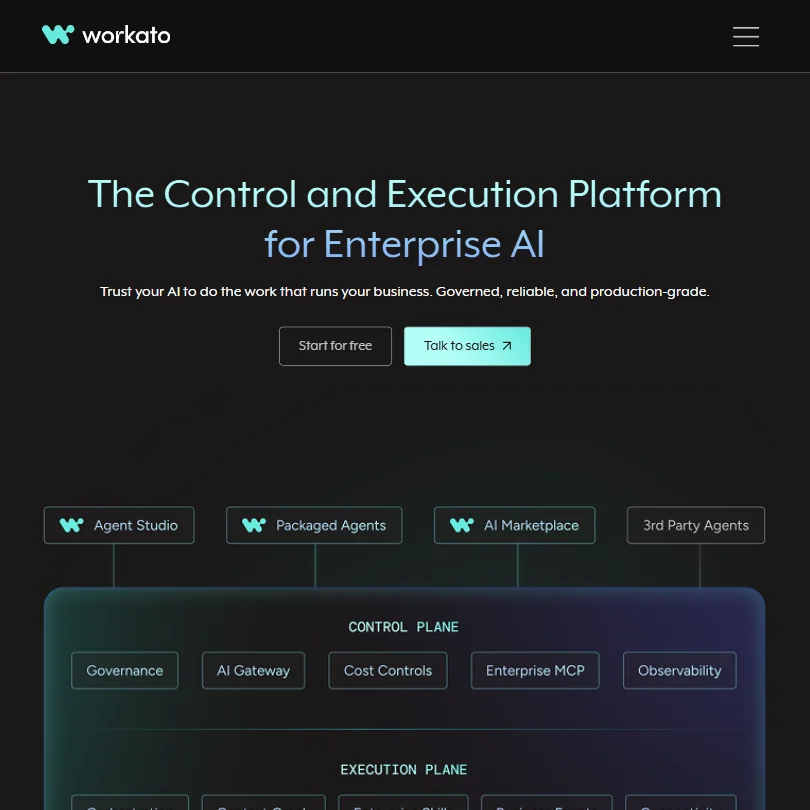
Choose Workato when an IT team must join many systems under one governed platform: its low-code recipe builder handles conditions and errors, execution logs are kept for 30 to 90 days, and it includes agent orchestration and MCP servers. A free plan gives one-time credits. Pricing is not published, and it is built for mid-size and large companies, so smaller teams will find Zapier or Make simpler.
- Combines iPaaS, AI agent orchestration, API management, ETL pipelines, and composable MCP servers into a single governed platform, reducing tool sprawl.
- The recipe builder is low-code and visual, with conditional logic and error handling baked directly into the orchestration engine rather than added as an afterthought.
- Pricing is entirely opaque, the pricing page provides no actionable information, making cost evaluation difficult without engaging sales.
Pricing N/ATray.ai has over a decade of enterprise integration behind it, more than 700 connectors, and Merlin Agent Builder for conversational and autonomous agents, with agent and MCP controls as an add-on.
Show detailsHide details08 Tray.ai: Best for governed automation with agent controls6.4Score 6.4 out of 10Pricing N/ATray.ai has over a decade of enterprise integration behind it, more than 700 connectors, and Merlin Agent Builder for conversational and autonomous agents, with agent and MCP controls as an add-on.Visit site ↗ReviewDetailsCloseShow more about Tray.ai
Pricing N/A
Tray.ai has over a decade of enterprise integration behind it, more than 700 connectors, and Merlin Agent Builder for conversational and autonomous agents, with agent and MCP controls as an add-on.
Show detailsHide detailsTray.ai: Best for governed automation with agent controls
6.4Score 6.4 out of 10Pricing N/ATray.ai has over a decade of enterprise integration behind it, more than 700 connectors, and Merlin Agent Builder for conversational and autonomous agents, with agent and MCP controls as an add-on.Visit site ↗ReviewDetailsClose
Tray.ai has over a decade of enterprise integration behind it, more than 700 connectors, and Merlin Agent Builder for conversational and autonomous agents, with agent and MCP controls as an add-on. It has no free plan and demonstrations are the route in. The agent layer is newer than the integration core. Workato is the closest rival, and UiPath is better where screen-based robots are needed.
- Tray.ai has over a decade of enterprise iPaaS experience since 2012, giving it a hardened integration foundation that newer AI automation tools lack.
- The platform offers 700+ pre-built connectors, making it one of the more comprehensive integration libraries in the enterprise automation space.
- The AI agent orchestration layer is newer than the mature iPaaS foundation.
Best AI agent builders for operations teams
6 picksAgent builders let a model decide and act inside a process, so the picks differ on who builds them and what they are built for. MindStudio runs no-code agents across more than 200 models and has a free plan. Gumloop builds AI workflows on a canvas, and Relevance AI builds teams of specialist agents for revenue teams. StackAI targets regulated industries with human-in-the-loop controls. Bardeen scrapes leads from web pages, and Lindy handles email and scheduling by text message. Start with MindStudio to learn, and choose StackAI when compliance decides the purchase.
#ToolScorePriceWhy pick it
From $20free planMindStudio is the easiest agent builder to try: the free plan gives one agent and 1,000 runs a month, and its drag-and-drop editor supports branching across more than 200 models including Claude.
Show detailsHide details09 MindStudio: Best for no-code agents across 200 models9.3Score 9.3 out of 10From $20free planMindStudio is the easiest agent builder to try: the free plan gives one agent and 1,000 runs a month, and its drag-and-drop editor supports branching across more than 200 models including Claude.Visit site ↗ReviewDetailsCloseShow more about MindStudio
From $20free plan
MindStudio is the easiest agent builder to try: the free plan gives one agent and 1,000 runs a month, and its drag-and-drop editor supports branching across more than 200 models including Claude.
Show detailsHide detailsMindStudio: Best for no-code agents across 200 models
9.3Score 9.3 out of 10From $20free planMindStudio is the easiest agent builder to try: the free plan gives one agent and 1,000 runs a month, and its drag-and-drop editor supports branching across more than 200 models including Claude.Visit site ↗ReviewDetailsClose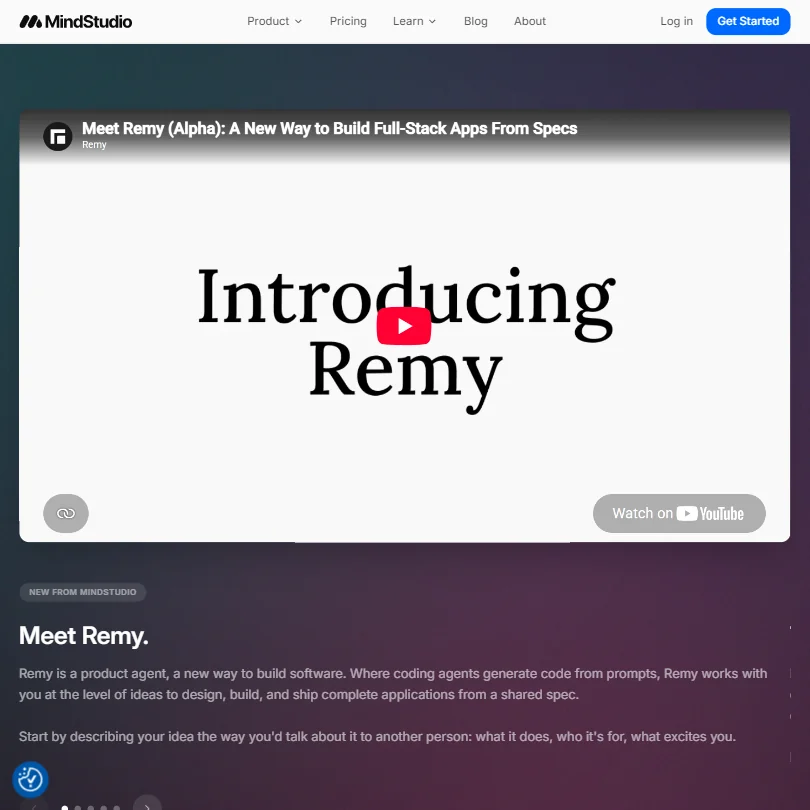
MindStudio is the easiest agent builder to try: the free plan gives one agent and 1,000 runs a month, and its drag-and-drop editor supports branching across more than 200 models including Claude. The Individual plan removes the agent and run limits. It is a newer product and its app builder is still in alpha. StackAI is the pick if compliance must lead the choice.
- The MindStudio Service Router lets you access 200+ AI models including Claude, Google Veo3, and FLUX from a single workflow, preventing vendor lock-in.
- The no-code drag-and-drop visual editor makes building AI agents accessible to non-technical users without hiding the option for custom code.
- The platform only launched in 2023, raising legitimate questions about production-readiness and long-term stability for enterprise use cases.
From $0free planStackAI is the agent builder for legal, health and finance teams: a no-code flow builder with human-in-the-loop controls, SOC 2 Type II, HIPAA and ISO 27001, and support for OpenAI and Anthropic models.
Show detailsHide details10 StackAI: Best for agents in regulated industries8.4Score 8.4 out of 10From $0free planStackAI is the agent builder for legal, health and finance teams: a no-code flow builder with human-in-the-loop controls, SOC 2 Type II, HIPAA and ISO 27001, and support for OpenAI and Anthropic models.Visit site ↗ReviewDetailsCloseShow more about StackAI
From $0free plan
StackAI is the agent builder for legal, health and finance teams: a no-code flow builder with human-in-the-loop controls, SOC 2 Type II, HIPAA and ISO 27001, and support for OpenAI and Anthropic models.
Show detailsHide detailsStackAI: Best for agents in regulated industries
8.4Score 8.4 out of 10From $0free planStackAI is the agent builder for legal, health and finance teams: a no-code flow builder with human-in-the-loop controls, SOC 2 Type II, HIPAA and ISO 27001, and support for OpenAI and Anthropic models.Visit site ↗ReviewDetailsClose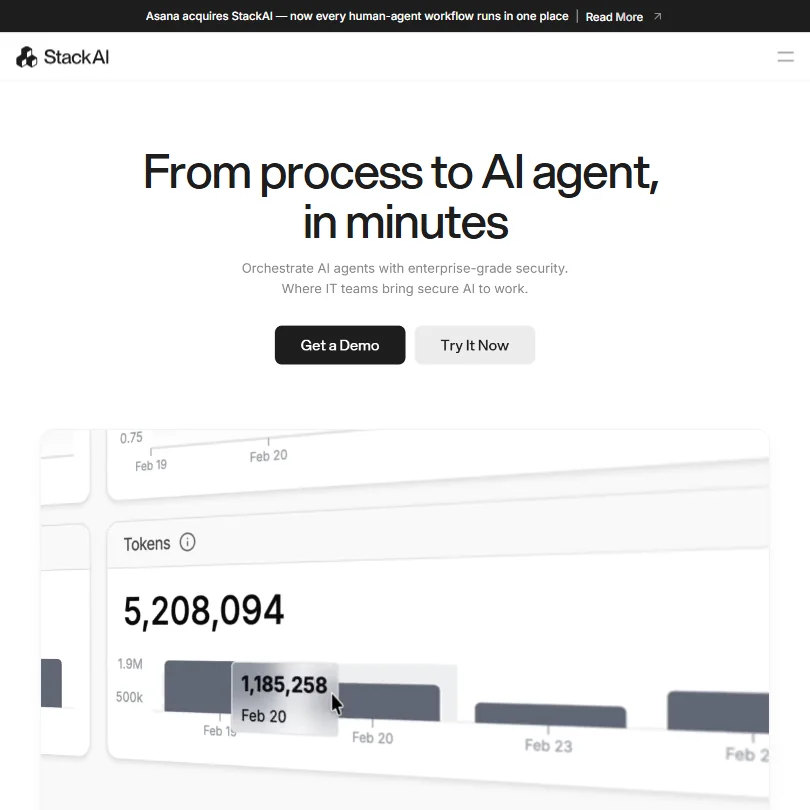
StackAI is the agent builder for legal, health and finance teams: a no-code flow builder with human-in-the-loop controls, SOC 2 Type II, HIPAA and ISO 27001, and support for OpenAI and Anthropic models. The free plan allows 500 runs a month on one seat. MindStudio has more models, but StackAI has the compliance record.
- No-code drag-and-drop visual flow builder makes it accessible for enterprise IT teams without deep coding expertise.
- Supports 100+ integrations and multiple LLMs including OpenAI and Anthropic Claude, avoiding vendor lock-in on AI models.
- Asana's pending acquisition creates significant uncertainty around pricing, roadmap, and the product's future as a standalone platform.
From $29Relevance AI is aimed at revenue and operations teams in mid-size companies that want groups of specialist agents instead of one general bot.
Show detailsHide details11 Relevance AI: Best for teams of specialist AI agents8.2Score 8.2 out of 10From $29Relevance AI is aimed at revenue and operations teams in mid-size companies that want groups of specialist agents instead of one general bot.Visit site ↗ReviewDetailsCloseShow more about Relevance AI
From $29
Relevance AI is aimed at revenue and operations teams in mid-size companies that want groups of specialist agents instead of one general bot.
Show detailsHide detailsRelevance AI: Best for teams of specialist AI agents
8.2Score 8.2 out of 10From $29Relevance AI is aimed at revenue and operations teams in mid-size companies that want groups of specialist agents instead of one general bot.Visit site ↗ReviewDetailsClose
Relevance AI is aimed at revenue and operations teams in mid-size companies that want groups of specialist agents instead of one general bot. It routes tasks between models by cost and quality, and connects to over 1,000 apps including Salesforce, HubSpot and Slack. It is not meant for hobby use, and its pricing points to a real investment. MindStudio is the lighter way in.
- Supports building teams of specialist AI agents rather than one general-purpose bot, allowing each agent to be optimized for its specific task.
- Multi-model LLM router automatically benchmarks and routes tasks to the cheapest model that meets quality requirements, reducing costs.
- Not designed for hobbyists or personal automation use cases, the platform is explicitly enterprise and mid-market focused.
From $37Gumloop is for business teams that want AI to do the thinking inside a multi-step process, using a canvas with support for OpenAI, Anthropic, Gemini and DeepSeek models and code sandboxes for extra logic.
Show detailsHide details12 Gumloop: Best for AI workflows on a visual canvas7.3Score 7.3 out of 10From $37Gumloop is for business teams that want AI to do the thinking inside a multi-step process, using a canvas with support for OpenAI, Anthropic, Gemini and DeepSeek models and code sandboxes for extra logic.Visit site ↗ReviewDetailsCloseShow more about Gumloop
From $37
Gumloop is for business teams that want AI to do the thinking inside a multi-step process, using a canvas with support for OpenAI, Anthropic, Gemini and DeepSeek models and code sandboxes for extra logic.
Show detailsHide detailsGumloop: Best for AI workflows on a visual canvas
7.3Score 7.3 out of 10From $37Gumloop is for business teams that want AI to do the thinking inside a multi-step process, using a canvas with support for OpenAI, Anthropic, Gemini and DeepSeek models and code sandboxes for extra logic.Visit site ↗ReviewDetailsClose
Gumloop is for business teams that want AI to do the thinking inside a multi-step process, using a canvas with support for OpenAI, Anthropic, Gemini and DeepSeek models and code sandboxes for extra logic. It centers on agent work rather than plain app-to-app tasks, where Zapier is stronger. The number of native integrations is not published, so check your apps are covered before you commit.
- Canvas-based visual workflow builder makes it easy to design complex multi-step AI processes without writing code.
- Supports multiple AI models including OpenAI, Anthropic, Google Gemini, and DeepSeek, giving teams flexibility in model choice.
- Total number of native integrations is not publicly disclosed, making it hard to evaluate compatibility before committing.

#13Bardeen: Best for scraping leads into your sheets
From $10free planBardeen fits operations work that starts on web pages: a Chrome extension with a no-code scraper builder, AI lead qualification against your customer profile, and email validation built into enrichment.
Show detailsHide details13Bardeen: Best for scraping leads into your sheetsn/aFrom $10free planBardeen fits operations work that starts on web pages: a Chrome extension with a no-code scraper builder, AI lead qualification against your customer profile, and email validation built into enrichment.Visit site ↗ReviewDetailsCloseShow more about Bardeen
#13Bardeen: Best for scraping leads into your sheets
From $10free plan
Bardeen fits operations work that starts on web pages: a Chrome extension with a no-code scraper builder, AI lead qualification against your customer profile, and email validation built into enrichment.
Show detailsHide detailsBardeen: Best for scraping leads into your sheets
n/aFrom $10free planBardeen fits operations work that starts on web pages: a Chrome extension with a no-code scraper builder, AI lead qualification against your customer profile, and email validation built into enrichment.Visit site ↗ReviewDetailsClose
Bardeen fits operations work that starts on web pages: a Chrome extension with a no-code scraper builder, AI lead qualification against your customer profile, and email validation built into enrichment. Its free plan gives 100 credits a month. It is English-first and aimed at sales reps and recruiters more than general operations, so Browse AI is the broader choice for monitoring pages.
- No-code visual scraper builder makes it accessible to non-technical users like sales reps and solopreneurs.
- AI qualification layer filters leads against your ideal customer profile before you ever review them.
- The platform is English-first, which limits usability for international teams without prior investigation.
From $29.99Lindy suits an operations lead who wants an assistant rather than a workflow builder: you text it, and it drafts emails and schedules meetings but sends nothing until you approve.
Show detailsHide details14 Lindy: Best for email and scheduling by text message5.0Score 5.0 out of 10From $29.99Lindy suits an operations lead who wants an assistant rather than a workflow builder: you text it, and it drafts emails and schedules meetings but sends nothing until you approve.Visit site ↗ReviewDetailsCloseShow more about Lindy
From $29.99
Lindy suits an operations lead who wants an assistant rather than a workflow builder: you text it, and it drafts emails and schedules meetings but sends nothing until you approve.
Show detailsHide detailsLindy: Best for email and scheduling by text message
5.0Score 5.0 out of 10From $29.99Lindy suits an operations lead who wants an assistant rather than a workflow builder: you text it, and it drafts emails and schedules meetings but sends nothing until you approve.Visit site ↗ReviewDetailsClose
Lindy suits an operations lead who wants an assistant rather than a workflow builder: you text it, and it drafts emails and schedules meetings but sends nothing until you approve. It connects to Gmail, Outlook, Google Calendar, Slack and Notion. There is no free plan, and pricing is high against other scheduling tools. It is built for one person's inbox, where Gumloop or MindStudio build processes for a team.
- Works through natural language text messages via iMessage or SMS, eliminating the need for a separate dashboard or app.
- Draft-then-approve model ensures the AI never sends emails without user confirmation, reducing risk of unintended communication.
- Pricing is steep relative to comparable tools in the scheduling and workflow automation space.
Best internal tool and web data tools for operations teams
2 picksTwo jobs fall outside the usual connectors: giving staff a screen over company data, and pulling data from web pages that offer no integration. Retool builds internal apps, workflows and agents on production data, with audit logging, permission controls and source control, and it runs as web, mobile or self-hosted apps. Browse AI builds point-and-click robots that extract and monitor pages and send results to spreadsheets, with a free plan. Choose Retool when staff need a working screen and you have developers, and Browse AI when a person now copies data from a site by hand.
#ToolScorePriceWhy pick it
From $12free planRetool is for operations teams with developers: it builds internal apps and workflows on production data with a drag-and-drop editor, audit logging, permissions and staging, and can run on web, iOS, Android or self-hosted.
Show detailsHide details15 Retool: Best for internal apps on company data8.5Score 8.5 out of 10From $12free planRetool is for operations teams with developers: it builds internal apps and workflows on production data with a drag-and-drop editor, audit logging, permissions and staging, and can run on web, iOS, Android or self-hosted.Visit site ↗ReviewDetailsCloseShow more about Retool
From $12free plan
Retool is for operations teams with developers: it builds internal apps and workflows on production data with a drag-and-drop editor, audit logging, permissions and staging, and can run on web, iOS, Android or self-hosted.
Show detailsHide detailsRetool: Best for internal apps on company data
8.5Score 8.5 out of 10From $12free planRetool is for operations teams with developers: it builds internal apps and workflows on production data with a drag-and-drop editor, audit logging, permissions and staging, and can run on web, iOS, Android or self-hosted.Visit site ↗ReviewDetailsClose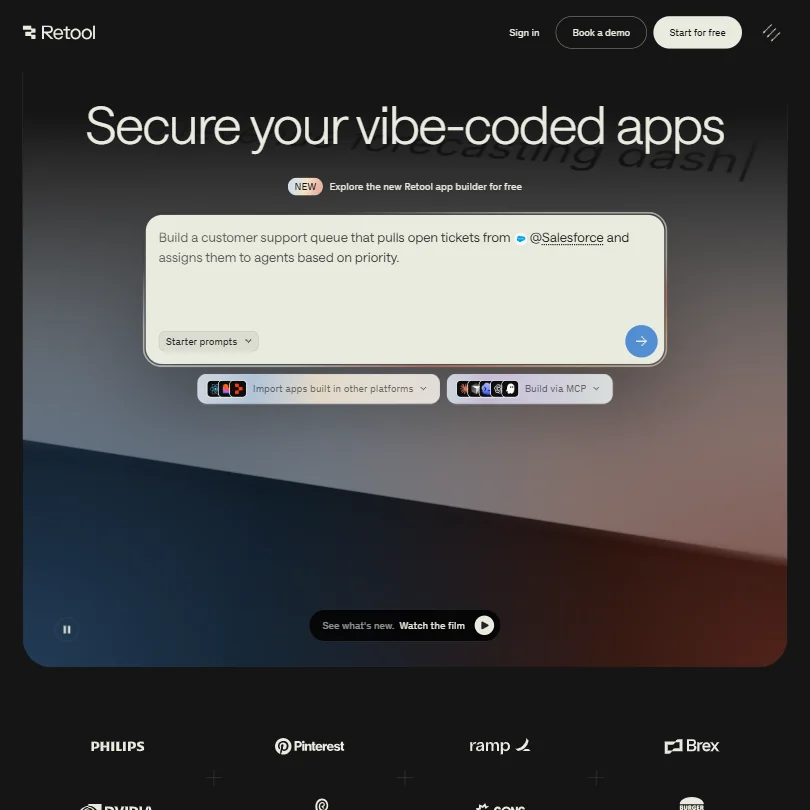
Retool is for operations teams with developers: it builds internal apps and workflows on production data with a drag-and-drop editor, audit logging, permissions and staging, and can run on web, iOS, Android or self-hosted. Pricing is per builder plus per internal user. It sits between no-code and custom code, and teams without developers may struggle. Browse AI is better for data that lives on outside websites.
- The drag-and-drop app builder allows developers to ship internal tools in an afternoon that would otherwise take weeks of custom engineering.
- Enterprise-grade governance features including audit logging, permission controls, staging environments, and source control are built into the core product, not added as afterthoughts.
- Retool occupies an awkward middle ground between no-code and developer platform, which creates real friction for teams that don't fit that specific profile.

#16Browse AI: Best for monitoring web pages without code
From $48free planWhen someone on your team copies figures from a website into a sheet, Browse AI removes that task: you point and click to build a robot, and prebuilt ones cover sites like LinkedIn and Amazon.
Show detailsHide details16Browse AI: Best for monitoring web pages without coden/aFrom $48free planWhen someone on your team copies figures from a website into a sheet, Browse AI removes that task: you point and click to build a robot, and prebuilt ones cover sites like LinkedIn and Amazon.Visit site ↗ReviewDetailsCloseShow more about Browse AI
#16Browse AI: Best for monitoring web pages without code
From $48free plan
When someone on your team copies figures from a website into a sheet, Browse AI removes that task: you point and click to build a robot, and prebuilt ones cover sites like LinkedIn and Amazon.
Show detailsHide detailsBrowse AI: Best for monitoring web pages without code
n/aFrom $48free planWhen someone on your team copies figures from a website into a sheet, Browse AI removes that task: you point and click to build a robot, and prebuilt ones cover sites like LinkedIn and Amazon.Visit site ↗ReviewDetailsClose
When someone on your team copies figures from a website into a sheet, Browse AI removes that task: you point and click to build a robot, and prebuilt ones cover sites like LinkedIn and Amazon. Results flow to Google Sheets or Airtable, with webhooks and an API on every plan. The free plan gives 50 credits a month. It cannot handle branching logic, so pair it with Make.
- 200+ prebuilt robots for popular sites like LinkedIn, Amazon, and Glassdoor let non-technical users get started immediately without building from scratch.
- The visual point-and-click robot builder requires zero coding knowledge, making web scraping accessible to marketers and sales teams.
- Data transformation features are locked behind the Premium plan at $500/month, leaving Professional users at $69/month unable to shape output before export.
Best work management and knowledge tools for operations teams
6 picksOperations teams need one place where work is planned and where answers are found later, so the picks differ on seat limits and what the AI costs. ClickUp, Wrike and Asana offer free plans, monday's free plan allows only two seats, and Notion's free plan suits one person. Wrike includes AI writing on every paid plan, and ClickUp now includes AI credits on every plan too. Glean searches across a company's apps but is sold through sales only. Choose a tracker by team size, and add Glean only when answers are scattered across many systems.
#ToolScorePriceWhy pick it
From $9free planClickUp is the stronger free pick for a growing team: unlimited tasks and members on the free plan, plus docs, wikis, whiteboards and time tracking, SOC 2 Type 2 and HIPAA.
Show detailsHide details17 ClickUp: Best for docs, tasks and time tracking together9.6Score 9.6 out of 10From $9free planClickUp is the stronger free pick for a growing team: unlimited tasks and members on the free plan, plus docs, wikis, whiteboards and time tracking, SOC 2 Type 2 and HIPAA.Visit site ↗ReviewDetailsCloseShow more about ClickUp
From $9free plan
ClickUp is the stronger free pick for a growing team: unlimited tasks and members on the free plan, plus docs, wikis, whiteboards and time tracking, SOC 2 Type 2 and HIPAA.
Show detailsHide detailsClickUp: Best for docs, tasks and time tracking together
9.6Score 9.6 out of 10From $9free planClickUp is the stronger free pick for a growing team: unlimited tasks and members on the free plan, plus docs, wikis, whiteboards and time tracking, SOC 2 Type 2 and HIPAA.Visit site ↗ReviewDetailsClose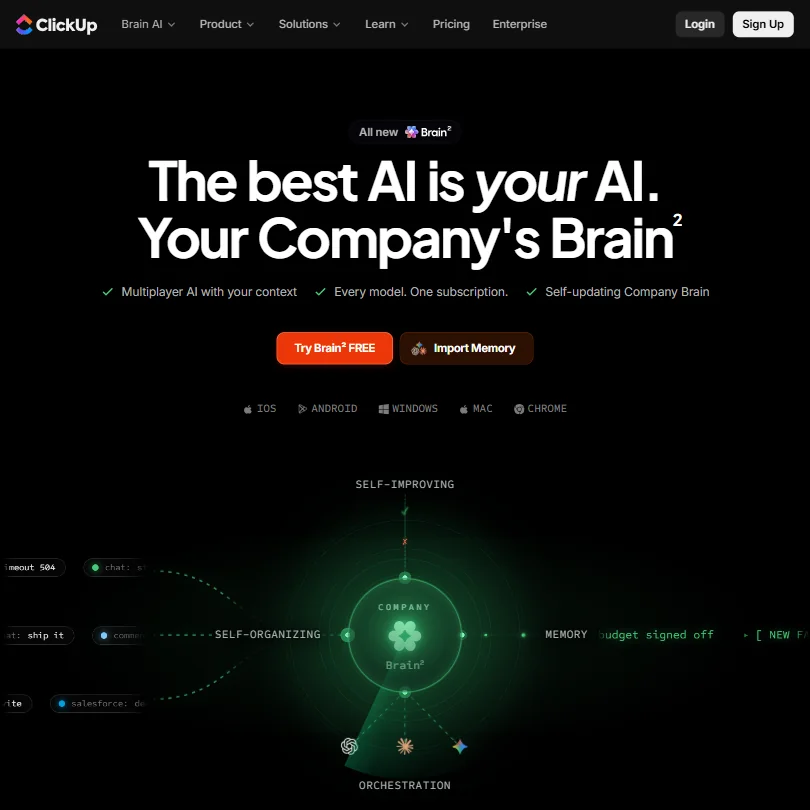
ClickUp is the stronger free pick for a growing team: unlimited tasks and members on the free plan, plus docs, wikis, whiteboards and time tracking, SOC 2 Type 2 and HIPAA. AI is a per-user add-on, and the AI notetaker needs the higher add-on. Its chat lets you choose between Claude, ChatGPT and Gemini. Notion is lighter if your work is mostly documents.
- ClickUp's free plan includes unlimited tasks, unlimited free plan members and collaborative docs.
- Brain's chat lets you choose between Claude, ChatGPT and Gemini.
- Paid plans are priced per user, from $12 a user a month on Core.
From $10free planWrike gives unlimited AI writing, form and rule generation on every paid plan, and viewer guests are free and unlimited, so it suits teams with clients or contractors reading along.
Show detailsHide details18 Wrike: Best for AI writing on every paid plan8.7Score 8.7 out of 10From $10free planWrike gives unlimited AI writing, form and rule generation on every paid plan, and viewer guests are free and unlimited, so it suits teams with clients or contractors reading along.Visit site ↗ReviewDetailsCloseShow more about Wrike
From $10free plan
Wrike gives unlimited AI writing, form and rule generation on every paid plan, and viewer guests are free and unlimited, so it suits teams with clients or contractors reading along.
Show detailsHide detailsWrike: Best for AI writing on every paid plan
8.7Score 8.7 out of 10From $10free planWrike gives unlimited AI writing, form and rule generation on every paid plan, and viewer guests are free and unlimited, so it suits teams with clients or contractors reading along.Visit site ↗ReviewDetailsClose
Wrike gives unlimited AI writing, form and rule generation on every paid plan, and viewer guests are free and unlimited, so it suits teams with clients or contractors reading along. Copilot and AI Agents start on Business, which is annual only. The free plan caps each account at 200 active tasks. Asana offers free guests too, but Wrike includes more AI at entry level.
- AI Essentials, covering writing, form and rule generation and Board AI, is included free and unlimited under fair use on every paid plan starting at Team.
- Wrike offers a public REST API and its own MCP server for connecting AI assistants.
- Wrike Copilot and AI Agents are part of AI Elite, which only starts on the Business plan.

#19Glean: Best for searching across all company apps
Pricing N/AGlean suits companies whose answers are scattered across many apps: it connects to over 250, including Confluence, GitHub and Box, grounds answers in your own data, and holds SOC 2 Type II, ISO 27001 and HIPAA.
Show detailsHide details19Glean: Best for searching across all company appsn/aPricing N/AGlean suits companies whose answers are scattered across many apps: it connects to over 250, including Confluence, GitHub and Box, grounds answers in your own data, and holds SOC 2 Type II, ISO 27001 and HIPAA.Visit site ↗ReviewDetailsCloseShow more about Glean
#19Glean: Best for searching across all company apps
Pricing N/A
Glean suits companies whose answers are scattered across many apps: it connects to over 250, including Confluence, GitHub and Box, grounds answers in your own data, and holds SOC 2 Type II, ISO 27001 and HIPAA.
Show detailsHide detailsGlean: Best for searching across all company apps
n/aPricing N/AGlean suits companies whose answers are scattered across many apps: it connects to over 250, including Confluence, GitHub and Box, grounds answers in your own data, and holds SOC 2 Type II, ISO 27001 and HIPAA.Visit site ↗ReviewDetailsClose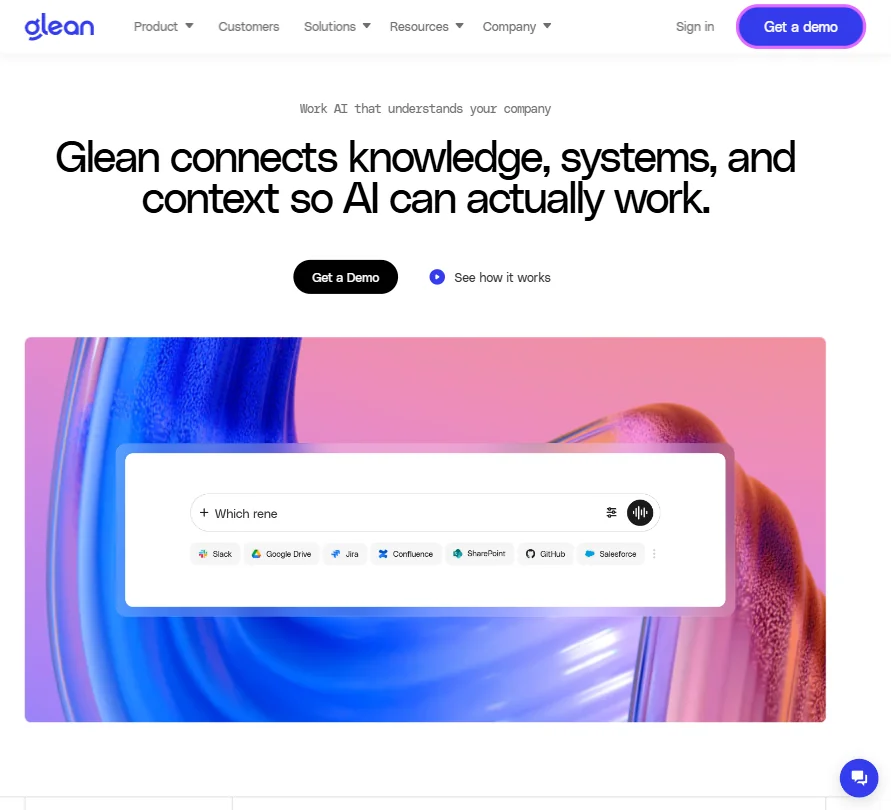
Glean suits companies whose answers are scattered across many apps: it connects to over 250, including Confluence, GitHub and Box, grounds answers in your own data, and holds SOC 2 Type II, ISO 27001 and HIPAA. It has no public price, no free plan and is sold only by its sales team. Its shared team chat is in beta. Notion search is the lighter route for small teams.
- Glean connects to more than 250 apps, including Confluence, GitHub, Box and Databricks, and grounds its search and Assistant answers in them.
- It supports real-time voice, letting you have a spoken conversation instead of typing.
- Glean has no public prices and is sold only through its sales team.
From $12free planNotion works as a company wiki first and a project tracker second, with docs, databases, free guests, a public API and an MCP server.
Show detailsHide details20 Notion: Best for a wiki that doubles as projects8.3Score 8.3 out of 10From $12free planNotion works as a company wiki first and a project tracker second, with docs, databases, free guests, a public API and an MCP server.Visit site ↗ReviewDetailsCloseShow more about Notion
From $12free plan
Notion works as a company wiki first and a project tracker second, with docs, databases, free guests, a public API and an MCP server.
Show detailsHide detailsNotion: Best for a wiki that doubles as projects
8.3Score 8.3 out of 10From $12free planNotion works as a company wiki first and a project tracker second, with docs, databases, free guests, a public API and an MCP server.Visit site ↗ReviewDetailsClose
Notion works as a company wiki first and a project tracker second, with docs, databases, free guests, a public API and an MCP server. Its free plan is meant for individuals, and the full AI agent, meeting notes and cross-app search begin on Business. There is no trial of paid plans. ClickUp or Wrike are the better fit when tasks and time tracking come first.
- Docs, wikis and project databases are included in Notion at no extra cost.
- Guests never require a paid seat on any Notion plan.
- Notion's full AI, including its agent, meeting notes and cross-app search, is included only from the Business plan.
From $12free planmonday is for teams that think in boards and want Sidekick to build workflows, dashboards and forms from one request, with an AI meeting notetaker that joins Zoom, Teams and Meet.
Show detailsHide details21 monday: Best for board-based projects with AI built in8.1Score 8.1 out of 10From $12free planmonday is for teams that think in boards and want Sidekick to build workflows, dashboards and forms from one request, with an AI meeting notetaker that joins Zoom, Teams and Meet.Visit site ↗ReviewDetailsCloseShow more about monday
From $12free plan
monday is for teams that think in boards and want Sidekick to build workflows, dashboards and forms from one request, with an AI meeting notetaker that joins Zoom, Teams and Meet.
Show detailsHide detailsmonday: Best for board-based projects with AI built in
8.1Score 8.1 out of 10From $12free planmonday is for teams that think in boards and want Sidekick to build workflows, dashboards and forms from one request, with an AI meeting notetaker that joins Zoom, Teams and Meet.Visit site ↗ReviewDetailsClose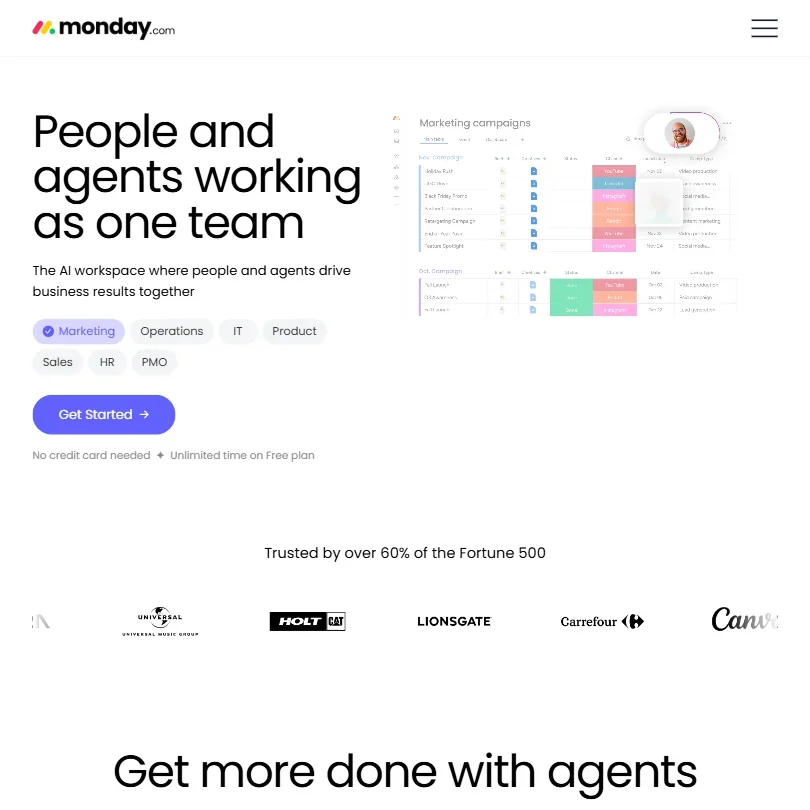
monday is for teams that think in boards and want Sidekick to build workflows, dashboards and forms from one request, with an AI meeting notetaker that joins Zoom, Teams and Meet. The free plan stops at two seats, and paid plans start at three. Basic has no automations or guest access. Wrike or ClickUp give more on a free plan for larger teams.
- The free plan is free forever for up to 2 seats, with up to 3 boards and 3 Docs.
- Sidekick can create workflows, automations, dashboards and forms from a single request.
- Paid plans require a minimum of 3 seats.
From $13.49free planAsana works for teams planning across many projects, with portfolios, goals, timelines and intake forms, and AI Teammates with more than 30 prebuilt agents from the cheapest paid plan.
Show detailsHide details22 Asana: Best for planning across many projects7.2Score 7.2 out of 10From $13.49free planAsana works for teams planning across many projects, with portfolios, goals, timelines and intake forms, and AI Teammates with more than 30 prebuilt agents from the cheapest paid plan.Visit site ↗ReviewDetailsCloseShow more about Asana
From $13.49free plan
Asana works for teams planning across many projects, with portfolios, goals, timelines and intake forms, and AI Teammates with more than 30 prebuilt agents from the cheapest paid plan.
Show detailsHide detailsAsana: Best for planning across many projects
7.2Score 7.2 out of 10From $13.49free planAsana works for teams planning across many projects, with portfolios, goals, timelines and intake forms, and AI Teammates with more than 30 prebuilt agents from the cheapest paid plan.Visit site ↗ReviewDetailsClose
Asana works for teams planning across many projects, with portfolios, goals, timelines and intake forms, and AI Teammates with more than 30 prebuilt agents from the cheapest paid plan. The free plan covers two people, and unlimited guests arrive on Starter. That plan caps AI at five requests per user each month, and time tracking is on Advanced only. Wrike includes far more AI at entry level.
- Asana's free Personal plan allows unlimited tasks and projects with unlimited storage (100MB per file) for up to 2 users.
- Unlimited free guest seats let clients and contractors collaborate from the Starter plan without adding to the license count.
- The Starter plan's AI allowance is capped at 5 requests per user a month, up to 50 per account.
Best AI meeting notetakers for operations teams
3 picksOperations teams need every meeting to end in owners and dates, so the picks differ in how the recorder joins and what data rules apply. Fireflies records by bot or without one and gives unlimited transcription on its free plan. Circleback adds in-person capture and keeps 30 days of history on free. Fellow is built for compliance-minded teams, with recording notices set by admins, but its free plan gives only five notes for the life of the account. Choose Fireflies for volume, Circleback for mixed meetings and Fellow when compliance rules the purchase.
#ToolScorePriceWhy pick it
From $18free planFireflies is the default for volume: the free plan gives unlimited transcription and live transcription, it works with Zoom, Meet, Teams and Slack Huddles by bot or a botless desktop app, and it never trains on your data.
Show detailsHide details23 Fireflies.ai: Best for free unlimited transcription for teams9.1Score 9.1 out of 10From $18free planFireflies is the default for volume: the free plan gives unlimited transcription and live transcription, it works with Zoom, Meet, Teams and Slack Huddles by bot or a botless desktop app, and it never trains on your data.Visit site ↗ReviewDetailsCloseShow more about Fireflies.ai
From $18free plan
Fireflies is the default for volume: the free plan gives unlimited transcription and live transcription, it works with Zoom, Meet, Teams and Slack Huddles by bot or a botless desktop app, and it never trains on your data.
Show detailsHide detailsFireflies.ai: Best for free unlimited transcription for teams
9.1Score 9.1 out of 10From $18free planFireflies is the default for volume: the free plan gives unlimited transcription and live transcription, it works with Zoom, Meet, Teams and Slack Huddles by bot or a botless desktop app, and it never trains on your data.Visit site ↗ReviewDetailsClose
Fireflies is the default for volume: the free plan gives unlimited transcription and live transcription, it works with Zoom, Meet, Teams and Slack Huddles by bot or a botless desktop app, and it never trains on your data. AI credits are capped at 20 per seat on Pro. Sentiment and team analytics need Business. Fellow is the stricter choice for compliance.
- The free plan includes unlimited transcription and live transcription at no cost.
- It does not use personal information to train its AI models and contractually prohibits its vendors from doing so.
- AI credits for premium AI features stay capped at 20 per seat on the Pro plan, rising only on higher tiers.
From $18free planCircleback is the notetaker for operations leads whose meetings are not all on video: bot or bot-free desktop recording for calls, plus mobile and Apple Watch apps for in-person conversations.
Show detailsHide details24 Circleback: Best for capturing in-person and phone meetings8.6Score 8.6 out of 10From $18free planCircleback is the notetaker for operations leads whose meetings are not all on video: bot or bot-free desktop recording for calls, plus mobile and Apple Watch apps for in-person conversations.Visit site ↗ReviewDetailsCloseShow more about Circleback
From $18free plan
Circleback is the notetaker for operations leads whose meetings are not all on video: bot or bot-free desktop recording for calls, plus mobile and Apple Watch apps for in-person conversations.
Show detailsHide detailsCircleback: Best for capturing in-person and phone meetings
8.6Score 8.6 out of 10From $18free planCircleback is the notetaker for operations leads whose meetings are not all on video: bot or bot-free desktop recording for calls, plus mobile and Apple Watch apps for in-person conversations.Visit site ↗ReviewDetailsClose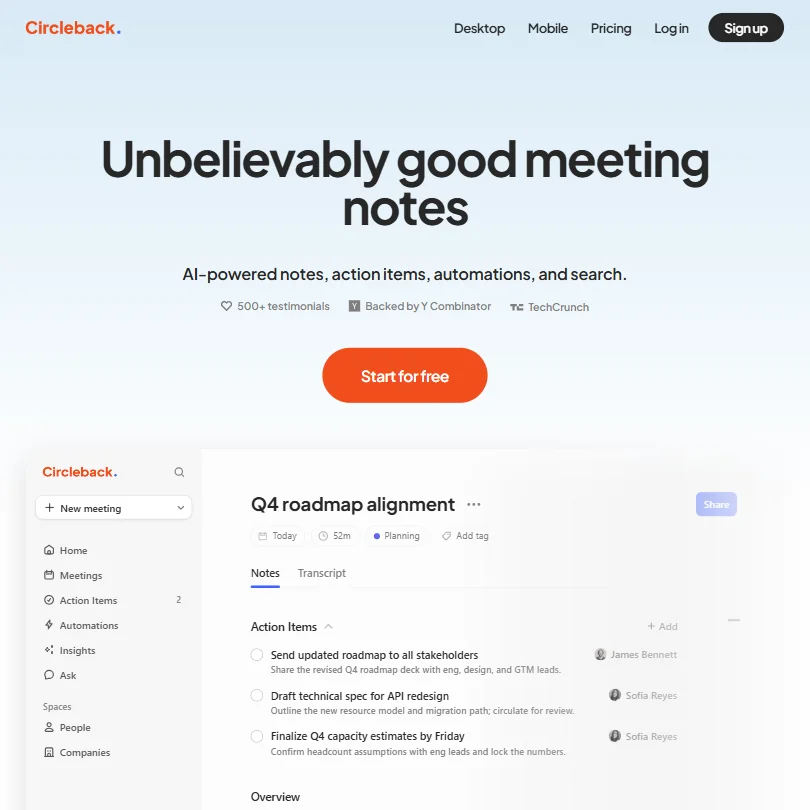
Circleback is the notetaker for operations leads whose meetings are not all on video: bot or bot-free desktop recording for calls, plus mobile and Apple Watch apps for in-person conversations. Free includes notes, action items and search across meetings. History stops at 30 days on the free plan, full automations to Salesforce or HubSpot begin on Pro, and data stays in the United States.
- The Free plan already includes AI meeting notes, action items and Ask Circleback, its cross-meeting search assistant.
- Circleback records in-person conversations through dedicated mobile and Apple Watch apps, not just online calls.
- Meeting and recording history is capped at 30 days on the Free plan; unlimited history requires the Pro plan.
From $11free planFellow is the choice when compliance sets the rules: recording notices are controlled by admins, it can record with or without a bot, syncs notes to Salesforce and HubSpot, is SOC 2 Type II, HIPAA and GDPR compliant, and never trains on your data.
Show detailsHide details25 Fellow.ai: Best for admin-controlled recording notices8.5Score 8.5 out of 10From $11free planFellow is the choice when compliance sets the rules: recording notices are controlled by admins, it can record with or without a bot, syncs notes to Salesforce and HubSpot, is SOC 2 Type II, HIPAA and GDPR compliant, and never trains on your data.Visit site ↗ReviewDetailsCloseShow more about Fellow.ai
From $11free plan
Fellow is the choice when compliance sets the rules: recording notices are controlled by admins, it can record with or without a bot, syncs notes to Salesforce and HubSpot, is SOC 2 Type II, HIPAA and GDPR compliant, and never trains on your data.
Show detailsHide detailsFellow.ai: Best for admin-controlled recording notices
8.5Score 8.5 out of 10From $11free planFellow is the choice when compliance sets the rules: recording notices are controlled by admins, it can record with or without a bot, syncs notes to Salesforce and HubSpot, is SOC 2 Type II, HIPAA and GDPR compliant, and never trains on your data.Visit site ↗ReviewDetailsClose
Fellow is the choice when compliance sets the rules: recording notices are controlled by admins, it can record with or without a bot, syncs notes to Salesforce and HubSpot, is SOC 2 Type II, HIPAA and GDPR compliant, and never trains on your data. The free plan gives five AI notes for the life of the account, and even Team caps at ten a month. Fireflies is far more generous at no cost.
- Botless Recording captures, transcribes and summarizes meetings without a bot joining the call, working across Microsoft Teams, Google Meet, Zoom and Slack huddles.
- Fellow's AI is never trained on your data.
- The free plan gives only 5 AI notes and 5 AI recordings for the life of the account, not a monthly allowance.
How to choose AI tools for operations
Operations tools look alike in a demo and charge for very different things. Automation tools count tasks, operations or credits, project tools count seats and sell the AI separately, and agent builders count runs. What differs most is whether your team can code, whether the tool can run on your own servers, and how regulated your data is. This guide matches each job in a process to the tools on this page, then covers the free plans, where they stop and when paying is worth it.
Start with the job, not the tool
An operations team has six jobs, and no single tool covers them all on a free plan.
- Connect your apps. Zapier, Make, n8n, Pipedream and Activepieces move data between tools when something happens. Zapier and Make are no-code visual builders, n8n and Pipedream lean toward engineers, and n8n and Activepieces can be self-hosted.
- Automate across a large company. Workato, Tray.ai and UiPath add governance, audit logs and enterprise connectors. Workato has a free tier of one-time credits, UiPath has a Try It Now option, and Tray.ai is sold through sales.
- Build AI agents. MindStudio, StackAI, Gumloop, Lindy, Relevance AI and Bardeen run a step that needs judgment. MindStudio and StackAI have free plans, StackAI adds on-prem and compliance options, and Lindy works from one person's inbox.
- Build internal tools and collect web data. Retool builds an internal app over your data, and Browse AI watches web pages and turns them into tables.
- Plan the work and find answers. ClickUp, monday, Wrike, Asana and Notion hold projects and knowledge, and Glean searches across connected apps for large companies.
- Follow up on meetings. Fireflies, Circleback and Fellow turn calls into notes and action items.
The table shows where to start on any budget.
| Job | Free | Worth paying for |
|---|---|---|
| Connect your apps | Zapier, Make, Activepieces, Pipedream, or self-hosted n8n | Zapier Professional at $29.99 a month for multi-step Zaps, or Make Core at $10.59 a month for 10,000 credits |
| Enterprise automation | UiPath's Try It Now or Workato's 50,000 one-time credits | Workato Pro from $75 a month, UiPath Basic at $25 a month, or Tray.ai through sales |
| AI agents | MindStudio or StackAI | MindStudio Individual at $20 a month for unlimited agents and runs |
| Internal tools and web data | Browse AI for web data | Retool Team at $12 a month per builder, or Browse AI Personal at $48 a month |
| Projects and knowledge | ClickUp, Wrike, Asana, monday or Notion | Notion Business at $24 a member for the full AI, or ClickUp Core at $12 a user with AI credits |
| Meeting follow-up | Fireflies or Circleback | Circleback Individual at $25 a month for unlimited meetings |
Free plans cap runs, seats or history, and project tools keep their AI for paid plans or add-ons. Pay first for the automation tool that runs a process every day, then for the AI in your project tracker.
What the free plans actually give you
Each kind of tool rations something different, so a free plan can run a small process for a year or fail in the first week.
- Automation tools. The meter is tasks, operations or credits. Zapier gives 100 tasks a month with two-step Zaps. Make gives 1,000 operations and 2 active scenarios, checked at 15-minute intervals. Pipedream gives 100 credits, 3 active workflows and a 5-minute schedule. Activepieces gives 1,000 credits with unlimited flows, and n8n's self-hosted Community Edition has no workflow limit.
- Agent builders. Runs and projects are the meter. MindStudio gives 1 agent and 1,000 runs a month with more than 200 models. StackAI gives 500 runs a month, 2 projects and 1 seat, with support on Discord. Bardeen gives 100 credits a month, and unused credits expire.
- Web data. Browse AI gives unlimited robots, 2 domains and 50 credits a month.
- Project tools. Seats and storage are the meter. ClickUp's Free Forever plan has unlimited tasks and free members with 60MB of storage. monday gives 2 seats, 3 boards and 3 Docs. Wrike gives 200 active tasks and 2 GB of storage, and Asana's free plan has 2 users and no AI.
- Meeting tools. Fireflies gives live transcripts, clips and API access. Circleback gives AI notes, action items and Ask Circleback with 30 days of history. Fellow gives 5 AI notes and 5 recordings for the life of the account.
In a normal week, 100 Zapier tasks is a few small flows, while Make's 1,000 operations and Activepieces' 1,000 credits run a handful of processes comfortably.
Which tools fit which team
- A small team with no developers. Start with Zapier or Make, since both are visual builders with no code. Add ClickUp or Notion to hold the process, and Circleback for the follow-up.
- An engineering-led team. Start with n8n or Pipedream. n8n has unlimited steps per workflow and a free self-hosted edition, and Pipedream's runs can pause for approval with resume and cancel links. Add Retool when people need a screen to review the data.
- A team that must keep data on its own servers. Start with n8n Community Edition or Activepieces, both of which self-host. Retool also offers self-hosted apps, and StackAI offers on-prem and VPC deployment.
- A regulated or large company. Start with Workato or UiPath, which list SOC 2, HIPAA and ISO 27001. StackAI lists SOC 2 Type II, HIPAA and ISO 27001 for agents, and Glean adds search across your apps through a sales team.
- A solo operator drowning in email. Start with Lindy, which works from your inbox and offers a 7-day trial. Add Bardeen for lead research in the browser, on a free plan with 100 credits a month.
- A team that plans across many projects. Start with ClickUp, monday, Wrike or Asana. Wrike includes its AI Essentials on every paid plan, while ClickUp includes AI credits on every plan and monday and Asana price their AI by plan.
Automating one process, step by step
- Write the process down. Keep the steps, owner and trigger in Notion, ClickUp, monday, Asana or Wrike.
- Collect the data. If the apps have connectors, use Zapier, Make or n8n. If the data sits on a web page, use Browse AI or Bardeen.
- Pick how heavy to go. Zapier or Make for simple flows, n8n or Activepieces if you need to self-host, Pipedream if engineers own it, Workato, Tray.ai or UiPath in a large company.
- Add a step that needs judgment. MindStudio, Gumloop or Relevance AI run an agent, StackAI if compliance rules apply, and Lindy if the work is one person's inbox.
- Keep a person in the loop. Zapier, Make, n8n, Activepieces, Pipedream and StackAI all list human-in-the-loop steps. Use one before anything goes to a customer.
- Give staff a screen. Retool builds an internal app over the data when people need to review or edit it.
- Hand off the work. Create the tasks in ClickUp, monday, Wrike or Asana, with owners and dates.
- Record the meetings that follow. Fireflies, Circleback or Fellow capture decisions and action items.
- Find answers later. Glean searches across connected apps, and Notion does it inside its own workspace.
- Check the runs. Make Pro adds full-text log search, Pipedream keeps 7 days of event history on its free plan and 30 on Advanced, and Workato and Retool record audit logs.
Where free plans stop
| Limit | Tools | What happens when you hit it |
|---|---|---|
| Monthly count | Zapier (100 tasks), Make (1,000 operations), Pipedream (100 credits), Activepieces (1,000 credits), MindStudio (1,000 runs), StackAI (500 runs), Bardeen (100 credits), Browse AI (50 credits) | You wait for the new month or move to a paid plan |
| One-time allowance | Workato (50,000 credits), Fellow (5 notes, 5 recordings) | Once used, it does not come back |
| Steps and speed | Zapier (two-step Zaps), Make (15-minute checks, 2 scenarios), Pipedream (5-minute schedule, 3 workflows) | A faster or longer process needs a paid plan |
| Seats and storage | monday (2 seats, 3 boards), Asana (2 users, 100MB files), ClickUp (60MB), Wrike (200 active tasks) | A growing team moves up a plan |
| AI held back | Asana (no AI on the free plan), Notion (a limited trial on Free and Plus), Wrike (AI Essentials from Team) | The AI part needs a paid plan |
| No free plan | Tray.ai, Glean, Lindy, Gumloop (14-day trial) | You pay or you go without |
Working inside the limits means counting what a process costs per run. Start with one process on the free plan, measure the monthly count, and move up when it runs every day.
Privacy and who sees your data
Process data often holds customer and staff details, so check how a tool treats it before connecting your first app. Many tools on this page state their position.
| Tool | Training on your data |
|---|---|
| Make, n8n, Activepieces, Tray.ai, UiPath | Not used for training |
| Gumloop, Lindy, MindStudio, Relevance AI, StackAI, Retool | Not used for training |
| ClickUp, monday, Notion, Wrike, Glean | Not used for training |
| Fireflies, Circleback, Fellow | Not used for training |
| Zapier | You can opt out |
Keep customer data in the first four rows, and switch training off in Zapier right after you sign up. Wrike adds that anonymized, non-specific usage statistics may be used to train its own models. Where it runs matters too: Zapier, Make and Pipedream are cloud services, so data that cannot leave your servers narrows the list to n8n, Activepieces, Retool, StackAI and the enterprise tools.
Mistakes to avoid
- Judging Zapier by its free plan. The free plan stops at two-step Zaps and 100 tasks a month. Price a real process on Professional at $29.99 a month before deciding.
- Choosing n8n for a team without engineers. n8n's self-hosted edition is free and unlimited, but it asks you to run the server yourself. Use Zapier or Make unless someone owns the maintenance.
- Buying a bigger AI plan before the base plan is working. ClickUp's MAX costs $120 a user for heavy AI use, and Notion's full AI starts at Business. Add AI after the tracker is in daily use.
- Counting seats wrongly in monday. Paid plans start at 3 seats, so Basic is $36 a month monthly at the minimum. Check the total, not the per-seat price.
- Letting an agent send without review. Agents act on inboxes and customers. Put an approval step before anything leaves your company, and test on a free run before connecting live accounts.
When it is worth paying
You have outgrown a free plan when you plan your processes around its limits. Cutting a flow to two steps, running a scenario every 15 minutes because that is what the plan allows, or sharing one login because the plan has 2 seats are all signs.
| If you are | Upgrade to | What changes |
|---|---|---|
| Running daily flows | Zapier Professional or Make Core | Multi-step Zaps and webhooks, or 10,000 credits a month and unlimited active scenarios |
| Building agents | MindStudio Individual or Gumloop Pro | Unlimited agents and runs, or 20,000 credits a month and unlimited seats |
| Growing a project team | ClickUp Core, Wrike Team or monday Basic | Unlimited storage, 2 to 15 users with AI Essentials, or 3 or more seats with 1,000 AI credits |
| Wanting the AI in your workspace | Notion Business | Full AI access, SAML SSO and private team spaces |
| Following up on meetings | Circleback Individual | Unlimited meetings, automations and integrations |
Billing period changes the price more than the plan does. Zapier Professional is $29.99 monthly and $239.88 a year, Make Core is $10.59 monthly and $108 a year, and ClickUp Core is $12 a user monthly and $9 billed yearly. Trials help: Wrike and monday offer 14 days, Gumloop offers 14 days of Pro, Lindy offers 7 days, and n8n's cloud trial needs no card.
What would this stack cost you?
Add our top picks (n8n, UiPath, MindStudio and 3 more) to the calculator and see the monthly total, then swap in the plans you would pay for.
How we picked
Every tool here is ranked by its score, and each score is worked out from the vendor’s own published pages: pricing, plans, features and terms. No score is adjusted by hand. 22 of the 25 tools have enough published facts to show a score, and on average 90% of each score comes from facts the vendor publishes. The facts behind these scores were checked between 13 September 2026 and 3 November 2026.
Scores compare tools that do the same job, which is why the list is grouped by job: a video editor and a grammar checker are never ranked against each other.
| Ranked as | On this page | What we score | Scoring guide |
|---|---|---|---|
| Workflow automation tools11 reviewed | 9 | 7 criteria, 20 checked facts: AI agents, building workflows, pricing, apps it connects to, reliability and control, hosting and security, support | How we score these → |
| AI agent builders18 reviewed | 5 | 7 criteria, 20 checked facts: AI agents, building workflows, pricing, apps it connects to, reliability and control, hosting and security, support | How we score these → |
| AI work management tools9 reviewed | 5 | 4 criteria, 17 checked facts: what it manages, working with others, pricing, privacy and trust | How we score these → |
| AI meeting assistants20 reviewed | 3 | 4 criteria, 18 checked facts: what it captures, where it works, pricing, privacy and trust | How we score these → |
Common questions
How do I keep a person in the loop on an automated process?
Look for an approval step built into the tool. Activepieces' agent builder has a Human Approval step, Lindy drafts emails and waits for your confirmation, and StackAI has native human-in-the-loop controls. Zapier, Make and n8n can add approval through their branches and forms. Rule: require approval on anything customers see or that moves money.
When should I pick an agent builder over a workflow tool?
Use a workflow tool when every step is fixed and only the data changes: Zapier, Make and n8n connect apps through triggers. Use an agent builder when a model must read, decide and choose the next step: MindStudio, Gumloop and Relevance AI are built for that. Many teams run both, with the workflow tool handling the handoffs around the agent.
Which of these tools connect to Claude or ChatGPT?
Several offer MCP servers, which let an AI assistant use the tool. Notion has a remote MCP server, Wrike its own, Fellow one for Claude and ChatGPT, and Glean an MCP server. Activepieces includes unlimited MCP servers, Workato has composable ones, and Tray.ai sells an Agent Gateway for MCP. Check the server exists before you plan around it.
Do I have to pay extra for AI in a project tool?
It differs by tool. Wrike includes AI Essentials on every paid plan, and Asana includes AI from its cheapest paid plan but caps it at five requests per user a month there. monday builds its AI into paid plans with credit limits. ClickUp includes AI credits on every plan, and Notion's full AI starts on Business. Compare the AI allowance, not the plan price.
What should I check when a vendor has just been acquired?
Check who owns the product and whether your process depends on its roadmap. Pipedream, for example, now belongs to Workday. For a process you want to run for years, prefer a tool you can export from or self-host, such as n8n or Activepieces, and keep the logic documented outside the tool.