Retool is a workflow automation software for building internal tools, with self-hosting available for teams with the infrastructure to run it.
Seven years of vendor docs, community threads, and review data later, Retool is still one of the harder tools in this category to place cleanly. Not no-code. Not quite a developer platform. Something in between, deliberately, and that middle position either fits a team perfectly or creates friction from the first week.
Founded in 2017 out of San Francisco, Retool has built toward one specific bet: that engineering and operations teams want to ship internal tools fast, without giving up the security controls IT departments require. More than 10,000 teams have taken that bet. The product has moved well past its original app builder roots into AI agents, workflow automation, and a managed database layer. A lot has changed. The core tension between speed and governance hasn't.
What is Retool?
A platform for building internal tools. Apps, automated workflows, AI agents, all wired to production data. The drag-and-drop app builder is where most teams start: connect a data source, pull in a pre-built component, wire up a query. The premise is that a developer can ship something in an afternoon that would otherwise take weeks of custom engineering.
The platform now covers four distinct layers: build, launch, scale, and govern. That last word is doing real work here. Governance isn't something Retool added reluctantly. It's the pitch to enterprise buyers. Audit logging, permission controls, staging environments, and source control all show up before you get anywhere near the flashier features. That tracks with what we kept seeing in user conversations. Teams coming from Appsmith or Budibase frequently cite governance as the reason they moved.
More recently, Retool has pushed hard into AI. AppGen is their AI-assisted app generation tool, taking a prompt and producing a working app. There's also a full Agents capability with observability and evaluation tooling built in. Not a bolt-on. We'll get into how that actually performs further down.
Web, iOS, Android, and self-hosted deployments are all supported. The self-hosting option comes up constantly in regulated industry discussions. Financial services and manufacturing get explicit callouts on the product site, which tells you something about who Retool thinks its best customers are.
Retool Features: Workflows, AI Agents & Automation Capabilities

The feature surface is wide. Wider than most competitors in this category. The app builder handles drag-and-drop layout with AppGen generating apps from natural language prompts. Workflows cover scheduled runs, webhook triggers, and app event triggers. The database layer gives you a managed Postgres option so you're not forced to bring your own data store. Agents sit on top of all of that.
Custom code is a first-class citizen. JavaScript and SQL blocks appear throughout, which means developers aren't fighting the tool when the visual builder hits its limits. That's a real differentiator against lower-code alternatives. Conditional logic is available everywhere. Data transformation happens inline via query editors. Error handling is configurable on all plans, though error monitoring and observability are locked behind Enterprise.
Honestly, the integration breadth impresses us. Over 100 connections, with PostgreSQL and REST APIs being the ones that come up most in practitioner discussions, alongside Salesforce, Stripe, and a few others. GraphQL is in there too. For teams building on existing production systems, the absence of a specific connector is the exception rather than the rule.
Human-in-the-loop support on the Agents side is worth flagging. A lot of agent platforms skip this entirely. Retool built it in. An agent can pause, surface a decision, and wait for a human response before continuing. For anything touching customer data or financial operations, that's not optional. Fair.
Team features are strong at the higher tiers. Staging environments and release versioning appear on Team and Business plans. Source control and independent workspaces land at Enterprise. The gap between Business and Enterprise is noticeable. More on that in pricing.
Retool Automation Power: How Complex Can Your Workflows Get?
The workflow engine supports four trigger types: webhook, schedule, app event, and API. Platform-level triggers are Enterprise-only. Scheduled runs work on all plans, which covers most teams' basic needs. Workflow run logs are available across plans. Full audit logging kicks in at Business.
This isn't a linear flowchart tool like Zapier. Retool workflows can branch, loop, and call custom JavaScript mid-run. You can query a database, transform the result, call an external API, and write the output back, all in a single workflow. Teams doing real data orchestration will find headroom here that simpler tools can't match.
Reddit threads from 2024 surface a recurring complaint, though. Performance at scale gets choppy. Users building workflows that process large datasets report timeouts and inconsistent run times. Retool publicly documents detailed workflow and block-level timeout limits, although the different limits across resource blocks, code blocks, loop blocks, AI Action blocks, and workflow blocks can make behaviour genuinely complex to reason about. You shouldn't need to hit a wall to find out where it is.
The integration with Retool Database is clever. You can trigger workflows based on database changes, run scheduled syncs, and query the same data layer your apps use. Not a replacement for serious data infrastructure. Useful for teams that are earlier in that journey.
Error handling gets custom configuration at all tiers. The observability tooling, structured error logs and monitoring dashboards, that's Enterprise territory. Small teams running workflows on the free plan are working somewhat blind if something breaks quietly. Not great.
Retool AI Agent Capabilities: What Can It Actually Do Autonomously?
The Agents capability is newer. Retool added dedicated agent tooling with observability, evaluations, and tuning built in. The free plan includes up to 20 agent hours per month and 250 AI credits. Genuinely generous for a free tier.
On the model side, Retool runs its own proprietary AppGen model and integrates directly with OpenAI and Anthropic. Bring your existing model relationships or use what Retool provides. The flexibility is real.
What agents can actually do autonomously depends heavily on setup. The platform supports tool-calling, memory, and multi-step reasoning. Human-in-the-loop checkpoints let you gate sensitive actions behind a human approval step. Observability tooling means you can trace what the agent did and why, which is more than most platforms in this category offer. The agent feature itself is solid. Teams without dedicated ML engineers may struggle to get full value from the evaluation and tuning layer. High bar.
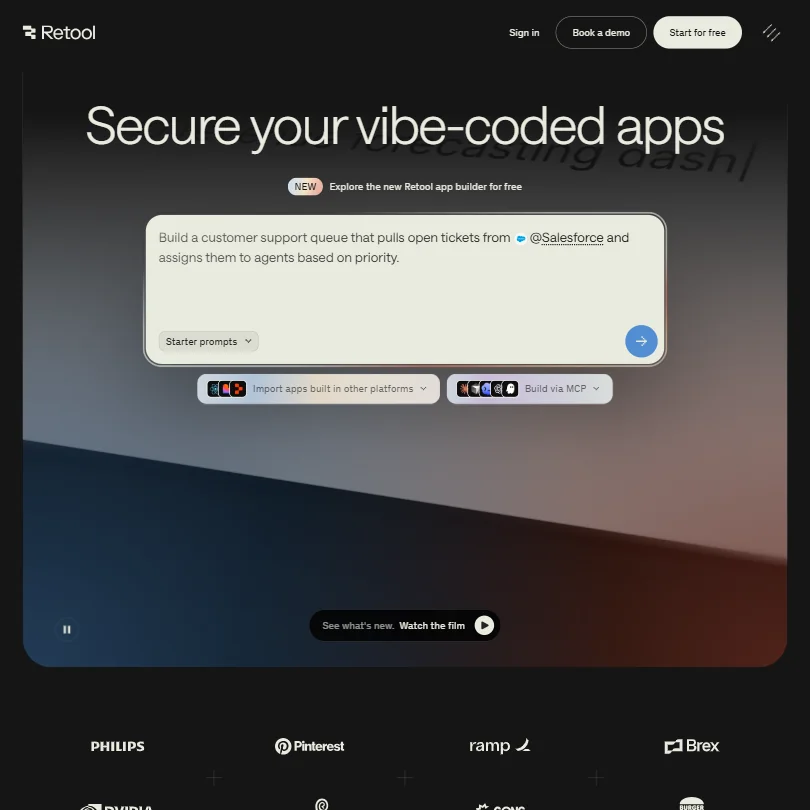
Describe what you want in a prompt, get a working app with data connections and governance defaults already applied. That's the AppGen pitch. From vendor demos and user reports, it handles common patterns well: CRUD apps, dashboards, form builders. More custom logic still requires a developer to step in. That's honest about where AI code generation actually sits right now.
We cross-referenced documentation with community posts and found that agent reliability improves significantly when teams invest in the evaluation tooling. Teams that skip that step report more inconsistent behaviour. Not a knock on the platform. A note that this capability requires setup investment to work well in production.
Is Retool Easy to Set Up Without Code?
Depends entirely on what you're building.
The drag-and-drop builder is genuinely accessible for straightforward apps. Connect a Postgres database, pull in a table component, add a form, ship. That workflow is fast. Retool University covers the basics well. The community forum is active. Getting started is not the problem.
The problem is the ceiling. The things that make Retool powerful, JavaScript custom code, complex query chaining, API authentication configurations, require someone who can actually write code. Product managers and ops teams can get surprisingly far. Anything beyond a moderately complex app will need a developer involved at some point. We kept seeing this in review data. Teams start independently, get to roughly 70%, then get stuck on something that requires a developer to unblock.
That's not a failing. It's a positioning reality. Retool is built for engineering teams shipping tools for other business teams. The builder persona is a developer, or a technically strong ops person. Users expecting Bubble-level accessibility will be frustrated.
Retool self-hosting requires substantial infrastructure knowledge. Production deployments now use Kubernetes and Helm, while Docker is limited to non-production environments. The documentation covers the Kubernetes and Helm path clearly enough, but this is not a one-click setup and it shouldn't be described as one. For teams in regulated industries who need self-hosting, budget real engineering time for the deployment.
Retool pricing: what each plan gives

The free plan is real. Five users, unlimited apps, 500 workflow runs per month, 5GB database storage. Plus 250 AI credits and 20 agent hours monthly. For a small team validating fit, that's enough runway to find out.
Paid tiers split into builder costs and internal user costs. On the Team plan, builders run $12 per month, internal users $7 per month. Business sits at $65 per builder and $18 per internal user. Enterprise is custom. The screenshot makes this structure explicit, and the jump from Business to Enterprise is where significant features disappear behind a sales conversation: source control, independent workspaces, platform API triggers, SAML and OpenID Connect SSO, full white-labeling, and error observability. All of them. That's a pattern we see constantly in this category and it still annoys us every time.
The per-builder model deserves scrutiny. You pay per person who builds, not per person who uses. For small teams where one or two developers build everything and fifty people use the apps, that's excellent value. For teams where building is distributed across many people, the bill climbs faster. The pricing page footnotes define "builder" as an enabled user who built or edited an app or workflow during the billing cycle, and "internal user" as someone who didn't. That distinction matters a lot at scale.
Compared to Make, Retool targets a different buyer entirely. Make is scenario-based and accessible to non-technical users. Retool is deeper, more opinionated about data governance, and costs more per seat. The price difference is real, but so is the capability difference. Worth noting also that Airplane's team was acquired by Airtable, and the Airplane.dev product was subsequently discontinued, so teams displaced from that platform have been actively evaluating Retool as a landing spot.
Ask about the refund policy before committing to an annual plan.
Retool vs Appsmith: Which Automation Platform Wins?
Appsmith is the most direct comparison. Both are open-source-friendly internal tool builders with self-hosting options. Both target developers building business apps on production data.
Retool's governance layer is more mature. Audit logging, access controls, and enterprise security features have been in the product longer and are more complete. Appsmith's open-source community is larger relative to its commercial footprint, which matters if community plugins or contract-free self-hosting are priorities.
On AI features, Retool is currently ahead. The Agents capability with evaluations and observability has no direct equivalent in Appsmith today. AppGen is further developed than Appsmith's AI tooling. If AI-assisted development or autonomous agents are part of your roadmap, that gap is material.
Appsmith tends to win on cost at smaller team sizes. Retool's pricing scales better at larger deployments where the per-builder model stays thin. Budibase is the other frequent comparison, skewing toward simpler apps and less technical users. Retool beats Budibase on depth. Budibase wins on approachability.
Who Should Use Retool? (And Who Shouldn't)
Engineering teams building internal tooling. That's the core fit. Teams with at least one developer who can write SQL and JavaScript, who need to ship apps faster than custom development allows, and who operate in environments where security and audit trails are non-negotiable. They'll get real value.
Operations teams at mid-market and enterprise companies. Specifically the ones with a technical ops lead who can own the platform and build for less technical colleagues. These teams show up frequently in the positive reviews.
Teams without any developers. Wrong tool. The platform will frustrate before it helps.
Early-stage startups building consumer-facing products should look elsewhere. Retool is explicitly internal. The portals and embedded apps feature exists on Business, but the platform's defaults and governance model are built around internal use cases. Building a customer-facing product on top of Retool is going against the grain.
Regulated industries are where Retool's pricing premium is easiest to justify. Financial services, healthcare, manufacturing. The audit logging and access control features that other tools treat as add-ons are defaults here. Enterprise plan signups before September 30, 2026 also receive AI credits worth up to $10k per year, per the current pricing page, which softens the cost conversation for larger teams evaluating the AI tooling.
Retool Review Verdict
Genuinely strong platform. Not without rough edges, but the core capability is real and the governance story is better than almost anything else in this category.
The app builder works. The workflow engine handles real complexity. The AI agent features are ahead of most competitors, though they require meaningful setup investment to function well in production. The free plan is generous enough to evaluate properly. Integration breadth means most teams won't hit a wall connecting to existing data sources.
The frustrations are real too. The jump from Business to Enterprise hides too many important features behind a sales call. Performance issues at scale surface in enough user reports that you should test against real data volumes before committing to a large deployment. Setup complexity for non-developers is understated in Retool's own marketing. The self-hosting path, specifically the requirement for Kubernetes and Helm in production, is more demanding than the product site implies. Ask about the refund policy too.
For engineering-led teams building internal tools on production data, Retool is one of the better options available right now. The competition has been closing, but the governance depth and AI tooling maintain a real lead. We'd recommend it without hesitation to the right buyer. We'd push back hard on anyone who thinks this is a no-code tool they can hand to a non-technical team and walk away from.
That caveat matters. Know what you're buying.
Frequently Asked Questions
Does Retool have a free plan that's actually usable?
Yes, and it's one of the more honest free tiers we've seen in this category. Five users, unlimited web and mobile apps, 500 workflow runs per month, 5GB of both database and file storage, and 20 agent hours monthly gives a real team enough room to evaluate genuine fit. Most teams will hit the workflow run ceiling before they hit anything else. That's a legitimate limit, not a dark pattern designed to force upgrades immediately.
Is Retool really a no-code tool?
Retool markets itself as low-code, and that framing is more accurate. Non-technical users can accomplish basic app builds, but anything moderately complex will require JavaScript or SQL at some point. We'd describe it as a tool built by developers, for developers, with enough visual scaffolding that technical ops people can build alongside them. If you're expecting Notion-level accessibility, you'll be disappointed.
How does Retool handle data security and compliance?
Better than most. Audit logging, role-based access controls, SSO, and self-hosting options are built into the product rather than treated as complete upsells. The self-hosted deployment option is particularly relevant for teams in regulated industries who can't route production data through a third-party cloud. That said, the more advanced security features, full white-labeling and independent workspaces alongside SAML SSO, sit behind the Enterprise tier. The full governance story requires a sales conversation, which is worth factoring into your evaluation timeline.







