Every score is worked out from the vendor's own pages · How we score →Disclosure
SAASINSPECTOR
ClickUp logo

ClickUp Review

ClickUp is an AI work management tool with docs, wikis, goals and time tracking built into one workspace, plus forms that turn submissions into trackable work. Its AI writes in tasks and docs, takes meeting notes and searches your other apps, sold as an add-on on top of any plan, and does not train on your data.

Visit ClickUp →From $12/mo

Research-based review. Features and prices are checked on the vendor's own website, and the score is worked out from those facts. We haven't tested it hands-on yet.

The verdict

ClickUp suits teams that want tasks, docs and many views with AI included on every plan; Notion keeps its full AI for higher tiers.

Pros

  • ClickUp's free plan includes unlimited tasks, unlimited free plan members and collaborative docs.
  • Brain's chat lets you choose between Claude, ChatGPT and Gemini.
  • ClickUp is SOC 2 Type 2 certified, GDPR compliant and HIPAA compliant.
  • Read-only guests are unlimited and free on every paid plan.

Cons

  • Paid plans are priced per user, from $12 a user a month on Core.
  • Heavy AI use needs MAX at $120 a user a month for 10,000 AI credits.
  • Single sign-on with SAML is limited to the Enterprise plan.
From $12/moFree plan YesFree trial Yes
9.6/10

Spec Score

ClickUp against 9 AI work management tools
#1
of 9 AI work management tools
+2.0
vs the average
98%
from published facts
Ahead of other AI work management tools
What it manages+3.2Working with others+1.4Pricing+1.1Privacy and trust+1.1
Behind other AI work management tools
Nothing clearly below the average
Every criterion
Tap a row for the facts
What it manages10.0
+3.2 vs 6.8 avg40 of 40 points
Ways to view work9 views2 / 2
Docs and wikiyes1 / 1
Time trackingyes1 / 1
Goals and portfoliosyes1 / 1
Forms that create workyes1 / 1
Ask AI about your whole workspaceyes1 / 1
AI writes in tasks and docsyes1 / 1
AI meeting notesyes1 / 1
Searches your other appsyes1 / 1
Why these numbers

Ways to view work: Counted from views. "Docs & Wikis" and "Gantt Charts" confirmed via the site's own product navigation footer.

Docs and wiki: Also confirmed via the site's "Docs & Wikis" product nav entry.

Time tracking: Core plan and up.

Goals and portfolios: Core plan and up.

AI writes in tasks and docs: ClickUp Brain, included on every plan through AI credits.

AI meeting notes: ClickUp Brain's AI notetaker.

Searches your other apps: ClickUp Brain search across your workspace.

Working with others9.0
+1.4 vs 7.6 avg18 of 20 points
Guests need no paid seatyes5 / 5
Ways to reach support3 support channels4 / 5
Why these numbers

Guests need no paid seat: Editable guest seats are free up to a plan-based limit that scales with paid users; read-only guests are unlimited and free on every paid plan.

Ways to reach support: Counted from support_channels. No dedicated email or phone support line confirmed.

Pricing9.0
+1.1 vs 7.9 avg19.8 of 22 points
Cheapest paid plan, monthly$125 / 6
AI on the cheapest paid planincluded3 / 3
Free trial of a paid plannot published, typical value used1 / 1
Why these numbers

Cheapest paid plan, monthly: Cheapest paid plan on the monthly term. US view. Unlimited was renamed Core. AI (ClickUp Brain) credits now come with every plan; the separate Brain AI and Everything AI add-ons are no longer listed. MAX gives 10,000 AI credits per user a month. Enterprise is quoted.

AI on the cheapest paid plan: AI credits are included in every plan, Core included; the Brain AI and Everything AI add-ons are no longer sold separately.

Privacy and trust10.0
+1.1 vs 8.9 avg18 of 18 points
Does not train AI on your datayes4 / 4
SOC 2yes3 / 3
GDPRyes3 / 3
Why these numbers

Does not train AI on your data: The ICL description (no permanent storage of Workspace information for training) is stated about ClickUp AI generally, not only third-party partners; the page separately repeats "We forbid third-party AI providers from training on your data" for AI partners specifically.

yesnonot published average for AI work management tools
How the Spec Score works

Scored from what ClickUp publishes on its own site. Not a hands-on test.

Compared with 9 AI work management tools. Facts checked 28 Oct 2026.

A fact the vendor does not publish gets half the points, or the typical value for a number, and says so. It never counts as a no. How we score.

ClickUp is a work management platform for tasks, docs, whiteboards and chat. Its AI, ClickUp Brain, now comes with every plan through monthly AI credits, so what decides whether it suits you is how many views, automations and AI credits your team needs, and which plan gives you enough of them.
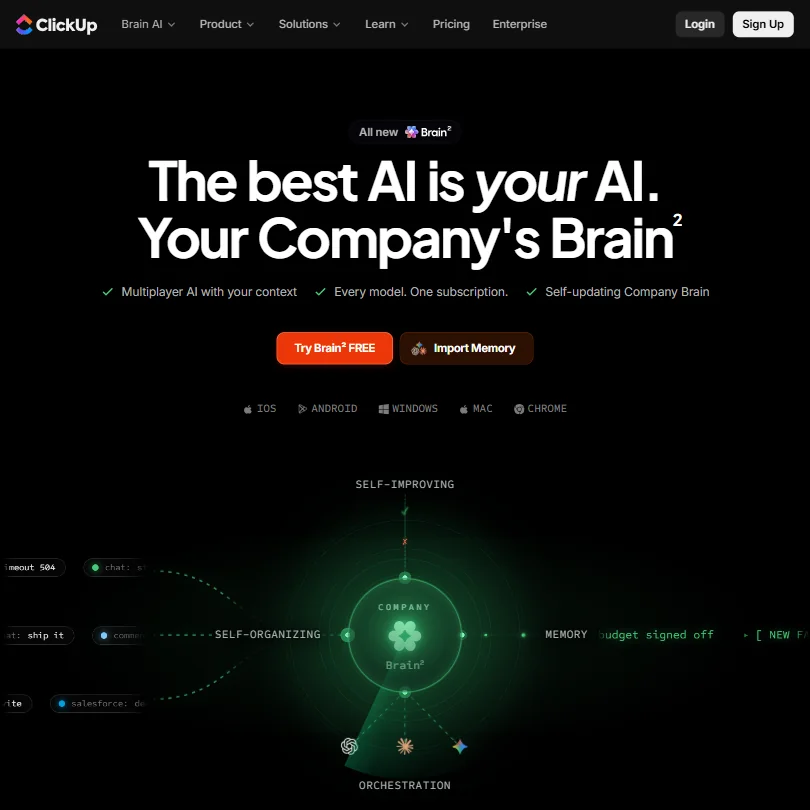
ClickUp homepage screenshot
ClickUp, Homepage

What is ClickUp?

ClickUp is headquartered in San Diego, California. It runs on the web, with desktop apps for Windows and Mac, and mobile apps for iOS and Android.

Managing work in ClickUp

Work can be viewed as a list, board, table, calendar, timeline, Gantt chart or whiteboard, alongside dashboards and collaborative docs. Docs and wikis are built in, and the free plan includes collaborative docs and 1 form. Core and up add unlimited forms, native time tracking and Goals & Portfolio Management. Automations run on monthly limits, and Business includes 5,000 a month.

ClickUp Brain is included in every plan, Free Forever and Core included, through AI credits each month; the separate Brain AI and Everything AI add-ons are no longer sold. The MAX plan is built for heavy AI use, with 10,000 AI credits a user a month. Brain covers AI writing, an @Brain agent and search across your workspace, with a choice of Claude, ChatGPT or Gemini for chat. Deep Search takes a complex question and checks your workspace, connected apps and the web for the answer.

Working with other people

Guest seats are free up to a limit that scales with paid users: the Core plan gives 5 guest seats for one paid user and 2 more for each additional paid user, and read-only guests are unlimited and free on every paid plan.

ClickUp integrates with tools including Slack, GitHub, Google Drive, OneDrive, HubSpot, Zoom, Loom, Bitbucket and Zapier. A public API is available for building integrations and apps, and ClickUp also runs its own MCP server so outside AI assistants can work with ClickUp directly.

ClickUp pricing: what each plan gives
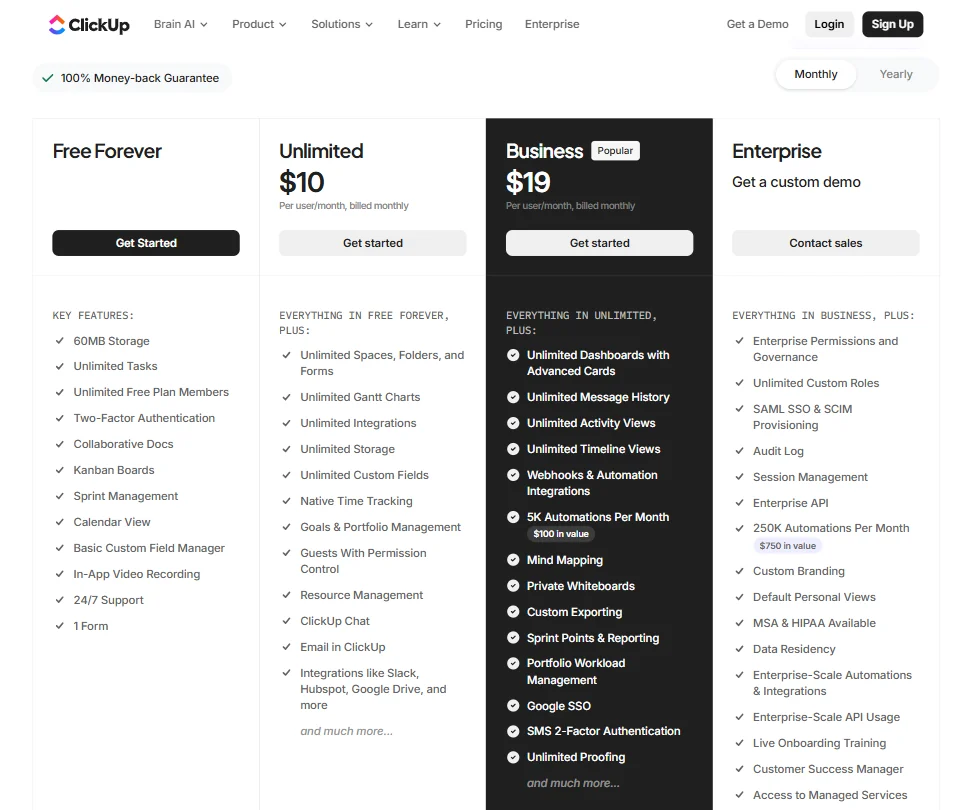
ClickUp pricing screenshot
ClickUp, Pricing

The Free Forever plan gives 60MB of storage, unlimited tasks, unlimited free plan members, collaborative docs, Kanban boards, sprint management, calendar view, a basic custom field manager, in-app video recording, 24/7 support and 1 form.

Core, formerly Unlimited, costs $12 a user a month ($9 a user a month billed yearly) and adds native time tracking, Goals & Portfolio Management and unlimited forms. Business costs $25 a user a month ($17 a user a month billed yearly) and includes 5,000 automations a month. MAX costs $120 a user a month ($100 a user a month billed yearly) and gives 10,000 AI credits a user a month. Enterprise is priced by quote. AI credits come with every plan, so there is no separate AI add-on to buy.

Privacy and security

ClickUp does not train on your data: its AI partners are prohibited from training their models on it, and ClickUp AI works by in-context learning, answering from the prompt without keeping your workspace data to train models. ClickUp is SOC 2 Type 2 certified, GDPR compliant and HIPAA compliant. Single sign-on with SAML is available on the Enterprise plan.

Support is available 24/7 on every plan, alongside a help center and a community.

Who ClickUp suits

ClickUp suits teams that want a wide range of views, docs, a wiki and automations in one workspace, with AI included in the plan rather than bought on top.

It suits less well small teams on a tight budget, since Core now costs $12 a user a month and Business $25, and teams that need single sign-on, which is on Enterprise.

Screenshots
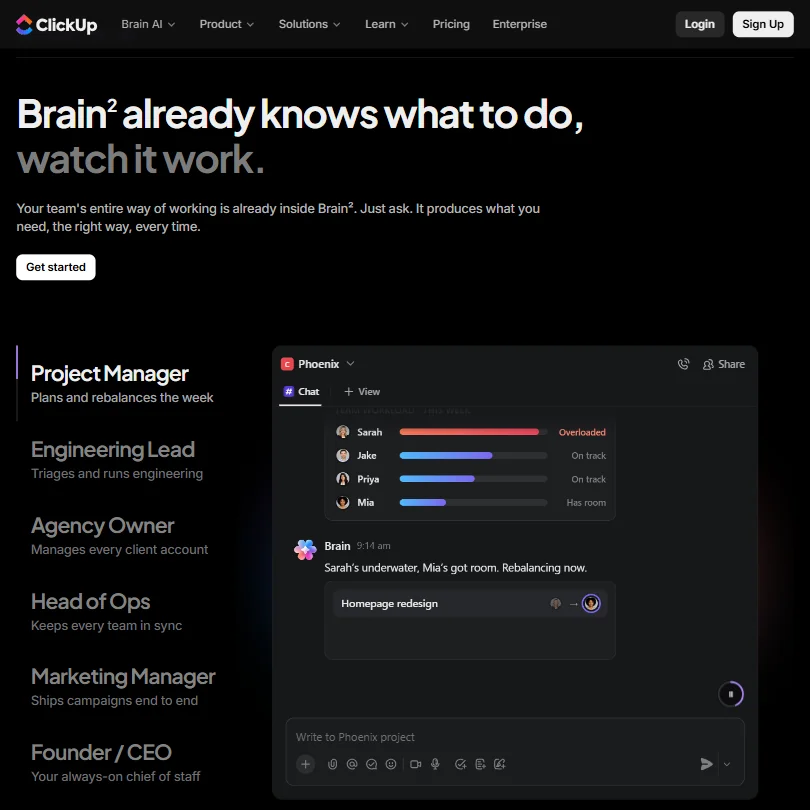
ClickUp features screenshot
ClickUp, Features

Frequently Asked Questions

How much does ClickUp cost?

The Free Forever plan costs nothing. Paid plans start at Core for $12 a user a month ($9 a user a month billed yearly), rise to Business at $25 a user a month ($17 billed yearly) and MAX at $120 a user a month ($100 billed yearly). AI credits are included in every plan.

Which plan includes ClickUp Brain?

Every plan does. ClickUp Brain now comes with AI credits on Free Forever, Core, Business, MAX and Enterprise, and MAX gives the most, 10,000 AI credits a user a month.

Which AI models can I use in ClickUp Brain?

Brain's chat lets you choose between Claude, ChatGPT and Gemini.

Does ClickUp train AI models on my data?

No. ClickUp's AI partners are prohibited from training their models on your data, and ClickUp AI answers from the prompt's context without keeping your workspace data for training.

ClickUp is featured in

Alternatives to ClickUp

See all ClickUp alternatives →

Other AI Productivity Tool options we've reviewed.

Glean logo

Glean

Large companies that want AI search and agents across their own apps, bought through a sales team

Unranked: no like-for-like peers
Free plan: noFree trial: yesAPI: yes
Price not publishedNo free plan
→
Asana logo

Asana

Teams that plan across many projects with goals, portfolios, timelines and intake forms

7.2
Rank #7 of 9 AI work management tools
Best:Privacy and trust8
Weakest:Working with others7
Free plan: yesFree trial: noAPI: yes
From $13.49Free plan
73% from published facts · checked 26 Sep
→
ChatGPT logo

ChatGPT

People who want images, voice, memory and deep research in one assistant, starting on a free plan

8.8
Rank #1 of 20 AI assistants
Best:What it can do10
Weakest:Privacy and trust6.2
Free plan: yesFree trial: noAPI: yes
From $8Free plan
100% from published facts · checked 16 Oct
→
Jamie logo

Jamie

Professionals who want private meeting notes with no recording kept, and storage and processing in Europe

6.8
Rank #15 of 20 AI meeting assistants
Best:Where it works10
Weakest:What it captures4.5
Keeps the meeting video: no
From $27 (€25)Free plan
87% from published facts · checked 21 Sep
→
Read AI logo

Read AI

Anyone who wants a personal meeting coach on the free plan, plus in-person meetings captured through the phone app

8.2
Rank #6 of 20 AI meeting assistants
Best:Where it works10
Weakest:Privacy and trust7.5
Keeps the meeting video: yes
From $19.75Free plan
98% from published facts · checked 21 Sep
→
monday logo

monday

Teams who want board-based projects with AI meeting notes and answers about their whole workspace built in

8.1
Rank #4 of 9 AI work management tools
Best:Privacy and trust10
Weakest:Working with others4
Free plan: yesFree trial: noAPI: yes
From $12Free plan
96% from published facts · checked 22 Sep
→

User reviews

Review ClickUp

Your rating

Reviews are moderated and appear once approved.