

We pulled this Browse AI review together from vendor documentation, Trustpilot threads, Product Hunt comments, and a careful read of what 770,000 users are actually saying. Not all of it lines up with the homepage. Founded in 2020 and headquartered in San Francisco, Browse AI has grown fast. Fast enough that the rough edges are now thoroughly catalogued by the people using it.
What is Browse AI?
Point-and-click web scraping. Four words. Browse AI lets non-technical users build "robots" that extract data from websites and monitor those sites for changes, without writing a line of code. You install the Chrome extension, click on the data you want, and the robot learns the pattern. Scheduled runs, bot evasion, dynamic content rendering, the platform is supposed to handle all of it automatically.
The 200+ prebuilt robots are worth flagging early. Marketers and sales teams don't have to start from scratch. There are ready-made robots for scraping LinkedIn, Amazon, Glassdoor, and a few others. For non-technical users who need data out of a specific site quickly, that head start actually matters.
Browse AI Features: Workflows, AI Agents & Automation Capabilities
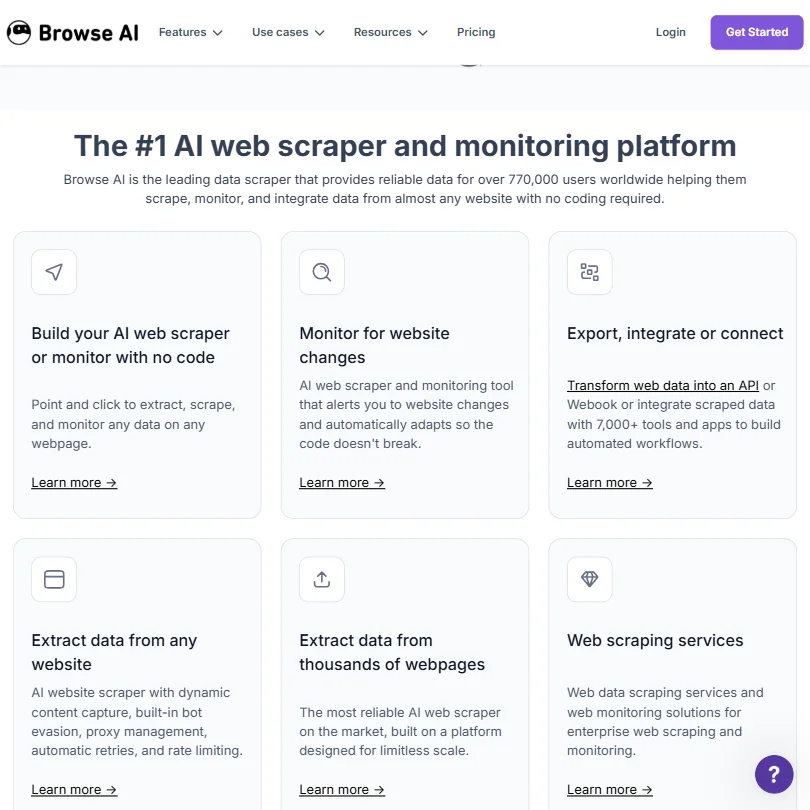
The feature set is focused in a way that some competitors aren't. Browse AI does one thing: get data out of websites and push it somewhere useful. It's not trying to be a general-purpose automation platform.
The visual robot builder is the centerpiece. You click through a site inside the extension, highlight the fields you want, and Browse AI records those interactions. It handles dropdowns and forms. It navigates conditionally based on what's actually on the page. The AI watches your clicks and replicates them on every subsequent run.
On the output side, the tool connects to Google Sheets and Airtable natively. Beyond those two, Zapier and Make.com open up a long tail of downstream apps. Webhooks and a REST API are available on every paid plan, which is better than most no-code tools in this price range. Honestly, that surprised us a little.
Worth addressing directly: data transformation used to sit exclusively behind the $500/month Premium tier. That's no longer entirely accurate. Browse AI now includes a Tables feature with calculated columns, and a Formula AI function for cleaning, categorizing, and reshaping data. There's a free entry point to that. So general transformation capability has moved down-market. Fully managed data transformation, handled by Browse AI's team as part of a bespoke service, is still a Premium-only arrangement. The distinction matters if you're evaluating plans.
Browse AI Automation Power: How Complex Can Your Workflows Get?
Not that complex. That's our honest read. Browse AI is purpose-built for extraction and monitoring, not multi-step process orchestration. You're not building branching logic trees or chaining API calls across five services. That's not what it's designed for.
What it does well is scheduled, repeated scraping at scale. You can run robots hourly on paid plans, down to five-minute intervals on higher tiers. You can monitor a product page for price changes and receive automatic notifications. For that use case, the automation holds up.
Conditional logic exists, and robots can navigate based on page state. But the self-service robot builder has no native code step, and that's a deliberate ceiling, not an oversight. The no-code audience is the target. If you need custom logic mid-extraction, you connect Browse AI to your own code externally through the REST API or webhooks. That's the workaround. Browse AI's managed Premium service can apparently deploy custom code for especially difficult sites, but that's a $500/month conversation, not a self-service one.
Browse AI AI Agent Capabilities: What Can It Actually Do Autonomously?
The "AI" label here means something specific and something limited. Browse AI's robots emulate human browsing behavior to avoid bot detection. They adapt when a website changes its layout. They retry automatically on failure. That's the autonomous part.
There's also a confirmation step during robot setup where the AI checks that it understood the extraction task correctly before committing. We kept seeing this called out in Product Hunt comments as genuinely useful for first-time configurations. Fair.
What it doesn't do is reason, plan, or take actions outside the web scraping context. It won't browse the web and make decisions the way a general AI agent would. We cross-referenced the documentation carefully on this point. Browse AI robots are sophisticated, self-maintaining scrapers, not autonomous agents in the broader sense. If you're evaluating it against something like CrewAI for multi-agent workflows, they're solving entirely different problems.
Is Browse AI Easy to Set Up Without Code?
Probably the strongest part of the product. User reports consistently describe setup times measured in minutes. The extension-based builder is why. You're not configuring anything abstractly. You click on what you want, and the robot records it.
The Free plan includes unlimited robots, 2 domains, and 50 credits per month. No credit card required. That's a low-friction way to find out whether the tool actually works on your specific target site before spending anything.
Friction shows up with more complicated sites. JavaScript-heavy pages, aggressive bot detection, sites that require authenticated sessions before any data appears. Reddit threads from 2024 surface a recurring pattern here: users who start cleanly with simple scraping jobs hit walls when the target site gets more sophisticated. Proxies and captcha handling are built in, but they're not magic. We don't buy the implication that bot evasion is a fully solved problem at this price point.
Browse AI pricing: what each plan gives

The screenshot tells the story clearly. Free at 50 credits and 2 domains. Personal at $48/month with 2,000 credits and 5 websites. Professional at $87/month with 5,000 credits and 10 websites. Premium starting at $500/month billed annually, with 600,000+ credits per year and a fully customized arrangement including a dedicated account manager.
Annual billing drops those prices by 20% and releases all credits upfront, which the pricing page flags explicitly.
The gap between $87 and $500 is the structural problem. Managed onboarding, data transformations handled by Browse AI's team, exclusive scale discounts, those all live at the $500 level. The self-serve Tables and Formula AI features now give Professional users some data shaping capability, which softens that gap slightly. But it doesn't close it. A user who needs fully managed, clean output with no internal effort still has nowhere to land between $87 and $500. That's a gap the pricing page doesn't acknowledge.
Credit consumption documentation could be more transparent. Ask how credits get used across different robot types. Ask about the refund policy too, since none is published.
Compare this to Make.com, which handles multi-step automation more broadly at a lower entry price. Browse AI at $87/month for Professional is competitive if web scraping is your primary need. If scraping is one of several automation requirements, you'll probably end up paying for Browse AI and something else simultaneously.
Browse AI vs Apify: Which Automation Platform Wins?
Apify is the natural comparison. Both do web scraping at scale. Both have free tiers. Both handle JavaScript-heavy sites reasonably well.
Apify skews toward developers, with a full SDK and open-source foundations. Browse AI skews hard toward non-technical users. There is no code step in Browse AI's self-service workflow, by design.
For a marketing team or sales ops person pulling competitor pricing data weekly, Browse AI is faster to deploy. The point-and-click setup wins on time-to-first-robot. Apify's library of "Actors" is larger and more flexible, but you need someone technical to configure them properly.
The decision usually comes down to who's actually running the tool day-to-day. A developer or data engineer will find Browse AI's ceiling frustrating. A non-technical user who needs results by Thursday will find Apify's setup friction equally frustrating. That's a real differentiator, not a marketing talking point.
Who Should Use Browse AI? (And Who Shouldn't)
Non-technical marketers and sales teams. That's the core fit. Someone pulling pricing data from a competitor's site each week, or monitoring a job board for new listings, or extracting leads from a public directory. Browse AI handles those cases cleanly and without a learning curve.
Small business owners wanting automated data collection without a developer on staff. The Free plan is enough to test whether Browse AI can actually handle your specific target site before committing to $48 or $87 a month.
Not the right fit for anyone who needs fully managed data transformation on a budget below $500/month. The new Tables and Formula AI features cover basic cleaning and categorization. Complex, bespoke transformation still requires Premium. Also not right for teams expecting a single tool to handle scraping and multi-step workflow automation together. You'll be connecting Browse AI to Zapier or Make.com regardless.
Developers evaluating this as a primary scraping tool. Look at Apify or Scrapy instead. Browse AI's no-code ceiling is a feature for its intended audience. For developers, it's just a ceiling.
Browse AI Review Verdict
Browse AI does what it says. Reliably, at a reasonable price for the core use case, and without requiring any technical background. That's not a small thing in a category full of tools that quietly require either patience or a developer.
The concerns are real, though. The jump from $87/month on Professional to $500/month on Premium remains the biggest structural gap in the product, even with the newer Tables and Formula AI features partially bridging the transformation question. Users who outgrow Professional don't have a stepping stone. They accept the current limitations or absorb a significant price increase. That will push some users toward Apify.
The Trustpilot presence is positive, though it lives on a page Browse AI controls, and independent review volume on G2 and Capterra is thin for a 770,000-user platform. Weigh the sentiment numbers with that in mind.
That said, for the non-technical user with a clear, repeatable scraping need, Browse AI is a genuinely good answer. Not perfect. Good.
Frequently Asked Questions
Does Browse AI work on websites that require login?
Yes, with limits. The Chrome extension can record authenticated sessions, so you can configure a robot that logs into a site before scraping begins. User reports suggest this works acceptably for straightforward cases. Sites using multi-factor authentication or complex session management tend to cause problems, and Browse AI's own documentation acknowledges variability here. Not a dealbreaker for most use cases. A real one for some.
How does Browse AI handle website changes without breaking?
The platform includes automatic site layout monitoring, and it's one of the features Browse AI pushes hardest in its positioning. When a site redesigns and data fields move, the robot is built to detect the shift and adapt. This holds up well for minor layout changes. Significant site overhauls typically still require manual robot adjustment. Better than most competitors on this dimension. Not foolproof.
Is the free plan actually useful or just a demo?
50 credits per month across 2 domains is genuinely limited for ongoing production work. But it's enough to confirm whether Browse AI can actually scrape your specific target site, which is the only test that matters before paying. No credit card required keeps that test low-friction. Treat it as a proof-of-concept tier. Don't expect to run a real workflow on it long-term.







