GitHub Copilot is the safe default if you want completions in the editor you already use. Autocomplete is its most-used feature, and it reaches into pull requests and the terminal.
Buying guide · 36 tools ranked
Best AI Tools for Developers
Find the best AI tools for developers, grouped by the job each one does in a change to your code, from autocomplete and editors to agents, app builders, debugging chat, code review, documentation and automation. Pick one tool per job instead of comparing everything against everything, and read who each suits and where it stops before you connect it to a repository.
Our top 3 AI Tools for Developers
Cursor is the choice when you want the assistant to lead and are happy to change editor. Being a fork of VS Code, it keeps your extensions and keybindings, indexes the whole repo and lets you pick between frontier models from the Premium plan.
Claude is on this list for its agentic side: Claude Code and other agent tools sit under the same platform as the assistant, which has code execution and an agent mode, and GitHub Copilot Pro lists Claude Code as a third-party agent.
Best AI code autocomplete tools for developers
5 picksAutocomplete finishes lines and blocks as you type, so what matters is which editor it lives in and what happens to your code. GitHub Copilot works across the editor, pull requests and terminal, with a free tier and unlimited completions on Pro. JetBrains AI sits inside IntelliJ, PyCharm and the other JetBrains IDEs, with local completion on its free tier. Amazon Q Developer covers the IDE, the command line and the AWS console. Tabnine is built for teams that need air-gapped deployment and has no free plan. Gemini appears here as an assistant, not a plugin. Choose by the editor you already use, then by privacy needs.
#ToolScorePriceWhy pick it
FreeGitHub Copilot is the safe default if you want completions in the editor you already use. Autocomplete is its most-used feature, and it reaches into pull requests and the terminal.
Show detailsHide details01 GitHub Copilot: Best for completions in the editor you use8.5Score 8.5 out of 10FreeGitHub Copilot is the safe default if you want completions in the editor you already use. Autocomplete is its most-used feature, and it reaches into pull requests and the terminal.Visit site ↗ReviewDetailsCloseShow more about GitHub Copilot
Free
GitHub Copilot is the safe default if you want completions in the editor you already use. Autocomplete is its most-used feature, and it reaches into pull requests and the terminal.
Show detailsHide detailsGitHub Copilot: Best for completions in the editor you use
8.5Score 8.5 out of 10FreeGitHub Copilot is the safe default if you want completions in the editor you already use. Autocomplete is its most-used feature, and it reaches into pull requests and the terminal.Visit site ↗ReviewDetailsClose
GitHub Copilot is the safe default if you want completions in the editor you already use. Autocomplete is its most-used feature, and it reaches into pull requests and the terminal. The free tier gives 2,000 completions a month, Pro makes completions unlimited and includes access to Claude Code and Codex as third-party agents. Agent mode is unproven, and the extra features add complexity. JetBrains AI is the closer match inside a JetBrains IDE.
- Trained on massive real-world codebases hosted on GitHub, giving it contextual depth that standalone AI tools cannot replicate.
- Autocomplete functionality is the most-used and most reliable feature, and the core of the product experience.
- Struggles with unusual architectures or opinionated codebases where its suggestions become less accurate or relevant.
From $4.99free planGemini here is Google's chat assistant, and what is documented is the assistant: code execution, file analysis, and a context window of 32,000 tokens on the free plan against 1 million on Pro and Ultra.
Show detailsHide details02 Gemini: Best for asking about large files7.9Score 7.9 out of 10From $4.99free planGemini here is Google's chat assistant, and what is documented is the assistant: code execution, file analysis, and a context window of 32,000 tokens on the free plan against 1 million on Pro and Ultra.Visit site ↗ReviewDetailsCloseShow more about Gemini
From $4.99free plan
Gemini here is Google's chat assistant, and what is documented is the assistant: code execution, file analysis, and a context window of 32,000 tokens on the free plan against 1 million on Pro and Ultra.
Show detailsHide detailsGemini: Best for asking about large files
7.9Score 7.9 out of 10From $4.99free planGemini here is Google's chat assistant, and what is documented is the assistant: code execution, file analysis, and a context window of 32,000 tokens on the free plan against 1 million on Pro and Ultra.Visit site ↗ReviewDetailsClose
Gemini here is Google's chat assistant, and what is documented is the assistant: code execution, file analysis, and a context window of 32,000 tokens on the free plan against 1 million on Pro and Ultra. Use it to ask questions about large files, and pair it with Copilot or JetBrains AI for inline suggestions. Chats train Google's models unless you switch off Keep Activity.
- Gemini is free to use with any personal Google account, with Google's Flash models included.
- Google AI Pro at $19.99 a month includes Gemini 4 Argon, Google's newest frontier model.
- The free plan's context window is capped at 32,000 tokens, far below the 1 million tokens on Pro and Ultra.
From $39Tabnine is the one for teams whose code cannot leave the building. It can be deployed fully air-gapped, does not train on your code, and its context engine learns your team's architecture and conventions.
Show detailsHide details03 Tabnine: Best for air-gapped teams with private code7.5Score 7.5 out of 10From $39Tabnine is the one for teams whose code cannot leave the building. It can be deployed fully air-gapped, does not train on your code, and its context engine learns your team's architecture and conventions.Visit site ↗ReviewDetailsCloseShow more about Tabnine
From $39
Tabnine is the one for teams whose code cannot leave the building. It can be deployed fully air-gapped, does not train on your code, and its context engine learns your team's architecture and conventions.
Show detailsHide detailsTabnine: Best for air-gapped teams with private code
7.5Score 7.5 out of 10From $39Tabnine is the one for teams whose code cannot leave the building. It can be deployed fully air-gapped, does not train on your code, and its context engine learns your team's architecture and conventions.Visit site ↗ReviewDetailsClose
Tabnine is the one for teams whose code cannot leave the building. It can be deployed fully air-gapped, does not train on your code, and its context engine learns your team's architecture and conventions. It supports 30+ languages across VS Code, JetBrains, Eclipse and Visual Studio. The free plan is gone, pricing is opaque, and it is less suited to a solo developer chasing the latest agent features than Copilot.
- Tabnine's Enterprise Context Engine learns organizational architecture, naming conventions, and framework preferences across the entire team, not just individual files.
- The tool can be deployed fully air-gapped with zero data leaving your infrastructure, making it genuinely viable for regulated industries.
- Pricing is described as genuinely opaque, which creates friction for developers and teams trying to evaluate costs.
From $10free planIf you already work in IntelliJ, PyCharm or WebStorm, JetBrains AI keeps everything inside the IDE.
Show detailsHide details04 JetBrains: Best for working inside JetBrains IDEs7.1Score 7.1 out of 10From $10free planIf you already work in IntelliJ, PyCharm or WebStorm, JetBrains AI keeps everything inside the IDE.Visit site ↗ReviewDetailsCloseShow more about JetBrains
From $10free plan
If you already work in IntelliJ, PyCharm or WebStorm, JetBrains AI keeps everything inside the IDE.
Show detailsHide detailsJetBrains: Best for working inside JetBrains IDEs
7.1Score 7.1 out of 10From $10free planIf you already work in IntelliJ, PyCharm or WebStorm, JetBrains AI keeps everything inside the IDE.Visit site ↗ReviewDetailsClose
If you already work in IntelliJ, PyCharm or WebStorm, JetBrains AI keeps everything inside the IDE. The free tier gives unlimited local code completion with limited AI credits, and a 30-day trial covers Pro. It draws on models from OpenAI, Anthropic and Google, and its agent protocol lets 25+ third-party agents plug in. Outside JetBrains IDEs it is a poor fit, and broader project context has to be attached by hand.
- Deep IDE integration means no context-switching, the AI layer sits directly inside IntelliJ, PyCharm, WebStorm, and other JetBrains tools developers already use daily.
- Multi-model backend pulls from GPT-4, Claude, and Google Gemini/Codey, so teams aren't locked into a single vendor's approach to code generation.
- The AI Assistant is an add-on to an existing ecosystem, making it a poor fit for developers who don't already use JetBrains IDEs.
From $0free planAmazon Q Developer suits anyone building on AWS, since it works in VS Code and JetBrains, the command line and the AWS console, and covers code generation, tests, debugging and security scanning with fix suggestions.
Show detailsHide details05 AWS: Best for building on AWS services6.5Score 6.5 out of 10From $0free planAmazon Q Developer suits anyone building on AWS, since it works in VS Code and JetBrains, the command line and the AWS console, and covers code generation, tests, debugging and security scanning with fix suggestions.Visit site ↗ReviewDetailsCloseShow more about AWS
From $0free plan
Amazon Q Developer suits anyone building on AWS, since it works in VS Code and JetBrains, the command line and the AWS console, and covers code generation, tests, debugging and security scanning with fix suggestions.
Show detailsHide detailsAWS: Best for building on AWS services
6.5Score 6.5 out of 10From $0free planAmazon Q Developer suits anyone building on AWS, since it works in VS Code and JetBrains, the command line and the AWS console, and covers code generation, tests, debugging and security scanning with fix suggestions.Visit site ↗ReviewDetailsClose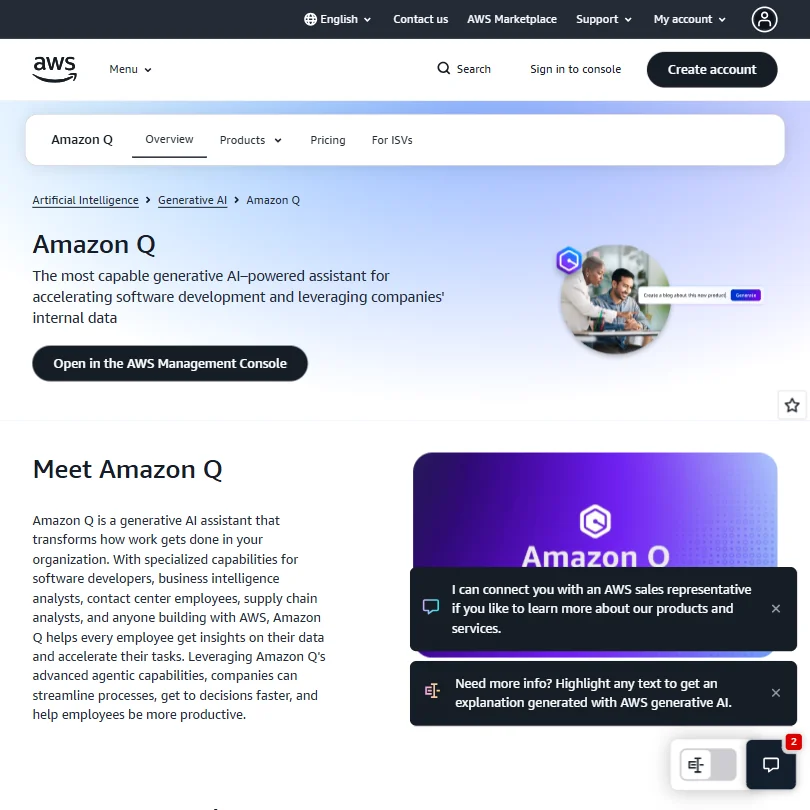
Amazon Q Developer suits anyone building on AWS, since it works in VS Code and JetBrains, the command line and the AWS console, and covers code generation, tests, debugging and security scanning with fix suggestions. The free tier includes the CLI and limited agentic requests; Pro adds Java and .NET app transformation and IP indemnity. It needs an AWS Builder ID or account, and the Q product family is confusing to sort out.
- Amazon Q Developer integrates directly into popular IDEs like VS Code and JetBrains, as well as the CLI and AWS Management Console, making it accessible in existing workflows.
- Offers a broad feature set including inline multi-line code suggestions, natural language code generation, test writing, debugging, and security scanning with automated fix suggestions.
- Amazon Q is not a single product but a fragmented family of tools, making it genuinely confusing for buyers to understand what they are actually purchasing.
Best AI code editors for developers
4 picksAn AI-native editor puts the assistant at the center instead of adding it as a plugin, and the cost is a switch of editor or terminal. Cursor is a fork of VS Code, so extensions and keybindings carry over, with codebase indexing and cloud agents. Windsurf is built around its Cascade engine but is being rebranded as Devin Desktop, so expect change. Zed is written in Rust, open source and takes your own API keys. Warp replaces your terminal and has moved towards running fleets of coding agents. Kiro, from AWS, turns a prompt into a written spec and task list before its agent writes code. Choose Cursor for familiarity, Zed for speed and control, and Warp if the terminal is where you live.
#ToolScorePriceWhy pick it
From $8free planCursor is the choice when you want the assistant to lead and are happy to change editor. Being a fork of VS Code, it keeps your extensions and keybindings, indexes the whole repo and lets you pick between frontier models from the Premium plan.
Show detailsHide details06 Cursor: Best for a VS Code fork built around AI8.2Score 8.2 out of 10From $8free planCursor is the choice when you want the assistant to lead and are happy to change editor. Being a fork of VS Code, it keeps your extensions and keybindings, indexes the whole repo and lets you pick between frontier models from the Premium plan.Visit site ↗ReviewDetailsCloseShow more about Cursor
From $8free plan
Cursor is the choice when you want the assistant to lead and are happy to change editor. Being a fork of VS Code, it keeps your extensions and keybindings, indexes the whole repo and lets you pick between frontier models from the Premium plan.
Show detailsHide detailsCursor: Best for a VS Code fork built around AI
8.2Score 8.2 out of 10From $8free planCursor is the choice when you want the assistant to lead and are happy to change editor. Being a fork of VS Code, it keeps your extensions and keybindings, indexes the whole repo and lets you pick between frontier models from the Premium plan.Visit site ↗ReviewDetailsClose
Cursor is the choice when you want the assistant to lead and are happy to change editor. Being a fork of VS Code, it keeps your extensions and keybindings, indexes the whole repo and lets you pick between frontier models from the Premium plan. The free plan has limited agent and Chat requests, and Plus at $8 runs only Cursor's own Grok models. It replaces your current editor rather than plugging in, which is a real commitment. Zed is lighter and more open.
- Cursor is a full IDE fork of VS Code, preserving familiar muscle memory, extensions, and keybindings while deeply integrating AI as the primary interface.
- Runs its own Grok and Composer models on every plan and adds Claude and Gemini on Premium and up, so developers can pick the right model for each task.
- Cursor requires replacing your existing editor entirely rather than functioning as a plugin, which is a significant commitment for developers invested in their current setup.
From $20free planWarp suits developers who live in the terminal and want AI there: command completion, natural language turned into shell commands, and Warp Drive to share commands across a team.
Show detailsHide details07 Warp: Best for AI inside the terminal7.4Score 7.4 out of 10From $20free planWarp suits developers who live in the terminal and want AI there: command completion, natural language turned into shell commands, and Warp Drive to share commands across a team.Visit site ↗ReviewDetailsCloseShow more about Warp
From $20free plan
Warp suits developers who live in the terminal and want AI there: command completion, natural language turned into shell commands, and Warp Drive to share commands across a team.
Show detailsHide detailsWarp: Best for AI inside the terminal
7.4Score 7.4 out of 10From $20free planWarp suits developers who live in the terminal and want AI there: command completion, natural language turned into shell commands, and Warp Drive to share commands across a team.Visit site ↗ReviewDetailsClose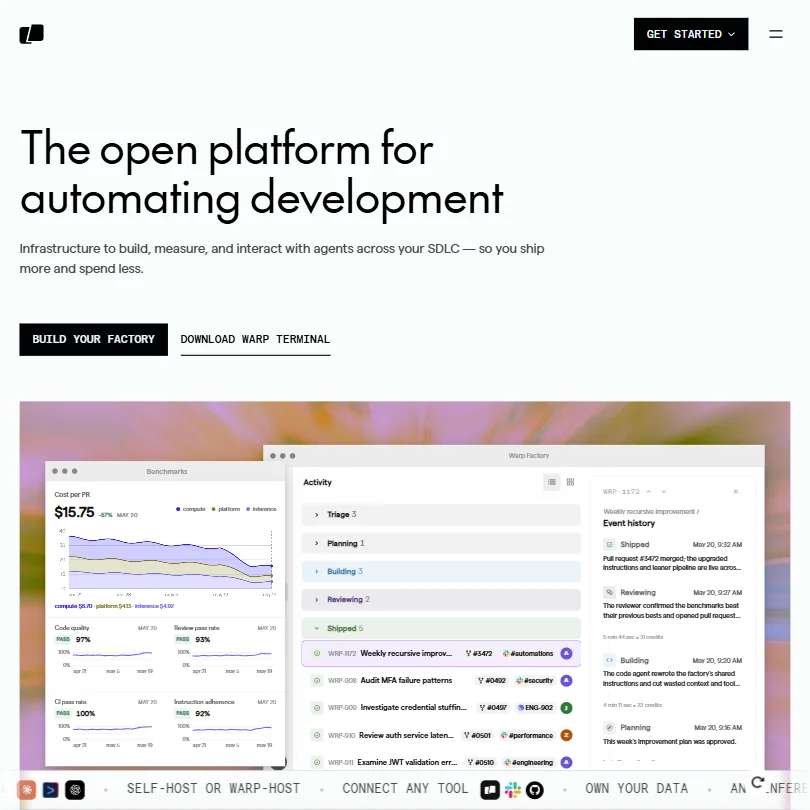
Warp suits developers who live in the terminal and want AI there: command completion, natural language turned into shell commands, and Warp Drive to share commands across a team. The free plan includes the core terminal, the Agent CLI and limited cloud agents, and you can bring your own inference. It has pivoted towards running fleets of cloud agents, so the product is still finding its shape. Aider is a simpler terminal option.
- The terminal offers AI-powered command completion and natural language to shell command translation, reducing friction for developers.
- Warp Drive provides a shared space for saving and distributing commands across a team, improving workflow consistency.
- The product has pivoted significantly, and it is unclear whether the terminal and the agentic platform feel like one coherent product or two separate tools stapled together.
From $0free planZed is for developers who find VS Code sluggish on large projects. It is written in Rust, open source, and adds real-time collaboration.
Show detailsHide details08 Zed: Best for a fast Rust editor, your own keys7.2Score 7.2 out of 10From $0free planZed is for developers who find VS Code sluggish on large projects. It is written in Rust, open source, and adds real-time collaboration.Visit site ↗ReviewDetailsCloseShow more about Zed
From $0free plan
Zed is for developers who find VS Code sluggish on large projects. It is written in Rust, open source, and adds real-time collaboration.
Show detailsHide detailsZed: Best for a fast Rust editor, your own keys
7.2Score 7.2 out of 10From $0free planZed is for developers who find VS Code sluggish on large projects. It is written in Rust, open source, and adds real-time collaboration.Visit site ↗ReviewDetailsClose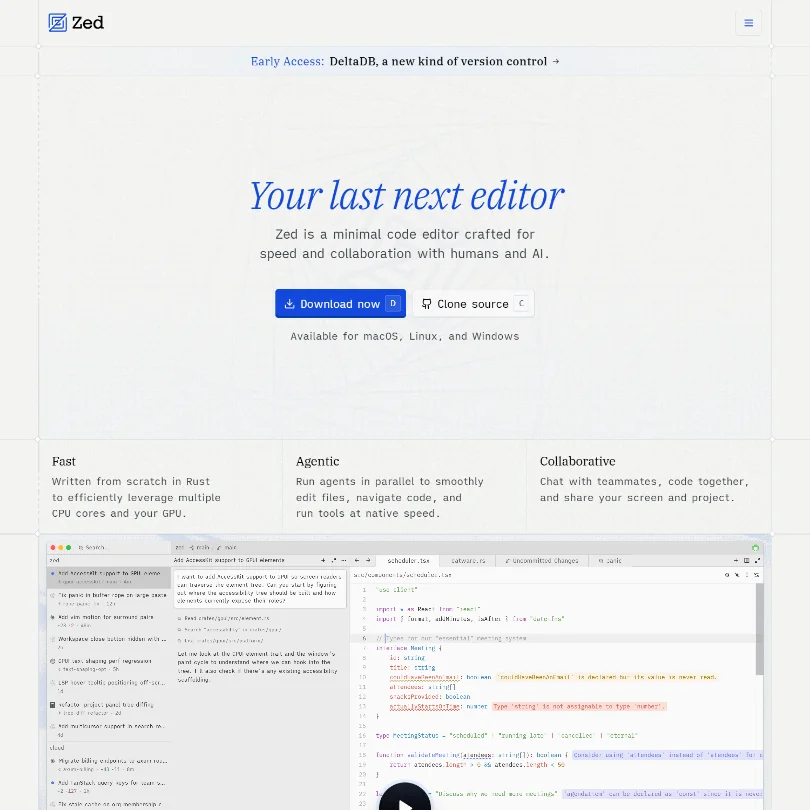
Zed is for developers who find VS Code sluggish on large projects. It is written in Rust, open source, and adds real-time collaboration. The free Personal plan covers 2,000 accepted edit predictions and unlimited use with your own API keys or external agents, so you choose the model. The team is small, agentic features are still being proven and Windows support came later than macOS and Linux. Cursor has the deeper agent tooling.
- Built from the ground up in Rust, delivering genuine GPU-accelerated and multi-core performance that users consistently describe as noticeably faster than VS Code, especially on large files.
- Zed owns the entire stack, rendering, AI, and collaboration, rather than being a plugin layered onto another editor, giving it architectural coherence competitors lack.
- Windows support arrived later than macOS and Linux, suggesting platform parity may still lag for Windows-first developers.
From $20free planKiro is AWS's agentic IDE: you describe a feature, it writes requirements, a design and a task list, then its agent works through the tasks on its own.
Show detailsHide details09 Kiro: Best for specs written before the code6.0Score 6.0 out of 10From $20free planKiro is AWS's agentic IDE: you describe a feature, it writes requirements, a design and a task list, then its agent works through the tasks on its own.Visit site ↗ReviewDetailsCloseShow more about Kiro
From $20free plan
Kiro is AWS's agentic IDE: you describe a feature, it writes requirements, a design and a task list, then its agent works through the tasks on its own.
Show detailsHide detailsKiro: Best for specs written before the code
6.0Score 6.0 out of 10From $20free planKiro is AWS's agentic IDE: you describe a feature, it writes requirements, a design and a task list, then its agent works through the tasks on its own.Visit site ↗ReviewDetailsClose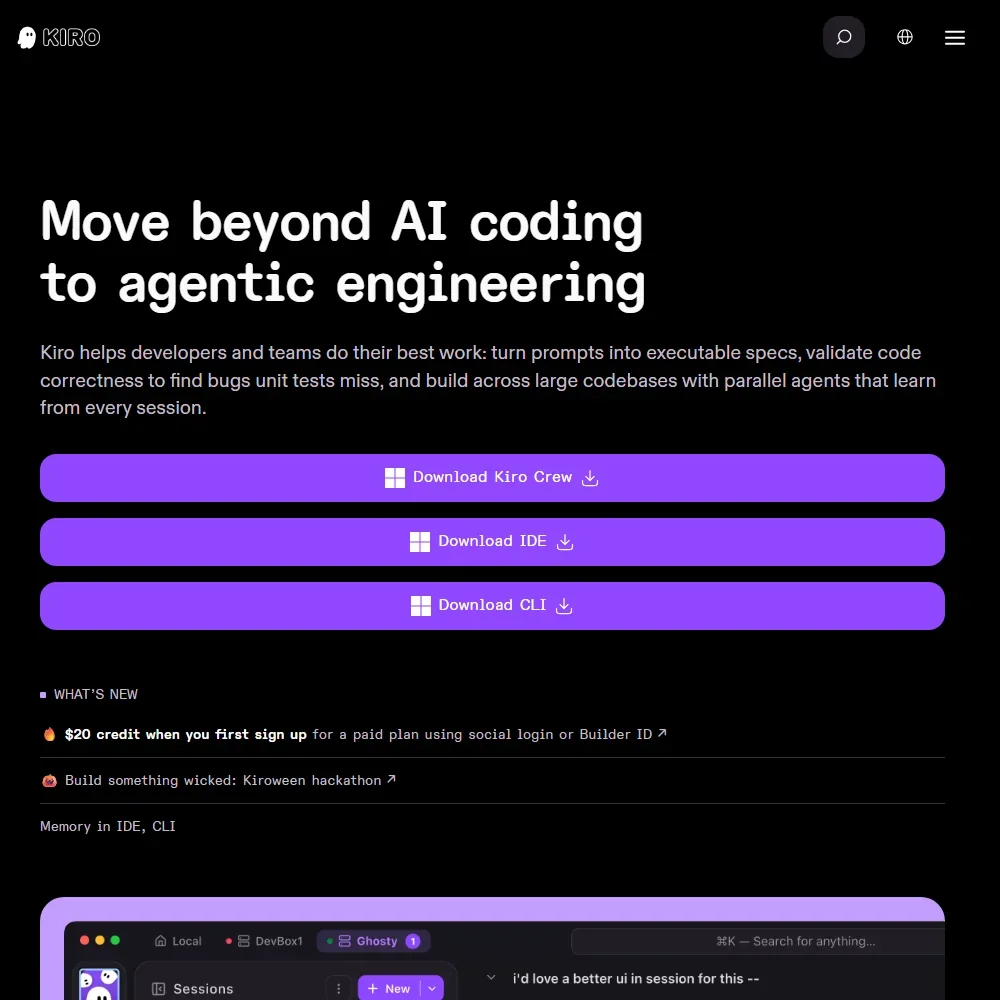
Kiro is AWS's agentic IDE: you describe a feature, it writes requirements, a design and a task list, then its agent works through the tasks on its own. It also runs as a CLI and, from Pro, in the browser. There is no tab completion, every action spends credits, and the free plan has 50 a month. Pick it if you want a plan to review before any code is written; Cursor suits coding alongside the AI.
- A perpetual Free plan includes 50 credits a month with open weight models and Claude Sonnet 4.5.
- Claude, GPT and open weight models from DeepSeek, Qwen, Kimi, GLM and MiniMax sit on one credit allowance, with an Auto router.
- The IDE has no tab completion for code; it is driven by chat and agents.
Best AI coding agents for developers
6 picksAgents take a task and work through it across many files, which changes what you review: a finished change instead of a suggestion. Devin runs in its own cloud environment with a terminal, browser and editor, for multi-hour jobs such as migrations. Claude offers agentic tools under one platform. Cline and Aider are open source, running in VS Code and the terminal on your own model keys. Augment Code is priced and built for large teams and repositories. Jules, from Google, works on a GitHub repository in a cloud machine and returns a pull request, with a free daily task allowance. Choose Devin to hand work off, Cline or Aider to keep cost and model choice in your hands, and read the diff before you trust any of them.
#ToolScorePriceWhy pick it
From $20free planClaude is on this list for its agentic side: Claude Code and other agent tools sit under the same platform as the assistant, which has code execution and an agent mode, and GitHub Copilot Pro lists Claude Code as a third-party agent.
Show detailsHide details10 Claude: Best for agentic coding under one platform7.8Score 7.8 out of 10From $20free planClaude is on this list for its agentic side: Claude Code and other agent tools sit under the same platform as the assistant, which has code execution and an agent mode, and GitHub Copilot Pro lists Claude Code as a third-party agent.Visit site ↗ReviewDetailsCloseShow more about Claude
From $20free plan
Claude is on this list for its agentic side: Claude Code and other agent tools sit under the same platform as the assistant, which has code execution and an agent mode, and GitHub Copilot Pro lists Claude Code as a third-party agent.
Show detailsHide detailsClaude: Best for agentic coding under one platform
7.8Score 7.8 out of 10From $20free planClaude is on this list for its agentic side: Claude Code and other agent tools sit under the same platform as the assistant, which has code execution and an agent mode, and GitHub Copilot Pro lists Claude Code as a third-party agent.Visit site ↗ReviewDetailsClose
Claude is on this list for its agentic side: Claude Code and other agent tools sit under the same platform as the assistant, which has code execution and an agent mode, and GitHub Copilot Pro lists Claude Code as a third-party agent. Plan limits for Claude Code itself are not spelled out here, so check them before you rely on it. Consumer chats train Anthropic's models unless you opt out.
- The free plan already includes web search, file creation, code execution and memory across conversations.
- Deep research is available from the Pro plan up.
- The Opus and Fable models are only available from the Pro plan up.
From $20free planDevin is for handing a job over rather than pair-programming: migrations, large refactors and CI failure triage, running in a cloud environment with a terminal, browser and editor.
Show detailsHide details11 Devin: Best for handing off migrations and refactors7.7Score 7.7 out of 10From $20free planDevin is for handing a job over rather than pair-programming: migrations, large refactors and CI failure triage, running in a cloud environment with a terminal, browser and editor.Visit site ↗ReviewDetailsCloseShow more about Devin
From $20free plan
Devin is for handing a job over rather than pair-programming: migrations, large refactors and CI failure triage, running in a cloud environment with a terminal, browser and editor.
Show detailsHide detailsDevin: Best for handing off migrations and refactors
7.7Score 7.7 out of 10From $20free planDevin is for handing a job over rather than pair-programming: migrations, large refactors and CI failure triage, running in a cloud environment with a terminal, browser and editor.Visit site ↗ReviewDetailsClose
Devin is for handing a job over rather than pair-programming: migrations, large refactors and CI failure triage, running in a cloud environment with a terminal, browser and editor. The free tier includes unlimited inline edits and Tab completions with a light agent quota, and Pro adds Devin Cloud access. Its benchmark claims are self-reported and its model routing is poorly documented. If you want to keep control, Cline or Aider let you supervise each step.
- Devin operates autonomously on complex, multi-hour tasks like codebase migrations and large refactors, not just autocomplete suggestions.
- The cloud-based environment includes a terminal, browser, and code editor, requiring no local installation for the core agent.
- The underlying model routing logic between SWE-1.7 and third-party models is not documented in any useful detail.
FreeCline is the pick for developers who want an open-source agent they can inspect and point at any model.
Show detailsHide details12 Cline: Best for an open-source agent, any model7.2Score 7.2 out of 10FreeCline is the pick for developers who want an open-source agent they can inspect and point at any model.Visit site ↗ReviewDetailsCloseShow more about Cline
Free
Cline is the pick for developers who want an open-source agent they can inspect and point at any model.
Show detailsHide detailsCline: Best for an open-source agent, any model
7.2Score 7.2 out of 10FreeCline is the pick for developers who want an open-source agent they can inspect and point at any model.Visit site ↗ReviewDetailsClose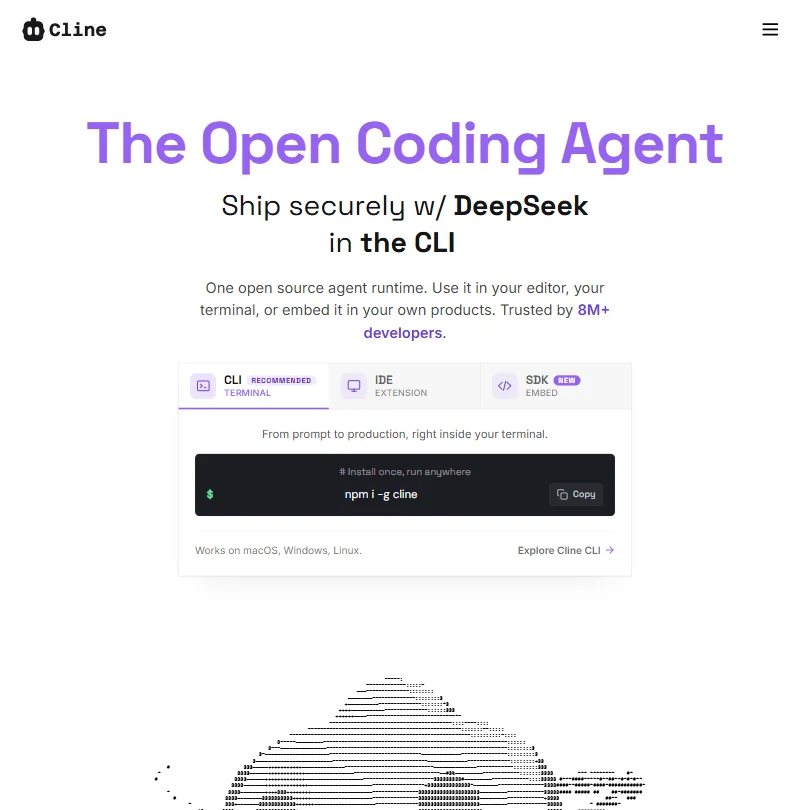
Cline is the pick for developers who want an open-source agent they can inspect and point at any model. It runs as a VS Code extension, a command-line tool and an embeddable SDK, works with local models, and the core is free. You manage your own API keys and model costs unless you pay for ClinePass, and it has no formal review-site presence. Aider covers the same open-source ground in the terminal.
- Fully open-source runtime gives developers complete control over the underlying model and infrastructure.
- Model-agnostic architecture supports GPT-4o, Claude, and open-weights models, avoiding vendor lock-in.
- The tool requires developers to manage their own API keys and model infrastructure unless they pay for ClinePass.
FreeAider is a terminal-native pair programmer for developers comfortable on the command line.
Show detailsHide details13 Aider: Best for terminal edits committed to git6.4Score 6.4 out of 10FreeAider is a terminal-native pair programmer for developers comfortable on the command line.Visit site ↗ReviewDetailsCloseShow more about Aider
Free
Aider is a terminal-native pair programmer for developers comfortable on the command line.
Show detailsHide detailsAider: Best for terminal edits committed to git
6.4Score 6.4 out of 10FreeAider is a terminal-native pair programmer for developers comfortable on the command line.Visit site ↗ReviewDetailsClose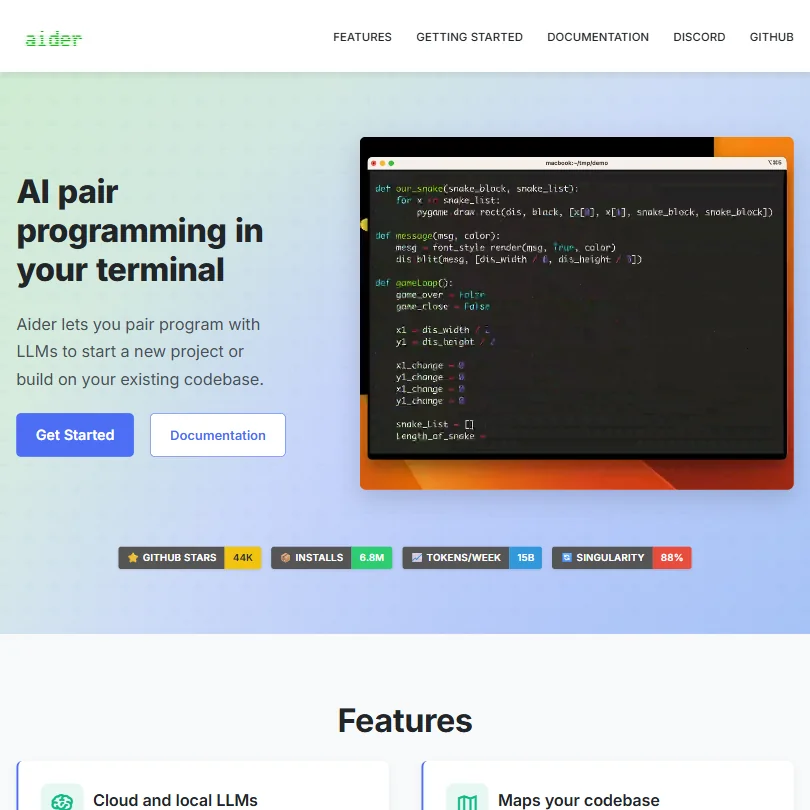
Aider is a terminal-native pair programmer for developers comfortable on the command line. You describe a change in plain language, it edits across files using a repo map, and it commits each edit to git so every change can be diffed and reverted. It is free and open source; you pay your model provider. There is no inline autocomplete, and you manage API keys yourself. Cline is the editor-based equivalent.
- Terminal-native interface keeps workflow focused with no browser tabs or sidebar widgets cluttering the experience.
- Works with multiple LLMs including Claude 3.7 Sonnet, OpenAI o1, and DeepSeek R1, giving users cost and performance flexibility.
- No inline autocomplete or tab-complete behavior, which will disappoint developers expecting a GitHub Copilot-style experience.
From $20Augment Code is aimed at large engineering organizations. Its Context Engine maps a codebase as a structural graph and supports repositories of 400,000+ files, and the agents can carry a change from first commit to merge, with three review modes.
Show detailsHide details14 Augment Code: Best for very large repositories and big teams6.3Score 6.3 out of 10From $20Augment Code is aimed at large engineering organizations. Its Context Engine maps a codebase as a structural graph and supports repositories of 400,000+ files, and the agents can carry a change from first commit to merge, with three review modes.Visit site ↗ReviewDetailsCloseShow more about Augment Code
From $20
Augment Code is aimed at large engineering organizations. Its Context Engine maps a codebase as a structural graph and supports repositories of 400,000+ files, and the agents can carry a change from first commit to merge, with three review modes.
Show detailsHide detailsAugment Code: Best for very large repositories and big teams
6.3Score 6.3 out of 10From $20Augment Code is aimed at large engineering organizations. Its Context Engine maps a codebase as a structural graph and supports repositories of 400,000+ files, and the agents can carry a change from first commit to merge, with three review modes.Visit site ↗ReviewDetailsClose
Augment Code is aimed at large engineering organizations. Its Context Engine maps a codebase as a structural graph and supports repositories of 400,000+ files, and the agents can carry a change from first commit to merge, with three review modes. SOC 2 Type II and a no-training policy come with the Business tier. There is no free plan or stated trial, and solo developers will find it expensive next to Cline or Aider.
- The Context Engine maps codebases as a structural graph rather than a text corpus, enabling support for repositories with 400,000+ files.
- PR Author agent handles the full workflow from first commit through merge, not just code generation.
- The tool is expensive and clearly not positioned for solo developers or small teams on tight budgets.
From $4.99free planJules is Google's coding agent for GitHub repositories: you assign a task, it clones the repo into a cloud machine, plans, edits, runs tests and comes back with a pull request while you work on something else.
Show detailsHide details15 Jules: Best for background tasks that end in a pull request5.0Score 5.0 out of 10From $4.99free planJules is Google's coding agent for GitHub repositories: you assign a task, it clones the repo into a cloud machine, plans, edits, runs tests and comes back with a pull request while you work on something else.Visit site ↗ReviewDetailsCloseShow more about Jules
From $4.99free plan
Jules is Google's coding agent for GitHub repositories: you assign a task, it clones the repo into a cloud machine, plans, edits, runs tests and comes back with a pull request while you work on something else.
Show detailsHide detailsJules: Best for background tasks that end in a pull request
5.0Score 5.0 out of 10From $4.99free planJules is Google's coding agent for GitHub repositories: you assign a task, it clones the repo into a cloud machine, plans, edits, runs tests and comes back with a pull request while you work on something else.Visit site ↗ReviewDetailsClose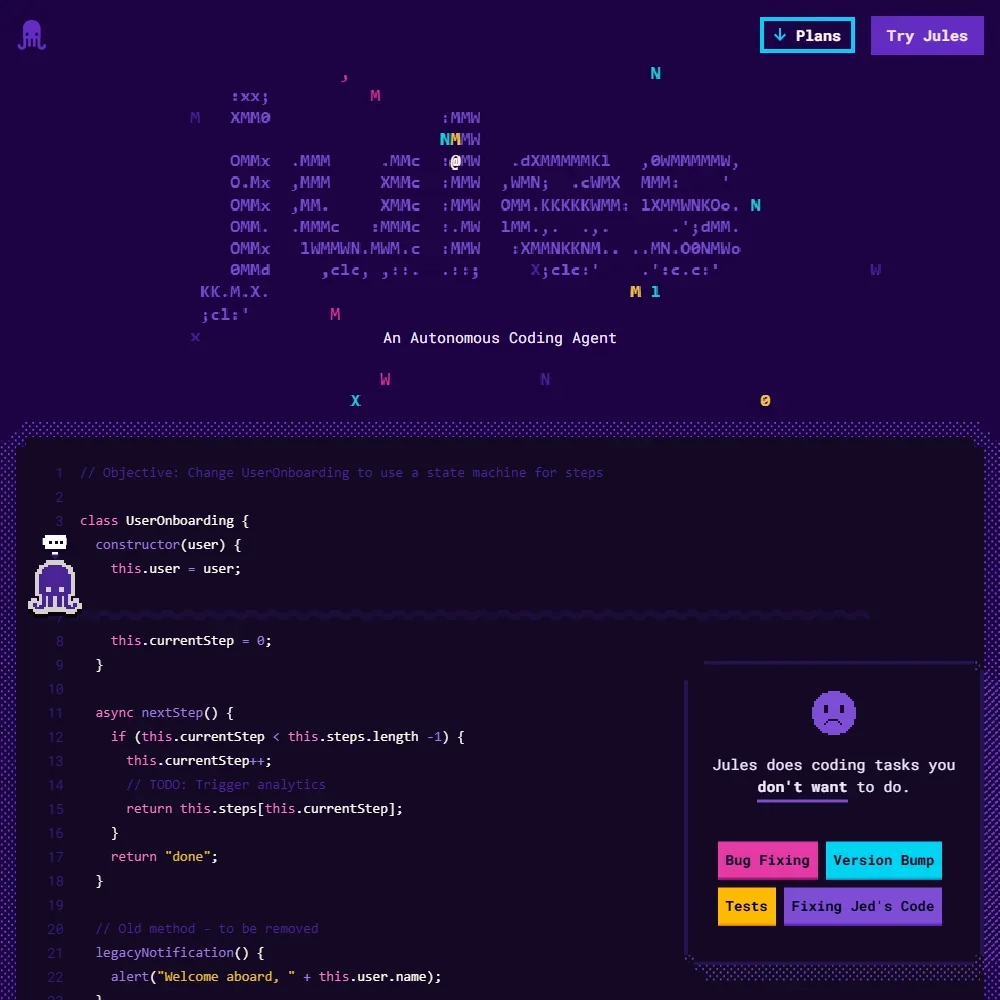
Jules is Google's coding agent for GitHub repositories: you assign a task, it clones the repo into a cloud machine, plans, edits, runs tests and comes back with a pull request while you work on something else. The free plan allows 15 tasks a day, 3 at a time, and Google AI plans raise the limits. It runs on Gemini models and has no editor of its own. Devin suits longer hand-offs with a browser and terminal.
- The free plan gives 15 tasks a day and 3 running at once, and it does not expire.
- Each task runs in a fresh cloud machine and the changes come back as a pull request.
- Jules does not suggest code as you type, and its chat sits outside your editor.
Best AI app builders for developers
5 picksApp builders generate a working application from a description, so they suit prototypes, internal demos and founders more than production infrastructure. v0 produces React and Next.js interfaces and deploys to Vercel. Bolt runs Node.js inside the browser tab with hosting, a database and authentication built in. Lovable generates React and TypeScript apps with a built-in backend and exports to GitHub. Replit pairs a cloud IDE with an agent that builds and deploys. Emergent builds web and React Native mobile apps with a database, sign-in and payments, and can publish to the App Store and Google Play. Choose by where the app should end up: on Vercel, in a repository you own, or hosted where it was built, and check what each free plan does to branding, messages and credits.
#ToolScorePriceWhy pick it
From $20free planEmergent builds web apps and React Native mobile apps from a prompt, with a database, sign-in, hosting and Stripe payments set up, and it can submit mobile apps to the App Store and Google Play.
Show detailsHide details16 Emergent: Best for web and mobile apps with payments built in8.4Score 8.4 out of 10From $20free planEmergent builds web apps and React Native mobile apps from a prompt, with a database, sign-in, hosting and Stripe payments set up, and it can submit mobile apps to the App Store and Google Play.Visit site ↗ReviewDetailsCloseShow more about Emergent
From $20free plan
Emergent builds web apps and React Native mobile apps from a prompt, with a database, sign-in, hosting and Stripe payments set up, and it can submit mobile apps to the App Store and Google Play.
Show detailsHide detailsEmergent: Best for web and mobile apps with payments built in
8.4Score 8.4 out of 10From $20free planEmergent builds web apps and React Native mobile apps from a prompt, with a database, sign-in, hosting and Stripe payments set up, and it can submit mobile apps to the App Store and Google Play.Visit site ↗ReviewDetailsClose
Emergent builds web apps and React Native mobile apps from a prompt, with a database, sign-in, hosting and Stripe payments set up, and it can submit mobile apps to the App Store and Google Play. Free gives 10 credits to build and test, publishing and custom domains start on Standard, and a live app keeps spending credits each month. Its terms let it train on your content. Choose it over Lovable when the app must also ship to phones.
- It builds full stack apps with a React or Next.js front end, a FastAPI or Next.js back end and a managed MongoDB database.
- Emergent Auth handles email and password, Google sign-in and phone one-time codes without extra setup.
- Its Terms of Service license your content for training its AI systems, with no opt-out.
From $25free planBolt.new is for going from idea to a running app, front end and back end, inside a browser tab, with hosting, a database and authentication bundled through Bolt Cloud and GitHub import.
Show detailsHide details17 bolt.new: Best for whole apps built in the browser6.6Score 6.6 out of 10From $25free planBolt.new is for going from idea to a running app, front end and back end, inside a browser tab, with hosting, a database and authentication bundled through Bolt Cloud and GitHub import.Visit site ↗ReviewDetailsCloseShow more about bolt.new
From $25free plan
Bolt.new is for going from idea to a running app, front end and back end, inside a browser tab, with hosting, a database and authentication bundled through Bolt Cloud and GitHub import.
Show detailsHide detailsbolt.new: Best for whole apps built in the browser
6.6Score 6.6 out of 10From $25free planBolt.new is for going from idea to a running app, front end and back end, inside a browser tab, with hosting, a database and authentication bundled through Bolt Cloud and GitHub import.Visit site ↗ReviewDetailsClose
Bolt.new is for going from idea to a running app, front end and back end, inside a browser tab, with hosting, a database and authentication bundled through Bolt Cloud and GitHub import. The free plan has daily and monthly token limits and puts Bolt branding on sites; Pro lifts the daily limit, removes the branding and adds custom domains. It is aimed at non-developers rather than professionals building production infrastructure. For a UI you will wire up yourself, v0 is the better fit.
- Generates full-stack web apps entirely in the browser without requiring any terminal access or local environment setup.
- WebContainers technology bundles the entire Node.js runtime in a browser tab, eliminating the need for external service accounts.
- The product was founded in 2024 and is still moving fast enough that some features and edges remain rough and unpolished.
From $30free planv0 is the fast route to React and Next.js interfaces that use shadcn/ui and deploy to Vercel in one click, with GitHub sync and an iOS companion app.
Show detailsHide details18 v0 by Vercel: Best for React interfaces deployed to Vercel6.2Score 6.2 out of 10From $30free planv0 is the fast route to React and Next.js interfaces that use shadcn/ui and deploy to Vercel in one click, with GitHub sync and an iOS companion app.Visit site ↗ReviewDetailsCloseShow more about v0 by Vercel
From $30free plan
v0 is the fast route to React and Next.js interfaces that use shadcn/ui and deploy to Vercel in one click, with GitHub sync and an iOS companion app.
Show detailsHide detailsv0 by Vercel: Best for React interfaces deployed to Vercel
6.2Score 6.2 out of 10From $30free planv0 is the fast route to React and Next.js interfaces that use shadcn/ui and deploy to Vercel in one click, with GitHub sync and an iOS companion app.Visit site ↗ReviewDetailsClose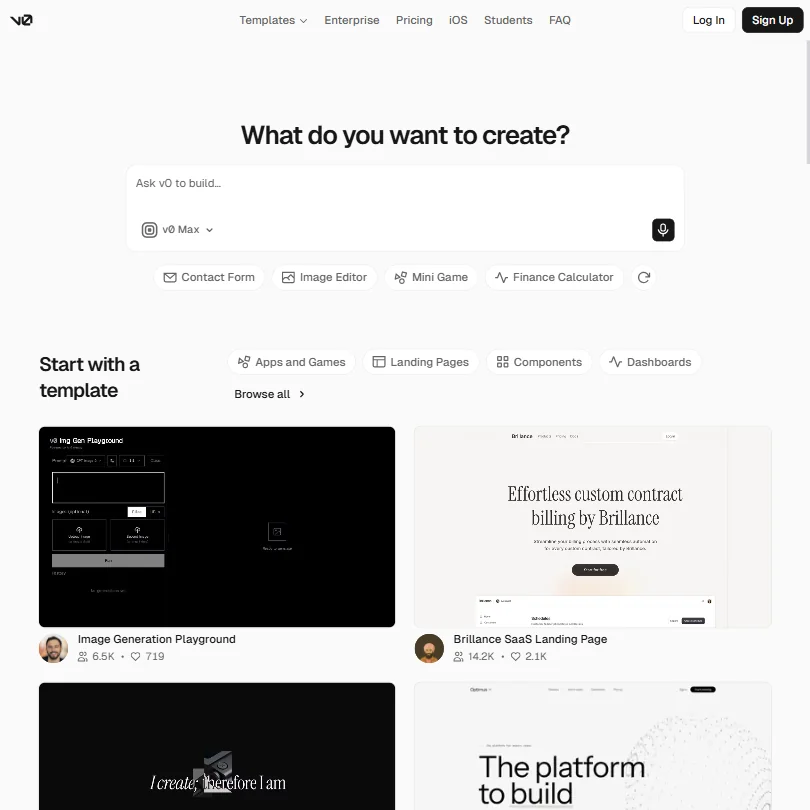
v0 is the fast route to React and Next.js interfaces that use shadcn/ui and deploy to Vercel in one click, with GitHub sync and an iOS companion app. It suits developers prototyping a front end. The free plan gives a small monthly credit and a 7-message daily cap. The code often needs cleanup before production, there is no IDE integration, and the model names are confusing. Lovable is stronger if you want a built-in backend.
- Generates React and Next.js UI extremely fast, outpacing most AI coding assistant tools in the category.
- Integrates shadcn/ui components by default, providing consistent and modern UI output out of the box.
- Generated code is often not production-ready, meaning significant developer cleanup may be required before real deployment.
From $25free planLovable generates React and TypeScript apps from a chat, with a built-in backend on Lovable Cloud and Supabase as an alternative, and exports to GitHub so you own the code.
Show detailsHide details19 Lovable: Best for apps exported to your own GitHub4.8Score 4.8 out of 10From $25free planLovable generates React and TypeScript apps from a chat, with a built-in backend on Lovable Cloud and Supabase as an alternative, and exports to GitHub so you own the code.Visit site ↗ReviewDetailsCloseShow more about Lovable
From $25free plan
Lovable generates React and TypeScript apps from a chat, with a built-in backend on Lovable Cloud and Supabase as an alternative, and exports to GitHub so you own the code.
Show detailsHide detailsLovable: Best for apps exported to your own GitHub
4.8Score 4.8 out of 10From $25free planLovable generates React and TypeScript apps from a chat, with a built-in backend on Lovable Cloud and Supabase as an alternative, and exports to GitHub so you own the code.Visit site ↗ReviewDetailsClose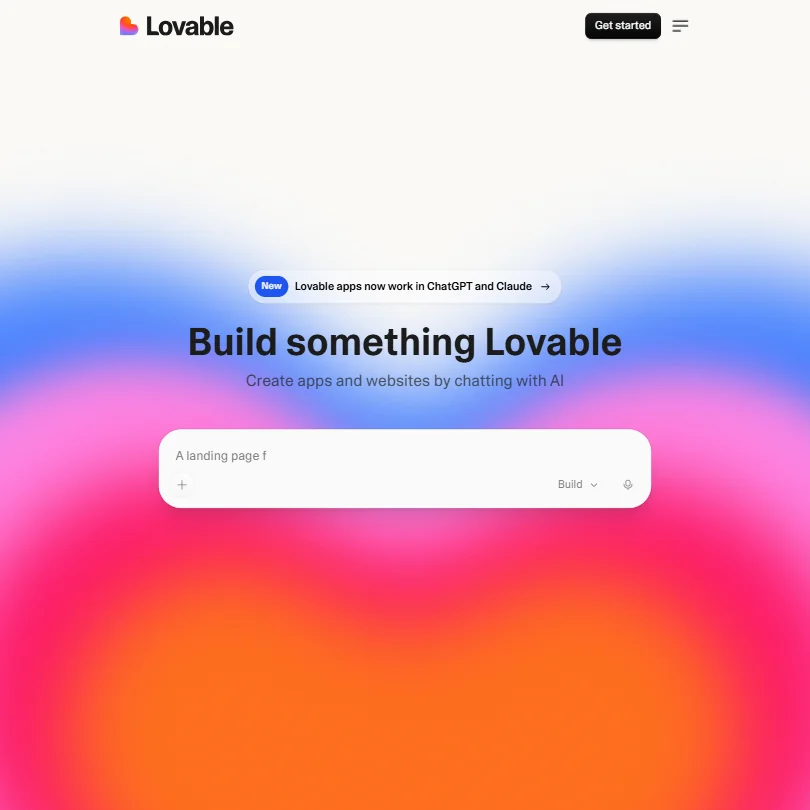
Lovable generates React and TypeScript apps from a chat, with a built-in backend on Lovable Cloud and Supabase as an alternative, and exports to GitHub so you own the code. The free plan gives private projects and five lovable.app domains; Pro adds custom domains, credit rollovers and removes the badge. It has no IDE or CLI integration and lives in the browser, with a desktop app for macOS and Windows. Replit hosts what it builds.
- Generates full-stack React and TypeScript web apps through natural language chat, requiring no coding knowledge or IDE setup.
- GitHub integration allows users to export and version their generated code, giving them ownership and portability.
- No IDE integration or CLI support means it cannot slot into existing developer workflows in VS Code or JetBrains.
From $20free planReplit is for people who want the whole loop in one browser tab: write, run, host and deploy, with an Agent that scaffolds an app, sets up the database and installs dependencies.
Show detailsHide details20 Replit: Best for building and hosting in one tab4.2Score 4.2 out of 10From $20free planReplit is for people who want the whole loop in one browser tab: write, run, host and deploy, with an Agent that scaffolds an app, sets up the database and installs dependencies.Visit site ↗ReviewDetailsCloseShow more about Replit
From $20free plan
Replit is for people who want the whole loop in one browser tab: write, run, host and deploy, with an Agent that scaffolds an app, sets up the database and installs dependencies.
Show detailsHide detailsReplit: Best for building and hosting in one tab
4.2Score 4.2 out of 10From $20free planReplit is for people who want the whole loop in one browser tab: write, run, host and deploy, with an Agent that scaffolds an app, sets up the database and installs dependencies.Visit site ↗ReviewDetailsClose
Replit is for people who want the whole loop in one browser tab: write, run, host and deploy, with an Agent that scaffolds an app, sets up the database and installs dependencies. It supports 50+ languages and has iOS and Android apps. The Starter plan is free with limited AI credits, and always-on deployments need Core. Replit does not fully disclose which models power the agent, and hosting is all-in-one.
- No local setup required, the entire development environment runs in a browser with zero terminal configuration needed.
- Supports over 50 programming languages including Python, JavaScript, TypeScript, Go, Rust, and Ruby.
- Replit does not fully disclose which LLMs power the agent, making it difficult to evaluate reliability or performance expectations.
Best AI chatbots for debugging and coding help
4 picksA chat assistant is where most debugging starts: paste an error, a function or a log and ask what is wrong. The picks differ in what they can run and what they do with your text. Claude and ChatGPT both search the web and run code on their free plans. DeepSeek is free and publishes open weights, and Mistral adds coding sessions with a command-line tool. Each has training settings you should check before pasting proprietary code. Choose by which assistant you trust with the code and which one has the context window and usage limit for the size of file you paste.
#ToolScorePriceWhy pick it
From $8free planChatGPT is the generalist for debugging: paste code, upload files, search the web and run code, with projects on the free plan.
Show detailsHide details21 ChatGPT: Best for pasting code and running it8.8Score 8.8 out of 10From $8free planChatGPT is the generalist for debugging: paste code, upload files, search the web and run code, with projects on the free plan.Visit site ↗ReviewDetailsCloseShow more about ChatGPT
From $8free plan
ChatGPT is the generalist for debugging: paste code, upload files, search the web and run code, with projects on the free plan.
Show detailsHide detailsChatGPT: Best for pasting code and running it
8.8Score 8.8 out of 10From $8free planChatGPT is the generalist for debugging: paste code, upload files, search the web and run code, with projects on the free plan.Visit site ↗ReviewDetailsClose
ChatGPT is the generalist for debugging: paste code, upload files, search the web and run code, with projects on the free plan. Deep research is limited on Free and Go, and Pro adds maximum Codex, for developers who want a coding agent in the same subscription. It offers only OpenAI's own models. If long error traces and big files are your daily input, compare Claude, and DeepSeek if you want open weights.
- The Free plan includes unlimited text chats with GPT-6 Luna, subject to abuse guardrails.
- Web search is included on every individual plan, including Free.
- Go, the cheapest paid plan, still does not unlock GPT-6.1 Sol, GPT-6 Astra or GPT-6 Sol, and may include ads.
From $14.99free planMistral suits developers who want a European assistant with coding built in: the free plan includes limited coding sessions, web search and image generation, and Pro adds all-day coding in the command line, IDE and web, plus agent tasks.
Show detailsHide details22 Mistral: Best for coding sessions from a European vendor8.5Score 8.5 out of 10From $14.99free planMistral suits developers who want a European assistant with coding built in: the free plan includes limited coding sessions, web search and image generation, and Pro adds all-day coding in the command line, IDE and web, plus agent tasks.Visit site ↗ReviewDetailsCloseShow more about Mistral
From $14.99free plan
Mistral suits developers who want a European assistant with coding built in: the free plan includes limited coding sessions, web search and image generation, and Pro adds all-day coding in the command line, IDE and web, plus agent tasks.
Show detailsHide detailsMistral: Best for coding sessions from a European vendor
8.5Score 8.5 out of 10From $14.99free planMistral suits developers who want a European assistant with coding built in: the free plan includes limited coding sessions, web search and image generation, and Pro adds all-day coding in the command line, IDE and web, plus agent tasks.Visit site ↗ReviewDetailsClose
Mistral suits developers who want a European assistant with coding built in: the free plan includes limited coding sessions, web search and image generation, and Pro adds all-day coding in the command line, IDE and web, plus agent tasks. It holds SOC 2 Type II certification and publishes open-weight models. Vibe trains on your input by default with an opt-out, and chat support needs Pro. Compare it with ChatGPT for breadth.
- The Free plan includes image generation, web search and limited coding sessions at no cost.
- Mistral is SOC 2 Type II certified, and also holds ISO 27001 and ISO 27701 certification.
- Vibe trains on your input and output by default across the Free, Pro and Team plans, subject to an opt-out.
From $20free planAs a second window for debugging, Claude works well: web search, code execution and memory are on the free plan, and projects keep a standing brief about your codebase.
Show detailsHide details23Claude: Best for debugging with a standing project brief7.8Score 7.8 out of 10From $20free planAs a second window for debugging, Claude works well: web search, code execution and memory are on the free plan, and projects keep a standing brief about your codebase.Visit site ↗ReviewDetailsCloseShow more about Claude
From $20free plan
As a second window for debugging, Claude works well: web search, code execution and memory are on the free plan, and projects keep a standing brief about your codebase.
Show detailsHide detailsClaude: Best for debugging with a standing project brief
7.8Score 7.8 out of 10From $20free planAs a second window for debugging, Claude works well: web search, code execution and memory are on the free plan, and projects keep a standing brief about your codebase.Visit site ↗ReviewDetailsCloseAs a second window for debugging, Claude works well: web search, code execution and memory are on the free plan, and projects keep a standing brief about your codebase. The free plan uses Sonnet and Haiku, and the Opus models and deep research start on Pro. It doesn't generate photos or illustrations, and consumer chats train Anthropic's models unless you opt out, so opt out before pasting proprietary code.
- The free plan already includes web search, file creation, code execution and memory across conversations.
- Deep research is available from the Pro plan up.
- The Opus and Fable models are only available from the Pro plan up.

#24DeepSeek: Best for open weights and a free chat app
FreeDeepSeek is free with no paid consumer plan, and it publishes open weights for V4, V3 and R1, which makes it the one to reach for if you want to run or inspect the model yourself.
Show detailsHide details24DeepSeek: Best for open weights and a free chat appn/aFreeDeepSeek is free with no paid consumer plan, and it publishes open weights for V4, V3 and R1, which makes it the one to reach for if you want to run or inspect the model yourself.Visit site ↗ReviewDetailsCloseShow more about DeepSeek
#24DeepSeek: Best for open weights and a free chat app
Free
DeepSeek is free with no paid consumer plan, and it publishes open weights for V4, V3 and R1, which makes it the one to reach for if you want to run or inspect the model yourself.
Show detailsHide detailsDeepSeek: Best for open weights and a free chat app
n/aFreeDeepSeek is free with no paid consumer plan, and it publishes open weights for V4, V3 and R1, which makes it the one to reach for if you want to run or inspect the model yourself.Visit site ↗ReviewDetailsClose
DeepSeek is free with no paid consumer plan, and it publishes open weights for V4, V3 and R1, which makes it the one to reach for if you want to run or inspect the model yourself. It has a 1 million token context window, a separately priced API and an Anthropic-compatible API format. It trains on your inputs unless you opt out and makes no GDPR commitment, so keep proprietary code out.
- The chat app is free, with no paid consumer plan.
- The weights of DeepSeek V4, V3 and R1 are published on Hugging Face.
- DeepSeek trains on your inputs and outputs unless you opt out.
Best AI code review tools for developers
5 picksReview tools read a pull request and leave comments, and this group splits into reviewers and a security scanner. CodeRabbit, Greptile, Qodo and CodeAnt AI review pull requests, and Greptile, Qodo and CodeAnt AI stress that they read the whole codebase rather than only the diff. Snyk scans code, dependencies, containers and infrastructure files for vulnerabilities, so it sits beside a reviewer instead of replacing one. Pricing differs more than features: CodeRabbit and Greptile have free entry points, Qodo and CodeAnt AI offer 14-day trials. Choose a reviewer for your team's pull requests, add a scanner for security, and work out the cost per review.
#ToolScorePriceWhy pick it
From $24free planCodeRabbit is the pick for a team that wants every pull request reviewed automatically, with walkthrough summaries, inline comments and generated diagrams, installed on GitHub or GitLab in two clicks.
Show detailsHide details25 CodeRabbit: Best for automatic reviews on every pull request9.1Score 9.1 out of 10From $24free planCodeRabbit is the pick for a team that wants every pull request reviewed automatically, with walkthrough summaries, inline comments and generated diagrams, installed on GitHub or GitLab in two clicks.Visit site ↗ReviewDetailsCloseShow more about CodeRabbit
From $24free plan
CodeRabbit is the pick for a team that wants every pull request reviewed automatically, with walkthrough summaries, inline comments and generated diagrams, installed on GitHub or GitLab in two clicks.
Show detailsHide detailsCodeRabbit: Best for automatic reviews on every pull request
9.1Score 9.1 out of 10From $24free planCodeRabbit is the pick for a team that wants every pull request reviewed automatically, with walkthrough summaries, inline comments and generated diagrams, installed on GitHub or GitLab in two clicks.Visit site ↗ReviewDetailsClose
CodeRabbit is the pick for a team that wants every pull request reviewed automatically, with walkthrough summaries, inline comments and generated diagrams, installed on GitHub or GitLab in two clicks. The free plan covers pull request summaries, while full reviews and linters arrive on Pro, and a 14-day Pro Plus trial is included. The per-seat cost has to justify itself, and its model orchestration is not fully transparent. Greptile reviews with deeper cross-file context.
- Two-click installation on GitHub and GitLab makes onboarding fast with minimal friction for engineering teams.
- Automatically reviews every pull request with walkthrough summaries, inline comments, and bug detection without manual triggers.
- The per-seat cost requires justification over tools already embedded in an existing developer stack.
From $30CodeAnt AI bundles review with security: pull request analysis against the full codebase, SAST, secrets detection, infrastructure-as-code and dependency scanning, plus sequence diagrams and a pen-testing layer.
Show detailsHide details26 CodeAnt AI: Best for review and security in one tool8.6Score 8.6 out of 10From $30CodeAnt AI bundles review with security: pull request analysis against the full codebase, SAST, secrets detection, infrastructure-as-code and dependency scanning, plus sequence diagrams and a pen-testing layer.Visit site ↗ReviewDetailsCloseShow more about CodeAnt AI
From $30
CodeAnt AI bundles review with security: pull request analysis against the full codebase, SAST, secrets detection, infrastructure-as-code and dependency scanning, plus sequence diagrams and a pen-testing layer.
Show detailsHide detailsCodeAnt AI: Best for review and security in one tool
8.6Score 8.6 out of 10From $30CodeAnt AI bundles review with security: pull request analysis against the full codebase, SAST, secrets detection, infrastructure-as-code and dependency scanning, plus sequence diagrams and a pen-testing layer.Visit site ↗ReviewDetailsClose
CodeAnt AI bundles review with security: pull request analysis against the full codebase, SAST, secrets detection, infrastructure-as-code and dependency scanning, plus sequence diagrams and a pen-testing layer. It suits a team that wants to replace several tools at once. The 14-day trial needs no card and includes 100 PR reviews, but there is no permanent free plan, the company is young, and the replace-everything pitch is unproven. Snyk is the established scanner.
- Analyzes pull requests against the full codebase context rather than just the diff, catching logic issues that isolated reviews would miss.
- Bundles AI code review, SAST, secrets detection, IaC scanning, and software composition analysis into a single platform.
- Founded in 2023, making it a very young company with limited long-term reliability or enterprise track record to evaluate.
FreeGreptile is the one for catching bugs that cross files: it indexes the whole codebase as a graph and flags breaking changes several layers from the pull request, with click-to-apply fixes.
Show detailsHide details27 Greptile: Best for bugs that cross several files7.6Score 7.6 out of 10FreeGreptile is the one for catching bugs that cross files: it indexes the whole codebase as a graph and flags breaking changes several layers from the pull request, with click-to-apply fixes.Visit site ↗ReviewDetailsCloseShow more about Greptile
Free
Greptile is the one for catching bugs that cross files: it indexes the whole codebase as a graph and flags breaking changes several layers from the pull request, with click-to-apply fixes.
Show detailsHide detailsGreptile: Best for bugs that cross several files
7.6Score 7.6 out of 10FreeGreptile is the one for catching bugs that cross files: it indexes the whole codebase as a graph and flags breaking changes several layers from the pull request, with click-to-apply fixes.Visit site ↗ReviewDetailsClose
Greptile is the one for catching bugs that cross files: it indexes the whole codebase as a graph and flags breaking changes several layers from the pull request, with click-to-apply fixes. The Starter plan is free for one active developer, with 50 credits a month, one credit per standard review, and Pro is priced per seat. It does no code completion or generation, and earlier versions were noisy with false positives. CodeRabbit is broader.
- Indexes the entire codebase into a graph structure covering files, functions, and dependencies, not just the diff being reviewed.
- Catches breaking changes in files three or more layers removed from the PR, which most diff-only tools miss.
- Earlier versions had a significant false positive noise problem, which required a dedicated v4 release to address.
From $25free planSnyk is the security scanner in this group, covering code, open-source dependencies, containers and infrastructure files from the IDE, CLI and repository.
Show detailsHide details28 Snyk: Best for scanning code and dependencies for flaws6.5Score 6.5 out of 10From $25free planSnyk is the security scanner in this group, covering code, open-source dependencies, containers and infrastructure files from the IDE, CLI and repository.Visit site ↗ReviewDetailsCloseShow more about Snyk
From $25free plan
Snyk is the security scanner in this group, covering code, open-source dependencies, containers and infrastructure files from the IDE, CLI and repository.
Show detailsHide detailsSnyk: Best for scanning code and dependencies for flaws
6.5Score 6.5 out of 10From $25free planSnyk is the security scanner in this group, covering code, open-source dependencies, containers and infrastructure files from the IDE, CLI and repository.Visit site ↗ReviewDetailsClose
Snyk is the security scanner in this group, covering code, open-source dependencies, containers and infrastructure files from the IDE, CLI and repository. Reachability analysis checks whether a vulnerable dependency is actually called, which cuts alert noise. The free plan covers up to 5 projects, with Jira integration from Team. It does not generate or complete code and is not a pull request reviewer, so use it beside CodeRabbit or Greptile.
- Snyk's SAST engine uses DeepCode AI, a purpose-built security model trained on security patterns rather than a generic AI bolt-on, making its analysis more targeted and credible.
- Reachability analysis identifies whether a vulnerable dependency is actually called by your code, significantly reducing false positives and alert fatigue.
- Pricing can be difficult to justify for smaller teams, especially given that the 2 million developer user count is heavily weighted toward free-tier users.
From $0.01Qodo is for teams enforcing coding standards across many repositories. Its living rules system learns your standards, review indexes the full codebase and tickets, and IDE review runs in VS Code and JetBrains.
Show detailsHide details29 Qodo: Best for enforcing standards across many repos6.2Score 6.2 out of 10From $0.01Qodo is for teams enforcing coding standards across many repositories. Its living rules system learns your standards, review indexes the full codebase and tickets, and IDE review runs in VS Code and JetBrains.Visit site ↗ReviewDetailsCloseShow more about Qodo
From $0.01
Qodo is for teams enforcing coding standards across many repositories. Its living rules system learns your standards, review indexes the full codebase and tickets, and IDE review runs in VS Code and JetBrains.
Show detailsHide detailsQodo: Best for enforcing standards across many repos
6.2Score 6.2 out of 10From $0.01Qodo is for teams enforcing coding standards across many repositories. Its living rules system learns your standards, review indexes the full codebase and tickets, and IDE review runs in VS Code and JetBrains.Visit site ↗ReviewDetailsClose
Qodo is for teams enforcing coding standards across many repositories. Its living rules system learns your standards, review indexes the full codebase and tickets, and IDE review runs in VS Code and JetBrains. Open source projects can apply for free access, otherwise there is a 14-day trial with no card. Pricing is by credit, roughly 18 reviews per 2,500-credit pack, so costs are hard to predict until you know your volume.
- Indexes the full codebase including dependencies, PR history, and ticket systems, not just the diff being reviewed.
- Living rules system learns your team's coding standards over time and enforces them automatically across all repos.
- Founded in 2023, making it a relatively young platform with limited long-term track record compared to established competitors.
Best AI documentation and code search tools for developers
4 picksThis group covers finding your way around code and keeping documentation true, and its four picks do different jobs. Sourcegraph indexes many repositories at once and now sells only to enterprises. Mintlify builds developer documentation from Git, with AI agents that update pages as code changes, and its free Starter plan includes an MCP server. Pieces keeps a searchable memory of what you worked on, on your own computer. BLACKBOX AI is a multi-agent coding assistant with a free plan and a long model list. Pick by the problem: search across repositories, published docs, personal recall, or a broad assistant.
#ToolScorePriceWhy pick it

#30Sourcegraph: Best for search across many repositories
From $16,000 per yearSourcegraph is for large organizations with code spread across many repositories and code hosts.
Show detailsHide details30Sourcegraph: Best for search across many repositoriesn/aFrom $16,000 per yearSourcegraph is for large organizations with code spread across many repositories and code hosts.Visit site ↗ReviewDetailsCloseShow more about Sourcegraph
#30Sourcegraph: Best for search across many repositories
From $16,000 per year
Sourcegraph is for large organizations with code spread across many repositories and code hosts.
Show detailsHide detailsSourcegraph: Best for search across many repositories
n/aFrom $16,000 per yearSourcegraph is for large organizations with code spread across many repositories and code hosts.Visit site ↗ReviewDetailsClose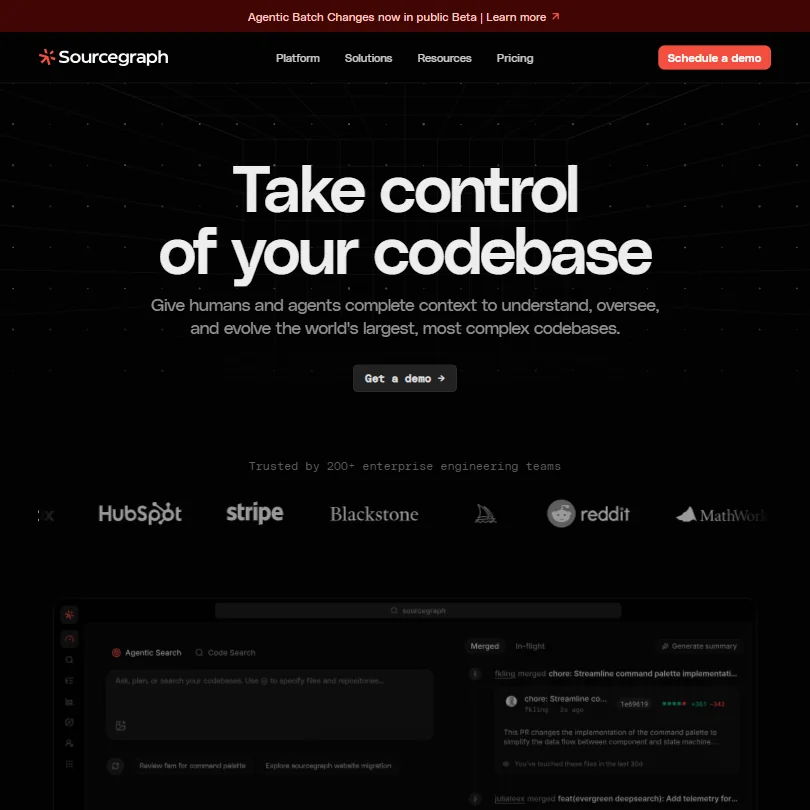
Sourcegraph is for large organizations with code spread across many repositories and code hosts. SCIP-based indexing gives agents and people full cross-repository context, and its MCP server lets Claude Code and Cursor query that index. It is enterprise only, with an annual minimum, no free tier and no public trial, and its earlier free and Pro assistant tiers were discontinued. Individuals and small teams should look at Pieces or Cursor's indexing.
- SCIP-powered codebase indexing builds a deterministic map of definitions, references, and cross-repository relationships that few competitors match.
- Indexes across every code host an organization uses, allowing AI agents and developers to query the entire codebase simultaneously rather than a single open file.
- Minimum annual cost of $16,000 makes it inaccessible for small teams, individual developers, or startups.

#31BLACKBOX AI: Best for comparing agents on one task
From $10free planBLACKBOX AI is a multi-agent assistant that dispatches competing agents and picks the best result, with 400+ models on Pro, coverage of 35+ IDEs and OpenAI-compatible endpoints.
Show detailsHide details31BLACKBOX AI: Best for comparing agents on one taskn/aFrom $10free planBLACKBOX AI is a multi-agent assistant that dispatches competing agents and picks the best result, with 400+ models on Pro, coverage of 35+ IDEs and OpenAI-compatible endpoints.Visit site ↗ReviewDetailsCloseShow more about BLACKBOX AI
#31BLACKBOX AI: Best for comparing agents on one task
From $10free plan
BLACKBOX AI is a multi-agent assistant that dispatches competing agents and picks the best result, with 400+ models on Pro, coverage of 35+ IDEs and OpenAI-compatible endpoints.
Show detailsHide detailsBLACKBOX AI: Best for comparing agents on one task
n/aFrom $10free planBLACKBOX AI is a multi-agent assistant that dispatches competing agents and picks the best result, with 400+ models on Pro, coverage of 35+ IDEs and OpenAI-compatible endpoints.Visit site ↗ReviewDetailsClose
BLACKBOX AI is a multi-agent assistant that dispatches competing agents and picks the best result, with 400+ models on Pro, coverage of 35+ IDEs and OpenAI-compatible endpoints. It has a free plan and Pro includes model credits. Figma-to-code sits on the top tier, voice coding is undocumented, and independent verification of its core claims is thin, so run it on non-critical code first. Cursor is the more settled alternative.
- The Chairman LLM architecture automatically dispatches competing agents in parallel and selects the best result, removing the burden of manual model selection from users.
- Supports 50+ programming languages and integrates with 35+ IDEs, giving it unusually broad compatibility across developer environments.
- Figma-to-code conversion is locked behind the $40/month Pro Max tier, creating a real cost barrier for solo developers who would benefit most from it.

#32Mintlify: Best for docs that update with your code
FreeMintlify is the choice for teams publishing developer or API documentation from Git, with GitHub and GitLab sync, MDX, and OpenAPI and Swagger rendering.
Show detailsHide details32Mintlify: Best for docs that update with your coden/aFreeMintlify is the choice for teams publishing developer or API documentation from Git, with GitHub and GitLab sync, MDX, and OpenAPI and Swagger rendering.Visit site ↗ReviewDetailsCloseShow more about Mintlify
#32Mintlify: Best for docs that update with your code
Free
Mintlify is the choice for teams publishing developer or API documentation from Git, with GitHub and GitLab sync, MDX, and OpenAPI and Swagger rendering.
Show detailsHide detailsMintlify: Best for docs that update with your code
n/aFreeMintlify is the choice for teams publishing developer or API documentation from Git, with GitHub and GitLab sync, MDX, and OpenAPI and Swagger rendering.Visit site ↗ReviewDetailsClose
Mintlify is the choice for teams publishing developer or API documentation from Git, with GitHub and GitLab sync, MDX, and OpenAPI and Swagger rendering. The free Starter plan includes a custom domain, web editor, authentication, an API playground and an MCP server; agents and automations that update docs start on Pro. It is web-only, offers no code completion, and the reliability of its update automation is unproven. Docusaurus is the self-hosted free option.
- Mintlify serves over 20,000 companies including Anthropic, Coinbase, and HubSpot, demonstrating strong product-market fit in developer documentation.
- The platform offers solid Git sync with both GitHub and GitLab, making it easy to integrate into existing developer workflows.
- Mintlify does not offer code completion, debugging, or test generation, making it narrowly focused compared to broader developer tools.
From $18.99Pieces is a memory layer for your day: it captures what you see, copy and, if you opt in, hear, and keeps a searchable record on your own computer by default.
Show detailsHide details33 Pieces: Best for searchable memory kept on-device5.0Score 5.0 out of 10From $18.99Pieces is a memory layer for your day: it captures what you see, copy and, if you opt in, hear, and keeps a searchable record on your own computer by default.Visit site ↗ReviewDetailsCloseShow more about Pieces
From $18.99
Pieces is a memory layer for your day: it captures what you see, copy and, if you opt in, hear, and keeps a searchable record on your own computer by default.
Show detailsHide detailsPieces: Best for searchable memory kept on-device
5.0Score 5.0 out of 10From $18.99Pieces is a memory layer for your day: it captures what you see, copy and, if you opt in, hear, and keeps a searchable record on your own computer by default.Visit site ↗ReviewDetailsClose
Pieces is a memory layer for your day: it captures what you see, copy and, if you opt in, hear, and keeps a searchable record on your own computer by default. It works on Windows, Mac and Linux, switches between Claude, Gemini, ChatGPT and local models, and shares your history with Claude, Cursor and Codex through its MCP server. There is no free plan, only a 7-day trial that needs a card, and no public API.
- Pieces keeps your captured memory on your own computer by default, rather than in the cloud.
- It lets you switch between Claude, Gemini, ChatGPT and local models under one Pro plan.
- Pieces has no free plan, only a 7-day trial that requires a card to start.
Best workflow automation tools for developers
4 picksAutomation tools connect your services so routine work runs without you, and Retool builds the internal apps around your data. n8n and Pipedream let you drop in JavaScript or Python where the visual builder runs out, and n8n can be self-hosted free. Zapier is no-code with the largest app library, but its free plan allows two-step Zaps only. Retool adds drag-and-drop internal apps, workflows and governance controls. Choose n8n if you can run infrastructure, Pipedream for code-first cloud workflows, Zapier for breadth without code, and Retool when the result should be an internal app rather than a workflow.
#ToolScorePriceWhy pick it
From $20free plann8n is the automation tool for developers who can run their own infrastructure: the self-hosted Community Edition is free with no workflow limits, code nodes take JavaScript or Python anywhere in a flow, and 1000+ integrations are available.
Show detailsHide details34 n8n: Best for self-hosted workflows with code nodes8.8Score 8.8 out of 10From $20free plann8n is the automation tool for developers who can run their own infrastructure: the self-hosted Community Edition is free with no workflow limits, code nodes take JavaScript or Python anywhere in a flow, and 1000+ integrations are available.Visit site ↗ReviewDetailsCloseShow more about n8n
From $20free plan
n8n is the automation tool for developers who can run their own infrastructure: the self-hosted Community Edition is free with no workflow limits, code nodes take JavaScript or Python anywhere in a flow, and 1000+ integrations are available.
Show detailsHide detailsn8n: Best for self-hosted workflows with code nodes
8.8Score 8.8 out of 10From $20free plann8n is the automation tool for developers who can run their own infrastructure: the self-hosted Community Edition is free with no workflow limits, code nodes take JavaScript or Python anywhere in a flow, and 1000+ integrations are available.Visit site ↗ReviewDetailsClose
n8n is the automation tool for developers who can run their own infrastructure: the self-hosted Community Edition is free with no workflow limits, code nodes take JavaScript or Python anywhere in a flow, and 1000+ integrations are available. The visual canvas traces every execution. Non-technical users tend to bounce off it, cloud plans start paid, and support tickets can be slow. Zapier is easier if nobody on the team codes.
- The self-hosted community edition is genuinely free with no workflow limits, which is rare among automation platforms.
- Code nodes allow JavaScript or Python to be inserted anywhere in a workflow, so developers never feel constrained by visual node limitations.
- Non-technical users tend to bounce off the platform quickly due to its complexity and technical design philosophy.
From $12free planRetool is for building the admin panels and internal apps around your data rather than chaining services: a drag-and-drop builder with AppGen for prompt-to-app, plus workflows on four trigger types.
Show detailsHide details35 Retool: Best for internal apps on your own data8.5Score 8.5 out of 10From $12free planRetool is for building the admin panels and internal apps around your data rather than chaining services: a drag-and-drop builder with AppGen for prompt-to-app, plus workflows on four trigger types.Visit site ↗ReviewDetailsCloseShow more about Retool
From $12free plan
Retool is for building the admin panels and internal apps around your data rather than chaining services: a drag-and-drop builder with AppGen for prompt-to-app, plus workflows on four trigger types.
Show detailsHide detailsRetool: Best for internal apps on your own data
8.5Score 8.5 out of 10From $12free planRetool is for building the admin panels and internal apps around your data rather than chaining services: a drag-and-drop builder with AppGen for prompt-to-app, plus workflows on four trigger types.Visit site ↗ReviewDetailsClose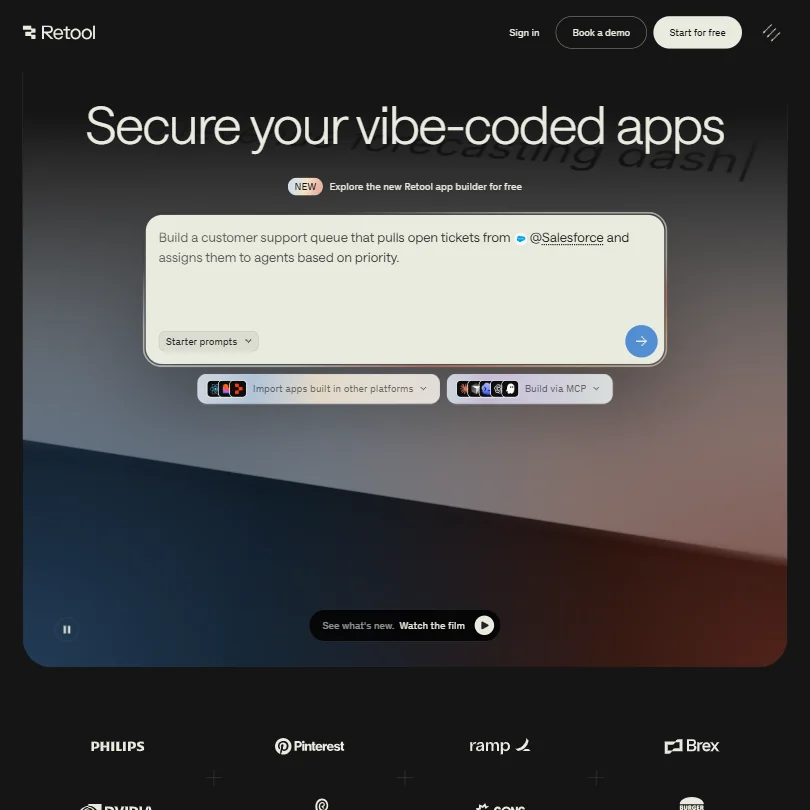
Retool is for building the admin panels and internal apps around your data rather than chaining services: a drag-and-drop builder with AppGen for prompt-to-app, plus workflows on four trigger types. Governance is built in, with audit logs, permissions and staging, and self-hosting production runs on Kubernetes and Helm. It sits awkwardly between no-code and full development, and pricing counts builders and internal users. n8n is closer to plain workflow automation.
- The drag-and-drop app builder allows developers to ship internal tools in an afternoon that would otherwise take weeks of custom engineering.
- Enterprise-grade governance features including audit logging, permission controls, staging environments, and source control are built into the core product, not added as afterthoughts.
- Retool occupies an awkward middle ground between no-code and developer platform, which creates real friction for teams that don't fit that specific profile.
From $29.99free planZapier is the no-code route with the biggest app library, 9,000+ apps, plus AI agents, chatbots and a Code step for JavaScript or Python.
Show detailsHide details36 Zapier: Best for no-code automation with 9,000 apps7.9Score 7.9 out of 10From $29.99free planZapier is the no-code route with the biggest app library, 9,000+ apps, plus AI agents, chatbots and a Code step for JavaScript or Python.Visit site ↗ReviewDetailsCloseShow more about Zapier
From $29.99free plan
Zapier is the no-code route with the biggest app library, 9,000+ apps, plus AI agents, chatbots and a Code step for JavaScript or Python.
Show detailsHide detailsZapier: Best for no-code automation with 9,000 apps
7.9Score 7.9 out of 10From $29.99free planZapier is the no-code route with the biggest app library, 9,000+ apps, plus AI agents, chatbots and a Code step for JavaScript or Python.Visit site ↗ReviewDetailsClose
Zapier is the no-code route with the biggest app library, 9,000+ apps, plus AI agents, chatbots and a Code step for JavaScript or Python. The free plan gives 100 tasks a month but only two-step Zaps, so anything real needs Professional. Many users stay because rebuilding workflows elsewhere is costly, and cost grows with usage. Choose n8n or Pipedream instead when developers are building the flows.
- Zapier integrates with over 9,000 apps, making it one of the largest integration libraries available on any automation platform.
- The visual workflow builder supports logic branches, conditional paths, and AI processing steps without requiring any coding knowledge.
- Users tend to stay not out of satisfaction but because rebuilding existing workflows on another platform is too costly and time-consuming.
From $45free planPipedream fits developers who want code-first workflows in the cloud: 3,000+ integrations, Node.js, Python, Go and Bash steps, and human-in-the-loop approvals.
Show detailsHide details37 Pipedream: Best for code-first cloud workflows7.3Score 7.3 out of 10From $45free planPipedream fits developers who want code-first workflows in the cloud: 3,000+ integrations, Node.js, Python, Go and Bash steps, and human-in-the-loop approvals.Visit site ↗ReviewDetailsCloseShow more about Pipedream
From $45free plan
Pipedream fits developers who want code-first workflows in the cloud: 3,000+ integrations, Node.js, Python, Go and Bash steps, and human-in-the-loop approvals.
Show detailsHide detailsPipedream: Best for code-first cloud workflows
7.3Score 7.3 out of 10From $45free planPipedream fits developers who want code-first workflows in the cloud: 3,000+ integrations, Node.js, Python, Go and Bash steps, and human-in-the-loop approvals.Visit site ↗ReviewDetailsClose
Pipedream fits developers who want code-first workflows in the cloud: 3,000+ integrations, Node.js, Python, Go and Bash steps, and human-in-the-loop approvals. The free plan is permanent, with 100 credits a month, 3 active workflows and 1 million AI tokens, though scheduled runs can be no more frequent than every 5 minutes until Advanced. It is developer-only and cloud-only, and the Workday acquisition clouds the roadmap. n8n can be self-hosted.
- Over 3,000 integrations and 10,000+ pre-built actions give developers extensive connectivity options out of the box.
- Supports custom code in Node.js, Python, Go, and Bash, allowing developers to drop into code whenever the visual builder isn't expressive enough.
- The Workday acquisition introduces uncertainty about the product roadmap and future priorities.
How to choose AI tools for developers
Developer tools look alike until you ask what each one counts and where your code goes. Autocomplete plans count completions, agents count requests or credits, app builders count tokens and messages, and review tools count developers or pull requests. The right mix depends on whether you work in an existing codebase or start from a blank page, which editor you live in, and how much of your code may leave your machine. This guide matches each job in a change to the tools on this page, then covers free plans, where they stop, privacy and when paying is worth it.
Start with the job, not the tool
A change to code passes through up to six jobs, and no single tool does all of them well on a free plan.
- Autocomplete. Finishing lines and blocks as you type, inside the editor you already use. GitHub Copilot, JetBrains AI and Amazon Q Developer all have a free tier, while Tabnine has no free plan.
- Editors and agents. Handing a whole task to an assistant instead of accepting suggestions. Cursor, Zed, Windsurf and Warp are built around the assistant, Devin runs in its own cloud environment, and Cline and Aider are open source and run on your own model keys.
- App builders. Turning a description into a working app. v0, Bolt, Lovable and Replit all generate and host one, which suits prototypes and demos better than production systems.
- Debugging chat. Pasting an error, a function or a log and asking what is wrong. ChatGPT, Claude, Gemini, Mistral and DeepSeek all have free plans.
- Review, tests and security. A second pair of eyes on a pull request. CodeRabbit, Greptile, Qodo and CodeAnt AI review pull requests, and Snyk scans code and dependencies.
- Docs, search and automation. Everything around the code. Mintlify keeps docs current, Sourcegraph searches many repositories, and n8n, Pipedream, Zapier and Retool connect services and build internal apps.
The table shows where to start on any budget.
| Job | Free | Worth paying for |
|---|---|---|
| Autocomplete | GitHub Copilot Free, JetBrains AI Free or Amazon Q Developer Free | Copilot Pro at $10 a month, for unlimited completions |
| Editor | Cursor Free or Zed Personal | Cursor Premium at $30 a month, for cloud agents and Claude, GPT and Gemini |
| Agents | Aider or Cline, plus your own model costs | Devin Pro at $20 a month, for Devin Cloud access |
| App builders | v0, Bolt, Lovable or Replit free plans | Bolt Pro at $25 a month, to remove the daily token limit |
| Debugging chat | ChatGPT, Claude, Gemini or Mistral | ChatGPT Go at $8 a month, if you hit the free message limits |
| Review and tests | Greptile Starter, Snyk Free, or CodeRabbit on public repositories | CodeRabbit Essentials at $24 per user a month billed yearly |
| Docs and search | Mintlify Starter | Mintlify Pro at $540 a month, once you want its Agent and Assistant |
| Automation | n8n Community Edition, Pipedream or Zapier free | Zapier Professional at $29.99 a month, for multi-step Zaps |
Free plans run out of usage before they run out of features. Pay first for whatever you use every hour, which is usually the editor or the agent, and last for docs and automation.
What the free plans actually give you
Each kind of tool rations something different, so one free plan lasts a month and another lasts an afternoon.
- Autocomplete tools. Completions and AI credits are the meter. GitHub Copilot Free allows 2,000 completions a month with a choice of several models. JetBrains AI Free gives unlimited local code completion with limited AI credits. Amazon Q Developer Free gives limited agentic requests a month in the IDE or the command line, and it needs an AWS Builder ID or an AWS account.
- Editors and terminals. Agent requests are the meter. Cursor Free gives limited agent and Chat requests. Zed Personal allows 2,000 accepted edit predictions and unlimited use with your own API keys. Warp's free plan gives the core terminal and the Warp Agent CLI with limited cloud agents, and Windsurf's gives limited Cascade flows and completions on a daily quota.
- Agents. Devin's free plan has a light quota for agents but unlimited inline edits and Tab completions. Cline and Aider are free to install and you pay your own model provider, so the cost follows how much you ask of the model. Augment Code has no free plan, and its $20 Standard plan includes $20 of usage.
- App builders. Tokens, credits and messages are the meter. Bolt's free plan allows 300K tokens a day and 1M a month, with Bolt branding on sites and 10MB uploads. v0's gives $5 of monthly credits and 7 messages a day, with deploys to Vercel and GitHub sync. Lovable's free plan allows unlimited collaborators and 5 lovable.app domains, and Replit's Starter has limited AI credits on shared compute.
- Chat assistants. ChatGPT's free plan gives unlimited text chat with limited deep research, and Claude's gives the Sonnet and Haiku models. Gemini's has a 32,000 token context window against 1 million on paid plans. Mistral's free plan includes limited messages, web searches and coding sessions plus $10 a month of API credits, and DeepSeek's chat app is free with no paid plan.
- Review and security tools. Developers and projects are the meter. CodeRabbit reviews public repositories free with no time limit. Greptile's Starter plan covers 1 active developer with unlimited repos and 50 review credits a month, and Snyk's free plan covers up to 5 projects across code, dependencies, infrastructure files and containers.
- Automation tools. Runs and steps are the meter. Zapier's free plan gives 100 tasks a month and two-step Zaps, and Pipedream's gives 100 credits a month with 3 active workflows. n8n's Community Edition has unlimited workflows, but you host it yourself because there is no free cloud tier.
Which tools fit which developer
- A solo developer on a budget. Start with GitHub Copilot Free or JetBrains AI Free in your editor, because both cost nothing and Copilot's 2,000 completions a month covers light use. Add Claude or ChatGPT for debugging and Greptile Starter for pull request review on one active developer.
- A JetBrains user. Start with JetBrains AI, because it sits inside IntelliJ, PyCharm and the other JetBrains IDEs, with unlimited local completion on the free tier. Add Amazon Q Developer Free for an agent in the command line.
- A terminal developer. Start with Aider, which is free, git-native and runs in your own terminal on your own model keys. Add Warp for a terminal with a built-in agent, or Amazon Q Developer, whose free tier covers the command line.
- An open source maintainer. Start with CodeRabbit, whose free plan covers public repositories with no time cap, and Snyk Free for dependency scans. Qodo lets open source projects apply for free access, and Mintlify Starter covers docs.
- A founder or builder without a deep coding background. Start with Bolt or Lovable, because both generate a full web app from a chat. Add v0 for interface pieces that deploy to Vercel, and Replit if you want the app hosted where it was built.
- A team with strict privacy rules. Start with Tabnine at $39 per user a month, because it can run self-hosted and states it does not train on your code. Add CodeRabbit or Qodo for review, and n8n self-hosted for automation that stays on your servers.
A typical change step by step
- Understand the code. In an existing codebase, ask ChatGPT or Claude to explain a file, or use Cursor's codebase indexing. Sourcegraph covers many repositories at enterprise scale.
- Plan and write it. Work in the editor with Copilot, JetBrains AI, Cursor or Zed, or hand the whole task to Devin, Cline or Aider. For a new prototype, generate the first version in v0, Bolt, Lovable or Replit.
- Debug. Paste the error into ChatGPT, Claude, Gemini, Mistral or DeepSeek.
- Test. Ask your assistant for tests, or use the test generation in CodeRabbit or Greptile.
- Review. CodeRabbit, Greptile, Qodo or CodeAnt AI comment on the pull request before a person reads it.
- Scan for security. Snyk or CodeAnt AI check code and dependencies.
- Document. Mintlify keeps published docs in step with the code.
- Automate the rest. n8n, Pipedream or Zapier handle notifications and triggers, and Retool builds internal apps.
Where free plans stop
| Limit | Tools | What happens when you hit it |
|---|---|---|
| Daily count | v0 (7 messages), Bolt (300K tokens), Windsurf (daily quota) | It renews the next day |
| Monthly count | GitHub Copilot Free (2,000 completions), Zed (2,000 accepted edit predictions), Bolt (1M tokens), Greptile (50 review credits), Pipedream (100 credits), Zapier (100 tasks) | You wait for the new month or move to a paid plan |
| Seats and projects | Greptile (1 active developer), Snyk (5 projects), Zapier (two-step Zaps) | Anything beyond that needs a paid plan |
| Trial window | CodeAnt AI (14 days, 100 PR reviews), Qodo (14 days), CodeRabbit (14 days), Pieces (7 days, card needed) | The trial ends and the plan has to be paid for |
| Held back for paid plans | Bolt (branding removal, custom domains), Lovable (badge removal, custom domains), n8n (cloud hosting) | That part needs payment |
Match each meter to how you work. A daily cap rewards steady sessions, so spread builder messages across days instead of spending them in one sitting. A monthly cap rewards saving the allowance for the hard part of the change, such as Greptile's 50 review credits for the pull requests that matter.
Privacy and who sees your code
Pasting source code into a tool is a decision about your employer's or client's property, so settle it before the first paste. Many tools on this page state what they do with your code, and several give you a switch.
| Stated policy | Tools |
|---|---|
| Does not train on your code | Tabnine, JetBrains AI, Augment Code, CodeAnt AI, CodeRabbit, Qodo, Snyk, Pieces, Sourcegraph, Zed |
| Runs on your own machine with your own model keys | Cline, Aider |
| You can opt out of training | GitHub Copilot, ChatGPT, Claude, Gemini, Mistral, DeepSeek, Bolt, Lovable, Replit, Zapier |
| Zero data retention option | Warp, Greptile, Mistral, CodeRabbit, Qodo, Sourcegraph, BLACKBOX AI |
Keep proprietary code in the first two rows, and switch training off in the third right after you sign up. DeepSeek uses your inputs and outputs for training unless you opt out.
Mistakes to avoid
- Pasting proprietary code into a chat assistant before checking training. DeepSeek trains on inputs unless you opt out, and several others offer an opt out switch. Turn it on first, or use a tool from the first two rows of the privacy table.
- Merging an agent's change without reading the diff. Devin, Cline and Aider return a finished change instead of a suggestion, so the review is yours.
- Reading a daily cap as a monthly one. v0 stops at 7 messages a day and Bolt at 300K tokens a day, so a day of heavy prompting can end your session. Spread the work or plan the upgrade.
- Planning around a free plan that has gone. Tabnine's free plan was discontinued in April, and Sourcegraph discontinued Cody Free and Pro for an enterprise focus. Augment Code has no free plan either.
- Running Cline or Aider on an expensive model without watching the bill. The tools are free, but you pay your model provider for every request. Qodo's credits also make costs hard to predict, since 5,000 credits cover about 36 reviews a month.
When it is worth paying
You have outgrown a free plan when you plan your day around its limit. Running out of Copilot completions before the month ends, splitting a task because an agent quota is spent, or holding pull requests back because review credits ran out are all signs.
| If you are | Upgrade to | What changes |
|---|---|---|
| Coding in one editor every day | GitHub Copilot Pro | Unlimited code completion and next edit suggestions, cloud agent, code review and $15 of monthly credits |
| Leaning on agents | Cursor Premium | Four times the Plus usage, cloud agents, Bugbot and Claude, GPT and Gemini at API prices |
| Handing off long tasks | Devin Pro | Increased quotas, full model availability and Devin Cloud access |
| Shipping a prototype | Bolt Pro | No daily token limit, 10M tokens a month to start, no branding and custom domains |
| Reviewing a team's pull requests | CodeRabbit Essentials | Reviews beyond public repositories, at $24 per user a month billed yearly |
| Automating beyond two steps | Zapier Professional | Multi-step Zaps, premium apps and webhooks |
Billing period changes the price. Cursor Premium is $30 monthly or $300 a year, Bolt Pro is $25 monthly or $216 a year, CodeRabbit Essentials is $30 monthly or $24 billed yearly, and n8n Starter is $24 monthly or $20 billed yearly. Trials are the cheapest way to test a paid plan: CodeRabbit, CodeAnt AI and Qodo give 14 days with no card, Zed Pro gives 14 days, JetBrains AI Pro gives 30 days, and Pieces gives 7 days with a card.
What would this stack cost you?
Add our top picks (GitHub Copilot, Cursor, Claude and 5 more) to the calculator and see the monthly total, then swap in the plans you would pay for.
How we picked
Every tool here is ranked by its score, and each score is worked out from the vendor’s own published pages: pricing, plans, features and terms. No score is adjusted by hand. 32 of the 36 tools have enough published facts to show a score, and on average 96% of each score comes from facts the vendor publishes. The facts behind these scores were checked between 13 September 2026 and 28 October 2026.
Scores compare tools that do the same job, which is why the list is grouped by job: a video editor and a grammar checker are never ranked against each other.
| Ranked as | On this page | What we score | Scoring guide |
|---|---|---|---|
| AI coding assistants16 reviewed | 13 | 5 criteria, 17 checked facts: agents and your codebase, pricing, model freedom, privacy and security, where it works | How we score these → |
| AI assistants23 reviewed | 5 | 4 criteria, 13 checked facts: what it can do, where it works, pricing, privacy and trust | How we score these → |
| AI app builders7 reviewed | 5 | 3 criteria, 6 checked facts: pricing, what you can ship, trust and compliance | How we score these → |
| Code review and security tools5 reviewed | 5 | 5 criteria, 14 checked facts: review quality, security scanning, pricing, fits your stack, privacy and deployment | How we score these → |
| Workflow automation tools11 reviewed | 4 | 7 criteria, 20 checked facts: AI agents, building workflows, pricing, apps it connects to, reliability and control, hosting and security, support | How we score these → |
| AI calendar, email and memory apps9 reviewed | 1 | 4 criteria, 21 checked facts: what it runs for you, where it works, pricing, privacy and trust | How we score these → |
Common questions
Do I need more than one AI coding tool?
Usually two or three, one per stage. Use one where you type, an editor or autocomplete, one for delegated tasks, and one at review. Overlap exists: Copilot Pro includes code review and a cloud agent, and Cursor Premium and Teams include Bugbot reviews. Add a separate tool only when the bundled one is not good enough.
Can I use these tools on a private or regulated codebase?
Look for three things: no training on your code, a zero-retention or self-hosted option, and certifications. Tabnine offers air-gapped deployment, and CodeRabbit, Qodo and Greptile list zero-retention or self-hosted options. Cline and Aider can use local models. Free tiers of chat assistants are the least suitable for proprietary code.
Which tools let me bring my own model or API key?
Zed accepts your own API keys and external agents, Cline and Aider run entirely on keys you supply, and Warp's free plan allows bring-your-own inference. The trade-off is cost control: with Aider you pay the model provider directly, so heavy use of a top model costs more than a flat subscription would.
Can I move an app out of an AI builder?
Mostly yes. Lovable exports to GitHub and v0 syncs with it, so the code becomes an ordinary repository. Bolt supports GitHub import, and Replit deploys apps on its own hosting. Treat builder output as a prototype: v0's code often needs cleanup, and Bolt is not designed for professional production infrastructure.
How do I compare tools that charge in credits?
Convert credits into the unit you buy. Greptile counts one credit per standard review, and Qodo's 2,500-credit pack covers roughly 18 reviews. Warp's credits equal usage at API rates. Count your monthly pull requests, agent tasks or prompts first, then ask which plan covers that volume with room for retries.