
Lovable sits at a 4.6 on G2 next to a 3.9 on Trustpilot. Same product, same time period, genuinely different verdicts.
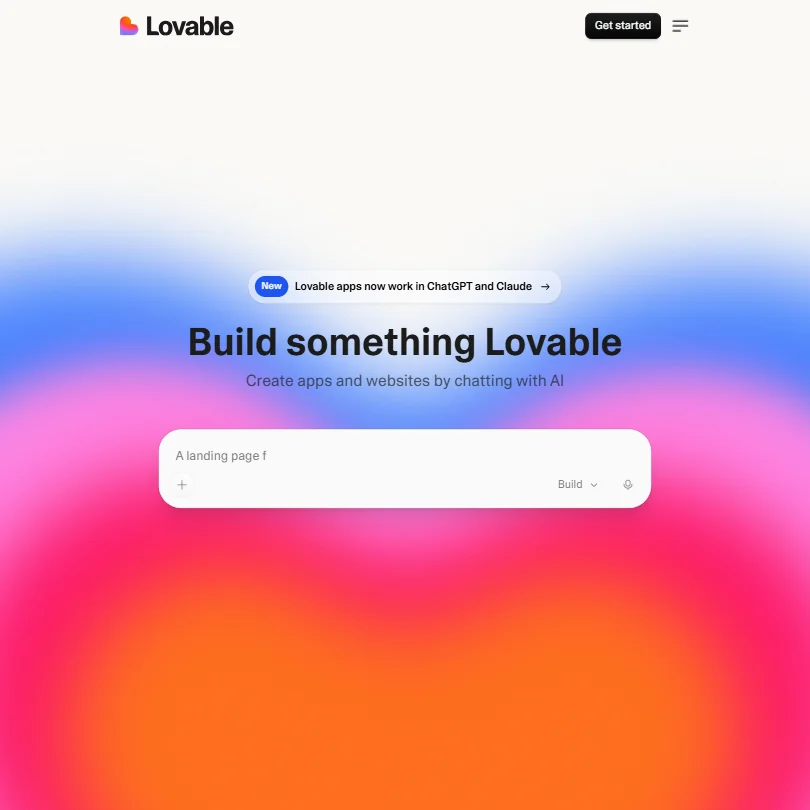
Lovable came out of Stockholm in 2024. It grew fast. Suspiciously fast, if you're the cynical type. Their homepage claims millions of builders and millions of projects, which reads like marketing copy on its own. Something real is happening here. Whether the product justifies the momentum is a separate question.
What is Lovable?
Chat with an AI, describe what you want, get a working web app. That's the pitch. No IDE, no terminal, no explaining to a developer friend what you actually need.
The output is React and TypeScript by default, which is a reasonable stack choice and more than most no-code tools will give you. GitHub integration handles version control and code export. Lovable Cloud includes a built-in database, authentication, storage, and backend logic; Supabase can also be connected as an alternative. Figma import landed January 28, 2025, a genuinely useful addition for designers arriving with existing mockups. One-click deployment is there too.
What Lovable is not: a code editor. No IDE plugin, no CLI, no VS Code extension. It lives in a browser tab. That's the whole thing.
Honestly, that's intentional. Lovable isn't aimed at engineers with existing workflows. It's aimed at the founder who has an idea at 10pm and wants something running by midnight.
Lovable Features: Code Generation, Review & Developer Workflow

The core loop is simple. You type what you want, the AI builds it, you see the result and iterate through conversation. Full-stack apps with frontend and backend logic are on the table, not just landing pages. The built-in Lovable Cloud database (with Supabase available as an alternative) means you can wire up a real database without touching SQL directly, which is a meaningful step past most no-code tools that fall apart the moment you need persistent data.
Visual Edits arrived February 12, 2025, roughly two weeks after the Figma integration, and the two features are worth keeping separate in your head because they solve different problems. The Figma import is about getting existing designs into a running app. Visual Edits is about fixing what the AI got wrong without going back to the chat prompt every single time. Both matter. They did not ship together.
Debugging runs through the same conversational interface. You tell it what's broken, it diagnoses and patches. Product managers and designers on G2 called this workflow genuinely usable, not just a demo trick. That tracks.
What's missing from the documented feature set: pull request integration, static analysis, automated test generation. What exists is a loop of prompt, build, refine. For the target user, probably enough. For a team shipping production code, probably not.
Team features sit behind the Business tier at $50/month. You get role-based access, a shared team workspace, and a Security Center. Free and Pro users don't get that last one. Worth flagging, not because the paywall is unreasonable, but because users at those tiers should know what they're running without.
Lovable Code Quality: How Accurate and Reliable Is It?
The G2 and Trustpilot split is the most useful data point here. It's not a rounding error. It reflects two different populations with two different sets of expectations hitting the same product.
G2 skews early adopters, curious product managers, and technical-ish founders who knew what they were signing up for. They tend to rate the output positively, especially for prototypes and MVPs. What we kept seeing in G2 feedback centered on speed: how fast you can get from nothing to something real.
Trustpilot tells a harder story. Recurring lower-rated reviews pointed at apps that looked right but broke under real conditions. Prompts that got misinterpreted. Iterations that introduced new bugs while patching old ones. "Impressive until it isn't" is a fair summary of the ceiling problem.
Lovable's AI layer runs on GPT-4 and Claude-based models. The underlying capability is real. The question is always how much the wrapper degrades the output, and based on the documented feature set, quality is good enough for prototypes and early-stage products but shaky for anything requiring production reliability. Be wary of any tool promising "full-stack app from a sentence" as a daily production workflow. That's not a knock specific to Lovable. It's a category-wide problem.
Lovable IDE & Workflow Integration: Where Does It Work?
Nowhere you'd call an IDE. That's the honest answer.
Browser-only. No VS Code extension, no JetBrains plugin, no CLI access. The GitHub integration is real and it works, which means you can pull generated code into your actual workflow after the fact. You cannot, however, use Lovable inside an existing codebase in any meaningful way.
For the intended audience, none of that matters. The person Lovable is built for doesn't have an existing codebase. They have a Notion doc with a product idea and a weekend to try it.
For a developer who already has tooling, the gap is disqualifying. Someone running Cursor inside a real engineering setup won't find Lovable useful as a daily driver. Different jobs, different tools.
The Figma import is the strongest integration story here. Designers who've been mocking up in Figma can push those designs into a working app without handing off to an engineer, a workflow that genuinely didn't exist in this form before January 28, 2025. That's the most novel thing Lovable offers right now.
MCP server connectors appear in the docs. User feedback on how they work in practice is thin, so treat them as experimental.
Is Lovable Easy to Set Up and Use?
There's no setup. Literally. Make an account, type a prompt, get an app. That frictionless entry point is Lovable's best argument for itself.
The learning curve is different from most tools. It's not about learning the UI. It's about learning how to prompt well; vague prompts tend to produce vague apps. Specific inputs get specific outputs. That's intuitive in hindsight, but it trips up new users consistently.
Documentation is solid. Guides, templates, and video walkthroughs are all there. The help center covers most basic questions, Discord is active, and the YouTube channel has real tutorial content. Community support seems to carry more weight than formal channels here.
There's no live chat; support is community-based until you hit Pro, where email support opens up alongside the $25/month charge. We've seen worse. Billing-related support responsiveness is worth watching, which is a different kind of problem than technical support gaps.
Honestly, for a tool this young, the documentation story is better than we expected.
Lovable Pricing: Is It Worth It for Solo Devs and Teams?

Free plan exists. It runs on limited credits, not unlimited time. Once those are gone, you're looking at $25/month for Pro or $50/month for Business. Enterprise is a platform fee negotiated through sales, no number on the page.
The free plan functions as a real trial in practice, even if Lovable doesn't call it one. You can build something, see if the tool suits you, and then decide whether $25/month makes sense. That's the right way to handle onboarding.
Pro at $25/month is where most solo users land. Business at $50/month adds the Security Center, the team workspace, and role-based access. Both Pro and Business show 100 monthly credits as the default in the pricing display, with a dropdown suggesting other credit amounts are available.
What's missing from the pricing page is a clear explanation of what a credit actually buys you in practice. We dug through the docs and couldn't find a specific breakdown of credit consumption per build or per prompt iteration. That's annoying. You're committing to a monthly cost without knowing exactly how far that cost takes you.
Running out of credits mid-project is a common complaint about this pricing model. Real friction for anyone trying to ship something across multiple sessions. Bolt.new runs a similar credit model with similar opacity. We don't love that as a category pattern. Fair, but frustrating.
Lovable vs Bolt.new: Which AI Coding Tool Is Better?
These two come up together constantly. Same category, same target audience, similar marketing, narrower differences than either company's blog posts suggest.
Both generate web apps from natural language. Both use credit-based pricing. Both target non-technical builders first.
Where Lovable pulls ahead: the Figma integration, full stop. If you're coming from a design background with existing mockups, Lovable has a real structural edge. Visual Edits adds direct control over output without returning to the prompt every time, which Bolt.new doesn't match cleanly.
Where Bolt.new competes: developer community perception. More working developers seem to experiment with Bolt.new for scaffolding and prototyping. Lovable reads as more polished for pure non-technical users, while Bolt.new shows up more in conversations where someone actually codes for a living. Neither is a production deployment tool without human review on the back end. Both are prototype-and-validate tools dressed in stronger language than the output usually justifies.
An engineer who wants AI assistance inside a real codebase should skip both entirely and look at something like Cursor, which works where actual coding happens.
Who Should Use Lovable? (And Who Shouldn't)
Non-technical founders with a specific idea. That's the core fit.
Product managers who need a working prototype for stakeholder review. Lovable can get you there faster than a developer can return your Slack message, and that speed has real value at the right stage of a project.
Designers with Figma files they want to see running in a browser. The January 28, 2025 integration was built for exactly that workflow.
Who shouldn't: anyone shipping a production app without engineering review. The code Lovable generates needs eyes on it before it handles real users or real data. Not a criticism specific to Lovable. No AI-generated code should go to production unchecked.
Developers with existing codebases. Wrong tool entirely. Solo engineers who want AI code completion inside their IDE should look elsewhere, specifically at tools that actually live inside an IDE.
Lovable Review Verdict
Lovable does what it says it does, for the audience it's designed for. That sounds like a low bar. In this category, it actually isn't. A lot of tools promise "build anything without code" and deliver something unusable. Lovable delivers something people actually build with.
The ceiling is real. Prompts misfire. Credits run out faster than expected. The pricing page doesn't tell you what you actually need to know before committing, specifically how credits map to real usage. Trustpilot's lower number reflects users who hit those ceilings hard and felt misled by the marketing. That's a fair reaction.
For prototyping and early validation, the tool earns its $25/month. For a production web app, you'll need a developer reviewing the output, or a very high tolerance for finding bugs yourself.
Founded in 2024, Lovable is still early. The Figma integration landing January 28, Visual Edits following February 12, the Security Center gated at Business tier, these show a roadmap that's moving with some intention. The credit opacity and inconsistent output quality are the two things that need fixing most. One is a business decision. The other is harder.
We'd watch this one. We'd also wait to see if the Trustpilot number closes toward the G2 number before recommending it without caveats.
Frequently Asked Questions
Is Lovable free to use?
There's a free plan, yes. It comes with a limited number of credits, not unlimited access, so you'll hit a wall eventually. Think of it as a generous trial rather than a permanent free tier. Once the credits are gone, you're moving to the $25/month Pro plan or stopping.
Does Lovable generate production-ready code?
Not reliably, no. The code Lovable generates is real React and TypeScript, which is more than most no-code tools can say. But review patterns made clear that the output needs engineering review before it's handling real users. For prototypes and internal demos, it's fine. For anything public-facing or data-sensitive, get a developer to check it first.
How does Lovable compare to other AI app builders?
Bolt.new is the closest direct comparison. Both tools target non-technical builders with similar pricing structures and similar output quality ceilings. Lovable's Figma integration gives it an edge for designers specifically. Bolt.new may appeal to a slightly more technically-comfortable user base, based on how each product positions itself. Neither replaces a real development workflow, and neither should be presented as if it does.







