
Every score is worked out from the vendor's own pages · How we score →Disclosure
SAASINSPECTOR
Kiro logo

Kiro Review

Kiro is an agentic IDE from AWS that turns a written spec into code and lets its Autopilot agent work through the tasks. It runs as a desktop IDE, a CLI and in the browser, and it is best for developers who want an AI coding agent to plan and build whole features while they review.

Visit Kiro →From $20/mo

Research-based review. Features and prices are checked on the vendor's own website, and the score is worked out from those facts. We haven't tested it hands-on yet.

The verdict

Kiro is worth paying for if you want an AI coding agent that builds from specs on AWS terms, but the IDE offers no code completion as you type.

Pros

  • A perpetual Free plan includes 50 credits a month with open weight models and Claude Sonnet 4.5.
  • Claude, GPT and open weight models from DeepSeek, Qwen, Kimi, GLM and MiniMax sit on one credit allowance, with an Auto router.
  • Kiro Web cloud sessions on Pro and above run tasks in a sandbox and return the result to GitHub or GitLab as a pull request.
  • Pro, Pro+, Pro Max and Power include indemnity for Kiro's output, subject to AWS terms.

Cons

  • The IDE has no tab completion for code; it is driven by chat and agents.
  • Free and individual paid plans may use your content for service improvement unless you opt out.
  • There is no option to bring your own provider API key or run local models.
From $20/moFree plan YesFree trial No
6.0/10

Spec Score

Kiro against 15 AI coding assistants
#14
of 15 AI coding assistants
-0.8
vs the average
91%
from published facts
Ahead of other AI coding assistants
Nothing clearly above the average
Behind other AI coding assistants
Privacy and security-2.6Model freedom-1.2Agents and your codebase-0.7
Every criterion
Tap a row for the facts
Agents and your codebase6.5
-0.7 vs 7.2 avg16.3 of 25 points
Agents that work in the cloud and open pull requestsyes3 / 3
Understands your whole codebaseyes2.5 / 2.5
Reviews pull requestsnot published, half points1 / 2
Suggests code as you typeno0 / 2.5
Why these numbers

Agents that work in the cloud and open pull requests: Kiro Web cloud sessions with GitHub and GitLab, plus scheduled automations that open PRs. Pro and above.

Understands your whole codebase: Language-server based symbol index; chat is described as having full awareness of the project structure.

Suggests code as you type: Kiro IDE is chat and agent driven (specs, autopilot); the docs describe no code tab completion. Kiro CLI shows inline ghost-text suggestions for shell commands only.

Pricing8.9
+0.4 vs 8.5 avg17.8 of 20 points
Monthly price, cheapest paid plan$20/mo5 / 6
Free planyes3 / 3
Free trialdoes not applyn/a
Why these numbers

Monthly price, cheapest paid plan: Pro, $20 a month for 1,000 credits and premium models. No annual price is published.

Model freedom5.0
-1.2 vs 6.2 avg10 of 20 points
AI model families you can chooseclaudegptdeepseekqwenkimiglmminimax5 / 5
Bring your own API keyno0 / 3
Runs models on your own machineno0 / 2
Why these numbers

AI model families you can choose: Also an Auto router. Claude and GPT models need a paid plan; Free gets open weight models and Claude Sonnet 4.5.

Bring your own API key: Models and billing run through Kiro credits. No bring-your-own provider key option is documented.

Runs models on your own machine: Models are hosted by Kiro; no Ollama or local model option is documented.

Privacy and security3.5
-2.6 vs 6.1 avg7 of 20 points
Does not train AI on your codeunless you opt out1.5 / 3
Option to keep no copy of your codeno0 / 2
Runs on your own servers or cloudno0 / 2
SOC 2not published, half points1 / 2
Legal cover for generated codeyes1 / 1
Why these numbers

Does not train AI on your code: Free and individual paid users: content may be used for service improvement unless they opt out. Enterprise users: content is not used for service improvement.

Option to keep no copy of your code: Free tier inputs may be stored up to 60 days for abuse detection, and model-specific retention may apply. No zero-retention mode is offered.

Runs on your own servers or cloud: Kiro is a managed AWS service. Agents run on your machine or in Kiro's cloud sandboxes; no self-hosting option is published. Enterprise data can be stored in your own AWS account (S3 prompt logging, customer managed KMS keys).

Legal cover for generated code: Subject to Kiro Excluded Models and AWS Service Terms section 50.10.

Where it works6.0
+0.0 vs 6.0 avg9 of 15 points
Editors and terminals it works inclijetbrainsown editor6 / 8
Open sourceno0 / 2
Why these numbers

Editors and terminals it works in: Counted from platforms, plus its own editor where it is one.

Open source: The Kiro IDE and CLI are not published as open source. Only the separate Kiro Crew workspace is open source, under Apache-2.0.

yesnonot published average for AI coding assistants
How the Spec Score works

Scored from what Kiro publishes on its own site. Not a hands-on test.

Compared with 16 AI coding assistants. Facts checked 22 Oct 2026.

A fact the vendor does not publish gets half the points, or the typical value for a number, and says so. It never counts as a no. How we score.

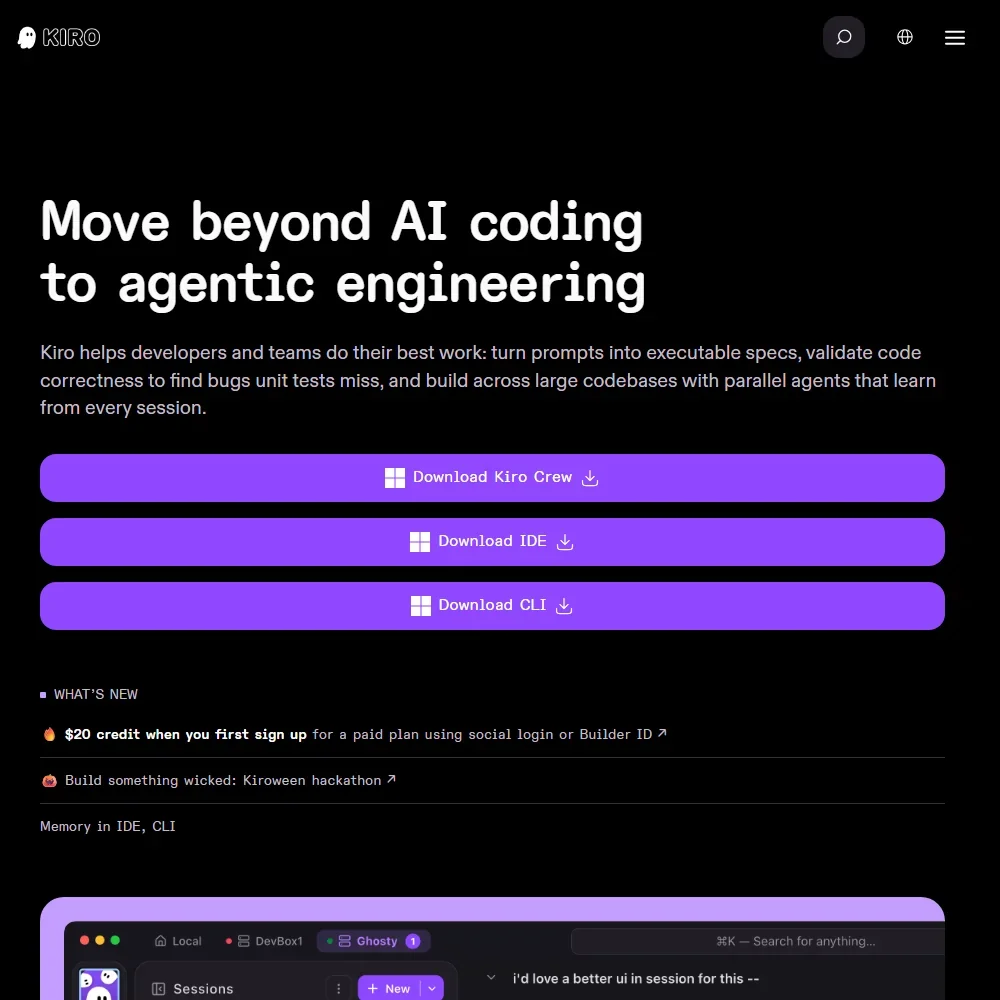
Kiro is an agentic IDE from AWS that builds code from written specs and then works through the tasks on its own. Whether it suits you comes down to how you like to work: it is driven by chat, specs and agents rather than by suggestions as you type, and everything you do spends credits from a monthly allowance.
Kiro homepage screenshot
Kiro, Homepage

What is Kiro?

Kiro is a coding environment built and operated by a team within AWS. Its core idea is spec-driven development: you describe what you want, Kiro turns that into a spec, and its agent carries out the work step by step. Enterprise plans are sold through AWS.

Kiro runs as a standalone IDE for macOS, Windows and Linux, as a command-line tool, and as Kiro Web in the browser on Pro and above. JetBrains IDEs and Zed connect to it through ACP. The IDE and CLI are not open source; the separate Kiro Crew workspace is open source under the Apache-2.0 licence.

What Kiro does in your code

The IDE has a chat panel where you work with your code in plain language. Agent mode is called Autopilot and is on by default, so Kiro carries out several steps on its own. You can switch it to supervised mode, where you approve every change before it lands.

Kiro does not offer tab completion for code in the IDE. The CLI shows inline ghost-text suggestions, but for shell commands. For understanding your project, Kiro runs language servers that keep an index of symbols, types and references across the codebase, and its chat has full awareness of the project structure.

Cloud sessions run in Kiro Web on Pro and above. The agent reads, edits, builds and runs shell commands inside a cloud sandbox, then hands the result back through GitHub or GitLab, usually as a pull request. Scheduled automations can also open pull requests for you. Locally, agents run on your own machine.

Kiro offers models from Anthropic and OpenAI alongside open weight models from DeepSeek, Qwen, Kimi, GLM and MiniMax, plus an Auto router that picks among them. Kiro does not train a model of its own. The Free plan gets the open weight models and Claude Sonnet 4.5; the other Claude models and the GPT models need a paid plan. Each model carries a credit multiplier, from 0.05x for some open weight models up to several times for frontier models.

There is no option to bring your own provider API key, and no local models: every model is hosted by Kiro and billed in Kiro credits. MCP is supported, with both local stdio servers and remote MCP servers, so you can connect extra tools and context.

Working with other people

Kiro has no public REST API. The CLI has a headless mode for CI/CD pipelines on Pro and above, which signs in with an API key set as an environment variable. Cloud sessions connect to GitHub and GitLab.

Team controls sit on the Enterprise plan: centralised billing, SSO, usage analytics, enterprise security controls and governance over which models, MCP servers and extensions people can use. Enterprise customers can also keep data in their own AWS account, with prompt logging to S3 and customer managed KMS keys.

Kiro pricing: what each plan gives
Kiro pricing screenshot
Kiro, Pricing

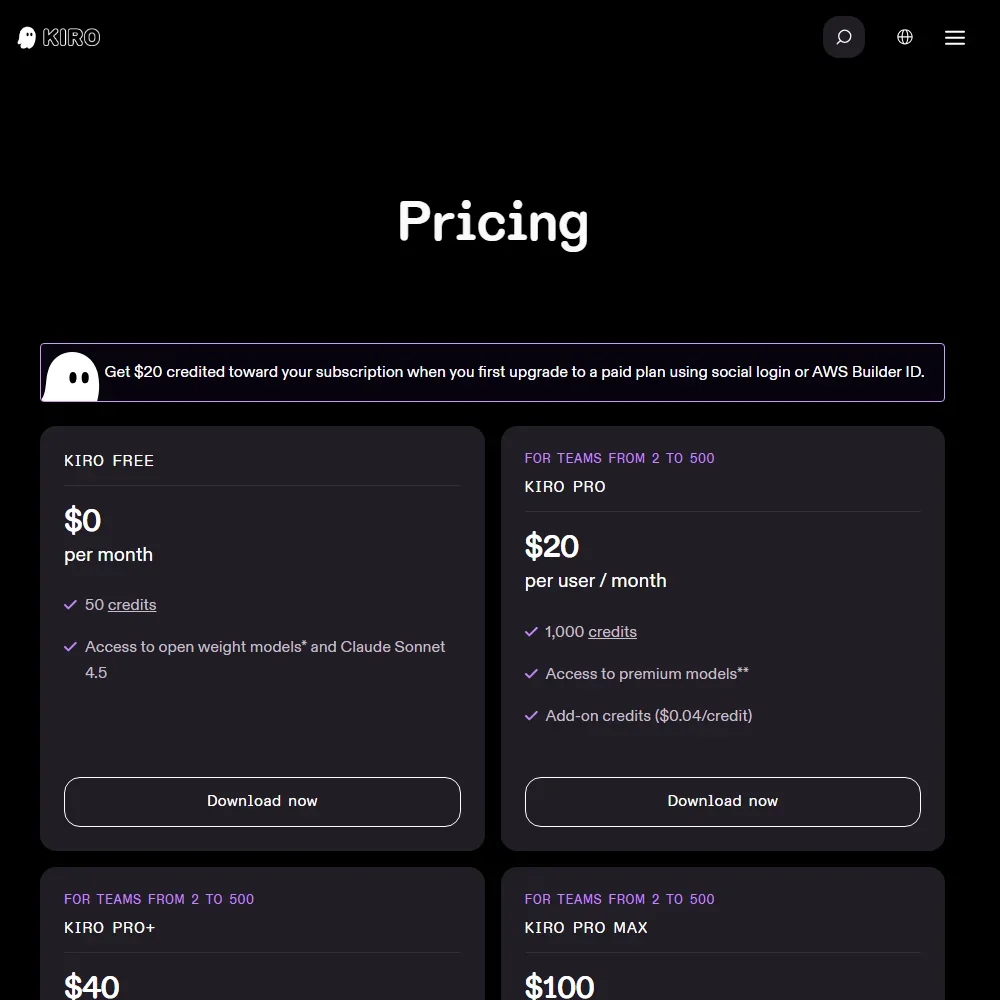
Kiro is priced in credits, a unit of work in response to your prompts. Credits reset each billing month and unused ones do not roll over. Extra credits cost $0.04 each.

  • Free: $0 a month for 50 credits, with the open weight models and Claude Sonnet 4.5. The Free tier is not available in Kiro Enterprise or AWS GovCloud (US).
  • Pro: $20 per user a month for 1,000 credits and the premium models.
  • Pro+: $40 a month for 2,000 credits.
  • Pro Max: $100 a month for 5,000 credits.
  • Power: $200 a month for 10,000 credits.
  • Enterprise: priced on request and sold through AWS, with centralised billing, SSO and usage analytics.

There is no time-limited trial, because the Free tier does not expire. New paid subscribers who sign up with social login or a Builder ID get $20 credited towards the subscription. Pro, Pro+, Pro Max and Power include indemnity for Kiro's output, subject to Kiro's excluded models and the AWS Service Terms.

Privacy and security

On the Free plan and on individual paid plans, your content may be used for service improvement unless you opt out. Enterprise content is not used for service improvement. Kiro may store your questions, responses and context such as code, Free tier inputs may be kept for up to 60 days for abuse detection, and there is no zero data retention mode.

Kiro sits within the scope of AWS's ISO/IEC 27001:2022 certification. The Kiro IDE and CLI are HIPAA eligible, which means they can be used inside a HIPAA-compliant setup that the customer configures. Single sign-on through Okta, Entra ID and AWS IAM Identity Center is on Enterprise. Kiro is a managed AWS service with no self-hosted version. Support runs through a Discord community, with billing support and bug report pages on the Kiro site.

Who Kiro suits

Kiro suits developers who want an agent to plan and carry out whole pieces of work from a written spec, and who are happy to review the result rather than steer every line. Teams already on AWS get a clear path: Enterprise is sold through AWS, data can stay in their own account, and SSO works with Okta, Entra ID and IAM Identity Center. The wide model list, from cheap open weight models to Claude and GPT, lets you trade credits against model choice.

It suits you less well if you lean on code completion as you type, which the IDE does not offer. Developers who want to use their own provider key or run local models cannot do either here. Heavy users should also watch the credit allowance, since frontier models cost several times more credits than the open weight ones and unused credits expire at the end of the month.

Frequently Asked Questions

How much does Kiro cost?

Kiro has a Free plan with 50 credits a month. Pro is $20 per user a month for 1,000 credits, Pro+ is $40 for 2,000, Pro Max is $100 for 5,000 and Power is $200 for 10,000. Extra credits cost $0.04 each, and Enterprise is priced on request through AWS.

Which AI models can I use in Kiro?

Kiro offers Claude and GPT models plus open weight models from DeepSeek, Qwen, Kimi, GLM and MiniMax, and an Auto router. The Free plan gets the open weight models and Claude Sonnet 4.5, while the rest of the Claude and GPT models need a paid plan.

Does Kiro work outside its own IDE?

Yes. Kiro also runs as a CLI, as Kiro Web in the browser on Pro and above, and inside JetBrains IDEs and Zed through ACP. Kiro Web runs cloud sessions that deliver changes to GitHub or GitLab as pull requests.

Does Kiro train on my code?

On Free and individual paid plans, your content may be used for service improvement unless you opt out. On Enterprise, your content is not used for service improvement.


Kiro is featured in

Alternatives to Kiro

See all Kiro alternatives →

Other AI Developer Tool options we've reviewed.

GitHub Copilot logo

GitHub Copilot

Individual developers, teams, and enterprises seeking AI-powered code generation and assistance inside their existing IDEs

8.5
Rank #1 of 15 AI coding assistants
Best:Agents and your codebase10
Weakest:Privacy and security6.5
Bring your own API key: yes
FreeFree plan
100% from published facts · checked 14 Sep
→
JetBrains logo

JetBrains

Professional software developers using JetBrains IDEs seeking AI-powered code completion, agents, and enterprise governance

7.1
Rank #9 of 15 AI coding assistants
Best:Pricing10
Weakest:Where it works4
Bring your own API key: yes
From $10Free plan
96% from published facts · checked 14 Sep
→
Cursor logo

Cursor

Software developers and engineering teams building complex, large-scale software with AI-assisted and agentic coding workflows

8.2
Rank #2 of 15 AI coding assistants
Best:Agents and your codebase10
Weakest:Where it works7
Bring your own API key: yes
From $8Free plan
100% from published facts · checked 19 Oct
→
Tabnine logo

Tabnine

Enterprise development teams and individual developers who prioritize privacy, security, and compliance

7.5
Rank #4 of 15 AI coding assistants
Best:Privacy and security10
Weakest:Pricing3
Bring your own API key: yes
From $39No free plan
100% from published facts · checked 14 Sep
→
Claude logo

Claude

Writers, researchers and developers who want voice, memory, projects and code execution free, with deep research on paid plans

7.8
Rank #9 of 11 AI assistants
Best:Where it works10
Weakest:Pricing6
Free plan: yesFree trial: noAPI: yes
From $20Free plan
100% from published facts · checked 16 Oct
→
CodeRabbit logo

CodeRabbit

Engineering teams and developers seeking automated AI-powered code review on GitHub and GitLab

9.1
Rank #1 of 5 code review and security tools
Best:Review quality10
Weakest:Privacy and deployment7
ISO 27001: noHIPAA: no
From $24Free plan
100% from published facts · checked 14 Sep
→

User reviews

Review Kiro

Your rating

Reviews are moderated and appear once approved.

