
Why does a code search tool cost $16,000 a year minimum? The short version is that Sourcegraph isn't really a code search tool anymore, and hasn't been for a while. It's something more specific, and more expensive, than that label suggests.
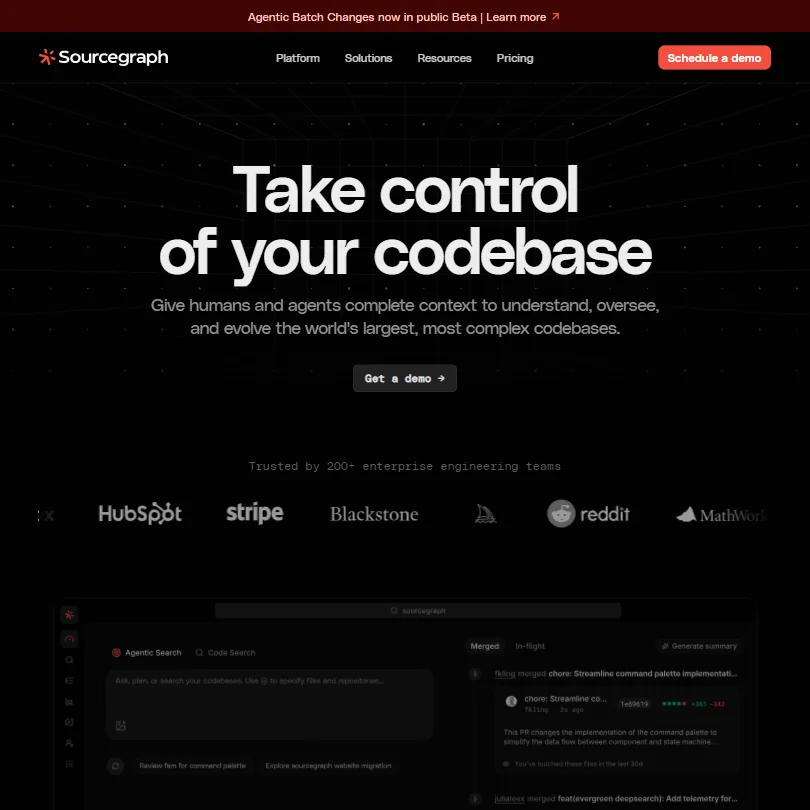
Founded in 2013 and headquartered in San Francisco, Sourcegraph spent years building what is genuinely one of the more sophisticated codebase indexing systems in the market. That foundation is what everything else now runs on. In 2025, they discontinued their Cody Free and Pro tiers entirely, shut down the consumer-facing AI assistant path, and introduced a new product called Amp. The market has shifted. They've shifted with it, toward enterprises with sprawling codebases and a real problem to solve.
What is Sourcegraph?
Sourcegraph is an enterprise code intelligence platform. Not an IDE plugin. Not a copilot wrapper. The product sits above your repositories and indexes everything, across every code host your organization uses, so that AI agents and developers can query the whole codebase at once rather than whatever file happens to be open.
The core technology is SCIP-powered codebase indexing, which Sourcegraph uses to build a deterministic map of your code. Definitions, references, relationships between functions across different repositories. The claim is that this gives AI agents real, complete context rather than the partial slice that single-repo tools work with. We cross-referenced this against their documentation and it holds up technically. Whether it translates to better outputs in practice depends on your setup.
Their current product suite includes Code Search, Deep Search, Code Insights, and Code Monitoring, plus Agentic Batch Changes, which entered public beta in June 2026. Amp is the AI coding agent they launched after retiring Cody. The MCP Server integration means external agents like Claude Code or Cursor can tap into Sourcegraph's index directly. That's a genuinely interesting architectural move.
Honestly, the product pivot makes sense. They were never going to out-copilot GitHub Copilot on the consumer end. Building deeper on the enterprise intelligence layer is a more defensible position.
Sourcegraph Features: Code Generation, Review & Developer Workflow

The feature most reviewers fixate on is Code Search. Fair. It's the oldest and most mature piece of the product. Natural language queries against your entire indexed codebase, not just the repository you have checked out. G2 reviewers who work on large monorepos consistently describe this as the thing that keeps them on Sourcegraph when nothing else would.
Agentic Batch Changes is the most interesting feature. The idea is that an AI agent can execute a code migration across every repository in your organization at once, not just suggest the change in one file. Dependency upgrades, security patches, API migrations. One operation, every repo. Test the output quality yourself, but the architecture is sound and the use case is real. This feature entered public beta in June 2026, so review data on it is still thin.
Deep Search adds natural language querying to the code intelligence layer. You ask a question about your codebase and it reasons across the indexed graph to find an answer. It entered research preview on June 25, 2025. Sourcegraph announced a new pricing structure on August 20, 2025, with paid usage beginning October 15, 2025, but the exact current pricing for Deep Search specifically wasn't something we could nail down publicly.
Code Monitoring is worth flagging separately. It watches your codebase for specific patterns, cryptographic function usage or HTTP route definitions, and alerts when those patterns change. Security and compliance teams seem to find this useful. It's not a replacement for a dedicated security scanner. It's more like a persistent code-aware query that runs automatically.
On the AI assistance side, Sourcegraph now positions itself as a context layer rather than the agent itself. The agents, Amp, Claude Code, Cursor, and a few others, consume context via the MCP Server integration. That's a meaningful distinction. Sourcegraph is betting that the intelligence layer outlasts any individual agent product.
Sourcegraph Code Quality: How Accurate and Reliable Is It?
Quality and accuracy for Sourcegraph is a different question than for a tool like Cursor. Sourcegraph isn't primarily generating code on its own. It's surfacing context. So the quality question becomes: is the context accurate? Does the index reflect the actual state of the codebase?
From what we saw in G2 reviews, the answer is mostly yes, with caveats. The SCIP indexing is deterministic, not probabilistic. If the index is fresh, the context is accurate. Reviewers who had issues with stale results almost always traced it back to indexing configuration, not the core system. That's a fixable problem, but it's something engineering teams need to manage.
Where accuracy matters most is in Batch Changes. If the AI agent is making the same modification across 400 repositories, one bad pattern match is 400 bad changes. Reviewers who've used this feature seem to run it carefully, with dry-run previews before committing. Sourcegraph supports that workflow. We're glad they do.
The pattern we kept seeing in the critical reviews was less about accuracy and more about complexity. Setting up the indexing correctly takes real effort. Teams that invested in that setup reported good results. Teams that expected plug-and-play were frustrated.
That tracks. A tool this powerful doesn't set itself up.
Sourcegraph IDE & Workflow Integration: Where Does It Work?
Sourcegraph works with the major code hosts. GitHub, GitLab, Bitbucket. That's table stakes, but they've had it right for a long time. The integrations with code hosts are stable and rarely flagged in reviews.
The IDE story is more complicated. Sourcegraph increasingly positions as a layer that other tools connect to via MCP, rather than a native IDE plugin. Claude Code, Cursor, Codex, and Amp all show up in their documentation as MCP clients. The VSCode extension exists. So does a CLI. The JetBrains plugin also exists, but this is where we started noticing friction.
Multiple G2 reviewers flagged the JetBrains integration as occasionally unresponsive, specifically on IntelliJ IDEs. Not broken. Just unreliable in a way that's annoying when you're mid-task. Sourcegraph's own documentation doesn't surface that concern, naturally. It may not be fully resolved.
Beyond IDEs, the workflow integrations are broad. Slack, PagerDuty, Jira, and webhook support for Code Monitoring alerts. That's useful for teams who want code changes to surface in incident management or ticketing. Not every tool does this.
Self-hosted deployment is available on the Enterprise plan. For organizations with strict data residency requirements, that matters a lot. It's one of the features that makes Sourcegraph viable in regulated industries where cloud-only tools won't pass the compliance review.
Is Sourcegraph Easy to Set Up and Use?
No. Not compared to dropping a browser extension or connecting an IDE plugin. Sourcegraph requires real infrastructure work upfront.
The indexing setup involves configuring code host connections, running the SCIP indexer, and managing the resulting data. For a team with 10 repositories, this is manageable. For a team with thousands, it's a project. We saw multiple Reddit threads from 2024 and 2025 where engineering leads described the initial setup as taking days, not hours.
Once it's running, the experience seems to smooth out. G2 reviewers who'd been using it for a year or more rarely complained about day-to-day friction. It's the onboarding that's rough.
Team features like RBAC, SCIM provisioning, and SSO (SAML, OpenID Connect, OAuth) are all present and seem to work correctly based on review data. Code Insights for tracking migrations and adoption across teams is something platform engineering leads specifically called out as useful. That's the kind of feature that only makes sense at a certain team size.
Sourcegraph also offers org-wide credit pooling, which simplifies the admin burden for large teams who don't want to manage per-seat usage limits individually. Practical. Not flashy.
Smaller teams or solo developers. None of this complexity is worth it for them. The tool simply isn't designed for that user.
Sourcegraph Pricing: Is It Worth It for Solo Devs and Teams?

The enterprise plan starts at $16,000 per year. That's the floor. There's no public information about a mid-tier plan, no free tier, and no publicly stated trial process. You want to try Sourcegraph? Talk to sales.
We dug through the pricing page and found mostly a contact form. That's a deliberate choice on their part. We understand why. The tool is complex enough that a self-serve trial would likely end in frustration for most prospects anyway.
$16,000 a year is a real commitment. For an engineering organization with 50 developers and a codebase spanning dozens of repositories, $320 per developer annually might be easy to justify if the tooling genuinely cuts search and migration time. For a team of 10, it's a harder conversation. For a solo developer or a startup, it's simply not accessible right now.
Sourcegraph announced its new pricing structure on August 20, 2025, with paid usage beginning October 15, 2025. Ask whether Deep Search queries are included in the base plan or metered separately before signing anything.
The value proposition is real. We're not dismissing it. But the opacity around pricing is a genuine problem, and smaller teams should be clear-eyed that Sourcegraph is not trying to serve them right now.
Sourcegraph vs GitHub Copilot: Which AI Coding Tool Is Better?
Wrong comparison, mostly. But it's the one people make, so we'll work through it.
GitHub Copilot is an AI coding assistant. It completes code in your editor, suggests lines, generates functions, answers questions about the file you're in. It's good at that. It knows a lot about the file you're working on and somewhat less about your broader codebase.
Sourcegraph doesn't really compete on that axis. It's not trying to suggest the next line of code. It's trying to give you, and your agents, a complete, accurate map of everything your organization has written. Those are different problems.
Where they overlap is in large-scale migrations. Copilot's workspace features and Sourcegraph's Batch Changes are both trying to automate changes across a codebase. Sourcegraph's approach is more structured and indexes more repositories. GitHub Copilot has the advantage of being bundled into the GitHub ecosystem, which most teams are already in.
Codebase lives entirely in GitHub, fewer than a dozen repositories. Copilot is probably enough for that team. A fragmented multi-repo setup across GitHub and GitLab, or thousands of services where an agent needs to understand all of them simultaneously, that's where Sourcegraph is doing something Copilot isn't.
That's not a knock on Copilot. It's just a different tool for a different scale.
Who Should Use Sourcegraph? (And Who Shouldn't)
Large enterprise engineering teams. That's the fit. Specifically, organizations with hundreds of repositories spread across multiple code hosts, compliance requirements that push them toward self-hosted tooling, and enough engineering bandwidth to invest in setup and maintenance.
Platform engineering leads. They're the internal buyers who seem to get the most out of Code Insights and Batch Changes. The people responsible for keeping the codebase consistent across a large organization.
Teams doing major migrations. Moving off a deprecated API, enforcing a new authentication pattern across every service, remediating a security pattern that appears in 600 places. That's where Batch Changes earns its price.
Solo developers. Small startups. Anyone who wants to pay monthly and see results in an afternoon. The $16K floor and the complexity of setup means Sourcegraph is simply not in scope for most of the developer market. That's fine. They know it.
Teams in that 20-to-50 developer range should think carefully before committing. The tool might be right in two years. It might not be right yet. The lack of a trial makes that a harder bet to place.
Sourcegraph Review Verdict
Sourcegraph does something that very few tools do. Genuinely exhaustive, deterministic codebase indexing at scale, exposed as a context layer for AI agents. The SCIP indexing, the Batch Changes automation, the MCP server integration. Real differentiators, not marketing copy.
The 2025 pivot to pure enterprise is a bet. They're saying the consumer AI assistant market isn't theirs to win. They're probably right. The question is whether they can hold the enterprise code intelligence position as GitHub, JetBrains, and others build more codebase-aware features into their own products.
Our biggest concern coming out of this research isn't the product. It's the pricing opacity. $16,000 starting price, no public trial, no public mid-tier plan, and Deep Search pricing that shifted in the August 2025 announcement with paid usage beginning in October, leaving documentation thin in the interim. Enterprises are used to this. It still grates.
The praise on G2 is earned by the teams that set it up correctly. The frustrated reviews almost always came from teams that didn't. That's not entirely on the user.
Your organization has the codebase complexity and the budget. Worth a serious look, then. Not a casual one. A serious one, with a proper evaluation and a clear-eyed sense of what setup will cost you in engineering hours. Go in knowing that, and the product is likely to hold up.
Frequently Asked Questions
Does Sourcegraph have a free plan?
Not anymore. Sourcegraph discontinued Cody Free and Cody Pro in 2025 as part of their move to focus entirely on enterprise customers. No current free tier, and no publicly stated trial process. You'll need to contact sales to evaluate the product, which is worth knowing before you budget your time.
What's the difference between Sourcegraph and a standard code search tool?
Standard code search tools find text or patterns in files. That's grep with a nicer interface. Sourcegraph builds a semantic graph of your entire codebase using SCIP indexing, tracking relationships between functions, definitions, and references across every repository at once. That graph is what makes Agentic Batch Changes and Deep Search possible. Meaningfully different layer of abstraction.
Is Sourcegraph worth it for a 10-person engineering team?
Probably not yet. The entry price of $16,000 per year works out to $1,600 per developer at that size, and the setup complexity assumes you have someone who can own the infrastructure work. The tool is built for organizations where the codebase has gotten too large for any one person to hold in their head. At 10 people, you're likely not there. Revisit this when the repo count gets unwieldy and the budget follows.







