
Zed is an AI code editor built for speed and collaborative editing, with AI assistance integrated rather than bolted on.
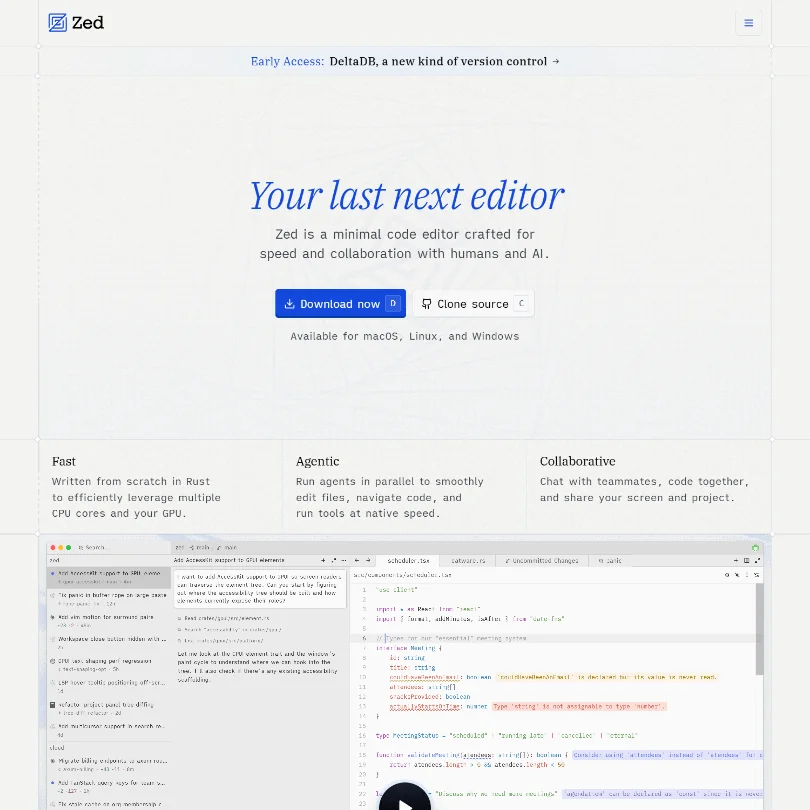
The founders came out of Atom. That's the lineage. Zed entered public beta on March 15, 2023, macOS only, before opening Linux support and later Windows. It went open source in January 2024. For a small team building a native editor from scratch in Rust, that's a fast-moving timeline. Whether the pace holds is a separate question, and one we genuinely can't answer from vendor docs alone.
Zed has no G2 reviews yet, so independent validation is limited.
What is Zed?
A standalone code editor. Not a plugin. Not a VS Code fork with a different splash screen. That distinction matters more than it sounds in this category, where most AI coding tools are extensions bolted onto an existing host.
Zed owns the full stack, from rendering to AI to collaboration, and the whole thing is written in Rust specifically to avoid the browser-runtime architecture that Cursor and VS Code run on. GPU acceleration. Multiple CPU cores by design. The speed angle in the docs isn't just positioning. The Rust architecture is built to feel noticeably different on large files, the kind of files where VS Code starts to stutter.
On the AI side, Edit Predictions handle inline completions and a separate agentic layer handles bigger tasks. You can bring your own API key from Anthropic, OpenAI, Google, and a few others, or use Zed's hosted credits. That's the product. Fast native editor, AI built in, real-time multiplayer on top of both.
Zed Features: Code Generation, Review & Developer Workflow
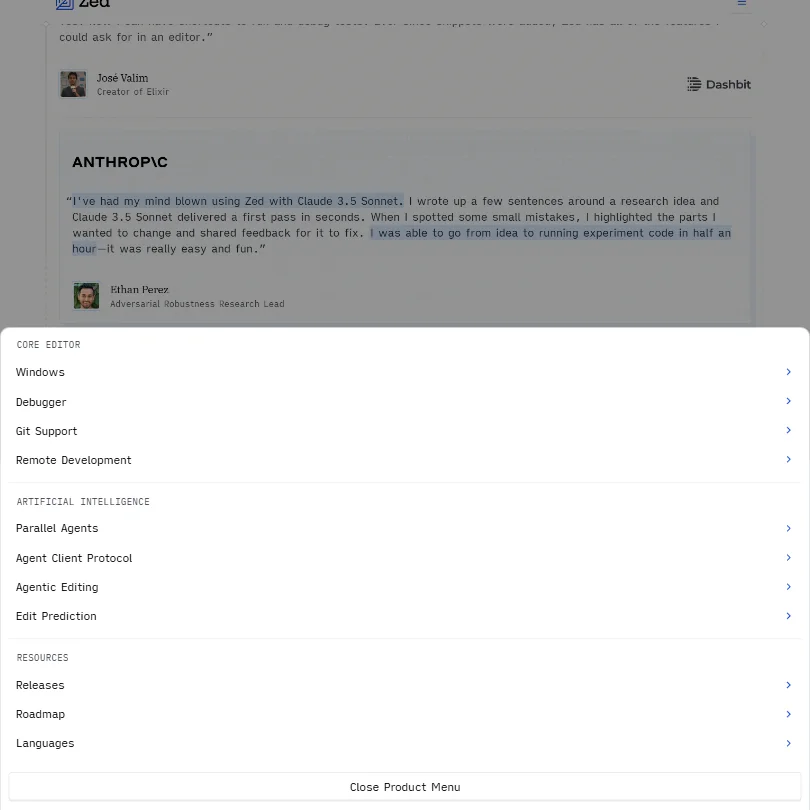
The agentic layer is where Zed is investing the most visible effort right now. Agents can read and search your codebase, write and edit files, and run tools. Parallel agents is the specific claim they emphasize, the idea being you're not blocked waiting on one agent to finish before spinning up another.
Honestly, parallel agentic coding is one of the more overclaimed phrases in this space. But Zed's underlying architecture at least makes a coherent technical argument for why theirs would behave differently from a browser-based editor running the same model. That's more than most competitors offer.
Multiplayer collaboration is the other genuinely unusual piece. Real-time co-editing, screen sharing, and team chat aren't an add-on here. They're built into the core layer. Most editors treat collaboration as a plugin. Zed doesn't, and that's probably a direct reflection of where the founders came out of at Atom.
Day-to-day, you get LSP-based diagnostics for debugging and vim motions plus multicursor for refactoring. Language support runs through LSP and Tree-sitter, which covers most realistic working languages. No security scanning is listed anywhere in the docs. Worth flagging for teams where that matters.
Zed Code Quality: How Accurate and Reliable Is It?
No G2 profile. No Capterra page. No Trustpilot entries at the time of writing. There's no G2, Capterra, or Trustpilot presence to draw on for this one, which is a real limitation and we're not going to pretend otherwise.
The vendor consistently emphasizes the editor's speed and feel as its core differentiator. The AI accuracy picture is messier. Zed's own Edit Prediction model, called Zeta, launched on February 13, 2025, so it's genuinely new. We're not overstating how widespread those complaints are. The sample size is small.
The thing that comes up repeatedly is that the model you bring via API key changes the experience substantially. That tracks. Zed's hosted credits are a convenience. The quality ceiling is set by the model underneath.
Codebase indexing for agents is documented, letting the agent read and search across a project rather than just open files. We wouldn't assume parity with Cursor on that front. Not yet.
Zed IDE & Workflow Integration: Where Does It Work?
macOS, Linux, Windows. Full developer surface covered. No mobile, but that's not a real concern for a code editor.
What Zed doesn't do is plug into other IDEs. You're switching editors entirely. No VS Code extension, no JetBrains plugin. For solo developers that's a clean decision. For teams with established tooling, it's a real commitment and probably the biggest practical friction in adoption.
On the AI integration side, Anthropic Claude and OpenAI are the two the vendor highlights most prominently. Amazon Bedrock, Mistral, Ollama, and a few others are also supported via API keys. The Personal plan specifically calls out compatibility with Codex CLI and Claude Agent, which we confirmed from the pricing page.
GitLab is worth addressing carefully here. Zed recognizes GitLab as a Git hosting provider, supports self-hosted GitLab instances, and generates permalinks for it. What isn't publicly confirmed is a full merge-request or issue-management integration comparable to a dedicated GitLab workflow tool. If your team depends on that kind of integration, don't assume it's there.
GitHub support is referenced in the docs. The ecosystem is active and moving fast. We'd expect more integrations over the next year.
Is Zed Easy to Set Up and Use?
For an experienced developer, yes. Download, install, bring an API key, start editing. The docs at zed.dev are specific and well-organized, which isn't something we can say about every tool in this category.
For someone newer to development or coming from a more guided IDE setup. Harder. Zed is minimal by design and it won't hand-hold. No live chat support. Email support exists for business inquiries. Community support runs through Discord and GitHub Discussions, which is where most setup questions actually get resolved.
Discord-based support is a variable experience. Some threads get answered fast. Others sit. That's the nature of community support for a growing open-source project, and it's probably fine for individual developers. Not great.
The multiplayer setup is where we'd flag the steepest team-level learning curve. Getting a single engineer to try a new editor is one thing. Getting a whole team to adopt it, configure Business plan org-level controls, and rebuild their workflow around real-time co-editing is a different kind of lift entirely.
Zed Pricing: Is It Worth It for Solo Devs and Teams?
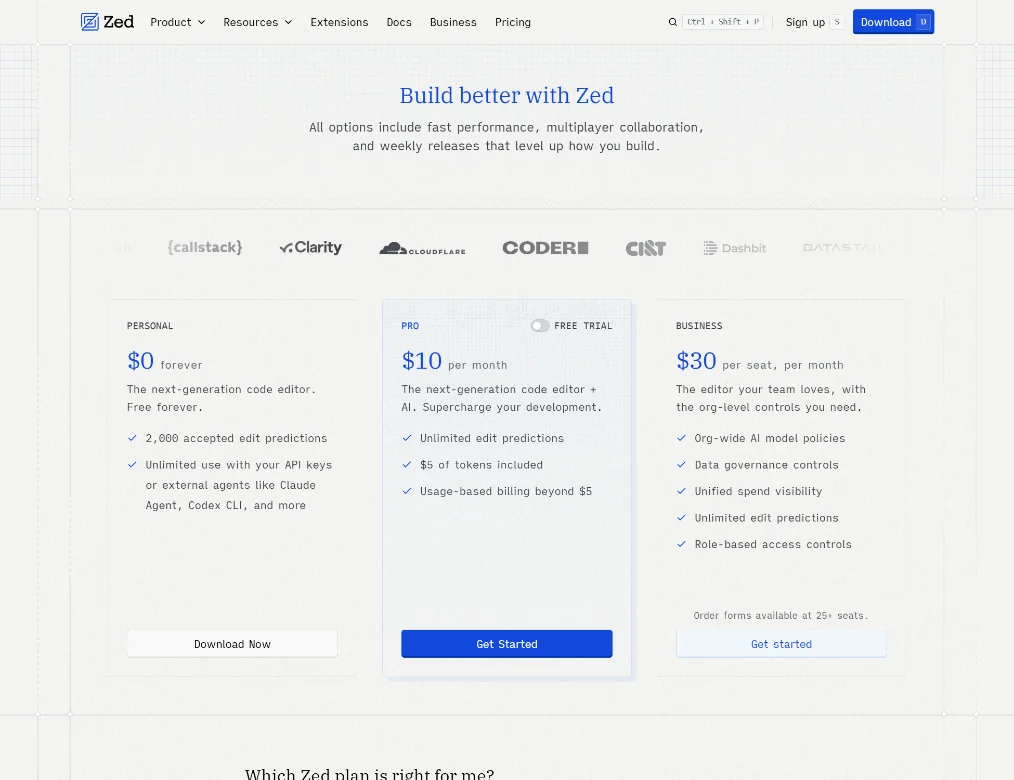
Three tiers. Personal at $0, Pro at $10 per month, Business at $30 per seat per month.
The Personal plan is actually free, not a crippled trial with a countdown clock. You get 2,000 accepted Edit Predictions and unlimited use with your own API keys. Unlimited use with your own API keys on a free tier is the part we'd highlight. Most competitors don't do that.
The Pro plan at $10 per month lands near the bottom of the category, where $20 is roughly the median. Pro includes unlimited Edit Predictions, $5 of token credits included monthly, and usage-based billing beyond that $5. The Pro free trial gives you 14 days to test it, which the pricing page confirms. Ask about the refund policy before you pay. Not unusual for a product at this stage, but still worth knowing.
Business at $30 per seat per month adds org-wide AI model policies, data governance controls, unified spend visibility, and role-based access controls. Order forms available at 25 or more seats, per the pricing page. That means a sales conversation before you can actually buy at scale. Reasonable for the tier, worth knowing upfront.
Solo developers. Easy decision. Teams comparing this to JetBrains per-seat pricing need to factor switching costs alongside the dollar comparison.
Zed vs VS Code: Which AI Coding Tool Is Better?
VS Code wins on ecosystem. Not close. The extension library, years of accumulated polish, the sheer breadth of integrations. Zed isn't there yet and probably knows it.
Zed wins on raw speed. Also not close, based on the architecture Zed describes. If you've felt VS Code getting sluggish on a larger project, Zed's Rust architecture does something meaningfully different at the rendering layer.
The AI comparison is more interesting. VS Code's AI features are almost entirely extension-based, Copilot or Continue or whatever you install. Zed's Edit Predictions and agent layer aren't extensions. They're part of the editor. Whether that produces a better experience depends on the models you're running and your workflow, but the architectural argument is coherent.
Where VS Code holds most developers: years of invested setup. Custom keybindings, language extensions, linting configurations, themes. Switching to Zed means auditing and rebuilding some of that. Many won't bother. Fair.
Who Should Use Zed? (And Who Shouldn't)
Developers who've started finding their current editor physically slow on real projects. That's the clearest fit.
Teams that pair-program regularly or collaborate across time zones on shared code. Zed's multiplayer model is worth a serious look for that group specifically.
Developers deeply embedded in the JetBrains ecosystem, with language-specific refactoring and inspection tools built into their daily workflow. Zed won't replicate that right now. Not a criticism, just a description of where the product is.
Teams whose GitLab workflows depend on merge-request management and issue integration inside the editor. The Git hosting support is there. The fuller GitLab workflow integration isn't confirmed publicly.
Enterprise teams expecting SLA documentation and dedicated support at 25 seats will find Zed light on that infrastructure. The product is maturing fast, but it reads as developer-first rather than enterprise-ready.
Zed Review Verdict
The speed argument holds up. The pricing is hard to argue with, especially the Personal plan's unlimited API-key usage on a free tier. The AI architecture is coherent in a way that a lot of extension-based competitors aren't, and the multiplayer collaboration feature is genuinely unusual in this space.
The limits are real. With no third-party review trail, the signal on AI accuracy is thin and skewed toward early adopters. Ask about GitLab workflow integration and security scanning, and about the refund policy. Support infrastructure still leans heavily on community Discord.
Zeta, the native Edit Prediction model, is new as of February 2025. The early accuracy feedback is mixed on some languages. That may close fast. Or it may not. We don't know yet, and neither does anyone else.
For solo developers, the $0 entry point removes almost all the friction. Try it. For teams, the switching cost is the real variable, not the price and not the feature set.
Zed is a bet on a different architecture. Given what we've read, it's not an unreasonable one.
Frequently Asked Questions
Is Zed free to use?
Yes. The Personal plan is free and doesn't expire. It includes 2,000 accepted Edit Predictions and unlimited use with your own API keys from providers like Anthropic or OpenAI. The Pro plan is $10 per month and comes with a free trial period and $5 of included token credits monthly, with usage-based billing beyond that.
Does Zed work as a VS Code replacement?
For speed-focused developers, it's a credible replacement. The editor handles most major languages via LSP and Tree-sitter, and the AI features are native rather than extension-based. That said, VS Code's extension ecosystem is vastly larger. If your workflow depends on specific extensions, audit what Zed supports before committing to the switch.
Can I bring my own AI model to Zed?
Yes. Zed supports API keys from Anthropic, OpenAI, Google, Amazon Bedrock, Mistral, Ollama, and others. You're not locked into Zed's hosted credits, and on the free Personal plan you get unlimited use with your own keys. That's a real advantage for developers who already have model preferences or want to run local models via something like Ollama.







