When research, spreadsheets and a rough first draft all need doing today, ChatGPT handles web search, file analysis and projects from its free plan.
Buying guide · 29 tools ranked
Best AI Tools for Startup Founders
Find the best AI tools for startup founders, grouped by the job you face on the way from idea to first customers: research, building the product, the pitch deck and brand, marketing and sales, running the company and meetings. Choose one tool per job, and read who each one suits and where it falls short before you commit.
Our top 3 AI Tools for Startup Founders
GitHub Copilot is the pick when you or your first engineer already have a repository: it works in the editor, pull requests and terminal, and its autocomplete is its most dependable part.
Gamma is the fastest route from a written prompt, outline or uploaded document to an editable deck, and you can share it as a live web page or export to PDF, PowerPoint or Google Slides.
Best AI tools for startup founders to research markets and competitors
4 picksFounders research to decide what to build and who will pay, so the picks differ by the kind of evidence they return. Perplexity answers with cited sources on every plan, including Free. Semrush shows search demand, rankings and brand visibility in AI answers, and offers a limited free account. Browse AI turns competitor pages into a spreadsheet through point-and-click robots, with a free plan. ChatGPT covers web search and file analysis inside one assistant. Start with a cited answer engine for the first pass, add Semrush when you need to see what people search for, and use Browse AI when a page must be checked again and again.
#ToolScorePriceWhy pick it
From $8free planWhen research, spreadsheets and a rough first draft all need doing today, ChatGPT handles web search, file analysis and projects from its free plan.
Show detailsHide details01 ChatGPT: Best for research and documents in one assistant8.8Score 8.8 out of 10From $8free planWhen research, spreadsheets and a rough first draft all need doing today, ChatGPT handles web search, file analysis and projects from its free plan.Visit site ↗ReviewDetailsCloseShow more about ChatGPT
From $8free plan
When research, spreadsheets and a rough first draft all need doing today, ChatGPT handles web search, file analysis and projects from its free plan.
Show detailsHide detailsChatGPT: Best for research and documents in one assistant
8.8Score 8.8 out of 10From $8free planWhen research, spreadsheets and a rough first draft all need doing today, ChatGPT handles web search, file analysis and projects from its free plan.Visit site ↗ReviewDetailsClose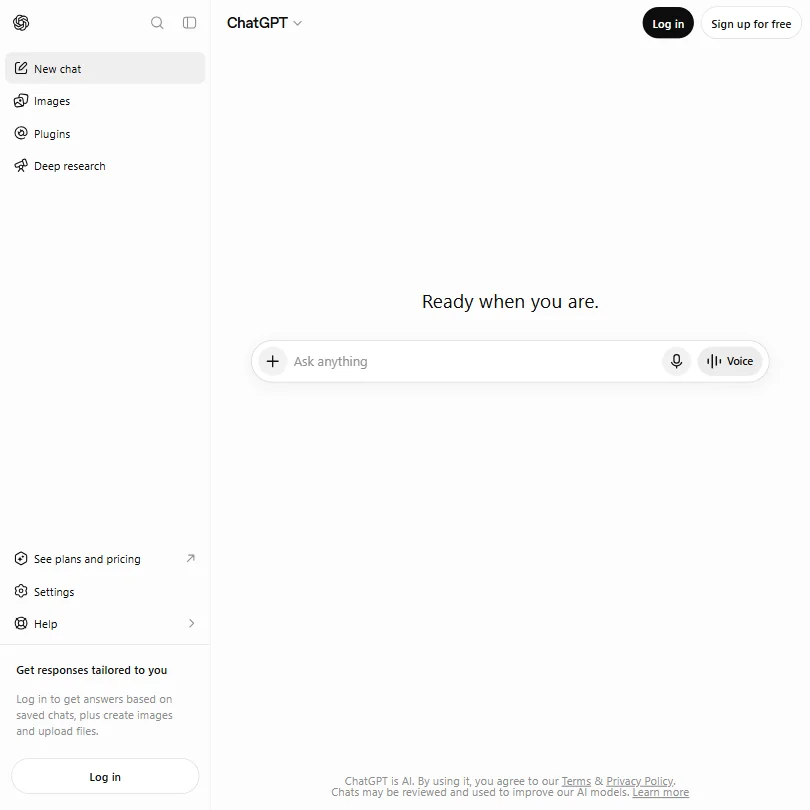
When research, spreadsheets and a rough first draft all need doing today, ChatGPT handles web search, file analysis and projects from its free plan. It connects to Google Drive, Slack and GitHub. It runs only OpenAI's own models, and its heavier research work sits on higher plans. Perplexity is the stronger pick when you want every claim tied to a cited source.
- The Free plan includes unlimited text chats with GPT-6 Luna, subject to abuse guardrails.
- Web search is included on every individual plan, including Free.
- Go, the cheapest paid plan, still does not unlock GPT-6.1 Sol, GPT-6 Astra or GPT-6 Sol, and may include ads.
From $20free planIf your first question is whether anyone wants this, Perplexity gives you answers with inline citations on every plan, Free included, so you can check each claim instead of trusting it.
Show detailsHide details02 Perplexity: Best for cited answers on every plan8.7Score 8.7 out of 10From $20free planIf your first question is whether anyone wants this, Perplexity gives you answers with inline citations on every plan, Free included, so you can check each claim instead of trusting it.Visit site ↗ReviewDetailsCloseShow more about Perplexity
From $20free plan
If your first question is whether anyone wants this, Perplexity gives you answers with inline citations on every plan, Free included, so you can check each claim instead of trusting it.
Show detailsHide detailsPerplexity: Best for cited answers on every plan
8.7Score 8.7 out of 10From $20free planIf your first question is whether anyone wants this, Perplexity gives you answers with inline citations on every plan, Free included, so you can check each claim instead of trusting it.Visit site ↗ReviewDetailsClose
If your first question is whether anyone wants this, Perplexity gives you answers with inline citations on every plan, Free included, so you can check each claim instead of trusting it. Deep research and most of its agent work start on Pro. Conversations can be used for training on Free, Pro and Max until you turn that off in settings, so switch it off before pasting customer notes. ChatGPT is the wider assistant.
- Every plan, including Free, returns answers with inline citations to sources.
- Perplexity orchestrates models from several AI companies alongside its own Sonar 2 model.
- AI data retention and training are on by default for Free, Pro and Max, and must be turned off in settings.
From $139.95free planChoose Semrush when the idea depends on search demand: it shows keyword volumes, rankings, backlinks and how a brand appears in AI answers.
Show detailsHide details03 Semrush: Best for seeing what people search for8.3Score 8.3 out of 10From $139.95free planChoose Semrush when the idea depends on search demand: it shows keyword volumes, rankings, backlinks and how a brand appears in AI answers.Visit site ↗ReviewDetailsCloseShow more about Semrush
From $139.95free plan
Choose Semrush when the idea depends on search demand: it shows keyword volumes, rankings, backlinks and how a brand appears in AI answers.
Show detailsHide detailsSemrush: Best for seeing what people search for
8.3Score 8.3 out of 10From $139.95free planChoose Semrush when the idea depends on search demand: it shows keyword volumes, rankings, backlinks and how a brand appears in AI answers.Visit site ↗ReviewDetailsClose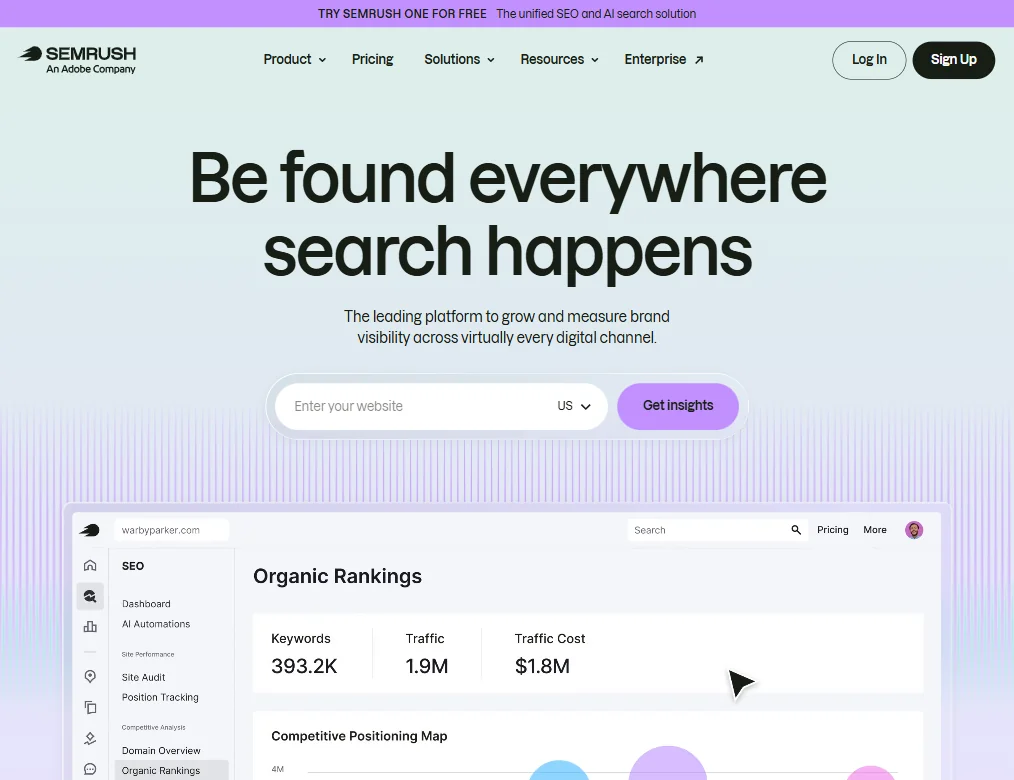
Choose Semrush when the idea depends on search demand: it shows keyword volumes, rankings, backlinks and how a brand appears in AI answers. A limited free account lets you look before paying. The catch is depth: the platform is wide, takes time to learn, and its paid plans suit agencies more than a founder with a few pages. Perplexity is quicker for a first pass on a market.
- Semrush covers an exceptionally wide range of SEO capabilities including site auditing, rank tracking, keyword research, backlink analysis, PPC tools, and social scheduling all in one platform.
- The Keyword Magic Tool draws from a database of 28 billion keywords, giving users access to one of the largest keyword datasets available.
- The sheer breadth of tools creates a significant learning curve.

#4Browse AI: Best for tracking competitor pages without code
From $48free planFounders who need to watch competitors will like Browse AI, because you point and click on a page to build a robot that returns its data to Google Sheets or Airtable, with a free plan and no card.
Show detailsHide details04Browse AI: Best for tracking competitor pages without coden/aFrom $48free planFounders who need to watch competitors will like Browse AI, because you point and click on a page to build a robot that returns its data to Google Sheets or Airtable, with a free plan and no card.Visit site ↗ReviewDetailsCloseShow more about Browse AI
#4Browse AI: Best for tracking competitor pages without code
From $48free plan
Founders who need to watch competitors will like Browse AI, because you point and click on a page to build a robot that returns its data to Google Sheets or Airtable, with a free plan and no card.
Show detailsHide detailsBrowse AI: Best for tracking competitor pages without code
n/aFrom $48free planFounders who need to watch competitors will like Browse AI, because you point and click on a page to build a robot that returns its data to Google Sheets or Airtable, with a free plan and no card.Visit site ↗ReviewDetailsClose
Founders who need to watch competitors will like Browse AI, because you point and click on a page to build a robot that returns its data to Google Sheets or Airtable, with a free plan and no card. Prebuilt robots cover sites such as LinkedIn and Amazon. It extracts and monitors but is not built for branching, multi-step processes, so pair it with Zapier if the data must trigger something.
- 200+ prebuilt robots for popular sites like LinkedIn, Amazon, and Glassdoor let non-technical users get started immediately without building from scratch.
- The visual point-and-click robot builder requires zero coding knowledge, making web scraping accessible to marketers and sales teams.
- Data transformation features are locked behind the Premium plan at $500/month, leaving Professional users at $69/month unable to shape output before export.
Best AI tools for startup founders to build a product
7 picksWhat separates these picks is whether you write code. Lovable and bolt.new generate full web apps from a chat in the browser, while v0 generates React and Next.js interface code and deploys it to Vercel. Emergent also builds mobile apps for the App Store and Google Play. Cursor is an editor built on VS Code with codebase indexing, GitHub Copilot works inside the editor you already use, and Claude runs code and answers questions from its free plan. Choose a chat builder if you cannot code, an editor if you can, and v0 when screens matter more than the backend. Check which plan adds custom domains or removes the builder's branding before you show anyone.
#ToolScorePriceWhy pick it
FreeGitHub Copilot is the pick when you or your first engineer already have a repository: it works in the editor, pull requests and terminal, and its autocomplete is its most dependable part.
Show detailsHide details05 GitHub Copilot: Best for autocomplete inside your current editor8.5Score 8.5 out of 10FreeGitHub Copilot is the pick when you or your first engineer already have a repository: it works in the editor, pull requests and terminal, and its autocomplete is its most dependable part.Visit site ↗ReviewDetailsCloseShow more about GitHub Copilot
Free
GitHub Copilot is the pick when you or your first engineer already have a repository: it works in the editor, pull requests and terminal, and its autocomplete is its most dependable part.
Show detailsHide detailsGitHub Copilot: Best for autocomplete inside your current editor
8.5Score 8.5 out of 10FreeGitHub Copilot is the pick when you or your first engineer already have a repository: it works in the editor, pull requests and terminal, and its autocomplete is its most dependable part.Visit site ↗ReviewDetailsClose
GitHub Copilot is the pick when you or your first engineer already have a repository: it works in the editor, pull requests and terminal, and its autocomplete is its most dependable part. A free tier allows a set number of completions a month, and Pro adds unlimited completion. Its agent mode is newer, and Cursor goes deeper if you want the whole project indexed.
- Trained on massive real-world codebases hosted on GitHub, giving it contextual depth that standalone AI tools cannot replicate.
- Autocomplete functionality is the most-used and most reliable feature, and the core of the product experience.
- Struggles with unusual architectures or opinionated codebases where its suggestions become less accurate or relevant.
From $20free planEmergent suits a founder who cannot code but needs more than a web app: it builds web and React Native mobile apps from chat, sets up the database, sign-in, hosting and Stripe payments, and submits mobile builds to the App Store and Google Play with your own developer accounts.
Show detailsHide details06 Emergent: Best for an app for web and phones from a prompt8.4Score 8.4 out of 10From $20free planEmergent suits a founder who cannot code but needs more than a web app: it builds web and React Native mobile apps from chat, sets up the database, sign-in, hosting and Stripe payments, and submits mobile builds to the App Store and Google Play with your own developer accounts.Visit site ↗ReviewDetailsCloseShow more about Emergent
From $20free plan
Emergent suits a founder who cannot code but needs more than a web app: it builds web and React Native mobile apps from chat, sets up the database, sign-in, hosting and Stripe payments, and submits mobile builds to the App Store and Google Play with your own developer accounts.
Show detailsHide detailsEmergent: Best for an app for web and phones from a prompt
8.4Score 8.4 out of 10From $20free planEmergent suits a founder who cannot code but needs more than a web app: it builds web and React Native mobile apps from chat, sets up the database, sign-in, hosting and Stripe payments, and submits mobile builds to the App Store and Google Play with your own developer accounts.Visit site ↗ReviewDetailsClose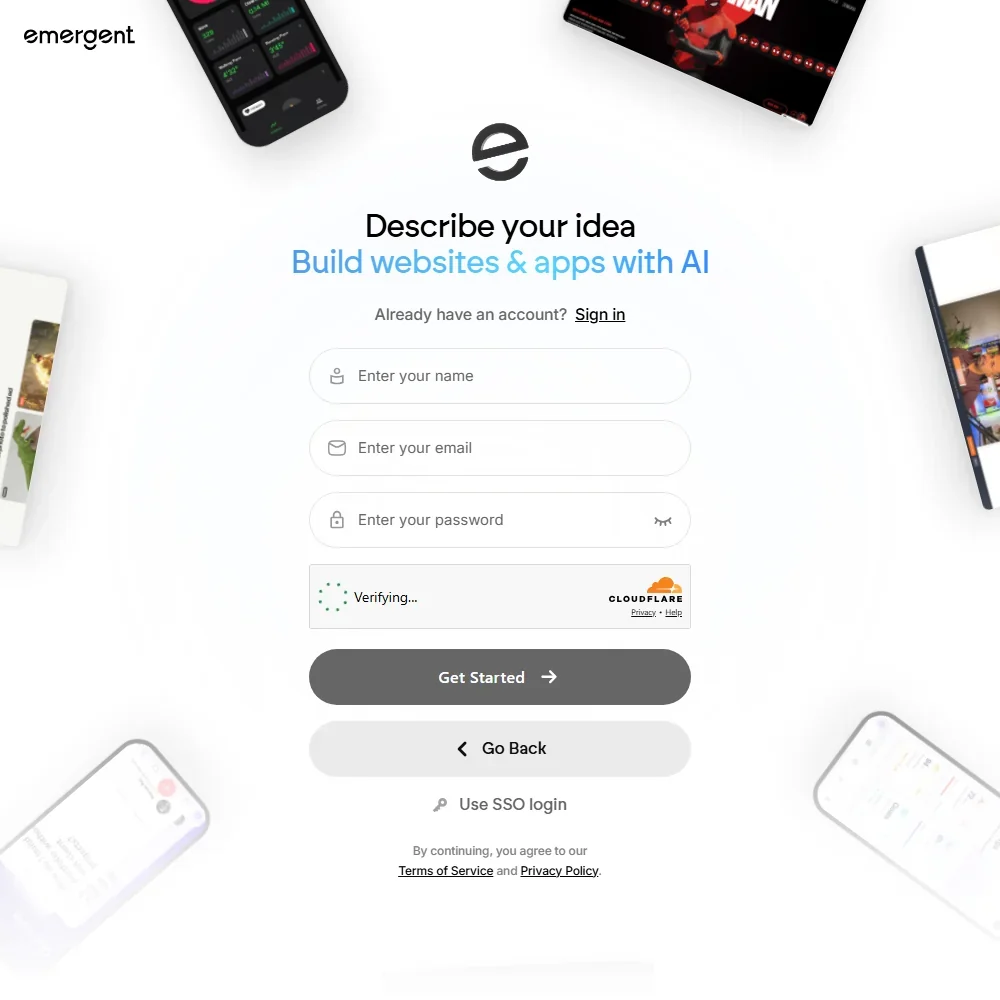
Emergent suits a founder who cannot code but needs more than a web app: it builds web and React Native mobile apps from chat, sets up the database, sign-in, hosting and Stripe payments, and submits mobile builds to the App Store and Google Play with your own developer accounts. Publishing and custom domains start on Standard, and a live app spends credits every month. Its terms allow training on your content. Choose Lovable if a web app is enough.
- It builds full stack apps with a React or Next.js front end, a FastAPI or Next.js back end and a managed MongoDB database.
- Emergent Auth handles email and password, Google sign-in and phone one-time codes without extra setup.
- Its Terms of Service license your content for training its AI systems, with no opt-out.
From $8free planPick Cursor if you can already code and want the AI to read the whole project: it indexes the codebase and lets you choose between several frontier models from the $30 Premium plan.
Show detailsHide details07 Cursor: Best for founders who already write code8.2Score 8.2 out of 10From $8free planPick Cursor if you can already code and want the AI to read the whole project: it indexes the codebase and lets you choose between several frontier models from the $30 Premium plan.Visit site ↗ReviewDetailsCloseShow more about Cursor
From $8free plan
Pick Cursor if you can already code and want the AI to read the whole project: it indexes the codebase and lets you choose between several frontier models from the $30 Premium plan.
Show detailsHide detailsCursor: Best for founders who already write code
8.2Score 8.2 out of 10From $8free planPick Cursor if you can already code and want the AI to read the whole project: it indexes the codebase and lets you choose between several frontier models from the $30 Premium plan.Visit site ↗ReviewDetailsClose
Pick Cursor if you can already code and want the AI to read the whole project: it indexes the codebase and lets you choose between several frontier models from the $30 Premium plan. The free plan has limited agent requests. You must replace your current editor with its VS Code fork. If you would rather stay in your own editor, GitHub Copilot is the closer fit.
- Cursor is a full IDE fork of VS Code, preserving familiar muscle memory, extensions, and keybindings while deeply integrating AI as the primary interface.
- Runs its own Grok and Composer models on every plan and adds Claude and Gemini on Premium and up, so developers can pick the right model for each task.
- Cursor requires replacing your existing editor entirely rather than functioning as a plugin, which is a significant commitment for developers invested in their current setup.
From $20free planWriting-heavy founders get web search, code execution, voice and memory on Claude's free plan, plus connections to Google Drive, Gmail and Notion.
Show detailsHide details08 Claude: Best for drafting and code help, free7.8Score 7.8 out of 10From $20free planWriting-heavy founders get web search, code execution, voice and memory on Claude's free plan, plus connections to Google Drive, Gmail and Notion.Visit site ↗ReviewDetailsCloseShow more about Claude
From $20free plan
Writing-heavy founders get web search, code execution, voice and memory on Claude's free plan, plus connections to Google Drive, Gmail and Notion.
Show detailsHide detailsClaude: Best for drafting and code help, free
7.8Score 7.8 out of 10From $20free planWriting-heavy founders get web search, code execution, voice and memory on Claude's free plan, plus connections to Google Drive, Gmail and Notion.Visit site ↗ReviewDetailsClose
Writing-heavy founders get web search, code execution, voice and memory on Claude's free plan, plus connections to Google Drive, Gmail and Notion. Opus models and deep research begin on Pro. It doesn't generate photos or illustrations, so pair it with Canva or Midjourney. Consumer conversations train Anthropic's models unless you opt out, so do that before sharing sensitive material.
- The free plan already includes web search, file creation, code execution and memory across conversations.
- Deep research is available from the Pro plan up.
- The Opus and Fable models are only available from the Pro plan up.
From $25free planBolt.new suits a founder who wants hosting, authentication and a database bundled into one browser tab, since Bolt Cloud handles them and Node.js runs in the page itself.
Show detailsHide details09 bolt.new: Best for building and hosting in the browser6.6Score 6.6 out of 10From $25free planBolt.new suits a founder who wants hosting, authentication and a database bundled into one browser tab, since Bolt Cloud handles them and Node.js runs in the page itself.Visit site ↗ReviewDetailsCloseShow more about bolt.new
From $25free plan
Bolt.new suits a founder who wants hosting, authentication and a database bundled into one browser tab, since Bolt Cloud handles them and Node.js runs in the page itself.
Show detailsHide detailsbolt.new: Best for building and hosting in the browser
6.6Score 6.6 out of 10From $25free planBolt.new suits a founder who wants hosting, authentication and a database bundled into one browser tab, since Bolt Cloud handles them and Node.js runs in the page itself.Visit site ↗ReviewDetailsClose
Bolt.new suits a founder who wants hosting, authentication and a database bundled into one browser tab, since Bolt Cloud handles them and Node.js runs in the page itself. It imports existing GitHub projects. The free plan adds Bolt branding and caps tokens each day, and branding goes on Pro. It is aimed at prototypes more than production infrastructure, where Cursor is the safer route.
- Generates full-stack web apps entirely in the browser without requiring any terminal access or local environment setup.
- WebContainers technology bundles the entire Node.js runtime in a browser tab, eliminating the need for external service accounts.
- The product was founded in 2024 and is still moving fast enough that some features and edges remain rough and unpolished.
From $30free planScreen-heavy products suit v0, which generates React and Next.js interfaces quickly with shadcn/ui components and deploys to Vercel in one click or pushes to GitHub.
Show detailsHide details10 v0 by Vercel: Best for generating screens you deploy to Vercel6.2Score 6.2 out of 10From $30free planScreen-heavy products suit v0, which generates React and Next.js interfaces quickly with shadcn/ui components and deploys to Vercel in one click or pushes to GitHub.Visit site ↗ReviewDetailsCloseShow more about v0 by Vercel
From $30free plan
Screen-heavy products suit v0, which generates React and Next.js interfaces quickly with shadcn/ui components and deploys to Vercel in one click or pushes to GitHub.
Show detailsHide detailsv0 by Vercel: Best for generating screens you deploy to Vercel
6.2Score 6.2 out of 10From $30free planScreen-heavy products suit v0, which generates React and Next.js interfaces quickly with shadcn/ui components and deploys to Vercel in one click or pushes to GitHub.Visit site ↗ReviewDetailsClose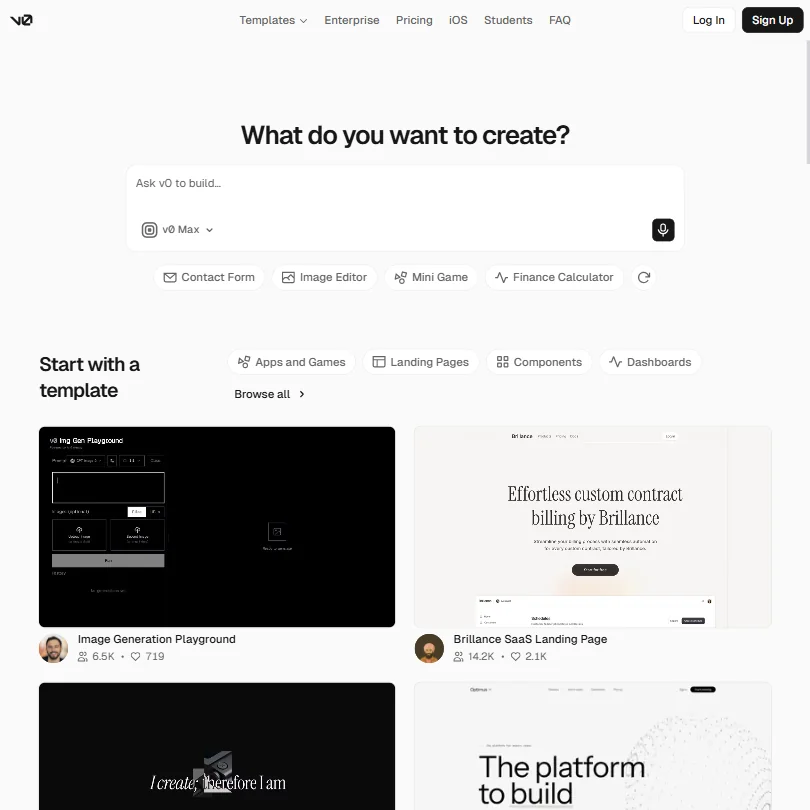
Screen-heavy products suit v0, which generates React and Next.js interfaces quickly with shadcn/ui components and deploys to Vercel in one click or pushes to GitHub. It is also agentic, so it can plan tasks and connect to a database. The free plan allows seven messages a day. It lives in the browser, and generated code often needs developer cleanup before real use.
- Generates React and Next.js UI extremely fast, outpacing most AI coding assistant tools in the category.
- Integrates shadcn/ui components by default, providing consistent and modern UI output out of the box.
- Generated code is often not production-ready, meaning significant developer cleanup may be required before real deployment.
From $25free planIf you cannot code and want a working web app from a description, Lovable builds complete React and TypeScript apps from chat, with a built-in database and GitHub export so you keep the code.
Show detailsHide details11 Lovable: Best for a working app from a chat4.8Score 4.8 out of 10From $25free planIf you cannot code and want a working web app from a description, Lovable builds complete React and TypeScript apps from chat, with a built-in database and GitHub export so you keep the code.Visit site ↗ReviewDetailsCloseShow more about Lovable
From $25free plan
If you cannot code and want a working web app from a description, Lovable builds complete React and TypeScript apps from chat, with a built-in database and GitHub export so you keep the code.
Show detailsHide detailsLovable: Best for a working app from a chat
4.8Score 4.8 out of 10From $25free planIf you cannot code and want a working web app from a description, Lovable builds complete React and TypeScript apps from chat, with a built-in database and GitHub export so you keep the code.Visit site ↗ReviewDetailsClose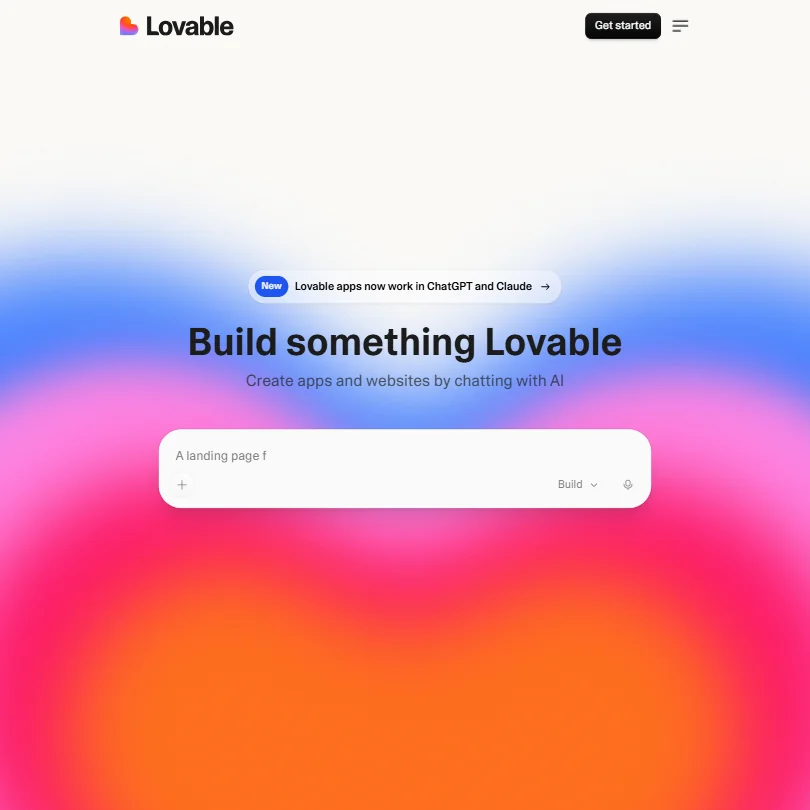
If you cannot code and want a working web app from a description, Lovable builds complete React and TypeScript apps from chat, with a built-in database and GitHub export so you keep the code. You can import Figma designs. Custom domains start on the Pro plan, and it lives in the browser with no command line, so it will not fit into a developer's existing editor, where Cursor is better.
- Generates full-stack React and TypeScript web apps through natural language chat, requiring no coding knowledge or IDE setup.
- GitHub integration allows users to export and version their generated code, giving them ownership and portability.
- No IDE integration or CLI support means it cannot slot into existing developer workflows in VS Code or JetBrains.
Best AI tools for startup founders to make pitch decks and brand visuals
6 picksInvestors and first customers judge you on a deck and a logo before they see the product. Gamma generates a deck from a prompt and publishes it as a web page, Beautiful.ai locks fonts and colors across slides but has no free plan, and Canva covers decks, social posts and brand assets on a free plan. Midjourney and ChatGPT create original images, and Looka generates logos and brand templates that you pay for before you can download. Pick a deck tool for the pitch, then one image source, and decide early whether you will pay for a logo.
#ToolScorePriceWhy pick it
From $8free planFor a founder who needs a hero image, a product mockup and the wording for slides in one place, ChatGPT makes images and drafts slide text inside the same chat, from a free plan.
Show detailsHide details12ChatGPT: Best for quick images and slide text together8.8Score 8.8 out of 10From $8free planFor a founder who needs a hero image, a product mockup and the wording for slides in one place, ChatGPT makes images and drafts slide text inside the same chat, from a free plan.Visit site ↗ReviewDetailsCloseShow more about ChatGPT
From $8free plan
For a founder who needs a hero image, a product mockup and the wording for slides in one place, ChatGPT makes images and drafts slide text inside the same chat, from a free plan.
Show detailsHide detailsChatGPT: Best for quick images and slide text together
8.8Score 8.8 out of 10From $8free planFor a founder who needs a hero image, a product mockup and the wording for slides in one place, ChatGPT makes images and drafts slide text inside the same chat, from a free plan.Visit site ↗ReviewDetailsCloseFor a founder who needs a hero image, a product mockup and the wording for slides in one place, ChatGPT makes images and drafts slide text inside the same chat, from a free plan. Image volume rises on paid tiers. It will not build the deck itself, so paste its text into Gamma or Canva. Midjourney gives more distinctive artwork if you will pay for it.
- The Free plan includes unlimited text chats with GPT-6 Luna, subject to abuse guardrails.
- Web search is included on every individual plan, including Free.
- Go, the cheapest paid plan, still does not unlock GPT-6.1 Sol, GPT-6 Astra or GPT-6 Sol, and may include ads.
From $12free planGamma is the fastest route from a written prompt, outline or uploaded document to an editable deck, and you can share it as a live web page or export to PDF, PowerPoint or Google Slides.
Show detailsHide details13 Gamma: Best for a deck published as a web page8.6Score 8.6 out of 10From $12free planGamma is the fastest route from a written prompt, outline or uploaded document to an editable deck, and you can share it as a live web page or export to PDF, PowerPoint or Google Slides.Visit site ↗ReviewDetailsCloseShow more about Gamma
From $12free plan
Gamma is the fastest route from a written prompt, outline or uploaded document to an editable deck, and you can share it as a live web page or export to PDF, PowerPoint or Google Slides.
Show detailsHide detailsGamma: Best for a deck published as a web page
8.6Score 8.6 out of 10From $12free planGamma is the fastest route from a written prompt, outline or uploaded document to an editable deck, and you can share it as a live web page or export to PDF, PowerPoint or Google Slides.Visit site ↗ReviewDetailsClose
Gamma is the fastest route from a written prompt, outline or uploaded document to an editable deck, and you can share it as a live web page or export to PDF, PowerPoint or Google Slides. Free gives a one-time grant of credits rather than a monthly renewal, and free decks carry Gamma branding until Plus. Beautiful.ai suits you better if brand consistency matters most.
- Turns a written prompt, an outline or an uploaded Word document, PDF or Google Doc into a structured deck automatically.
- Imports existing PDF and PPTX files and exports finished decks to PDF, PPTX, PNG or Google Slides.
- Free plan output carries Gamma's own branding, which is only removed starting on the Plus plan.
From $18free planFor one person who needs a deck, social posts, a one-pager and video thumbnails, Canva's free plan includes a huge template and stock library and runs on web, desktop and phone.
Show detailsHide details14 Canva: Best for decks, social posts and brand assets7.8Score 7.8 out of 10From $18free planFor one person who needs a deck, social posts, a one-pager and video thumbnails, Canva's free plan includes a huge template and stock library and runs on web, desktop and phone.Visit site ↗ReviewDetailsCloseShow more about Canva
From $18free plan
For one person who needs a deck, social posts, a one-pager and video thumbnails, Canva's free plan includes a huge template and stock library and runs on web, desktop and phone.
Show detailsHide detailsCanva: Best for decks, social posts and brand assets
7.8Score 7.8 out of 10From $18free planFor one person who needs a deck, social posts, a one-pager and video thumbnails, Canva's free plan includes a huge template and stock library and runs on web, desktop and phone.Visit site ↗ReviewDetailsClose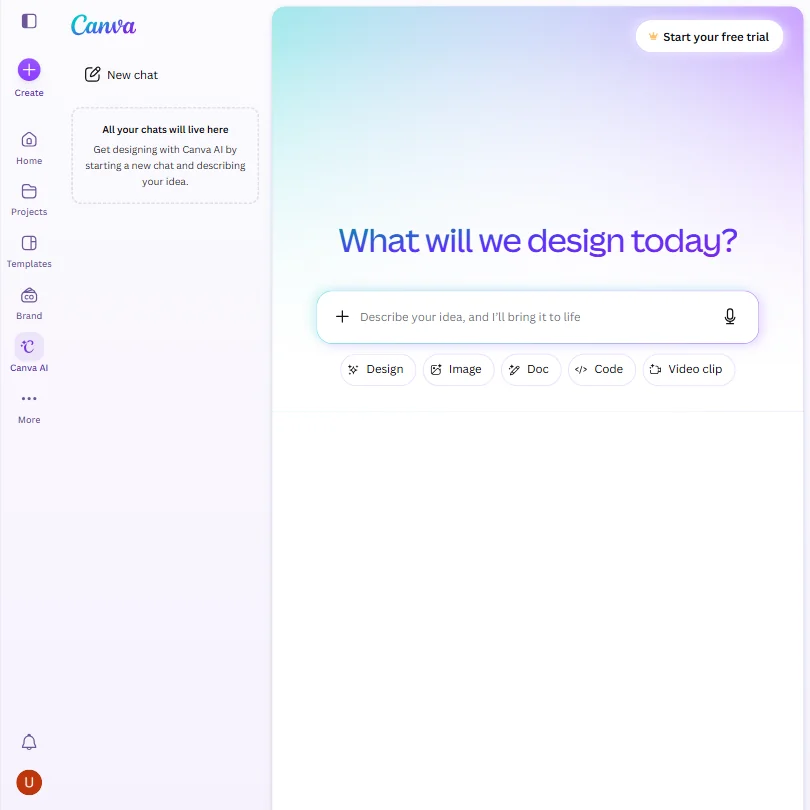
For one person who needs a deck, social posts, a one-pager and video thumbnails, Canva's free plan includes a huge template and stock library and runs on web, desktop and phone. Magic Design turns a prompt into a finished layout. AI use is capped, and Canva trains on uploads by default unless you opt out. Gamma generates full decks faster from text.
- The free plan includes over 1,000 design types, more than 1.6 million templates, more than 4.7 million stock photos, videos, graphics and audio clips, and 5GB of storage at no cost.
- Magic Design turns a written prompt into a finished design, extending the same approach to presentations and video.
- The AI Image Generator's Vector style produces a raster image with a vector look, not an editable vector or SVG file.
From $35Looka fits a founder who wants a finished identity quickly: pick styles, colors and symbols, and it generates logo options, then business cards, social posts and email signatures from the one you buy.
Show detailsHide details15 Looka: Best for a logo with matching brand templates6.8Score 6.8 out of 10From $35Looka fits a founder who wants a finished identity quickly: pick styles, colors and symbols, and it generates logo options, then business cards, social posts and email signatures from the one you buy.Visit site ↗ReviewDetailsCloseShow more about Looka
From $35
Looka fits a founder who wants a finished identity quickly: pick styles, colors and symbols, and it generates logo options, then business cards, social posts and email signatures from the one you buy.
Show detailsHide detailsLooka: Best for a logo with matching brand templates
6.8Score 6.8 out of 10From $35Looka fits a founder who wants a finished identity quickly: pick styles, colors and symbols, and it generates logo options, then business cards, social posts and email signatures from the one you buy.Visit site ↗ReviewDetailsClose
Looka fits a founder who wants a finished identity quickly: pick styles, colors and symbols, and it generates logo options, then business cards, social posts and email signatures from the one you buy. You own the purchased logo and can use it commercially. Nothing usable is free, and the cheapest package is a single low-resolution PNG. Canva is the route if you would rather not pay.
- Looka's AI generates logo options from your business name plus chosen style, color and symbol preferences, and you can keep adjusting the result before you buy.
- The Premium Logo Package and both Brand Kit plans include vector SVG and PDF files alongside PNG, suited to printing and resizing.
- There's no free plan that lets you keep a usable logo file; every option, one-time or subscription, requires payment.
From $10Midjourney makes original brand imagery, including short videos from stills, and every subscriber owns what they create and may use it commercially from the cheapest plan.
Show detailsHide details16 Midjourney: Best for original brand imagery by subscription6.0Score 6.0 out of 10From $10Midjourney makes original brand imagery, including short videos from stills, and every subscriber owns what they create and may use it commercially from the cheapest plan.Visit site ↗ReviewDetailsCloseShow more about Midjourney
From $10
Midjourney makes original brand imagery, including short videos from stills, and every subscriber owns what they create and may use it commercially from the cheapest plan.
Show detailsHide detailsMidjourney: Best for original brand imagery by subscription
6.0Score 6.0 out of 10From $10Midjourney makes original brand imagery, including short videos from stills, and every subscriber owns what they create and may use it commercially from the cheapest plan.Visit site ↗ReviewDetailsClose
Midjourney makes original brand imagery, including short videos from stills, and every subscriber owns what they create and may use it commercially from the cheapest plan. There is no free plan or trial, so the first month is a commitment. Prompts train the model with no opt-out, which rules it out for confidential material. ChatGPT is the cheaper way to get occasional images.
- Every subscriber owns what they create and may use it commercially from the cheapest paid plan.
- Midjourney turns a still image into a 5-second video as well as generating stills, alongside style reference, seed and negative prompt controls.
- There is no free plan and no free trial, so there is no way to try Midjourney before paying.
From $45Choose Beautiful.ai when several people will edit the same deck and you want slides that reformat themselves as content changes, with a theme builder that fixes brand colors, fonts and logos.
Show detailsHide details17 Beautiful AI: Best for brand-locked decks for a paying team4.8Score 4.8 out of 10From $45Choose Beautiful.ai when several people will edit the same deck and you want slides that reformat themselves as content changes, with a theme builder that fixes brand colors, fonts and logos.Visit site ↗ReviewDetailsCloseShow more about Beautiful AI
From $45
Choose Beautiful.ai when several people will edit the same deck and you want slides that reformat themselves as content changes, with a theme builder that fixes brand colors, fonts and logos.
Show detailsHide detailsBeautiful AI: Best for brand-locked decks for a paying team
4.8Score 4.8 out of 10From $45Choose Beautiful.ai when several people will edit the same deck and you want slides that reformat themselves as content changes, with a theme builder that fixes brand colors, fonts and logos.Visit site ↗ReviewDetailsClose
Choose Beautiful.ai when several people will edit the same deck and you want slides that reformat themselves as content changes, with a theme builder that fixes brand colors, fonts and logos. Uploads are kept out of AI training. There is no free plan, only a 14-day trial, and no Google Slides export. A solo founder on a budget should look at Canva.
- Builds a deck from a short topic, a detailed prompt, a pasted outline or an uploaded source document.
- A custom theme builder locks in a brand's colors, fonts, logos, icons and footers across every deck a team makes.
- Offers no free plan, only a 14-day trial of Pro or Team.
Best AI tools for startup founders to market and sell
5 picksFounders rarely have a marketing team, so the choice is which channel to start and whether to buy a system or a single tool. HubSpot is a CRM with marketing and sales tools and a free tier. Writesonic writes content and tracks how your brand appears in AI search, with no free plan. Hypefury and Typefully schedule posts for one person's profile, and Persana AI finds and enriches leads for outbound sales on a free plan. Start with a CRM once you have contacts to keep, add a scheduler where your buyers read, and use Persana when you must go and find customers.
#ToolScorePriceWhy pick it
From $20free planA founder who wants every lead and conversation in one place can start on HubSpot's free tier, which covers marketing, sales and service tools with a visual workflow builder.
Show detailsHide details18 HubSpot: Best for one CRM for marketing and sales8.7Score 8.7 out of 10From $20free planA founder who wants every lead and conversation in one place can start on HubSpot's free tier, which covers marketing, sales and service tools with a visual workflow builder.Visit site ↗ReviewDetailsCloseShow more about HubSpot
From $20free plan
A founder who wants every lead and conversation in one place can start on HubSpot's free tier, which covers marketing, sales and service tools with a visual workflow builder.
Show detailsHide detailsHubSpot: Best for one CRM for marketing and sales
8.7Score 8.7 out of 10From $20free planA founder who wants every lead and conversation in one place can start on HubSpot's free tier, which covers marketing, sales and service tools with a visual workflow builder.Visit site ↗ReviewDetailsClose
A founder who wants every lead and conversation in one place can start on HubSpot's free tier, which covers marketing, sales and service tools with a visual workflow builder. Its strength is one shared record of each contact. Costs and complexity rise quickly as you move up tiers, and it pays off most when you use the whole platform rather than one corner of it.
- The visual workflow builder is highly intuitive, supporting automation across marketing, sales, and service from a single interface with webhooks, form submissions, deal stage changes, and behavioral event triggers.
- HubSpot's unified CRM acts as a central data layer, giving marketing, sales, and support teams shared visibility into contact records, deal stages, tickets, and email activity.
- The platform has grown sprawling and complex, meaning what you actually pay for depends heavily on which version and tier you need.
From $6Building a personal brand on LinkedIn, Bluesky, Instagram or Threads is what Hypefury is for: it schedules posts across channels and its autoplug feature posts your first comment automatically.
Show detailsHide details19 Hypefury: Best for solo founders posting on LinkedIn8.2Score 8.2 out of 10From $6Building a personal brand on LinkedIn, Bluesky, Instagram or Threads is what Hypefury is for: it schedules posts across channels and its autoplug feature posts your first comment automatically.Visit site ↗ReviewDetailsCloseShow more about Hypefury
From $6
Building a personal brand on LinkedIn, Bluesky, Instagram or Threads is what Hypefury is for: it schedules posts across channels and its autoplug feature posts your first comment automatically.
Show detailsHide detailsHypefury: Best for solo founders posting on LinkedIn
8.2Score 8.2 out of 10From $6Building a personal brand on LinkedIn, Bluesky, Instagram or Threads is what Hypefury is for: it schedules posts across channels and its autoplug feature posts your first comment automatically.Visit site ↗ReviewDetailsClose
Building a personal brand on LinkedIn, Bluesky, Instagram or Threads is what Hypefury is for: it schedules posts across channels and its autoplug feature posts your first comment automatically. Its AI writes from your own past posts. There is no permanent free plan, only a seven-day trial, and analytics are shallow. Typefully is cheaper to start with if you mainly post on X.
- Autoplugs feature automatically posts a pre-written first comment on your own content after it goes live, saving time for creators promoting newsletters or offers.
- Unlimited scheduling across all connected channels, allowing creators to plan a full week of content in a single session.
- Analytics are shallow and not suitable for anyone needing advanced reporting beyond basic post-level engagement metrics.
From $99 per yearfree planTypefully is the low-cost start for a founder who writes on X, LinkedIn and Bluesky: the free plan allows a set number of posts a month, one social set and API access, with exact previews before you publish.
Show detailsHide details20 Typefully: Best for writing X and LinkedIn posts free7.8Score 7.8 out of 10From $99 per yearfree planTypefully is the low-cost start for a founder who writes on X, LinkedIn and Bluesky: the free plan allows a set number of posts a month, one social set and API access, with exact previews before you publish.Visit site ↗ReviewDetailsCloseShow more about Typefully
From $99 per yearfree plan
Typefully is the low-cost start for a founder who writes on X, LinkedIn and Bluesky: the free plan allows a set number of posts a month, one social set and API access, with exact previews before you publish.
Show detailsHide detailsTypefully: Best for writing X and LinkedIn posts free
7.8Score 7.8 out of 10From $99 per yearfree planTypefully is the low-cost start for a founder who writes on X, LinkedIn and Bluesky: the free plan allows a set number of posts a month, one social set and API access, with exact previews before you publish.Visit site ↗ReviewDetailsClose
Typefully is the low-cost start for a founder who writes on X, LinkedIn and Bluesky: the free plan allows a set number of posts a month, one social set and API access, with exact previews before you publish. Team features sit behind the Business plan, and analytics are basic. Hypefury goes further on automation if you post across more networks.
- The free plan is genuinely usable, offering 15 posts per month, one social set, and API access, which most competitors lock behind paid tiers.
- Pixel-perfect preview lets users see exactly how posts will look before publishing, reducing formatting surprises across platforms.
- Monthly post caps are restrictive by category standards.
From $79Writesonic is for a founder whose plan depends on content and on appearing in AI search answers: it writes articles up to 5,000 words and tracks your brand across AI platforms.
Show detailsHide details21 Writesonic: Best for content plus AI search visibility6.7Score 6.7 out of 10From $79Writesonic is for a founder whose plan depends on content and on appearing in AI search answers: it writes articles up to 5,000 words and tracks your brand across AI platforms.Visit site ↗ReviewDetailsCloseShow more about Writesonic
From $79
Writesonic is for a founder whose plan depends on content and on appearing in AI search answers: it writes articles up to 5,000 words and tracks your brand across AI platforms.
Show detailsHide detailsWritesonic: Best for content plus AI search visibility
6.7Score 6.7 out of 10From $79Writesonic is for a founder whose plan depends on content and on appearing in AI search answers: it writes articles up to 5,000 words and tracks your brand across AI platforms.Visit site ↗ReviewDetailsClose
Writesonic is for a founder whose plan depends on content and on appearing in AI search answers: it writes articles up to 5,000 words and tracks your brand across AI platforms. It has no free plan, only a trial, and no Google Docs integration. Its paid plans are sized for marketing teams. For ordinary drafts, Claude or ChatGPT on a free plan will do.
- The AI Article Writer produces long-form content up to 5,000 words, making it viable for substantial editorial output.
- Brand voice customization supports up to 10 distinct writing styles on the Growth plan, which exceeds most competitors at the same tier.
- No Google Docs integration exists, which is a meaningful gap for editorial teams that rely on collaborative document workflows.
From $85free planWhen you must go and find the first customers rather than wait, Persana AI pulls contact data from many providers, follows buyer signals such as hiring and funding, and runs research steps in a visual workflow.
Show detailsHide details22 Persana AI: Best for finding and enriching outbound leads6.5Score 6.5 out of 10From $85free planWhen you must go and find the first customers rather than wait, Persana AI pulls contact data from many providers, follows buyer signals such as hiring and funding, and runs research steps in a visual workflow.Visit site ↗ReviewDetailsCloseShow more about Persana AI
From $85free plan
When you must go and find the first customers rather than wait, Persana AI pulls contact data from many providers, follows buyer signals such as hiring and funding, and runs research steps in a visual workflow.
Show detailsHide detailsPersana AI: Best for finding and enriching outbound leads
6.5Score 6.5 out of 10From $85free planWhen you must go and find the first customers rather than wait, Persana AI pulls contact data from many providers, follows buyer signals such as hiring and funding, and runs research steps in a visual workflow.Visit site ↗ReviewDetailsClose
When you must go and find the first customers rather than wait, Persana AI pulls contact data from many providers, follows buyer signals such as hiring and funding, and runs research steps in a visual workflow. A free plan gives a small credit allowance. It was acquired by Rox, which affects its roadmap, and HubSpot is the place to keep leads once you have them.
- Access to 100+ data providers allows finding contact data that tools like Apollo.io alone cannot surface.
- Tracks 75+ buyer intent signals including job changes, funding rounds, hiring trends, and website visits, more than most tools at this price point.
- Recent acquisition by Rox creates uncertainty around pricing, product roadmap, and support continuity.
Best AI tools for startup founders to run operations
4 picksEarly operations need a place to keep the plan and a way to stop repeating manual work. Notion holds docs, wikis and project databases, and ClickUp adds tasks, time tracking and views, with a free plan that has unlimited tasks and members. Zapier connects thousands of apps without code, while n8n adds code nodes and can be self-hosted for free, which suits a technical founder. Choose one workspace for the plan, then automate only the handoffs you repeat weekly. Expect to pay for the AI features in both workspaces, since they sit on higher plans or add-ons.
#ToolScorePriceWhy pick it
From $9free planClickUp gives you tasks, docs, whiteboards and automations, and its free plan has unlimited tasks and members, which matters when you add people before you have revenue.
Show detailsHide details23 ClickUp: Best for tracking tasks with no member cap9.6Score 9.6 out of 10From $9free planClickUp gives you tasks, docs, whiteboards and automations, and its free plan has unlimited tasks and members, which matters when you add people before you have revenue.Visit site ↗ReviewDetailsCloseShow more about ClickUp
From $9free plan
ClickUp gives you tasks, docs, whiteboards and automations, and its free plan has unlimited tasks and members, which matters when you add people before you have revenue.
Show detailsHide detailsClickUp: Best for tracking tasks with no member cap
9.6Score 9.6 out of 10From $9free planClickUp gives you tasks, docs, whiteboards and automations, and its free plan has unlimited tasks and members, which matters when you add people before you have revenue.Visit site ↗ReviewDetailsClose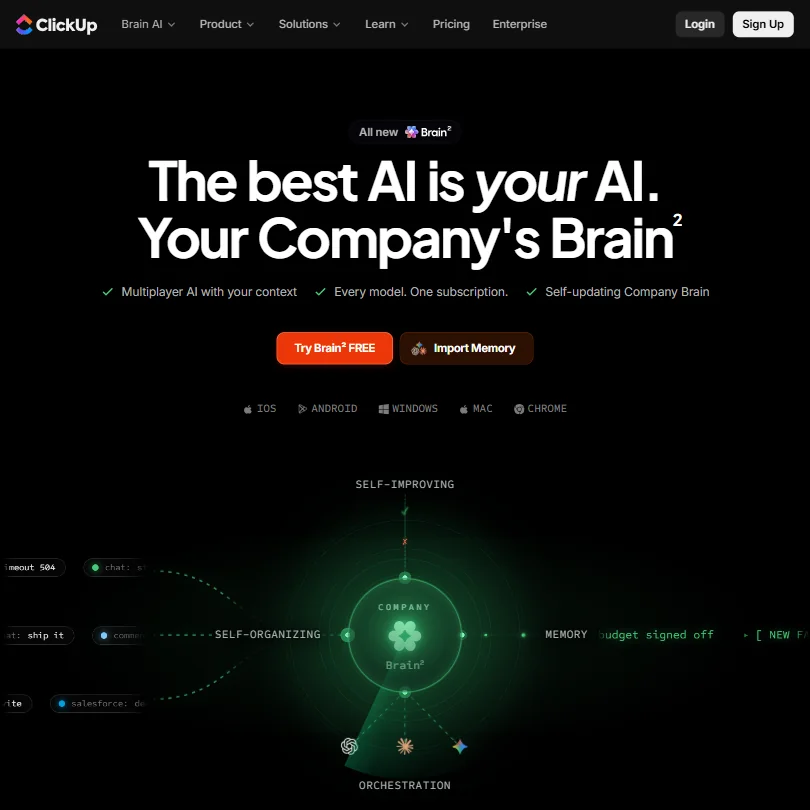
ClickUp gives you tasks, docs, whiteboards and automations, and its free plan has unlimited tasks and members, which matters when you add people before you have revenue. AI is a separate per-user add-on, and the AI notetaker needs the higher tier. It is certified SOC 2 Type 2 and lets you choose between Claude, ChatGPT and Gemini. Notion is lighter if you mostly write.
- ClickUp's free plan includes unlimited tasks, unlimited free plan members and collaborative docs.
- Brain's chat lets you choose between Claude, ChatGPT and Gemini.
- Paid plans are priced per user, from $12 a user a month on Core.
From $20free planWith a technical cofounder, n8n offers a free self-hosted Community Edition with no limits on workflows, plus code nodes in JavaScript or Python.
Show detailsHide details24 n8n: Best for self-hosting automations for free8.8Score 8.8 out of 10From $20free planWith a technical cofounder, n8n offers a free self-hosted Community Edition with no limits on workflows, plus code nodes in JavaScript or Python.Visit site ↗ReviewDetailsCloseShow more about n8n
From $20free plan
With a technical cofounder, n8n offers a free self-hosted Community Edition with no limits on workflows, plus code nodes in JavaScript or Python.
Show detailsHide detailsn8n: Best for self-hosting automations for free
8.8Score 8.8 out of 10From $20free planWith a technical cofounder, n8n offers a free self-hosted Community Edition with no limits on workflows, plus code nodes in JavaScript or Python.Visit site ↗ReviewDetailsClose
With a technical cofounder, n8n offers a free self-hosted Community Edition with no limits on workflows, plus code nodes in JavaScript or Python. It runs on Docker or the cloud. It is built for technical teams, and non-technical users tend to struggle with its interface. Support tickets can also be slow, so expect to rely on the forum. Zapier is the gentler option.
- The self-hosted community edition is genuinely free with no workflow limits, which is rare among automation platforms.
- Code nodes allow JavaScript or Python to be inserted anywhere in a workflow, so developers never feel constrained by visual node limitations.
- Non-technical users tend to bounce off the platform quickly due to its complexity and technical design philosophy.
From $12free planNotion is where a small team keeps plans, docs and a wiki together, with project views, free guests and a public API.
Show detailsHide details25 Notion: Best for docs, wiki and projects together8.3Score 8.3 out of 10From $12free planNotion is where a small team keeps plans, docs and a wiki together, with project views, free guests and a public API.Visit site ↗ReviewDetailsCloseShow more about Notion
From $12free plan
Notion is where a small team keeps plans, docs and a wiki together, with project views, free guests and a public API.
Show detailsHide detailsNotion: Best for docs, wiki and projects together
8.3Score 8.3 out of 10From $12free planNotion is where a small team keeps plans, docs and a wiki together, with project views, free guests and a public API.Visit site ↗ReviewDetailsClose
Notion is where a small team keeps plans, docs and a wiki together, with project views, free guests and a public API. The free plan suits one person, and you need Business for the full AI agent, meeting notes and cross-app search. There is no trial of a paid plan. ClickUp is the stronger choice if task tracking matters more than docs.
- Docs, wikis and project databases are included in Notion at no extra cost.
- Guests never require a paid seat on any Notion plan.
- Notion's full AI, including its agent, meeting notes and cross-app search, is included only from the Business plan.
From $29.99free planZapier is the tool to pick if nobody on your team codes and you need forms, spreadsheets, email and a CRM to talk to each other, through a library of thousands of apps.
Show detailsHide details26 Zapier: Best for connecting apps without code7.9Score 7.9 out of 10From $29.99free planZapier is the tool to pick if nobody on your team codes and you need forms, spreadsheets, email and a CRM to talk to each other, through a library of thousands of apps.Visit site ↗ReviewDetailsCloseShow more about Zapier
From $29.99free plan
Zapier is the tool to pick if nobody on your team codes and you need forms, spreadsheets, email and a CRM to talk to each other, through a library of thousands of apps.
Show detailsHide detailsZapier: Best for connecting apps without code
7.9Score 7.9 out of 10From $29.99free planZapier is the tool to pick if nobody on your team codes and you need forms, spreadsheets, email and a CRM to talk to each other, through a library of thousands of apps.Visit site ↗ReviewDetailsClose
Zapier is the tool to pick if nobody on your team codes and you need forms, spreadsheets, email and a CRM to talk to each other, through a library of thousands of apps. The free plan allows a small monthly task count with two-step Zaps, and multi-step workflows start on Professional. Costs grow as tasks do, so n8n is the cheaper route for a technical founder.
- Zapier integrates with over 9,000 apps, making it one of the largest integration libraries available on any automation platform.
- The visual workflow builder supports logic branches, conditional paths, and AI processing steps without requiring any coding knowledge.
- Users tend to stay not out of satisfaction but because rebuilding existing workflows on another platform is too costly and time-consuming.
Best AI meeting notetakers for startup founders
4 picksFounders spend the first year on calls with customers, investors and candidates, so the question is how a notetaker joins and what it keeps. Granola records from your own computer with no bot on the call, while Fireflies can work either with a bot or without one. Circleback also covers in-person conversations through its mobile apps, and Read AI joins as a visible bot and scores meetings with live metrics. Pick a bot-free tool for sensitive investor calls, a bot for large team calls, and check how many days of history the free plan keeps.
#ToolScorePriceWhy pick it
From $18free planFireflies is the choice when several people need the same record of a call: the free plan gives unlimited transcription and live transcription, it works with Zoom, Meet, Teams and Slack Huddles by bot or a botless desktop app, and it does not train on your data.
Show detailsHide details27 Fireflies.ai: Best for free unlimited transcription9.1Score 9.1 out of 10From $18free planFireflies is the choice when several people need the same record of a call: the free plan gives unlimited transcription and live transcription, it works with Zoom, Meet, Teams and Slack Huddles by bot or a botless desktop app, and it does not train on your data.Visit site ↗ReviewDetailsCloseShow more about Fireflies.ai
From $18free plan
Fireflies is the choice when several people need the same record of a call: the free plan gives unlimited transcription and live transcription, it works with Zoom, Meet, Teams and Slack Huddles by bot or a botless desktop app, and it does not train on your data.
Show detailsHide detailsFireflies.ai: Best for free unlimited transcription
9.1Score 9.1 out of 10From $18free planFireflies is the choice when several people need the same record of a call: the free plan gives unlimited transcription and live transcription, it works with Zoom, Meet, Teams and Slack Huddles by bot or a botless desktop app, and it does not train on your data.Visit site ↗ReviewDetailsClose
Fireflies is the choice when several people need the same record of a call: the free plan gives unlimited transcription and live transcription, it works with Zoom, Meet, Teams and Slack Huddles by bot or a botless desktop app, and it does not train on your data. AI credits are capped on Pro. Sentiment and team insights need Business, and Circleback adds in-person capture.
- The free plan includes unlimited transcription and live transcription at no cost.
- It does not use personal information to train its AI models and contractually prohibits its vendors from doing so.
- AI credits for premium AI features stay capped at 20 per seat on the Pro plan, rising only on higher tiers.
From $18free planCircleback is the notetaker for founders who also hold coffee meetings and phone calls, since mobile and Apple Watch apps capture in-person conversations alongside a bot or bot-free desktop app.
Show detailsHide details28 Circleback: Best for in-person and phone call notes8.6Score 8.6 out of 10From $18free planCircleback is the notetaker for founders who also hold coffee meetings and phone calls, since mobile and Apple Watch apps capture in-person conversations alongside a bot or bot-free desktop app.Visit site ↗ReviewDetailsCloseShow more about Circleback
From $18free plan
Circleback is the notetaker for founders who also hold coffee meetings and phone calls, since mobile and Apple Watch apps capture in-person conversations alongside a bot or bot-free desktop app.
Show detailsHide detailsCircleback: Best for in-person and phone call notes
8.6Score 8.6 out of 10From $18free planCircleback is the notetaker for founders who also hold coffee meetings and phone calls, since mobile and Apple Watch apps capture in-person conversations alongside a bot or bot-free desktop app.Visit site ↗ReviewDetailsClose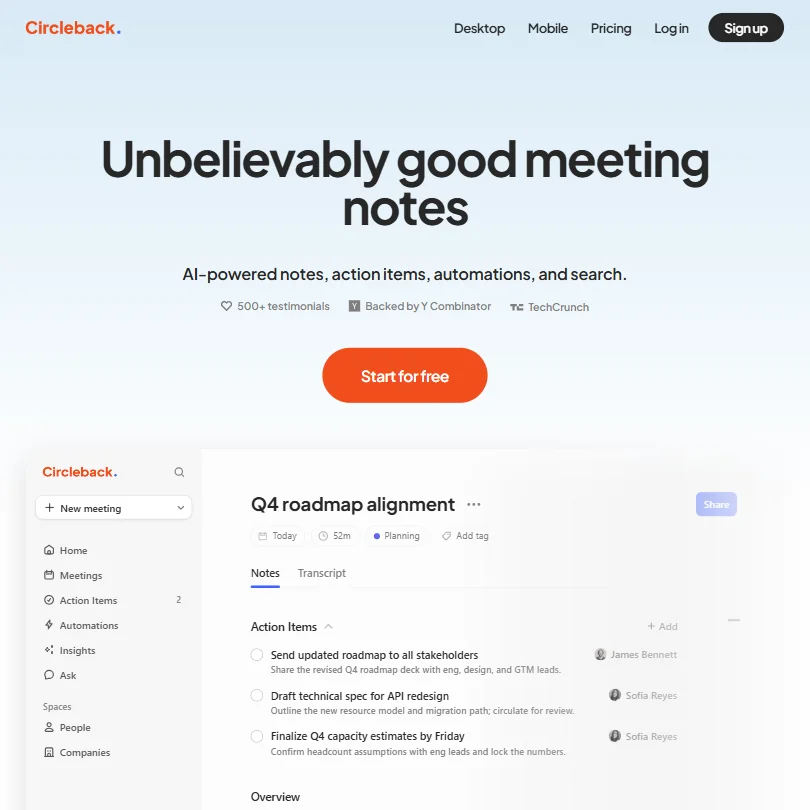
Circleback is the notetaker for founders who also hold coffee meetings and phone calls, since mobile and Apple Watch apps capture in-person conversations alongside a bot or bot-free desktop app. The free plan includes notes, action items and cross-meeting search. It caps history at 30 days and stores data in the United States only. Fireflies is the alternative for team calls.
- The Free plan already includes AI meeting notes, action items and Ask Circleback, its cross-meeting search assistant.
- Circleback records in-person conversations through dedicated mobile and Apple Watch apps, not just online calls.
- Meeting and recording history is capped at 30 days on the Free plan; unlimited history requires the Pro plan.
From $19.75free planRead AI is for a founder who wants feedback on how meetings go: its bot joins Zoom, Meet and Teams calls, shows live metrics and lets you search across meetings, email and chat.
Show detailsHide details29 Read AI: Best for live meeting metrics and coaching8.2Score 8.2 out of 10From $19.75free planRead AI is for a founder who wants feedback on how meetings go: its bot joins Zoom, Meet and Teams calls, shows live metrics and lets you search across meetings, email and chat.Visit site ↗ReviewDetailsCloseShow more about Read AI
From $19.75free plan
Read AI is for a founder who wants feedback on how meetings go: its bot joins Zoom, Meet and Teams calls, shows live metrics and lets you search across meetings, email and chat.
Show detailsHide detailsRead AI: Best for live meeting metrics and coaching
8.2Score 8.2 out of 10From $19.75free planRead AI is for a founder who wants feedback on how meetings go: its bot joins Zoom, Meet and Teams calls, shows live metrics and lets you search across meetings, email and chat.Visit site ↗ReviewDetailsClose
Read AI is for a founder who wants feedback on how meetings go: its bot joins Zoom, Meet and Teams calls, shows live metrics and lets you search across meetings, email and chat. The free plan covers five meetings a month with no card. It joins only as a visible bot, and playback needs Enterprise. Granola is better when a bot on the call would be awkward.
- The free plan includes 5 meeting reports a month with unlimited enterprise search and no credit card required.
- Training on your content is opt-in and off by default.
- Read Assistant joins video calls only as a visible bot; there is no bot-free recording for them.
From $14free planGranola suits sensitive calls with investors or candidates, because it records from your own computer or phone with no bot joining and stores no audio or video, only the transcript.
Show detailsHide details30 Granola: Best for notes with no bot on the call7.4Score 7.4 out of 10From $14free planGranola suits sensitive calls with investors or candidates, because it records from your own computer or phone with no bot joining and stores no audio or video, only the transcript.Visit site ↗ReviewDetailsCloseShow more about Granola
From $14free plan
Granola suits sensitive calls with investors or candidates, because it records from your own computer or phone with no bot joining and stores no audio or video, only the transcript.
Show detailsHide detailsGranola: Best for notes with no bot on the call
7.4Score 7.4 out of 10From $14free planGranola suits sensitive calls with investors or candidates, because it records from your own computer or phone with no bot joining and stores no audio or video, only the transcript.Visit site ↗ReviewDetailsClose
Granola suits sensitive calls with investors or candidates, because it records from your own computer or phone with no bot joining and stores no audio or video, only the transcript. AI chat and templates are free. The free plan keeps 30 days of history, and Business unlocks the rest. Choose Fireflies instead if you want a recording you can replay.
- Granola never adds a bot to your call; it records straight from your computer's own microphone and meeting audio.
- AI chat within and across meetings, plus customized note templates, are included from the free Basic plan.
- The free Basic plan only keeps 30 days of meeting history; viewing anything older requires upgrading to Business.
How to choose AI tools for startup founders
Founder tools look alike on their home pages and ration very different things. Product builders count credits or tokens, deck makers count credits and cards, outreach tools count enrichments, and meeting tools count history. What differs most is what each free plan puts under your name: a logo, a domain, a footer on a site or a deck. This guide matches each job between idea and first customers to the tools on this page, then covers the free plans, where they stop and when paying is worth it.
Start with the job, not the tool
A company in its first months has six jobs, and no single tool covers them all on a free plan.
- Market research. Perplexity returns cited answers, and ChatGPT and Claude summarize what you find. Semrush shows what people search for, and Browse AI watches competitor pages and turns them into tables.
- Build the product. Lovable, bolt.new and v0 build a web app from a chat if you cannot code. Cursor and GitHub Copilot help if you can, and both have a free plan.
- Pitch deck and brand. Gamma and Beautiful.ai build a deck from a prompt, Canva covers templates, Looka makes a logo, and Midjourney and ChatGPT make images.
- Marketing and sales. HubSpot holds contacts, Typefully and Hypefury schedule posts, Writesonic tracks AI search visibility, and Persana AI builds lead lists.
- Operations and admin. Notion and ClickUp hold the plan, and Zapier and n8n move data between your apps.
- Meetings. Granola takes notes with no bot, and Fireflies, Circleback and Read AI keep a shared record.
The table shows where to start on any budget.
| Job | Free | Worth paying for |
|---|---|---|
| Market research | Perplexity, ChatGPT or Claude, plus Browse AI's 50 monthly credits | Perplexity Pro for deep research, or Semrush at $139.95 a month once keywords matter |
| Build the product | Lovable or bolt.new if you cannot code, Cursor Free or GitHub Copilot Free if you can | Lovable Pro at $25 a month for custom domains, bolt.new Pro at $25 to remove branding, Cursor Premium at $30 |
| Pitch deck and brand | Canva, or Gamma on its 400 one-time credits | Gamma Plus at $12 a month to remove branding, Looka Premium at $72 for a vector logo |
| Marketing and sales | HubSpot for up to 2 users, Typefully, Persana AI | Persana Starter at $85 a month, Typefully Pro at $10 a month per social set |
| Operations and admin | Notion or ClickUp, with Zapier or self-hosted n8n | Zapier Professional at $29.99 a month for multi-step workflows |
| Meetings | Granola, Fireflies, Circleback or Read AI | Granola Business at $14 a month for unlimited history |
Free plans put branding on your work, cap credits and keep meeting history short. Pay first for whatever customers see under your name: the domain and branding on your product, then the deck.
What the free plans actually give you
Each kind of tool rations something different, so one free plan carries you through launch and another runs out in a day.
- Assistants. Messages and model tiers are the meter. ChatGPT's free plan gives unlimited text chat with limited deep research. Claude's free plan gives the Sonnet and Haiku models with web search and memory. Perplexity's gives cited answers with limited file uploads and an automatic model choice.
- Product builders. Tokens and messages are the meter. bolt.new's free plan gives 300K tokens a day and 1M a month, with Bolt branding on sites and 10MB uploads. v0 gives $5 of monthly credits and 7 messages a day, and Lovable's free plan gives workspace-private projects with 5 lovable.app domains. Cursor Free gives limited agent and Chat requests, and GitHub Copilot Free gives 2,000 completions a month.
- Deck and brand tools. Gamma gives 400 credits once, with up to 10 cards per prompt and its branding on the output. Canva allows up to 20 AI uses and one Brand Kit with three colors. Beautiful.ai has no free plan, just a 14-day trial, and Midjourney has no free plan either.
- Marketing and sales tools. HubSpot's free tools cover up to 2 users. Typefully's free plan includes API and MCP access with monthly post caps. Persana AI gives 50 credits, 50 emails and 5 phone lookups, and Writesonic and Hypefury offer 7-day trials rather than free plans.
- Operations tools. Zapier gives 100 tasks a month with two-step Zaps, and n8n's self-hosted Community Edition has no workflow limit. Notion and ClickUp both have free plans.
- Meeting tools. Granola's free plan keeps 30 days of history, Circleback keeps 30 days, and Read AI gives 5 meeting transcripts a month.
In a normal week, a free assistant and a free meeting tool last all month, while a free app builder's daily tokens are gone in an afternoon of building.
Which tools fit which founder
- A non-technical founder building a first version. Start with Lovable, which builds a web app from a chat and keeps projects private on its free plan. Add bolt.new for a second attempt, v0 for screens, and Canva for the brand.
- A technical founder shipping alone. Start with Cursor Free or GitHub Copilot Free. Premium on Cursor is $30 a month (Plus at $8 runs only its own Grok models), and Copilot Pro is $10 a month. Add Claude for design questions and Zapier or n8n for the plumbing.
- A founder preparing to raise. Start with Gamma for the first draft of the deck and Canva for the brand pages. Beautiful.ai suits a team that is ready to pay from the start, with a 14-day trial.
- A founder doing their own outreach. Start with HubSpot's free tools to keep contacts, and Persana AI's free plan for lead lists. Persana Starter at $85 a month gives 24,000 credits a year, and Typefully handles posting.
- A founder watching spend. Start with Perplexity, ChatGPT and Notion, all free, and self-hosted n8n if you can run a server. Pay for the first thing customers see, which is usually the product domain.
- A founder who records investor and customer calls. Start with Granola, which joins no call. Add Fireflies or Circleback when you want a shared record, and keep Read AI for internal meetings because it joins as a visible bot.
Taking one product from idea to first customers, step by step
- Research the market. Perplexity gives cited answers, and ChatGPT or Claude help you summarize what you find.
- Check demand and competitors. Semrush shows what people search for, and Browse AI watches competitor pages for changes.
- Write what you will build. Ask Claude or ChatGPT to turn your notes into a one-page brief.
- Build the first version. If you cannot code, use Lovable or bolt.new, and v0 for screens. If you can, use Cursor or GitHub Copilot.
- Make the brand. Looka for a logo, Canva for templates, Midjourney or ChatGPT for images.
- Write the pitch. Gamma or Beautiful.ai for the deck, or Canva if you already use it.
- Announce it. HubSpot to capture sign-ups, Typefully or Hypefury to post, Writesonic for articles.
- Find the first customers. Persana AI builds lead lists, and HubSpot keeps the replies.
- Talk to them. Record with Granola when a bot would be awkward, or Fireflies, Circleback or Read AI when you want a shared record.
- Run the company. Notion or ClickUp hold the plan, and Zapier or n8n move data between your apps.
Where free plans stop
| Limit | Tools | What happens when you hit it |
|---|---|---|
| Daily count | bolt.new (300K tokens), v0 (7 messages) | It renews the next day |
| Monthly count | bolt.new (1M tokens), v0 ($5 of credits), Copilot Free (2,000 completions), Zapier (100 tasks), Browse AI (50 credits), Read AI (5 transcripts) | You wait for the new month or move to a paid plan |
| One-time allowance | Gamma (400 credits), Persana AI (50 credits) | Once used, it does not come back |
| History window | Granola (30 days), Circleback (30 days) | Older notes need a paid plan |
| Branding on output | Gamma, bolt.new | Removing it needs Plus or Pro |
| Paid from the start | Beautiful.ai (14-day trial), Writesonic (7-day trial), Hypefury (7-day trial), Midjourney | You pay or you go without |
Working inside the limits means saving allowances for what customers see. Spend a one-time pot such as Gamma's 400 credits on the deck you will send, not on drafts. A daily cap rewards short sessions, so plan a build in small steps, and a monthly cap rewards planning.
Privacy and who sees your work
Investor decks, customer calls and unreleased product ideas are the material you least want a model to learn from. Many tools on this page state their position.
| Tool | Training on your content |
|---|---|
| Beautiful.ai, Notion, ClickUp, Typefully | Not used for training |
| Fireflies, Circleback, Read AI, n8n | Not used for training |
| ChatGPT, Claude, Perplexity, Canva, Gamma, Granola, Zapier | You can opt out |
| Lovable, bolt.new, v0, Cursor, GitHub, HubSpot | You can opt out |
| Midjourney | Trains on prompts, no opt-out |
Keep investor and customer material in the first two rows, and switch training off in the next two right after you sign up. Perplexity retains and trains on data by default on its Free, Pro and Max plans, and Claude trains on consumer conversations unless you opt out. Both switches are in settings.
Mistakes to avoid
- Launching on a free build with the builder's branding. bolt.new's free sites carry Bolt branding, and Lovable's Pro plan removes its badge. Pay for the plan that removes the footer before customers see the product.
- Pasting investor material into a tool that trains by default. Midjourney trains on prompts with no opt-out, and Perplexity and Claude train unless you turn it off. Check the setting before you upload a deck or a data room.
- Spending Gamma's 400 credits on drafts. The free credits are a one-time grant. Write the outline in Claude or ChatGPT first and generate the deck once.
- Buying Semrush before you know what to search for. At $139.95 a month it is a real commitment. Start with Perplexity, Browse AI's free plan and Semrush's free account and 7-day trial.
- Inviting a visible bot to an investor call. Read AI joins as a visible bot. Use Granola, which joins no call, when the conversation is sensitive.
When it is worth paying
You have outgrown a free plan when you plan your launch around its limit. Waiting for tomorrow's tokens to finish a screen, sending a deck with someone else's name on it, or losing last month's customer notes are all signs.
| If you are | Upgrade to | What changes |
|---|---|---|
| Launching a product | Lovable Pro or bolt.new Pro | Custom domains and no badge, or no daily token limit and no Bolt branding |
| Coding every day | Cursor Premium or GitHub Copilot Pro | Cloud agents and Claude, GPT and Gemini, or unlimited code completion |
| Raising money | Gamma Plus | 1,000 monthly credits, 20 cards per prompt and no branding |
| Running outbound | Persana AI Starter | 24,000 credits a year and credit rollover |
| Building an audience | Typefully Pro or Hypefury | X analytics and AI writing, or unlimited scheduling |
| Chasing search visibility | Writesonic Starter | 50 prompts tracked and 15 AI articles a month |
Billing period changes the price more than the plan does. Gamma Plus is $12 monthly and $9 billed yearly, Typefully Pro is $10 monthly and $8 billed yearly per social set, Hypefury is $6 monthly or $60 a year, and Writesonic Starter is $99 monthly or $948 a year. Trials are short: Writesonic, Hypefury and Semrush give 7 days, Beautiful.ai gives 14, and Canva Pro gives 30.
What would this stack cost you?
Add our top picks (ChatGPT, GitHub Copilot, ChatGPT and 3 more) to the calculator and see the monthly total, then swap in the plans you would pay for.
How we picked
Every tool here is ranked by its score, and each score is worked out from the vendor’s own published pages: pricing, plans, features and terms. No score is adjusted by hand. 28 of the 29 tools have enough published facts to show a score, and on average 94% of each score comes from facts the vendor publishes. The facts behind these scores were checked between 13 September 2026 and 28 October 2026.
Scores compare tools that do the same job, which is why the list is grouped by job: a video editor and a grammar checker are never ranked against each other.
| Ranked as | On this page | What we score | Scoring guide |
|---|---|---|---|
| AI app builders7 reviewed | 4 | 3 criteria, 6 checked facts: pricing, what you can ship, trust and compliance | How we score these → |
| AI meeting assistants20 reviewed | 4 | 4 criteria, 18 checked facts: what it captures, where it works, pricing, privacy and trust | How we score these → |
| AI assistants23 reviewed | 3 | 4 criteria, 13 checked facts: what it can do, where it works, pricing, privacy and trust | How we score these → |
| SEO platforms9 reviewed | 2 | 6 criteria, 25 checked facts: keyword research and rank tracking, site audit, pricing, content writing and optimization, works with your tools, team and support | How we score these → |
| AI coding assistants16 reviewed | 2 | 5 criteria, 17 checked facts: agents and your codebase, pricing, model freedom, privacy and security, where it works | How we score these → |
| AI presentation makers5 reviewed | 2 | 5 criteria, 20 checked facts: what you can make, workflow and output, pricing, teams and platforms, privacy and trust | How we score these → |
| Go-to-market platforms15 reviewed | 2 | 7 criteria, 20 checked facts: AI agents, building workflows, pricing, apps it connects to, reliability and control, hosting and security, support | How we score these → |
| X and LinkedIn growth tools6 reviewed | 2 | 5 criteria, 19 checked facts: growing an audience, pricing, where it posts, writing and repurposing, analytics and teams | How we score these → |
| AI work management tools9 reviewed | 2 | 4 criteria, 17 checked facts: what it manages, working with others, pricing, privacy and trust | How we score these → |
| Workflow automation tools11 reviewed | 2 | 7 criteria, 20 checked facts: AI agents, building workflows, pricing, apps it connects to, reliability and control, hosting and security, support | How we score these → |
| AI graphic design tools9 reviewed | 1 | 5 criteria, 23 checked facts: what you can make, workflow and output, pricing, teams and platforms, privacy and trust | How we score these → |
| AI logo makers5 reviewed | 1 | 5 criteria, 15 checked facts: what you get, files and rights, pricing, support and reach, privacy and trust | How we score these → |
| AI image generators7 reviewed | 1 | 5 criteria, 26 checked facts: what it makes, control and automation, rights and privacy, pricing, openness and support | How we score these → |
Common questions
Which tools let me take my work with me?
Lovable exports code to GitHub, bolt.new imports GitHub projects, and v0 syncs with GitHub and deploys to Vercel. Gamma exports decks to PDF, PowerPoint, PNG or Google Slides, while Beautiful.ai has no Google Slides export. Rule of thumb: for an app, insist on GitHub; for a deck, insist on a PowerPoint or PDF export.
Can an AI tool host the product as well as build it?
Some can. Bolt.new bundles hosting, authentication and a database through Bolt Cloud, v0 deploys to Vercel in one click, and Lovable includes a built-in database with custom domains from Pro. Cursor and GitHub Copilot help write code, so you choose where it runs. Pick a builder with hosting if you want one less account to manage.
Which of these work on a phone?
ChatGPT, Claude, Perplexity, Canva, Gamma, Notion, ClickUp, Granola, Fireflies, Circleback and Read AI all list mobile apps. Beautiful.ai, Hypefury, Typefully and Looka list none, and the app builders live in the browser. Plan to draft and capture meetings on your phone, but build, design and schedule on a laptop.
Should I buy an all-in-one platform or several small tools?
Start with small free tools and move to a platform only when you will use all of it. HubSpot bundles marketing, sales, service, content and data tools under one login, but partial adopters get much less value. Notion and ClickUp both hold docs and tasks, so one of them is usually enough for a small team.
Which free plans run out fastest?
It depends on how the limit resets. Gamma gives a one-off pool of credits, Persana AI a small credit allowance, Browse AI 50 credits a month, Typefully a set number of posts a month, Read AI five meetings a month, bolt.new caps tokens by day, and v0 caps messages by day. Test one-off credits on your most important task first.