
We've spent time combing through HubSpot's documentation, pricing pages, G2 reviews, Capterra feedback, and a fair number of Reddit threads for this HubSpot review, and the picture that emerges is messier than the homepage suggests. Not bad. Just messier. HubSpot has been around since 2006 and now sits at 299,000+ customers across 135 countries. That's not an accident. But the product has grown into something sprawling, and what you pay for depends heavily on which version of HubSpot you actually need.
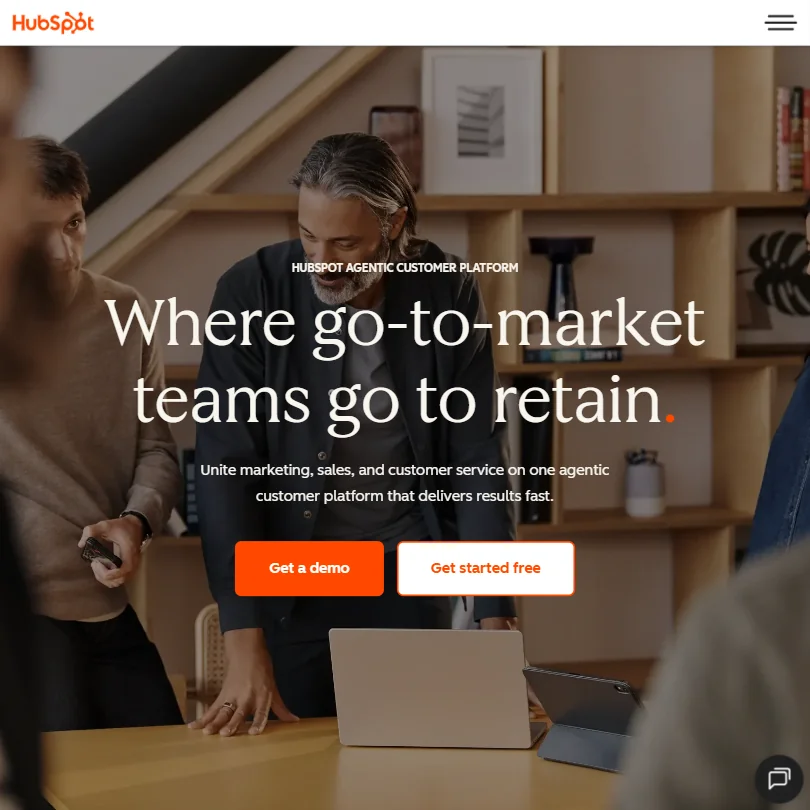
The pitch has shifted. They're not just a CRM or a marketing tool anymore. They're calling themselves an "agentic customer platform" now, and the AI story is front and center. Whether that framing is earned or just good copywriting is what we wanted to find out.
What is HubSpot?
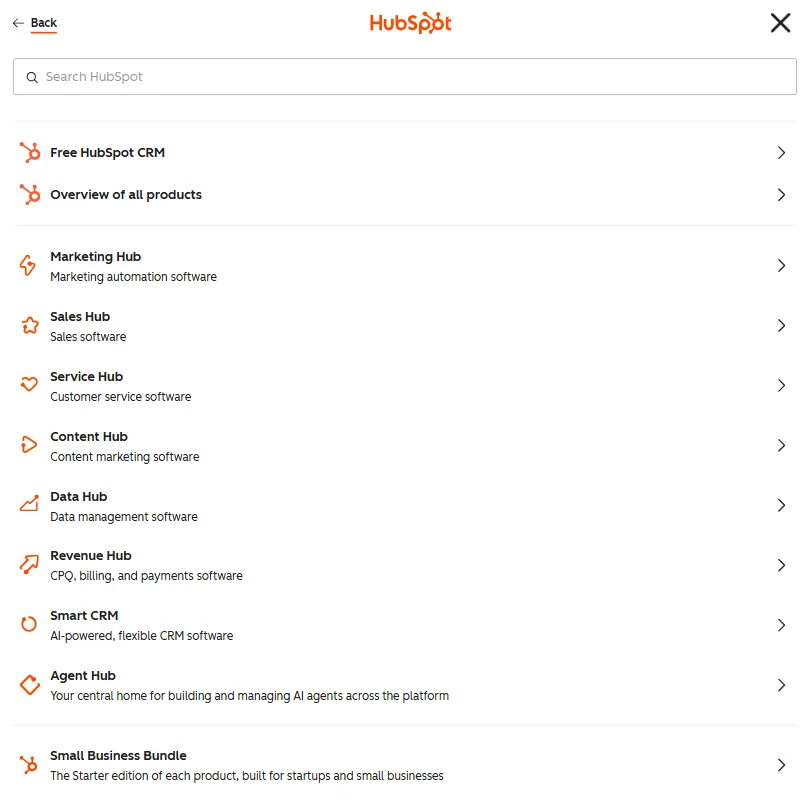
HubSpot started as an inbound marketing tool. Blogs, landing pages, email campaigns. That DNA is still visible. But since then, it's been bolted outward in almost every direction. Sales pipelines, customer service ticketing, content tools, AI agents, data management. The company calls the whole thing the HubSpot Customer Platform, which bundles Marketing Hub, Sales Hub, Service Hub, Content Hub, and Data Hub under one login.
The unifying layer is the CRM. Everything feeds into it. Contact records, deal stages, support tickets, email opens. The idea is that your marketing team and your sales reps and your support staff are all looking at the same customer data. In practice, that works better the more of the platform you've actually bought. Which is where things get complicated.
Honestly, the "unified platform" story is most convincing when a company is fully in the HubSpot ecosystem. Partial adopters get less of that benefit.
HubSpot Features: Workflows, AI Agents & Automation Capabilities
The visual workflow builder is one of HubSpot's most genuinely useful features. You can build automation across marketing, sales, and service from a single interface. Trigger types cover webhooks, form submissions, email events, deal stage changes, and behavioral events. That's a solid spread. Conditional branching is available, and G2 reviewers in marketing operations roles consistently describe it as one of the more intuitive builders they've used, especially compared to Marketo.
Custom code steps exist too, JavaScript and Python both, though you'll need to be on Professional tier or above to touch them. That's a reasonable gate for power features. Less reasonable is the fact that even fairly basic automation capabilities start locking behind paid plans.
On the AI side, HubSpot has built out what they're calling Agent Hub. Four agents currently: Customer Agent, Prospecting Agent, Data Agent, and Content Agent. The Customer Agent is the one they lead with. Their own claim is that it resolves 65%+ of customer inquiries without human involvement. We're mildly skeptical of that number in general use, but the escalation path to human agents when it can't answer is at least thoughtfully designed. Human-in-the-loop isn't an afterthought here.
The Content Agent and Prospecting Agent are more straightforward. They generate copy and surface leads based on CRM data. Useful in a "saves you some minutes" way. Not transformative. The Data Agent is newer and focuses on combining and cleaning customer data, which pairs with the broader Data Hub product.
Worth noting: all of this AI runs on HubSpot's proprietary layer, which itself pulls from OpenAI and other LLMs. You don't get to pick the underlying model.
HubSpot Automation Power: How Complex Can Your Workflows Get?
Reasonably complex. That's the honest answer. The workflow engine handles multi-step branching, contact property triggers, scheduled runs, and webhook outputs. For go-to-market automation, that covers a lot of ground. You can build a lead nurture sequence that branches based on behavior, pushes a webhook to an external system, waits a set number of days, and then routes to a sales rep. That's a real workflow and HubSpot handles it without custom code.
Where it gets harder is when you want to do something outside the marketing-and-sales use case. Deep data transformation, complex cross-system orchestration, or anything requiring tight API chaining across non-HubSpot tools. At that point, you're either writing custom code steps or routing through Zapier or Make as a middleware layer. A lot of HubSpot users do exactly that. It's not a failure of the product, it's just the edge of where it was designed to operate.
The 2,000+ integrations in the App Marketplace help here. Salesforce, Shopify, Slack, and Google Workspace are all native. The breadth is real. The depth of any specific integration varies.
We cross-referenced their workflow documentation with user feedback on Reddit and G2, and the consistent note from power users is that the workflow engine is good for 80% of what they need. That last 20% requires workarounds. That tracks with what we'd expect from a platform optimized for marketing teams rather than developers.
HubSpot AI Agent Capabilities: What Can It Actually Do Autonomously?
The Customer Agent is the centerpiece. It pulls from your knowledge base and CRM to answer customer questions, and when it can't resolve something, it hands off to a human. Execution logs and action history are available, which matters when you're trying to figure out what went wrong on a specific ticket. That's not a given across AI agent tools.
The Prospecting Agent is the one sales teams will care about. It surfaces contacts, drafts outreach, and can work through a queue without someone manually combing a list. We haven't seen widespread, detailed reviews of how well it actually converts that work into pipeline, which is the only metric that matters. Vendor claims say it works. We'd want more third-party data before getting too excited.
What HubSpot does well here is the scaffolding. Agent deployment and management across the platform is genuinely integrated, not bolted on. You're not installing a third-party agent layer on top of a CRM. The agents are built into the same environment as the rest of your workflows. That architectural decision probably matters more than any individual agent capability.
The AI model is proprietary and partially OpenAI-powered. You don't choose your model. For most teams, that's fine. For teams with specific model preferences or compliance requirements around which LLM touches their data, it's a question worth asking support directly.
Is HubSpot Easy to Set Up Without Code?
For the core features, yes. The onboarding for Marketing Hub is well-documented. HubSpot has put real investment into its help center, and the community forum is active enough to surface answers to most common problems. G2 reviewers who describe themselves as non-technical generally report getting their first workflows live without needing a developer.
That story changes as you move up the pricing tiers. Professional and Enterprise configurations get complicated fast. The number of settings, the permission structures, the custom object setup. A lot of teams at that level end up hiring a HubSpot partner or a dedicated admin. That's a real cost that doesn't show up in the listed price.
Capterra reviewers specifically mention the learning curve around the more advanced reporting and contact segmentation tools. Not insurmountable, but not something a new user figures out in an afternoon either.
Honestly, "easy to set up" is true for the starter version and increasingly less true as you climb the plan ladder. Manage expectations accordingly.
HubSpot Pricing: Is It Worth It vs Zapier or Make?
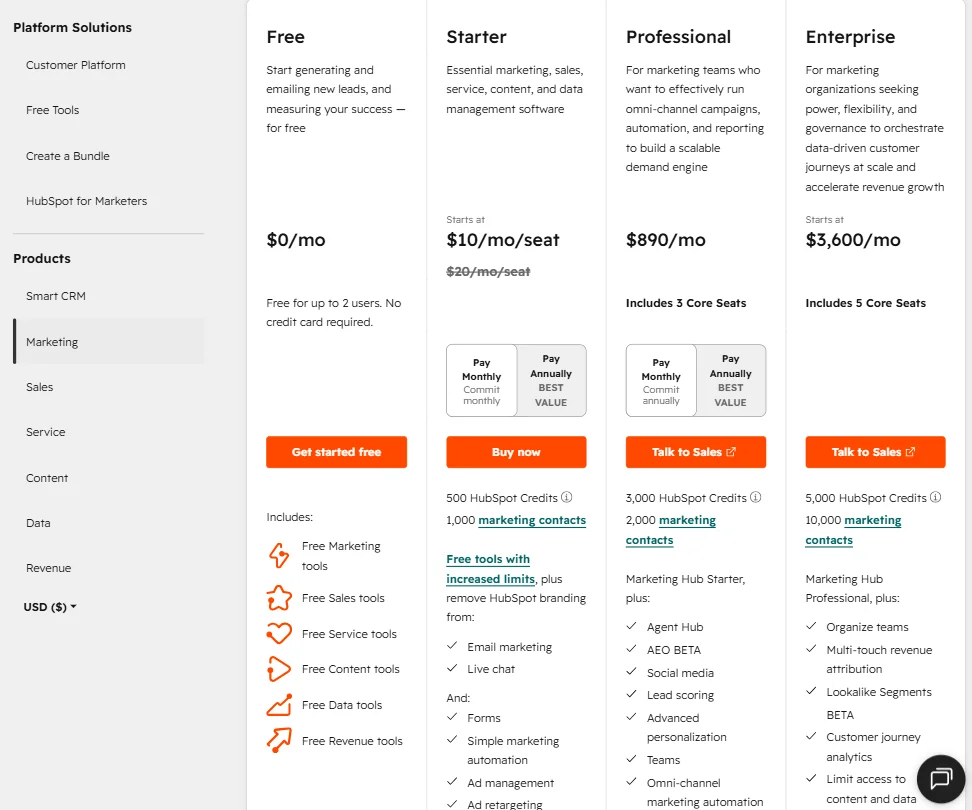
This is where the conversation gets genuinely uncomfortable. The entry price is $20 a month for Marketing Hub Starter. That's cheap. We rank it fourth-cheapest in our category database, well below the median of about $25 a month. There's also a free tier for up to 2 users with no credit card required, and a 14-day trial on the paid product. The low-end accessibility is real.
Then there's the jump to Marketing Hub Professional at $800 a month. And then Marketing Hub Enterprise at $3,600 a month. That's not a pricing ladder, that's a cliff. The gap between Starter and Professional is where a lot of small businesses hit a wall, because the features that actually make HubSpot interesting, things like custom code in workflows, team permissions, and most of the AI agent functionality, live at Professional and above.
The refund policy isn't publicly stated anywhere we could find. That's a problem. A platform charging $800 to $3,600 a month should have a clear answer to "what happens if this doesn't work for us." It doesn't, at least not in any public documentation.
Compared to Zapier, the comparison isn't entirely apples-to-apples. Zapier is pure workflow automation across any app. HubSpot is a full CRM platform with automation built in. If you need the CRM layer plus the automation, HubSpot's bundled pricing can actually be competitive at mid-market scale. If you only need the automation side, Zapier will almost certainly be cheaper and more flexible.
Reddit threads from 2024 and 2025 have a recurring theme: teams that start on Starter and then feel trapped as they grow, because the Professional jump is steep and there's no meaningful middle ground. That's a real friction point in the buying experience.
HubSpot vs Salesforce: Which Automation Platform Wins?
Neither wins cleanly. That's the honest answer. HubSpot is easier to deploy and cheaper to start. Salesforce is more customizable and more powerful at enterprise scale. The choice usually comes down to where a company is in its growth cycle and how much technical overhead they can absorb.
HubSpot's big advantages are the unified interface and the out-of-the-box usability. You don't need a Salesforce admin to get a HubSpot instance running. That matters for teams under 100 people, or for companies that don't have a dedicated RevOps function.
Salesforce's advantages are depth and flexibility. Custom objects, complex reporting, AppExchange breadth, deeper enterprise security controls. For companies running very complicated sales or service operations, Salesforce tends to win those evaluations.
The AI story is interesting. Both companies are pushing AI agents hard right now. HubSpot's approach is more integrated into the CRM workflows out of the box. Salesforce's Agentforce is arguably more configurable. Which matters more depends on your technical team's capacity to configure things versus wanting something that mostly works at setup.
We'd add: Zoho CRM and ActiveCampaign both undercut HubSpot significantly on price at the mid-tier. They don't match the platform breadth, but for smaller teams that don't need all of HubSpot's surface area, the comparison is worth running.
Who Should Use HubSpot? (And Who Shouldn't)
Mid-market B2B companies with a real go-to-market motion. That's the core fit. Marketing, sales, and customer service teams that benefit from working off the same CRM data, that want automation without hiring a developer, and that are willing to pay the Professional tier pricing to get to the good features.
E-commerce teams. Less obvious fit. The marketing automation is solid, but the platform wasn't built around transactional email, product catalogs, or revenue-per-send analytics the way something like Klaviyo was. They can make it work. It won't feel native.
Solo operators on a tight budget. The free tier exists and isn't bad for basic contact management. But the meaningful AI and automation features require paid plans, and the Starter-to-Professional jump is brutal for a one-person operation.
Developer-first teams that want full workflow control and don't need CRM functionality at all. They're probably better off looking at something more purpose-built for automation rather than paying for a platform optimized around marketing and sales use cases.
HubSpot Review Verdict
HubSpot is a serious product. Almost 20 years in market, nearly 300,000 customers, and a genuine attempt to build AI natively into the platform rather than slapping it on as a feature update. The Agent Hub and the unified CRM architecture are the strongest parts of what they're building right now. The workflow engine is capable. The integration library is deep enough for most go-to-market teams.
The pricing structure is the biggest problem. Not the starting price, which is genuinely accessible. The cliff between Starter and Professional is real and steep. The missing public refund policy doesn't help. And the Trustpilot score sitting at 2.3 out of 5, driven largely by billing and support complaints, is a signal worth paying attention to, even if G2 and Capterra tell a substantially better story.
In our category database, 12 of 27 reviewed tools score higher on our internal criteria. HubSpot isn't leading the pack. It's solidly mid-to-upper tier on pure automation capability. What it has that most of those tools don't is the full CRM platform underneath. That's the real differentiator, and it's either worth a lot to you or completely irrelevant depending on what you're trying to build.
Teams that are already in the HubSpot ecosystem, or that are buying the whole platform, will get meaningful value from the AI and automation layer. Teams that are looking for standalone automation power at a lower price point should look elsewhere before committing.
Frequently Asked Questions
Does HubSpot have a free plan, and is it actually useful?
Yes, there's a free tier that covers basic CRM, marketing, sales, and service tools for up to 2 users, no credit card required. It's genuinely useful for contact management and simple email campaigns. The moment you want real automation depth, custom code steps, or the AI agent features, you're looking at a paid plan, and the first meaningful jump is to Professional at $800 a month.
How does HubSpot's AI compare to what's built into competing platforms?
HubSpot's AI runs through their proprietary layer, which pulls from OpenAI and other LLMs. The Customer Agent's claim of resolving 65%+ of inquiries autonomously is the headline number, and the architecture for deploying and managing agents across the platform is more integrated than most competitors at this price point. Salesforce's Agentforce is the most direct comparison, and it's more configurable but requires more setup work to get there.
What's the catch with HubSpot's workflow automation?
The catch is mostly about the tier requirements. Custom code steps, advanced team permissions, and most of the multi-user collaboration features sit behind the Professional tier, which starts at $800 a month for Marketing Hub. Below that, you're working with a more limited toolset. A lot of mid-tier users also end up routing complex cross-system workflows through Zapier or similar tools because HubSpot's native automation hits its limits once you're outside the marketing-and-sales use case.







