
Beautiful.ai is a browser-based presentation tool, made by Beautiful Slides, Inc. in San Francisco, built around Smart Slides that reflow automatically as content changes. Whether it fits depends on whether you're ready to pay from the outset, since there is no free plan, only a 14-day trial of Pro or Team.

What is Beautiful AI?
Beautiful.ai is made by Beautiful Slides, Inc., based in San Francisco. It runs in the browser, with no listed desktop or mobile app, and states that its AI tools are powered by Anthropic.
Making a deck with Beautiful AI
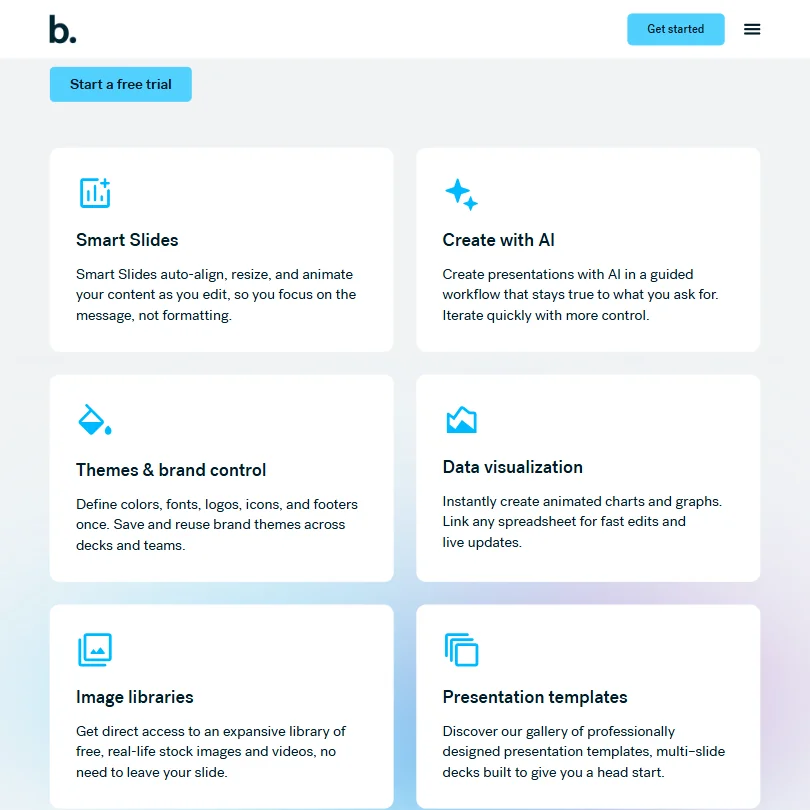
A deck can start from a short topic, a detailed prompt with slide-by-slide instructions, a pasted outline, including one from another AI tool, or an uploaded source document, with Smart Slides adjusting the layout automatically as content changes.
A finished deck exports to PDF or as an editable PowerPoint file, and an existing PowerPoint file can be imported too; Beautiful.ai does not export to Google Slides. Viewer and slide analytics are included on the Team plan, and Beautiful.ai does not list a custom domain option for a shared or published deck.
Working with other people
Real-time, live collaborative editing is included on the Team plan, which covers 2 to 20 seats. A custom theme builder locks in a brand's colors, fonts, logos, icons and footers so every deck a team makes stays consistent.
Beautiful.ai does not offer a public API; it connects instead to Claude, ChatGPT, Slack, PowerPoint and Dropbox. It runs in the browser only, and single sign-on through SAML or Google sign-on is available on the Enterprise plan.
Beautiful AI pricing: what each plan gives

There is no free plan. Both paid plans start with a 14-day free trial instead.
Pro is $45 a month for one person, or $14.50 a month billed yearly, and includes unlimited AI content generation and AI image generation. Team covers 2 to 20 seats at $50 a month per person, or $40 a month per person billed yearly, and adds real-time collaboration and viewer and slide analytics. Enterprise is quoted separately and adds single sign-on.
Privacy and support
Beautiful.ai states that its AI sub-processors are barred from using customer data for training. It holds SOC 2 Type II, GDPR, CCPA and PCI certifications, and single sign-on through SAML or Google sign-on is available on Enterprise.
Support runs through email, alongside a help center.
Who Beautiful AI suits
Beautiful.ai suits individuals or teams who want a layout engine that reformats a deck automatically as content changes, who want strict brand lock-in across every deck a team produces, and who are fine paying from the first use rather than starting on a free tier.
It suits less well anyone who wants a genuinely free plan, export to Google Slides, a custom domain for a shared deck, or a public API. It also suits less well teams larger than 20 seats, who would need a custom Enterprise plan, and anyone whose workflow needs a desktop or mobile app rather than the browser.
Screenshots
How Beautiful AI compares
Beautiful AI scores 4.8 out of 10 among the AI presentation makers we rate. These three do the same job and are the closest to it, compared on what each vendor publishes.
Gamma
Gamma's cheapest paid plan is $12 a month against Beautiful AI's $45, and it includes a free plan where Beautiful AI has none. Gamma also exports straight to Google Slides and opens an API on its paid plans, neither of which Beautiful AI offers, and it publishes decks as standalone web pages. Beautiful AI does match Gamma on tracking who viewed a shared deck and on single sign-on, keeping its focus on the deck itself rather than a wider platform.
Pick Gamma if you want a free plan to try first, plus an API and Google Slides export.
Pick Beautiful AI if you want a straightforward deck builder without needing the extra platform features.
Decktopus AI
Decktopus AI is cheaper at $24.99 a month against Beautiful AI's $45, it lets you share a deck on your own domain, which Beautiful AI does not, and it can publish one as its own web page. Beautiful AI answers with real-time co-editing, single sign-on, SOC 2 and GDPR compliance, none of which Decktopus AI has. Neither has a free plan, an API, or Google Slides export, so the choice comes down to sharing a deck publicly against working on one as a team with those protections in place.
Pick Decktopus AI if you want to publish a deck as its own web page on your own domain for less.
Pick Beautiful AI if your team needs to co-edit decks with single sign-on and SOC 2 and GDPR compliance in place.
Visme
Visme costs less at $29 a month against Beautiful AI's $45 and includes a free plan where Beautiful AI has none. It also does far more with a finished deck: 7 export formats against 2 and 15 integrations against 5, plus AI image editing that Beautiful AI does not have. Beautiful AI's one advantage here is privacy: it keeps your uploads out of AI training outright, where Visme's terms allow that training. Both track who viewed a shared deck and support single sign-on.
Pick Visme if you want more export formats, more integrations, and AI image editing at a lower price.
Pick Beautiful AI if keeping your uploads out of AI training matters more than price or export options.
Frequently Asked Questions
Does Beautiful AI have a free plan?
No. There is no non-expiring free tier; both the Pro and Team plans start with a 14-day free trial instead.
What does Beautiful AI cost?
Pro is $45 a month for one person, or $14.50 a month billed yearly. Team covers 2 to 20 seats at $50 a month per person, or $40 a month per person billed yearly. Enterprise is quoted separately.
What AI does Beautiful AI use?
Beautiful.ai states that its AI tools are powered by Anthropic, working natively inside the product rather than through a separate app.
Does Beautiful AI train its AI on my presentations?
No. Beautiful.ai states that its AI sub-processors are barred from using customer data for training.











