ClickUp suits a project manager who wants tasks, docs, wikis, time tracking and goals in one tool without paying per member at the start.
Buying guide · 20 tools ranked
Best AI Tools for Project Managers
Find the best AI tools for project managers, grouped by the job each one does: tracking the work, capturing meeting notes and action items, protecting time on the calendar, planning on a whiteboard, automating handoffs between tools, and reporting on data. Choose one tool per job instead of weighing every tool against every other, and use each group's notes to see what separates the picks.
Our top 3 AI Tools for Project Managers
Fireflies suits a project manager who sits in many status calls and wants every one searchable.
Reclaim fits a project manager whose calendar is full of other people's meetings and who needs the work to fit around them.
Best AI work management tools for project managers
5 picksWork management tools hold the plan, so the differences that matter are who can join for free, which views come on which plan, and how AI is charged. ClickUp has unlimited tasks and members free but sells AI as a separate add-on. Wrike includes AI Essentials on every paid plan and gives free viewer guests. monday sells seats in buckets with a three-seat minimum and builds in an assistant. Notion bundles docs and projects, with full AI on Business. Asana's free plan has no AI, and its Starter plan allows 5 AI requests per user a month. Choose by whether you need guests, Gantt views or AI included.
#ToolScorePriceWhy pick it
From $7free planClickUp suits a project manager who wants tasks, docs, wikis, time tracking and goals in one tool without paying per member at the start.
Show detailsHide details01 ClickUp: Best for tasks, docs and time tracking together9.3Score 9.3 out of 10From $7free planClickUp suits a project manager who wants tasks, docs, wikis, time tracking and goals in one tool without paying per member at the start.Visit site ↗ReviewDetailsCloseShow more about ClickUp
From $7free plan
ClickUp suits a project manager who wants tasks, docs, wikis, time tracking and goals in one tool without paying per member at the start.
Show detailsHide detailsClickUp: Best for tasks, docs and time tracking together
9.3Score 9.3 out of 10From $7free planClickUp suits a project manager who wants tasks, docs, wikis, time tracking and goals in one tool without paying per member at the start.Visit site ↗ReviewDetailsClose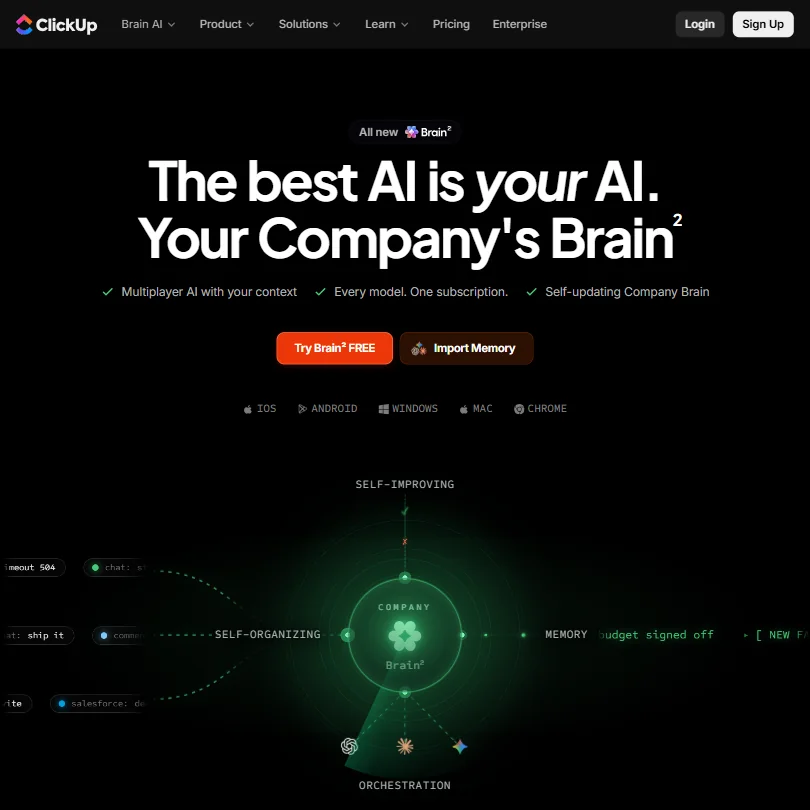
ClickUp suits a project manager who wants tasks, docs, wikis, time tracking and goals in one tool without paying per member at the start. The free plan has unlimited tasks and members, kanban boards and sprint management, and read-only guests are free on every paid plan. The catch is that AI is a separate add-on at $9 or $28 per user a month, the free plan has 60MB of storage, and the notetaker comes with the higher add-on. Wrike includes AI Essentials on paid plans.
- ClickUp's free plan includes unlimited tasks, unlimited free plan members and collaborative docs.
- Brain AI's chat lets you choose between Claude, ChatGPT and Gemini.
- ClickUp Brain is not included on any base plan; it is a separate add-on costing $9 or $28 a user a month.
From $10free planWrike is the pick when you want AI writing and rule generation included on every paid plan, starting with Team at $10 a month billed annually for 2 to 15 users.
Show detailsHide details02 Wrike: Best for AI writing on every paid plan8.7Score 8.7 out of 10From $10free planWrike is the pick when you want AI writing and rule generation included on every paid plan, starting with Team at $10 a month billed annually for 2 to 15 users.Visit site ↗ReviewDetailsCloseShow more about Wrike
From $10free plan
Wrike is the pick when you want AI writing and rule generation included on every paid plan, starting with Team at $10 a month billed annually for 2 to 15 users.
Show detailsHide detailsWrike: Best for AI writing on every paid plan
8.7Score 8.7 out of 10From $10free planWrike is the pick when you want AI writing and rule generation included on every paid plan, starting with Team at $10 a month billed annually for 2 to 15 users.Visit site ↗ReviewDetailsClose
Wrike is the pick when you want AI writing and rule generation included on every paid plan, starting with Team at $10 a month billed annually for 2 to 15 users. Viewer guests are free and unlimited, interactive Gantt charts start on Team, and a 14-day trial needs no card. The catch is that the free plan stops at 200 active tasks and 2 GB, Copilot and AI Agents start on Business at $25, and Business and above are annual only. ClickUp bills AI separately.
- AI Essentials, covering writing, form and rule generation and Board AI, is included free and unlimited under fair use on every paid plan starting at Team.
- Wrike offers a public REST API and its own MCP server for connecting AI assistants.
- Wrike Copilot and AI Agents are part of AI Elite, which only starts on the Business plan.
From $12free planNotion fits a project manager who keeps specs, meeting notes and project databases in the same workspace, viewable as boards, timelines and calendars.
Show detailsHide details03 Notion: Best for docs, wikis and projects in one workspace8.3Score 8.3 out of 10From $12free planNotion fits a project manager who keeps specs, meeting notes and project databases in the same workspace, viewable as boards, timelines and calendars.Visit site ↗ReviewDetailsCloseShow more about Notion
From $12free plan
Notion fits a project manager who keeps specs, meeting notes and project databases in the same workspace, viewable as boards, timelines and calendars.
Show detailsHide detailsNotion: Best for docs, wikis and projects in one workspace
8.3Score 8.3 out of 10From $12free planNotion fits a project manager who keeps specs, meeting notes and project databases in the same workspace, viewable as boards, timelines and calendars.Visit site ↗ReviewDetailsClose
Notion fits a project manager who keeps specs, meeting notes and project databases in the same workspace, viewable as boards, timelines and calendars. Guests never need a paid seat, the free plan has unlimited pages for individuals, and Notion does not train on customer data by default. The catch is that the full AI agent, meeting notes and cross-app search start on Business at $24 per member a month, and Free and Plus cap external guests at 10. Asana is built for portfolios.
- Docs, wikis and project databases are included in Notion at no extra cost.
- Guests never require a paid seat on any Notion plan.
- Notion's full AI, including its agent, meeting notes and cross-app search, is included only from the Business plan.
From $12free planmonday suits teams that think in boards and want an assistant to build them. Sidekick creates workflows, automations, dashboards and forms from a single request, and an AI meeting notetaker joins Zoom, Teams and Meet or captures in-person meetings.
Show detailsHide details04 monday: Best for boards with an assistant and notetaker8.1Score 8.1 out of 10From $12free planmonday suits teams that think in boards and want an assistant to build them. Sidekick creates workflows, automations, dashboards and forms from a single request, and an AI meeting notetaker joins Zoom, Teams and Meet or captures in-person meetings.Visit site ↗ReviewDetailsCloseShow more about monday
From $12free plan
monday suits teams that think in boards and want an assistant to build them. Sidekick creates workflows, automations, dashboards and forms from a single request, and an AI meeting notetaker joins Zoom, Teams and Meet or captures in-person meetings.
Show detailsHide detailsmonday: Best for boards with an assistant and notetaker
8.1Score 8.1 out of 10From $12free planmonday suits teams that think in boards and want an assistant to build them. Sidekick creates workflows, automations, dashboards and forms from a single request, and an AI meeting notetaker joins Zoom, Teams and Meet or captures in-person meetings.Visit site ↗ReviewDetailsClose
monday suits teams that think in boards and want an assistant to build them. Sidekick creates workflows, automations, dashboards and forms from a single request, and an AI meeting notetaker joins Zoom, Teams and Meet or captures in-person meetings. The free plan covers 2 seats and 3 boards. The catch is that paid plans start at 3 seats, Basic has no guest access or automations, and its AI allowance is 1,000 credits a month. Wrike gives free viewer guests.
- The free plan is free forever for up to 2 seats, with up to 3 boards and 3 Docs.
- Sidekick can create workflows, automations, dashboards and forms from a single request.
- Paid plans require a minimum of 3 seats.
From $13.49free planAsana is for a project manager running many projects who needs goals, portfolios, timelines and intake forms.
Show detailsHide details05 Asana: Best for goals and portfolios across many projects7.2Score 7.2 out of 10From $13.49free planAsana is for a project manager running many projects who needs goals, portfolios, timelines and intake forms.Visit site ↗ReviewDetailsCloseShow more about Asana
From $13.49free plan
Asana is for a project manager running many projects who needs goals, portfolios, timelines and intake forms.
Show detailsHide detailsAsana: Best for goals and portfolios across many projects
7.2Score 7.2 out of 10From $13.49free planAsana is for a project manager running many projects who needs goals, portfolios, timelines and intake forms.Visit site ↗ReviewDetailsClose
Asana is for a project manager running many projects who needs goals, portfolios, timelines and intake forms. The free Personal plan covers 2 users with unlimited tasks and projects, Starter adds Timeline and Gantt views, forms and unlimited automations with free guest seats, and all paid plans allow unlimited members. The catch is AI: it is not on the free plan, Starter allows 5 AI requests per user a month, and portfolios, goals and native time tracking wait for Advanced at $30.49.
- Asana's free Personal plan allows unlimited tasks and projects with unlimited storage (100MB per file) for up to 2 users.
- Unlimited free guest seats let clients and contractors collaborate from the Starter plan without adding to the license count.
- The Starter plan's AI allowance is capped at 5 requests per user a month, up to 50 per account.
Best AI meeting assistants for project managers
4 picksFor a project manager the notes matter less than the action items that come out of them. Fireflies and Read AI join calls with a bot, Fellow and Circleback also record without one, and Fellow, Circleback and Fireflies capture in-person meetings. Free allowances differ sharply: Fireflies gives unlimited transcription, Read AI 5 meeting reports a month, Circleback AI notes with 30 days of history and Fellow 5 notes for the life of the account. Check where data is kept, since Circleback stores all of it in the United States. Choose by how many meetings you run and whether your team accepts a visible bot.
#ToolScorePriceWhy pick it
From $18free planFireflies suits a project manager who sits in many status calls and wants every one searchable.
Show detailsHide details06 Fireflies.ai: Best for free live transcripts and clips9.1Score 9.1 out of 10From $18free planFireflies suits a project manager who sits in many status calls and wants every one searchable.Visit site ↗ReviewDetailsCloseShow more about Fireflies.ai
From $18free plan
Fireflies suits a project manager who sits in many status calls and wants every one searchable.
Show detailsHide detailsFireflies.ai: Best for free live transcripts and clips
9.1Score 9.1 out of 10From $18free planFireflies suits a project manager who sits in many status calls and wants every one searchable.Visit site ↗ReviewDetailsClose
Fireflies suits a project manager who sits in many status calls and wants every one searchable. The free plan includes unlimited transcription, live transcripts, clips and API access, it joins Zoom, Google Meet, Microsoft Teams and Slack Huddles with a bot or records without one, and AskFred searches across past meetings. It does not train on your data. The catch is AI credits, capped at 20 per seat on Pro, and analytics reserved for Business. Read AI adds a meeting coach.
- The free plan includes unlimited transcription and live transcription at no cost.
- It does not use personal information to train its AI models and contractually prohibits its vendors from doing so.
- AI credits for premium AI features stay capped at 20 per seat on the Pro plan, rising only on higher tiers.
From $18free planCircleback is the pick when your meetings include phone calls and in-person conversations, since mobile and Apple Watch apps record those alongside online calls.
Show detailsHide details07 Circleback: Best for free AI notes with action items8.6Score 8.6 out of 10From $18free planCircleback is the pick when your meetings include phone calls and in-person conversations, since mobile and Apple Watch apps record those alongside online calls.Visit site ↗ReviewDetailsCloseShow more about Circleback
From $18free plan
Circleback is the pick when your meetings include phone calls and in-person conversations, since mobile and Apple Watch apps record those alongside online calls.
Show detailsHide detailsCircleback: Best for free AI notes with action items
8.6Score 8.6 out of 10From $18free planCircleback is the pick when your meetings include phone calls and in-person conversations, since mobile and Apple Watch apps record those alongside online calls.Visit site ↗ReviewDetailsClose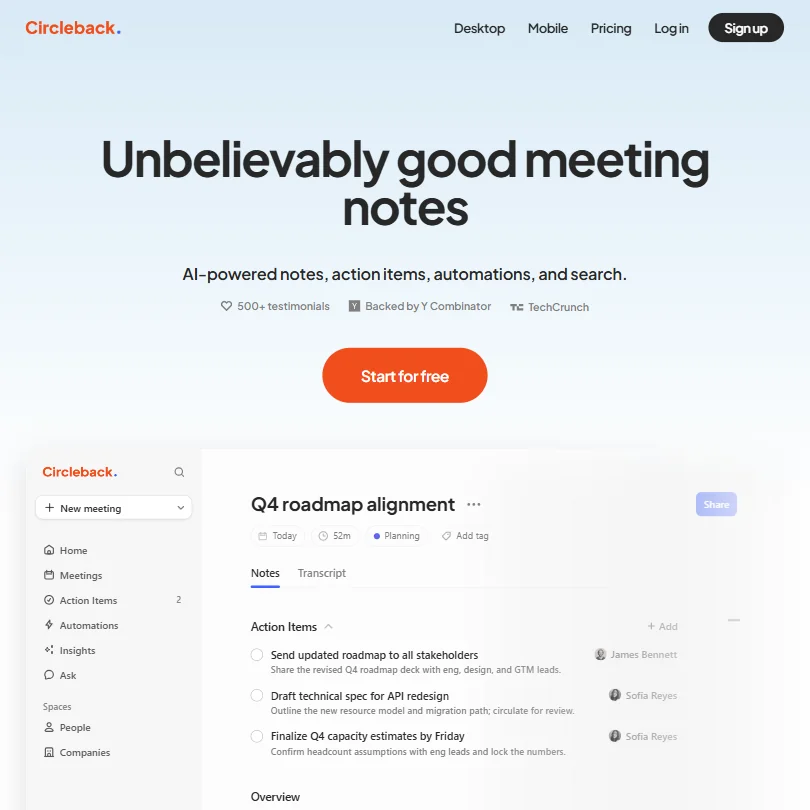
Circleback is the pick when your meetings include phone calls and in-person conversations, since mobile and Apple Watch apps record those alongside online calls. The free plan already gives AI notes, action items and Ask Circleback, with a bot or a bot-free desktop app on Zoom, Meet, Teams, Webex and Slack Huddles. The catch is that history is capped at 30 days on free, full automations to apps like Salesforce start on paid plans, and all data is stored in the United States.
- The Free plan already includes AI meeting notes, action items and Ask Circleback, its cross-meeting search assistant.
- Circleback records in-person conversations through dedicated mobile and Apple Watch apps, not just online calls.
- Meeting and recording history is capped at 30 days on the Free plan; unlimited history requires the Pro plan.
From $19.75free planRead AI is worth a look when you want feedback on how meetings run as well as notes. Its free plan has 5 meeting reports a month, unlimited search across meetings, email and chat, live notes and a coach that tracks talking speed and filler words, and training is opt-in.
Show detailsHide details08 Read AI: Best for a free meeting coach and search8.2Score 8.2 out of 10From $19.75free planRead AI is worth a look when you want feedback on how meetings run as well as notes. Its free plan has 5 meeting reports a month, unlimited search across meetings, email and chat, live notes and a coach that tracks talking speed and filler words, and training is opt-in.Visit site ↗ReviewDetailsCloseShow more about Read AI
From $19.75free plan
Read AI is worth a look when you want feedback on how meetings run as well as notes. Its free plan has 5 meeting reports a month, unlimited search across meetings, email and chat, live notes and a coach that tracks talking speed and filler words, and training is opt-in.
Show detailsHide detailsRead AI: Best for a free meeting coach and search
8.2Score 8.2 out of 10From $19.75free planRead AI is worth a look when you want feedback on how meetings run as well as notes. Its free plan has 5 meeting reports a month, unlimited search across meetings, email and chat, live notes and a coach that tracks talking speed and filler words, and training is opt-in.Visit site ↗ReviewDetailsClose
Read AI is worth a look when you want feedback on how meetings run as well as notes. Its free plan has 5 meeting reports a month, unlimited search across meetings, email and chat, live notes and a coach that tracks talking speed and filler words, and training is opt-in. The catch is that the bot joins video calls visibly, playback is for Enterprise, and Pro costs $19.75 a month. Fireflies has unlimited free transcription.
- The free plan includes 5 meeting reports a month with unlimited enterprise search and no credit card required.
- Training on your content is opt-in and off by default.
- Read Assistant joins video calls only as a visible bot; there is no bot-free recording for them.
From $11free planFellow suits teams that care about compliance and recording notices. It records Zoom, Teams, Meet and Slack huddles with or without a bot, holds SOC 2 Type II, HIPAA and GDPR compliance, and never trains its AI on your data.
Show detailsHide details09 Fellow.ai: Best for recording notices and compliance controls8.2Score 8.2 out of 10From $11free planFellow suits teams that care about compliance and recording notices. It records Zoom, Teams, Meet and Slack huddles with or without a bot, holds SOC 2 Type II, HIPAA and GDPR compliance, and never trains its AI on your data.Visit site ↗ReviewDetailsCloseShow more about Fellow.ai
From $11free plan
Fellow suits teams that care about compliance and recording notices. It records Zoom, Teams, Meet and Slack huddles with or without a bot, holds SOC 2 Type II, HIPAA and GDPR compliance, and never trains its AI on your data.
Show detailsHide detailsFellow.ai: Best for recording notices and compliance controls
8.2Score 8.2 out of 10From $11free planFellow suits teams that care about compliance and recording notices. It records Zoom, Teams, Meet and Slack huddles with or without a bot, holds SOC 2 Type II, HIPAA and GDPR compliance, and never trains its AI on your data.Visit site ↗ReviewDetailsClose
Fellow suits teams that care about compliance and recording notices. It records Zoom, Teams, Meet and Slack huddles with or without a bot, holds SOC 2 Type II, HIPAA and GDPR compliance, and never trains its AI on your data. The catch is the free plan: 5 AI notes and 5 recordings per user for the life of the account, then 10 a month on Team at $11, with unlimited from Business at $23. Circleback gives free notes.
- Botless Recording captures, transcribes and summarizes meetings without a bot joining the call, working across Microsoft Teams, Google Meet, Zoom and Slack huddles.
- Fellow's AI is never trained on your data.
- The free plan gives only 5 AI notes and 5 AI recordings for the life of the account, not a monthly allowance.
Best AI scheduling tools for project managers
2 picksThese tools protect the time to do the work you plan. Reclaim schedules tasks, habits and focus time around a Google or Outlook calendar, with a permanent free plan that schedules one week ahead and includes 1 Scheduling Link. Motion places tasks into open slots, combines Google, Outlook and iCloud calendars and includes an AI Notetaker, but it has a trial rather than a free plan. Neither drafts email replies or triages an inbox. Compare the AI allowance: Motion's cheapest plan has 7,500 credits a month, and Reclaim counts AI Agents. Choose Reclaim to start free and Motion if you want tasks and projects in the calendar app.
#ToolScorePriceWhy pick it
From $12free planReclaim fits a project manager whose calendar is full of other people's meetings and who needs the work to fit around them.
Show detailsHide details10 Reclaim: Best for automatic focus time, starting free6.7Score 6.7 out of 10From $12free planReclaim fits a project manager whose calendar is full of other people's meetings and who needs the work to fit around them.Visit site ↗ReviewDetailsCloseShow more about Reclaim
From $12free plan
Reclaim fits a project manager whose calendar is full of other people's meetings and who needs the work to fit around them.
Show detailsHide detailsReclaim: Best for automatic focus time, starting free
6.7Score 6.7 out of 10From $12free planReclaim fits a project manager whose calendar is full of other people's meetings and who needs the work to fit around them.Visit site ↗ReviewDetailsClose
Reclaim fits a project manager whose calendar is full of other people's meetings and who needs the work to fit around them. It schedules tasks, habits and focus time around a Google or Outlook calendar, and the permanent free Lite plan includes 5 AI Agents and 1 Scheduling Link. The catch is that free schedules one week ahead, it does not draft email replies, and Starter is $12 a month. Motion adds tasks and notes.
- Reclaim has a permanent free Lite plan with 5 AI Agents and 1 Scheduling Link.
- Its own MCP server lets ChatGPT, Claude and Microsoft Copilot view and manage a user's calendar directly.
- The free Lite plan schedules only one week ahead and gives 1 Scheduling Link.
From $29Motion puts tasks, projects, docs and an AI Notetaker in the same app that schedules your day, so it replaces more than a calendar tool.
Show detailsHide details11 Motion: Best for auto-scheduling tasks with a notetaker6.3Score 6.3 out of 10From $29Motion puts tasks, projects, docs and an AI Notetaker in the same app that schedules your day, so it replaces more than a calendar tool.Visit site ↗ReviewDetailsCloseShow more about Motion
From $29
Motion puts tasks, projects, docs and an AI Notetaker in the same app that schedules your day, so it replaces more than a calendar tool.
Show detailsHide detailsMotion: Best for auto-scheduling tasks with a notetaker
6.3Score 6.3 out of 10From $29Motion puts tasks, projects, docs and an AI Notetaker in the same app that schedules your day, so it replaces more than a calendar tool.Visit site ↗ReviewDetailsClose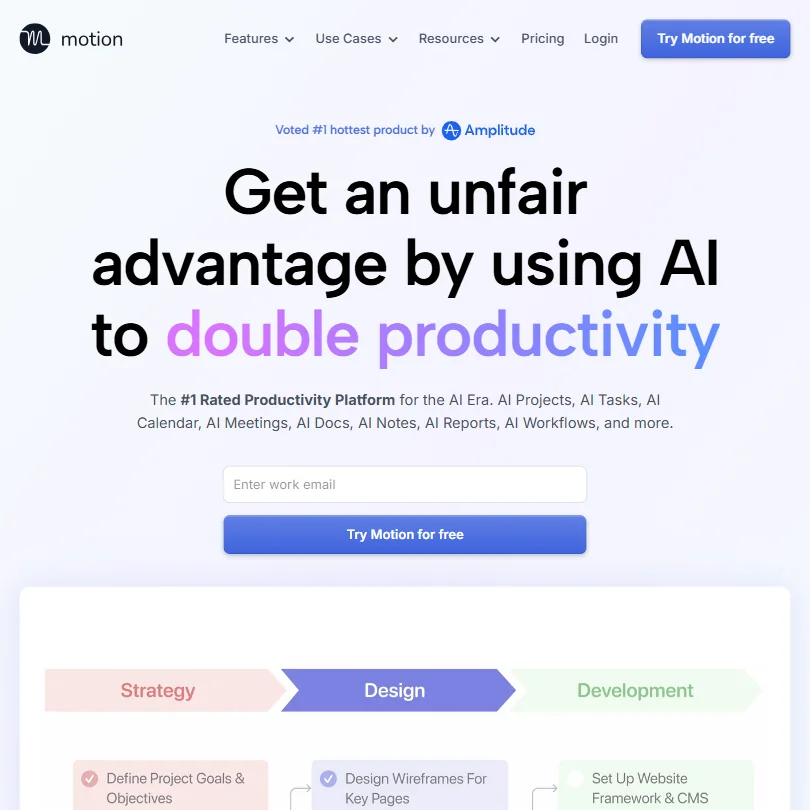
Motion puts tasks, projects, docs and an AI Notetaker in the same app that schedules your day, so it replaces more than a calendar tool. It places tasks into open slots by priority and deadline, combines Google, Outlook and iCloud calendars, and its notetaker joins Meet, Zoom and Teams. The catch is that there is no free plan, just a 7-day trial, team pricing starts at $29 per seat, and the cheapest plan has 7,500 AI credits a month. Reclaim starts free.
- Motion's AI Notetaker joins Google Meet, Zoom and Microsoft Teams calls to transcribe, summarize and extract action items.
- Auto-scheduling places tasks into the best available time slots based on priorities, deadlines and availability.
- Motion has no free plan, only a free trial.
Best whiteboard and diagram tools for project managers
3 picksPlanning often starts on a canvas before it moves into a tracker. Miro is a full visual workspace with docs, tables and timelines on every plan, but its Sidekick agents are a limited trial until Business. Whimsical generates a flowchart, mind map or wireframe from one prompt and watermarks free exports. MockFlow adds wireframing and AI images, and its free plan is licensed for personal and nonprofit use. Check who can join: Miro offers guest access from Business. Choose Miro for workshops, Whimsical for quick diagrams and MockFlow for screens.
#ToolScorePriceWhy pick it
From $9free planMockFlow suits a project manager who sketches screens and flows and wants AI images, text and color palettes generated for the mockup.
Show detailsHide details12 MockFlow: Best for wireframes with AI-generated images7.9Score 7.9 out of 10From $9free planMockFlow suits a project manager who sketches screens and flows and wants AI images, text and color palettes generated for the mockup.Visit site ↗ReviewDetailsCloseShow more about MockFlow
From $9free plan
MockFlow suits a project manager who sketches screens and flows and wants AI images, text and color palettes generated for the mockup.
Show detailsHide detailsMockFlow: Best for wireframes with AI-generated images
7.9Score 7.9 out of 10From $9free planMockFlow suits a project manager who sketches screens and flows and wants AI images, text and color palettes generated for the mockup.Visit site ↗ReviewDetailsClose
MockFlow suits a project manager who sketches screens and flows and wants AI images, text and color palettes generated for the mockup. The free Basic plan gives one editor, 5 reviewers, 4 projects and 100 AI credits a month, plus 20 free generations a day when Bridge runs on your own Claude account. The catch is that Basic is licensed for personal and nonprofit use, has a 500-component limit, and Plus is $12 per editor. Miro covers workshops.
- A single prompt generates a mind map, a wireframe or a flow diagram.
- AI can also generate UI content, including images, text, color palettes and translations.
- The free Basic plan includes only one editor seat.
From $10free planMiro is the pick for workshops, roadmaps and retrospectives where several people work on one visual canvas.
Show detailsHide details13 Miro: Best for workshops on one visual canvas7.5Score 7.5 out of 10From $10free planMiro is the pick for workshops, roadmaps and retrospectives where several people work on one visual canvas.Visit site ↗ReviewDetailsCloseShow more about Miro
From $10free plan
Miro is the pick for workshops, roadmaps and retrospectives where several people work on one visual canvas.
Show detailsHide detailsMiro: Best for workshops on one visual canvas
7.5Score 7.5 out of 10From $10free planMiro is the pick for workshops, roadmaps and retrospectives where several people work on one visual canvas.Visit site ↗ReviewDetailsClose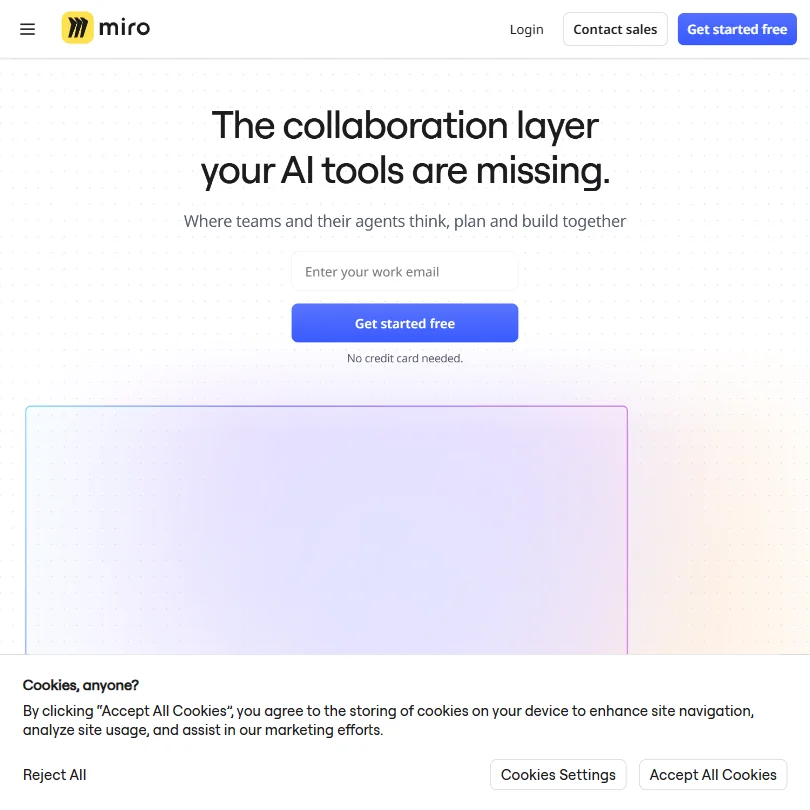
Miro is the pick for workshops, roadmaps and retrospectives where several people work on one visual canvas. Docs, tables, timelines and Kanban boards come on every plan, a Goals product supports OKR planning, and Miro does not train its AI on your data. The catch is that Sidekick agents and Flows are a limited trial until Business at $25 per member, guests start on Business, and there is no time tracking or form builder. Whimsical makes single diagrams from one prompt.
- Miro runs on web, Windows, Mac, iOS and Android, with a public REST API and its own MCP server for connecting boards to AI tools.
- Docs, tables, timelines and Kanban-style boards are included on every plan, including Free.
- Sidekicks and Flows are only a limited trial on Free and Starter, and included in full from Business.
From $12free planWhimsical is the pick when you need a flowchart, mind map or wireframe from a single prompt, with the whole team editing live.
Show detailsHide details14 Whimsical: Best for flowcharts and wireframes from a prompt7.3Score 7.3 out of 10From $12free planWhimsical is the pick when you need a flowchart, mind map or wireframe from a single prompt, with the whole team editing live.Visit site ↗ReviewDetailsCloseShow more about Whimsical
From $12free plan
Whimsical is the pick when you need a flowchart, mind map or wireframe from a single prompt, with the whole team editing live.
Show detailsHide detailsWhimsical: Best for flowcharts and wireframes from a prompt
7.3Score 7.3 out of 10From $12free planWhimsical is the pick when you need a flowchart, mind map or wireframe from a single prompt, with the whole team editing live.Visit site ↗ReviewDetailsClose
Whimsical is the pick when you need a flowchart, mind map or wireframe from a single prompt, with the whole team editing live. Real-time collaboration and commenting come on every plan, and Whimsical states it does not use your data to train its AI. The catch is that the free plan caps you at 50 board objects and 50 doc blocks a month, with a watermark on exports until Pro at $12 per editor. Its diagram set is narrow compared with Miro.
- A single prompt generates a flowchart, mind map or wireframe.
- Real-time collaboration and commenting are included on every plan, from Free through Business.
- The free plan caps you at 50 board objects and 50 doc blocks a month.
Best automation tools for project managers
3 picksAutomation tools move updates between the trackers and chat tools you already run, so a form fill becomes a task or a status change becomes a message. Zapier connects over 9,000 apps, and its free plan gives 100 tasks a month with two-step Zaps. Make draws branching workflows on a canvas, with 1,000 operations a month and 2 active scenarios free, and a smaller app library. n8n is free to self-host and suits teams with developer help. Check how each plan counts runs and whether you need more than two steps. Choose Zapier for reach, Make for branching and n8n for control.
#ToolScorePriceWhy pick it
From $22 (€20)free plann8n suits a project manager with a developer ally, since the self-hosted Community Edition is free with unlimited workflows and code nodes run JavaScript or Python.
Show detailsHide details15 n8n: Best for self-hosted workflows with developer help8.8Score 8.8 out of 10From $22 (€20)free plann8n suits a project manager with a developer ally, since the self-hosted Community Edition is free with unlimited workflows and code nodes run JavaScript or Python.Visit site ↗ReviewDetailsCloseShow more about n8n
From $22 (€20)free plan
n8n suits a project manager with a developer ally, since the self-hosted Community Edition is free with unlimited workflows and code nodes run JavaScript or Python.
Show detailsHide detailsn8n: Best for self-hosted workflows with developer help
8.8Score 8.8 out of 10From $22 (€20)free plann8n suits a project manager with a developer ally, since the self-hosted Community Edition is free with unlimited workflows and code nodes run JavaScript or Python.Visit site ↗ReviewDetailsClose
n8n suits a project manager with a developer ally, since the self-hosted Community Edition is free with unlimited workflows and code nodes run JavaScript or Python. It runs on Docker, on-premises or in the cloud, and its cloud trial needs no card. The catch is that non-technical users struggle with an interface that does not hide complexity, and cloud plans start at EUR 24 a month for 2,500 executions. Zapier is simpler, with 9,000 connectors.
- The self-hosted community edition is genuinely free with no workflow limits, which is rare among automation platforms.
- Code nodes allow JavaScript or Python to be inserted anywhere in a workflow, so developers never feel constrained by visual node limitations.
- Non-technical users tend to bounce off the platform quickly due to its complexity and technical design philosophy.
From $29.99free planZapier is the pick when the apps in your project are unusual, since it connects over 9,000 of them, which helps when a status change in one tracker must reach a chat tool or spreadsheet.
Show detailsHide details16 Zapier: Best for connecting 9,000 apps without code7.9Score 7.9 out of 10From $29.99free planZapier is the pick when the apps in your project are unusual, since it connects over 9,000 of them, which helps when a status change in one tracker must reach a chat tool or spreadsheet.Visit site ↗ReviewDetailsCloseShow more about Zapier
From $29.99free plan
Zapier is the pick when the apps in your project are unusual, since it connects over 9,000 of them, which helps when a status change in one tracker must reach a chat tool or spreadsheet.
Show detailsHide detailsZapier: Best for connecting 9,000 apps without code
7.9Score 7.9 out of 10From $29.99free planZapier is the pick when the apps in your project are unusual, since it connects over 9,000 of them, which helps when a status change in one tracker must reach a chat tool or spreadsheet.Visit site ↗ReviewDetailsClose
Zapier is the pick when the apps in your project are unusual, since it connects over 9,000 of them, which helps when a status change in one tracker must reach a chat tool or spreadsheet. The free plan gives 100 tasks a month with two-step Zaps, and Professional at $29.99 adds multi-step Zaps, webhooks and AI fields. The catch is that free Zaps stop at two steps, costs rise with usage, and you opt out of training yourself. Make is cheaper to start.
- Zapier integrates with over 9,000 apps, making it one of the largest integration libraries available on any automation platform.
- The visual workflow builder supports logic branches, conditional paths, and AI processing steps without requiring any coding knowledge.
- Users tend to stay not out of satisfaction but because rebuilding existing workflows on another platform is too costly and time-consuming.
From $10.59free planMake is for a project manager who wants branching handoffs, such as routing a request by type or splitting a list into tasks.
Show detailsHide details17 Make: Best for branching workflows at a lower price7.3Score 7.3 out of 10From $10.59free planMake is for a project manager who wants branching handoffs, such as routing a request by type or splitting a list into tasks.Visit site ↗ReviewDetailsCloseShow more about Make
From $10.59free plan
Make is for a project manager who wants branching handoffs, such as routing a request by type or splitting a list into tasks.
Show detailsHide detailsMake: Best for branching workflows at a lower price
7.3Score 7.3 out of 10From $10.59free planMake is for a project manager who wants branching handoffs, such as routing a request by type or splitting a list into tasks.Visit site ↗ReviewDetailsClose
Make is for a project manager who wants branching handoffs, such as routing a request by type or splitting a list into tasks. Routers, iterators and aggregators handle those, and you can watch data pass through each module as a scenario runs. The free plan gives 1,000 operations and 2 active scenarios, and Core at $10.59 unlocks unlimited active scenarios and API access. The catch is a learning curve, a smaller app library than Zapier's and 15-minute intervals on free.
- The visual canvas builder lets users construct complex multi-step automation workflows without writing a single line of code.
- Routers, iterators, and aggregators enable branching, conditional logic, and array processing that most competing tools cannot handle.
- Steep learning curve means new users need significant time investment before they can use the platform effectively.
Best AI tools for project reports and data
3 picksReporting tools answer where a project stands without you building a deck by hand. Rows is a spreadsheet that pulls live data from databases, ad platforms and other sources and runs AI analysis in the grid, with scheduled and shareable reports. Julius runs real code on your files and databases and shows the code behind each result. ChatGPT analyzes files and runs code on its free plan, with limited uploads. Compare the free allowances: Rows gives 5 AI Tasks a month and Julius 5 messages on its most advanced model. Choose Rows for recurring reports and Julius or ChatGPT for one-off questions.
#ToolScorePriceWhy pick it
From $8free planRows is a spreadsheet that pulls live data from databases such as Snowflake, PostgreSQL and BigQuery and from ad platforms, then runs AI analysis in the grid, so a weekly status report can update itself through scheduled and shareable reports.
Show detailsHide details18 Rows: Best for live data in a spreadsheet with AI9.1Score 9.1 out of 10From $8free planRows is a spreadsheet that pulls live data from databases such as Snowflake, PostgreSQL and BigQuery and from ad platforms, then runs AI analysis in the grid, so a weekly status report can update itself through scheduled and shareable reports.Visit site ↗ReviewDetailsCloseShow more about Rows
From $8free plan
Rows is a spreadsheet that pulls live data from databases such as Snowflake, PostgreSQL and BigQuery and from ad platforms, then runs AI analysis in the grid, so a weekly status report can update itself through scheduled and shareable reports.
Show detailsHide detailsRows: Best for live data in a spreadsheet with AI
9.1Score 9.1 out of 10From $8free planRows is a spreadsheet that pulls live data from databases such as Snowflake, PostgreSQL and BigQuery and from ad platforms, then runs AI analysis in the grid, so a weekly status report can update itself through scheduled and shareable reports.Visit site ↗ReviewDetailsClose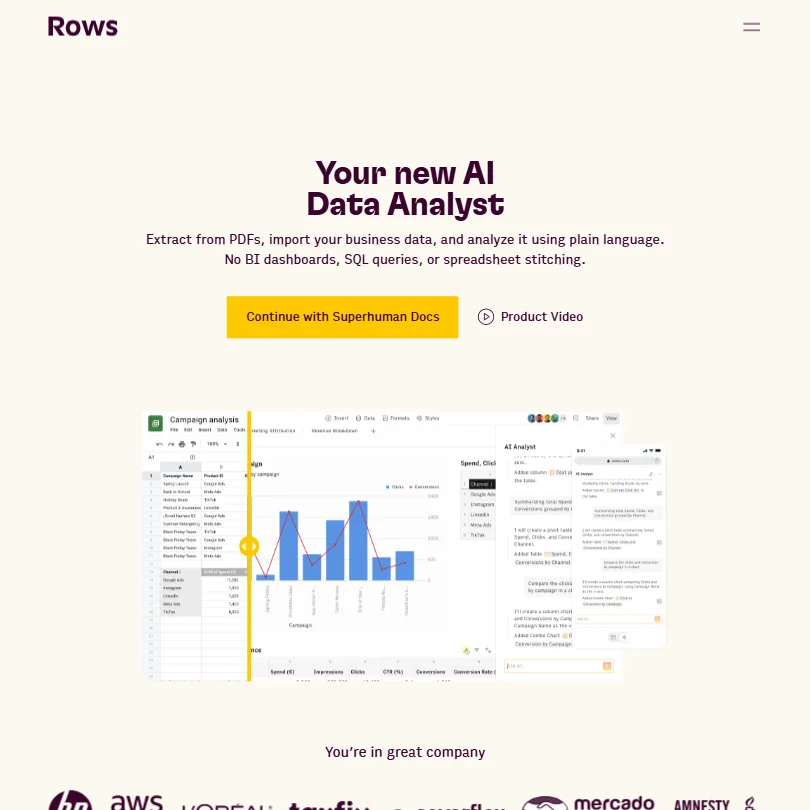
Rows is a spreadsheet that pulls live data from databases such as Snowflake, PostgreSQL and BigQuery and from ad platforms, then runs AI analysis in the grid, so a weekly status report can update itself through scheduled and shareable reports. The free plan is free forever with 5 AI Tasks a month and a 1 MB import limit, and Plus at $8 per user gives 200 AI Tasks. Rows does not train on customer data. The catch is those caps. Julius suits one-off questions.
- Rows connects directly to databases and warehouses such as Snowflake, Amazon Redshift, MySQL, PostgreSQL and BigQuery.
- Rows is SOC 2 Type II certified, audited every year, and GDPR compliant.
- AI Tasks are capped at 5 a month on Free and only 200 a month on Plus, the cheapest paid plan.
From $20free planJulius is for a project manager who needs an answer from a database or file and wants to see how it was reached.
Show detailsHide details19 Julius AI: Best for analysis with the code shown8.9Score 8.9 out of 10From $20free planJulius is for a project manager who needs an answer from a database or file and wants to see how it was reached.Visit site ↗ReviewDetailsCloseShow more about Julius AI
From $20free plan
Julius is for a project manager who needs an answer from a database or file and wants to see how it was reached.
Show detailsHide detailsJulius AI: Best for analysis with the code shown
8.9Score 8.9 out of 10From $20free planJulius is for a project manager who needs an answer from a database or file and wants to see how it was reached.Visit site ↗ReviewDetailsClose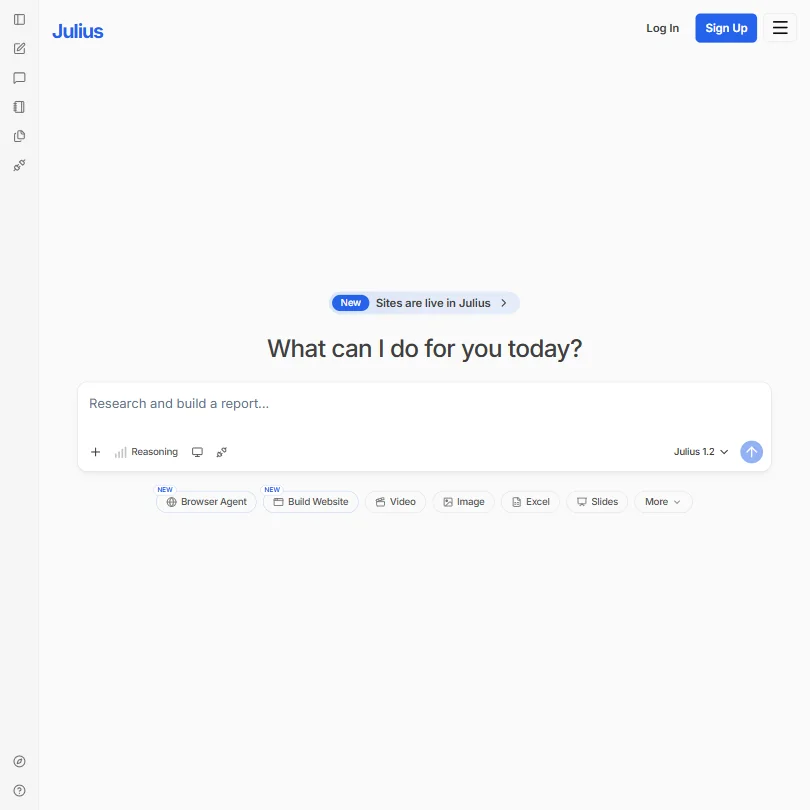
Julius is for a project manager who needs an answer from a database or file and wants to see how it was reached. It runs real code on your data, shows the code behind each result, connects to Postgres, BigQuery, Snowflake, MySQL, SQL Server and Supabase, and does not train on your data. The catch is the free plan, 5 messages a month on its most advanced model, while Plus at $20 gives 2,000 credits. Rows fits recurring reports.
- Every insight comes with the underlying code Julius used to reach it.
- Julius connects directly to databases and warehouses including Postgres, BigQuery, Snowflake, MySQL, SQL Server and Supabase.
- The free plan is capped at 5 messages a month with Julius's most advanced AI model.
From $8free planChatGPT is the all-purpose option for a project manager who needs to draft a plan, summarize a document or analyze an exported file.
Show detailsHide details20 ChatGPT: Best for drafting plans and analyzing files8.8Score 8.8 out of 10From $8free planChatGPT is the all-purpose option for a project manager who needs to draft a plan, summarize a document or analyze an exported file.Visit site ↗ReviewDetailsCloseShow more about ChatGPT
From $8free plan
ChatGPT is the all-purpose option for a project manager who needs to draft a plan, summarize a document or analyze an exported file.
Show detailsHide detailsChatGPT: Best for drafting plans and analyzing files
8.8Score 8.8 out of 10From $8free planChatGPT is the all-purpose option for a project manager who needs to draft a plan, summarize a document or analyze an exported file.Visit site ↗ReviewDetailsClose
ChatGPT is the all-purpose option for a project manager who needs to draft a plan, summarize a document or analyze an exported file. The free plan includes unlimited text chat, web search and Projects, and it connects to Google Workspace, Google Drive, Slack and Microsoft 365. The catch is that file uploads and deep research are limited on Free, and you opt out of training yourself. Julius shows its code and Rows keeps reports live.
- The Free plan includes unlimited text chats with GPT-5.6 Luna, subject to abuse guardrails.
- Web search is included on every individual plan, including Free.
- Go, the cheapest paid plan, still does not unlock GPT-6 Astra, GPT-5.6 Sol or GPT-5.6 Sol Pro, and may include ads.
How to choose AI tools for project managers
Project tools look alike on their home pages and ration very different things. Trackers count seats, boards and guests, meeting tools count notes, recordings and history, schedulers count AI agents, automation tools count tasks or operations, and data tools count AI tasks and messages. What you need depends on how many people share the plan, how many meetings you run and how much of your work already lives in one tracker. This guide matches each job to the tools on this page, then covers free plans, where they stop, privacy and when paying is worth it.
Start with the job, not the tool
A project passes through several jobs, and no single tool on this page does all of them well.
- Tracking the work. Holding tasks, timelines and owners. ClickUp, Wrike, monday, Notion and Asana do it, and each handles AI and guests differently.
- Capturing meetings. Turning calls into notes and action items. Fireflies, Read AI, Fellow and Circleback record and summarize.
- Protecting time. Making room for the work on a calendar. Reclaim and Motion schedule tasks and focus time automatically.
- Planning visually. Mapping a flow, a roadmap or a screen before building it. Miro, Whimsical and MockFlow give you a canvas.
- Connecting tools. Moving updates between the apps your team already uses. Zapier, Make and n8n handle it.
- Reporting. Answering where a project stands. Rows, Julius and ChatGPT work from your data and files.
The table shows where to start on any budget.
| Job | Free | Worth paying for |
|---|---|---|
| Tracking the work | ClickUp free (unlimited tasks and members), Asana free for 2 users, or monday free for 2 seats | Wrike Team at $10 a month billed annually, ClickUp Unlimited at $10 per user, or Asana Starter at $13.49 |
| Capturing meetings | Fireflies free (unlimited transcription) or Circleback free | Fireflies Pro at $18, Read AI Pro at $19.75, or Fellow Team at $11 |
| Protecting time | Reclaim Lite free | Reclaim Starter at $12, or Motion Pro AI from $29 per seat |
| Planning visually | Miro, Whimsical or MockFlow free plans | Miro Starter at $10, Whimsical Pro at $12 per editor, or MockFlow Plus at $12 per editor |
| Connecting tools | Zapier free (100 tasks), Make free (1,000 operations), or self-hosted n8n | Make Core at $10.59, or Zapier Professional at $29.99 |
| Reporting | Rows, Julius or ChatGPT free plans | Rows Plus at $8 per user, or Julius Plus at $20 |
Free plans cannot give you AI across a whole team, long meeting history or workflows of more than two steps. Pay first for the job where lost time costs most, which for most project managers is the tracker your team uses daily, and leave reporting until the data is flowing.
What the free plans actually give you
Each kind of tool rations something different, so one free plan lasts a month and another lasts an afternoon.
- Work management. ClickUp gives unlimited tasks and members with 60MB of storage. Wrike gives unlimited users up to 200 active tasks and 2 GB. monday gives 2 seats, 3 boards and 3 Docs. Asana's Personal plan gives 2 users with unlimited tasks, a 100MB file limit and no AI. Notion gives unlimited pages for individuals.
- Meeting tools. Fireflies gives unlimited transcription and live transcripts. Read AI gives 5 meeting reports a month with unlimited search. Circleback gives AI notes, action items and Ask Circleback with 30 days of history. Fellow gives 5 notes and 5 recordings for the life of the account.
- Schedulers. Reclaim's free Lite plan gives 5 AI Agents, 1 Scheduling Link, 1 Calendar Sync and a one-week range. Motion has a 7-day trial and no free plan.
- Canvas tools. Miro gives 3 editable boards and basic AI exploration. Whimsical gives a free plan with 50 board objects and 50 doc blocks a month. MockFlow gives 1 editor, 5 reviewers, 4 projects and 100 AI credits a month.
- Automation tools. Zapier gives 100 tasks a month, Make gives 1,000 operations and 2 active scenarios, and n8n's self-hosted edition is free.
- Data tools. Rows gives 5 AI Tasks a month, Julius gives 5 messages on its advanced model, and ChatGPT gives unlimited text chat with limited deep research.
Which tools fit which project manager
- A solo or freelance project manager. Start with ClickUp free, because unlimited tasks and members cost nothing. Add Reclaim for focus time and Fireflies for client calls.
- A project manager whose week is mostly meetings. Start with Fireflies, because its free plan has unlimited transcription. Add Circleback for phone calls and in-person meetings, or Fellow when recording notices and compliance matter.
- A project manager who reports to executives. Start with Rows, because it pulls live data and schedules reports. Add ChatGPT or Julius for one-off questions about an export.
- A project manager running workshops and planning sessions. Start with Miro for the shared canvas. Add Whimsical for quick flowcharts and MockFlow when screens need mockups.
- A project manager working with clients and contractors. Start with Wrike, because viewer guests are free, or Asana, because guest seats are free from Starter. Add ClickUp when read-only guests are enough.
- A project manager with a developer to help. Start with n8n self-hosted for unlimited workflows. Add ClickUp free for the tracker and Circleback free for notes.
A typical project step by step
- Capture the request. Draft the brief with ChatGPT and store it in Notion or a ClickUp doc.
- Plan the work. Break it into tasks and dates in ClickUp, Wrike, monday or Asana, and use Gantt or Timeline views where your plan includes them.
- Map the flow. Sketch the process or screens in Miro, Whimsical or MockFlow before building.
- Run the kickoff. Record the call with Fireflies, Read AI, Fellow or Circleback and check the summary.
- Turn action items into tasks. Send them to your tracker with Zapier, Make or n8n, or use the tracker's own AI notetaker.
- Protect the time. Let Reclaim or Motion place the work on your calendar around meetings.
- Report progress. Build a live report in Rows, or ask Julius or ChatGPT questions about an export.
- Run the retrospective. Capture what happened on a Miro board and file the notes in Notion.
Where free plans stop
| Limit | Tools | What happens when you hit it |
|---|---|---|
| Task, seat and board caps | Wrike (200 active tasks, 2 GB), monday (2 seats, 3 boards, 3 Docs), Asana (2 users, 100MB files), Miro (3 editable boards), ClickUp (60MB storage) | You archive work or move to a paid plan |
| Meeting allowances | Read AI (5 reports a month), Fellow (5 notes for the life of the account), Circleback (30 days of history) | Older meetings disappear or new ones go unrecorded |
| AI allowances | Rows (5 AI Tasks), Julius (5 advanced messages), MockFlow (100 credits), Asana (no AI on free) | AI features pause until the next month or an upgrade |
| Run counts | Zapier (100 tasks, two-step Zaps), Make (1,000 operations, 2 scenarios) | Workflows stop or stay short |
| Marks and licenses | Whimsical (watermark on exports), MockFlow (personal and nonprofit use) | Exports stay marked or cannot be used for client work |
| Trials instead of free plans | Motion (7 days) | You pay when the trial ends |
| Held back features | Miro Sidekicks, Wrike Copilot and Notion's full AI (Business) | The feature starts on a higher plan |
Allowances reward planning: run the kickoff on the meeting tool you have chosen, keep the first report small, and add automation after the manual process works. A lifetime allowance such as Fellow's does not renew, so test it on a meeting that matters. Use free plans to find which tool your team actually opens, then pay for that one.
Privacy and who sees your project data
Roadmaps, budgets and meeting recordings can include client details, so check each tool's stated policy before you load real projects. Most listed tools state a policy, and the stated values differ.
| Stated policy | Tools |
|---|---|
| Does not train on your data | monday, Fireflies, Fellow, Circleback, Miro, Whimsical, Motion, Rows, Julius, ClickUp, Make, n8n, Notion (by default) |
| Training is opt-in and off by default | Read AI, Reclaim (without your explicit consent) |
| Offers an opt-out | ChatGPT, Zapier |
| Keeps all data in the United States | Circleback |
Keep client data out of tools in the third row until you have switched training off, and check whether all your data may leave your region before you adopt Circleback. For regulated teams, HIPAA support is listed for Fellow, Circleback, Fireflies on Enterprise and ClickUp on Enterprise.
Mistakes to avoid
- Choosing on seat price alone. monday starts at 3 seats, ClickUp's AI costs $9 or $28 per user on top of the plan, and Notion's full AI starts on Business. Wrike includes AI Essentials on paid plans. Add up the whole bill.
- Recording without agreeing it first. Read AI joins video calls as a visible bot, while Fireflies, Fellow and Circleback can also record without one. Tell attendees either way.
- Spending a lifetime allowance on a test. Fellow's free plan gives 5 notes and 5 recordings for the life of the account. Save them for meetings you need to keep.
- Building a handoff on a two-step cap. Zapier's free Zaps stop at two steps, and Make's free scenarios run at 15-minute intervals. Test a real handoff before relying on it.
- Sharing a free diagram with the client. Whimsical watermarks free exports, and MockFlow's free plan is licensed for personal and nonprofit use. Upgrade before the diagram goes outside the team.
When it is worth paying
You have outgrown a free plan when you plan your work around its limit. Trimming a task list to stay under a cap, skipping a meeting recording to save a note or splitting a handoff into two steps are all signs.
| If you are | Upgrade to | What changes |
|---|---|---|
| Sharing the plan with a team | Wrike Team | AI Essentials, interactive Gantt charts, dashboards and shareable views for 2 to 15 users |
| Running many projects | Asana Starter or Advanced | Starter adds Timeline views, forms and unlimited automations; Advanced adds portfolios, goals, workload and approvals |
| Building boards with AI | monday Standard | 2,000 AI credits a month, 5 AI tools and guest access |
| Recording meetings every day | Fireflies Pro, Read AI Pro or Fellow Business | Larger storage, unlimited transcripts, or unlimited notes and recordings |
| Fitting work around meetings | Reclaim Starter or Motion | More AI Agents and Calendar Syncs, or 7,500 AI credits with tasks, docs and a notetaker |
| Running agents on boards | Miro Business | Full Sidekicks and Flows, 50 AI credits per member and guest access |
| Reporting weekly | Rows Plus or Julius Plus | 200 AI Tasks a month, or 2,000 credits |
| Automating three-step handoffs | Make Core or Zapier Professional | Unlimited active scenarios, or multi-step Zaps and webhooks |
Billing changes the price. Wrike Team is $10 billed annually and Business and above are annual only, monday Basic is $12 per seat with $36 a month for the minimum three seats or $27 billed annually, Whimsical Pro is $12 monthly or $10 billed annually, MockFlow Plus is $12 or $9 billed annually, and Julius Pro is $45 or $37 billed yearly. Trials help before you commit: Wrike and monday give 14 days, Miro 14, Reclaim 14 days on its Business plan, Read AI 7 days and Motion 7 days. Notion has no free trial of a paid plan.
How we picked
Every tool here is ranked by its score, and each score is worked out from the vendor’s own published pages: pricing, plans, features and terms. No score is adjusted by hand. All 20 tools have enough published facts to be scored, and on average 93% of each score comes from facts the vendor publishes. The facts behind these scores were checked between 13 September 2026 and 26 September 2026.
Scores compare tools that do the same job, which is why the list is grouped by job: a video editor and a grammar checker are never ranked against each other.
| Ranked as | On this page | What we score | Scoring guide |
|---|---|---|---|
| AI work management tools8 reviewed | 6 | 4 criteria, 17 checked facts: what it manages, working with others, pricing, privacy and trust | How we score these → |
| AI meeting assistants17 reviewed | 4 | 4 criteria, 18 checked facts: what it captures, where it works, pricing, privacy and trust | How we score these → |
| Workflow automation tools11 reviewed | 3 | 7 criteria, 20 checked facts: AI agents, building workflows, pricing, apps it connects to, reliability and control, hosting and security, support | How we score these → |
| AI calendar, email and memory apps5 reviewed | 2 | 4 criteria, 21 checked facts: what it runs for you, where it works, pricing, privacy and trust | How we score these → |
| AI diagram tools3 reviewed | 2 | 5 criteria, 15 checked facts: what you can make, workflow and output, pricing, teams and platforms, privacy and trust | How we score these → |
| AI data analysts2 reviewed | 2 | 4 criteria, 17 checked facts: what it does with your data, where it works, pricing, privacy and trust | How we score these → |
| AI assistants11 reviewed | 1 | 4 criteria, 13 checked facts: what it can do, where it works, pricing, privacy and trust | How we score these → |
Common questions
Which tools let clients and contractors join for free?
Wrike gives free unlimited viewer guests, though its more capable Collaborator role is a paid add-on. Asana offers unlimited free guest seats from Starter, ClickUp makes read-only guests free on every paid plan, and monday includes the first 3 guests from Standard. Notion guests never need a paid seat, and Miro guest access starts on Business.
Can I record meetings without a bot joining the call?
Yes, with some tools. Fireflies records through its desktop app, Fellow offers Botless Recording, and Circleback has a bot-free desktop app and records in-person conversations through mobile and Apple Watch apps. Read AI joins video calls as a visible bot. Pick the tool by what your clients and team will accept.
How do action items reach my task tracker?
Some meeting tools connect directly: Read AI Pro lists Jira, Confluence and Notion integrations, Fellow Team lists project management integrations, and Circleback unlocks full automations to apps on paid plans. Otherwise use Zapier, Make or n8n to send a notetaker's action items to your tracker, or use the tracker's own AI notetaker where it has one.
Can my AI assistant read my project data?
Several tools run an MCP server so assistants such as Claude and ChatGPT can pull in their data. ClickUp, Wrike, monday, Notion, Asana, Miro, Read AI, Fellow, Reclaim and MockFlow list one, and Reclaim's lets ChatGPT, Claude and Copilot manage your calendar. That lets you ask an assistant about tasks or meetings without exporting anything.
Which tools suit a team with compliance requirements?
Fellow lists SOC 2 Type II, HIPAA and GDPR compliance, and Circleback lists HIPAA but keeps all data in the United States. Fireflies is SOC 2 Type II certified with HIPAA on Enterprise, and ClickUp offers HIPAA on Enterprise. Julius includes SOC 2 Type II from Pro, and Rows is SOC 2 Type II certified.