MockFlow is a real-time board for wireframes, whiteboards, flowcharts, mind maps and docs, with an AI assistant called Mida built in. Whether it suits you depends on whether the free Basic plan's single editor seat and 500-component limit are enough, since commercial use of anything you make requires stepping up to a paid plan.

What is MockFlow?
MockFlow (mockflow.com) is a long-running board product that runs in the browser, with desktop apps for Windows and macOS. MockFlow Bridge lets its board AI, Mida, run on your own Claude account instead of drawing on MockFlow's own AI credits.
What MockFlow can draw
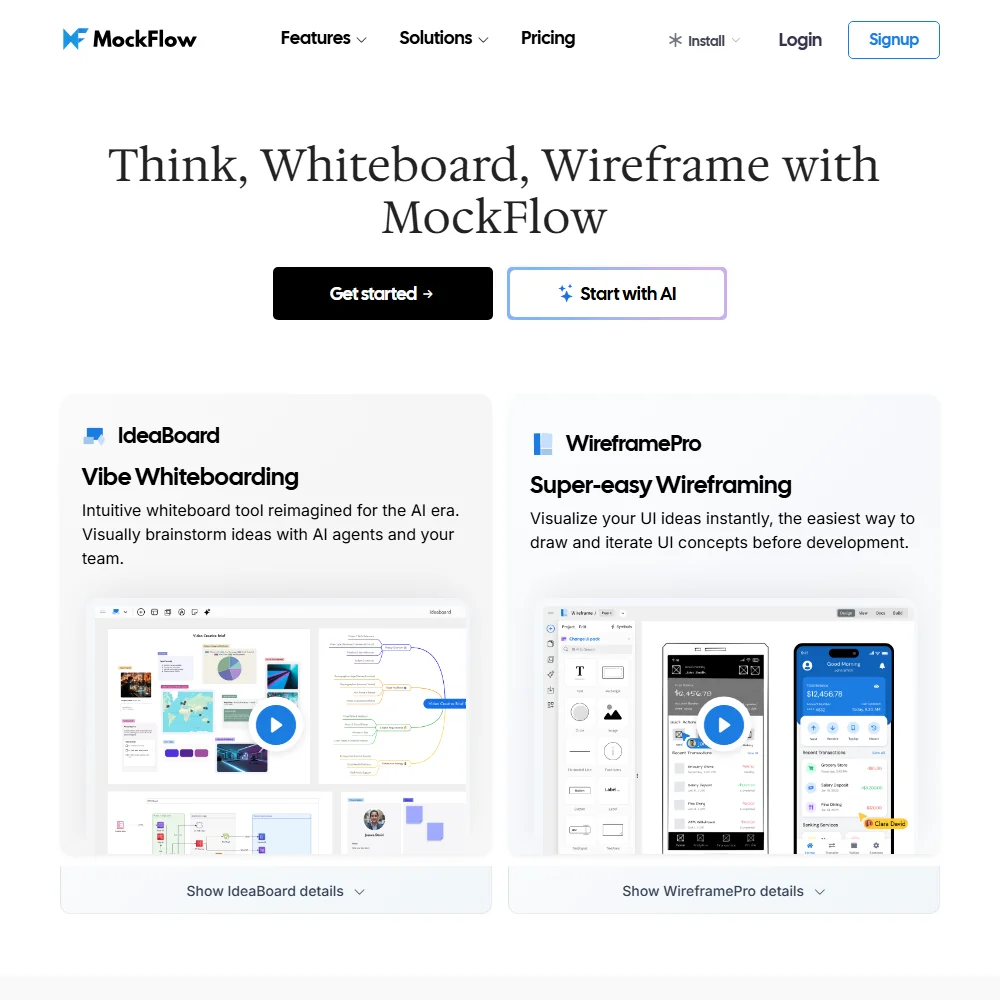
A single prompt generates a mind map, a wireframe or a flow diagram. UI content, including images, text, color palettes and translations, can also be generated with AI.
Boards double as an infinite whiteboard, and a separate docs feature generates markdown documentation or design documentation with AI, alongside the visual boards.
Working with other people
Boards support real-time teamwork, with co-designing, comments, video meetings and chat built in. Team UI kits are shared across every project rather than a single stored brand kit.
A REST API, MCP servers and webhooks are all available for building on MockFlow boards. Integrations include Claude, Cursor, Figma, Atlassian Jira and Confluence, Slack, Microsoft Teams and Office 365, Trello, Google Docs, Google Meet, Visual Studio and Notion.
MockFlow pricing: what each plan gives
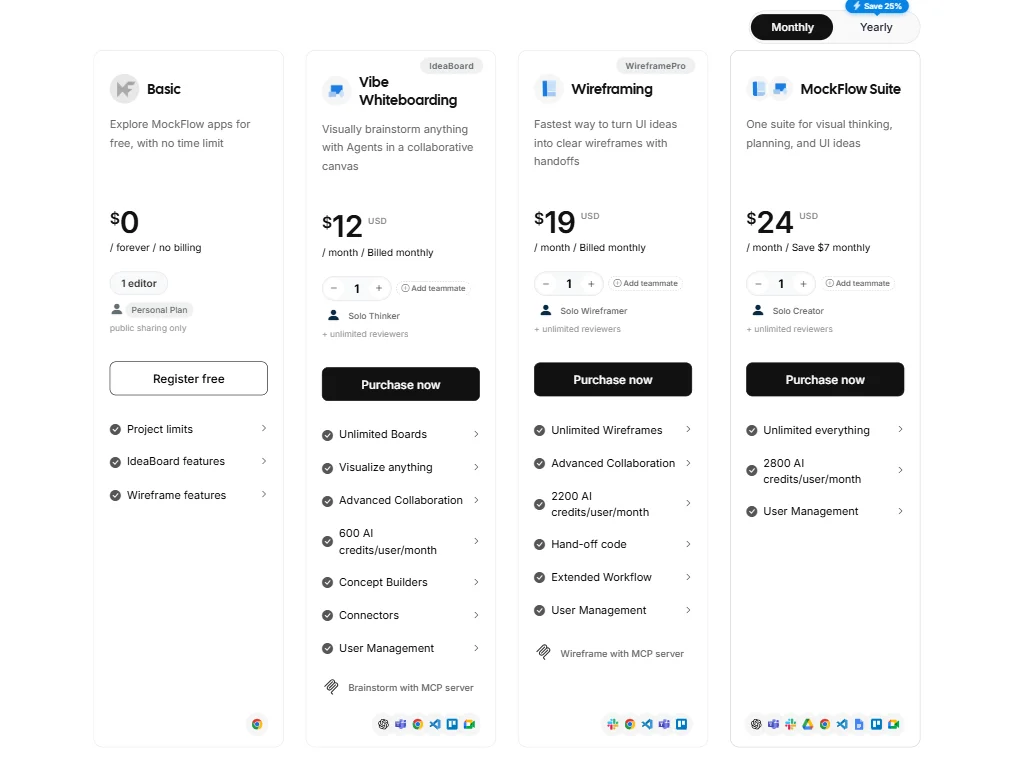
The free Basic plan gives one editor plus 5 reviewers with public sharing, a total of 4 projects, a 500-component limit, 7-day revision history and 100 AI credits a month, plus 20 free AI generations a day through Bridge running on your own Claude. It carries no time limit and needs no credit card.
Plus costs $12 a month per editor, or $9 a month billed annually, and includes 800 AI credits a month per editor. Max costs $19 a month per editor, or $14 a month billed annually. Commercial and business use requires either paid plan; the free Basic plan is licensed for personal and nonprofit use only.
Privacy and support
MockFlow says its hosting providers are SOC2 and ISO 27001 certified, but does not claim that certification for MockFlow itself. It states directly that it is GDPR compliant. Single sign-on works with OneLogin and Okta out of the box, with SAML support for other providers.
Support runs through email and a help center.
Who MockFlow suits
MockFlow suits teams that want a shared board for wireframes, flowcharts, mind maps and documentation in one place, with an AI assistant that can run on your own Claude account through Bridge rather than metered credits alone. Developers already working in Claude, Cursor or Figma have a direct integration path in.
It suits less well anyone planning to use their work commercially while still on the free Basic plan, since that tier is licensed for personal and nonprofit use only, and anyone needing more than one editor seat without paying, since Basic includes exactly one.
How MockFlow compares
MockFlow scores 7.9 out of 10 among the AI diagram tools we rate. These two do the same job and are the closest to it, compared on what each vendor publishes.
Whimsical
Whimsical makes 6 kinds of diagrams to MockFlow's 4, and its boards embed in 18 places against MockFlow's 9. MockFlow's AI can also generate images, a feature Whimsical's AI does not have, and it exports boards to 3 formats. Both include a shared whiteboard, documents alongside diagrams, GDPR compliance and a $12 monthly starting price. Whimsical carries SOC 2 certification, and MockFlow does not. Whimsical also commits to never training its AI on what you upload.
Pick Whimsical if you need more diagram types or want boards to embed in more places.
Pick MockFlow if you want the AI to generate images as well as diagrams.
Napkin AI
MockFlow includes a shared whiteboard. It also builds documents alongside diagrams, and its AI generates images. Napkin AI has none of these: no whiteboard, no separate documents feature, and no image generation. MockFlow connects to 15 apps against Napkin's 0, and embeds boards in 9 places while Napkin has no embedding destinations. MockFlow runs on 3 platforms to Napkin's 1, and supports GDPR, which Napkin does not. Napkin does include a brand kit for custom colors and fonts.
Pick Napkin AI if you want more export formats, or diagrams in your own brand colours and fonts.
Pick MockFlow if you need a shared whiteboard, documents and AI-generated images together.
Frequently Asked Questions
Is MockFlow free to use?
Yes. The Basic plan has no time limit and needs no credit card. It includes one editor plus 5 reviewers with public sharing, 4 projects, a 500-component limit and 100 AI credits a month, but it is licensed for personal and nonprofit use only.
What does MockFlow cost?
Plus costs $12 a month per editor, or $9 a month billed annually, with 800 AI credits a month per editor. Max costs $19 a month per editor, or $14 a month billed annually.
Can MockFlow's AI run on my own Claude account?
Yes, through MockFlow Bridge, which lets Mida, the board's AI, run on your own Claude account instead of MockFlow's own AI credits, including 20 free generations a day on the free Basic plan.
Is MockFlow GDPR compliant?
MockFlow states directly that it is GDPR compliant. Its hosting providers hold SOC2 and ISO 27001 certification, though MockFlow does not claim that certification for itself.










