What is Julius AI?
Caesar Labs Inc. shipped Julius AI in 2023 out of San Francisco. Two years old, over two million users by their own current count, and a feature surface that's genuinely wider than most tools at this stage.
The pitch is a single workspace where you bring data, ask questions in plain English, and get back a chart, a report, a slide deck, or an Excel model. One loop. The product runs on models from OpenAI and Anthropic, including GPT-5.6 and Claude variants, and their docs don't hide that. What they've built on top is a purpose-built analytical layer, not just a chat window sitting in front of a general model.
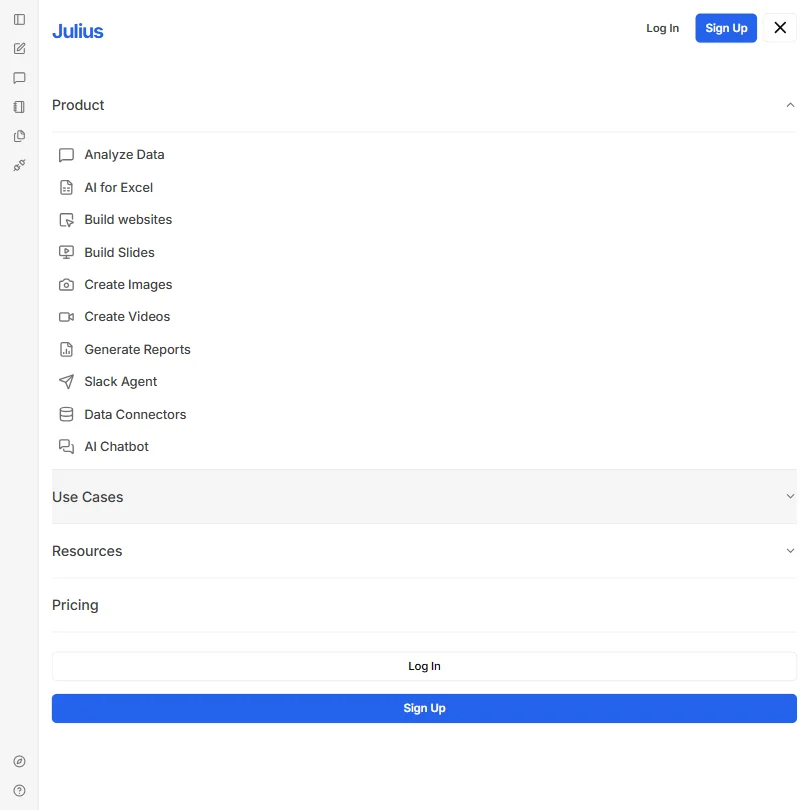
**Julius positions itself as an AI workspace, not a chatbot**, and that distinction holds up when you look at the actual feature list. AI chat, data analysis, slide building, image generation, video generation, website building, a Slack agent, and a browser agent are all listed as real product features. That's a lot of surface area for a two-year-old company. We're skeptical of how deep any single one goes when you push it hard.
The company calls itself an "early stage AI lab." That framing is doing real work.
Julius AI Features: Automation, AI Assistant & Workflow Capabilities

The core loop is consistent across every demo and product doc we read. Connect a data source or upload a file, ask a plain-language question, get back a chart or a report. That's it.
Scheduled Runs are the feature that comes up most when users talk about actually embedding Julius into a recurring workflow. Automate an analysis job, don't touch the tool each time. **Custom Agents let you build multi-step workflows** that go beyond a single prompt-response cycle. The Browser Agent reaches the web during a session. The Slack Agent lives inside your workspace and isn't just a notification webhook.
The AI Report Generator and the AI Presentation Maker are the two outputs that show up most in product coverage. Pre-built templates cover things like sales CRM analysis and cash flow forecasting. The Excel integration is described in the docs as native, not a third-party connector.
Honestly, the breadth here is surprising. What we can't tell from the outside is how polished each feature is at the edges.
No mobile app. Web-only, for now. That's a real constraint, not a minor footnote.
Julius AI AI Assistant Capability: How Smart and Useful Is It?
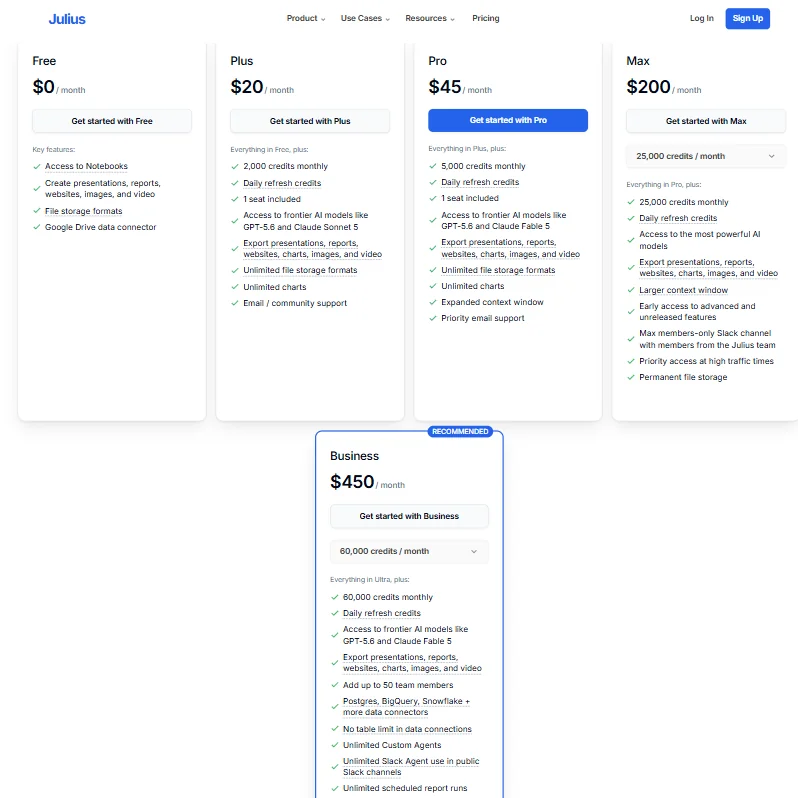
The underlying models are named publicly on the pricing page. Plus and Pro tiers both list access to GPT-5.6 and Claude Sonnet 5 or Claude Fable 5 respectively. Max gets what Julius calls "the most powerful AI models," with early access to unreleased ones. So the model roster scales with the plan.
Finance and data science users keep coming up in community threads as the people getting the most consistent value. The assistant gets credit for handling structured data questions well. **The qualitative reporting capability**, generating a coherent narrative from a dataset rather than just a chart, is what users describe as the actual reason they stay.
Compared to something like Claude, which was built explicitly for long-context reasoning and open-ended research, Julius has a narrower angle. More focused on structured analytical output, less on exploratory conversation. They're not really competing for the same job once you look past the shared chat interface. That's fine, as long as you're clear on which job you're hiring for.
We cross-referenced what the vendor claims about reasoning capability with what users describe in community threads. The picture is roughly consistent. Focused assistant. Not a general-purpose one.
Julius AI Integrations: What Does It Connect To?
The Business plan listing confirms Postgres, BigQuery, and Snowflake as named data connectors, plus "more data connectors" beyond those three. Google Drive connection is listed on the Free tier. The Slack Agent is a first-class feature with its own plan-level mention, not a side integration.
That's a reasonable story for a data-focused tool. **The absence of any confirmed public API documentation** is a meaningful gap for technical teams who want to build on top of Julius rather than just use it. We couldn't find it in their docs or their public changelog.
No Zapier confirmation. No email integration. No project management hooks. If your team runs knowledge search through something like Glean, Julius won't slot in natively. Different tools, different jobs.
Not great for teams expecting to wire this into an existing automation stack. Better for teams willing to use it as a standalone layer.
Is Julius AI Easy to Use?
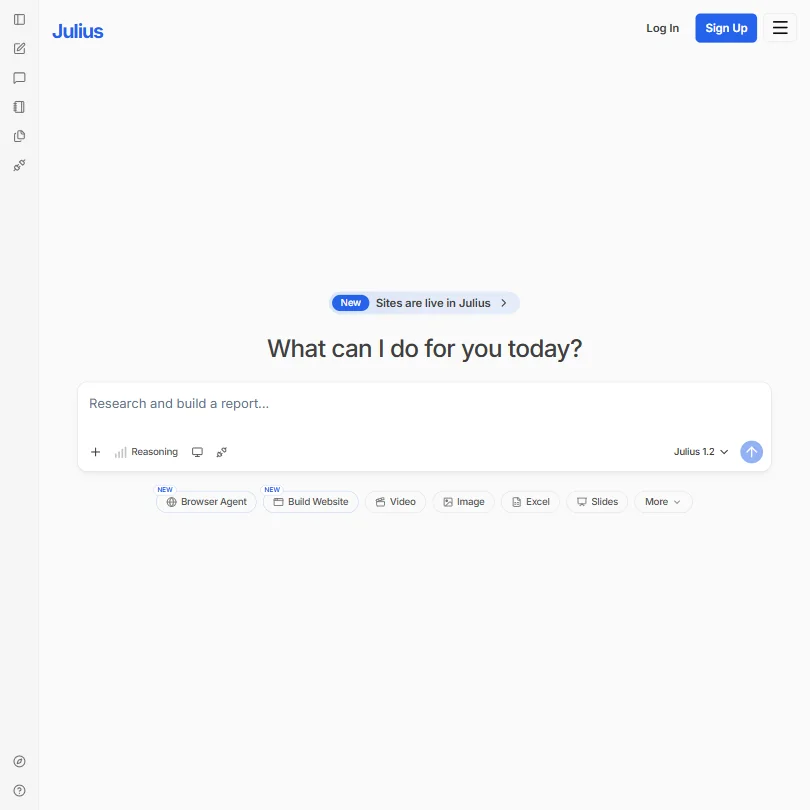
The homepage drops you straight into a prompt box. No onboarding wizard. You type, it responds. That's the whole first experience, and based on what we read in community forums, it's intentional.
The learning curve for basic analysis is light. You don't need SQL to query a connected database. You don't need to know how to build a chart. That's the actual value proposition for non-technical users, and it's a real one.
**The template library is where ease of use actually shows up in practice.** Pre-built analysis types for things like Meta ads performance or acquisition channel efficiency reduce the distance between "I have this data" and "I have something I can put in a deck." That's more meaningful than interface design choices.
The Teams feature adds shared workspaces. The docs describe it. The community doesn't discuss it much yet, so we'd want hands-on time before saying anything definitive about how collaboration actually works at scale.
Julius AI Pricing: Is It Worth It vs Free Alternatives?

The pricing is public. Free at $0, Plus at $20 a month, Pro at $45 a month, Max at $200 a month with 25,000 credits, and Business at $450 a month with 60,000 credits and up to 50 team members. Enterprise is custom. Those are confirmed figures from the public pricing page.
The credit system is the thing to watch. Plus gets 2,000 credits monthly. Pro gets 5,000. Both include one seat. **The jump from Pro at $45 to Business at $450** is steep, and there's nothing between them for small teams that have outgrown a single seat but aren't running a 50-person operation. That gap will frustrate some buyers.
Both Plus and Pro tiers include daily refresh credits on top of the monthly allocation. Max adds permanent file storage and priority access at high traffic times, which suggests Julius has experienced capacity constraints worth pricing around. We don't buy "priority access at high traffic times" as a premium feature. That should be table stakes.
Compared to ChatGPT Plus at $20 a month with no credit cap on standard usage, the Julius credit model adds friction. Compared to something like Hex or Noteable for data teams, the per-seat pricing is more accessible. Fair. Context matters.
Julius AI vs ChatGPT: Which Productivity Tool Wins?
ChatGPT Plus at $20 a month includes Advanced Data Analysis, image generation, and a general-purpose assistant with a mature interface. Julius AI at $20 a month gives you 2,000 credits, one seat, access to GPT-5.6 and Claude Sonnet 5, and a purpose-built output layer for slides and Excel models.
The model access is comparable at the Plus tier. The interface maturity favors ChatGPT. The output specificity favors Julius.
**Building a full slide deck or a structured Excel model directly from a data prompt** is a more complete workflow than ChatGPT currently offers without additional tooling. If your job ends in a deliverable rather than an answer, that difference is real.
The honest read: Julius is more opinionated about what the output looks like. ChatGPT is more flexible about what the output can be. Pick based on whether your work ends in a structured artifact or an open-ended exchange.
Who Should Use Julius AI? (And Who Shouldn't)
Finance analysts and data science teams. That's the sharpest fit. The database connectors, the Excel integration, and the analytical output layer were clearly built with those users as the primary case.
Marketers running channel performance reviews. The named templates for Meta ads analysis and acquisition channel efficiency aren't just product marketing. They suggest real design intent around that use case.
General productivity users who want a chat assistant for writing or planning. Not the fit here. Julius isn't trying to be that, and it shows.
Teams needing a mobile workflow. Web-only is a hard stop. Anyone evaluating tools for a distributed team that works off laptops half the time should factor that in before a trial.
Julius AI Review Verdict
Two million users is a real number. The pricing is now public and structured clearly enough to evaluate. The G2 listing exists, currently with a small number of verified reviews, which limits how much third-party signal we can actually pull. That's the honest state of the review trail for a 2023 product.
**The credit model at the Plus and Pro tiers is the friction point most likely to affect individual buyers.** 2,000 credits a month at $20 is fine for light use. Heavy analytical workflows may burn through that faster than expected, and the next meaningful tier is $450 a month. That gap needs a middle option.
The feature surface is genuinely wide. Scheduled Runs, Custom Agents, a Slack-native agent, multiple AI model options per tier, and a slide and Excel output layer in a single tool. That's a real product. The question is execution depth on each of those features, and we don't have enough third-party review data yet to answer that with confidence.
Watch list for individual analysts. Real consideration for data-forward teams that already know they need structured output at scale.
Frequently Asked Questions
Is Julius AI free to use?
Yes. The Free tier is confirmed at $0 and includes access to notebooks, basic presentations and reports, file storage, and a Google Drive connector. It's a real starting point, not just a bait-and-switch trial. The limits become clear when you hit the credit ceiling or need features like database connectors, which start at the Plus tier. Treat free as a genuine evaluation window, not a permanent workflow.
How does Julius AI handle data privacy?
Julius AI holds a SOC 2 Type 2 certification. For a company that launched in 2023, that's a meaningful bar to have cleared. They have a Trust Center and a listed Privacy Policy. For teams connecting live production databases via Postgres, BigQuery, or Snowflake, we'd recommend reading the data handling documentation carefully before connecting anything sensitive. The certification is a good signal. It's not a substitute for reading the actual terms.
Can Julius AI replace a data analyst?
No. What it can do is compress the time between having data and having a chart or a presentable output. That's real value for a non-technical user who would otherwise depend on someone else's queue. For exploratory analysis, methodology questions, or anything requiring judgment about what the data actually means, a human still needs to be in the loop. Julius handles the mechanics. The interpretation is still yours.