The Individual plan removes the ceilings on the free one: unlimited agents and unlimited runs a month, plus entry to the Slack community.
Best of · 21 tools ranked
Best AI Automation Tools Under $30/mo
Find the best AI automation tools under $30 a month, grouped by kind so agent builders, workflow tools and sales automation are compared with their own kind. Each entry shows what the entry plan counts, whether tasks, credits, runs or seats, and what pushes you up a tier, which matters most once a team and its billing begin to grow.
Updated 28 October 2026Ranked by our score, worked out from each vendor’s own pages.How we score →All AI Automation & Agents →
Our top 3 AI Automation Tools Under $30/mo
Cloud Starter counts 2,500 workflow executions a month, with one shared project, five concurrent executions and 2,300 AI credits, and Pro raises that to 10,000.
Starter is priced per seat and lists 500 HubSpot Credits and 1,000 marketing contacts, a long way below Professional's 3,000 credits and three core seats.
Best AI agent builders under $30
6 picksAn AI agent builder under $30 a month is metered by runs, credits or inboxes. MindStudio's Individual plan lifts the free plan's one agent and 1,000 runs, Lyzr charges per run or $19 for Starter, and Lindy and Relevance AI have no free plan. Choose MindStudio for unlimited agents, Lyzr for pay-as-you-go, Lindy for mail and calendar help.
#ToolScoreEntry plan includesStarts at
Individual: Unlimited agents, unlimited runs/month, Slack community access
✓ Free plan tooFrom $20Show detailsHide details01 MindStudio: Best for unlimited agents without writing code9.3Score 9.3 out of 10Individual: Unlimited agents, unlimited runs/month, Slack community access✓ Free plan too$20Visit site ↗ReviewDetailsCloseShow more about MindStudio
Individual: Unlimited agents, unlimited runs/month, Slack community access
✓ Free plan tooFrom $20
Show detailsHide detailsMindStudio: Best for unlimited agents without writing code
9.3Score 9.3 out of 10Individual: Unlimited agents, unlimited runs/month, Slack community access✓ Free plan too$20Visit site ↗ReviewDetailsClose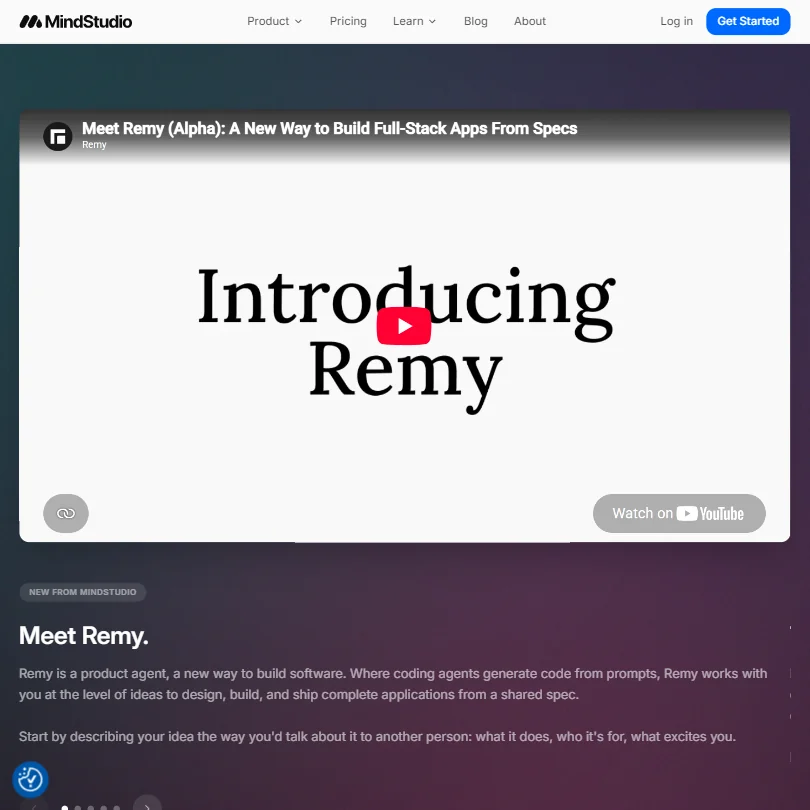
The Individual plan removes the ceilings on the free one: unlimited agents and unlimited runs a month, plus entry to the Slack community. That is what you want once a single agent with 1,000 runs stops being enough. It stays no-code, with 200+ AI models and your own key allowed. Business is the next step, adding a team workspace, SSO and self-hosting. Choose it over Lindy when you build agents rather than rent one.
- The MindStudio Service Router lets you access 200+ AI models including Claude, Google Veo3, and FLUX from a single workflow, preventing vendor lock-in.
- The no-code drag-and-drop visual editor makes building AI agents accessible to non-technical users without hiding the option for custom code.
- The platform only launched in 2023, raising legitimate questions about production-readiness and long-term stability for enterprise use cases.
✓ Free plan tooFrom $0Show detailsHide details02 StackAI: Best for a governed pilot at no charge8.4Score 8.4 out of 10✓ Free plan too$0Visit site ↗ReviewDetailsCloseShow more about StackAI
✓ Free plan tooFrom $0
Show detailsHide detailsStackAI: Best for a governed pilot at no charge
8.4Score 8.4 out of 10✓ Free plan too$0Visit site ↗ReviewDetailsClose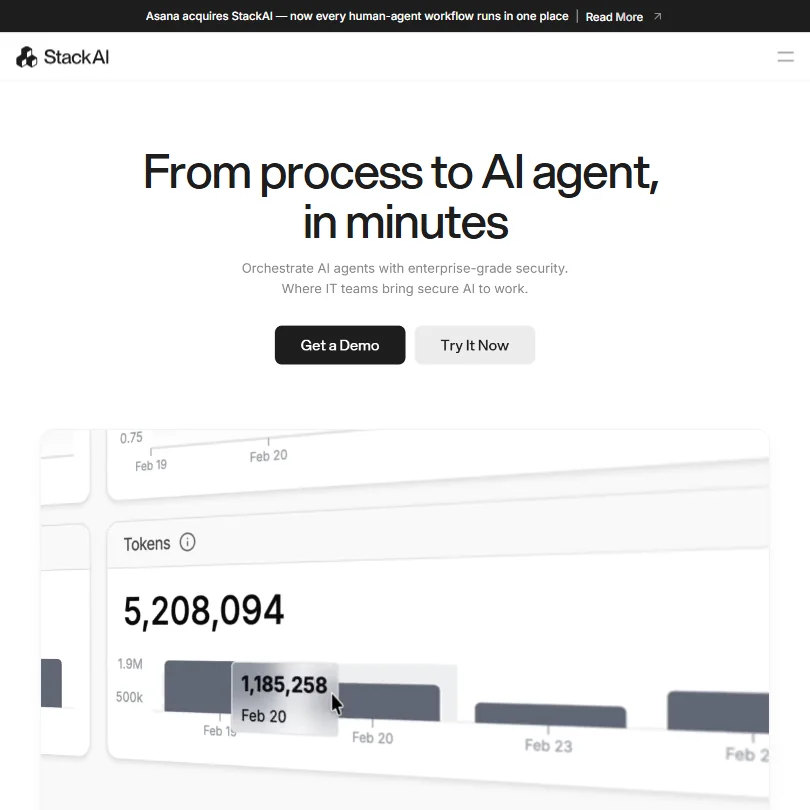
The plan costs nothing, so there is no price to weigh, only a ceiling: 500 runs, two projects and one seat. What pushes you to Enterprise is governance more than volume, with SOC 2, HIPAA, GDPR, SSO and on-prem or VPC hosting. Pick it over Relevance AI when the buyer is a security team that wants to see hosting options before any money moves.
- No-code drag-and-drop visual flow builder makes it accessible for enterprise IT teams without deep coding expertise.
- Supports 100+ integrations and multiple LLMs including OpenAI and Anthropic Claude, avoiding vendor lock-in on AI models.
- Asana's pending acquisition creates significant uncertainty around pricing, roadmap, and the product's future as a standalone platform.
From $29Show detailsHide details03 Relevance AI: Best for an AI workforce across 2,000+ apps8.2Score 8.2 out of 10$29Visit site ↗ReviewDetailsCloseShow more about Relevance AI
From $29
Show detailsHide detailsRelevance AI: Best for an AI workforce across 2,000+ apps
8.2Score 8.2 out of 10$29Visit site ↗ReviewDetailsClose
Pro starts at $29 a month and aims at replacing headcount with an AI workforce: more than 2,000 integrations, event and signal triggers, schedules and webhooks, with your own key allowed. It is cloud only, so teams that need hosting in their own account look to StackAI or Lyzr. Choose it over Lindy when the work spans business apps instead of one person's inbox.
- Supports building teams of specialist AI agents rather than one general-purpose bot, allowing each agent to be optimized for its specific task.
- Multi-model LLM router automatically benchmarks and routes tasks to the cheapest model that meets quality requirements, reducing costs.
- Not designed for hobbyists or personal automation use cases, the platform is explicitly enterprise and mid-market focused.
LYZR CLOUD: Per agent run, fully managed cloud infrastructure
✓ Free plan tooFrom $0.03Show detailsHide details04 Lyzr: Best for paying per agent run7.7Score 7.7 out of 10LYZR CLOUD: Per agent run, fully managed cloud infrastructure✓ Free plan too$0.03Visit site ↗ReviewDetailsCloseShow more about Lyzr
LYZR CLOUD: Per agent run, fully managed cloud infrastructure
✓ Free plan tooFrom $0.03
Show detailsHide detailsLyzr: Best for paying per agent run
7.7Score 7.7 out of 10LYZR CLOUD: Per agent run, fully managed cloud infrastructure✓ Free plan too$0.03Visit site ↗ReviewDetailsClose
The $19 Starter plan sits above a free Community plan, and the other route is usage pricing, which lets you cost a month in runs: 400 runs is $32 on the cloud and $12 hosted in your own VPC. Heavy users do better on the VPC rate, and the cloud rate suits occasional ones. Pick it over MindStudio if you want agents running on servers you control.
- The Control Plane governance layer provides configurable policies that can block, flag, or reroute agent outputs, giving enterprises meaningful oversight of AI behavior.
- Immutable audit logs track every tool call and user interaction with timestamps, which is a critical feature for regulated industries.
- Pricing is completely invisible on the website, making it impossible to evaluate cost without engaging the sales team.
Pro: 8,000 credits/seat/mo; best for most team members
✓ Free plan tooFreeShow detailsHide details05 Dust: Best for team agents on shared knowledge5.8Score 5.8 out of 10Pro: 8,000 credits/seat/mo; best for most team members✓ Free plan tooFreeVisit site ↗ReviewDetailsCloseShow more about Dust
Pro: 8,000 credits/seat/mo; best for most team members
✓ Free plan tooFree
Show detailsHide detailsDust: Best for team agents on shared knowledge
5.8Score 5.8 out of 10Pro: 8,000 credits/seat/mo; best for most team members✓ Free plan tooFreeVisit site ↗ReviewDetailsClose
Under this budget you get the free plan: 500 credits in total, which never refill. Pro, at $30 a month, is just above the line and gives 8,000 credits per seat, while Max at 40,000 serves power users running heavy automations. Enterprise adds SCIM, audit logs and single-tenant hosting. Choose it over MindStudio when seats and company knowledge matter more than run counts.
- Shared AI agents across departments ensure consistent outputs for all team members rather than siloed per-user chat threads.
- Multi-model backend supports GPT, Claude, Gemini, Mistral, and DeepSeek, giving teams flexibility in model selection.
- The collaborative AI thesis works better for some teams than others, meaning it is not a universal fit.
Team: 3,000 credits a month per active user, pooled across the workspace; top-ups $10 per 1,000 credits
From $29.99Show detailsHide details06 Lindy: Best for email, calendar and meeting help5.0Score 5.0 out of 10Team: 3,000 credits a month per active user, pooled across the workspace; top-ups $10 per 1,000 credits$29.99Visit site ↗ReviewDetailsCloseShow more about Lindy
Team: 3,000 credits a month per active user, pooled across the workspace; top-ups $10 per 1,000 credits
From $29.99
Show detailsHide detailsLindy: Best for email, calendar and meeting help
5.0Score 5.0 out of 10Team: 3,000 credits a month per active user, pooled across the workspace; top-ups $10 per 1,000 credits$29.99Visit site ↗ReviewDetailsClose
There is no free plan, only a trial, and the plans start with Plus: standard usage, up to two inboxes, email drafting, meeting scheduling, notes, 100+ integrations and chat by iMessage or SMS. Pro adds three times the usage, computer use and a choice of AI model. Pick it over Relevance AI when the job is one person's mail, calendar and meetings. It does not list bring-your-own-key.
- Works through natural language text messages via iMessage or SMS, eliminating the need for a separate dashboard or app.
- Draft-then-approve model ensures the AI never sends emails without user confirmation, reducing risk of unintended communication.
- Pricing is steep relative to comparable tools in the scheduling and workflow automation space.
Best workflow automation tools under $30
8 picksAI workflow automation under $30 a month splits into task counters and run counters. Zapier Professional adds multi-step Zaps, Make Core gives 10k credits and unlimited active scenarios, Retool charges per builder, while TaskMagic and Lutra AI sell credits for plain-language jobs. Self-hosted n8n and Activepieces stay free. Choose Make for value, TaskMagic for sites with no API.
#ToolScoreEntry plan includesStarts at
Starter: 2,500 workflow executions a month
✓ Free plan tooFrom $20Show detailsHide details07 n8n: Best for self-hosting for unlimited workflows8.8Score 8.8 out of 10Starter: 2,500 workflow executions a month✓ Free plan too$20Visit site ↗ReviewDetailsCloseShow more about n8n
Starter: 2,500 workflow executions a month
✓ Free plan tooFrom $20
Show detailsHide detailsn8n: Best for self-hosting for unlimited workflows
8.8Score 8.8 out of 10Starter: 2,500 workflow executions a month✓ Free plan too$20Visit site ↗ReviewDetailsClose
Cloud Starter counts 2,500 workflow executions a month, with one shared project, five concurrent executions and 2,300 AI credits, and Pro raises that to 10,000. Self-hosting the Community Edition costs nothing and enforces no limit, so you pay for cloud only when you want n8n to run the server. Pick it over Make when execution counts decide your bill, since every plan allows unlimited steps per execution.
- The self-hosted community edition is genuinely free with no workflow limits, which is rare among automation platforms.
- Code nodes allow JavaScript or Python to be inserted anywhere in a workflow, so developers never feel constrained by visual node limitations.
- Non-technical users tend to bounce off the platform quickly due to its complexity and technical design philosophy.
Basic: Individuals and small teams; limited scale, hosted in European region, UiPath Bronze Support
✓ Free plan tooFrom $25Show detailsHide details08 UiPath: Best for business processes in a small team8.6Score 8.6 out of 10Basic: Individuals and small teams; limited scale, hosted in European region, UiPath Bronze Support✓ Free plan too$25Visit site ↗ReviewDetailsCloseShow more about UiPath
Basic: Individuals and small teams; limited scale, hosted in European region, UiPath Bronze Support
✓ Free plan tooFrom $25
Show detailsHide detailsUiPath: Best for business processes in a small team
8.6Score 8.6 out of 10Basic: Individuals and small teams; limited scale, hosted in European region, UiPath Bronze Support✓ Free plan too$25Visit site ↗ReviewDetailsClose
Basic is the entry plan, built for individuals and small teams, hosted in a European region with Bronze Support, and described as limited in scale. Standard and Enterprise are sold on contact, with Enterprise adding self-healing UI automation, process mining and BYOK. Choose it over Zapier when the work is business processes that robots and agents handle, and expect to talk to sales before you scale.
- UiPath has nearly two decades of enterprise RPA experience, giving it a proven and stable automation foundation.
- The platform combines RPA robots, AI agents, and human-in-the-loop orchestration via Maestro into a unified automation loop.
- Teams that underestimate setup complexity frequently report dissatisfaction, suggesting a steep and punishing onboarding curve.
Team: 5,000 workflow runs/month; 750 + 250 bonus = 1,000 AI credits/month; additional packs available
✓ Free plan tooFrom $12Show detailsHide details09 Retool: Best for internal tools with workflow runs8.5Score 8.5 out of 10Team: 5,000 workflow runs/month; 750 + 250 bonus = 1,000 AI credits/month; additional packs available✓ Free plan too$12Visit site ↗ReviewDetailsCloseShow more about Retool
Team: 5,000 workflow runs/month; 750 + 250 bonus = 1,000 AI credits/month; additional packs available
✓ Free plan tooFrom $12
Show detailsHide detailsRetool: Best for internal tools with workflow runs
8.5Score 8.5 out of 10Team: 5,000 workflow runs/month; 750 + 250 bonus = 1,000 AI credits/month; additional packs available✓ Free plan too$12Visit site ↗ReviewDetailsClose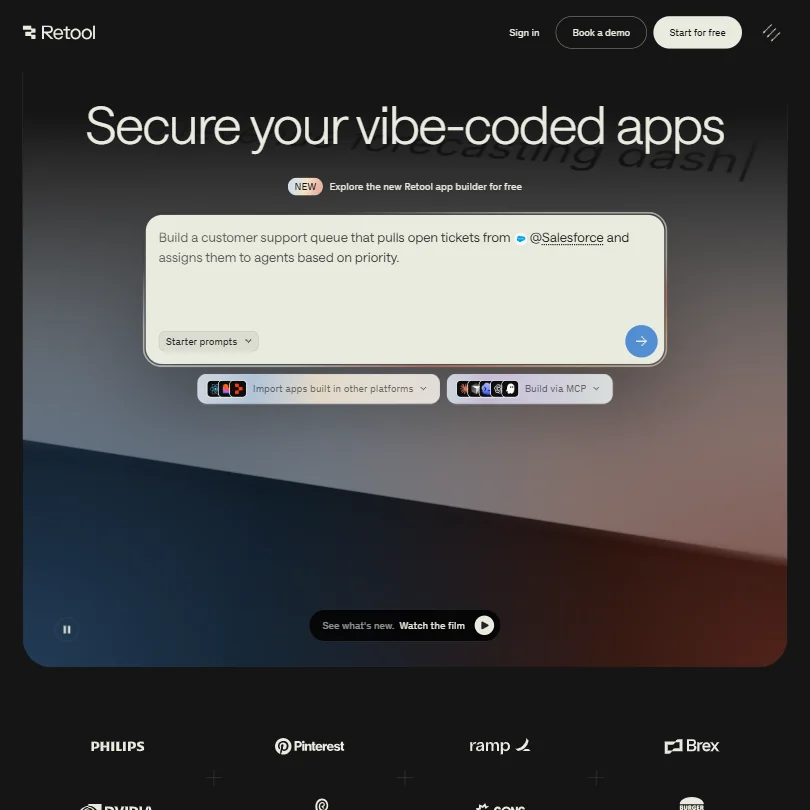
Team is the entry plan, priced per builder with a smaller price per internal user, and it includes 5,000 workflow runs and 1,000 AI credits a month. Business raises the credits to 3,000 and adds unlimited modules and resource environments. It suits a developer building internal apps with workflows behind them, and self-hosting needs Kubernetes and Helm knowledge. Pick it over n8n when the end product is an app people click through.
- The drag-and-drop app builder allows developers to ship internal tools in an afternoon that would otherwise take weeks of custom engineering.
- Enterprise-grade governance features including audit logging, permission controls, staging environments, and source control are built into the core product, not added as afterthoughts.
- Retool occupies an awkward middle ground between no-code and developer platform, which creates real friction for teams that don't fit that specific profile.
Professional: Multi-step Zaps, unlimited premium apps, webhooks, AI fields, email & live chat support, conditional form logic Scales up to $5,099/mo ($40,668/yr) with usage.
✓ Free plan tooFrom $29.99Show detailsHide details10 Zapier: Best for the widest app library7.9Score 7.9 out of 10Professional: Multi-step Zaps, unlimited premium apps, webhooks, AI fields, email & live chat support, conditional form logic Scales up to $5,099/mo ($40,668/yr) with usage.✓ Free plan too$29.99Visit site ↗ReviewDetailsCloseShow more about Zapier
Professional: Multi-step Zaps, unlimited premium apps, webhooks, AI fields, email & live chat support, conditional form logic Scales up to $5,099/mo ($40,668/yr) with usage.
✓ Free plan tooFrom $29.99
Show detailsHide detailsZapier: Best for the widest app library
7.9Score 7.9 out of 10Professional: Multi-step Zaps, unlimited premium apps, webhooks, AI fields, email & live chat support, conditional form logic Scales up to $5,099/mo ($40,668/yr) with usage.✓ Free plan too$29.99Visit site ↗ReviewDetailsClose
Professional is where Zapier becomes useful: multi-step Zaps, unlimited premium apps, webhooks, AI fields and email and live chat support, where free stops at two steps and 100 tasks. Cost then scales with usage, and Team adds 25 users and SAML SSO. Pick it over Make for the widest app library, 9,000 connectors, and accept a bill that rises with tasks.
- Zapier integrates with over 9,000 apps, making it one of the largest integration libraries available on any automation platform.
- The visual workflow builder supports logic branches, conditional paths, and AI processing steps without requiring any coding knowledge.
- Users tend to stay not out of satisfaction but because rebuilding existing workflows on another platform is too costly and time-consuming.
Plus: 10,000 credits monthly, up to 5 users, bring your own AI keys
✓ Free plan tooFrom $20Show detailsHide details11 Activepieces: Best for many runs on a few flows7.7Score 7.7 out of 10Plus: 10,000 credits monthly, up to 5 users, bring your own AI keys✓ Free plan too$20Visit site ↗ReviewDetailsCloseShow more about Activepieces
Plus: 10,000 credits monthly, up to 5 users, bring your own AI keys
✓ Free plan tooFrom $20
Show detailsHide detailsActivepieces: Best for many runs on a few flows
7.7Score 7.7 out of 10Plus: 10,000 credits monthly, up to 5 users, bring your own AI keys✓ Free plan too$20Visit site ↗ReviewDetailsClose
Plus costs $20 a month for 10,000 credits, up to five users and your own AI keys, and Team at $200 raises that to 50,000 credits, 25 users and SSO. Ultimate is custom, with SCIM and audit logs. It is open source and can be self-hosted. Pick it over Zapier when you want room to grow without per-task pricing.
- Unlimited automation runs are included at no extra charge regardless of plan, making it cost-effective for high-volume teams.
- MIT-licensed open-source platform allows full self-hosting on Docker, Helm, or any cloud provider for maximum data control.
- Relatively young platform founded in 2022, which may raise concerns about long-term stability and enterprise maturity.
Core: 10k credits/mo (up to 300,000 credits/mo); unlimited active scenarios, Make API access Scales up to $241.31/mo ($2,185.96/yr) with usage.
✓ Free plan tooFrom $10.59Show detailsHide details12 Make: Best for multi-step logic at a low entry price7.3Score 7.3 out of 10Core: 10k credits/mo (up to 300,000 credits/mo); unlimited active scenarios, Make API access Scales up to $241.31/mo ($2,185.96/yr) with usage.✓ Free plan too$10.59Visit site ↗ReviewDetailsCloseShow more about Make
Core: 10k credits/mo (up to 300,000 credits/mo); unlimited active scenarios, Make API access Scales up to $241.31/mo ($2,185.96/yr) with usage.
✓ Free plan tooFrom $10.59
Show detailsHide detailsMake: Best for multi-step logic at a low entry price
7.3Score 7.3 out of 10Core: 10k credits/mo (up to 300,000 credits/mo); unlimited active scenarios, Make API access Scales up to $241.31/mo ($2,185.96/yr) with usage.✓ Free plan too$10.59Visit site ↗ReviewDetailsClose
Core gives 10k credits a month with unlimited active scenarios and API access, which removes the two-scenario cap of the free plan. Pro adds priority execution, custom variables and full-text log search, and Teams adds team roles and shareable templates. Make is cloud only and has a smaller app library than Zapier. Pick it for multi-step logic with routers at a modest price.
- The visual canvas builder lets users construct complex multi-step automation workflows without writing a single line of code.
- Routers, iterators, and aggregators enable branching, conditional logic, and array processing that most competing tools cannot handle.
- Steep learning curve means new users need significant time investment before they can use the platform effectively.
Solo: 5,000 credits/mo (up to 10,000 credits/mo), full builder, unlimited connections & flows, 3 tables, single seat Scales up to $55/mo with usage.
From $29Show detailsHide details13 TaskMagic: Best for automating sites that have no API5.6Score 5.6 out of 10Solo: 5,000 credits/mo (up to 10,000 credits/mo), full builder, unlimited connections & flows, 3 tables, single seat Scales up to $55/mo with usage.$29Visit site ↗ReviewDetailsCloseShow more about TaskMagic
Solo: 5,000 credits/mo (up to 10,000 credits/mo), full builder, unlimited connections & flows, 3 tables, single seat Scales up to $55/mo with usage.
From $29
Show detailsHide detailsTaskMagic: Best for automating sites that have no API
5.6Score 5.6 out of 10Solo: 5,000 credits/mo (up to 10,000 credits/mo), full builder, unlimited connections & flows, 3 tables, single seat Scales up to $55/mo with usage.$29Visit site ↗ReviewDetailsClose
A seven-day trial with 1,000 credits stands in for a free plan. Solo then gives 5,000 credits a month, the full builder, unlimited connections and flows, three tables and one seat. Pro adds MCP access, and team seats and your own API key arrive with Business. It joins app connections to browser automation, so pick it over Bardeen when a site has no API and you also need app steps.
- Combines API-based app integrations and browser automation (RPA) in a single interface, which most competitors split into separate tools.
- AI generates step-by-step automation plans from plain English descriptions, lowering the barrier for non-technical users.
- Error handling specifics are notably absent from public documentation, making it hard to assess reliability for production workflows.
Essentials: Unlimited messages, 2,000 credits/month, premium tools, scheduling & webhooks
✓ Free plan tooFrom $29Show detailsHide details14 Lutra AI: Best for automations described in plain English5.1Score 5.1 out of 10Essentials: Unlimited messages, 2,000 credits/month, premium tools, scheduling & webhooks✓ Free plan too$29Visit site ↗ReviewDetailsCloseShow more about Lutra AI
Essentials: Unlimited messages, 2,000 credits/month, premium tools, scheduling & webhooks
✓ Free plan tooFrom $29
Show detailsHide detailsLutra AI: Best for automations described in plain English
5.1Score 5.1 out of 10Essentials: Unlimited messages, 2,000 credits/month, premium tools, scheduling & webhooks✓ Free plan too$29Visit site ↗ReviewDetailsClose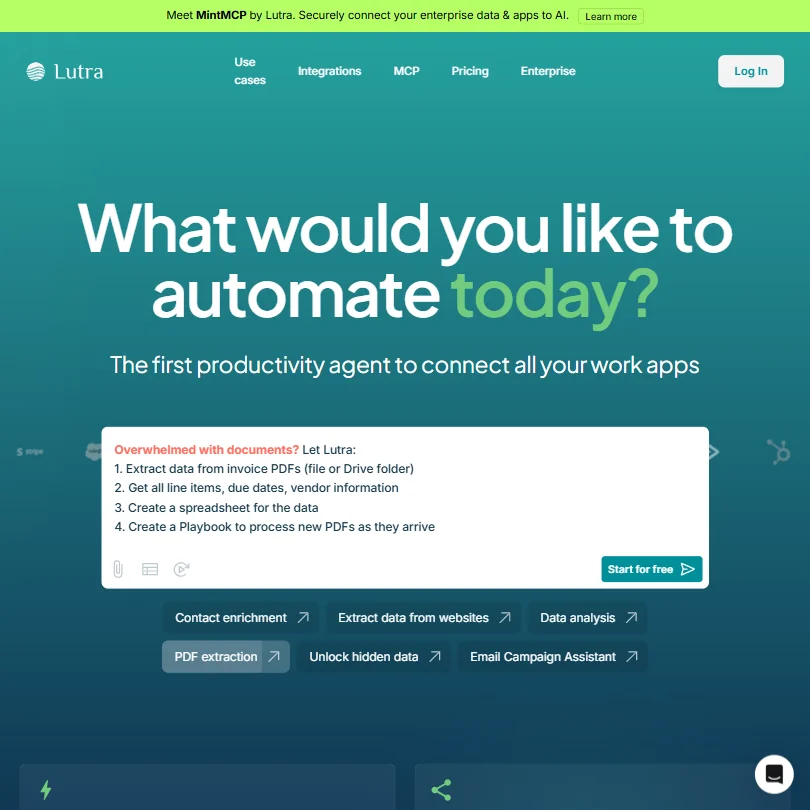
Essentials gives unlimited messages and 2,000 credits a month, plus premium tools, scheduling and webhooks, where free caps you at 15 messages a day and basic tools. Professional lifts credits to 6,000 with priority support and bulk credit purchases, though it sits above this budget. It is an agent that writes the automation for you. Choose it over TaskMagic when you prefer chat to a builder.
- Lutra generates and executes real code on the fly, allowing connections to virtually any API rather than being limited to pre-built connectors.
- Plain English workflow creation means no drag-and-drop canvas or node diagrams are required, lowering the technical barrier significantly.
- Error handling is not publicly documented, which is a serious concern for anyone running mission-critical scheduled workflows.
Best AI sales and marketing automation under $30
3 picksSales and marketing automation at this price is charged by seat or by contacts. HubSpot Starter lists 500 credits and 1,000 marketing contacts, ActiveCampaign Starter allows five actions per automation for one user, and Copy's Chat plan covers five seats for drafting. Pick HubSpot for a CRM, ActiveCampaign for email and WhatsApp, Copy for a small team writing content.
#ToolScoreEntry plan includesStarts at
Starter: 500 HubSpot Credits, 1,000 marketing contacts included
✓ Free plan tooFrom $20Show detailsHide details15 HubSpot: Best for a CRM that grows with a team8.7Score 8.7 out of 10Starter: 500 HubSpot Credits, 1,000 marketing contacts included✓ Free plan too$20Visit site ↗ReviewDetailsCloseShow more about HubSpot
Starter: 500 HubSpot Credits, 1,000 marketing contacts included
✓ Free plan tooFrom $20
Show detailsHide detailsHubSpot: Best for a CRM that grows with a team
8.7Score 8.7 out of 10Starter: 500 HubSpot Credits, 1,000 marketing contacts included✓ Free plan too$20Visit site ↗ReviewDetailsClose
Starter is priced per seat and lists 500 HubSpot Credits and 1,000 marketing contacts, a long way below Professional's 3,000 credits and three core seats. It works as the entry point when automation sits inside a CRM with email, sales and service tools. Pick it over ActiveCampaign when contacts and deals matter as much as email, and expect the next tier to be a large jump.
- The visual workflow builder is highly intuitive, supporting automation across marketing, sales, and service from a single interface with webhooks, form submissions, deal stage changes, and behavioral event triggers.
- HubSpot's unified CRM acts as a central data layer, giving marketing, sales, and support teams shared visibility into contact records, deal stages, tickets, and email activity.
- The platform has grown sprawling and complex, meaning what you actually pay for depends heavily on which version and tier you need.
Starter (Email): Email marketing, limited segmentation, 5 actions per automation, 1 user
From $15Show detailsHide details16 ActiveCampaign: Best for email and WhatsApp marketing automation6.4Score 6.4 out of 10Starter (Email): Email marketing, limited segmentation, 5 actions per automation, 1 user$15Visit site ↗ReviewDetailsCloseShow more about ActiveCampaign
Starter (Email): Email marketing, limited segmentation, 5 actions per automation, 1 user
From $15
Show detailsHide detailsActiveCampaign: Best for email and WhatsApp marketing automation
6.4Score 6.4 out of 10Starter (Email): Email marketing, limited segmentation, 5 actions per automation, 1 user$15Visit site ↗ReviewDetailsClose
No free plan stands behind Starter, only a 14-day trial with no card, and it covers email marketing with limited segmentation, five actions per automation and one user. Plus lifts the cap to unlimited automation actions. Its edge is cross-channel reach, with WhatsApp automation on separate Core and Advanced plans. Pick it over HubSpot when email and WhatsApp campaigns are the whole job.
- ActiveCampaign has been a trusted platform since 2003, giving it deep institutional knowledge and a proven track record with 180,000+ customers.
- The visual automation builder supports genuinely complex branching logic with a wide range of triggers including webhooks, form submissions, email opens, and ecommerce events.
- The platform is extremely deep and feature-rich, which can overwhelm users who just need straightforward email automation.
Chat: 5 seats, unlimited words in Chat, unlimited Chat projects, access to OpenAI, Anthropic, and Gemini models
From $29Show detailsHide details17 Copy: Best for five seats drafting sales content4.3Score 4.3 out of 10Chat: 5 seats, unlimited words in Chat, unlimited Chat projects, access to OpenAI, Anthropic, and Gemini models$29Visit site ↗ReviewDetailsCloseShow more about Copy
Chat: 5 seats, unlimited words in Chat, unlimited Chat projects, access to OpenAI, Anthropic, and Gemini models
From $29
Show detailsHide detailsCopy: Best for five seats drafting sales content
4.3Score 4.3 out of 10Chat: 5 seats, unlimited words in Chat, unlimited Chat projects, access to OpenAI, Anthropic, and Gemini models$29Visit site ↗ReviewDetailsClose
The Chat plan gives five seats, unlimited words and unlimited chat projects across OpenAI, Anthropic and Gemini models, so a small sales or marketing team can draft together. Workflows, agents, tables and brand voice belong to the custom Enterprise platform. It is cloud only and does not list bring-your-own-key. Pick it over HubSpot when the output is words and the team is five people.
- The Brand Voice feature carries tone and personality consistently across outputs.
- Model-agnostic approach draws from OpenAI, Anthropic, and Google Gemini, meaning users benefit from best-in-class AI depending on the task.
- Significant product identity shift from a copywriting tool to a GTM platform may alienate original users who signed up for simple AI writing assistance.
More AI automation tools under $30
4 picksThese four do different jobs. CrewAI runs multi-agent crews, Salesforce is a CRM whose Starter Suite is the entry plan, Cassidy AI shares agents among three seats on a free plan, and Bardeen collects leads from Chrome. Choose Cassidy AI for a team spending nothing, Salesforce when a CRM is the goal, Bardeen for lead lists.
#ToolScoreEntry plan includesStarts at
18 CrewAI: Best for multi-agent crews for developersn/a✓ Free plan tooFreeVisit site ↗ReviewDetailsCloseShow more about CrewAI
CrewAI: Best for multi-agent crews for developers
n/a✓ Free plan tooFreeVisit site ↗ReviewDetailsClose
Basic is free with 50 workflow executions a month, and no paid step is listed before Enterprise, which is custom priced and adds unlimited executions, a dedicated VPC, SSO and RBAC. That makes it a place for developers to test multi-agent crews more than a budget plan that grows. It began as open source. Pick it over Lyzr for cooperating agents, and over Lindy for control.
- Supports both no-code visual editor and code-first Python API, making it accessible to non-developers and engineers alike.
- All visual editor work exports to Python, preventing vendor lock-in and enabling clean handoffs to engineering teams.
- Trying to serve both no-code and developer audiences simultaneously risks being a poor fit for both if execution falls short.

#19Salesforce: Best for teams committed to a CRM
Starter Suite: Turnkey AI + CRM; automate sales, marketing, and service. Billed monthly or annually.
✓ Free plan tooFrom $25Show detailsHide details19Salesforce: Best for teams committed to a CRMn/aStarter Suite: Turnkey AI + CRM; automate sales, marketing, and service. Billed monthly or annually.✓ Free plan too$25Visit site ↗ReviewDetailsCloseShow more about Salesforce
#19Salesforce: Best for teams committed to a CRM
Starter Suite: Turnkey AI + CRM; automate sales, marketing, and service. Billed monthly or annually.
✓ Free plan tooFrom $25
Show detailsHide detailsSalesforce: Best for teams committed to a CRM
n/aStarter Suite: Turnkey AI + CRM; automate sales, marketing, and service. Billed monthly or annually.✓ Free plan too$25Visit site ↗ReviewDetailsClose
Starter Suite is the entry price, per user a month and billable monthly or annually, and it covers AI plus CRM across sales, marketing and service. Pro Suite is four times the price, billed annually with a contract, so staying on Starter is the budget case. Pick it over HubSpot for AppExchange and deep customisation, and note the 30-day trial of paid features.
- Flow Builder provides a comprehensive drag-and-drop workflow canvas that handles branching logic, record changes, scheduled runs, and API events with more completeness than most competitors.
- Einstein AI is embedded across sales, service, marketing, commerce, and IT workflows, providing an integrated AI layer throughout the entire platform.
- The platform requires dedicated admin resources to manage effectively, making it a poor fit for organizations without the staffing to support it.
20 Cassidy AI: Best for a small team sharing agentsn/a✓ Free plan tooFreeVisit site ↗ReviewDetailsCloseShow more about Cassidy AI
Cassidy AI: Best for a small team sharing agents
n/a✓ Free plan tooFreeVisit site ↗ReviewDetailsClose
The Starter plan costs nothing: three seats, one workspace, 10K AI credits, five agents and five workflows. Business is the only other plan, custom priced with premium onboarding and support, so there is no mid-priced step. Pick it over Dust when a team of three wants to start together without paying per seat, and expect a conversation when you outgrow it.
- Model-agnostic architecture allows users to choose between OpenAI, Anthropic, and Google without vendor lock-in.
- No-code workflow builder enables non-technical operations staff to build multi-step automations without engineering support.
- Cassidy is not a full helpdesk replacement, meaning teams needing end-to-end customer service tooling will need additional solutions.

#21Bardeen: Best for lead lists from your browser
Basic: 100 credits/month included; build your own scrapers, premium scrapers, enrichment, teams
✓ Free plan tooFrom $10Show detailsHide details21Bardeen: Best for lead lists from your browsern/aBasic: 100 credits/month included; build your own scrapers, premium scrapers, enrichment, teams✓ Free plan too$10Visit site ↗ReviewDetailsCloseShow more about Bardeen
#21Bardeen: Best for lead lists from your browser
Basic: 100 credits/month included; build your own scrapers, premium scrapers, enrichment, teams
✓ Free plan tooFrom $10
Show detailsHide detailsBardeen: Best for lead lists from your browser
n/aBasic: 100 credits/month included; build your own scrapers, premium scrapers, enrichment, teams✓ Free plan too$10Visit site ↗ReviewDetailsClose
Basic at $10 a month adds premium scrapers, enrichment and teams to the build-your-own scrapers that free has, while Premium at $50 lists 1,000 credits a month or 12,000 a year. Credits expire at the end of each billing period. It runs from a Chrome extension. Pick it over TaskMagic when the job is lead lists from pages you browse, not general automation.
- No-code visual scraper builder makes it accessible to non-technical users like sales reps and solopreneurs.
- AI qualification layer filters leads against your ideal customer profile before you ever review them.
- The platform is English-first, which limits usability for international teams without prior investigation.
How to choose an AI automation tool under $30 a month
Under $30 a month you can buy very different things: a few thousand workflow executions, a seat in a CRM, a shared pot of credits, or a handful of paid flows. The tools here meter in tasks, runs, operations, executions, credits and active flows, so the monthly price alone tells you little. This guide converts each plan into the work it covers, then looks at hosting, model access and the point where a cheap plan stops being enough.
Start with the job, not the tool
Most of what people automate falls into five jobs, and the tools on this page cluster around them.
- Building AI agents. The tool decides steps and calls a model. MindStudio, StackAI, CrewAI, Lyzr, Dust, Cassidy AI and Relevance AI are agent builders, and Relevance AI describes itself as an AI workforce for companies.
- Connecting apps. An event in one product triggers work in another. Zapier, Make, n8n and Activepieces are the main picks, and Retool adds internal tools and workflows for developers.
- Handing work to an assistant. You describe the job and an agent does it. Lutra AI writes automation code from plain language, TaskMagic combines app connections with browser automation, and Lindy handles meetings, email and workflows.
- Collecting leads and web data. Bardeen collects from pages you visit and enriches contacts.
- Customer data and campaigns. HubSpot, Salesforce and ActiveCampaign keep contacts and run outreach, and Copy targets go-to-market teams, with 5 seats and several model providers in its Chat plan.
UiPath sits across the first two, pairing robotic process automation with agents. Start from your job, then read across.
| Job | Start with | Runner-up, and the trade-off |
|---|---|---|
| Build an agent without code | MindStudio | StackAI, which gives 500 runs and one seat and nothing in between before Enterprise |
| Link apps with unlimited runs | Activepieces | Make Core, which counts credits instead |
| Run a self-hosted flow engine | n8n | Activepieces, which also lists self-hosting |
| Build internal tools with workflows | Retool | n8n, for developers who want workflows on their own server |
| Automate a website with no API | TaskMagic | Bardeen, which collects from pages but is built for leads |
| Hand tasks to an email assistant | Lindy | Lutra AI, which takes any task in plain language |
| Email marketing with automation | ActiveCampaign | HubSpot, which has a free tier for 2 users |
| Run a CRM with AI attached | HubSpot | Salesforce Starter Suite, priced per user |
What the price actually buys
The same $20 buys a different amount of work depending on the unit, so convert before you compare.
- Execution counters. n8n Starter gives 2,500 workflow executions, 1 shared project and 5 concurrent runs, which covers about three jobs that fire every hour (720 each). Retool's Team plan lists 5,000 workflow runs, around seven such jobs, but charges $12 per builder and $7 per internal user. StackAI's free 500 runs cover less than one.
- Credit pots. Make Core gives 10,000 credits a month for $10.59. TaskMagic Solo gives 5,000 credits for $29, with unlimited connections and flows but a single seat. Lutra AI Essentials gives 2,000 credits at $29 and adds scheduling and webhooks. Bardeen's $10 Basic plan keeps the free plan's 100 credits and adds premium scrapers and enrichment.
- Credit pools. Activepieces gives 1,000 credits a month free and 10,000 on Plus at $20. Fourteen flows therefore cost $20, with no run limit on any of them.
- Seat counters. HubSpot Starter is $20 a seat with 500 credits and 1,000 marketing contacts, and Salesforce Starter Suite is $25 a user. Copy's Chat plan is $29 for 5 seats with unlimited words in Chat.
- Per-run billing. Lyzr's listed rate is $0.08 a run in its cloud and $0.03 self-hosted, so $30 buys about 375 cloud runs or 1,000 self-hosted ones.
Which tool fits which operator
- No-code builders. Start with MindStudio, because Individual at $20 removes the agent and run limits and keeps access to over 200 models. Add Make Core when the agent needs app connections.
- Founders and small teams. Start with Zapier for its 9,000 integrations, and move to Professional for multi-step Zaps. Add Activepieces for jobs that fire so often a per-task price would add up.
- Ops people with steady routines. Start with Make, because the ten thousand credits and unlimited active scenarios at Core cost $10.59. Add Lutra AI for the one-off request you would rather describe.
- Developers. Start with n8n, where the Community Edition is self-hosted with unlimited workflows, and Starter adds hosting at $24 a month. Add Retool for internal tools, and CrewAI when you want agents defined in code.
- Regulated teams. Start with StackAI or Lyzr, which list HIPAA, SOC 2, GDPR and ISO 27001 and can be hosted by you. Add UiPath Basic at $25 if the work is process automation in a European region.
- Sales and marketing. Start with HubSpot or ActiveCampaign for contacts and campaigns, and add Bardeen to collect prospects. Pick Copy when the whole team shares one AI workspace.
Where the entry plans stop
| Limit | Tools | What happens when you hit it |
|---|---|---|
| Executions or runs | n8n, Retool, StackAI, CrewAI | The next tier is a higher price, or a custom quote at StackAI and CrewAI |
| Credits | Make, TaskMagic, Lutra AI, Bardeen, Cassidy AI | Extra volume needs a bigger plan, or bulk credits at Lutra AI |
| Active flows | Make | Unlimited scenarios from Make Core |
| Actions per automation | ActiveCampaign | Starter allows 5 actions, and Plus removes the cap |
| Seats | StackAI, TaskMagic, ActiveCampaign, Retool | TaskMagic Solo has a single seat, Retool bills per person |
| No free plan | ActiveCampaign, Lindy, TaskMagic, Copy | Where a trial is listed, it is the whole test |
Cost a real week of your own work in the plan's unit before you pick. If each of 50 records a day uses one operation, that is 1,500 a month, which passes Make's free 1,000 and fits inside n8n Starter's 2,500 executions. If your jobs vary week to week, a per-flow price like Activepieces gives a bill you can predict.
What the cheapest plan leaves out
Cheap plans hold back governance and scale.Retool's Business tier adds unlimited modules and environments. TaskMagic keeps team seats and bring-your-own-API-key for its Business plan at $119, and MCP access for Pro.
Support is thin too. StackAI's free plan points to a Discord community, and Dust's free plan is described as a trial. Lindy's Team plan gives 3,000 credits a month per user, and computer use sits on its higher credit tiers. Relevance AI's entry price is $29 on Pro.
Privacy, training and where your data runs
Most tools here state that your content is not used for training. Hosting and model access are where they really differ.
| Tool | Training on your content |
|---|---|
| MindStudio, UiPath, n8n, Retool, StackAI, Relevance AI, Activepieces, Lyzr, Make, Salesforce, ActiveCampaign, Dust, Lindy, Copy, Cassidy AI | Not used for training |
| HubSpot, Zapier, TaskMagic, Lutra AI | You can opt out |
Using your own key lets you pay a model provider directly. MindStudio, UiPath, n8n, Retool, StackAI, Relevance AI, CrewAI, Zapier, Activepieces, Lyzr and Make list it, and TaskMagic offers it from Business. Lindy lets you pick the model on Pro. MindStudio, UiPath, n8n, Retool, StackAI, CrewAI, Activepieces, Lyzr and Dust can be hosted by you, while Zapier, Make, HubSpot, Salesforce, Relevance AI, Lutra AI, TaskMagic and Lindy are cloud only.
Mistakes to avoid
- Buying seats when the meter is runs. Retool charges per builder and per internal user, so a team of five costs more than the headline $12. Add up the people before the runs.
- Assuming Basic buys volume. Bardeen Basic lists the same 100 credits as free. Choose it only for the scrapers and enrichment.
- Using a trial as a plan. TaskMagic gives 1,000 credits for 7 days and Lindy a 7-day trial, with no free plan behind either. Run your real job in the first days.
- Forgetting what the model costs. Some tools run on your own key, others bundle model use into credits. At Make and Zapier you can bring a key, so compare both bills.
- Hosting for the price alone. n8n Community Edition and Activepieces open source are free to run, but updates and uptime are yours.
When to move up a plan
The signs are a job split in two to dodge a cap, an automation switched off until the month turns, or a colleague who needs a seat the plan does not have.
| If you are | Move up to | What changes |
|---|---|---|
| Running multi-step jobs on Zapier | Zapier Professional | Multi-step Zaps, premium apps, webhooks and AI fields |
| Past a thousand operations | Make Core | 10,000 credits and unlimited active scenarios |
| Building more than one agent | MindStudio Individual | Unlimited agents and runs |
| Outgrowing self-hosting | n8n Starter | 2,500 executions, hosted for you |
| A sales team | HubSpot Starter | 500 credits and 1,000 marketing contacts at $20 a seat |
| Needing schedules and webhooks | Lutra AI Essentials | 2,000 credits, premium tools, scheduling and webhooks |
Yearly billing lowers the price at Zapier by 33 percent, Lutra AI by 21, MindStudio, Retool, Activepieces and Dust by 20, n8n by 17 and Make by 15. For trials, ActiveCampaign gives 14 days, Lindy 7, and HubSpot lists 14 days on a paid product.
Using two inexpensive tools together
Because the units differ, a $10 tool and a free one can cover a month that neither handles alone.
- Route in Make Core. Ten thousand credits and unlimited scenarios take care of the triggers and branching.
- Put the model call in MindStudio. Its free plan lists 1,000 runs, enough for one job that runs once a day.
- Store the results in HubSpot. Its free tier holds contacts for up to 2 users.
For sourcing, run Bardeen to collect prospects and ask Lutra AI in plain language for the follow-up work.
What would this stack cost you?
Add our top picks (MindStudio, n8n, HubSpot and 1 more) to the calculator and see the monthly total, then swap in the plans you would pay for.
How we picked
Every tool here is ranked by its score, and each score is worked out from the vendor’s own published pages: pricing, plans, features and terms. No score is adjusted by hand. 17 of the 21 tools have enough published facts to show a score, and on average 88% of each score comes from facts the vendor publishes. The facts behind these scores were checked between 13 September 2026 and 28 October 2026.
Scores compare tools that do the same job, which is why the list is grouped by job: a video editor and a grammar checker are never ranked against each other.
| Ranked as | On this page | What we score | Scoring guide |
|---|---|---|---|
| AI agent builders18 reviewed | 8 | 7 criteria, 20 checked facts: AI agents, building workflows, pricing, apps it connects to, reliability and control, hosting and security, support | How we score these → |
| Workflow automation tools11 reviewed | 8 | 7 criteria, 20 checked facts: AI agents, building workflows, pricing, apps it connects to, reliability and control, hosting and security, support | How we score these → |
| Go-to-market platforms15 reviewed | 4 | 7 criteria, 20 checked facts: AI agents, building workflows, pricing, apps it connects to, reliability and control, hosting and security, support | How we score these → |
Common questions
Is there a Zapier free alternative under $30 a month?
Yes, three routes. Self-hosted n8n costs nothing and has no execution limit, Make has a free plan and Core adds unlimited active scenarios, and Activepieces gives ten free active flows with unlimited runs. All three connect fewer apps than Zapier's 9,000, so the app list you rely on should lead the choice.
Is there an open source AI agent builder I can run on this budget?
Activepieces is open source under an MIT license and includes an agent builder, and you can self-host it. CrewAI began as an open source framework and its hosted Basic plan is free. MindStudio and StackAI offer self-hosting on their custom Business and Enterprise plans, which sit above this budget, so on a strict limit the open source routes are the practical ones.
How do I compare credits across these tools?
You cannot compare them directly, because a credit measures a run at one tool, a step at another and an AI call at a third. Compare the job instead: how many times it fires a month, and how many steps it has. Then match that count to executions at n8n, runs at Retool or credits at Make.
Should I pay per seat, per run or per active flow?
Per seat suits a team with a steady job, as at HubSpot, Salesforce and Retool, because cost tracks headcount. Per run suits an agent that fires rarely, as at Lyzr. Per active flow suits a few busy automations, as at Activepieces. Pick the unit that your growth does not change.
Which of these have a trial instead of a free plan?
Lindy, ActiveCampaign and TaskMagic list no free plan. Lindy offers a trial, ActiveCampaign gives 14 days without a card, and TaskMagic gives seven days with 1,000 credits. n8n's cloud trial needs no card either, though its free route is self-hosting. Salesforce has a 30-day trial and a Free Suite tier.
Do I need a developer to use these tools?
Not for most. MindStudio, Make, Zapier, Activepieces and HubSpot are no-code visual builders. UiPath, n8n and Retool are low-code, so they reward some technical comfort. Lutra AI, TaskMagic, Lindy and Relevance AI work as agents you instruct in plain language, which suits non-technical users who accept less control over each step.
Can I automate a website that has no API?
Three tools handle it differently. TaskMagic combines browser automation with app connections, so it fits jobs mixing both. Bardeen scrapes pages from a Chrome extension and suits lead lists. UiPath's Enterprise tier lists self-healing UI automation, which is for business processes at larger scale and above this budget, so for small jobs the first two are the realistic choices.