Plus is the academic plan, and it moves the Research Agent and Research Reports from limited use on Basic to standard usage, then adds systematic literature reviews.
Best of · 20 tools ranked
Best AI Research Tools Under $30/mo
Find the best AI research tools under $30 a month and see how far a mid-priced plan moves you past the free limits. The list is split into literature search tools and paper readers, with a screening platform set apart. Entries show which plan to take, which cap it lifts and when the next tier, often several times the price, starts to make sense.
Updated 3 October 2026Ranked by our score, worked out from each vendor’s own pages.How we score →All AI Research Tool →
Our top 3 AI Research Tools Under $30/mo
Plus doubles the daily allowance to 4,000 AI words and 10 uploads, lifts files to 100MB or 600 pages, and adds Zotero and Mendeley connectors with 5 collaborators per folder.
Essential bills quarterly, with no monthly option, and brings the AI-powered tools to a screening platform.
Best literature search tools under $30
12 picksAt this price literature search plans mostly sell volume: Elicit's standard usage, Consensus's unlimited Pro messages and 15 Deep reviews, Undermind's tenfold limits, Scite's full-text search and Litmaps' unlimited inputs. SciSpace is the one here with no free plan. Choose Elicit or Undermind to synthesise, Consensus for evidence, Litmaps or ResearchRabbit to map, and Semantic Scholar when you want search that costs nothing.
#ToolScoreEntry plan includesStarts at
Plus (Academic): Standard usage for Research Agent, Research Reports, and Systematic Literature Reviews
✓ Free plan tooFrom $19Show detailsHide details01 Elicit: Best for systematic reviews with extracted evidence tables7.8Score 7.8 out of 10Plus (Academic): Standard usage for Research Agent, Research Reports, and Systematic Literature Reviews✓ Free plan too$19Visit site ↗ReviewDetailsCloseShow more about Elicit
Plus (Academic): Standard usage for Research Agent, Research Reports, and Systematic Literature Reviews
✓ Free plan tooFrom $19
Show detailsHide detailsElicit: Best for systematic reviews with extracted evidence tables
7.8Score 7.8 out of 10Plus (Academic): Standard usage for Research Agent, Research Reports, and Systematic Literature Reviews✓ Free plan too$19Visit site ↗ReviewDetailsClose
Plus is the academic plan, and it moves the Research Agent and Research Reports from limited use on Basic to standard usage, then adds systematic literature reviews. Pro multiplies that by five and Scale by nine at far higher prices, which is where heavy reviewers feel the squeeze. Industry plans cost more. Pick Elicit over Consensus when you need data extracted into a table, not a verdict on one claim.
- Semantic search across 138 million academic papers means users don't need exact keyword phrasing to find relevant literature.
- Built specifically for rigorous, citation-dependent research workflows rather than general-purpose AI use.
- Not designed for general-purpose AI queries, so users expecting quick answers or tidy summaries will be disappointed.
Plus
✓ Free plan tooFrom $19Show detailsHide details02 Paperguide#2 of 13 literature search tools7.7Score 7.7 out of 10Plus✓ Free plan too$19Visit site ↗ReviewDetailsCloseShow more about Paperguide
Plus
✓ Free plan tooFrom $19
Show detailsHide detailsPaperguide#2 of 13 literature search tools
7.7Score 7.7 out of 10Plus✓ Free plan too$19Visit site ↗ReviewDetailsClose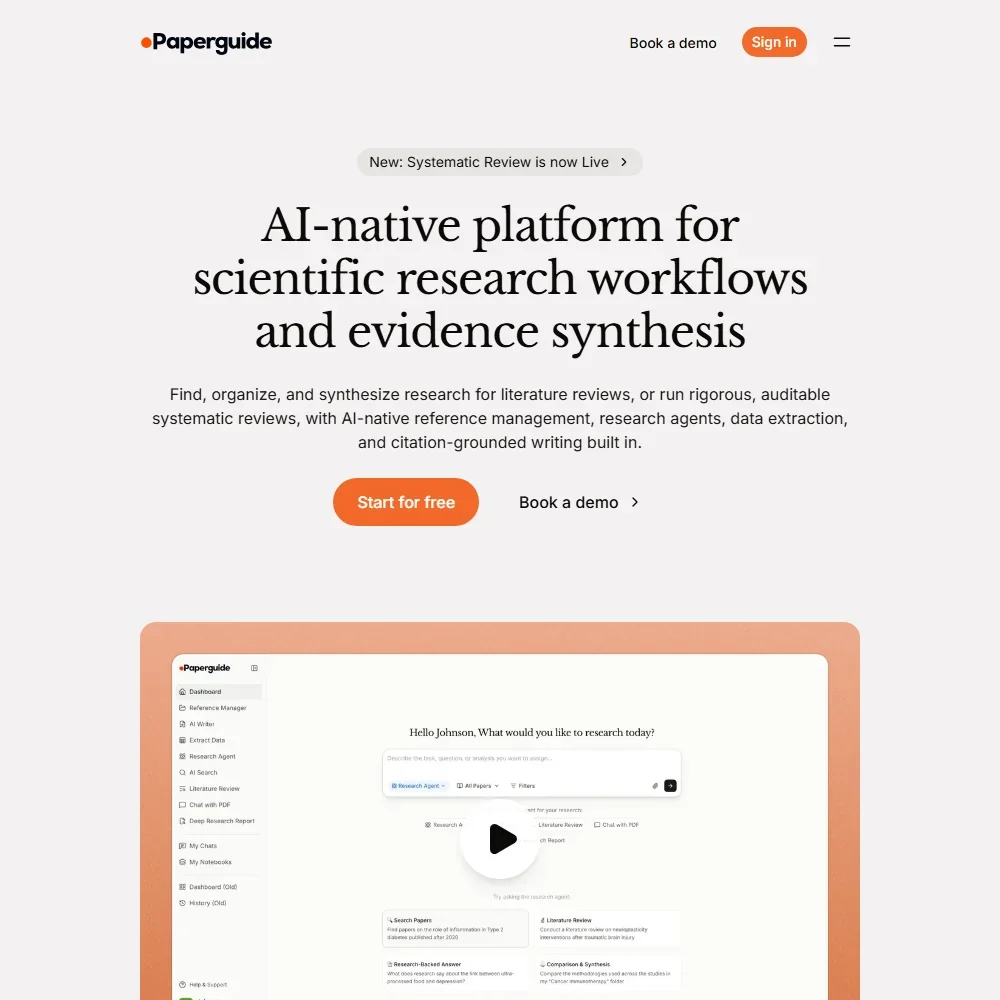
- Answers to research questions cite every claim to its source paper.
- Systematic reviews run from protocol through dual screening to PRISMA reporting, from Plus up.
- There is no citation map and no alerts for new papers.
Premium: 1,200 monthly credits; Pro Model Access, 4 Parallel Agent Queries
From $20Show detailsHide details03 SciSpace: Best for chatting with papers in many languages6.9Score 6.9 out of 10Premium: 1,200 monthly credits; Pro Model Access, 4 Parallel Agent Queries$20Visit site ↗ReviewDetailsCloseShow more about SciSpace
Premium: 1,200 monthly credits; Pro Model Access, 4 Parallel Agent Queries
From $20
Show detailsHide detailsSciSpace: Best for chatting with papers in many languages
6.9Score 6.9 out of 10Premium: 1,200 monthly credits; Pro Model Access, 4 Parallel Agent Queries$20Visit site ↗ReviewDetailsClose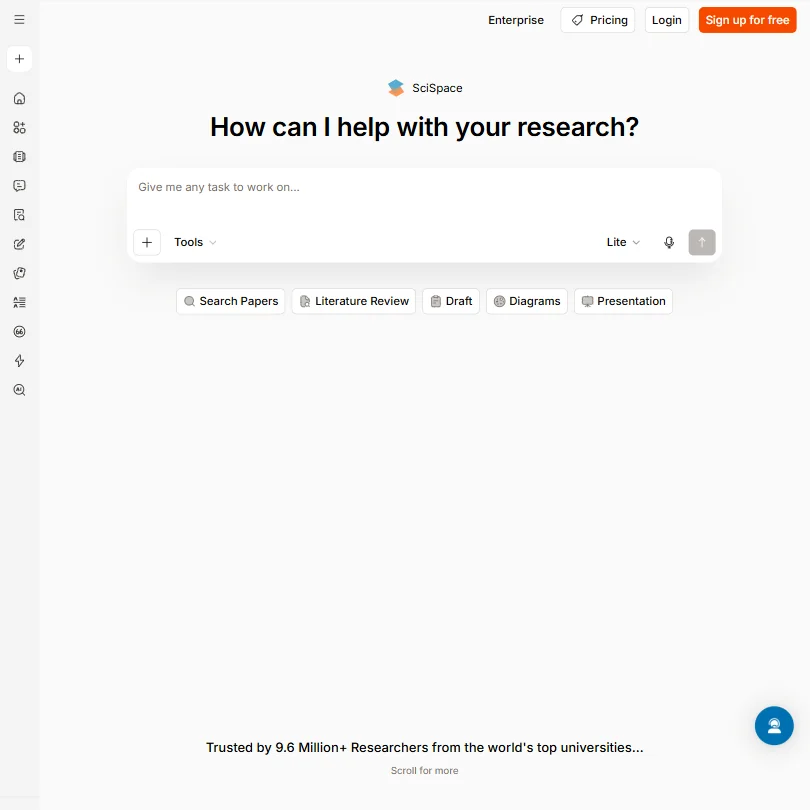
With no free plan, Premium is the entry point: 1,200 monthly credits, Pro model access and four parallel agent queries. Advanced is a big jump, with 10,000 credits and verified reports. The product combines chat with PDFs, literature review synthesis, citation generation and more than 75 languages, with mobile apps for iOS and Android and a Chrome extension. Pick it over Anara when you want one product for reading, writing and citing in several languages.
- Covers a genuinely broad feature set including PDF chat, literature review synthesis, citation generation, paraphrasing, AI writing, and data extraction in one platform.
- The Chat with PDF feature provides an intuitive entry point for researchers, allowing conversational Q&A with uploaded academic papers.
- The breadth of features raises trust concerns, a tool that does everything often does nothing particularly well.
Pro: Unlimited Pro messages, 15 Deep reviews per month, unlimited access to every research tool
✓ Free plan tooFrom $20Show detailsHide details04 Consensus: Best for deep evidence reviews each month6.7Score 6.7 out of 10Pro: Unlimited Pro messages, 15 Deep reviews per month, unlimited access to every research tool✓ Free plan too$20Visit site ↗ReviewDetailsCloseShow more about Consensus
Pro: Unlimited Pro messages, 15 Deep reviews per month, unlimited access to every research tool
✓ Free plan tooFrom $20
Show detailsHide detailsConsensus: Best for deep evidence reviews each month
6.7Score 6.7 out of 10Pro: Unlimited Pro messages, 15 Deep reviews per month, unlimited access to every research tool✓ Free plan too$20Visit site ↗ReviewDetailsClose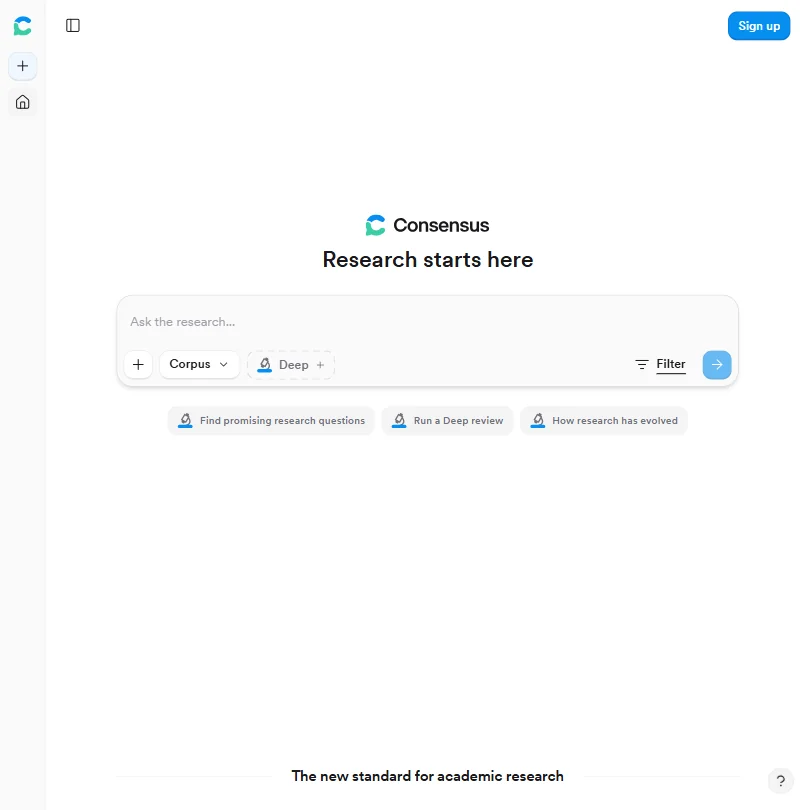
Pro turns the free monthly pots into unlimited Pro messages and 15 Deep reviews a month, with every research tool included. Deep raises reviews to 200 a month at over three times the price, which only heavy reviewers need. Answers come from over 220 million peer-reviewed papers, with a Consensus Meter. Pick it over Elicit for a fast read on whether evidence supports a claim. There is no mobile app.
- Pulls answers from over 220 million peer-reviewed papers, not blogs or news articles, ensuring high-quality academic sources.
- The Consensus Meter provides a visual summary of how strongly existing evidence supports or contradicts a claim, saving synthesis time.
- No mobile app exists, which is a significant gap for clinicians needing quick literature checks away from their desk.
Prime: Unlimited AI Assistant and Chat PDF, Literature Review, exports, interactive literature maps, paper audio and translation
✓ Free plan tooFrom $6Show detailsHide details05 R Discovery: Best for paper recommendations and reading lists6.5Score 6.5 out of 10Prime: Unlimited AI Assistant and Chat PDF, Literature Review, exports, interactive literature maps, paper audio and translation✓ Free plan too$6Visit site ↗ReviewDetailsCloseShow more about R Discovery
Prime: Unlimited AI Assistant and Chat PDF, Literature Review, exports, interactive literature maps, paper audio and translation
✓ Free plan tooFrom $6
Show detailsHide detailsR Discovery: Best for paper recommendations and reading lists
6.5Score 6.5 out of 10Prime: Unlimited AI Assistant and Chat PDF, Literature Review, exports, interactive literature maps, paper audio and translation✓ Free plan too$6Visit site ↗ReviewDetailsClose
Prime is the paid step, making the AI assistant and literature review unlimited and adding exports, interactive maps, paper audio and translation, with collaborators as a cheaper add-on. Paperpal Prime sits above it with writing and editing allowances. Papers are recommended from your interests and reading lists sync to a reference manager. Pick it over Semantic Scholar for recommendations and translation, not plain search. Its summaries suit triage, not deep reading.
- Covers a very large article database for broad literature access.
- AI-generated summaries help researchers quickly triage papers and decide what is worth reading in full.
- AI summaries are useful for triage only and do not capture what a paper actually argues at a deeper level.
✓ Free plan tooFreeShow detailsHide details06 Semantic Scholar: Best for search with nothing to pay for6.0Score 6.0 out of 10✓ Free plan tooFreeVisit site ↗ReviewDetailsCloseShow more about Semantic Scholar
✓ Free plan tooFree
Show detailsHide detailsSemantic Scholar: Best for search with nothing to pay for
6.0Score 6.0 out of 10✓ Free plan tooFreeVisit site ↗ReviewDetailsClose
No plan here costs anything, which is the point: the Reader, the API and a 236 million paper index are open to everyone, so a budget buys nothing extra. Spend on tools that read or synthesise instead. Choose it over R Discovery for plain search with citation data, and over ResearchRabbit when you have no seed papers yet. Its search is semantic, so loose queries still surface relevant work.
- Completely free with no paywalls, paid plans, or enterprise pricing tiers, the entire tool is accessible without any cost.
- Indexes over 200 million papers across STEM, social sciences, and humanities, making it one of the largest academic search databases available.
- As a free, nonprofit tool, it likely lacks the customer support infrastructure and dedicated account management that paid enterprise tools offer.
Basic: Unlimited Assistant queries, Full-Text Search, Smart Citation Reports, 250 MCP credits/month, collections up to 1,000 papers
✓ Free plan tooFrom $20Show detailsHide details07 Scite: Best for citations showing support or contradiction5.8Score 5.8 out of 10Basic: Unlimited Assistant queries, Full-Text Search, Smart Citation Reports, 250 MCP credits/month, collections up to 1,000 papers✓ Free plan too$20Visit site ↗ReviewDetailsCloseShow more about Scite
Basic: Unlimited Assistant queries, Full-Text Search, Smart Citation Reports, 250 MCP credits/month, collections up to 1,000 papers
✓ Free plan tooFrom $20
Show detailsHide detailsScite: Best for citations showing support or contradiction
5.8Score 5.8 out of 10Basic: Unlimited Assistant queries, Full-Text Search, Smart Citation Reports, 250 MCP credits/month, collections up to 1,000 papers✓ Free plan too$20Visit site ↗ReviewDetailsClose
Basic is the paid step, with unlimited Assistant queries, full-text search, Smart Citation Reports, 250 MCP credits a month and collections up to 1,000 papers. Pro, at two and a half times the price, takes credits to 2,500 and collections to 10,000, adds patents, trials and grants, and is the only plan with API access. Pick Scite over Consensus when the question is how later papers treated a claim.
- Smart Citations tag exactly how each paper was treated by later research, supported, contradicted, or mentioned, giving researchers meaningful context beyond raw citation counts.
- Full-text search across 300 million+ scholarly articles, preprints, patents, and datasets rather than just metadata or abstracts.
- No mobile app is available, limiting access for researchers who work on the go.
Pro (Academic): Latest AI models, deepest full-text analysis, 10x higher usage limits, unlimited projects/files/paper libraries
✓ Free plan tooFrom $20Show detailsHide details08 Undermind: Best for full-text searches with traceable citations5.4Score 5.4 out of 10Pro (Academic): Latest AI models, deepest full-text analysis, 10x higher usage limits, unlimited projects/files/paper libraries✓ Free plan too$20Visit site ↗ReviewDetailsCloseShow more about Undermind
Pro (Academic): Latest AI models, deepest full-text analysis, 10x higher usage limits, unlimited projects/files/paper libraries
✓ Free plan tooFrom $20
Show detailsHide detailsUndermind: Best for full-text searches with traceable citations
5.4Score 5.4 out of 10Pro (Academic): Latest AI models, deepest full-text analysis, 10x higher usage limits, unlimited projects/files/paper libraries✓ Free plan too$20Visit site ↗ReviewDetailsClose
Pro for academics raises usage limits tenfold and adds the newest models, the deepest full-text analysis and unlimited projects, files and paper libraries. Annual billing takes 20% off, and the industry plan costs several times more. Every claim in a report links to a source paper. Pick it over Elicit when coverage matters more than a table. It is English-only and web-only.
- Traceable inline citations allow every claim in a generated report to be verified by clicking through to the original source paper.
- The system reads papers at full-text level rather than just abstracts, enabling deeper comprehension than most literature search tools.
- Undermind is English-only, limiting its usefulness for researchers working in or across other languages.
For Individuals: Unlimited responses per conversation, unlimited conversations per day, 20 MB max file upload
✓ Free plan tooFrom $10Show detailsHide details09 Keenious: Best for exploring a field with no chat caps5.1Score 5.1 out of 10For Individuals: Unlimited responses per conversation, unlimited conversations per day, 20 MB max file upload✓ Free plan too$10Visit site ↗ReviewDetailsCloseShow more about Keenious
For Individuals: Unlimited responses per conversation, unlimited conversations per day, 20 MB max file upload
✓ Free plan tooFrom $10
Show detailsHide detailsKeenious: Best for exploring a field with no chat caps
5.1Score 5.1 out of 10For Individuals: Unlimited responses per conversation, unlimited conversations per day, 20 MB max file upload✓ Free plan too$10Visit site ↗ReviewDetailsClose
Individuals removes all three free ceilings: replies in a chat, chats per day and the 3MB upload cap become unlimited, with files up to 20MB. Teams adds an admin console at twice the price. The field map shows how clusters of research relate, so it suits someone entering a new area. Pick it over ResearchRabbit when you have no seed papers yet. There is no mobile app.
- Field map visualization shows how different research clusters relate to each other, offering a genuinely unique spatial view of academic literature.
- Combines visual research mapping with conversational AI in a way that competitors like Elicit and Consensus do not replicate.
- Free tier document upload is capped at 3 MB, which is too small for many dense academic PDFs.
Pro: Unlimited inputs, unlimited articles, unlimited Litmaps, advanced search, weekly/configurable alerts, education and commercial pricing available
✓ Free plan tooFrom $12.50Show detailsHide details10 Litmaps: Best for citation graphs with weekly alerts4.0Score 4.0 out of 10Pro: Unlimited inputs, unlimited articles, unlimited Litmaps, advanced search, weekly/configurable alerts, education and commercial pricing available✓ Free plan too$12.50Visit site ↗ReviewDetailsCloseShow more about Litmaps
Pro: Unlimited inputs, unlimited articles, unlimited Litmaps, advanced search, weekly/configurable alerts, education and commercial pricing available
✓ Free plan tooFrom $12.50
Show detailsHide detailsLitmaps: Best for citation graphs with weekly alerts
4.0Score 4.0 out of 10Pro: Unlimited inputs, unlimited articles, unlimited Litmaps, advanced search, weekly/configurable alerts, education and commercial pricing available✓ Free plan too$12.50Visit site ↗ReviewDetailsClose
Pro removes the free limits on inputs, Litmaps and articles per map (20, 2 and 100), and adds advanced search, configurable weekly alerts and two-way Zotero sync. The commercial plan costs four times the academic price. Citation networks come out as explorable graphs, and exports cover BibTeX, RIS and CSV. Pick it over ResearchRabbit when unlimited inputs matter more than a 300 seed ceiling.
- The interactive visual citation graph format is genuinely differentiated from standard database-style literature review tools.
- Automatic 'Alerts' feature passively monitors for new relevant literature, which is valuable for researchers with ongoing long-term projects.
- Export supports BibTeX, RIS, and CSV, with no browser extension or Google Docs/Notion export available (a two-way Zotero sync is now documented on Pro).
ResearchRabbit+: Up to 300 seed articles, advanced search controls, multiple projects, Signals alerts, faster support
✓ Free plan tooFrom $12.50Show detailsHide details11 ResearchRabbit: Best for bigger seed lists and Signals alerts4.0Score 4.0 out of 10ResearchRabbit+: Up to 300 seed articles, advanced search controls, multiple projects, Signals alerts, faster support✓ Free plan too$12.50Visit site ↗ReviewDetailsCloseShow more about ResearchRabbit
ResearchRabbit+: Up to 300 seed articles, advanced search controls, multiple projects, Signals alerts, faster support
✓ Free plan tooFrom $12.50
Show detailsHide detailsResearchRabbit: Best for bigger seed lists and Signals alerts
4.0Score 4.0 out of 10ResearchRabbit+: Up to 300 seed articles, advanced search controls, multiple projects, Signals alerts, faster support✓ Free plan too$12.50Visit site ↗ReviewDetailsClose
ResearchRabbit+ raises the free 50 seed articles to 300 and adds advanced search controls, multiple projects, Signals alerts and faster support. Free already allows unlimited searches and collections, so pay only if seeds are your cap. Zotero sync is well built. Pick it over Litmaps if you prefer seed-based discovery across 310 million papers, and choose Litmaps when you need no seed ceiling at all.
- Visual citation mapping gives research a spatial shape rather than a flat list, making it easier to spot clusters and connections.
- Zotero integration is genuinely well-built, syncing collections automatically without manual exports between tools.
- The free tier caps seed articles at 50, which may limit users working on large-scale systematic reviews.
Academic: Billed quarterly at the shortest; no monthly option
✓ Free plan tooFrom $10Show detailsHide details12 Connected Papers#13 of 13 literature search tools3.8Score 3.8 out of 10Academic: Billed quarterly at the shortest; no monthly option✓ Free plan too$10Visit site ↗ReviewDetailsCloseShow more about Connected Papers
Academic: Billed quarterly at the shortest; no monthly option
✓ Free plan tooFrom $10
Show detailsHide detailsConnected Papers#13 of 13 literature search tools
3.8Score 3.8 out of 10Academic: Billed quarterly at the shortest; no monthly option✓ Free plan too$10Visit site ↗ReviewDetailsClose
- The free tier includes every feature and 5 graphs a month.
- Prior Works and Derivative Works views show a field's earlier and later papers.
- It has no AI reading, answering, summarizing or writing features.
Best paper readers under $30
7 picksReaders price by what you can feed them. Anara raises daily words and uploads, Humata monthly pages, Avidnote AI words and transcription hours, while Logically and Scholarcy go unlimited and Explainpaper adds whole-paper summaries and paper Q&A. SciSummary has a trial instead of a free plan. Pick Anara for daily cited reading, Humata for page-cited PDFs, Explainpaper for plain explanations and Logically for writing.
#ToolScoreEntry plan includesStarts at
Plus: 4,000 AI words/day, 10 uploads/day, 100MB/600 pages, Zotero & Mendeley connectors, 5 collaborators per folder
✓ Free plan tooFrom $12Show detailsHide details13 Anara: Best for daily reading with Zotero connectors7.3Score 7.3 out of 10Plus: 4,000 AI words/day, 10 uploads/day, 100MB/600 pages, Zotero & Mendeley connectors, 5 collaborators per folder✓ Free plan too$12Visit site ↗ReviewDetailsCloseShow more about Anara
Plus: 4,000 AI words/day, 10 uploads/day, 100MB/600 pages, Zotero & Mendeley connectors, 5 collaborators per folder
✓ Free plan tooFrom $12
Show detailsHide detailsAnara: Best for daily reading with Zotero connectors
7.3Score 7.3 out of 10Plus: 4,000 AI words/day, 10 uploads/day, 100MB/600 pages, Zotero & Mendeley connectors, 5 collaborators per folder✓ Free plan too$12Visit site ↗ReviewDetailsClose
Plus doubles the daily allowance to 4,000 AI words and 10 uploads, lifts files to 100MB or 600 pages, and adds Zotero and Mendeley connectors with 5 collaborators per folder. Pro, at twice the price, makes words and imports unlimited and adds OCR plus Google, Notion and OneDrive connectors. Pick Anara over Logically when cited answers across a large library matter more than writing tools.
- Supports document libraries of up to 10,000 pages per upload, far exceeding most comparable tools.
- Every AI-generated answer is traceable back to the specific source passage, eliminating hallucinated citations.
- Founding date and headquarters are not publicly disclosed.
✓ Free plan tooFrom $10 (€8.99)Show detailsHide details14 Scholarcy: Best for summaries, flashcards and bibliographies6.0Score 6.0 out of 10✓ Free plan too$10 (€8.99)Visit site ↗ReviewDetailsCloseShow more about Scholarcy
✓ Free plan tooFrom $10 (€8.99)
Show detailsHide detailsScholarcy: Best for summaries, flashcards and bibliographies
6.0Score 6.0 out of 10✓ Free plan too$10 (€8.99)Visit site ↗ReviewDetailsClose
The monthly plan removes the ten-summary cap and adds notes, highlights and a library with collections. Flashcard exports rise to 100, and a literature matrix and one-click bibliographies arrive. Only two plans are listed, so there is no pricier tier to be pushed toward. Choose it over Explainpaper when you summarise whole papers into a matrix, and pair it with a search tool such as Litmaps, since it cannot find papers.
- The flashcard-based summary format is specifically tailored to academic reading workflows, making it more useful than generic AI summarizers.
- The Enhance feature allows users to dial in summary depth, from a single-sentence overview to a detailed researcher-level breakdown.
- Scholarcy is not a discovery engine, it cannot search academic databases or find papers for you, limiting its utility in the research workflow.
Unlimited: Unlimited AI usage, advanced & reasoning models, unlimited storage, team admin portal, priority support; 50% student discount available
✓ Free plan tooFrom $30Show detailsHide details15 Logically: Best for writing papers with unlimited AI use5.5Score 5.5 out of 10Unlimited: Unlimited AI usage, advanced & reasoning models, unlimited storage, team admin portal, priority support; 50% student discount available✓ Free plan too$30Visit site ↗ReviewDetailsCloseShow more about Logically
Unlimited: Unlimited AI usage, advanced & reasoning models, unlimited storage, team admin portal, priority support; 50% student discount available
✓ Free plan tooFrom $30
Show detailsHide detailsLogically: Best for writing papers with unlimited AI use
5.5Score 5.5 out of 10Unlimited: Unlimited AI usage, advanced & reasoning models, unlimited storage, team admin portal, priority support; 50% student discount available✓ Free plan too$30Visit site ↗ReviewDetailsClose
Unlimited is the one paid plan: it ends the five-a-day AI counts, removes the storage cap and adds advanced and reasoning models, a team admin portal and priority support, with a 50% student discount. It sits at the top of this page's price range. Pick it over Anara when you write and manage references in the same workspace, and over Scholarcy for unlimited AI across several models.
- Bundles a document writer, research assistant, reference manager, and PDF annotator into one unified workspace, eliminating the need to switch between multiple tools.
- Supports three AI models, Claude, Gemini, and ChatGPT, within the same product, which is rare among competitors that typically commit to a single model.
- Documentation is vague about how to switch between AI models and when each one is used.
Pro Plan: Unlimited summaries, unlimited figures analyzed, unlimited chat messages, semantic search (1,000 docs indexed)
From $7Show detailsHide details16 SciSummary: Best for summaries and figure chat on a budget4.4Score 4.4 out of 10Pro Plan: Unlimited summaries, unlimited figures analyzed, unlimited chat messages, semantic search (1,000 docs indexed)$7Visit site ↗ReviewDetailsCloseShow more about SciSummary
Pro Plan: Unlimited summaries, unlimited figures analyzed, unlimited chat messages, semantic search (1,000 docs indexed)
From $7
Show detailsHide detailsSciSummary: Best for summaries and figure chat on a budget
4.4Score 4.4 out of 10Pro Plan: Unlimited summaries, unlimited figures analyzed, unlimited chat messages, semantic search (1,000 docs indexed)$7Visit site ↗ReviewDetailsClose
Seven days free, then Pro: unlimited summaries, figures and chat messages plus semantic search across 1,000 indexed documents, where the trial caps words, figures and messages. It is the cheapest paid plan on this page. It beats Scholarcy on questions about figures and diagrams, and Humata on structured section summaries. Students get the first month free, and there is no mobile app.
- Purpose-built for academic literature with domain-specific GPT training that outperforms general AI for research paper summarization.
- Produces structured summaries with labeled sections (abstract, methods, results, conclusion) rather than unformatted paraphrased text.
- No mobile app available, limiting accessibility for researchers who need on-the-go access.
Professional Plan: 100,000 AI words/mo, unlimited AI reading, 10 hrs transcription, 5 GB storage, unlimited uploads
✓ Free plan tooFrom $19Show detailsHide details17 Avidnote: Best for interview coding and paper reading together3.8Score 3.8 out of 10Professional Plan: 100,000 AI words/mo, unlimited AI reading, 10 hrs transcription, 5 GB storage, unlimited uploads✓ Free plan too$19Visit site ↗ReviewDetailsCloseShow more about Avidnote
Professional Plan: 100,000 AI words/mo, unlimited AI reading, 10 hrs transcription, 5 GB storage, unlimited uploads
✓ Free plan tooFrom $19
Show detailsHide detailsAvidnote: Best for interview coding and paper reading together
3.8Score 3.8 out of 10Professional Plan: 100,000 AI words/mo, unlimited AI reading, 10 hrs transcription, 5 GB storage, unlimited uploads✓ Free plan too$19Visit site ↗ReviewDetailsClose
Professional gives 100,000 AI words a month, unlimited AI reading, 10 hours of transcription, 5GB and unlimited uploads, against 5,000 words and 2 hours free. Premium, at about three times the price, adds a million words and 100 hours. It reads PDFs and also transcribes interviews and codes themes. Pick it over Logically when your material is interview audio. Documents are not used for AI training.
- All-in-one research workspace keeps PDF reading and note-taking in the same window, eliminating constant context switching.
- Automatic interview transcription supports numerous languages and delivers transcripts in minutes from uploaded audio files.
- Founding date and corporate history are not publicly available.
Expert: Up to 3 users, 500 free pages/month, $0.02/page additional, chat support
✓ Free plan tooFrom $9.99Show detailsHide details18 Humata: Best for page-cited answers across many PDFs3.5Score 3.5 out of 10Expert: Up to 3 users, 500 free pages/month, $0.02/page additional, chat support✓ Free plan too$9.99Visit site ↗ReviewDetailsCloseShow more about Humata
Expert: Up to 3 users, 500 free pages/month, $0.02/page additional, chat support
✓ Free plan tooFrom $9.99
Show detailsHide detailsHumata: Best for page-cited answers across many PDFs
3.5Score 3.5 out of 10Expert: Up to 3 users, 500 free pages/month, $0.02/page additional, chat support✓ Free plan too$9.99Visit site ↗ReviewDetailsClose
Moving to Expert lifts the monthly page allowance from sixty to 500 and allows up to 3 users, with extra pages billed at two cents each. Team, at about five times the price per user, adds 5,000 pages and up to 10 users. Answers cite the exact source page, but there is no web search. Pick it over Explainpaper for comparing several PDFs, and over SciSpace for a closed library.
- Inline citations link directly back to the exact source page, making claim verification fast and reliable.
- Cross-document querying allows users to actively compare and search across multiple files simultaneously, not just read them in parallel.
- No web search capability whatsoever, if the answer isn't in an uploaded file, Humata cannot find it.
Pro: Advanced AI models, math/figure explain, full-paper summaries, saved highlights, paper Q&A, 7-day free trial
✓ Free plan tooFrom $16Show detailsHide details19 Explainpaper: Best for plain-language explanations of tough passages3.3Score 3.3 out of 10Pro: Advanced AI models, math/figure explain, full-paper summaries, saved highlights, paper Q&A, 7-day free trial✓ Free plan too$16Visit site ↗ReviewDetailsCloseShow more about Explainpaper
Pro: Advanced AI models, math/figure explain, full-paper summaries, saved highlights, paper Q&A, 7-day free trial
✓ Free plan tooFrom $16
Show detailsHide detailsExplainpaper: Best for plain-language explanations of tough passages
3.3Score 3.3 out of 10Pro: Advanced AI models, math/figure explain, full-paper summaries, saved highlights, paper Q&A, 7-day free trial✓ Free plan too$16Visit site ↗ReviewDetailsClose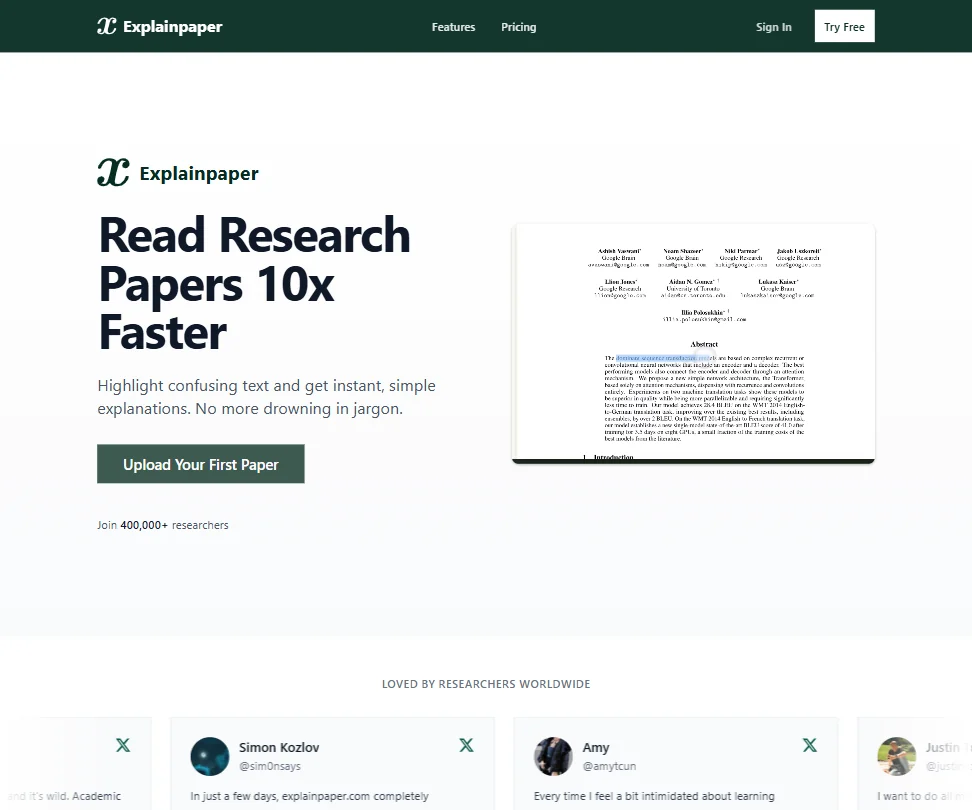
Pro adds advanced AI models, math and figure explanations, full-paper summaries, saved highlights and paper Q&A, with a 7-day free trial before you pay. Free already gives unlimited highlight explanations and Zotero import, so upgrade only if you want whole-paper answers. It reads one paper at a time. Pick it over Scholarcy to understand one paper deeply, not to build a literature matrix.
- The highlight-and-explain mechanic is intuitive and works well for breaking down confusing academic text into plain language.
- Explanations are adjustable for complexity, making the tool useful for both undergraduates and graduate students.
- No web search or academic database search capability, limiting users to only the papers they manually upload.
More AI research tools under $30
1 pickRayyan sits apart from the search and reading tools on this page. It is a screening platform: you import references from PubMed or Embase, remove duplicates, screen the rest and produce a PRISMA diagram. Its paid plans bill quarterly and add AI-powered tools. Choose it when the job is a formal systematic review, not finding or reading papers.
#ToolScoreEntry plan includesStarts at
Essential: AI-powered tools for serious researchers, billed quarterly ($24.99/quarter)
✓ Free plan tooFrom $8.33Show detailsHide details20 Rayyan: Best for screening references in small groups8.2Score 8.2 out of 10Essential: AI-powered tools for serious researchers, billed quarterly ($24.99/quarter)✓ Free plan too$8.33Visit site ↗ReviewDetailsCloseShow more about Rayyan
Essential: AI-powered tools for serious researchers, billed quarterly ($24.99/quarter)
✓ Free plan tooFrom $8.33
Show detailsHide detailsRayyan: Best for screening references in small groups
8.2Score 8.2 out of 10Essential: AI-powered tools for serious researchers, billed quarterly ($24.99/quarter)✓ Free plan too$8.33Visit site ↗ReviewDetailsClose
Essential bills quarterly, with no monthly option, and brings the AI-powered tools to a screening platform. Advanced adds shared workflows for small research groups at a slightly higher quarterly price, while the full platform with ResearchPilot starts at five licenses on the Business plan, billed yearly. Pick it over the paper readers here when the job is a formal review, since it deduplicates references and draws PRISMA diagrams.
- The Systematic Auto-Resolver deduplicates references quickly using a configurable protocol, solving one of the most tedious parts of multi-database systematic reviews.
- ResearchPilot AI provides zero-shot relevance ratings, meaning it can score reference relevance without requiring training examples from the user.
- The tool does not perform its own database searches, users must import references manually from external sources like PubMed or Embase in RIS or BibTeX format.
How to choose an AI research tool under $30 a month
At this budget you stop choosing between free meters and start choosing between kinds of work. A monthly plan can buy a literature search agent, a reader for your own library, a citation map or a review platform, and very few cover more than two of those. The useful questions are which stage of your project you spend most time on, whether the plan you can afford is built for your audience, and how the tool counts usage once you pay. This guide covers each in turn and finishes with ways to combine two tools.
Start with the job, not the tool
The eighteen tools on this page do five distinct jobs. Naming the one that takes most of your week narrows the page quickly.
- Finding papers. You need sources on a question. Semantic Scholar, Elicit, SciSpace, Undermind, R Discovery and Keenious search the literature, and Elicit and Undermind go further by building reports from what they find.
- Judging the evidence. You want to know whether a claim holds. Consensus reports how strongly the literature backs or contradicts a claim, and Scite classifies how later papers treated an earlier one.
- Mapping a topic. You have a handful of papers and want what surrounds them. ResearchRabbit and Litmaps both draw citation maps from papers you choose.
- Reading your own documents. The files are already in hand. Anara, Humata, Avidnote and Logically answer questions across a library, while Explainpaper, Scholarcy and SciSummary work through a single paper at a time.
- Screening for a review. Rayyan takes records from your database searches and helps you decide which stay.
With the job named, the table below gives a first pick and the catch with the alternative.
| Job | Start with | Runner-up and the trade-off |
|---|---|---|
| Discover papers on a new topic | Semantic Scholar | Elicit extracts data into tables, though its Plus plan is priced for academic users |
| Test a claim against the literature | Consensus | Scite shows how later papers treated it, and its Basic plan caps MCP use at 250 credits |
| Build a reading list from seeds | ResearchRabbit | Litmaps plots papers against time and costs the same |
| Answer questions across a large library | Anara | Humata charges per extra page past its monthly allowance |
| Summarize and structure single papers | SciSummary | Scholarcy produces flashcards and a literature matrix at a similar price |
| Read in many languages | SciSpace | Avidnote transcribes in several languages but is aimed at interview work |
| Screen references for a review | Rayyan | Elicit screens papers too, up to 5,000 in its review workflow |
What the price actually buys
Price buys different things on different tools, and the cheapest plan is not always the closest fit.
- Search agents. Elicit's Plus plan, at $19, is its academic plan and covers the Research Agent, Research Reports and systematic literature reviews at standard usage. SciSpace Premium at $20 gives 1,200 monthly credits, Pro model access and 4 parallel agent queries, and it has no free plan or trial. Undermind Pro at $20 raises usage limits tenfold and removes limits on projects, files and paper libraries.
- Evidence tools. Consensus Pro at $20 makes Pro messages unlimited and gives 15 Deep reviews a month. Scite Basic at $20 gives unlimited Assistant queries, full-text search, Smart Citation reports and collections up to 1,000 papers.
- Mapping tools. ResearchRabbit+ and Litmaps Pro both cost $12.50. The first lifts the seed cap to 300 and adds Signals alerts. The second removes the cap on inputs, articles and maps and adds advanced search and weekly alerts.
- Readers. Anara Plus at $12 doubles daily AI words and uploads, and Pro at $24 makes both unlimited with 300MB files and 10,000 pages. Humata's Expert plan at $9.99 gives 500 pages a month, then $0.02 a page. Avidnote Professional at $19 gives 100,000 AI words a month, plus 10 hours of transcription.
- Summarizers. Scholarcy at 8.99 euros and SciSummary at $7 are the cheapest tools here, and both make summaries unlimited.
Which tool fits which researcher
- Graduate students. Start with Anara for answers that cite the exact passage across a growing library, then add Explainpaper at $16 for passages that stay confusing. It adds math and figure explanations and full-paper summaries.
- Postdocs running literature reviews. Start with Elicit Plus, since the Research Agent can analyze up to 20,000 data points across up to 200 sources. Add Rayyan Advanced for shared screening with a small group.
- Clinicians checking evidence. Start with Consensus Pro for the Meter and Deep reviews, then add Scite Basic to see whether later papers supported or contradicted a study. Consensus has no mobile app, so checks happen at a desk.
- Researchers who write in other languages. Start with SciSpace, which supports 75 or more languages and includes PDF chat. R Discovery adds translation and audio for papers on its Prime plan.
- Qualitative researchers. Start with Avidnote Professional for interview transcription and AI-assisted coding. Add Logically if you want citation styles and a writing space in one place.
- Students watching every dollar. Start with Semantic Scholar, which has no paid tier, and add SciSummary at $7. Its student offer gives the first month free.
Where the entry plans stop
| Limit | Tools | What happens when you hit it |
|---|---|---|
| Credits or messages | SciSpace (1,200 credits), Scite (250 MCP credits), Avidnote (100,000 AI words) | The meter refills monthly, and heavier use means a higher plan |
| Pages | Humata (500 pages) | Each extra page costs $0.02 |
| Seeds and inputs | ResearchRabbit+ (300 seeds) | Very large reviews outgrow a single project |
| Audience pricing | Elicit Plus, Undermind Pro Academic | Industry users start on higher plans |
| Collaboration | Anara Plus (5 collaborators per folder), Rayyan | Anara Pro takes 50 collaborators, and Rayyan's shared workflows start at Advanced |
| Billing term | Rayyan | Quarterly billing, with no monthly plan |
The sensible way to work within these is to treat each meter as a budget for the month. Spend SciSpace credits and Consensus Deep reviews on questions that justify them, and run the unmetered tools, Semantic Scholar and ResearchRabbit, before you reach for a counted one. If you work in short bursts around deadlines, a monthly plan with a clear pot suits you better than several small daily allowances.
What the cheapest plan leaves out
The entry plan at each tool usually leaves out the top model tier or the largest allowance. Anara keeps Google, Notion and OneDrive connectors, OCR and priority support for Pro, and its Deep Search agent for Max. Scite keeps API access, patent and clinical trial search and larger collections for Pro. Consensus keeps 200 Deep reviews a month for the Deep plan, and SciSpace keeps Expert model access and verified reports for Advanced.
Teams are the other gap. Scite and SciSpace price team seats separately, and Rayyan's ResearchPilot AI sits on the Business and Academic plan, sold as five licenses billed annually. Logically adds its team admin portal at the Unlimited plan, which costs $30 a month, so it is the one tool here priced right at the ceiling.
Privacy and who sees your documents
Reading unpublished manuscripts, patient-adjacent material or client reports in a hosted tool calls for care about how it treats uploads. These tools list a no-training policy for what you upload.
| Tool | What is stated |
|---|---|
| Anara | Not used for training; SOC 2 Type II and ISO 27001 on Enterprise |
| Avidnote | Not used for training; encrypted |
| Consensus | Not used for training |
| Humata | Not used for training |
| Keenious | Not used for training; ISO 27001 |
| Logically | Not used for training |
| ResearchRabbit | Not used for training |
| SciSpace | Not used for training |
| Scite | Not used for training |
| Undermind | Not used for training |
Put confidential documents in one of these ten, and keep unlisted tools for published papers.
Mistakes to avoid
- Paying for SciSpace to try it. SciSpace offers neither a free plan nor a trial. Try Semantic Scholar or Elicit's Basic plan first, so you know the kind of tool you need before spending $20.
- Assuming Scite Basic includes the API. API access is restricted to the Pro plan. If you build scripts, budget for that tier.
- Buying Elicit Plus as an industry user. Plus is the academic plan, and industry users start on Pro at $69. Confirm your category before you subscribe.
- Doubling up on two readers. Anara, Humata and Explainpaper overlap heavily. Pick one for your library and keep another only if it adds something, such as Explainpaper's figure explanations.
- Expecting R Discovery Prime to carry the Paperpal allowances. Prime at 12 euros covers the assistant, literature review and exports. The 20,000 edits and 10,000 plagiarism and reference check words belong to Paperpal Prime at 22 euros.
When to move up a plan
You are ready for a higher plan when the allowance sets the pace of your project. Rationing Deep reviews, splitting a library across projects, or holding questions until the next billing date are the signs.
| If you are | Upgrade to | What changes |
|---|---|---|
| Handling many PDFs a day | Anara Pro | Unlimited words and imports, 300MB files, OCR |
| Reviewing with a small group | Rayyan Advanced | Shared workflows for small research groups |
| Checking evidence daily | Consensus Pro | Unlimited Pro messages and 15 Deep reviews |
| Writing and revising papers | R Discovery with Paperpal Prime | 20,000 edits, 500 AI writing uses and plagiarism checks each month |
| Running ongoing deep searches | Undermind Pro | Tenfold usage limits and unlimited projects |
| Transcribing interviews | Avidnote Professional | A far bigger pot of AI words and transcription time |
Billing choices matter nearly as much as plan choices. Yearly billing takes 40% off Consensus, Scite and SciSpace, 20% off Anara and Undermind, and 52% off R Discovery. Logically gives students 50% off. Explainpaper, SciSummary, Scholarcy, Scite and Undermind list trials, and Explainpaper's runs 7 days.
Using two tools together
A paid tool and a free one often work better than two paid ones.
- Find. Search in Semantic Scholar or Undermind, and save the papers worth a full read.
- Check. Run the key claims through Consensus and Scite to see how the evidence stands.
- Read. Load the papers you keep into Anara, and ask your questions with citations attached.
A second pairing suits a reading list that keeps growing. Map it in ResearchRabbit, send the collection to Zotero, and use Scholarcy to turn the papers there into flashcards.
What would this stack cost you?
Add our top picks (Elicit, Anara, Rayyan) to the calculator and see the monthly total, then swap in the plans you would pay for.
How we picked
Every tool here is ranked by its score, and each score is worked out from the vendor’s own published pages: pricing, plans, features and terms. No score is adjusted by hand. All 20 tools have enough published facts to be scored, and on average 99% of each score comes from facts the vendor publishes. The facts behind these scores were checked between 14 September 2026 and 29 October 2026.
Scores compare tools that do the same job, which is why the list is grouped by job: a video editor and a grammar checker are never ranked against each other.
| Ranked as | On this page | What we score | Scoring guide |
|---|---|---|---|
| Literature search tools13 reviewed | 12 | 6 criteria, 29 checked facts: finding papers, reading and analysing papers, systematic reviews, pricing, citing and writing, access | How we score these → |
| Paper readers8 reviewed | 7 | 6 criteria, 29 checked facts: finding papers, reading and analysing papers, systematic reviews, pricing, citing and writing, access | How we score these → |
| Systematic review platforms4 reviewed | 1 | 6 criteria, 27 checked facts: running the review, extraction and analysis, teams, pricing, finding papers, citing and exports | How we score these → |
Common questions
Is Rayyan or Elicit better for a systematic review?
They do different jobs. Rayyan screens references you import from PubMed or Embase, deduplicates them and draws PRISMA diagrams. Elicit searches 138 million papers and extracts structured data, and systematic literature reviews arrive on its Plus plan. Use Elicit to build and extract, and Rayyan to screen, if the review is formal and several people take part.
Can AI research tools replace a reference manager?
Partly. Logically bundles a reference manager with automatic bibliography building across more than 10,000 citation styles. Scholarcy makes one-click bibliographies on its paid plan. Anara's Plus connectors link Zotero and Mendeley, and Litmaps Pro syncs with Zotero both ways. Pick Logically if you want one place to write and cite, and a connector if you already keep a library.
How much do the bigger tiers cost compared with these plans?
Far more. Scite Pro, Consensus Deep, Avidnote Premium, Elicit Pro and SciSpace Advanced run from about two and a half to over four times the entry price, and Elicit Scale and Anara Max go higher still. Bigger tiers add usage multiples, such as nine times at Elicit Scale, so they suit daily heavy use and not a thesis year.
Which AI research tools read full text and not only abstracts?
Undermind reads papers at full-text level and follows citation trails. Scite searches the full text of over 300 million articles and links answers to the sentence behind them. Consensus includes licensed full-text content from publishers. Anara answers from your uploaded files, up to 10,000 pages on Pro. Semantic Scholar's Reader adds extracted citation data to the paper you are reading.
Is a team plan cheaper per person than an individual plan?
Usually not. Undermind Team costs the same per person as Pro, with no discount for extra seats. Scite Team is priced like Pro, Consensus Teams charges more per seat than Pro, and SciSpace Teams does too. Teams pay for admin tools, shared billing and collaboration, so buy individual plans if you only need more usage.
Which AI research tools suit work in other languages?
SciSpace supports more than 75 languages, and R Discovery adds paper translation on Prime. Avidnote transcribes interviews in numerous languages. Undermind is English-only, so it is the one to avoid for non-English searching. Semantic Scholar's index spans STEM, social sciences and humanities. Pick SciSpace first for multilingual reading, and R Discovery when translation of papers matters.