
What is ResearchRabbit?
Founded in 2020, ResearchRabbit is a web-based literature discovery tool. Drop in a paper, and it builds an interactive citation network showing what that paper cites, what cites it, connected authors, and how the topic cluster has shifted over time. The core loop is exploration, not extraction.
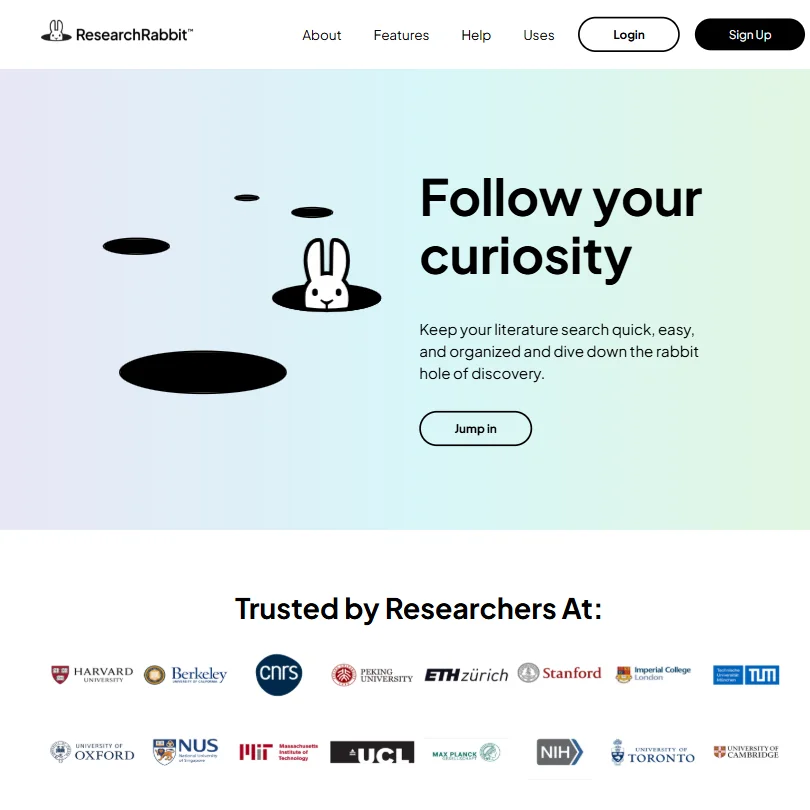
Over a million users, according to their homepage. For a niche academic tool, that's a number worth sitting with briefly before moving on. Self-reported, obviously.
The Zotero integration is the feature that keeps coming up in user feedback, not the visual maps, not the 310 million paper index. Researchers mention it almost reflexively. The sync between ResearchRabbit collections and Zotero libraries removes a manual step that, in practice, people were doing dozens of times per project. Not exciting to describe. Clearly useful in practice.
ResearchRabbit also supports BibTeX imports for those not on Zotero. What it does not publicly document is AI paper summaries, PDF uploads for full-text analysis, or conversational follow-up questions. That matters. Worth knowing before you pick this over something like Elicit.
ResearchRabbit Features: Search, Synthesis & Research Capabilities
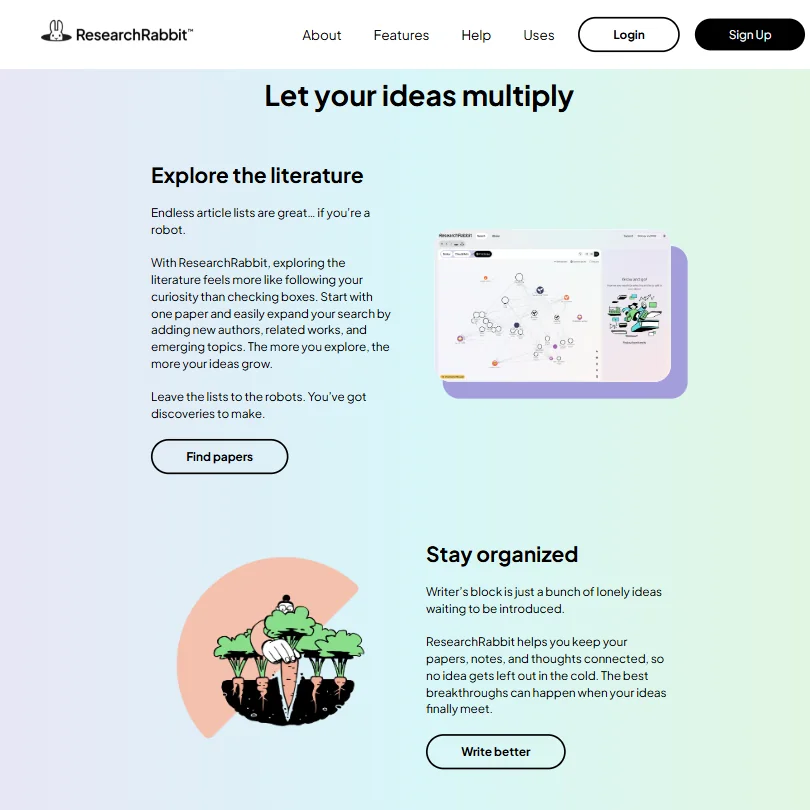
Three hundred and ten million articles in the index. That's the headline. The discovery mechanism underneath it runs on citation patterns and author networks, not just keyword matching. You start with what the product calls seed articles, up to 50 on the free plan, and the tool surfaces related work by following connections rather than terms.
Visual maps are the main draw. You can see how papers cluster, trace how a research thread evolved across years, and identify which authors sit at the center of a given conversation. Honestly, that's more useful than it sounds when you're trying to get oriented in an unfamiliar field fast.
Collaboration is present. You can share collections with other researchers, which works for small lab groups or co-authored reviews. Not concurrent editing, but shared access to curated paper sets. Fine for most academic use cases.
The RR+ plan, at $12.50 per month on a monthly billing cycle, adds search controls including keyword, date, journal-quality, open-access and retraction filters. It also raises the seed article cap to 300, supports multiple projects for topic separation, and includes what the pricing page calls Signals alerts for research integrity protection. Faster support response is listed too.
The free plan covers unlimited searches, unlimited library and collections, and the 50 seed article limit. For solo researchers doing occasional review work, that ceiling is real but livable.
ResearchRabbit Research Quality: How Accurate and Trustworthy Is It?
Citation network accuracy depends entirely on the underlying index. ResearchRabbit names Crossref, Semantic Scholar and OpenAlex as its three principal data providers. It also includes sources like PubMed, arXiv, bioRxiv and medRxiv. What it doesn't publish is a quantitative breakdown by discipline or provider. You're trusting the index without being able to audit it.
Reddit threads from STEM researchers are generally positive about discovery quality. What we kept seeing in those threads was a specific pattern: researchers finding papers that keyword searches had missed entirely, because those papers shared a problem but not the terminology. That tracks. Citation-based discovery sidesteps vocabulary gaps in a way that search boxes simply can't.
The synthesis layer is thin. ResearchRabbit finds papers and maps their relationships. It does not, based on what's publicly documented, read those papers and tell you what they say. That distinction separates it cleanly from Elicit or Consensus if those capabilities are what you're actually after.
Not great, if synthesis is the job.
ResearchRabbit Source Coverage: What Does It Actually Search?
Three hundred and ten million papers is the number, and that's where the public documentation stops in terms of specifics. No percentage breakdown by discipline, no source-level volume figures. ResearchRabbit names its principal providers and several included collections but doesn't go further than that.
Cross-referencing user reports, coverage appears strongest in biomedical research and computer science. Those are also the fields where most of the vocal user base works, so it's hard to separate real coverage depth from community selection bias. Humanities researchers appear less frequently in community discussions, which might reflect coverage gaps or might just reflect smaller adoption in those fields.
The Institution tier, which is contact-only pricing, adds LibKey integration for full-text access. Without it, the tool surfaces papers and maps connections but doesn't necessarily get you to the actual content. For university research offices with existing library subscriptions, that LibKey tie-in is the institution plan's clearest concrete benefit.
Any research tool that doesn't publish a source breakdown deserves skepticism, and that applies here.
Is ResearchRabbit Easy to Use for Researchers and Professionals?
Interface feedback is genuinely mixed. The original design got consistent praise for being approachable and low-friction. Reviews and forum posts following the 2025 redesign are less generous. Repeated complaints about the interface becoming cluttered and unintuitive show up across multiple independent sources. That's a pattern, not a few outliers.
Fair. Visual tools can overcomplicate themselves fast.
Web-only, as far as documented. No mobile app, no browser extension mentioned in the product documentation. For researchers who work across devices, that's a real constraint. It limits the tool to desk-based sessions in a way that doesn't match how most people actually do research.
Collection management and the Zotero sync remain the organizational backbone regardless of which interface version you're on. Researchers who already run a Zotero workflow will find the setup natural. Those starting fresh on reference management may need to build two habits at once.
ResearchRabbit Pricing: Is It Worth It vs Free Alternatives?

Free plan is permanent. Not a trial, not a feature-limited preview that expires. Unlimited searches, unlimited library and collections, up to 50 seed articles, core search settings. For a researcher doing periodic literature review work, that's a functional tool with one real ceiling.
RR+ runs $12.50 per month on the monthly plan. The pricing page is actually more detailed than we expected. It lists the 300 seed article cap, multiple projects support, advanced search controls, Signals alerts for research integrity, and faster support response. Some features are still described as coming soon, which is a flag worth noting before upgrading.
Institution pricing is contact-only. Standard for that segment, but it removes any public anchor for what universities are actually paying.
Semantic Scholar is free, covers comparable academic territory, and surfaces AI-generated paper summaries that ResearchRabbit doesn't clearly offer. If you need search and citation tracking only, the case for paying ResearchRabbit is not strong. The visual mapping and Zotero sync are what justify the upgrade. Whether $12.50 a month buys enough beyond the free tier depends almost entirely on whether you're hitting the 50 seed article cap regularly.
ResearchRabbit vs Semantic Scholar: Which AI Research Tool Is Better?
Semantic Scholar is backed by the Allen Institute, which gives it infrastructure credibility that ResearchRabbit can't match as a smaller independent product. Its search is well-regarded. Citation data quality is consistently praised. It also surfaces AI-generated summaries at the paper level, which ResearchRabbit doesn't publicly document offering.
ResearchRabbit wins on network visualization. The maps are genuinely better for building a mental model of how a field connects and where the clusters sit. Semantic Scholar gives you more information per paper. ResearchRabbit gives you more across papers. Different tools for different moments in the research process.
Elicit belongs in this comparison too. It handles synthesis more aggressively, pulling structured data across studies in a way that's closer to actually reading the papers. Researchers who want machine-assisted analysis rather than machine-assisted discovery are better served there than at ResearchRabbit.
Who Should Use ResearchRabbit? (And Who Shouldn't)
Graduate students in thesis lit review phases. That's the clearest fit. The visual mapping accelerates field orientation considerably, and pairing it with Zotero gives you a two-tool setup that covers discovery and reference management without much redundancy.
Academics already running a Zotero workflow. Adoption friction is low, and the integration payoff is real enough that multiple independent users mention it without prompting.
Anyone who needs AI to read and summarize papers as part of the workflow. Not the right tool. ResearchRabbit finds papers and maps their relationships. It doesn't interpret content. Professionals who need fast synthesis from a document set should look at Elicit or Consensus instead.
ResearchRabbit Review Verdict
The visual citation maps are real, not decorative. They do something that a flat search results list cannot, which is show you the shape of a field rather than just entries from it. That's the product's genuine contribution.
The gaps are real too. AI synthesis is either thin or undocumented, which makes ResearchRabbit a discovery layer rather than a complete research workflow. The 2025 interface redesign introduced usability complaints that haven't fully settled. Mobile access is absent. The Institution tier is entirely opaque on pricing.
For the free plan, the signup is worth it for researchers doing literature review work. The 50 seed article cap is a real ceiling for large systematic reviews, which is what the RR+ upgrade at $12.50 a month is built to address. That plan is better documented than it used to be, though some features remain in coming soon territory.
A mobile experience of some kind and more source coverage transparency would make the paid tier an easier recommendation for most individual users. The free tier, though, holds up.
How ResearchRabbit compares
ResearchRabbit scores 4.0 out of 10 among the literature search tools we rate. These three do the same job and are the closest to it, compared on what each vendor publishes.
Semantic Scholar
Semantic Scholar is free, with no paid plan; ResearchRabbit's cheapest paid plan is $12.50 a month. ResearchRabbit answers back with a visual map of connected papers, the core of the product, which Semantic Scholar does not offer. Semantic Scholar counters with a free, documented API, per paper summaries in computer science, biology and medicine, and a chat feature for asking questions of a single paper, none of which ResearchRabbit has.
Pick Semantic Scholar if you want free access with an API and paper summaries.
Pick ResearchRabbit if you want a visual map of how papers connect.
Elicit
ResearchRabbit's cheapest paid plan is $12.50 a month; Elicit's academic plan is $19 a month. ResearchRabbit answers back with shared team projects included on its free plan, where Elicit only adds collaboration from its paid Pro tier. Elicit goes much further into reading and analysis: it answers research questions with a written, cited answer, reads figures and tables inside papers, and screens references for a systematic review, none of which ResearchRabbit does since it is built for discovery and mapping only.
Pick Elicit if you need answers, figure reading or systematic review screening.
Pick ResearchRabbit if you want free team collaboration and a paper connection map.
Consensus
Both ResearchRabbit and Consensus build a visual map of connected papers, but Consensus goes further: it answers a research question with a written, cited answer, pulls study details from many papers into a comparison table, and writes a full literature review, none of which ResearchRabbit does. ResearchRabbit's cheapest paid plan is $12.50 a month against Consensus's $20, and it stays focused on straightforward reference discovery and mapping, without Consensus's research agent or writing tools.
Pick Consensus if you want written answers, a comparison table and a review draft.
Pick ResearchRabbit if you just want a cheaper way to map connected papers.
Frequently Asked Questions
Is ResearchRabbit actually free?
Permanently free, not a trial. The free plan includes unlimited searches, unlimited library and collections, and up to 50 seed articles at no cost. The RR+ plan at $12.50 per month adds meaningfully to that, including a 300 seed article cap, advanced search filters and Signals alerts, though a few listed features are still marked as coming soon. If you're near the 50 article ceiling regularly, the upgrade math is fairly clear. If you're not, the free tier holds up fine.
How does ResearchRabbit compare to Connected Papers?
Both use visual citation mapping as the core mechanic. ResearchRabbit gets consistently better marks for collection management and Zotero integration. Connected Papers imposes a per-graph limit on free users that ResearchRabbit doesn't apply at the collection level. For researchers building and organizing larger paper sets across a full project, ResearchRabbit is generally the stronger choice. For a single one-off visual lookup, either works.
Does ResearchRabbit use AI to summarize papers?
Not based on what's publicly documented. The tool focuses on citation network discovery and connection mapping. It will surface related papers, show you how a topic cluster evolved over time, and flag connections between authors and works. It won't pull key findings out of a paper and present them to you. That distinction matters considerably if synthesis is the core need, not discovery.


