
What is Scholarcy?
Founded in 2019 and based in London, Scholarcy has accumulated over 600,000 users. That number is verifiable. Whether the product earns it is a harder question, and one we'll try to answer honestly here.

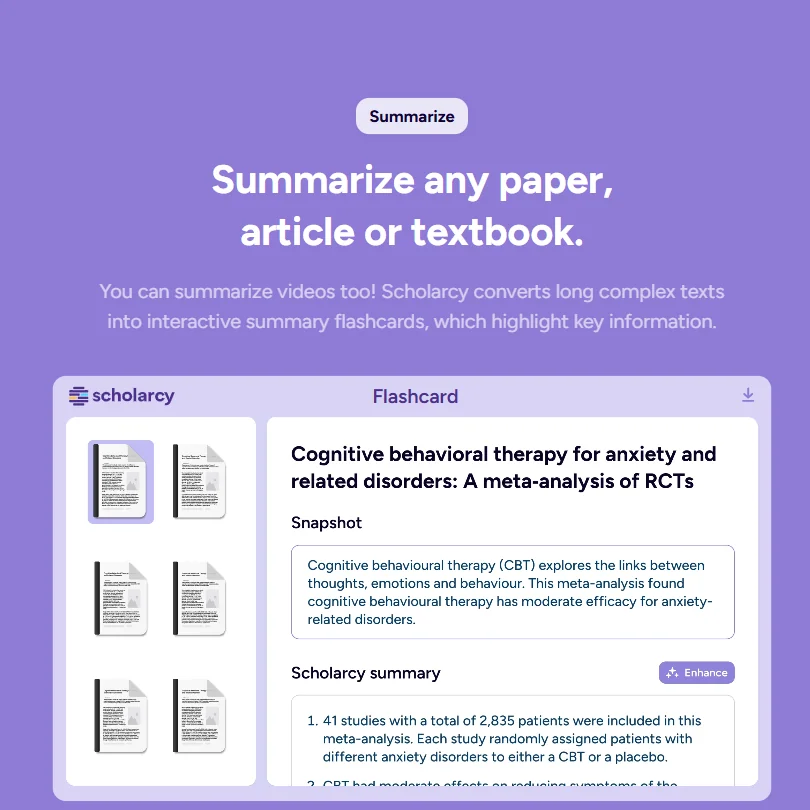
Scholarcy takes academic papers and converts them into structured, interactive summaries. The format is flashcard-based. You upload a PDF or a Word doc, and it breaks the document down into key findings, contributions, and stated concepts. Depth is adjustable through their Enhance feature, which slides between a one-sentence overview and something closer to a detailed researcher-level breakdown.
Not a search tool. Doesn't find papers. You bring the documents and it processes them, which is a meaningful distinction that shapes everything else about how to evaluate it.
The pitch is squarely at students and academic researchers. The flashcard summary format is genuinely specific to academic reading workflows in a way that generic AI summarizers aren't. Zotero integration is available. One-click bibliography generation ships with the paid plan, and the browser extension handles on-the-fly summarization while you're reading.
Honestly, the product positioning is cleaner than most tools in this category.
Scholarcy Features: Search, Synthesis & Research Capabilities
No web search. No academic database search. Scholarcy is a document processor, not a discovery engine, and it doesn't pretend otherwise. If you want something that actively surfaces papers from the literature, look at Elicit instead.
What it does on the processing side is coherent. The Enhance feature is one of the more consistently praised functions across user discussions, letting you run a single-sentence triage summary or a fuller breakdown depending on what you need. The Spotlight feature claims to jump you to key contributions and important sections. User feedback on Spotlight specifically is thinner than on Enhance, so treat that one with mild caution.
For multi-document work, Literature Matrix creation is available, which is how Scholarcy gestures toward synthesis across sources. Batch conversion of a Zotero library also comes included. That last one is genuinely useful for anyone sitting on a large reference collection they haven't worked through.
Fair. The feature set is coherent and purpose-built.
The browser extension handles on-the-fly summarization while you're reading papers in your browser, which is where a lot of researchers actually live day-to-day. Export options include Word and Excel, plus citation manager formats. Notion integration is listed. No Google Docs export, and no mobile app, both of which come up in user complaints with some regularity.
Scholarcy Research Quality: How Accurate and Trustworthy Is It?
This is where confidence gets harder. Scholarcy isn't listed on G2 or Capterra in any form we could verify, and there's no visible Trustpilot profile. The review trail is genuinely thin. That's not automatically damning, but it means we're working from vendor documentation, Reddit threads, and scattered community feedback rather than a consistent aggregated source.
What we kept seeing in those Reddit discussions is that Scholarcy handles standard academic paper formats well. Clean PDFs process cleanly in most reported cases. Where users ran into frustration was with unusual layouts, scanned documents, or papers where figures and tables carry most of the meaning. The summaries don't reliably capture quantitative findings in those cases. That tracks with how most AI summarizers behave under the same conditions.
The "understand any complexity" framing on the homepage is marketing language. The tool processes structure well. Deep conceptual accuracy on niche technical papers is a different claim, and nothing in the user feedback fully backs that up.
No fact-checking feature. No follow-up question capability. What you get is what the summarizer extracts, and verifying anything critical is your responsibility.
Scholarcy Source Coverage: What Does It Actually Search?
It doesn't search. That's the whole answer.
Scholarcy accepts PDFs and Word documents as the primary input formats. Book chapters and plain text work too. YouTube imports are available, which is genuinely unusual for an academic tool. Google Drive syncing and Zotero library import round out the input options.
The trade-off is straightforward. Fast, structured processing of documents you already have, nothing in terms of finding new literature. For systematic reviews or early-stage exploratory phases, that's a real gap. For someone sitting on a stack of papers they need to work through before a deadline, it isn't a gap at all.
Source handling is wide enough to cover most practical workflows, just not the discovery part of those workflows.
Is Scholarcy Easy to Use for Researchers and Professionals?
Setup overhead appears low. The browser extension installs like any other. The web app is straightforward. Users in academic communities who mention Scholarcy tend to describe it as something you're running the same day without a learning curve, and there's not much pushback on that.
The flashcard interface is the main interaction model, and it's a deliberate UX choice. Instead of a wall of summarized prose, you get a structured card that separates out findings, methodology, and contributions. For skimming purposes, that's faster than a conventional summary format.
The help center includes a Quickstart Guide and Video Tutorials, which looked reasonably maintained from what we could see. Email support is available at support@scholarcy.com. No live chat, no community forum. That matters if you hit a problem with a complex PDF and need a fast turnaround on an answer.
Honestly, for a tool at this price point, the support structure is fine but not impressive.
Scholarcy Pricing: Is It Worth It vs Free Alternatives?

One paid plan. The Monthly plan is €8.99 per month, with a one-week free trial before billing starts. The free tier, labeled Free Article Summarizer, caps you at 10 summaries with exports limited to one at a time. It's enough to evaluate the tool, not enough to sustain any real workflow.
No mid-tier. No advanced tier. No enterprise pricing listed publicly. That's the whole structure.
At under €9 a month, the price isn't the problem. The problem is that the single-tier structure leaves no obvious path for power users or teams. No dedicated team seats, though Scholarcy does let you share libraries with read-only or editing access. Four researchers could still share libraries with each other, but each would need a separate subscription since there's no discounted team tier.
The refund policy isn't publicly stated anywhere we could locate. That's not a great look. Low-stakes at this price, but the silence on it is still worth knowing before you commit.
We've seen worse pricing structures. This one is at least simple.
Scholarcy vs Elicit: Which AI Research Tool Is Better?
These two tools don't really compete. They solve different problems at different stages of a research workflow.
Elicit is a discovery tool. It searches the academic literature, helps you find papers, and filters results. Scholarcy takes papers you already have and processes them. The comparison only makes sense at the workflow level, and a researcher doing a systematic review needs both, not one or the other.
Where Elicit wins outright is source coverage and active search capability. Where Scholarcy wins is structured document processing and the Zotero-to-summary pipeline. Elicit doesn't produce flashcard-format summaries. Scholarcy doesn't search anything.
At €8.99 monthly, Scholarcy is cheaper than Elicit's paid tiers. Purely processing existing documents, Scholarcy is the better spend. Starting from a research question with no papers yet, Elicit is the right starting point.
For teams that also need citation verification and want to understand how papers have been cited over time, Scite is worth a look as a third option alongside either of these.
Who Should Use Scholarcy? (And Who Shouldn't)
Undergrads and postgrads drowning in assigned reading. That's the obvious fit.
Researchers managing a large Zotero library who want structured summaries without manually reading everything. Also a genuine fit, and arguably where the Batch conversion feature earns its keep.
Teams expecting a discounted team tier or dedicated seats (library sharing itself does exist). Not the tool. Solo use is baked into the current design, and there's no indication that's changing soon.
Anyone who needs to discover new literature rather than process existing papers. Scholarcy won't help with that part of the workflow and doesn't claim to.
Researchers in fields where figures and tables carry most of the meaning, clinical trials or engineering studies being the obvious examples, should temper their expectations around summary accuracy on those documents specifically.
Scholarcy Review Verdict
Scholarcy does one thing with genuine care. It takes academic papers and makes them faster to read. The flashcard format is thoughtful, the Zotero integration is a real workflow advantage, and the price is low enough that testing it carries minimal risk.
What it doesn't do is equally important to state clearly. No search. No collaboration. No mobile app. The review trail is thin enough that accuracy claims on complex or niche technical papers are hard to fully trust without testing yourself, which is why we flag it.
The single-tier pricing structure is the thing that would push teams away fastest. Four separate subscriptions is still a friction point, since there's no discounted team tier, even though libraries themselves can be shared.
Scholarcy's browser extension lists English (UK) as its only language, and no broader multi-language support is published. Worth knowing before committing if your reading list skews non-English.
For a solo student or researcher with a clear stack of documents to process, this earns its subscription. For anyone expecting more than that, the gaps are real.
How Scholarcy compares
Scholarcy scores 6.0 out of 10 among the paper readers we rate. These two do the same job and are the closest to it, compared on what each vendor publishes.
Explainpaper
Scholarcy shows whether later papers support or dispute a paper through a Scite.ai integration, pulls data from many papers into an Excel literature matrix, reads tables and figures, and sends RSS or email alerts for new papers, none of which Explainpaper offers. Explainpaper's edge is a chat style question and answer feature on one uploaded paper. Scholarcy costs CA$13.99 a month for its only paid plan against Explainpaper's $16 a month Pro plan.
Pick Explainpaper if you want to chat with and ask questions of one paper.
Pick Scholarcy if you want citation classification, table extraction and paper alerts.
SciSummary
SciSummary costs $7 a month for its only paid plan; Scholarcy's equivalent plan is CA$13.99 a month. SciSummary answers back with a chat interface for asking questions of one or several papers at once, which Scholarcy does not offer. Scholarcy counters with things SciSummary lacks: it flags whether later papers support or dispute a paper through a Scite.ai integration, builds an Excel literature matrix, and sends alerts by RSS or email when new papers appear.
Pick SciSummary if you want a cheaper plan with a chat interface.
Pick Scholarcy if you want citation classification, a literature matrix and alerts.
Frequently Asked Questions
Is Scholarcy free to use?
There's a free plan, called the Free Article Summarizer, capped at 10 summaries with exports limited to one at a time. It's enough to get a feel for the tool but won't sustain a real workflow. The one-week free trial on the paid plan is the more useful evaluation window.
What file types does Scholarcy support?
PDFs and Word documents are the primary formats. Book chapters and plain text files work too. Import options include Zotero and Google Drive, and YouTube video summarization is available. That's a wider input range than most people expect from an academic tool, and a genuine differentiator from closer competitors like SciSpace or Explainpaper.
Does Scholarcy work for non-English papers?
Scholarcy's browser extension lists English (UK) as its only supported language, and no broader multi-language support is published. Ask which sections handle non-English text as reliably as English. If your research is primarily in a non-English language, the practical impact depends on which features you rely on most, and that's worth testing before committing to the subscription.


