SAASINSPECTOR
Keenious logo

Keenious Review

Keenious, a literature search tool, suggests related papers and answers search questions as you write, from a Word or Google Docs add-in rather than a separate app. Paid plans add RIS and BibTeX export, and a search in one language returns results from others.

Visit KeeniousFrom $10/mo

Research-based review. Features and prices are checked on the vendor's own website, and the score is worked out from those facts. We haven't tested it hands-on yet.

The verdict

Worth paying for if you want related-paper suggestions inside your writing tool rather than a search app; there is no shared workspace, so team plans only pool billing.

Pros

  • Field map visualization shows how different research clusters relate to each other, offering a genuinely unique spatial view of academic literature.
  • Combines visual research mapping with conversational AI in a way that competitors like Elicit and Consensus do not replicate.
  • AI-assisted explanation provides actual comprehension support rather than simple abstract retrieval, helping users understand unfamiliar fields.
  • Runs on a proprietary AI model rather than a wrapped commercial LLM, giving it a distinct technical foundation.
  • Available as both a Microsoft Word and Google Docs add-in, integrating directly into common academic writing workflows.
  • Citation export in RIS and BibTeX formats on the Plus plan makes it compatible with reference managers like Zotero.
  • Particularly useful for students entering a new field, with library communities noting its value for building vocabulary and orientation.

Cons

  • Free tier document upload is capped at 3 MB, which is too small for many dense academic PDFs.
  • No mobile app is available, limiting access for researchers who work across devices.
  • The proprietary AI model may be a limitation for users who expect the capabilities of leading commercial LLMs.
  • Research is based on cross-referenced user reports rather than hands-on testing, meaning some limitations may not be fully captured.
  • Does not fit neatly into established AI research tool categories, which may cause confusion about its core use case.
  • Plus plan is required for the 20 MB upload limit, gating a basic research necessity behind a paid tier.
From $10/moFree plan YesFree trial No
5.1/10

Spec Score

Keenious against 11 literature search tools
#9
of 11 literature search tools
-0.8
vs the average
100%
from published facts
Ahead of other literature search tools
Pricing+1.5
Behind other literature search tools
Reading and analysing papers-2.6Citing and writing-1.9Systematic reviews-1.5Access, teams and privacy-1.5
Every criterion
Tap a row for the facts
Finding papers7.0
+0.4 vs 6.6 avg14 of 20 points
Searches a database of papersyes3 / 3
Answers a research question from the literatureyes2.5 / 2.5
Map of connected papersyes1.5 / 1.5
Alerts for new papersno0 / 1.5
Shows if later papers support or dispute a paperno0 / 1.5
Why these numbers

Answers a research question from the literature: Chat mode runs the same search engine as Search (per how-search-works article) and answers via Gemini 3.5 Flash, grounded in the index rather than generating free content.

Map of connected papers: A map of related/connected papers, not literal citation links.

Alerts for new papers: No alert/notification feature listed in the Features help collection or homepage.

Shows if later papers support or dispute a paper: No mention of support/contradict/mention labeling anywhere in the behind-the-scenes or features help collections.

Reading and analysing papers3.5
-2.6 vs 6.1 avg8.8 of 25 points
Ask questions of a paperyes2 / 2
Pulls data from many papers into a tableno0 / 2
Summarises papersno0 / 1.5
Answers show the passage they came fromyes1.5 / 1.5
Reads tables and figuresno0 / 1.5
Writes a literature review for youno0 / 1.5
Why these numbers

Ask questions of a paper: Our AI explains concepts clearly without doing the analysis for you (same FAQ).

Pulls data from many papers into a table: No feature pulls data points from many papers into a table/matrix.

Summarises papers: Positioned explicitly against summarizing/analyzing for the user.

Answers show the passage they came from: Chat answers point to actual indexed publications rather than generated text.

Reads tables and figures: No mention of reading figures, tables or equations anywhere checked.

Writes a literature review for you: Helps during a literature review by finding sources; does not write the review itself.

Systematic reviews0.0
-1.5 vs 1.5 avg0 of 10 points
Screening with include and exclude decisionsno0 / 3
AI help with screeningno0 / 2
Removes duplicate referencesno0 / 2
PRISMA flow diagramno0 / 1.5
Risk of bias assessmentno0 / 1.5
Why these numbers

Screening with include and exclude decisions: No title/abstract or full-text include/exclude screening workflow described.

AI help with screening: Same article: Keenious is a supplemental search aid, not an automated SR screening tool.

Removes duplicate references: No deduplication feature in the Features help collection or systematic-reviews article.

PRISMA flow diagram: Article on Keenious and systematic reviews describes it as supplemental only; no PRISMA diagram or workflow mentioned.

Risk of bias assessment: No risk-of-bias or study-quality feature described; SR article frames Keenious as search-only support.

Pricing9.0
+1.5 vs 7.5 avg18 of 20 points
Monthly price, cheapest paid plan (academic rate if offered)$10/mo9 / 10
Yearly price, sold by the year onlydoes not applyn/a
Why these numbers

Monthly price, cheapest paid plan (academic rate if offered): The cheapest paid plan, on the only term the vendor publishes. ⚠ TWO caveats in the vendor's own words: it is billed annually, and it is 'Starting at'. Ladder: Free $0, Individuals from $10/mo annual, Teams from $20/user/mo annual, Institutions Contact Sales.

Citing and writing3.2
-1.9 vs 5.1 avg4.8 of 15 points
Works with Zotero, Mendeley, EndNote and othersnone0 / 3.5
Export formatsRISBibTeX2 / 2.5
Helps you write and adds citationsno0 / 1.5
Browser extensionno0 / 1.3
Word or Google Docs add-inyes1.3 / 1.3
Why these numbers

Works with Zotero, Mendeley, EndNote and others: Export is a citation-format download (RIS/BibTeX per pricing page), not a named integration with Zotero/Mendeley/EndNote/Paperpile/RefWorks.

Export formats: Paid tiers only - export is the headline paid feature, listed first on the Individuals card. Real bibliographic formats, unlike Scholarcy's flashcards. The '& more' is unenumerated.

Helps you write and adds citations: Explicitly not a writing/drafting tool.

Browser extension: Only Word/Google Docs add-ins are offered, no Chrome/Edge/Firefox browser extension.

Word or Google Docs add-in: Also has a dedicated /download page for both.

Access, teams and privacy5.0
-1.5 vs 6.5 avg5 of 10 points
University or library licenceyes3 / 3
Shared projects with your teamno0 / 2
APIno0 / 2
Mobile appno0 / 1
Works in languages other than Englishyes1 / 1
Does not train AI on your datayes1 / 1
Why these numbers

University or library licence: IP recognition, institutional email domains and link resolvers - the full library-network pattern, not just SSO. Keenious runs a whole /universities site section, which places it further toward the institutional sale than any other tool here except Covidence.

Shared projects with your team: Team plan is billing/admin consolidation; no shared workspace, project or library feature mentioned.

API: No API or developer page found; sitemap has no /api or /developers page.

Mobile app: Download page offers only Word and Google Docs add-ins; no iOS/Android app or app-store link found.

Works in languages other than English: A search in one language also returns results from others.

yesnonot published average for literature search tools
How the Spec Score works

Scored from what Keenious publishes on its own site. Not a hands-on test.

Compared with 11 literature search tools. Facts checked 14 Sep 2026.

A fact the vendor does not publish gets half the points, or the typical value for a number, and says so. It never counts as a no. How we score.

Keenious homepage screenshot
Keenious, Homepage

Academic library blogs don't have a reputation for enthusiasm. So when we kept seeing Keenious mentioned favorably in those spaces, alongside posts from graduate students in academic subreddits describing it as genuinely useful, we paid attention. We pulled vendor documentation, checked what university librarians were writing, and cross-referenced those accounts against the pricing page and feature specs. No hands-on testing on our end.

Founded in 2019 out of Tromsø, Norway. That detail matters less than what they built. The field map keeps coming up in every secondhand account we found. More on that below.

What is Keenious?

A search box it is not. You paste in text or type a topic, and Keenious returns a spatial view of the research domain, showing how paper clusters relate to each other, where the work is concentrated, and where the gaps are. That's the part that distinguishes it.

Layered on top of that is conversational AI. Ask follow-ups, ask for methodology explanations, ask it to clarify a concept from a specific paper. That combination of visual domain mapping and conversational query is genuinely unusual in this category. We checked Elicit, Consensus, and Connected Papers. None of them do it quite that way.

One correction to what the vendor materials sometimes imply: the Chat function runs on Google Gemini 2.0 Flash, not a fully proprietary model. A smaller Gemini model handles research-area label generation. Search itself uses a hybrid of embeddings and keyword ranking, so it's not purely LLM-driven. Worth knowing. Keenious does not offer model selection.

Available on the web, as a Microsoft Word add-in, and as a Google Docs add-in. No mobile app.

Keenious Features: Search, Synthesis & Research Capabilities
Keenious features screenshot
Keenious, Features

The core loop is simple enough. Upload a document or enter a query. Keenious surfaces relevant papers and arranges them spatially. Then you ask questions about what it found.

The free tier caps document uploads at 3 MB and limits you to five AI responses per conversation, with three conversations per day. The Plus Individual plan raises the file ceiling to 20 MB and removes those conversation caps entirely. A single dense academic PDF can push close to 3 MB without much effort. That free-tier limit bites faster than most people expect.

The AI explanation layer is what library communities seem to value most. Reddit threads from research librarians describe it as genuinely useful for students encountering an unfamiliar field's vocabulary for the first time. That tracks with what we'd expect from something designed for early-stage exploration.

Citation export in RIS and BibTeX formats is available, but only on Plus plans. That makes it Zotero-compatible without special configuration. The free tier doesn't include it. Paywalling export formats is a familiar move.

Native-language search is something competitors mostly ignore. Keenious explicitly supports it. For researchers who don't work primarily in English, that's a real differentiator.

Keenious Research Quality: How Accurate and Trustworthy Is It?

No G2 listing. No Capterra page. No Trustpilot presence. Traditional review aggregation doesn't apply here, which is part of why writing this was harder than most entries in our database. What we found instead were university library blog mentions, academic subreddit threads describing the field map as useful for literature review orientation, and a Trust Center backed by ISO 27001 certification and GDPR compliance.

Honestly, that's a thin public record for a tool that's been around since 2019.

The ISO 27001 certification is more than most AI research tools bother with, especially at this price point. Institutions handling sensitive research data will notice. We'd still want more transparency on the AI response layer.

Because the Chat function runs on Gemini 2.0 Flash, the question of hallucination risk is tied to that model's known behavior, not some opaque proprietary system. That's actually more useful information than most competitors offer. The tool does link responses back to source papers, which is a meaningful safeguard. But we'd want to know more about how the grounding works in practice.

Keenious Source Coverage: What Does It Actually Search?

"Millions of published academic papers" is the vendor's language. Not great. There's no public breakdown of which databases feed the index, whether preprints are included, or how frequently coverage updates. Semantic Scholar publishes that information. Keenious doesn't.

That's not disqualifying. It's a friction point.

The integration with EBSCO and PRIMO link resolvers is the most practically useful infrastructure detail for institutional buyers. Students at universities with those subscriptions can click through to full papers rather than stopping at abstracts. Without that institutional layer, you're mostly skimming surfaces.

Fair. But the lack of a published corpus size will bother researchers who care about reproducibility, even with the source (OpenAlex) disclosed.

Is Keenious Easy to Use for Researchers and Professionals?

From everything we read, yes. There's an explicit first-timer orientation on the homepage. Library communities describe onboarding as low-friction for students who've never touched an academic search tool. That's consistent with a product built for early-stage exploration rather than expert retrieval.

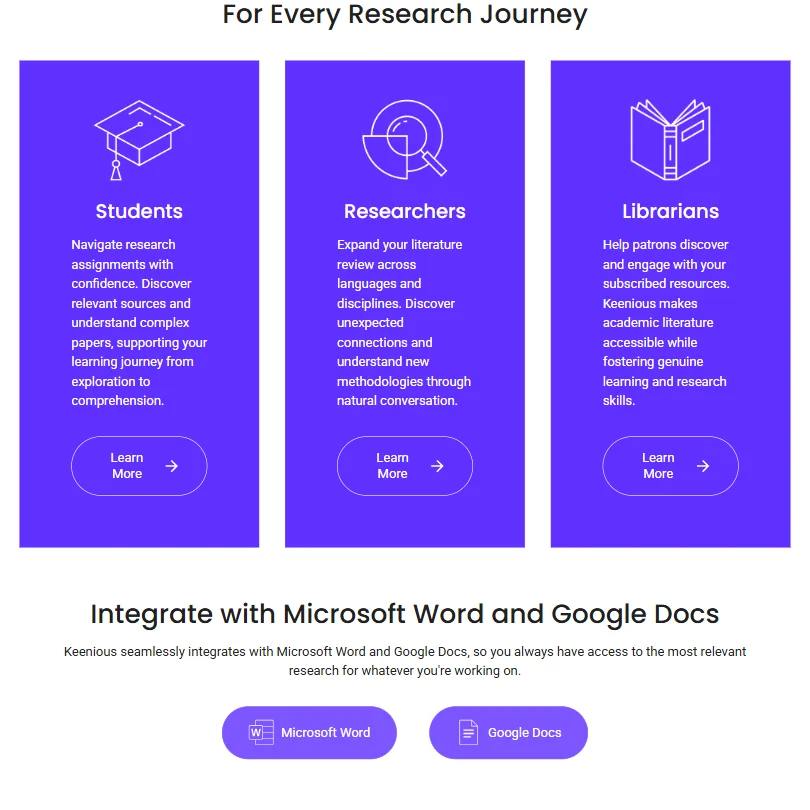
The Word and Google Docs add-ins are the practical differentiator in daily workflows. You stay in the document. You find a reference without switching tabs. Not every tool bothers with in-document integration, and the ones that do usually implement it poorly.

The absence of a browser extension is a real gap. You can't pull Keenious into an arbitrary journal page reading session. That limits how it fits into a researcher's existing habits. No mobile app compounds this slightly.

Keenious Pricing: Is It Worth It vs Free Alternatives?

Keenious pricing screenshot
Keenious, Pricing

Three tiers. Free, Plus Individual, and Plus Teams, with Institutions on custom pricing.

The free tier gives you all search results, five AI responses per conversation, three conversations per day, and a 3 MB upload cap. Usable for occasional curiosity. Not enough for sustained research work. The AI response cap is the one that creates the most friction.

Plus Individual runs $10 per month billed annually, though the pricing page may display in local currency depending on region. The screenshot we reviewed showed $10. Either way, that's roughly $120 a year. Plus Teams is $20 per user per month, also billed annually. The Institutions tier requires contacting sales.

No public refund policy that we could locate. Yellow flag.

The free competition worth naming: Semantic Scholar is free and indexes a documented corpus at massive scale. Elicit has a free tier with structured extraction features that are genuinely powerful. Neither does the field map. That's Keenious's argument for charging money.

Keenious vs Elicit: Which AI Research Tool Is Better?

Different stages of the same process. Elicit is built for systematic literature reviews, structured data extraction across large paper sets, the kind of work that comes after you know your field. Keenious is for the stage before that. When you don't know the terrain yet and you need a map before you start pulling papers.

Elicit wins on structured extraction and formal review workflows. Keenious wins on spatial orientation and language accessibility for non-English researchers.

Early-stage PhD students figuring out a new domain. That's Keenious's moment. Researchers in the data extraction phase of a registered systematic review. That's Elicit's moment. The tools aren't really competing for the same user at the same point in time.

Who Should Use Keenious? (And Who Shouldn't)

Students new to academic research. The visual map, the conversational layer, the low barrier to entry. The product is clearly designed for exactly that population.

University librarians deploying research tools at scale. The Institutions plan includes SSO, SAML, and IP-based access, plus library collection integration, a Data Processing Agreement, and training and workshops. That's a real institutional infrastructure offer, not just a team license with a fancier name.

Researchers who live inside established databases with documented coverage. Keenious's corpus opacity will frustrate them. Not great for that use case.

Heavy systematic reviewers doing formal extractions. Too loose. Look at Elicit or Rayyan instead.

Keenious Review Verdict

The field map is not a gimmick. Understanding the shape of a research domain before you start retrieving papers has real value, and most tools in this category skip that step entirely. Keenious built around it.

The clearest weaknesses are coverage transparency and the absence of any meaningful public review record. No G2 page. No public refund policy. No documented corpus. For a tool selling to university procurement offices, that undisclosed corpus size creates friction in ways that are entirely avoidable.

The Plus Individual plan at roughly $10 per month is defensible for regular use. The free tier's conversation caps push casual users toward paid faster than we'd like. And the clarification that Chat runs on Gemini 2.0 Flash rather than a purely proprietary model is actually reassuring, not the liability the vendor's vague documentation made it seem.

We'd point students and early-stage researchers toward it for orientation work. For systematic, extraction-heavy research, start somewhere else.

How Keenious compares

Keenious scores 5.1 out of 10 among the literature search tools we rate. These three do the same job and are the closest to it, compared on what each vendor publishes.

5.1Keenious
vs
7.8Elicit

Elicit

Keenious starts at $10 a month, billed annually; Elicit's academic plan is $19 a month. Keenious answers back with a Word and Google Docs add-in for finding sources as you write, something Elicit does not offer. Elicit goes much further otherwise: it screens papers for a systematic review, deduplicates references automatically, summarizes papers, and reads figures and tables, none of which Keenious does, since Keenious is built to find sources rather than summarize or analyze them for you.

Pick Elicit if you need systematic review screening, summaries and dedup.
Pick Keenious if you want a Word or Docs add-in while you write.

Keenious vs Elicit →
5.1Keenious
vs
6.7Consensus

Consensus

A Word and Google Docs add-in for finding sources while you write is Keenious's edge over Consensus, which does not offer one. Keenious starts at $10 a month, billed annually, against Consensus's $20 a month. Consensus goes further on the research side: it answers a question with a written, cited answer, pulls study details from many papers into a comparison table, and writes a full literature review, none of which Keenious does, since it is built to find sources, not analyze them.

Pick Consensus if you want answers synthesized across the literature with citations.
Pick Keenious if you want a Word or Docs add-in while you write.

Keenious vs Consensus →
5.1Keenious
vs
5.9Semantic Scholar

Semantic Scholar

Semantic Scholar is free, with no paid plan; Keenious starts at $10 a month, billed annually. Semantic Scholar answers back with a free, documented API and citation alerts on saved searches, and it works directly with Zotero, Mendeley and EndNote, none of which Keenious offers without a paid plan. Keenious has its own edge: a Word and Google Docs add-in for finding sources while you write, and search results that cross languages, both missing from Semantic Scholar.

Pick Semantic Scholar if you want a free plan with a documented API.
Pick Keenious if you want a Word or Docs add-in and multilingual search.

Keenious vs Semantic Scholar →

Frequently Asked Questions

Does Keenious work with Zotero?

Yes, through RIS and BibTeX export. Both formats are Zotero-compatible without any special configuration. The catch is that export is only available on Plus plans. Free users can find papers but can't pull them into Zotero directly. If citation management is central to your workflow, the free tier won't hold up.

Is Keenious safe to use with sensitive research data?

The vendor holds ISO 27001 certification and is GDPR-compliant, with a public Trust Center. That's a stronger privacy posture than most tools at this price point. Institutions with strict data governance requirements should still review the Trust Center documentation directly before committing, rather than taking our summary of it as sufficient due diligence.

How does Keenious differ from a regular academic database search?

A regular database search returns a ranked list. Keenious returns a map. It shows you how papers cluster and where research density sits in a given domain. That's useful when you're new to a field and you need orientation before you start retrieving. It's less useful when you already know your terrain and you just need fast, precise retrieval against a documented corpus.

Keenious is featured in

Alternatives to Keenious

Other AI Research Tool options we've reviewed.

Anara logo

Anara

Researchers, PhD candidates, biopharma teams, clinical practitioners, and R&D engineers who need accurate, cited AI answers across large document libraries

7.3
Rank #1 of 8 paper readers
Best:Reading and analysing papers10
Weakest:Systematic reviews0
Institution licence: noPaper search: yesScreening: noResearch answers: yes
From $12Free plan
100% from published facts · checked 14 Sep
Scite logo

Scite

Individual researchers, labs, and small teams doing deep research

5.8
Rank #7 of 11 literature search tools
Best:Finding papers8.5
Weakest:Systematic reviews0
Institution licence: yesPaper search: yesScreening: noResearch answers: yes
From $20Free plan
100% from published facts · checked 14 Sep
Claude logo

Claude

Individuals, developers, teams, and enterprises needing advanced AI assistance for writing, coding, research, and complex reasoning

Not scored yet
Free plan: yesFree trial: noAPI: yes
From $0Free plan
Google NotebookLM logo

Google NotebookLM

Research, analysis, and learning from uploaded sources

4.8
Rank #4 of 8 paper readers
Best:Reading and analysing papers10
Weakest:Systematic reviews0
Institution licence: noPaper search: noScreening: noResearch answers: no
Price not publishedFree plan
80% from published facts · checked 14 Sep
Elicit logo

Elicit

Systematic literature reviews and academic research

7.8
Rank #1 of 11 literature search tools
Best:Reading and analysing papers10
Weakest:Citing and writing5.8
Institution licence: yesPaper search: yesScreening: yesResearch answers: yes
From $19Free plan
99% from published facts · checked 14 Sep
Gemini logo

Gemini

Everyday productivity, creative work, and AI assistance at work, school, or home

Not scored yet
Free plan: yesFree trial: noAPI: yes
From $4.99Free plan

User reviews

Review Keenious

Your rating

Reviews are moderated and appear once approved.