Descript suits podcasters who want one app for the call and the cut. It lists remote recording alongside transcript editing, so you can record a guest and start deleting words straight away.
Buying guide · 18 tools ranked
Best AI Tools for Podcasters
Find the best AI tools for podcasters, grouped by the job each one does between pressing record and publishing: recording remote guests, editing by transcript, cleaning up audio, writing show notes, adding AI voice and cutting clips for social. Choose one tool per job instead of weighing every tool against every other.
Our top 3 AI Tools for Podcasters
Choose Riverside's text-based editing when you want to cut the episode in the same place you recorded it, deleting words from the transcript instead of exporting to another app.
Auphonic suits podcasters who want to upload a file and get a leveled, denoised episode back.
Best tools for recording remote podcast guests
2 picksRemote interviews fail when a connection drops, so the recording method matters more than any feature. Riverside records locally on each person's device, captures separate tracks per participant in up to 4K, and lets guests join from a browser with nothing to install. Descript lists remote recording too, and sits in the same app you may edit in afterward. Look at how many hours of separate track downloads a plan includes, since Riverside Pro includes 15 a month, and whether a free plan's resolution and watermark are acceptable for a test call. Choose a dedicated studio or a single app that records and edits.
#ToolScorePriceWhy pick it
From $24free planDescript suits podcasters who want one app for the call and the cut. It lists remote recording alongside transcript editing, so you can record a guest and start deleting words straight away.
Show detailsHide details01 Descript: Best for recording and editing in one app9.0Score 9.0 out of 10From $24free planDescript suits podcasters who want one app for the call and the cut. It lists remote recording alongside transcript editing, so you can record a guest and start deleting words straight away.Visit site ↗ReviewDetailsCloseShow more about Descript
From $24free plan
Descript suits podcasters who want one app for the call and the cut. It lists remote recording alongside transcript editing, so you can record a guest and start deleting words straight away.
Show detailsHide detailsDescript: Best for recording and editing in one app
9.0Score 9.0 out of 10From $24free planDescript suits podcasters who want one app for the call and the cut. It lists remote recording alongside transcript editing, so you can record a guest and start deleting words straight away.Visit site ↗ReviewDetailsClose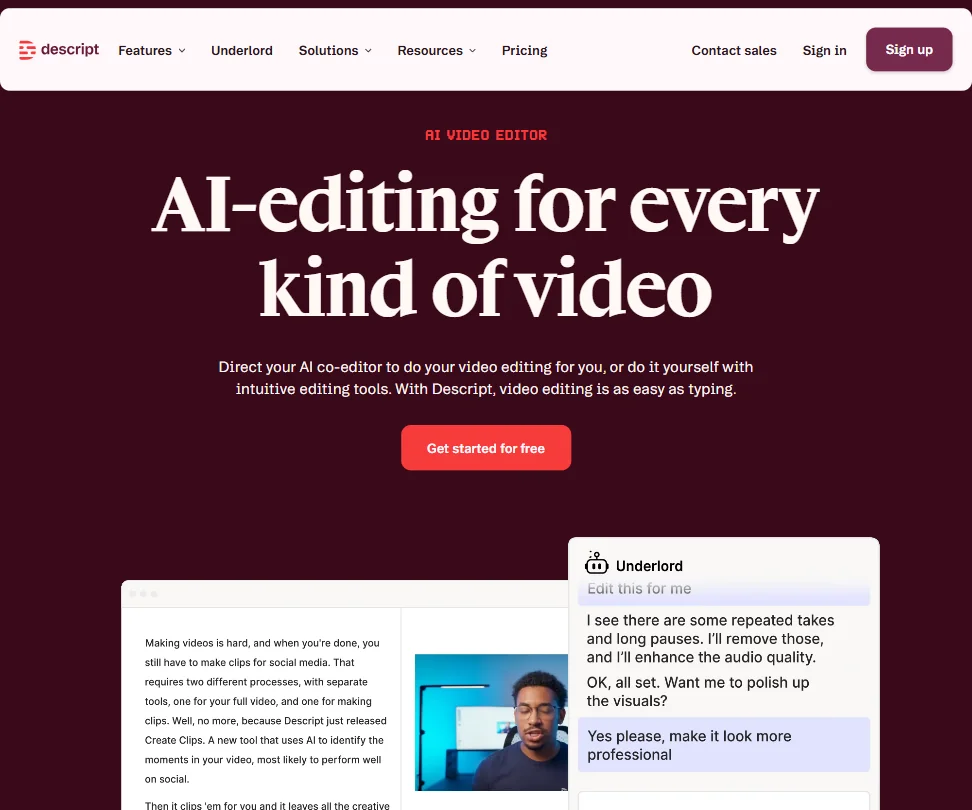
Descript suits podcasters who want one app for the call and the cut. It lists remote recording alongside transcript editing, so you can record a guest and start deleting words straight away. Riverside is stronger if separate 4K tracks and local recording on each guest's device matter most. The free plan gives 60 media minutes a month, which covers a trial episode more than a weekly show.
- Text-based video editing allows users to edit footage simply by editing the transcript, making the process intuitive and fast.
- Underlord AI is deeply integrated into the workflow, handling script writing, layout design, B-roll generation, and clip creation for social formats.
- Despite being around since 2017, some rough edges in the product still haven't been resolved.
From $24free planRiverside is the pick when guests join from home connections, because each person's audio and video records on their own device and a dropped call does not damage the file.
Show detailsHide details02 Riverside: Best for remote guests on weak internet8.4Score 8.4 out of 10From $24free planRiverside is the pick when guests join from home connections, because each person's audio and video records on their own device and a dropped call does not damage the file.Visit site ↗ReviewDetailsCloseShow more about Riverside
From $24free plan
Riverside is the pick when guests join from home connections, because each person's audio and video records on their own device and a dropped call does not damage the file.
Show detailsHide detailsRiverside: Best for remote guests on weak internet
8.4Score 8.4 out of 10From $24free planRiverside is the pick when guests join from home connections, because each person's audio and video records on their own device and a dropped call does not damage the file.Visit site ↗ReviewDetailsClose
Riverside is the pick when guests join from home connections, because each person's audio and video records on their own device and a dropped call does not damage the file. You get separate tracks per participant, up to 4K, and guests need no software. The free plan exports at 720p with a watermark, so treat it as a test. Descript is the better fit if you mostly want to edit afterward.
- Local recording on each participant's device ensures high-quality audio and video even if the internet connection drops mid-session.
- Captures separate 4K video and audio tracks per participant, making post-production significantly cleaner with no bleed between speakers.
- Free-tier users face meaningful limitations, suggesting the platform cuts corners for those not on paid plans.
Best podcast editors that edit by transcript
3 picksTranscript editing lets you cut a recording by deleting words, which suits interviews with long tangents. Descript is the fullest version, with one-click filler word removal, Studio Sound on paid plans and an AI co-editor called Underlord. Riverside has text-based editing inside the studio where you record, so you skip an export. VEED edits in a browser and adds subtitles, avatars and dubbing, which suits shows that also publish video. Check the free plan's media minutes and export quality, then choose by whether editing is your main job or one step after recording.
#ToolScorePriceWhy pick it
From $24free planDescript is the strongest editor here for talk shows: delete a word and the audio goes, one click strips ums and uhs, and Studio Sound cleans the voice on Hobbyist and above.
Show detailsHide details03Descript: Best for talk shows with long tangents9.0Score 9.0 out of 10From $24free planDescript is the strongest editor here for talk shows: delete a word and the audio goes, one click strips ums and uhs, and Studio Sound cleans the voice on Hobbyist and above.Visit site ↗ReviewDetailsCloseShow more about Descript
From $24free plan
Descript is the strongest editor here for talk shows: delete a word and the audio goes, one click strips ums and uhs, and Studio Sound cleans the voice on Hobbyist and above.
Show detailsHide detailsDescript: Best for talk shows with long tangents
9.0Score 9.0 out of 10From $24free planDescript is the strongest editor here for talk shows: delete a word and the audio goes, one click strips ums and uhs, and Studio Sound cleans the voice on Hobbyist and above.Visit site ↗ReviewDetailsCloseDescript is the strongest editor here for talk shows: delete a word and the audio goes, one click strips ums and uhs, and Studio Sound cleans the voice on Hobbyist and above. Underlord, its AI co-editor, helps with scripts and social clips. Plans ration media hours, with 10 a month on Hobbyist, so work out your episode length first. VEED is lighter if you only need captions.
- Text-based video editing allows users to edit footage simply by editing the transcript, making the process intuitive and fast.
- Underlord AI is deeply integrated into the workflow, handling script writing, layout design, B-roll generation, and clip creation for social formats.
- Despite being around since 2017, some rough edges in the product still haven't been resolved.
From $24free planChoose Riverside's text-based editing when you want to cut the episode in the same place you recorded it, deleting words from the transcript instead of exporting to another app.
Show detailsHide details04Riverside: Best for cutting where you recorded8.4Score 8.4 out of 10From $24free planChoose Riverside's text-based editing when you want to cut the episode in the same place you recorded it, deleting words from the transcript instead of exporting to another app.Visit site ↗ReviewDetailsCloseShow more about Riverside
From $24free plan
Choose Riverside's text-based editing when you want to cut the episode in the same place you recorded it, deleting words from the transcript instead of exporting to another app.
Show detailsHide detailsRiverside: Best for cutting where you recorded
8.4Score 8.4 out of 10From $24free planChoose Riverside's text-based editing when you want to cut the episode in the same place you recorded it, deleting words from the transcript instead of exporting to another app.Visit site ↗ReviewDetailsCloseChoose Riverside's text-based editing when you want to cut the episode in the same place you recorded it, deleting words from the transcript instead of exporting to another app. It also adds captions and clip finding. The catch is that its all-in-one approach means some features are less refined than in dedicated tools, so if editing is where your hours go, Descript is deeper.
- Local recording on each participant's device ensures high-quality audio and video even if the internet connection drops mid-session.
- Captures separate 4K video and audio tracks per participant, making post-production significantly cleaner with no bleed between speakers.
- Free-tier users face meaningful limitations, suggesting the platform cuts corners for those not on paid plans.
From $25free planVEED fits podcasters who publish a video version and want editing, subtitles, avatars, dubbing and a brand kit in one browser tab.
Show detailsHide details05 VEED: Best for video podcasts edited in a browser7.9Score 7.9 out of 10From $25free planVEED fits podcasters who publish a video version and want editing, subtitles, avatars, dubbing and a brand kit in one browser tab.Visit site ↗ReviewDetailsCloseShow more about VEED
From $25free plan
VEED fits podcasters who publish a video version and want editing, subtitles, avatars, dubbing and a brand kit in one browser tab.
Show detailsHide detailsVEED: Best for video podcasts edited in a browser
7.9Score 7.9 out of 10From $25free planVEED fits podcasters who publish a video version and want editing, subtitles, avatars, dubbing and a brand kit in one browser tab.Visit site ↗ReviewDetailsClose
VEED fits podcasters who publish a video version and want editing, subtitles, avatars, dubbing and a brand kit in one browser tab. It also routes requests to several generation models. The free plan exports at 720p with a watermark, and there is no desktop app, so anyone editing long episodes offline may prefer Descript. Choose it for video podcasts and social cuts rather than audio-only shows.
- VEED integrates multiple frontier AI generation models including Veo 3.1 and Kling AI through a single interface, giving users access to best-in-class engines without switching tools.
- The entire platform runs in the browser with no desktop installation required, making it immediately accessible for teams without IT overhead.
- VEED has no Adobe Premiere integration, which limits its appeal for users already embedded in professional post-production workflows.
Best AI tools for cleaning up podcast audio
4 picksCleanup tools fix noise, uneven levels and filler words after you record. Auphonic levels, denoises, normalizes loudness to a target such as -16 LUFS and can publish to your podcast host. Cleanvoice cuts filler words and dead air across every speaker's own track, then exports a timeline to your editor. Adobe Podcast cleans speech in a browser with Enhance Speech. iZotope RX repairs problem audio inside your editing software on a license you keep. Choose automatic one-pass processing if you publish weekly, and hands-on repair if a recording has a specific fault.
#ToolScorePriceWhy pick it
From $13free planAuphonic suits podcasters who want to upload a file and get a leveled, denoised episode back.
Show detailsHide details06 Auphonic: Best for upload and walk away cleanup7.2Score 7.2 out of 10From $13free planAuphonic suits podcasters who want to upload a file and get a leveled, denoised episode back.Visit site ↗ReviewDetailsCloseShow more about Auphonic
From $13free plan
Auphonic suits podcasters who want to upload a file and get a leveled, denoised episode back.
Show detailsHide detailsAuphonic: Best for upload and walk away cleanup
7.2Score 7.2 out of 10From $13free planAuphonic suits podcasters who want to upload a file and get a leveled, denoised episode back.Visit site ↗ReviewDetailsClose
Auphonic suits podcasters who want to upload a file and get a leveled, denoised episode back. It normalizes loudness to a target such as -16 LUFS, cuts filler words and silence, and publishes straight to hosts including Libsyn, Spreaker and YouTube. The free plan gives 2 hours a month with a jingle added, and multitrack sessions are capped under 20 minutes on free and base plans. Cleanvoice handles longer multitrack shows.
- The free tier processes 2 hours of audio every month on an ongoing basis, not a time limited trial.
- It levels, denoises and normalizes loudness to a target like -16 LUFS in one pass, and cuts filler words and silence automatically.
- Free tier output carries an Auphonic jingle, and multitrack productions are capped under 20 minutes on the free tier and base plans.
From $11Cleanvoice is for shows recorded with a separate track per speaker. It removes filler words, dead air and mouth sounds, keeps the edits in sync across every track, then exports a timeline to Audition, Premiere, DaVinci Resolve, Reaper or Audacity.
Show detailsHide details07 Cleanvoice AI: Best for multitrack filler word removal6.9Score 6.9 out of 10From $11Cleanvoice is for shows recorded with a separate track per speaker. It removes filler words, dead air and mouth sounds, keeps the edits in sync across every track, then exports a timeline to Audition, Premiere, DaVinci Resolve, Reaper or Audacity.Visit site ↗ReviewDetailsCloseShow more about Cleanvoice AI
From $11
Cleanvoice is for shows recorded with a separate track per speaker. It removes filler words, dead air and mouth sounds, keeps the edits in sync across every track, then exports a timeline to Audition, Premiere, DaVinci Resolve, Reaper or Audacity.
Show detailsHide detailsCleanvoice AI: Best for multitrack filler word removal
6.9Score 6.9 out of 10From $11Cleanvoice is for shows recorded with a separate track per speaker. It removes filler words, dead air and mouth sounds, keeps the edits in sync across every track, then exports a timeline to Audition, Premiere, DaVinci Resolve, Reaper or Audacity.Visit site ↗ReviewDetailsClose
Cleanvoice is for shows recorded with a separate track per speaker. It removes filler words, dead air and mouth sounds, keeps the edits in sync across every track, then exports a timeline to Audition, Premiere, DaVinci Resolve, Reaper or Audacity. It does not publish to a host the way Auphonic does. There is a 30-minute trial but no ongoing free plan, and you pay by the hour of audio.
- Cleanvoice cuts filler words, dead air and background noise while syncing edits automatically across every speaker's own track in a multitrack session.
- Studio Sound applies EQ, dereverb, level balancing and loudness normalization to even out speakers in one pass.
- There is no ongoing free plan, only a free trial limited to 30 minutes of processing.
From $19.99free planAdobe Podcast is the quickest free fix for a badly recorded voice: Enhance Speech removes noise and echo in the browser and normalizes loudness.
Show detailsHide details08 Adobe Podcast: Best for free browser fix for poor audio5.3Score 5.3 out of 10From $19.99free planAdobe Podcast is the quickest free fix for a badly recorded voice: Enhance Speech removes noise and echo in the browser and normalizes loudness.Visit site ↗ReviewDetailsCloseShow more about Adobe Podcast
From $19.99free plan
Adobe Podcast is the quickest free fix for a badly recorded voice: Enhance Speech removes noise and echo in the browser and normalizes loudness.
Show detailsHide detailsAdobe Podcast: Best for free browser fix for poor audio
5.3Score 5.3 out of 10From $19.99free planAdobe Podcast is the quickest free fix for a badly recorded voice: Enhance Speech removes noise and echo in the browser and normalizes loudness.Visit site ↗ReviewDetailsClose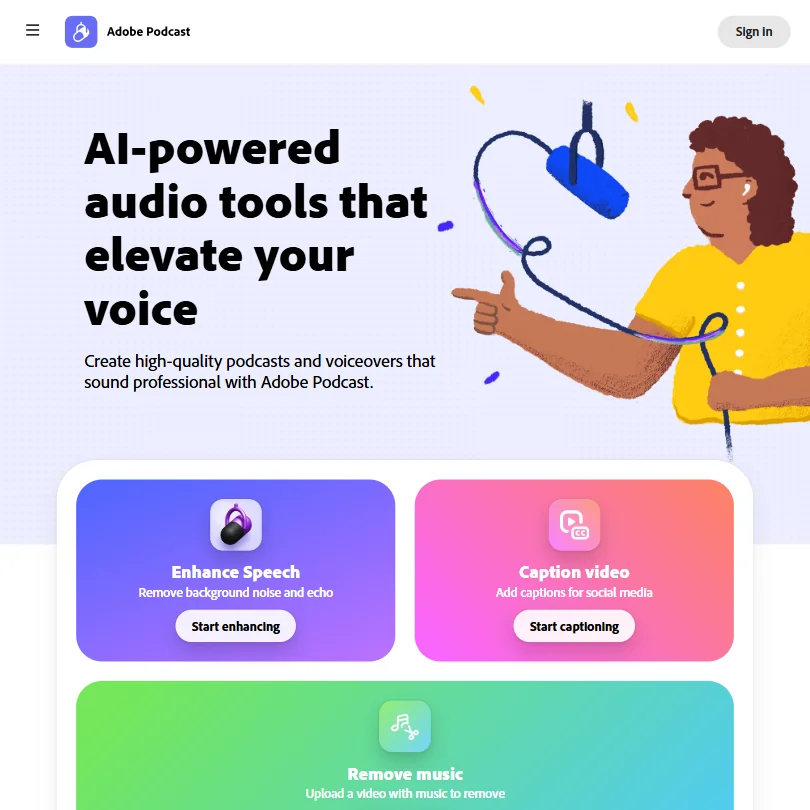
Adobe Podcast is the quickest free fix for a badly recorded voice: Enhance Speech removes noise and echo in the browser and normalizes loudness. Studio imports multi-participant recordings from Zoom, Riverside and others and edits them by transcript. The free plan handles one file at a time, and there is no automatic filler word or silence removal, so Auphonic or Cleanvoice save more time on long episodes.
- Enhance Speech removes background noise and echo and normalizes loudness on every plan.
- Studio imports multi-participant recordings from Zoom, Restream, StreamYard or Riverside and keeps each track separate for editing.
- Premium is no longer sold on its own; the only paid tier is the $19.99-a-month Firefly Pro plan, bundled with unrelated Firefly generative credits.
From $1,399iZotope RX is repair software for audio other tools cannot save, with spectral editing, hum, wind and rustle removal and Multiple Speaker Detection.
Show detailsHide details09 iZotope: Best for deep audio repair, owned outright5.0Score 5.0 out of 10From $1,399iZotope RX is repair software for audio other tools cannot save, with spectral editing, hum, wind and rustle removal and Multiple Speaker Detection.Visit site ↗ReviewDetailsCloseShow more about iZotope
From $1,399
iZotope RX is repair software for audio other tools cannot save, with spectral editing, hum, wind and rustle removal and Multiple Speaker Detection.
Show detailsHide detailsiZotope: Best for deep audio repair, owned outright
5.0Score 5.0 out of 10From $1,399iZotope RX is repair software for audio other tools cannot save, with spectral editing, hum, wind and rustle removal and Multiple Speaker Detection.Visit site ↗ReviewDetailsClose
iZotope RX is repair software for audio other tools cannot save, with spectral editing, hum, wind and rustle removal and Multiple Speaker Detection. It loads inside your editing software or runs standalone, and processes audio on your own machine. It suits podcasters who already own an editor and want a license they keep. It has no automatic filler word removal, the Advanced tier costs $1,399, and the $99 Elements tier leaves out modules such as Trim Silence.
- RX 12 Advanced's modules cover spectral, voice, guitar, hum, wind and rustle noise removal for repairing a wide range of unwanted sound.
- Trim Silence, Scene Rebalance, Multichannel Processing and Multiple Speaker Detection are included alongside the full module set on the Advanced tier.
- RX has no automatic filler word removal; Mouth De-click only strips clicks and lip smacks, not spoken "um"s and "ah"s.
Best AI tools for podcast transcripts and show notes
3 picksA transcript makes an episode searchable, and the stronger tools turn it into the writing around the episode. Castmagic drafts show notes, newsletters, quotes and audiograms from each recording. Sonix concentrates on transcripts and translation in a browser editor synced to the audio, with exports into Premiere Pro, Final Cut Pro and DaVinci Resolve. Trint adds live transcription and Story Builder, which reorders key moments into a rough cut. None has an ongoing free plan, and Sonix and Trint offer a trial. Choose by whether you want written extras, accurate transcripts or live capture.
#ToolScorePriceWhy pick it
From $10Sonix is the transcription pick when accuracy and exports matter. It labels speakers automatically, covers 54+ languages, keeps a text editor synced to the audio and exports into Premiere Pro, Final Cut Pro, Avid and DaVinci Resolve.
Show detailsHide details10 Sonix: Best for accurate transcripts with exports6.6Score 6.6 out of 10From $10Sonix is the transcription pick when accuracy and exports matter. It labels speakers automatically, covers 54+ languages, keeps a text editor synced to the audio and exports into Premiere Pro, Final Cut Pro, Avid and DaVinci Resolve.Visit site ↗ReviewDetailsCloseShow more about Sonix
From $10
Sonix is the transcription pick when accuracy and exports matter. It labels speakers automatically, covers 54+ languages, keeps a text editor synced to the audio and exports into Premiere Pro, Final Cut Pro, Avid and DaVinci Resolve.
Show detailsHide detailsSonix: Best for accurate transcripts with exports
6.6Score 6.6 out of 10From $10Sonix is the transcription pick when accuracy and exports matter. It labels speakers automatically, covers 54+ languages, keeps a text editor synced to the audio and exports into Premiere Pro, Final Cut Pro, Avid and DaVinci Resolve.Visit site ↗ReviewDetailsClose
Sonix is the transcription pick when accuracy and exports matter. It labels speakers automatically, covers 54+ languages, keeps a text editor synced to the audio and exports into Premiere Pro, Final Cut Pro, Avid and DaVinci Resolve. It states it does not train on your data. There is no free plan, just a 30-minute trial, and pay as you go runs $10 an hour. Castmagic writes the show notes for you.
- Automatic speaker identification labels different speakers in every recording, with no extra setup.
- None of the data processed through Sonix is used to train its models.
- There is no ongoing free plan, only a 30-minute trial.
From $29Castmagic is the pick when the work after recording is writing: it drafts show notes, newsletters, quotes and action items from the transcript, and cuts unlimited clips and audiograms on every plan.
Show detailsHide details11 Castmagic: Best for show notes and newsletters from audio6.2Score 6.2 out of 10From $29Castmagic is the pick when the work after recording is writing: it drafts show notes, newsletters, quotes and action items from the transcript, and cuts unlimited clips and audiograms on every plan.Visit site ↗ReviewDetailsCloseShow more about Castmagic
From $29
Castmagic is the pick when the work after recording is writing: it drafts show notes, newsletters, quotes and action items from the transcript, and cuts unlimited clips and audiograms on every plan.
Show detailsHide detailsCastmagic: Best for show notes and newsletters from audio
6.2Score 6.2 out of 10From $29Castmagic is the pick when the work after recording is writing: it drafts show notes, newsletters, quotes and action items from the transcript, and cuts unlimited clips and audiograms on every plan.Visit site ↗ReviewDetailsClose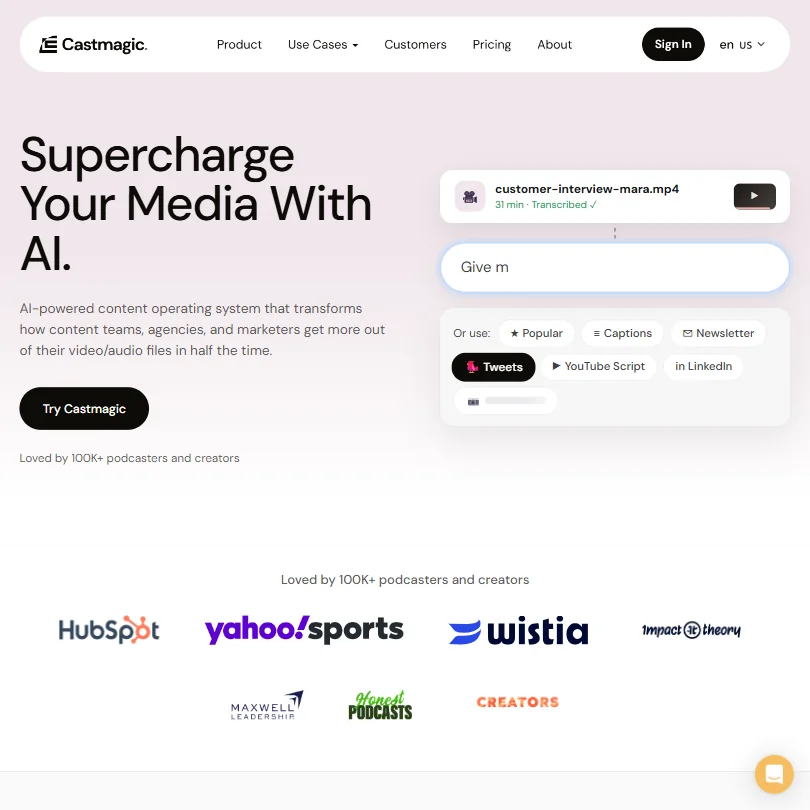
Castmagic is the pick when the work after recording is writing: it drafts show notes, newsletters, quotes and action items from the transcript, and cuts unlimited clips and audiograms on every plan. Recordings import from Zoom, RSS, YouTube, Spotify, Apple Podcasts and more. There is no free plan, and Hobby caps transcription at 30 hours a month. Sonix is the better fit when accurate transcripts matter more than written extras.
- Every plan drafts show notes, newsletters, quotes and action items straight from the transcript.
- Studio cuts unlimited clips and audiograms on every plan, including Hobby.
- There is no free plan and no stated free trial.
From $79Trint is built for newsrooms, so it suits podcasters who run live shows or edit like a reporter: it transcribes a microphone or broadcast stream in real time, and Story Builder reorders key moments into a rough cut.
Show detailsHide details12 Trint: Best for live transcription for newsroom style shows5.8Score 5.8 out of 10From $79Trint is built for newsrooms, so it suits podcasters who run live shows or edit like a reporter: it transcribes a microphone or broadcast stream in real time, and Story Builder reorders key moments into a rough cut.Visit site ↗ReviewDetailsCloseShow more about Trint
From $79
Trint is built for newsrooms, so it suits podcasters who run live shows or edit like a reporter: it transcribes a microphone or broadcast stream in real time, and Story Builder reorders key moments into a rough cut.
Show detailsHide detailsTrint: Best for live transcription for newsroom style shows
5.8Score 5.8 out of 10From $79Trint is built for newsrooms, so it suits podcasters who run live shows or edit like a reporter: it transcribes a microphone or broadcast stream in real time, and Story Builder reorders key moments into a rough cut.Visit site ↗ReviewDetailsClose
Trint is built for newsrooms, so it suits podcasters who run live shows or edit like a reporter: it transcribes a microphone or broadcast stream in real time, and Story Builder reorders key moments into a rough cut. Every self-serve plan is billed per seat, from $79 a month billed yearly, and there is no free plan. A solo host on a budget will get more from Sonix or Castmagic.
- Trint Live transcribes a microphone, screen or broadcast stream in real time.
- Story Builder reorders key moments from a recording into a new sequence with timecodes synced to the source transcript.
- There is no free plan, only a trial.
Best AI voice tools for podcast intros and ads
3 picksVoice tools make intros, ad reads and narrated segments without booking a studio. ElevenLabs has the widest range, with 11,000+ voices, cloning, dubbing and multi-speaker dialogue, and a commercial license from its Starter plan. Murf has 200+ voices that plug into Canva, PowerPoint and Google Slides, which suits scripted segments. Speechify is mainly a reading app that reads documents aloud, and its cloning and dubbing belong to a separate product. Read the free plan's license and download rules before you build an intro around a voice, then choose by whether you need cloning, slide narration or listening.
#ToolScorePriceWhy pick it
From $6free planElevenLabs is the voice pick when you want an intro, ad read or translated segment that sounds like a person.
Show detailsHide details13 ElevenLabs: Best for cloned voices and commercial rights8.5Score 8.5 out of 10From $6free planElevenLabs is the voice pick when you want an intro, ad read or translated segment that sounds like a person.Visit site ↗ReviewDetailsCloseShow more about ElevenLabs
From $6free plan
ElevenLabs is the voice pick when you want an intro, ad read or translated segment that sounds like a person.
Show detailsHide detailsElevenLabs: Best for cloned voices and commercial rights
8.5Score 8.5 out of 10From $6free planElevenLabs is the voice pick when you want an intro, ad read or translated segment that sounds like a person.Visit site ↗ReviewDetailsClose
ElevenLabs is the voice pick when you want an intro, ad read or translated segment that sounds like a person. It has 11,000+ voices, cloning, dubbing and multi-speaker dialogue. The free plan gives 10,000 credits a month with no commercial license, and Starter at $6 adds one. Audio you generate or upload trains its models unless you opt out. Murf is the better fit for narrated slides.
- More than 11,000 voices are available across 70+ languages through the Eleven v3 model.
- Instant voice cloning is available from the cheapest paid plan, with professional cloning opening on Creator.
- The free plan carries no commercial license, so its output cannot be used commercially without upgrading.
From $29free planSpeechify is a listening app more than a podcast production tool: it reads PDFs, documents and articles aloud across web, desktop and phone, which helps when you research guests from long documents.
Show detailsHide details14 Speechify: Best for listening to documents on any device7.5Score 7.5 out of 10From $29free planSpeechify is a listening app more than a podcast production tool: it reads PDFs, documents and articles aloud across web, desktop and phone, which helps when you research guests from long documents.Visit site ↗ReviewDetailsCloseShow more about Speechify
From $29free plan
Speechify is a listening app more than a podcast production tool: it reads PDFs, documents and articles aloud across web, desktop and phone, which helps when you research guests from long documents.
Show detailsHide detailsSpeechify: Best for listening to documents on any device
7.5Score 7.5 out of 10From $29free planSpeechify is a listening app more than a podcast production tool: it reads PDFs, documents and articles aloud across web, desktop and phone, which helps when you research guests from long documents.Visit site ↗ReviewDetailsClose
Speechify is a listening app more than a podcast production tool: it reads PDFs, documents and articles aloud across web, desktop and phone, which helps when you research guests from long documents. Voice cloning, dubbing and the full voice library sit in Speechify Studio, a separate product. The free plan has 10 robotic sounding voices and speeds up to 1.5x. For intros and ads, ElevenLabs or Murf are closer fits.
- An ongoing free plan lets you try the Reader with no credit card before paying for Premium.
- Premium billed annually works out to about $11.58 a month, a clear discount against the $29 monthly rate.
- The free plan limits you to 10 robotic sounding voices and playback speeds capped at 1.5x.
From $29free planMurf suits podcasters who also make courses, webinars or slide-based segments, since its 200+ voices plug into Canva, PowerPoint, Google Slides and Articulate.
Show detailsHide details15 Murf AI: Best for narrated slides and course segments7.0Score 7.0 out of 10From $29free planMurf suits podcasters who also make courses, webinars or slide-based segments, since its 200+ voices plug into Canva, PowerPoint, Google Slides and Articulate.Visit site ↗ReviewDetailsCloseShow more about Murf AI
From $29free plan
Murf suits podcasters who also make courses, webinars or slide-based segments, since its 200+ voices plug into Canva, PowerPoint, Google Slides and Articulate.
Show detailsHide detailsMurf AI: Best for narrated slides and course segments
7.0Score 7.0 out of 10From $29free planMurf suits podcasters who also make courses, webinars or slide-based segments, since its 200+ voices plug into Canva, PowerPoint, Google Slides and Articulate.Visit site ↗ReviewDetailsClose
Murf suits podcasters who also make courses, webinars or slide-based segments, since its 200+ voices plug into Canva, PowerPoint, Google Slides and Articulate. The free plan gives 10 minutes of voice generation but no downloads and no commercial rights, so it is for auditioning. Creator at $29 a month adds downloads and commercial rights. ElevenLabs reaches commercial use at a lower price and adds cloning.
- Murf Studio has an ongoing free plan with no credit card required, giving 10 minutes of voice generation before you pay anything.
- The library runs to 200+ voices across 30+ languages and accents.
- The free plan blocks commercial use and downloads entirely, so anything you make on it stays unusable outside Murf.
Best AI tools for turning episodes into social clips
3 picksClip tools find the best moments in a long episode and cut them into vertical videos with captions. Opus Clip works on podcasts, lectures and tutorials, and its reframing keeps the speaker centered when it converts landscape to vertical. Vizard turns one upload into a batch of 30 or more clips and lets you edit them through the transcript. Submagic is built for short videos, with auto captions, silence removal and direct publishing to TikTok, YouTube and Instagram. Credits are the meter, so check clips per month and watermarks. Choose by whether finding the moments or styling the captions takes your time.
#ToolScorePriceWhy pick it
From $15Opus Clip is the clip finder for hosts posting to TikTok, Reels and LinkedIn: ClipAnything picks moments in podcasts, lectures or tutorials, and ReframeAnything keeps the speaker centered when it converts landscape to vertical.
Show detailsHide details16 Opus Clip: Best for finding moments in any long video8.4Score 8.4 out of 10From $15Opus Clip is the clip finder for hosts posting to TikTok, Reels and LinkedIn: ClipAnything picks moments in podcasts, lectures or tutorials, and ReframeAnything keeps the speaker centered when it converts landscape to vertical.Visit site ↗ReviewDetailsCloseShow more about Opus Clip
From $15
Opus Clip is the clip finder for hosts posting to TikTok, Reels and LinkedIn: ClipAnything picks moments in podcasts, lectures or tutorials, and ReframeAnything keeps the speaker centered when it converts landscape to vertical.
Show detailsHide detailsOpus Clip: Best for finding moments in any long video
8.4Score 8.4 out of 10From $15Opus Clip is the clip finder for hosts posting to TikTok, Reels and LinkedIn: ClipAnything picks moments in podcasts, lectures or tutorials, and ReframeAnything keeps the speaker centered when it converts landscape to vertical.Visit site ↗ReviewDetailsClose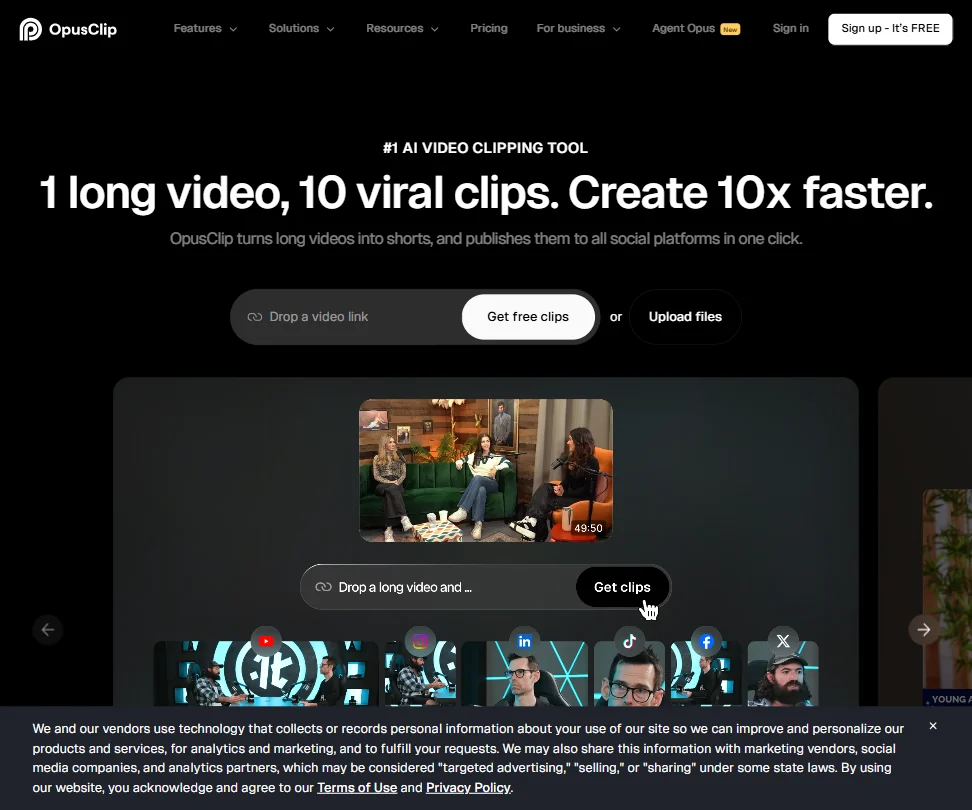
Opus Clip is the clip finder for hosts posting to TikTok, Reels and LinkedIn: ClipAnything picks moments in podcasts, lectures or tutorials, and ReframeAnything keeps the speaker centered when it converts landscape to vertical. Captions are animated and come in 20+ languages. The free plan gives 60 credits a month with a watermark, and clips expire after 3 days. Starter at $15 removes the watermark.
- The ClipAnything model works across diverse video genres, including lectures, cooking videos, sports and tutorials, as well as podcasts and talking-head content.
- ReframeAnything model uses AI object tracking to keep subjects centered when converting landscape video to vertical format.
- The tool is entirely web-based with no desktop app, which may limit workflow flexibility for users who prefer offline or native applications.
From $19Submagic suits hosts who already have the clip and want it finished fast, with auto captions in 123 languages, silence removal, auto-zoom, B-roll and direct publishing to TikTok, YouTube and Instagram.
Show detailsHide details17 Submagic: Best for captioned shorts with fast publishing7.8Score 7.8 out of 10From $19Submagic suits hosts who already have the clip and want it finished fast, with auto captions in 123 languages, silence removal, auto-zoom, B-roll and direct publishing to TikTok, YouTube and Instagram.Visit site ↗ReviewDetailsCloseShow more about Submagic
From $19
Submagic suits hosts who already have the clip and want it finished fast, with auto captions in 123 languages, silence removal, auto-zoom, B-roll and direct publishing to TikTok, YouTube and Instagram.
Show detailsHide detailsSubmagic: Best for captioned shorts with fast publishing
7.8Score 7.8 out of 10From $19Submagic suits hosts who already have the clip and want it finished fast, with auto captions in 123 languages, silence removal, auto-zoom, B-roll and direct publishing to TikTok, YouTube and Instagram.Visit site ↗ReviewDetailsClose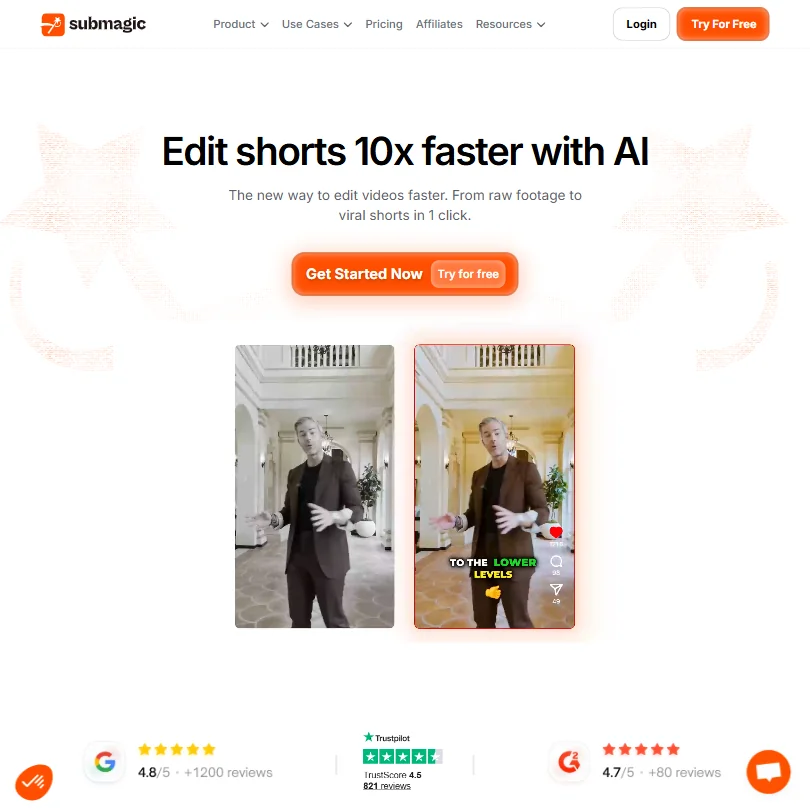
Submagic suits hosts who already have the clip and want it finished fast, with auto captions in 123 languages, silence removal, auto-zoom, B-roll and direct publishing to TikTok, YouTube and Instagram. Magic Clips, a $12 add-on, extracts clips from long videos. There is no free plan, but 3 videos are free to try, and Starter at $19 covers 15 videos a month of up to 2 minutes. Choose Opus Clip when finding the moments is the hard part.
- Magic Clips feature automatically extracts multiple short-form clips from a single long video, saving significant editing time.
- Auto-captions claim 99% accuracy across 123 languages, with styles designed to match high-performing TikTok formats.
- Narrowly focused on short-form video editing, making it unsuitable for teams that need a full-featured video editor.
From $29free planVizard is a good fit for weekly shows that want a batch of 30 or more clips from each episode and the option to edit them by transcript.
Show detailsHide details18 Vizard.ai: Best for batches of clips from each episode6.8Score 6.8 out of 10From $29free planVizard is a good fit for weekly shows that want a batch of 30 or more clips from each episode and the option to edit them by transcript.Visit site ↗ReviewDetailsCloseShow more about Vizard.ai
From $29free plan
Vizard is a good fit for weekly shows that want a batch of 30 or more clips from each episode and the option to edit them by transcript.
Show detailsHide detailsVizard.ai: Best for batches of clips from each episode
6.8Score 6.8 out of 10From $29free planVizard is a good fit for weekly shows that want a batch of 30 or more clips from each episode and the option to edit them by transcript.Visit site ↗ReviewDetailsClose
Vizard is a good fit for weekly shows that want a batch of 30 or more clips from each episode and the option to edit them by transcript. Auto-reframe follows the speaker into vertical. The free plan gives 60 credits a month at 720p with a watermark and 3-day storage, and commercial use needs a paid plan. Pricing scales with credits from $29 a month, so compare it with Opus Clip first.
- Batch clip generation reliably produces 30 or more platform-ready clips from a single long-form video upload, saving significant time for content teams.
- Text-based editing lets users cut footage by editing the transcript, reducing back-and-forth compared to traditional timeline editing.
- Pricing structure has notable gaps worth investigating before committing to a paid plan.
Best free audio editors for podcasts
2 picksA traditional editor is still where many podcasters assemble the final episode. Audacity is free, open source and runs with no account, with multitrack and spectral editing, noise reduction, loudness normalization and local AI transcription through Whisper. Adobe Audition is a paid subscription with spectral repair, broadcast loudness matching, a video panel and 5.1 mixdown. Both install on your computer rather than running in a browser. Choose Audacity when you want to start with nothing to pay, and Audition when your show shares projects with Premiere Pro or you deliver to broadcast loudness standards.
#ToolScorePriceWhy pick it
FreeAudacity is where to start with no budget: free, open source, no account, with multitrack and spectral editing, noise reduction and loudness normalization.
Show detailsHide details19 Audacity: Best for editing with nothing to pay8.5Score 8.5 out of 10FreeAudacity is where to start with no budget: free, open source, no account, with multitrack and spectral editing, noise reduction and loudness normalization.Visit site ↗ReviewDetailsCloseShow more about Audacity
Free
Audacity is where to start with no budget: free, open source, no account, with multitrack and spectral editing, noise reduction and loudness normalization.
Show detailsHide detailsAudacity: Best for editing with nothing to pay
8.5Score 8.5 out of 10FreeAudacity is where to start with no budget: free, open source, no account, with multitrack and spectral editing, noise reduction and loudness normalization.Visit site ↗ReviewDetailsClose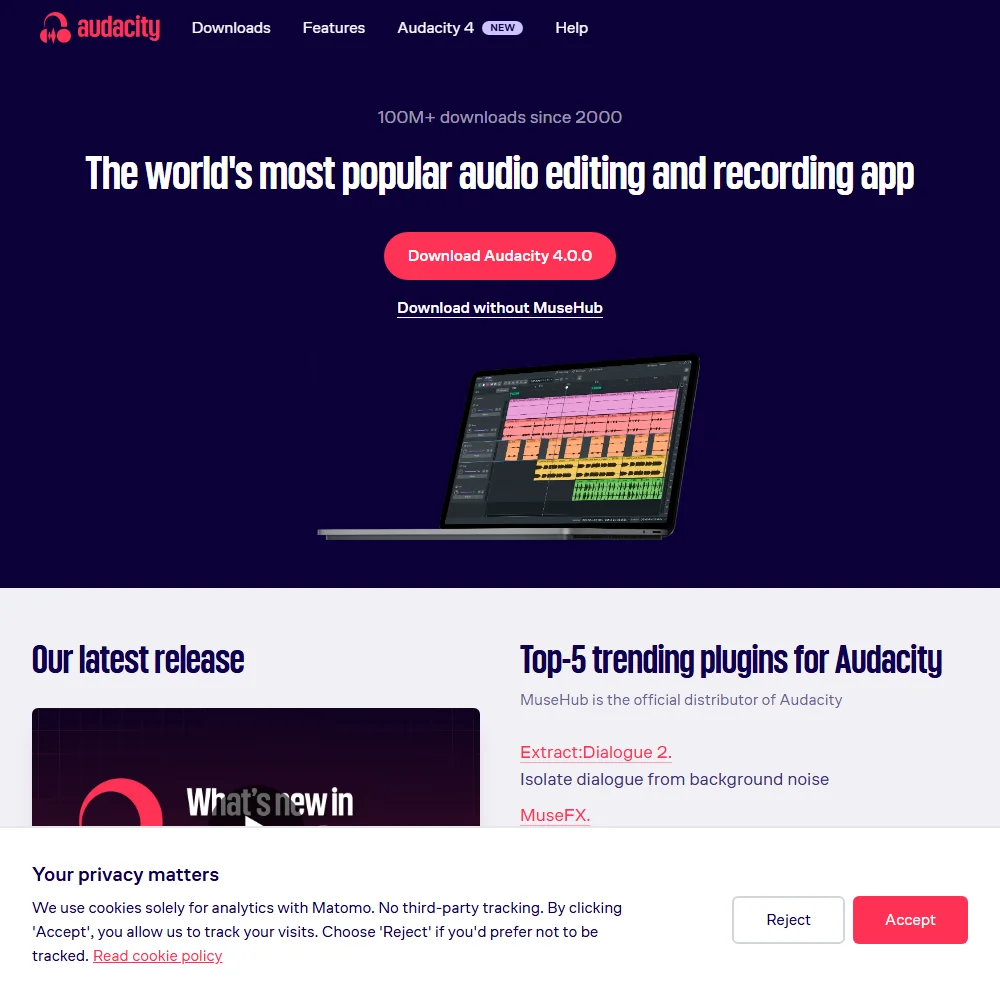
Audacity is where to start with no budget: free, open source, no account, with multitrack and spectral editing, noise reduction and loudness normalization. Whisper transcription runs on your own computer, so audio stays there. It cannot edit or export video, and stem separation is a separate plugin. Choose Adobe Audition instead if you cut episodes against video in Premiere Pro.
- Free forever, open source, and needs no account to run.
- Multitrack editing, spectral editing, noise reduction and loudness normalization all built in.
- Pulls the audio track out of a video file but cannot display, edit or export back into the video picture.
From $22.99Adobe Audition is for podcasters who already pay for Creative Cloud or cut video in Premiere Pro.
Show detailsHide details20 Adobe Audition: Best for Premiere Pro and broadcast loudness work6.0Score 6.0 out of 10From $22.99Adobe Audition is for podcasters who already pay for Creative Cloud or cut video in Premiere Pro.Visit site ↗ReviewDetailsCloseShow more about Adobe Audition
From $22.99
Adobe Audition is for podcasters who already pay for Creative Cloud or cut video in Premiere Pro.
Show detailsHide detailsAdobe Audition: Best for Premiere Pro and broadcast loudness work
6.0Score 6.0 out of 10From $22.99Adobe Audition is for podcasters who already pay for Creative Cloud or cut video in Premiere Pro.Visit site ↗ReviewDetailsClose
Adobe Audition is for podcasters who already pay for Creative Cloud or cut video in Premiere Pro. It adds spectral repair, a Video Panel that syncs picture to the timeline, Match Loudness for broadcast standards and 5.1 mixdowns. It is sold by subscription, from $22.99 a month billed yearly, with a 7-day trial, and it needs an Adobe ID to run. Audacity covers the core editing for free.
- Combines multitrack, waveform and spectral editing with a Video Panel that syncs picture to the timeline while mixing.
- Noise Reduction and Restoration effects cover hiss, hum, reverb and click and pop repair in one suite.
- Sold by subscription, with no one-time purchase or perpetual license option.
How to choose AI tools for podcasters
Podcast tools look alike on their home pages and ration very different things. Recording studios count hours of separate tracks, cleanup tools count hours of audio, transcription tools count hours or seats, voice tools count credits, and clip tools count credits and watermarks. What you need depends on whether you record remote guests, how often you publish and whether you also make video. This guide matches each job in an episode to the tools on this page, then covers free plans, where they stop, privacy and when paying is worth it.
Start with the job, not the tool
One episode passes through six jobs, and no single tool does all of them well on a free plan.
- Recording. Getting a clean file from guests in different places. Riverside records on each person's device, and Descript lists remote recording alongside its editor.
- Editing. Cutting the conversation. Descript, Riverside and VEED edit by deleting words from a transcript, while Audacity and Adobe Audition are traditional editors that work from the waveform.
- Cleanup. Fixing noise, levels and filler words. Auphonic and Cleanvoice process whole episodes automatically, Adobe Podcast fixes a voice in the browser, and iZotope RX repairs specific faults.
- Transcripts and show notes. Turning audio into text and writing. Sonix and Trint transcribe, and Castmagic drafts show notes and newsletters from the transcript.
- Voice. Intros, ad reads and narrated segments. ElevenLabs, Murf and Speechify turn text into speech.
- Clips. Cutting an episode into short videos. Opus Clip, Vizard and Submagic pick moments and add captions.
The table shows where to start on any budget.
| Job | Free | Worth paying for |
|---|---|---|
| Recording remote guests | Riverside free plan (720p, watermark) for a test call | Riverside Pro at $29 a month, with 15 hours of separate track downloads |
| Editing by transcript | Descript free plan, 60 media minutes a month | Descript Hobbyist at $24 a month, with 10 media hours and 1080p export |
| Cleaning up audio | Auphonic free plan, 2 hours a month, or Adobe Podcast | Auphonic S at $13 a month billed yearly, which removes the jingle |
| Transcripts | Adobe Podcast transcription, or Audacity's local Whisper | Sonix pay as you go at $10 an hour, or Castmagic Hobby at $29 a month |
| Intros and AI voice | ElevenLabs free plan for drafts | ElevenLabs Starter at $6 a month, which adds a commercial license |
| Clips for social | Vizard or Opus Clip free plans, 60 credits each | Opus Clip Starter at $15 a month, or Submagic Starter at $19 |
| Audio editor | Audacity | Free plans are enough, unless you work in Adobe apps |
Free plans hold back the part you publish: watermarks on video, jingles on audio and no commercial license on voices. Pay first for whatever stops you publishing, which is usually the cleanup or the voice, and leave clips and transcripts until the show has a routine.
What the free plans actually give you
Each kind of tool rations something different, so one free plan lasts a month and another lasts an afternoon.
- Recording and editing. Riverside's free plan exports at 720p with a watermark. Descript's gives 60 media minutes a month, 100 one-time AI credits, 720p export and 5 GB of storage. VEED's free plan has no expiry and exports at 720p with a watermark.
- Cleanup tools. Auphonic gives 2 hours a month that reset rather than carry over, with a jingle added. Adobe Podcast's free plan processes one file at a time. Cleanvoice gives a 30-minute trial and iZotope a time-limited trial, so neither suits a weekly show on a free tier.
- Transcription tools. Sonix gives a 30-minute trial with no card, and Trint offers a trial. Castmagic has no free plan.
- Voice tools. ElevenLabs gives 10,000 credits a month with 3 Studio projects and no commercial license. Murf gives 10 projects and 10 minutes of voice generation, but no downloads and no commercial rights. Speechify gives 10 robotic sounding voices at up to 1.5x speed.
- Clip tools. Opus Clip and Vizard each give 60 credits a month with a watermark, and Opus Clip clips expire after 3 days. Submagic has no free plan but gives 3 free videos.
- Editors. Audacity is free with no paid tier. Adobe Audition has a 7-day trial and no free plan.
Which tools fit which podcaster
- A new host with no budget. Start with Audacity for editing and Adobe Podcast for fixing a weak voice, because both cost nothing and neither runs on a trial clock. Add Auphonic's free 2 hours a month once you publish regularly.
- An interview show with remote guests. Start with Riverside, because it records each guest locally in separate tracks. Add Descript to cut the episode by transcript, and Cleanvoice if you want filler words removed across every speaker's track.
- A video podcast. Start with VEED or Riverside, because both produce video with captions. Add Opus Clip or Submagic for the short versions.
- A show that lives on social clips. Start with Vizard for batches of 30 or more clips, because its free plan gives 60 credits. Add Submagic for captions and direct publishing to TikTok, YouTube and Instagram.
- A producer cleaning other people's audio. Start with Auphonic for batch, one-pass processing and publishing. Add iZotope RX for faults that automatic tools miss, such as hum or wind noise.
- A scripted or narrated show. Start with ElevenLabs, because it adds cloning and dubbing from $6 a month. Add Murf if the narration sits on slides.
A typical episode step by step
- Plan the episode. Write your questions and send guests a studio link. Riverside guests join from a browser with nothing to install.
- Record. Use Riverside or Descript for remote guests, and Audacity for a solo recording on your own computer.
- Cut the rough edit. Delete tangents from the transcript in Descript, Riverside or VEED. In Audacity or Audition, cut from the waveform.
- Clean the audio. Run the file through Auphonic or Cleanvoice, or fix one voice with Adobe Podcast. Use iZotope RX for a specific fault.
- Add voice segments. Generate an intro or ad read with ElevenLabs or Murf, after checking the license on your plan.
- Publish. Auphonic can publish to hosts such as Libsyn and Spreaker. With other tools, download the file and upload it to your host.
- Write the show notes. Castmagic drafts notes and newsletters. Sonix gives a clean transcript with chapters and summaries.
- Cut clips. Opus Clip or Vizard pick the moments, and Submagic adds captions and publishes.
Where free plans stop
| Limit | Tools | What happens when you hit it |
|---|---|---|
| Monthly count | Descript (60 media minutes), Auphonic (2 hours), ElevenLabs (10,000 credits), Opus Clip (60 credits), Vizard (60 credits) | You wait for the next month or move to a paid plan |
| One-off allowance | Descript (100 AI credits), Cleanvoice (30 minutes), Sonix (30 minutes) | Once used, it does not come back |
| Marks and quality | Riverside (720p, watermark), VEED (720p, watermark), Auphonic (jingle), Opus Clip and Vizard (watermark) | Exports stay marked or small until you pay |
| Rights and downloads | Murf (no downloads, no commercial rights), ElevenLabs (no commercial license) | The audio cannot be published until you upgrade |
| Trial window | Adobe Audition (7 days) | The trial ends and the plan has to be paid for |
A monthly count rewards batching: finish the edit first, then spend credits or hours on the final file. A watermark or jingle is simple, because nothing from that plan should go out under your show's name. Use the free plan to test the routine on a real episode, then pay for the one tool that blocks you.
Privacy and who sees your recordings
Interviews can include unreleased conversations and guests' voices, so check how a tool treats uploads before you send them. Several tools state their policy, and two avoid the question by processing audio on your own machine.
| Stated policy | Tools |
|---|---|
| Does not train on your content | Cleanvoice, Sonix, Trint, Speechify, Vizard |
| You can opt out of training | Riverside, VEED, Adobe Podcast, ElevenLabs |
| Creative Cloud does not train Adobe's AI on personal content | Adobe Audition |
| Processes audio on your own computer | Audacity, iZotope RX |
Put sensitive interviews through the first and last rows, and switch training off in the second row right after you sign up. For a monetized show, also check commercial use: ElevenLabs lists a commercial license from Starter, Murf's rights begin on Creator, and Vizard's begin on paid plans.
Mistakes to avoid
- Publishing with a free plan's mark on it. Riverside, VEED, Opus Clip and Vizard watermark free video, and Auphonic adds a jingle to free audio. Pay for the plan that removes it, or use the free plan to test.
- Using a voice you cannot publish. Murf's free plan has no downloads or commercial rights, and ElevenLabs lists its commercial license from Starter. Check the license before a voice goes into a monetized episode.
- Sending a long multitrack session to a capped plan. Auphonic caps multitrack productions under 20 minutes on the free tier and base plans. Use Cleanvoice or a yearly Auphonic plan for full-length shows.
- Buying per-seat tools as a solo host. Trint bills every self-serve plan per seat. Sonix pay as you go or Castmagic costs less when you work alone.
- Leaving training switched on. ElevenLabs trains on audio you generate or upload unless you opt out, and Riverside, VEED and Adobe Podcast also offer opt-outs. Do it on day one.
When it is worth paying
You have outgrown a free plan when you plan episodes around its limit. Trimming a recording to save media minutes, skipping clips because of a watermark or avoiding a voice because it has no license are all signs.
| If you are | Upgrade to | What changes |
|---|---|---|
| Interviewing remote guests weekly | Riverside Pro | 1 studio and 15 hours of separate track downloads a month |
| Editing every episode by transcript | Descript Hobbyist | 10 media hours, 400 AI credits, 1080p export and Studio Sound |
| Publishing on a schedule | Auphonic S | 9 hours a month, speech recognition, no jingle and priority processing |
| Producing several speaker tracks | Cleanvoice subscription | 10 hours a month at $11, with unused credits rolling over |
| Adding intros and ads | ElevenLabs Starter | 30,000 credits a month, a commercial license and instant voice cloning |
| Posting clips regularly | Opus Clip Starter | 150 credits a month, no watermark and a Virality Score |
| Working in Adobe apps | Adobe Audition | Spectral repair, broadcast loudness and a subscription from $22.99 a month billed yearly |
Billing period changes the price. Riverside Pro is $29 monthly and $24 billed yearly, Murf Creator is $29 monthly and $19 billed annually, Speechify Premium is $29 monthly and about $11.58 a month billed annually, and Vizard Creator is $29 monthly or $174 a year. Cleanvoice pay as you go credits stay valid for 2 years, so occasional shows can buy hours without a subscription. Trials help before you commit: Audition gives 7 days, Sonix and Cleanvoice give 30 minutes, and Submagic gives 3 free videos.
How we picked
Every tool here is ranked by its score, and each score is worked out from the vendor’s own published pages: pricing, plans, features and terms. No score is adjusted by hand. All 18 tools have enough published facts to be scored, and on average 95% of each score comes from facts the vendor publishes. The facts behind these scores were checked between 16 September 2026 and 27 September 2026.
Scores compare tools that do the same job, which is why the list is grouped by job: a video editor and a grammar checker are never ranked against each other.
| Ranked as | On this page | What we score | Scoring guide |
|---|---|---|---|
| Audio cleanup tools4 reviewed | 4 | 4 criteria, 20 checked facts: what it fixes, workflow and output, pricing, privacy and trust | How we score these → |
| AI video editors5 reviewed | 3 | 5 criteria, 23 checked facts: editing, pricing, recording, AI in the editor, teams | How we score these → |
| AI transcription tools5 reviewed | 3 | 4 criteria, 21 checked facts: what you get from a recording, workflow and output, pricing, privacy and trust | How we score these → |
| AI voice generators8 reviewed | 3 | 4 criteria, 19 checked facts: what you can make, workflow and output, pricing, privacy and trust | How we score these → |
| Clip repurposing tools5 reviewed | 3 | 5 criteria, 20 checked facts: turning long video into clips, pricing, getting the clips out, AI on top of the cut, teams and privacy | How we score these → |
| Audio editors3 reviewed | 2 | 4 criteria, 17 checked facts: what it adds beyond the basics, workflow and output, pricing, privacy and trust | How we score these → |
Common questions
Do I need a cleanup tool if my editor already removes filler words?
Not always. Descript removes filler words in one click and adds Studio Sound on Hobbyist and above, which can be enough for one voice. Add Auphonic or Cleanvoice when you publish weekly and want leveling, loudness and filler cuts run automatically, or when each speaker has a separate track that must stay in sync.
Which tools keep my audio on my own computer?
Audacity and iZotope RX process audio locally, and Audacity's Whisper transcription runs on your machine too. Every browser tool uploads your files. Among those, Cleanvoice, Sonix, Trint, Speechify and Vizard state they do not train on your content, while Riverside, VEED, Adobe Podcast and ElevenLabs offer an opt-out.
Can I use an AI voice in a monetized podcast?
Yes, once the plan includes rights. ElevenLabs lists a commercial license from Starter and Murf from Creator, while both free plans exclude it, and Murf's also blocks downloads. For a cloned voice, record a sample of your own voice or one you have permission to use, and keep the permission with your files.
How do clip credits compare across Opus Clip, Vizard and Submagic?
Opus Clip and Vizard both give 60 credits a month on free plans, with a watermark, and charge credits by processing. Submagic counts videos instead, with 15 a month on Starter, each up to 2 minutes. Run one real episode through each before choosing, because the same episode can use very different amounts.
Is pay as you go or a subscription cheaper for transcripts and cleanup?
It depends on hours per month. Cleanvoice costs $2.20 an hour pay as you go for 5 hours and $1.10 an hour on its 10-hour subscription. Sonix charges $10 an hour pay as you go against $25 for 5 hours on Core. A weekly show usually saves money on a subscription.