
Every score is worked out from the vendor's own pages · How we score →Disclosure
SAASINSPECTOR
Microsoft Copilot logo

Microsoft Copilot Review

Microsoft Copilot is an AI assistant for the web, desktop and phone that works alongside the Microsoft apps you already use. It searches the web, reads your files, makes images and handles voice chats. It is best for people who spend their day in Word, Excel, Outlook and OneDrive.

Visit Microsoft Copilot →From $9.99/mo

Research-based review. Features and prices are checked on the vendor's own website, and the score is worked out from those facts. We haven't tested it hands-on yet.

The verdict

Worth it if you already live in Microsoft 365 and want an assistant tied to it; the catch is that Researcher and Cowork need Premium or Pro.

Pros

  • Copilot is free with a signed-in Microsoft account, and Microsoft 365 Personal and Premium come with a one month free trial.
  • It connects to OneDrive, Outlook.com, Google Drive, Gmail, Google Calendar and Google Contacts, and works with Word, Excel, PowerPoint, Outlook, Teams and OneNote.
  • Researcher builds cited reports from web sources, and Cowork handles multi-step tasks.
  • Memory is on by default where available and can be edited or turned off.

Cons

  • Researcher is on Microsoft 365 Premium and Pro, and Cowork is on those plans too.
  • On Microsoft 365 Family the AI benefits are for the subscription owner only.
  • Training on your data is opt-out in the personal app, and Microsoft 365 Pro is billed monthly only.
From $9.99/moFree plan YesFree trial Yes
8.1/10

Spec Score

Microsoft Copilot against 10 AI assistants
#4
of 10 AI assistants
+0.3
vs the average
87%
from published facts
Ahead of other AI assistants
What it can do+1.3
Behind other AI assistants
Privacy and trust-1.6
Every criterion
Tap a row for the facts
What it can do10.0
+1.3 vs 8.7 avg40 of 40 points
Deep research reportsyes2.5 / 2.5
Voice conversationyes2 / 2
Remembers you across chatsyes2 / 2
Projects that keep files and chats togetheryes2 / 2
Makes imagesyes1.5 / 1.5
Why these numbers

Deep research reports: Researcher (formerly Deep Research) is on Microsoft 365 Premium and Pro.

Voice conversation: Voice and Vision features each have help pages; audio generation is English only.

Remembers you across chats: On by default where available; can be edited or turned off.

Projects that keep files and chats together: Projects were renamed Notebooks.

Makes images: Higher usage on paid plans.

Where it works8.0
-0.4 vs 8.4 avg16 of 20 points
Where it runs5 platforms6 / 6
Team workspacenot published, half points2 / 4
Why these numbers

Where it runs: Counted from platforms.

Pricing7.3
+0.4 vs 6.9 avg16.1 of 22 points
Cheapest paid plan, monthly$9.995.5 / 7
Full use on the cheapest paid planlimited1.8 / 3
Why these numbers

Cheapest paid plan, monthly: Cheapest paid plan on the monthly term. Copilot is not sold on its own: the paid tiers come with Microsoft 365 subscriptions. Microsoft 365 Copilot for business (per user, from $30/user/month) is a separate product.

Full use on the cheapest paid plan: Personal ($9.99) adds higher usage than free; Researcher and Cowork-level features are on Premium and Pro.

Privacy and trust4.8
-1.6 vs 6.4 avg8.6 of 18 points
Does not train AI on your dataunless you opt out2.3 / 4.5
SOC 2not published, half points0.8 / 1.5
GDPRnot published, half points0.8 / 1.5
Ways to reach support2 support channels1 / 2.5
Why these numbers

Does not train AI on your data: Consumer app with a personal Microsoft account. Images captured with Copilot Vision are not used for training.

Ways to reach support: Counted from support_channels. Microsoft Support help articles and community forums.

yesnonot published average for AI assistants
How the Spec Score works

Scored from what Microsoft Copilot publishes on its own site. Not a hands-on test.

Compared with 11 AI assistants. Facts checked 14 Oct 2026.

A fact the vendor does not publish gets half the points, or the typical value for a number, and says so. It never counts as a no. How we score.

Microsoft Copilot is Microsoft's AI assistant app, free with a Microsoft account and upgraded through Microsoft 365 subscriptions. What decides whether it suits you is how much of your day sits in Word, Excel, Outlook and OneDrive, and whether you need the deeper tools, since Researcher and Cowork come with Microsoft 365 Premium and Pro.
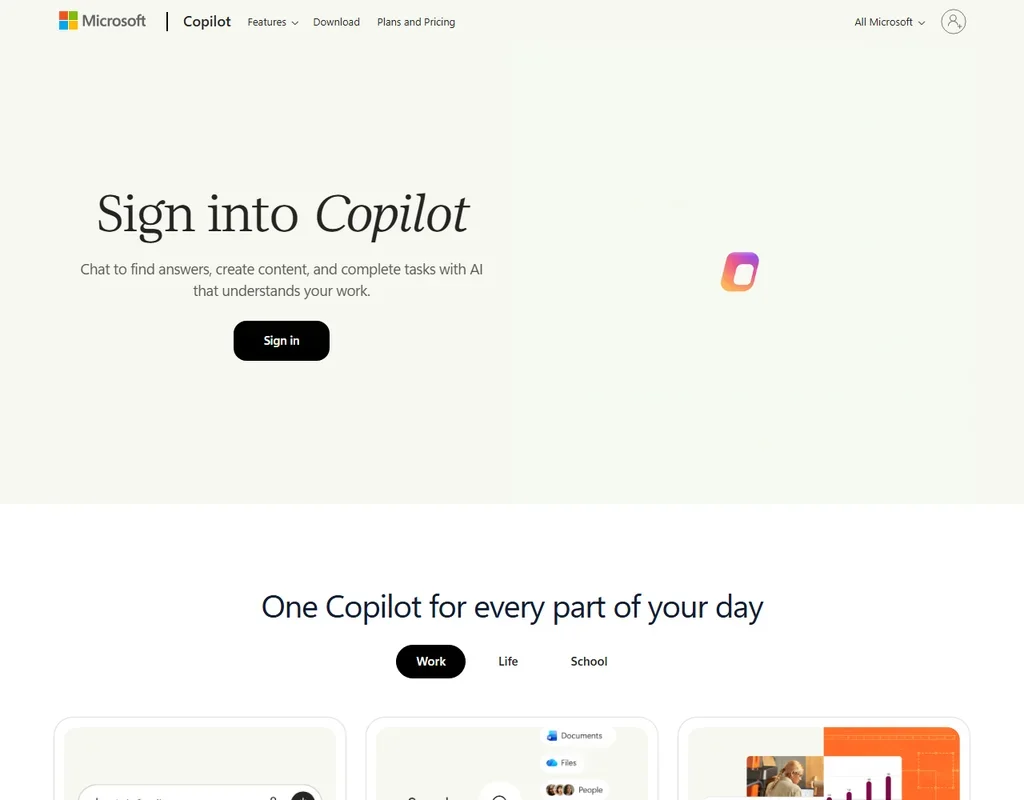
Microsoft Copilot homepage screenshot
Microsoft Copilot, Homepage

What is Microsoft Copilot?

Microsoft Copilot is made by Microsoft, headquartered in Redmond, United States. It runs on the web, in apps for Windows and Mac, and in apps for iOS and Android. It is now one app across personal and work accounts. Microsoft 365 Copilot for business, priced from $30 per user a month, is a separate product and is not what this review covers.

Copilot is not sold on its own. The paid tiers come with Microsoft 365 subscriptions, and the free tier needs a Microsoft account.

What you can do with Microsoft Copilot

Copilot chats with web search, and Researcher cites web sources in its reports. Researcher, which was formerly called Deep Research, is on Microsoft 365 Premium and Pro. Cowork is the agent for multi-step tasks. Cowork is on Premium and Pro, and Personal adds advanced Copilot chat with higher usage than the free tier.

You can upload files for analysis and generate images, with higher image usage on paid plans. Voice mode and Vision are both part of the app, and generated audio is in English only. Images captured with Copilot Vision are not used for training.

Memory is on by default where it is available, and you can edit it or turn it off. Projects have been renamed Notebooks. Signing in with a Microsoft account unlocks chat history, more image creation, longer conversations and extended voice sessions, while some capabilities on the free tier are subject to usage limits.

Copilot connects to OneDrive, Outlook.com, Google Drive, Gmail, Google Calendar and Google Contacts, and these connectors apply to Personal, Family, Premium and Pro subscribers. It also works with Word, Excel, PowerPoint, Outlook, Teams and OneNote.

Researcher is the tool for longer questions. It builds cited reports from web sources. Cowork, the multi-step agent, is the other feature that sits on those two plans.

Working with other people

Copilot is a personal app. Microsoft 365 Family covers up to 6 people, but the AI benefits are for the subscription owner only. The cheapest paid plan, Personal, is for one person. The personal app signs in with a Microsoft, Apple or Google account, and enterprise single sign-on belongs to the separate work version of Copilot.

Microsoft Copilot pricing: what each plan gives
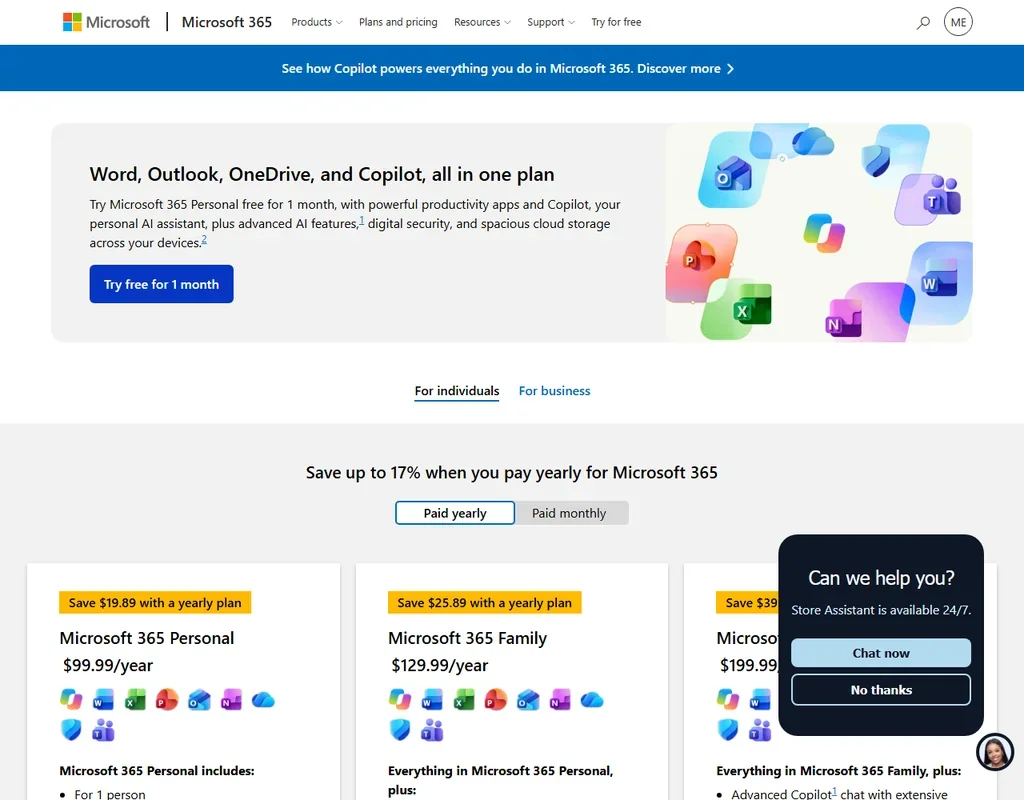
Microsoft Copilot pricing screenshot
Microsoft Copilot, Pricing

Copilot is free with a signed-in Microsoft account, and some capabilities on the free tier are subject to usage limits. Signing in unlocks chat history, more image creation, longer conversations and extended voice sessions. Microsoft 365 Personal and Premium both come with a one month free trial.

Microsoft 365 Personal costs $9.99 a month, or $99.99 a year ($8.33 a month), for one person, and adds advanced Copilot chat with higher usage than the free tier. Microsoft 365 Family costs $12.99 a month, or $129.99 a year ($10.83 a month), for up to 6 people, with the AI benefits going to the subscription owner only.

Microsoft 365 Premium costs $19.99 a month, or $199.99 a year ($16.67 a month), and brings extensive AI usage, Researcher and Cowork. Microsoft 365 Pro costs $99.99 a month on monthly billing, and gives the highest AI usage limits.

Privacy and security

In the personal app used with a personal Microsoft account, training on your data is opt-out. Images captured with Copilot Vision are not used for training. The personal app does not have enterprise single sign-on, which belongs to the work version.

Support is through Microsoft Support help articles and community forums. Copilot runs in the cloud, with web, desktop and mobile apps.

Who Microsoft Copilot suits

Microsoft Copilot suits people who live in Word, Excel, Outlook and OneDrive and want an AI assistant tied to them, since it works with those apps and connects to OneDrive and Outlook.com. It also suits people who already pay for Microsoft 365, because the Personal, Family, Premium and Pro tiers bring Copilot with them, and who also keep files in Google Drive or Gmail, since both connect.

It suits less well families who hope to share the AI, since on Microsoft 365 Family the AI benefits are for the subscription owner only. It also suits less well anyone who wants Researcher or Cowork on the cheapest paid plan, since those are on Premium and Pro, and teams that need enterprise single sign-on, which belongs to the separate work version.

Frequently Asked Questions

How much does Microsoft Copilot cost?

Copilot is free with a Microsoft account. Paid tiers come with Microsoft 365: Personal at $9.99 a month, Family at $12.99, Premium at $19.99 and Pro at $99.99, with yearly rates of $8.33, $10.83 and $16.67 a month for the first three. Microsoft 365 Copilot for business is a separate product from $30 per user a month.

What is Researcher?

Researcher is the research tool in Copilot, formerly called Deep Research, and it cites web sources in its reports. It is on Microsoft 365 Premium and Pro.

Can my family use the AI on Microsoft 365 Family?

Microsoft 365 Family covers up to 6 people, but the AI benefits are for the subscription owner only.

Does Microsoft train on my chats?

In the personal app with a personal Microsoft account, training on your data is opt-out, so you can opt out. Images captured with Copilot Vision are not used for training.


Microsoft Copilot is featured in

Alternatives to Microsoft Copilot

See all Microsoft Copilot alternatives →

Other AI Productivity Tool options we've reviewed.

Glean logo

Glean

Large companies that want AI search and agents across their own apps, bought through a sales team

Unranked: no like-for-like peers
Free plan: noFree trial: yesAPI: yes
Price not publishedNo free plan
→
Asana logo

Asana

Teams that plan across many projects with goals, portfolios, timelines and intake forms

7.2
Rank #7 of 8 AI work management tools
Best:Privacy and trust8
Weakest:Working with others7
Free plan: yesFree trial: noAPI: yes
From $13.49Free plan
73% from published facts · checked 26 Sep
→
ChatGPT logo

ChatGPT

People who want images, voice, memory and deep research in one assistant, starting on a free plan

8.8
Rank #1 of 10 AI assistants
Best:What it can do10
Weakest:Privacy and trust6.2
Free plan: yesFree trial: noAPI: yes
From $8Free plan
100% from published facts · checked 22 Sep
→
Jamie logo

Jamie

Professionals who want private meeting notes with no recording kept, and storage and processing in Europe

6.8
Rank #11 of 17 AI meeting assistants
Best:Where it works10
Weakest:What it captures4.5
Keeps the meeting video: noCuts and shares clips: noTalk time and coaching insights: no
From $27 (€25)Free plan
87% from published facts · checked 21 Sep
→
Read AI logo

Read AI

Anyone who wants a personal meeting coach on the free plan, plus in-person meetings captured through the phone app

8.2
Rank #3 of 17 AI meeting assistants
Best:Where it works10
Weakest:Privacy and trust7.5
Keeps the meeting video: yesCuts and shares clips: yesTalk time and coaching insights: yes
From $19.75Free plan
98% from published facts · checked 21 Sep
→
monday logo

monday

Teams who want board-based projects with AI meeting notes and answers about their whole workspace built in

8.1
Rank #4 of 8 AI work management tools
Best:Privacy and trust10
Weakest:Working with others4
Free plan: yesFree trial: noAPI: yes
From $12Free plan
96% from published facts · checked 22 Sep
→

User reviews

Review Microsoft Copilot

Your rating

Reviews are moderated and appear once approved.






