ChatGPT is the all-round pick for an owner who wants one assistant for customer replies, product images, voice and research.
Buying guide · 20 tools ranked
Best AI Tools for Small Business
Find the best AI tools for small business, grouped by the job each one does: everyday help from an assistant, a website or online store, marketing and social media, customer support, email and customer records, meetings and admin, and automation. Choose one tool per job instead of weighing every tool against every other, and use each group's notes to see what separates the picks.
Our top 3 AI Tools for Small Business
Shopify is for a business whose main job is selling products, since hosting, checkout and payment processing come with every plan and theme code is yours to edit.
Canva is the place to make the visuals for a small business without hiring a designer. Magic Design turns a prompt into a finished design, the free plan has over 1.6 million templates and one three-color Brand Kit, and Pro adds 5 Brand Kits and 100GB of storage with a 30-day trial.
Best AI assistants for small business owners
3 picksAn assistant earns its place with the odd jobs that fall to a small business owner: customer replies, a draft policy, a spreadsheet question or an idea for a product photo. ChatGPT includes web search and Projects on its free plan, plus image generation that is limited and slower there. Claude's free plan has web search, memory, file creation and code execution but does not generate images. Gemini reads Gmail, Calendar and Drive through Connected Apps. Check training: ChatGPT and Claude let you opt out, Gemini needs Keep Activity turned off, and ChatGPT Business states no training on business data. Choose by where your work already lives.
#ToolScorePriceWhy pick it
From $8free planChatGPT is the all-round pick for an owner who wants one assistant for customer replies, product images, voice and research.
Show detailsHide details01 ChatGPT: Best for one assistant for drafting, images and research8.8Score 8.8 out of 10From $8free planChatGPT is the all-round pick for an owner who wants one assistant for customer replies, product images, voice and research.Visit site ↗ReviewDetailsCloseShow more about ChatGPT
From $8free plan
ChatGPT is the all-round pick for an owner who wants one assistant for customer replies, product images, voice and research.
Show detailsHide detailsChatGPT: Best for one assistant for drafting, images and research
8.8Score 8.8 out of 10From $8free planChatGPT is the all-round pick for an owner who wants one assistant for customer replies, product images, voice and research.Visit site ↗ReviewDetailsClose
ChatGPT is the all-round pick for an owner who wants one assistant for customer replies, product images, voice and research. The free plan includes unlimited text chat, web search and Projects, so you can keep a folder per client or product, though file uploads and image generation are limited there. Business adds a shared workspace at $25 per user with no training on business data. The catch is that deep research is limited until Plus. Gemini fits owners who use Google apps.
- The Free plan includes unlimited text chats with GPT-5.6 Luna, subject to abuse guardrails.
- Web search is included on every individual plan, including Free.
- Go, the cheapest paid plan, still does not unlock GPT-6 Astra, GPT-5.6 Sol or GPT-5.6 Sol Pro, and may include ads.
From $4.99free planGemini fits an owner who already runs the business out of Gmail, Calendar and Drive, because Connected Apps lets it read from them.
Show detailsHide details02 Gemini: Best for owners who live in Gmail and Drive7.9Score 7.9 out of 10From $4.99free planGemini fits an owner who already runs the business out of Gmail, Calendar and Drive, because Connected Apps lets it read from them.Visit site ↗ReviewDetailsCloseShow more about Gemini
From $4.99free plan
Gemini fits an owner who already runs the business out of Gmail, Calendar and Drive, because Connected Apps lets it read from them.
Show detailsHide detailsGemini: Best for owners who live in Gmail and Drive
7.9Score 7.9 out of 10From $4.99free planGemini fits an owner who already runs the business out of Gmail, Calendar and Drive, because Connected Apps lets it read from them.Visit site ↗ReviewDetailsClose
Gemini fits an owner who already runs the business out of Gmail, Calendar and Drive, because Connected Apps lets it read from them. All three Gemini models and image generation are on the free plan, and Google AI Plus at $4.99 doubles usage limits. The catch is the free 32,000 token window, against 1 million on Google AI Pro, and training on your chats unless you turn off Keep Activity, which also switches off memory. ChatGPT lets you opt out of training.
- Gemini is free to use with any personal Google account, with Google's Flash models included.
- Google AI Pro at $19.99 a month includes Gemini 4 Argon, Google's newest frontier model.
- The free plan's context window is capped at 32,000 tokens, far below the 1 million tokens on Pro and Ultra.
From $20free planClaude gives you web search, file creation, code execution, voice and memory on its free plan, which makes it a low-cost way to test an assistant on real documents.
Show detailsHide details03 Claude: Best for free memory, files and code execution7.8Score 7.8 out of 10From $20free planClaude gives you web search, file creation, code execution, voice and memory on its free plan, which makes it a low-cost way to test an assistant on real documents.Visit site ↗ReviewDetailsCloseShow more about Claude
From $20free plan
Claude gives you web search, file creation, code execution, voice and memory on its free plan, which makes it a low-cost way to test an assistant on real documents.
Show detailsHide detailsClaude: Best for free memory, files and code execution
7.8Score 7.8 out of 10From $20free planClaude gives you web search, file creation, code execution, voice and memory on its free plan, which makes it a low-cost way to test an assistant on real documents.Visit site ↗ReviewDetailsClose
Claude gives you web search, file creation, code execution, voice and memory on its free plan, which makes it a low-cost way to test an assistant on real documents. It connects to more than 800 apps, including Google Drive, Gmail, Microsoft 365, Notion and Slack, and Team Standard at $25 adds shared use with single sign-on. The catch is that it does not generate images, and consumer chats train Anthropic's models unless you opt out. ChatGPT makes images.
- The free plan already includes web search, file creation, code execution and memory across conversations.
- Deep research is available from the Pro plan up.
- The Opus and Fable models are only available from the Pro plan up.
Best AI website and store builders for small businesses
3 picksA website tool decides who owns your pages and how fast you can start selling. Wix has a free plan that is a working site on a Wix domain, but its paid plans are billed yearly and a site's code cannot be exported. Shopify has no free plan and bundles hosting, checkout and payments with an app store of more than 13,000 apps. Durable generates a site in about thirty seconds for service businesses and adds a CRM and bookings. Look at whether you sell products or take appointments. Choose Shopify for a store and Wix or Durable for a service site.
#ToolScorePriceWhy pick it
From $39Shopify is for a business whose main job is selling products, since hosting, checkout and payment processing come with every plan and theme code is yours to edit.
Show detailsHide details04 Shopify: Best for selling products with checkout included8.5Score 8.5 out of 10From $39Shopify is for a business whose main job is selling products, since hosting, checkout and payment processing come with every plan and theme code is yours to edit.Visit site ↗ReviewDetailsCloseShow more about Shopify
From $39
Shopify is for a business whose main job is selling products, since hosting, checkout and payment processing come with every plan and theme code is yours to edit.
Show detailsHide detailsShopify: Best for selling products with checkout included
8.5Score 8.5 out of 10From $39Shopify is for a business whose main job is selling products, since hosting, checkout and payment processing come with every plan and theme code is yours to edit.Visit site ↗ReviewDetailsClose
Shopify is for a business whose main job is selling products, since hosting, checkout and payment processing come with every plan and theme code is yours to edit. Sidekick, its built-in assistant, writes product descriptions, analyzes pricing and manages discounts, and more than 13,000 apps extend it. The catch is cost: there is no free plan, just a 3-day trial and a discounted rate for 3 months, then $39 a month on Basic. Wix has a free plan.
- Checkout, hosting and payment processing come included on every plan.
- A full Admin API with tiered access and webhook support is available for custom development.
- There is no free plan, only a 3-day trial followed by a discounted introductory rate.
From $17free planWix is the pick if you want to build the site and store yourself and see a working site before paying.
Show detailsHide details05 Wix: Best for a free working site you build yourself8.0Score 8.0 out of 10From $17free planWix is the pick if you want to build the site and store yourself and see a working site before paying.Visit site ↗ReviewDetailsCloseShow more about Wix
From $17free plan
Wix is the pick if you want to build the site and store yourself and see a working site before paying.
Show detailsHide detailsWix: Best for a free working site you build yourself
8.0Score 8.0 out of 10From $17free planWix is the pick if you want to build the site and store yourself and see a working site before paying.Visit site ↗ReviewDetailsClose
Wix is the pick if you want to build the site and store yourself and see a working site before paying. The free plan includes hosting, the drag-and-drop editor, templates and AI tools on a Wix domain, and the Aria builder generates a site from a prompt. Every paid plan is billed yearly, starting with Light at $17 a month, and includes a free domain for the first year. The catch is that a site's code cannot be exported. Shopify is built around selling.
- Wix's AI website builder can generate a full, business-ready site from a written prompt.
- Every paid tier includes a built-in eCommerce store, from Basic on Light and Core up to Advanced on Business Elite.
- Wix does not offer a way to export a site's underlying code; Velo only adds custom code that stays on Wix.
From $25free planDurable suits a solo service business, such as a personal trainer, tradesperson or therapist, that wants a site, bookings and a basic CRM in one subscription.
Show detailsHide details06 Durable: Best for service businesses wanting a quick site5.0Score 5.0 out of 10From $25free planDurable suits a solo service business, such as a personal trainer, tradesperson or therapist, that wants a site, bookings and a basic CRM in one subscription.Visit site ↗ReviewDetailsCloseShow more about Durable
From $25free plan
Durable suits a solo service business, such as a personal trainer, tradesperson or therapist, that wants a site, bookings and a basic CRM in one subscription.
Show detailsHide detailsDurable: Best for service businesses wanting a quick site
5.0Score 5.0 out of 10From $25free planDurable suits a solo service business, such as a personal trainer, tradesperson or therapist, that wants a site, bookings and a basic CRM in one subscription.Visit site ↗ReviewDetailsClose
Durable suits a solo service business, such as a personal trainer, tradesperson or therapist, that wants a site, bookings and a basic CRM in one subscription. It generates a site in about thirty seconds, and AI agents can publish blog posts, collect reviews and reply to leads. The free plan gives a .durable.site address, 10 CRM customers and 10 AI chat messages a month. The catch is depth: generated copy often needs editing and the CRM is basic. HubSpot is the step up.
- Durable can generate a full website with real pages, copy, and images in approximately thirty seconds, requiring no design skills.
- AI agents can automatically publish blog posts, collect reviews, and reply to inbound leads without manual triggering.
- The AI-generated website copy is not always high quality, often requiring manual editing after initial generation.
Best AI marketing and social media tools for small businesses
3 picksMarketing tools save time when design, scheduling and reporting do not need three separate logins. Canva makes posts and brand assets from templates, and its Brand Kit keeps colors and fonts consistent. ContentStudio and Metricool schedule posts across networks such as Instagram, Facebook, LinkedIn, TikTok and Pinterest. Metricool has a free plan with one brand and 20 posts a month, while ContentStudio offers a 7-day trial and unlimited scheduling on every paid plan. Compare how many social accounts and users each plan includes, since ContentStudio Standard covers 5 accounts and 1 user. Choose Canva for the creative work and a scheduler for the calendar.
#ToolScorePriceWhy pick it
From $18free planCanva is the place to make the visuals for a small business without hiring a designer. Magic Design turns a prompt into a finished design, the free plan has over 1.6 million templates and one three-color Brand Kit, and Pro adds 5 Brand Kits and 100GB of storage with a 30-day trial.
Show detailsHide details07 Canva: Best for branded social posts without a designer7.8Score 7.8 out of 10From $18free planCanva is the place to make the visuals for a small business without hiring a designer. Magic Design turns a prompt into a finished design, the free plan has over 1.6 million templates and one three-color Brand Kit, and Pro adds 5 Brand Kits and 100GB of storage with a 30-day trial.Visit site ↗ReviewDetailsCloseShow more about Canva
From $18free plan
Canva is the place to make the visuals for a small business without hiring a designer. Magic Design turns a prompt into a finished design, the free plan has over 1.6 million templates and one three-color Brand Kit, and Pro adds 5 Brand Kits and 100GB of storage with a 30-day trial.
Show detailsHide detailsCanva: Best for branded social posts without a designer
7.8Score 7.8 out of 10From $18free planCanva is the place to make the visuals for a small business without hiring a designer. Magic Design turns a prompt into a finished design, the free plan has over 1.6 million templates and one three-color Brand Kit, and Pro adds 5 Brand Kits and 100GB of storage with a 30-day trial.Visit site ↗ReviewDetailsClose
Canva is the place to make the visuals for a small business without hiring a designer. Magic Design turns a prompt into a finished design, the free plan has over 1.6 million templates and one three-color Brand Kit, and Pro adds 5 Brand Kits and 100GB of storage with a 30-day trial. The catch is that AI use is capped, extra use needs the AI Pass add-on, and paid plans are priced per person. ContentStudio schedules what you make.
- The free plan includes over 1,000 design types, more than 1.6 million templates, more than 4.7 million stock photos, videos, graphics and audio clips, and 5GB of storage at no cost.
- Magic Design turns a written prompt into a finished design, extending the same approach to presentations and video.
- The AI Image Generator's Vector style produces a raster image with a vector look, not an editable vector or SVG file.
From $29ContentStudio is for an owner or small agency posting to many networks, since unlimited scheduling comes on every plan alongside AI captions, images and a unified social inbox.
Show detailsHide details08 ContentStudio: Best for scheduling across many social networks7.7Score 7.7 out of 10From $29ContentStudio is for an owner or small agency posting to many networks, since unlimited scheduling comes on every plan alongside AI captions, images and a unified social inbox.Visit site ↗ReviewDetailsCloseShow more about ContentStudio
From $29
ContentStudio is for an owner or small agency posting to many networks, since unlimited scheduling comes on every plan alongside AI captions, images and a unified social inbox.
Show detailsHide detailsContentStudio: Best for scheduling across many social networks
7.7Score 7.7 out of 10From $29ContentStudio is for an owner or small agency posting to many networks, since unlimited scheduling comes on every plan alongside AI captions, images and a unified social inbox.Visit site ↗ReviewDetailsClose
ContentStudio is for an owner or small agency posting to many networks, since unlimited scheduling comes on every plan alongside AI captions, images and a unified social inbox. Standard covers 5 social accounts and 1 user and connects to Canva. The catch is that there is no permanent free plan, just a 7-day trial with no card, and bulk scheduling by CSV and Facebook and Instagram competitor tracking start on Advanced. Metricool has a free plan.
- Unlimited post scheduling is included across all plans, which outperforms most competitors at this price tier.
- Feature depth is genuinely strong, combining social media management, AI content creation, scheduling, and analytics in one platform.
- Bulk scheduling via CSV upload is locked behind the Advanced plan (starting at $69 a month, $49 billed yearly), frustrating teams who need it from day one.
From $20free planMetricool is the pick when you want to start free. The free plan covers one brand, 20 posts a month, 30 days of analytics and 5 competitor profiles, with an AI assistant on a small credit allowance, and one dashboard also pulls in Facebook, Google and TikTok ads and offers link-in-bio.
Show detailsHide details09 Metricool: Best for scheduling posts on a free plan7.2Score 7.2 out of 10From $20free planMetricool is the pick when you want to start free. The free plan covers one brand, 20 posts a month, 30 days of analytics and 5 competitor profiles, with an AI assistant on a small credit allowance, and one dashboard also pulls in Facebook, Google and TikTok ads and offers link-in-bio.Visit site ↗ReviewDetailsCloseShow more about Metricool
From $20free plan
Metricool is the pick when you want to start free. The free plan covers one brand, 20 posts a month, 30 days of analytics and 5 competitor profiles, with an AI assistant on a small credit allowance, and one dashboard also pulls in Facebook, Google and TikTok ads and offers link-in-bio.
Show detailsHide detailsMetricool: Best for scheduling posts on a free plan
7.2Score 7.2 out of 10From $20free planMetricool is the pick when you want to start free. The free plan covers one brand, 20 posts a month, 30 days of analytics and 5 competitor profiles, with an AI assistant on a small credit allowance, and one dashboard also pulls in Facebook, Google and TikTok ads and offers link-in-bio.Visit site ↗ReviewDetailsClose
Metricool is the pick when you want to start free. The free plan covers one brand, 20 posts a month, 30 days of analytics and 5 competitor profiles, with an AI assistant on a small credit allowance, and one dashboard also pulls in Facebook, Google and TikTok ads and offers link-in-bio. The catch is that analytics history is capped at 30 days on free and the Hashtag Tracker is a separate add-on. ContentStudio has no free plan.
- Single dashboard covers scheduling, analytics, ads management, and link-in-bio without requiring multiple subscriptions.
- The free tier is genuinely usable, offering one brand, 20 posts per month, 30 days of analytics history, and five competitor profiles.
- The Hashtag Tracker is a separate add-on rather than included in standard paid plans, adding potential extra cost.
Best AI customer support tools for small businesses
3 picksSupport tools differ in who answers first: a person, a bot or both. Zoho Desk has a free plan for up to 3 agents and mature SLA management, with Zia AI on its Professional plan. Tidio combines live chat with Lyro, an AI agent trained on your FAQs, website or Zendesk articles, which hands anything else to a person. Intercom's Fin AI agent is billed at $0.99 per outcome and can run on top of an existing helpdesk with no seats. Check whether the AI bills per conversation or per outcome. Choose Zoho for a ticket queue, Tidio for website chat, and Intercom if you can budget for it.
#ToolScorePriceWhy pick it
From $9free planZoho Desk fits a business that wants a real ticket queue without paying on day one, with a free plan for up to 3 agents covering basic ticketing and email support.
Show detailsHide details10 Zoho: Best for a free helpdesk for three agents9.0Score 9.0 out of 10From $9free planZoho Desk fits a business that wants a real ticket queue without paying on day one, with a free plan for up to 3 agents covering basic ticketing and email support.Visit site ↗ReviewDetailsCloseShow more about Zoho
From $9free plan
Zoho Desk fits a business that wants a real ticket queue without paying on day one, with a free plan for up to 3 agents covering basic ticketing and email support.
Show detailsHide detailsZoho: Best for a free helpdesk for three agents
9.0Score 9.0 out of 10From $9free planZoho Desk fits a business that wants a real ticket queue without paying on day one, with a free plan for up to 3 agents covering basic ticketing and email support.Visit site ↗ReviewDetailsClose
Zoho Desk fits a business that wants a real ticket queue without paying on day one, with a free plan for up to 3 agents covering basic ticketing and email support. Paid plans add multi-channel support, SLA management, and on Professional live chat, telephony and Zia AI. A 15-day trial needs no card. The catch is configuration: its AI agents depend on how much you train them, and the wide Zoho suite takes time to learn. Tidio centers on website chat.
- Zoho Desk offers mature, full-featured SLA management with configurable routing and escalation logic.
- The platform covers an exceptionally wide surface area with 55+ apps, making it viable as an all-in-one replacement for multiple point solutions.
- Zia AI agent performance depends heavily on training investment, meaning out-of-the-box autonomous agents may underperform without significant configuration effort.
From $39Intercom is for a growing team that wants its AI agent inside the same system as its human agents.
Show detailsHide details11 Intercom: Best for AI answers billed per outcome8.2Score 8.2 out of 10From $39Intercom is for a growing team that wants its AI agent inside the same system as its human agents.Visit site ↗ReviewDetailsCloseShow more about Intercom
From $39
Intercom is for a growing team that wants its AI agent inside the same system as its human agents.
Show detailsHide detailsIntercom: Best for AI answers billed per outcome
8.2Score 8.2 out of 10From $39Intercom is for a growing team that wants its AI agent inside the same system as its human agents.Visit site ↗ReviewDetailsClose
Intercom is for a growing team that wants its AI agent inside the same system as its human agents. Fin is billed at $0.99 per outcome, runs on every plan or on its own beside an existing helpdesk with no seats, and supports 45+ languages. A trial needs no card. The catch is price: SLAs, a multilingual Help Center and white-labeling sit on higher tiers, there is no permanent free plan, and it is not positioned as a budget tool.
- Fin, Intercom's native AI agent, is architecturally integrated into the same system human agents use, preserving full customer context across handovers.
- The platform supports 45+ languages, making it genuinely viable for international support teams.
- Key features like SLAs, multilingual Help Center, and white-label options are gated behind higher-tier plans, pushing real costs well above the entry price.
From $29free planTidio suits a shop that answers the same questions about orders, returns and FAQs all day.
Show detailsHide details12 Tidio: Best for website live chat with an AI agent7.2Score 7.2 out of 10From $29free planTidio suits a shop that answers the same questions about orders, returns and FAQs all day.Visit site ↗ReviewDetailsCloseShow more about Tidio
From $29free plan
Tidio suits a shop that answers the same questions about orders, returns and FAQs all day.
Show detailsHide detailsTidio: Best for website live chat with an AI agent
7.2Score 7.2 out of 10From $29free planTidio suits a shop that answers the same questions about orders, returns and FAQs all day.Visit site ↗ReviewDetailsClose
Tidio suits a shop that answers the same questions about orders, returns and FAQs all day. Its Lyro AI agent learns from your FAQs, website or Zendesk articles, passes anything outside that to a person, and the platform connects to Messenger, Instagram and WhatsApp. A free plan starts without a card, and Starter is $29 a month with 100 billable conversations. The catch is that Lyro depends on a knowledge base you keep current, and pricing scales with conversations. Intercom bills per outcome.
- Lyro AI agent performs better than expected, handling repetitive queries like order status, return policies, and FAQs without human intervention.
- Available across web, iOS, Android, Windows, Mac, and Chrome, giving small teams the flexibility to run support on the go.
- Pricing structure is likely to frustrate buyers who don't fit the specific use case Tidio is optimized for.
Best AI email and CRM tools for small businesses
2 picksA CRM keeps customers and conversations in one place, and email automation sends the right message at the right time. HubSpot has a free tier for up to 2 users with CRM and marketing tools and no card needed, and its paid tiers raise credits and contacts, with Starter at $20 per seat. ActiveCampaign has no free plan, just a 14-day trial with no card, but automates email, SMS and WhatsApp from one builder, and Starter begins at $15 a month billed annually. Check how many contacts and users each tier includes and whether you need branching automations. Choose HubSpot to start free and ActiveCampaign for multi-channel sequences.
#ToolScorePriceWhy pick it
From $20free planHubSpot is the choice when you want a CRM that starts free and grows with the business. The free tier covers CRM, marketing, sales and service tools for up to 2 users with no card, and a 14-day trial covers paid features.
Show detailsHide details13 HubSpot: Best for a free CRM that grows with you8.7Score 8.7 out of 10From $20free planHubSpot is the choice when you want a CRM that starts free and grows with the business. The free tier covers CRM, marketing, sales and service tools for up to 2 users with no card, and a 14-day trial covers paid features.Visit site ↗ReviewDetailsCloseShow more about HubSpot
From $20free plan
HubSpot is the choice when you want a CRM that starts free and grows with the business. The free tier covers CRM, marketing, sales and service tools for up to 2 users with no card, and a 14-day trial covers paid features.
Show detailsHide detailsHubSpot: Best for a free CRM that grows with you
8.7Score 8.7 out of 10From $20free planHubSpot is the choice when you want a CRM that starts free and grows with the business. The free tier covers CRM, marketing, sales and service tools for up to 2 users with no card, and a 14-day trial covers paid features.Visit site ↗ReviewDetailsClose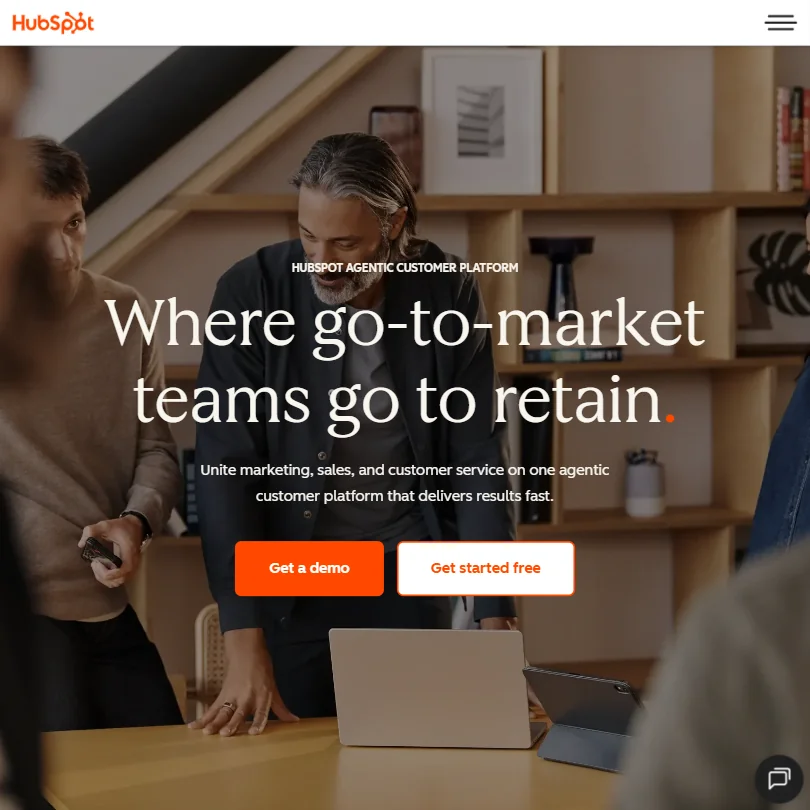
HubSpot is the choice when you want a CRM that starts free and grows with the business. The free tier covers CRM, marketing, sales and service tools for up to 2 users with no card, and a 14-day trial covers paid features. Its visual workflow builder automates across marketing, sales and service. The catch is how costs climb: Starter is $20 per seat, Professional is $890 a month, and custom code steps need Professional. ActiveCampaign suits email and SMS sequences.
- The visual workflow builder is highly intuitive, supporting automation across marketing, sales, and service from a single interface with webhooks, form submissions, deal stage changes, and behavioral event triggers.
- HubSpot's unified CRM acts as a central data layer, giving marketing, sales, and support teams shared visibility into contact records, deal stages, tickets, and email activity.
- The platform has grown sprawling and complex, meaning what you actually pay for depends heavily on which version and tier you need.
From $15ActiveCampaign is built for a business whose growth depends on automated email, SMS and WhatsApp sequences.
Show detailsHide details14 ActiveCampaign: Best for email, SMS and WhatsApp automation6.4Score 6.4 out of 10From $15ActiveCampaign is built for a business whose growth depends on automated email, SMS and WhatsApp sequences.Visit site ↗ReviewDetailsCloseShow more about ActiveCampaign
From $15
ActiveCampaign is built for a business whose growth depends on automated email, SMS and WhatsApp sequences.
Show detailsHide detailsActiveCampaign: Best for email, SMS and WhatsApp automation
6.4Score 6.4 out of 10From $15ActiveCampaign is built for a business whose growth depends on automated email, SMS and WhatsApp sequences.Visit site ↗ReviewDetailsClose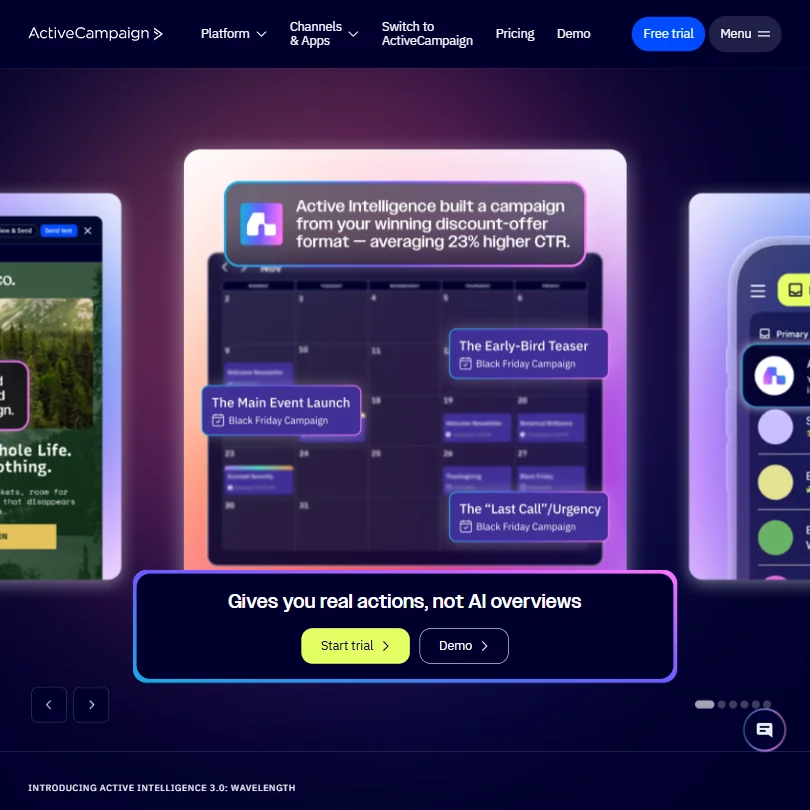
ActiveCampaign is built for a business whose growth depends on automated email, SMS and WhatsApp sequences. The visual builder handles branching logic with triggers such as form submissions, email opens and ecommerce events, and Starter begins at $15 a month billed annually with 1 user. A 14-day trial needs no card. The catch is that there is no free plan, the toolset is deep enough to overwhelm someone who needs simple email, and the interface is English only. HubSpot has a free CRM.
- ActiveCampaign has been a trusted platform since 2003, giving it deep institutional knowledge and a proven track record with 180,000+ customers.
- The visual automation builder supports genuinely complex branching logic with a wide range of triggers including webhooks, form submissions, email opens, and ecommerce events.
- The platform is extremely deep and feature-rich, which can overwhelm users who just need straightforward email automation.
Best AI tools for meetings and admin
3 picksThese tools take admin work off your day. Fireflies transcribes and summarizes meetings, with unlimited transcription on the free plan and no training on your data. Notion keeps docs, wikis and project databases together, and guests never need a paid seat, though its full AI starts on Business. ClickUp adds tasks, time tracking and goals, with unlimited tasks and members free, while its AI is a separate add-on at $9 or $28 per user a month. Compare where AI sits: included on Fireflies free, on Notion Business, and as a paid extra on ClickUp. Choose by whether your admin lives in meetings, documents or tasks.
#ToolScorePriceWhy pick it
From $7free planClickUp suits a team that manages work as tasks: the free plan gives unlimited tasks and members, docs, kanban boards and sprint management, and paid plans add Gantt charts, time tracking and goals.
Show detailsHide details15 ClickUp: Best for tasks and time tracking, AI as add-on9.3Score 9.3 out of 10From $7free planClickUp suits a team that manages work as tasks: the free plan gives unlimited tasks and members, docs, kanban boards and sprint management, and paid plans add Gantt charts, time tracking and goals.Visit site ↗ReviewDetailsCloseShow more about ClickUp
From $7free plan
ClickUp suits a team that manages work as tasks: the free plan gives unlimited tasks and members, docs, kanban boards and sprint management, and paid plans add Gantt charts, time tracking and goals.
Show detailsHide detailsClickUp: Best for tasks and time tracking, AI as add-on
9.3Score 9.3 out of 10From $7free planClickUp suits a team that manages work as tasks: the free plan gives unlimited tasks and members, docs, kanban boards and sprint management, and paid plans add Gantt charts, time tracking and goals.Visit site ↗ReviewDetailsClose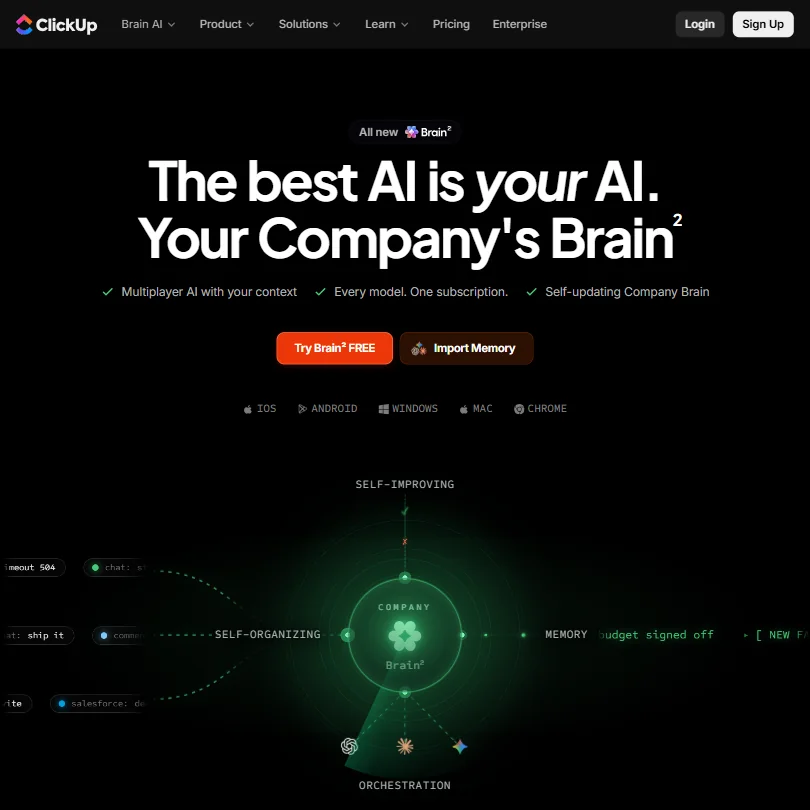
ClickUp suits a team that manages work as tasks: the free plan gives unlimited tasks and members, docs, kanban boards and sprint management, and paid plans add Gantt charts, time tracking and goals. Brain AI lets you choose Claude, ChatGPT or Gemini for chat. The catch is that AI is a separate add-on at $9 or $28 per user a month, the free plan has 60MB of storage, and the notetaker comes with the higher add-on, not Brain AI. Notion folds AI into Business.
- ClickUp's free plan includes unlimited tasks, unlimited free plan members and collaborative docs.
- Brain AI's chat lets you choose between Claude, ChatGPT and Gemini.
- ClickUp Brain is not included on any base plan; it is a separate add-on costing $9 or $28 a user a month.
From $18free planFireflies suits an owner who sits in client calls and wants a searchable record. The free plan includes unlimited transcription, live transcripts, clips and API access, and it joins Zoom, Google Meet, Microsoft Teams and Slack Huddles with a bot or records without one through the desktop app.
Show detailsHide details16 Fireflies.ai: Best for free meeting transcripts and summaries9.1Score 9.1 out of 10From $18free planFireflies suits an owner who sits in client calls and wants a searchable record. The free plan includes unlimited transcription, live transcripts, clips and API access, and it joins Zoom, Google Meet, Microsoft Teams and Slack Huddles with a bot or records without one through the desktop app.Visit site ↗ReviewDetailsCloseShow more about Fireflies.ai
From $18free plan
Fireflies suits an owner who sits in client calls and wants a searchable record. The free plan includes unlimited transcription, live transcripts, clips and API access, and it joins Zoom, Google Meet, Microsoft Teams and Slack Huddles with a bot or records without one through the desktop app.
Show detailsHide detailsFireflies.ai: Best for free meeting transcripts and summaries
9.1Score 9.1 out of 10From $18free planFireflies suits an owner who sits in client calls and wants a searchable record. The free plan includes unlimited transcription, live transcripts, clips and API access, and it joins Zoom, Google Meet, Microsoft Teams and Slack Huddles with a bot or records without one through the desktop app.Visit site ↗ReviewDetailsClose
Fireflies suits an owner who sits in client calls and wants a searchable record. The free plan includes unlimited transcription, live transcripts, clips and API access, and it joins Zoom, Google Meet, Microsoft Teams and Slack Huddles with a bot or records without one through the desktop app. Fireflies does not train on your data. The catch is AI credits, capped at 20 per seat on Pro, and conversation analytics reserved for Business. Notion stores the notes.
- The free plan includes unlimited transcription and live transcription at no cost.
- It does not use personal information to train its AI models and contractually prohibits its vendors from doing so.
- AI credits for premium AI features stay capped at 20 per seat on the Pro plan, rising only on higher tiers.
From $12free planNotion is for a team that wants docs, a wiki and a project database in one workspace, with guests who never need a paid seat.
Show detailsHide details17 Notion: Best for docs and wikis in one workspace8.3Score 8.3 out of 10From $12free planNotion is for a team that wants docs, a wiki and a project database in one workspace, with guests who never need a paid seat.Visit site ↗ReviewDetailsCloseShow more about Notion
From $12free plan
Notion is for a team that wants docs, a wiki and a project database in one workspace, with guests who never need a paid seat.
Show detailsHide detailsNotion: Best for docs and wikis in one workspace
8.3Score 8.3 out of 10From $12free planNotion is for a team that wants docs, a wiki and a project database in one workspace, with guests who never need a paid seat.Visit site ↗ReviewDetailsClose
Notion is for a team that wants docs, a wiki and a project database in one workspace, with guests who never need a paid seat. The free plan has unlimited pages for individuals, and by default Notion does not use customer data to train its models. The catch is that the full AI, meeting notes and cross-app search start on Business at $24 per member a month, and Free and Plus cap external guests at 10. ClickUp leans toward tasks.
- Docs, wikis and project databases are included in Notion at no extra cost.
- Guests never require a paid seat on any Notion plan.
- Notion's full AI, including its agent, meeting notes and cross-app search, is included only from the Business plan.
Best automation tools for small businesses
3 picksAutomation tools connect your other tools so a form fill becomes a customer record, an invoice or a message. Zapier connects over 9,000 apps, and its free plan gives 100 tasks a month with two-step Zaps. Make draws workflows on a visual canvas, with 1,000 operations a month and 2 active scenarios free, and a smaller app library. n8n is free to self-host with unlimited workflows, but it suits owners with technical help. Check how each plan counts usage: tasks, operations or executions. Choose Zapier for the widest app list, Make for branching on a budget, and n8n if someone can run it for you.
#ToolScorePriceWhy pick it
From $22 (€20)free plann8n is for the owner with a technical helper, because the self-hosted Community Edition is free with unlimited workflows.
Show detailsHide details18 n8n: Best for self-hosting automations for free8.8Score 8.8 out of 10From $22 (€20)free plann8n is for the owner with a technical helper, because the self-hosted Community Edition is free with unlimited workflows.Visit site ↗ReviewDetailsCloseShow more about n8n
From $22 (€20)free plan
n8n is for the owner with a technical helper, because the self-hosted Community Edition is free with unlimited workflows.
Show detailsHide detailsn8n: Best for self-hosting automations for free
8.8Score 8.8 out of 10From $22 (€20)free plann8n is for the owner with a technical helper, because the self-hosted Community Edition is free with unlimited workflows.Visit site ↗ReviewDetailsClose
n8n is for the owner with a technical helper, because the self-hosted Community Edition is free with unlimited workflows. Code nodes accept JavaScript or Python, it runs on Docker, on-premises or in the cloud, and the cloud trial needs no card. The catch is that the interface does not hide complexity, so non-technical users struggle, and cloud plans start at EUR 24 a month for 2,500 executions. Zapier is simpler, with 9,000 connectors.
- The self-hosted community edition is genuinely free with no workflow limits, which is rare among automation platforms.
- Code nodes allow JavaScript or Python to be inserted anywhere in a workflow, so developers never feel constrained by visual node limitations.
- Non-technical users tend to bounce off the platform quickly due to its complexity and technical design philosophy.
From $29.99free planZapier is the pick if the apps you use are unusual, since it connects over 9,000 of them. Its free plan covers 100 tasks a month with two-step Zaps, Professional at $29.99 adds multi-step Zaps, premium apps, webhooks and AI fields, and a Code step runs JavaScript or Python.
Show detailsHide details19 Zapier: Best for connecting thousands of apps without code7.9Score 7.9 out of 10From $29.99free planZapier is the pick if the apps you use are unusual, since it connects over 9,000 of them. Its free plan covers 100 tasks a month with two-step Zaps, Professional at $29.99 adds multi-step Zaps, premium apps, webhooks and AI fields, and a Code step runs JavaScript or Python.Visit site ↗ReviewDetailsCloseShow more about Zapier
From $29.99free plan
Zapier is the pick if the apps you use are unusual, since it connects over 9,000 of them. Its free plan covers 100 tasks a month with two-step Zaps, Professional at $29.99 adds multi-step Zaps, premium apps, webhooks and AI fields, and a Code step runs JavaScript or Python.
Show detailsHide detailsZapier: Best for connecting thousands of apps without code
7.9Score 7.9 out of 10From $29.99free planZapier is the pick if the apps you use are unusual, since it connects over 9,000 of them. Its free plan covers 100 tasks a month with two-step Zaps, Professional at $29.99 adds multi-step Zaps, premium apps, webhooks and AI fields, and a Code step runs JavaScript or Python.Visit site ↗ReviewDetailsClose
Zapier is the pick if the apps you use are unusual, since it connects over 9,000 of them. Its free plan covers 100 tasks a month with two-step Zaps, Professional at $29.99 adds multi-step Zaps, premium apps, webhooks and AI fields, and a Code step runs JavaScript or Python. The catch is that free Zaps stop at two steps, costs rise with usage, and you opt out of training yourself. Make is cheaper to start.
- Zapier integrates with over 9,000 apps, making it one of the largest integration libraries available on any automation platform.
- The visual workflow builder supports logic branches, conditional paths, and AI processing steps without requiring any coding knowledge.
- Users tend to stay not out of satisfaction but because rebuilding existing workflows on another platform is too costly and time-consuming.
From $10.59free planMake is for an owner who wants complex, branching automations on a smaller budget. Routers, iterators and aggregators handle conditions and lists, and you can watch data move through each module as a scenario runs.
Show detailsHide details20 Make: Best for branching automations on a budget7.3Score 7.3 out of 10From $10.59free planMake is for an owner who wants complex, branching automations on a smaller budget. Routers, iterators and aggregators handle conditions and lists, and you can watch data move through each module as a scenario runs.Visit site ↗ReviewDetailsCloseShow more about Make
From $10.59free plan
Make is for an owner who wants complex, branching automations on a smaller budget. Routers, iterators and aggregators handle conditions and lists, and you can watch data move through each module as a scenario runs.
Show detailsHide detailsMake: Best for branching automations on a budget
7.3Score 7.3 out of 10From $10.59free planMake is for an owner who wants complex, branching automations on a smaller budget. Routers, iterators and aggregators handle conditions and lists, and you can watch data move through each module as a scenario runs.Visit site ↗ReviewDetailsClose
Make is for an owner who wants complex, branching automations on a smaller budget. Routers, iterators and aggregators handle conditions and lists, and you can watch data move through each module as a scenario runs. The free plan gives 1,000 operations a month and 2 active scenarios, and Core is $10.59 with unlimited active scenarios. The catch is a learning curve, a smaller app library than Zapier's, and 15-minute intervals on free.
- The visual canvas builder lets users construct complex multi-step automation workflows without writing a single line of code.
- Routers, iterators, and aggregators enable branching, conditional logic, and array processing that most competing tools cannot handle.
- Steep learning curve means new users need significant time investment before they can use the platform effectively.
How to choose AI tools for your small business
Business tools look alike on their home pages and charge for very different things. Assistants and automation tools count messages, tasks or operations, support tools count agents or outcomes, CRMs count contacts and users, and website builders decide whether you own your domain and your code. What you need depends on whether you sell products or services, how many people share the tools and how much of your customers' information passes through them. This guide matches each job to the tools on this page, then covers free plans, where they stop, privacy and when paying is worth it.
Start with the job, not the tool
A small business runs on a handful of jobs, and no single tool on this page does all of them well.
- Everyday help. Drafting replies, summarizing documents and answering questions. ChatGPT, Claude and Gemini are assistants for it, and each has a free plan.
- Website and store. Getting a site live and taking orders or bookings. Wix and Durable build a site from a prompt, and Shopify is built for selling products.
- Marketing and social media. Making and scheduling posts. Canva handles the design, and ContentStudio and Metricool schedule across networks.
- Customer support. Answering customers by chat, email and tickets. Zoho Desk, Tidio and Intercom handle it, and Tidio and Intercom each have an AI agent.
- Email and customer records. Tracking leads and sending sequences. HubSpot and ActiveCampaign combine a CRM with email automation.
- Meetings and admin. Recording calls and tracking work. Fireflies transcribes, and Notion and ClickUp organize tasks and documents.
- Automation. Moving data between your tools. Zapier, Make and n8n connect apps without much code.
The table shows where to start on any budget.
| Job | Free | Worth paying for |
|---|---|---|
| Everyday help | ChatGPT, Gemini or Claude free plans | ChatGPT Plus at $20 a month, Google AI Plus at $4.99, or Claude Pro at $20 |
| Website and store | Wix free plan on a Wix domain, or Durable free on a .durable.site address | Wix Light at $17 a month billed yearly, Durable Launch at $25, or Shopify Basic at $39 for a store |
| Marketing and social media | Canva free, and Metricool free for one brand | Canva Pro at $18, ContentStudio Standard at $29, or Metricool Starter at $25 |
| Customer support | Zoho Desk free for up to 3 agents, or Tidio's free plan | Tidio Starter at $29, or Zoho Desk Express from $9 |
| Email and customer records | HubSpot free for up to 2 users | HubSpot Starter at $20 per seat, or ActiveCampaign Starter at $15 billed annually |
| Meetings and admin | Fireflies, Notion and ClickUp free plans | Fireflies Pro at $18, Notion Plus at $12, or ClickUp Unlimited at $10 per user |
| Automation | Zapier free (100 tasks), Make free (1,000 operations), or self-hosted n8n | Make Core at $10.59, or Zapier Professional at $29.99 |
Free plans cannot give you a custom domain on a website builder, more than a few support agents or CRM users, or multi-step Zaps on Zapier. Pay first for the tool your customers see, which is the website domain or the support channel, and leave admin and extra automation until the routine is working.
What the free plans actually give you
Each kind of tool rations something different, so one free plan lasts a month and another lasts an afternoon.
- Assistants. ChatGPT's free plan has unlimited text chat, web search and Projects. Gemini's has all three models and image generation with a 32,000 token window. Claude's has web search, file creation, code execution and memory. Any of them covers daily drafting.
- Website builders. Wix's free plan is a working site with hosting, the editor, templates and AI tools on a Wix domain. Durable's free plan gives a .durable.site address, 10 CRM customers, 5 images and 10 AI chat messages a month. Shopify has no free plan.
- Marketing tools. Canva's free plan has 5GB of storage, one Brand Kit and up to 20 AI uses. Metricool's gives one brand, 20 posts a month and 30 days of analytics. ContentStudio has a 7-day trial only.
- Support tools. Zoho Desk's free plan covers up to 3 agents with basic ticketing and email support. Tidio has a free plan that starts without a card. Intercom has a trial and no free plan.
- CRM and email. HubSpot's free tier covers up to 2 users. ActiveCampaign has a 14-day trial and no free plan.
- Admin tools. Fireflies gives unlimited transcription. Notion gives unlimited pages for individuals. ClickUp gives unlimited tasks and members with 60MB of storage.
- Automation tools. Zapier gives 100 tasks a month, Make 1,000 operations and 2 active scenarios, and n8n's self-hosted edition is free.
Which tools fit which owner
- A solo service provider. Start with Durable, because it bundles a site, bookings and a basic CRM, and its free plan costs nothing. Add Canva for visuals and Fireflies if you spend time on client calls.
- An online shop owner. Start with Shopify, because hosting, checkout and payments come with every plan. Add Tidio for order questions and Canva for product images.
- An owner on a tight budget. Start with Wix free, Metricool free and HubSpot free, because none needs a card. Add Make's free plan when two tools need to talk.
- A small team that outgrew spreadsheets. Start with ClickUp for tasks, because its free plan has unlimited members. Add HubSpot for customers and Notion for the shared wiki.
- A business with a support inbox. Start with Zoho Desk for tickets, because it is free for 3 agents. Add Tidio for website chat, or Intercom when you want Fin on top of an existing helpdesk.
- An owner who wants everything connected. Start with Zapier for the widest app list. Move to Make for branching workflows, or n8n if someone technical can run it.
A typical week step by step
- Plan the week. Ask ChatGPT, Gemini or Claude to turn your notes into a list of tasks, offers and posts, keeping each client in its own Project.
- Make the content. Design posts in Canva, and write captions with the assistant or with ContentStudio's AI.
- Schedule it. Queue posts in Metricool or ContentStudio across Instagram, Facebook, LinkedIn and other networks.
- Answer customers. Handle tickets in Zoho Desk, chat in Tidio and a Fin-powered inbox in Intercom, passing anything unusual to a person.
- Follow up leads. Log inquiries in HubSpot and send sequences from HubSpot or ActiveCampaign.
- Record the calls. Let Fireflies transcribe client meetings and summarize them for the team.
- Track the work. Move tasks in ClickUp or Notion and keep project notes beside them.
- Connect the pieces. Use Zapier, Make or n8n to send a form submission to your CRM or a message to your team.
- Update the site or store. Change products and pages in Shopify, Wix or Durable.
Where free plans stop
| Limit | Tools | What happens when you hit it |
|---|---|---|
| Usage counts | Zapier (100 tasks), Make (1,000 operations), Metricool (20 posts), Durable (10 AI chat messages, 5 images) | You wait for the next month or move to a paid plan |
| People and brands | Zoho Desk (3 agents), HubSpot (2 users), Metricool (1 brand) | A bigger team needs a paid plan |
| Storage and size | ClickUp (60MB), Canva (5GB, up to 20 AI uses), Gemini (32,000 token window) | Larger files and heavier AI use need a paid plan |
| Domain | Wix free (Wix domain), Durable free (.durable.site) | A custom domain needs a paid plan |
| Trials instead of free plans | Shopify (3 days), ContentStudio (7), ActiveCampaign (14), Zoho (15), Intercom | You pay when the trial ends |
| Held back features | Zapier multi-step Zaps, Make intervals under 15 minutes, Notion's full AI | The feature starts on a paid plan |
Counts reward doing the work in a batch: queue a week of posts in one sitting and save automation runs for the workflows that matter. A trial is a clock, so prepare your content before you start it. Use free plans to find out which tool fits how you work, then pay for the one that holds you back.
Privacy and who sees your customer data
Customer names, emails and conversations pass through many of these tools, so check what each one says about training before you load real data. The stated policies differ.
| Stated policy | Tools |
|---|---|
| Trains on your chats unless you turn it off | Gemini (turn off Keep Activity, which also switches off memory), Claude (opt out on consumer plans), Canva (opt out in privacy settings) |
| Offers an opt-out | ChatGPT (Business states no training on business data), Intercom, Zapier, HubSpot |
| States it does not train on your content | Fireflies, Notion (by default), Metricool, Zoho, ClickUp, ActiveCampaign, Make, n8n |
Keep customer lists out of the first row, and switch training off in the second row when you sign up. Compliance details such as SOC 2 and GDPR are listed for most tools, so read the plan page before loading anything sensitive.
Mistakes to avoid
- Building the business on a free subdomain. Wix free uses a Wix domain and Durable free uses a .durable.site address. Move to a paid plan before you print the address on anything.
- Choosing a site builder you cannot leave. Wix does not let you export a site's code, so everything stays on Wix's hosting. Shopify gives you theme code access.
- Comparing seat prices instead of total cost. Canva, Notion Business, ClickUp and Intercom charge per person, ClickUp Brain adds $9 or $28 per user, and Intercom adds $0.99 per Fin outcome. Add up the whole bill for your team.
- Letting a support bot answer from old content. Tidio's Lyro learns from the FAQs, website or articles you give it. Keep that content current and let it hand unusual questions to a person.
- Hitting a free automation cap in the middle of a workflow. Zapier's free Zaps stop at two steps and 100 tasks, and Make's free scenarios run at 15-minute intervals. Test a real workflow before relying on it.
When it is worth paying
You have outgrown a free plan when you plan your work around its limit. Skipping a customer inquiry because the agent seats are full, rationing posts to stay under a count or keeping a workflow short to fit two steps are all signs.
| If you are | Upgrade to | What changes |
|---|---|---|
| Selling products online | Shopify Basic | Hosting, checkout and payments on every plan, $39 a month after a 3-day trial and 3 discounted months |
| Putting a name on your site | Wix Light | $17 a month billed yearly, a free domain for the first year, 2 GB of storage and 2 collaborators |
| Posting to many networks | ContentStudio Standard or Metricool Starter | Unlimited scheduling for 5 accounts, or unlimited publishing for 5 brands with 100 competitors |
| Answering customers all day | Tidio Starter or Zoho Desk Express | 100 billable conversations, or email ticketing and basic automation |
| Running sales sequences | HubSpot Starter | $20 per seat with 500 credits and 1,000 marketing contacts |
| Building workflows of three or more steps | Zapier Professional or Make Core | Multi-step Zaps and webhooks, or unlimited active scenarios and API access |
| Wanting AI inside admin tools | Notion Business or ClickUp Brain | Notion's full AI at $24 per member, or ClickUp's $9 per user add-on |
Billing changes the price. Wix plans are billed yearly only, ContentStudio Advanced is $69 monthly and $49 billed yearly, and ActiveCampaign Starter is $15 billed annually. n8n Starter is EUR 24 a month. Trials help before you commit: Canva Pro gives 30 days, HubSpot 14, Zoho Desk 15 without a card, ActiveCampaign 14 without a card and ContentStudio 7 without a card.
How we picked
Every tool here is ranked by its score, and each score is worked out from the vendor’s own published pages: pricing, plans, features and terms. No score is adjusted by hand. All 20 tools have enough published facts to be scored, and on average 95% of each score comes from facts the vendor publishes. The facts behind these scores were checked between 13 September 2026 and 14 October 2026.
Scores compare tools that do the same job, which is why the list is grouped by job: a video editor and a grammar checker are never ranked against each other.
| Ranked as | On this page | What we score | Scoring guide |
|---|---|---|---|
| AI assistants11 reviewed | 3 | 4 criteria, 13 checked facts: what it can do, where it works, pricing, privacy and trust | How we score these → |
| Helpdesks16 reviewed | 3 | 7 criteria, 24 checked facts: AI that answers your customers, pricing, channels, security and privacy, running a support team, integrations, support and branding | How we score these → |
| Workflow automation tools11 reviewed | 3 | 7 criteria, 20 checked facts: AI agents, building workflows, pricing, apps it connects to, reliability and control, hosting and security, support | How we score these → |
| AI website builders8 reviewed | 2 | 5 criteria, 22 checked facts: what you can build, workflow and output, pricing, teams and platforms, privacy and trust | How we score these → |
| AI social media management tools18 reviewed | 2 | 6 criteria, 28 checked facts: publishing, pricing, AI content, agencies and teams, listening and competitors, privacy and support | How we score these → |
| Go-to-market platforms15 reviewed | 2 | 7 criteria, 20 checked facts: AI agents, building workflows, pricing, apps it connects to, reliability and control, hosting and security, support | How we score these → |
| AI work management tools8 reviewed | 2 | 4 criteria, 17 checked facts: what it manages, working with others, pricing, privacy and trust | How we score these → |
| AI store and page builders5 reviewed | 1 | 4 criteria, 22 checked facts: what you can build, where it works, pricing, privacy and trust | How we score these → |
| AI graphic design tools8 reviewed | 1 | 5 criteria, 23 checked facts: what you can make, workflow and output, pricing, teams and platforms, privacy and trust | How we score these → |
| AI meeting assistants17 reviewed | 1 | 4 criteria, 18 checked facts: what it captures, where it works, pricing, privacy and trust | How we score these → |
Common questions
Which tools replace several others at once?
Durable bundles a site, bookings, a CRM and invoicing for a solo service business, and HubSpot combines CRM, marketing, sales and service tools on one login. Zoho One offers access to 50+ Zoho apps. The trade-off is depth: Durable's CRM is basic lead capture, and HubSpot costs rise by tier, so bundle the jobs you actually do.
What should I automate first?
Start with a form submission that creates a customer record and sends a message, because it saves manual copying every day. HubSpot, Zapier and Make all use form submissions as triggers. Check the limits first: Zapier's free plan gives 100 tasks a month with two-step Zaps, and Make's gives 1,000 operations and 2 active scenarios.
Is AI cheaper as an add-on or built into the plan?
It varies by tool. ClickUp charges $9 or $28 per user a month for Brain on top of any plan, Notion includes full AI from Business at $24 per member, Fireflies keeps transcription free and caps premium AI credits at 20 per seat on Pro, and Intercom charges $0.99 per Fin outcome. Total the bill for your team size.
Do any of these need a developer?
Most are built for non-technical users. n8n suits people with technical help, since it is self-hosted and offers JavaScript and Python code nodes. Shopify gives theme code access, HubSpot's custom code steps need Professional, and Zapier's Code step is optional. Wix, Durable, Canva, Tidio and Metricool need no code at all.
Which tools work for customers in other languages?
Intercom supports 45+ languages, and Gemini and Fireflies list 30+. Shopify Markets adds multi-currency and multi-region selling, and Wix lists localization. ActiveCampaign's interface is English only, although content can be written in other languages. Claude's app can be set to ten languages, including French, German, Hindi and Spanish.