Pick tldv over Fireflies or Otter if your team runs high meeting volume and wants unlimited recordings without paying immediately, but know that the automation features that make it genuinely useful for sales teams sit behind the paid tier.
Buying guide · 16 tools ranked
Best AI Meeting Notetakers
Every AI meeting notetaker here will transcribe your call. What separates them is whether a bot visibly joins the meeting to do it, because that is the part your customers and colleagues see, and what happens to the notes once the call ends. A transcript nobody opens is worth nothing.
Updated 30 September 2026Ranked by our score, worked out from each vendor’s own pages.How we score →
Our top 3 AI Meeting Notetakers
Fireflies has the widest platform coverage here and its cross-meeting search through AskFred is genuinely useful for teams with long call histories, but the gap between homepage promises and real user reports is a documented concern that warrants caution before committing.
Read AI is the only tool here with a verified offline mode for in-person recording, and its cross-meeting search spans emails and chat threads too, making it broader in scope than pure meeting tools like Tactiq or Fathom, though that ambition introduces inconsistency.
Best AI meeting notetakers without a bot
6 picks#ToolScorePriceWhy pick it
From $29free planPick tldv over Fireflies or Otter if your team runs high meeting volume and wants unlimited recordings without paying immediately, but know that the automation features that make it genuinely useful for sales teams sit behind the paid tier.
Visit site ↗DetailsClose01 tl;dv#3 of 17 AI meeting assistants8.2Score 8.2 out of 10From $29free planPick tldv over Fireflies or Otter if your team runs high meeting volume and wants unlimited recordings without paying immediately, but know that the automation features that make it genuinely useful for sales teams sit behind the paid tier.Visit site ↗DetailsCloseShow more about tl;dv
From $29free plan
Pick tldv over Fireflies or Otter if your team runs high meeting volume and wants unlimited recordings without paying immediately, but know that the automation features that make it genuinely useful for sales teams sit behind the paid tier.
Visit site ↗DetailsClose
tl;dv#3 of 17 AI meeting assistants
8.2Score 8.2 out of 10From $29free planPick tldv over Fireflies or Otter if your team runs high meeting volume and wants unlimited recordings without paying immediately, but know that the automation features that make it genuinely useful for sales teams sit behind the paid tier.Visit site ↗DetailsClose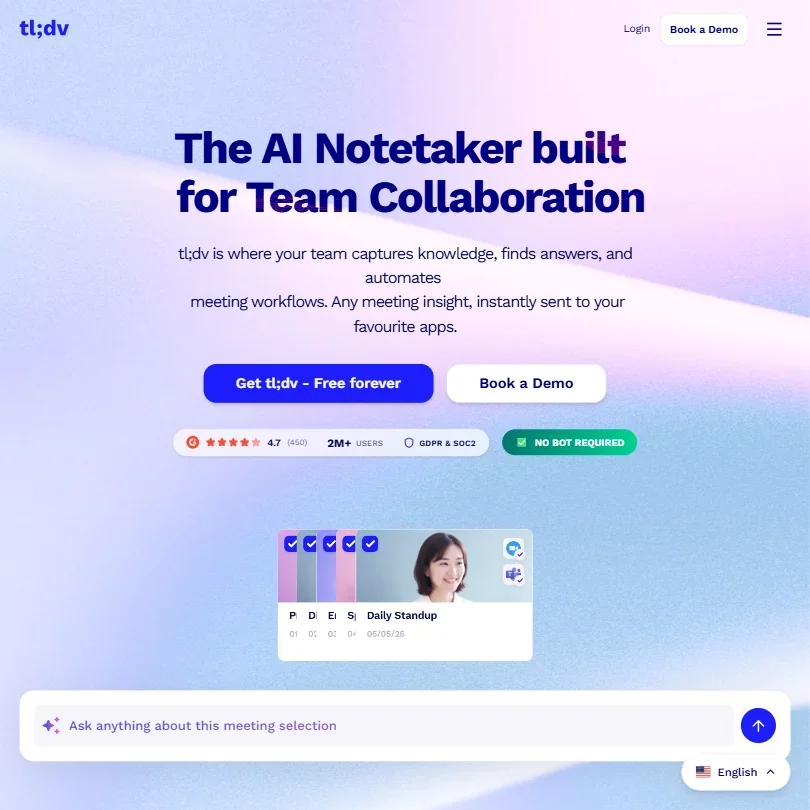
Pick tldv over Fireflies or Otter if your team runs high meeting volume and wants unlimited recordings without paying immediately, but know that the automation features that make it genuinely useful for sales teams sit behind the paid tier.
- The free plan gives unlimited video recording and unlimited transcription across more than 30 languages.
- tl;dv does not train its AI models on your calls, and data is processed and stored in the EU.
- The free plan caps AI meeting notes at 10 meetings and Ask AI at 10 queries a month.
From $32 (€30)free planClaap is the strongest option here for sales teams who need call capture across phone, in-person, and video in one place, with direct CRM push to HubSpot or Salesforce, but Windows teams are locked out by the Mac-only desktop requirement.
Visit site ↗DetailsClose02 Claap#6 of 17 AI meeting assistants8.0Score 8.0 out of 10From $32 (€30)free planClaap is the strongest option here for sales teams who need call capture across phone, in-person, and video in one place, with direct CRM push to HubSpot or Salesforce, but Windows teams are locked out by the Mac-only desktop requirement.Visit site ↗DetailsCloseShow more about Claap
From $32 (€30)free plan
Claap is the strongest option here for sales teams who need call capture across phone, in-person, and video in one place, with direct CRM push to HubSpot or Salesforce, but Windows teams are locked out by the Mac-only desktop requirement.
Visit site ↗DetailsClose
Claap#6 of 17 AI meeting assistants
8.0Score 8.0 out of 10From $32 (€30)free planClaap is the strongest option here for sales teams who need call capture across phone, in-person, and video in one place, with direct CRM push to HubSpot or Salesforce, but Windows teams are locked out by the Mac-only desktop requirement.Visit site ↗DetailsClose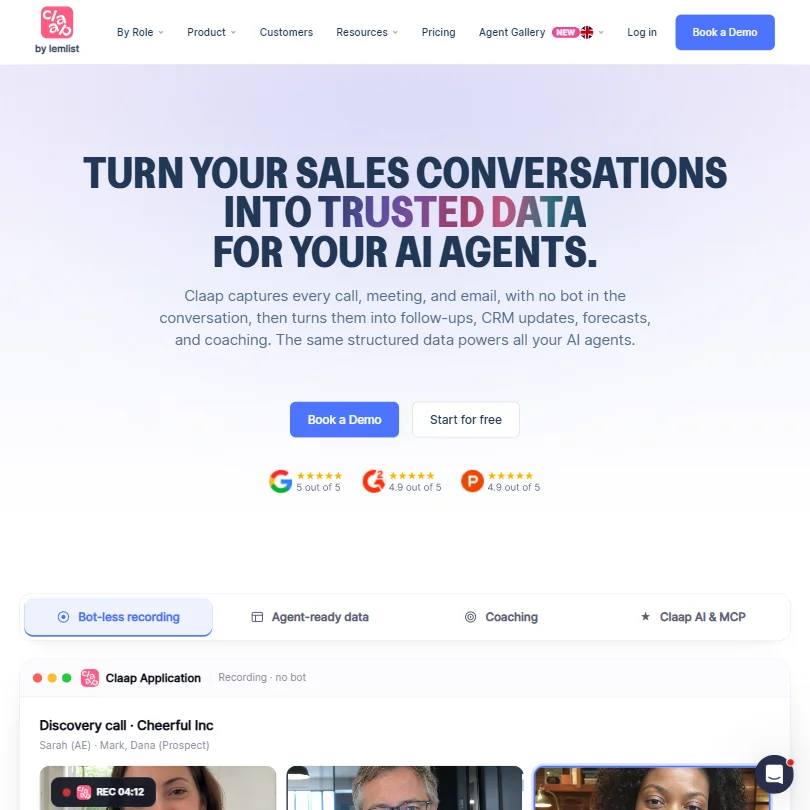
Claap is the strongest option here for sales teams who need call capture across phone, in-person, and video in one place, with direct CRM push to HubSpot or Salesforce, but Windows teams are locked out by the Mac-only desktop requirement.
- Claap captures phone calls and in-person conversations, not just online meetings.
- The free Basic plan includes an API with unlimited usage.
- The free plan is capped at 300 minutes of recording in total, not renewed monthly.
From $18free planProfessionals who record in-person as well as online meetings and want the option of EU data storage
Visit site ↗DetailsClose03 Bluedot#8 of 17 AI meeting assistants7.7Score 7.7 out of 10From $18free planProfessionals who record in-person as well as online meetings and want the option of EU data storageVisit site ↗DetailsCloseShow more about Bluedot
From $18free plan
Professionals who record in-person as well as online meetings and want the option of EU data storage
Visit site ↗DetailsClose
Bluedot#8 of 17 AI meeting assistants
7.7Score 7.7 out of 10From $18free planProfessionals who record in-person as well as online meetings and want the option of EU data storageVisit site ↗DetailsClose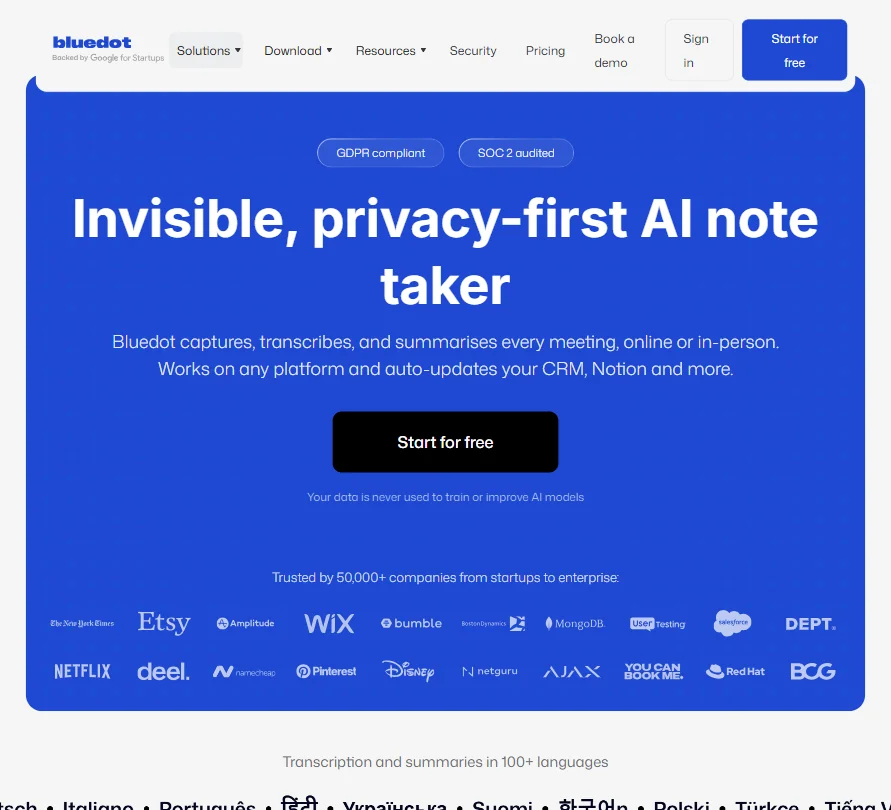
- The free plan never expires and gives 5 meetings for the life of the account.
- Bluedot only charges for users who actually record a meeting, not every seat on the account.
- The free plan is capped at 5 meetings for the life of the account, not renewed monthly.
From $14free planGranola suits individuals who want clean notes without a bot in the room and are willing to trade ecosystem maturity for simplicity, though its short track record and unverified mobile app performance make it a riskier choice than older tools like Otter.ai or Fireflies.
Visit site ↗DetailsClose04 Granola#9 of 17 AI meeting assistants7.4Score 7.4 out of 10From $14free planGranola suits individuals who want clean notes without a bot in the room and are willing to trade ecosystem maturity for simplicity, though its short track record and unverified mobile app performance make it a riskier choice than older tools like Otter.ai or Fireflies.Visit site ↗DetailsCloseShow more about Granola
From $14free plan
Granola suits individuals who want clean notes without a bot in the room and are willing to trade ecosystem maturity for simplicity, though its short track record and unverified mobile app performance make it a riskier choice than older tools like Otter.ai or Fireflies.
Visit site ↗DetailsClose
Granola#9 of 17 AI meeting assistants
7.4Score 7.4 out of 10From $14free planGranola suits individuals who want clean notes without a bot in the room and are willing to trade ecosystem maturity for simplicity, though its short track record and unverified mobile app performance make it a riskier choice than older tools like Otter.ai or Fireflies.Visit site ↗DetailsClose
Granola suits individuals who want clean notes without a bot in the room and are willing to trade ecosystem maturity for simplicity, though its short track record and unverified mobile app performance make it a riskier choice than older tools like Otter.ai or Fireflies.
- Granola never adds a bot to your call; it records straight from your computer's own microphone and meeting audio.
- AI chat within and across meetings, plus customized note templates, are included from the free Basic plan.
- The free Basic plan only keeps 30 days of meeting history; viewing anything older requires upgrading to Business.
From $27 (€25)free planJamie is the strongest privacy choice here, processing audio locally within EU infrastructure and explicitly not training on customer data, but the 30-minute cap on the free plan limits usefulness and its narrow focus means teams wanting deep analytics or wide integrations should look elsewhere.
Visit site ↗DetailsClose05 Jamie#11 of 17 AI meeting assistants6.8Score 6.8 out of 10From $27 (€25)free planJamie is the strongest privacy choice here, processing audio locally within EU infrastructure and explicitly not training on customer data, but the 30-minute cap on the free plan limits usefulness and its narrow focus means teams wanting deep analytics or wide integrations should look elsewhere.Visit site ↗DetailsCloseShow more about Jamie
From $27 (€25)free plan
Jamie is the strongest privacy choice here, processing audio locally within EU infrastructure and explicitly not training on customer data, but the 30-minute cap on the free plan limits usefulness and its narrow focus means teams wanting deep analytics or wide integrations should look elsewhere.
Visit site ↗DetailsClose
Jamie#11 of 17 AI meeting assistants
6.8Score 6.8 out of 10From $27 (€25)free planJamie is the strongest privacy choice here, processing audio locally within EU infrastructure and explicitly not training on customer data, but the 30-minute cap on the free plan limits usefulness and its narrow focus means teams wanting deep analytics or wide integrations should look elsewhere.Visit site ↗DetailsClose
Jamie is the strongest privacy choice here, processing audio locally within EU infrastructure and explicitly not training on customer data, but the 30-minute cap on the free plan limits usefulness and its narrow focus means teams wanting deep analytics or wide integrations should look elsewhere.
- The free plan works forever and includes in-person meeting capture in more than 80 languages.
- Jamie runs on your device, so no bot joins the call for online or in-person meetings.
- The free plan allows only 10 AI notes a month, and Plus, the cheapest paid plan, raises that to just 20.
From $24 (€22)free planChoose Supernormal over tools like Fireflies or Tactiq if your meetings produce deliverables like proposals or briefs rather than just action items, but the absence of a mobile app and the Windows 11 requirement will eliminate it for many teams.
Visit site ↗DetailsClose06 Supernormal#17 of 17 AI meeting assistants5.6Score 5.6 out of 10From $24 (€22)free planChoose Supernormal over tools like Fireflies or Tactiq if your meetings produce deliverables like proposals or briefs rather than just action items, but the absence of a mobile app and the Windows 11 requirement will eliminate it for many teams.Visit site ↗DetailsCloseShow more about Supernormal
From $24 (€22)free plan
Choose Supernormal over tools like Fireflies or Tactiq if your meetings produce deliverables like proposals or briefs rather than just action items, but the absence of a mobile app and the Windows 11 requirement will eliminate it for many teams.
Visit site ↗DetailsClose
Supernormal#17 of 17 AI meeting assistants
5.6Score 5.6 out of 10From $24 (€22)free planChoose Supernormal over tools like Fireflies or Tactiq if your meetings produce deliverables like proposals or briefs rather than just action items, but the absence of a mobile app and the Windows 11 requirement will eliminate it for many teams.Visit site ↗DetailsClose
Choose Supernormal over tools like Fireflies or Tactiq if your meetings produce deliverables like proposals or briefs rather than just action items, but the absence of a mobile app and the Windows 11 requirement will eliminate it for many teams.
- The Free plan is free forever and includes the bot-free meeting notetaker with no card required.
- Supernormal never joins meetings as a visible bot; it captures audio directly from your computer.
- There is no video or audio recording, only live notes and a transcript.
Best AI meeting notetakers for transcripts and summaries
4 picks#ToolScorePriceWhy pick it
From $18free planFireflies has the widest platform coverage here and its cross-meeting search through AskFred is genuinely useful for teams with long call histories, but the gap between homepage promises and real user reports is a documented concern that warrants caution before committing.
Visit site ↗DetailsClose07 Fireflies.ai#1 of 17 AI meeting assistants9.1Score 9.1 out of 10From $18free planFireflies has the widest platform coverage here and its cross-meeting search through AskFred is genuinely useful for teams with long call histories, but the gap between homepage promises and real user reports is a documented concern that warrants caution before committing.Visit site ↗DetailsCloseShow more about Fireflies.ai
From $18free plan
Fireflies has the widest platform coverage here and its cross-meeting search through AskFred is genuinely useful for teams with long call histories, but the gap between homepage promises and real user reports is a documented concern that warrants caution before committing.
Visit site ↗DetailsClose
Fireflies.ai#1 of 17 AI meeting assistants
9.1Score 9.1 out of 10From $18free planFireflies has the widest platform coverage here and its cross-meeting search through AskFred is genuinely useful for teams with long call histories, but the gap between homepage promises and real user reports is a documented concern that warrants caution before committing.Visit site ↗DetailsClose
Fireflies has the widest platform coverage here and its cross-meeting search through AskFred is genuinely useful for teams with long call histories, but the gap between homepage promises and real user reports is a documented concern that warrants caution before committing.
- The free plan includes unlimited transcription and live transcription at no cost.
- It does not use personal information to train its AI models and contractually prohibits its vendors from doing so.
- AI credits for premium AI features stay capped at 20 per seat on the Pro plan, rising only on higher tiers.
From $19free planIndividuals and sales teams who want free video notes with a live transcript and clips, and coaching metrics on paid plans
Visit site ↗DetailsClose08 Fathom#13 of 17 AI meeting assistants6.7Score 6.7 out of 10From $19free planIndividuals and sales teams who want free video notes with a live transcript and clips, and coaching metrics on paid plansVisit site ↗DetailsCloseShow more about Fathom
From $19free plan
Individuals and sales teams who want free video notes with a live transcript and clips, and coaching metrics on paid plans
Visit site ↗DetailsClose
Fathom#13 of 17 AI meeting assistants
6.7Score 6.7 out of 10From $19free planIndividuals and sales teams who want free video notes with a live transcript and clips, and coaching metrics on paid plansVisit site ↗DetailsClose
- The free plan includes unlimited recordings and transcriptions, plus clips, playlists and search across calls, at no cost.
- A beta bot-free recording mode on Mac works alongside the standard bot that joins Zoom, Google Meet and Microsoft Teams.
- In-person meetings are not captured; only Zoom, Google Meet and Microsoft Teams calls are recorded.
From $16.99free planOtter is one of the more proven options for straightforward transcription accuracy, with strong user review backing on G2 and Capterra, but its visible bot joining calls is a drawback compared to bot-free alternatives like Granola or Bluedot, and accuracy drops in noisy environments.
Visit site ↗DetailsClose09 Otter.ai#15 of 17 AI meeting assistants6.4Score 6.4 out of 10From $16.99free planOtter is one of the more proven options for straightforward transcription accuracy, with strong user review backing on G2 and Capterra, but its visible bot joining calls is a drawback compared to bot-free alternatives like Granola or Bluedot, and accuracy drops in noisy environments.Visit site ↗DetailsCloseShow more about Otter.ai
From $16.99free plan
Otter is one of the more proven options for straightforward transcription accuracy, with strong user review backing on G2 and Capterra, but its visible bot joining calls is a drawback compared to bot-free alternatives like Granola or Bluedot, and accuracy drops in noisy environments.
Visit site ↗DetailsClose
Otter.ai#15 of 17 AI meeting assistants
6.4Score 6.4 out of 10From $16.99free planOtter is one of the more proven options for straightforward transcription accuracy, with strong user review backing on G2 and Capterra, but its visible bot joining calls is a drawback compared to bot-free alternatives like Granola or Bluedot, and accuracy drops in noisy environments.Visit site ↗DetailsClose
Otter is one of the more proven options for straightforward transcription accuracy, with strong user review backing on G2 and Capterra, but its visible bot joining calls is a drawback compared to bot-free alternatives like Granola or Bluedot, and accuracy drops in noisy environments.
- The free Basic plan runs forever and includes live transcription and AI Chat across meetings.
- Meetings can be captured with a bot that auto-joins Zoom, Google Meet and Microsoft Teams, or without one through desktop and mobile apps, including in-person conversations.
- Recordings and transcripts are automatically de-identified and used to train Otter's models, with no opt-out.
From $12free planTactiq is worth considering over Read AI or Otter if your team lives in Chrome and wants reusable post-meeting automations pushing to Slack or Notion, but the Chrome-only extension requirement and lack of mobile app make it a poor fit for mixed-device or mobile-heavy teams.
Visit site ↗DetailsClose10 Tactiq#16 of 17 AI meeting assistants6.1Score 6.1 out of 10From $12free planTactiq is worth considering over Read AI or Otter if your team lives in Chrome and wants reusable post-meeting automations pushing to Slack or Notion, but the Chrome-only extension requirement and lack of mobile app make it a poor fit for mixed-device or mobile-heavy teams.Visit site ↗DetailsCloseShow more about Tactiq
From $12free plan
Tactiq is worth considering over Read AI or Otter if your team lives in Chrome and wants reusable post-meeting automations pushing to Slack or Notion, but the Chrome-only extension requirement and lack of mobile app make it a poor fit for mixed-device or mobile-heavy teams.
Visit site ↗DetailsClose
Tactiq#16 of 17 AI meeting assistants
6.1Score 6.1 out of 10From $12free planTactiq is worth considering over Read AI or Otter if your team lives in Chrome and wants reusable post-meeting automations pushing to Slack or Notion, but the Chrome-only extension requirement and lack of mobile app make it a poor fit for mixed-device or mobile-heavy teams.Visit site ↗DetailsClose
Tactiq is worth considering over Read AI or Otter if your team lives in Chrome and wants reusable post-meeting automations pushing to Slack or Notion, but the Chrome-only extension requirement and lack of mobile app make it a poor fit for mixed-device or mobile-heavy teams.
- The Free plan is free forever for one user, with no credit card required.
- Tactiq records without a meeting bot, joining as a browser extension or native Mac app instead.
- AI credits stay capped at 10 a month on the Pro plan; they only become unlimited from the Team plan up.
Best AI meeting notetakers for team insights and coaching
5 picks#ToolScorePriceWhy pick it
From $19.75free planRead AI is the only tool here with a verified offline mode for in-person recording, and its cross-meeting search spans emails and chat threads too, making it broader in scope than pure meeting tools like Tactiq or Fathom, though that ambition introduces inconsistency.
Visit site ↗DetailsClose11 Read AI#3 of 17 AI meeting assistants8.2Score 8.2 out of 10From $19.75free planRead AI is the only tool here with a verified offline mode for in-person recording, and its cross-meeting search spans emails and chat threads too, making it broader in scope than pure meeting tools like Tactiq or Fathom, though that ambition introduces inconsistency.Visit site ↗DetailsCloseShow more about Read AI
From $19.75free plan
Read AI is the only tool here with a verified offline mode for in-person recording, and its cross-meeting search spans emails and chat threads too, making it broader in scope than pure meeting tools like Tactiq or Fathom, though that ambition introduces inconsistency.
Visit site ↗DetailsClose
Read AI#3 of 17 AI meeting assistants
8.2Score 8.2 out of 10From $19.75free planRead AI is the only tool here with a verified offline mode for in-person recording, and its cross-meeting search spans emails and chat threads too, making it broader in scope than pure meeting tools like Tactiq or Fathom, though that ambition introduces inconsistency.Visit site ↗DetailsClose
Read AI is the only tool here with a verified offline mode for in-person recording, and its cross-meeting search spans emails and chat threads too, making it broader in scope than pure meeting tools like Tactiq or Fathom, though that ambition introduces inconsistency.
- The free plan includes 5 meeting reports a month with unlimited enterprise search and no credit card required.
- Training on your content is opt-in and off by default.
- Read Assistant joins video calls only as a visible bot; there is no bot-free recording for them.
From $11free planFellow is the clearest choice for regulated industries given its simultaneous SOC 2 Type II, HIPAA, and GDPR compliance, which no other tool in this list matches, though that security depth may feel unnecessary and the onboarding demanding for small teams without compliance requirements.
Visit site ↗DetailsClose12 Fellow.ai#3 of 17 AI meeting assistants8.2Score 8.2 out of 10From $11free planFellow is the clearest choice for regulated industries given its simultaneous SOC 2 Type II, HIPAA, and GDPR compliance, which no other tool in this list matches, though that security depth may feel unnecessary and the onboarding demanding for small teams without compliance requirements.Visit site ↗DetailsCloseShow more about Fellow.ai
From $11free plan
Fellow is the clearest choice for regulated industries given its simultaneous SOC 2 Type II, HIPAA, and GDPR compliance, which no other tool in this list matches, though that security depth may feel unnecessary and the onboarding demanding for small teams without compliance requirements.
Visit site ↗DetailsClose
Fellow.ai#3 of 17 AI meeting assistants
8.2Score 8.2 out of 10From $11free planFellow is the clearest choice for regulated industries given its simultaneous SOC 2 Type II, HIPAA, and GDPR compliance, which no other tool in this list matches, though that security depth may feel unnecessary and the onboarding demanding for small teams without compliance requirements.Visit site ↗DetailsClose
Fellow is the clearest choice for regulated industries given its simultaneous SOC 2 Type II, HIPAA, and GDPR compliance, which no other tool in this list matches, though that security depth may feel unnecessary and the onboarding demanding for small teams without compliance requirements.
- Botless Recording captures, transcribes and summarizes meetings without a bot joining the call, working across Microsoft Teams, Google Meet, Zoom and Slack huddles.
- Fellow's AI is never trained on your data.
- The free plan gives only 5 AI notes and 5 AI recordings for the life of the account, not a monthly allowance.
From $15.99free planMeetGeek offers more recording flexibility than most tools at this price, supporting bot and no-bot capture plus old recording uploads, but the absence of any G2 or Capterra listing despite large user claims makes independent verification impossible before buying.
Visit site ↗DetailsClose13 MeetGeek#7 of 17 AI meeting assistants7.9Score 7.9 out of 10From $15.99free planMeetGeek offers more recording flexibility than most tools at this price, supporting bot and no-bot capture plus old recording uploads, but the absence of any G2 or Capterra listing despite large user claims makes independent verification impossible before buying.Visit site ↗DetailsCloseShow more about MeetGeek
From $15.99free plan
MeetGeek offers more recording flexibility than most tools at this price, supporting bot and no-bot capture plus old recording uploads, but the absence of any G2 or Capterra listing despite large user claims makes independent verification impossible before buying.
Visit site ↗DetailsClose
MeetGeek#7 of 17 AI meeting assistants
7.9Score 7.9 out of 10From $15.99free planMeetGeek offers more recording flexibility than most tools at this price, supporting bot and no-bot capture plus old recording uploads, but the absence of any G2 or Capterra listing despite large user claims makes independent verification impossible before buying.Visit site ↗DetailsClose
MeetGeek offers more recording flexibility than most tools at this price, supporting bot and no-bot capture plus old recording uploads, but the absence of any G2 or Capterra listing despite large user claims makes independent verification impossible before buying.
- No-bot Recording captures Zoom, Google Meet and Microsoft Teams calls through a Chrome extension or desktop recorder, included on the free Basic plan.
- AI Chat and search across all meetings is included from the free Basic plan.
- MeetGeek has no capture method for in-person meetings today; its Wave hardware device is announced but not yet released.
From $29Sales and revenue teams who want coaching insights, meeting video and clips, and are ready to pay from day one
Visit site ↗DetailsClose14 Avoma#10 of 17 AI meeting assistants7.0Score 7.0 out of 10From $29Sales and revenue teams who want coaching insights, meeting video and clips, and are ready to pay from day oneVisit site ↗DetailsCloseShow more about Avoma
From $29
Sales and revenue teams who want coaching insights, meeting video and clips, and are ready to pay from day one
Visit site ↗DetailsClose
Avoma#10 of 17 AI meeting assistants
7.0Score 7.0 out of 10From $29Sales and revenue teams who want coaching insights, meeting video and clips, and are ready to pay from day oneVisit site ↗DetailsClose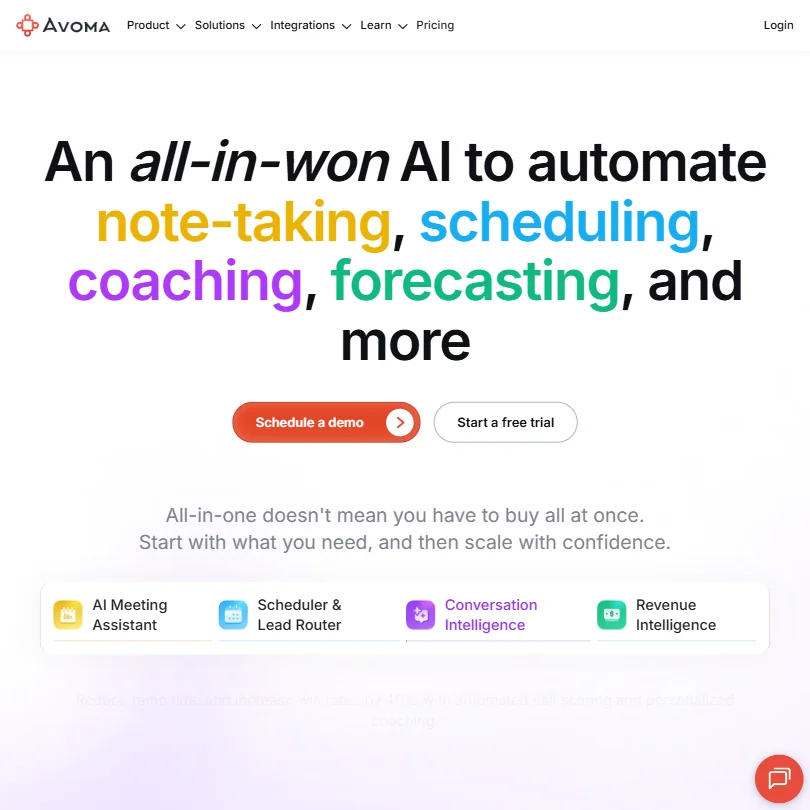
- Startup, the cheapest paid plan, includes unlimited real-time transcription, unlimited AI summary notes and unlimited recording storage.
- Bot-less native recording is available alongside the standard meeting bot.
- There is no free plan that records meetings, only a 14-day trial.
From $17Sembly is differentiated by task extraction that captures owners, deadlines, and dependencies rather than a flat action item list, and it targets professional services teams needing client-ready documents from meetings, but it has no free plan and its document generation feature has not been independently verified.
Visit site ↗DetailsClose15 Sembly#14 of 17 AI meeting assistants6.5Score 6.5 out of 10From $17Sembly is differentiated by task extraction that captures owners, deadlines, and dependencies rather than a flat action item list, and it targets professional services teams needing client-ready documents from meetings, but it has no free plan and its document generation feature has not been independently verified.Visit site ↗DetailsCloseShow more about Sembly
From $17
Sembly is differentiated by task extraction that captures owners, deadlines, and dependencies rather than a flat action item list, and it targets professional services teams needing client-ready documents from meetings, but it has no free plan and its document generation feature has not been independently verified.
Visit site ↗DetailsClose
Sembly#14 of 17 AI meeting assistants
6.5Score 6.5 out of 10From $17Sembly is differentiated by task extraction that captures owners, deadlines, and dependencies rather than a flat action item list, and it targets professional services teams needing client-ready documents from meetings, but it has no free plan and its document generation feature has not been independently verified.Visit site ↗DetailsClose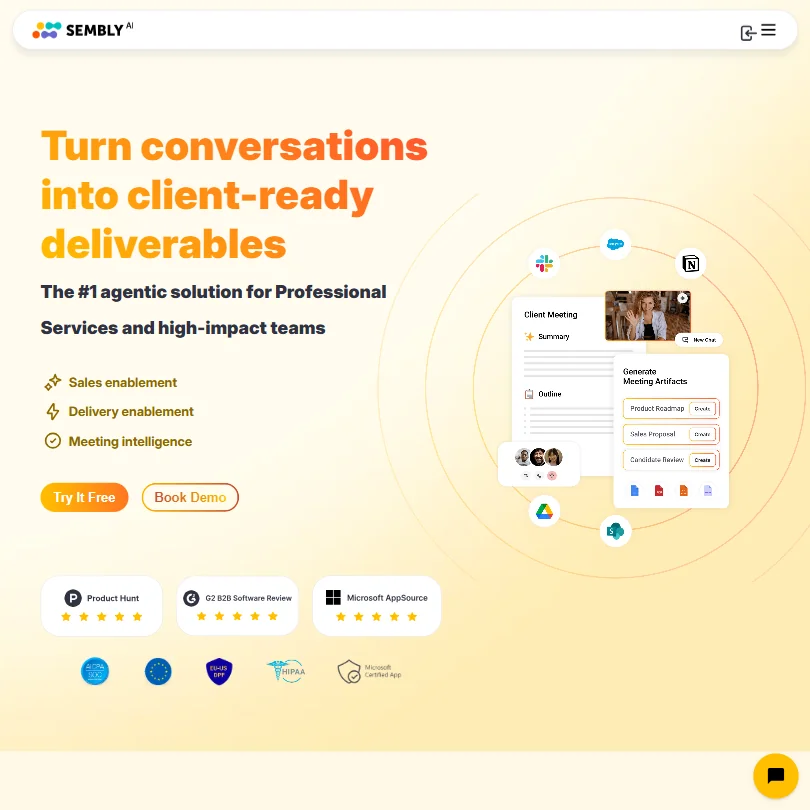
Sembly is differentiated by task extraction that captures owners, deadlines, and dependencies rather than a flat action item list, and it targets professional services teams needing client-ready documents from meetings, but it has no free plan and its document generation feature has not been independently verified.
- Sembly is SOC 2 Type II certified.
- Meetings can be captured in person too, through the mobile app's audio recorder or by uploading MP3, WAV or MP4 files.
- There is no free plan, only a Free Trial limited to 1 meeting hour total.
Best AI meeting notetakers for action items and follow-up
3 picks#ToolScorePriceWhy pick it
From $18free planCircleback claims strong AI quality on action item ownership and supports 100-plus languages, but with no free plan, a price flagged as a concern by reviewers, and no disclosed user numbers, it is harder to justify over established alternatives without independent verification.
Visit site ↗DetailsClose16 Circleback#2 of 17 AI meeting assistants8.6Score 8.6 out of 10From $18free planCircleback claims strong AI quality on action item ownership and supports 100-plus languages, but with no free plan, a price flagged as a concern by reviewers, and no disclosed user numbers, it is harder to justify over established alternatives without independent verification.Visit site ↗DetailsCloseShow more about Circleback
From $18free plan
Circleback claims strong AI quality on action item ownership and supports 100-plus languages, but with no free plan, a price flagged as a concern by reviewers, and no disclosed user numbers, it is harder to justify over established alternatives without independent verification.
Visit site ↗DetailsClose
Circleback#2 of 17 AI meeting assistants
8.6Score 8.6 out of 10From $18free planCircleback claims strong AI quality on action item ownership and supports 100-plus languages, but with no free plan, a price flagged as a concern by reviewers, and no disclosed user numbers, it is harder to justify over established alternatives without independent verification.Visit site ↗DetailsClose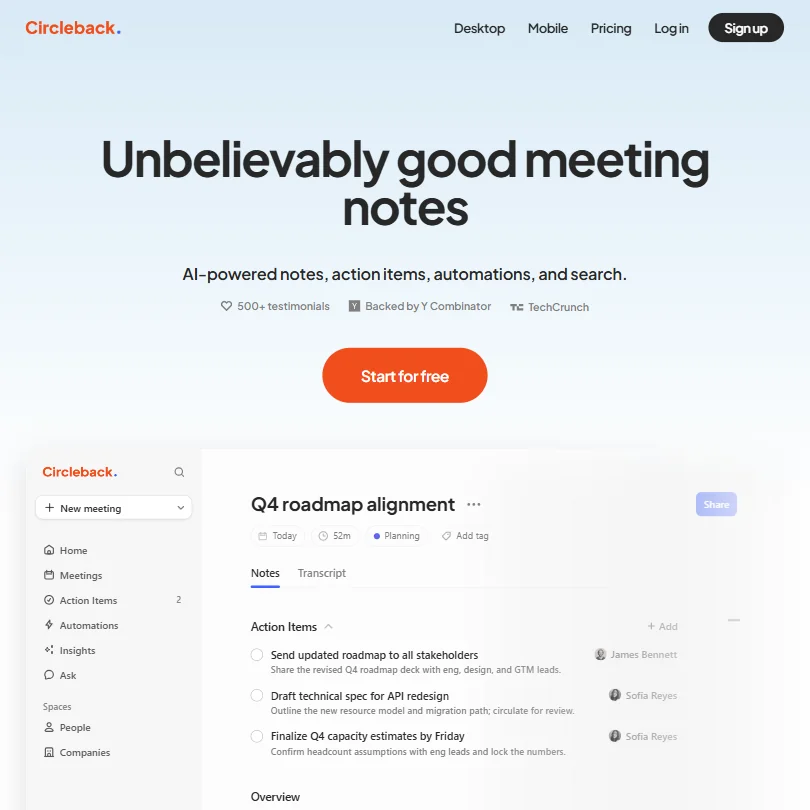
Circleback claims strong AI quality on action item ownership and supports 100-plus languages, but with no free plan, a price flagged as a concern by reviewers, and no disclosed user numbers, it is harder to justify over established alternatives without independent verification.
- The Free plan already includes AI meeting notes, action items and Ask Circleback, its cross-meeting search assistant.
- Circleback records in-person conversations through dedicated mobile and Apple Watch apps, not just online calls.
- Meeting and recording history is capped at 30 days on the Free plan; unlimited history requires the Pro plan.
From $11free planFellow is the clearest choice for regulated industries given its simultaneous SOC 2 Type II, HIPAA, and GDPR compliance, which no other tool in this list matches, though that security depth may feel unnecessary and the onboarding demanding for small teams without compliance requirements.
Visit site ↗DetailsClose17Fellow.ai#3 of 17 AI meeting assistants8.2Score 8.2 out of 10From $11free planFellow is the clearest choice for regulated industries given its simultaneous SOC 2 Type II, HIPAA, and GDPR compliance, which no other tool in this list matches, though that security depth may feel unnecessary and the onboarding demanding for small teams without compliance requirements.Visit site ↗DetailsCloseShow more about Fellow.ai
From $11free plan
Fellow is the clearest choice for regulated industries given its simultaneous SOC 2 Type II, HIPAA, and GDPR compliance, which no other tool in this list matches, though that security depth may feel unnecessary and the onboarding demanding for small teams without compliance requirements.
Visit site ↗DetailsClose
Fellow.ai#3 of 17 AI meeting assistants
8.2Score 8.2 out of 10From $11free planFellow is the clearest choice for regulated industries given its simultaneous SOC 2 Type II, HIPAA, and GDPR compliance, which no other tool in this list matches, though that security depth may feel unnecessary and the onboarding demanding for small teams without compliance requirements.Visit site ↗DetailsCloseFellow is the clearest choice for regulated industries given its simultaneous SOC 2 Type II, HIPAA, and GDPR compliance, which no other tool in this list matches, though that security depth may feel unnecessary and the onboarding demanding for small teams without compliance requirements.
- Botless Recording captures, transcribes and summarizes meetings without a bot joining the call, working across Microsoft Teams, Google Meet, Zoom and Slack huddles.
- Fellow's AI is never trained on your data.
- The free plan gives only 5 AI notes and 5 AI recordings for the life of the account, not a monthly allowance.
From $27 (€25)free planJamie is the strongest privacy choice here, processing audio locally within EU infrastructure and explicitly not training on customer data, but the 30-minute cap on the free plan limits usefulness and its narrow focus means teams wanting deep analytics or wide integrations should look elsewhere.
Visit site ↗DetailsClose18Jamie#11 of 17 AI meeting assistants6.8Score 6.8 out of 10From $27 (€25)free planJamie is the strongest privacy choice here, processing audio locally within EU infrastructure and explicitly not training on customer data, but the 30-minute cap on the free plan limits usefulness and its narrow focus means teams wanting deep analytics or wide integrations should look elsewhere.Visit site ↗DetailsCloseShow more about Jamie
From $27 (€25)free plan
Jamie is the strongest privacy choice here, processing audio locally within EU infrastructure and explicitly not training on customer data, but the 30-minute cap on the free plan limits usefulness and its narrow focus means teams wanting deep analytics or wide integrations should look elsewhere.
Visit site ↗DetailsClose
Jamie#11 of 17 AI meeting assistants
6.8Score 6.8 out of 10From $27 (€25)free planJamie is the strongest privacy choice here, processing audio locally within EU infrastructure and explicitly not training on customer data, but the 30-minute cap on the free plan limits usefulness and its narrow focus means teams wanting deep analytics or wide integrations should look elsewhere.Visit site ↗DetailsCloseJamie is the strongest privacy choice here, processing audio locally within EU infrastructure and explicitly not training on customer data, but the 30-minute cap on the free plan limits usefulness and its narrow focus means teams wanting deep analytics or wide integrations should look elsewhere.
- The free plan works forever and includes in-person meeting capture in more than 80 languages.
- Jamie runs on your device, so no bot joins the call for online or in-person meetings.
- The free plan allows only 10 AI notes a month, and Plus, the cheapest paid plan, raises that to just 20.
How we chose these
Every tool on this page is one we have reviewed against the same scored criteria, and the ranking inside each section comes from those scores rather than from a vendor relationship.
We grouped them by the thing you have to decide first, which is how the tool gets into your meeting. That sounds like a technical detail and it is not: it changes what the other people on the call experience.
Does the notetaker join your meeting as a bot?
Most meeting notetakers work by adding a participant. You see it in the attendee list, named something like "Otter.ai Notetaker", and so does everyone else. It works reliably, and it announces itself.
Five of the tools here capture the audio without doing that: Granola, tldv, Claap, Supernormal and Bluedot record locally from your own machine instead of dialling in. Nothing appears in the participant list.
That difference matters more in some rooms than others. On an internal standup, a visible bot is nothing. On a first sales call, a candidate interview, or a conversation with someone nervous about being recorded, it changes the room. Several of these vendors position the bot-free approach exactly that way, as preserving how the conversation goes rather than as a privacy feature.
Two sit in between. MeetGeek offers both bot and no-bot recording, so you can choose per meeting. Fathom has a bot-free mode, but at the time of review it was still in beta, which is worth knowing before you rely on it.
Being invisible to the participant list is not the same as being invisible to the law, and it does not remove your obligation to tell people they are being recorded. Consent rules differ by country and by state, some requiring every party to agree. We review software and do not give legal advice: check what applies where you and your participants are.
What AI meeting notetakers cost
Paid plans start between $12 and $32 a month, and the difference between the cheapest and the most expensive is roughly the cost of one lunch. Price is not what decides this page, which is unusual enough to say out loud.
Three tools have entry plans that cost nothing at all: Fathom, Read AI and Supernormal. And 13 of the 15 have some free tier, so you can run a real week of meetings through most of these before paying anything. The two without a free plan are Sembly and Circleback.
The variable that does move money is per-seat pricing. A tool billed per user gets expensive at the point where a whole team adopts it, and that is usually several months after the person who chose it made the decision alone.
What to check before you commit
Where the notes end up. A transcript that lives only inside the notetaker is a second place to search. The tools in our "meeting intelligence" and "action items" sections push structured output into the tools you already use, which is what makes the difference between notes you take and notes you use.
Whether it handles your language. Seven of these fifteen claim around 100 languages: Fireflies, Circleback, Jamie, Bluedot, MeetGeek, Claap and Fellow. Others are much narrower. Supernormal is primarily English, and Otter names six languages rather than a count.
Be careful with the big numbers. "100+ languages" is a claim about the total, not a promise about yours, and quality varies a lot across a list that long. If your meetings are not in English, find the vendor's own list of supported languages and check for yours by name before you decide anything else.
What happens on your worst call, not your best one. Overlapping speakers, a bad connection, a heavy accent, someone dialling in from a car. Accuracy on a clean two-person call tells you very little. Every tool with a free tier lets you test this before you decide, and it is the single most useful thing to do with that free tier.
Who else can see it. Once a tool is recording every meeting, its permission model becomes a real question rather than a settings screen you skip. Check what is shared by default across a workspace before you roll it past yourself.
How we picked
Every tool here is ranked by its score, and each score is worked out from the vendor’s own published pages: pricing, plans, features and terms. No score is adjusted by hand. All 16 tools have enough published facts to be scored, and on average 90% of each score comes from facts the vendor publishes. The facts behind these scores were checked between 21 September 2026.
Scores compare tools that do the same job, which is why the list is grouped by job: a video editor and a grammar checker are never ranked against each other.
| Ranked as | On this page | What we score | Scoring guide |
|---|---|---|---|
| AI meeting assistants17 reviewed | 16 | 4 criteria, 18 checked facts: what it captures, where it works, pricing, privacy and trust | How we score these → |
Common questions
Do AI notetakers join my meeting as a visible bot?
Usually yes, and everyone on the call can see it in the participant list. Five of the tools on this page do not: Granola, tldv, Claap, Supernormal and Bluedot capture audio locally from your own device instead. MeetGeek supports both approaches, and Fathom has a bot-free mode that was in beta when we reviewed it.
Is there a free AI meeting notetaker?
Mostly. 13 of the 15 tools here have a free plan, and Fathom, Read AI and Supernormal have entry plans that cost nothing at all. The two exceptions are Sembly and Circleback. The fastest way to tell these apart is to run a messy call through the free tier: several people talking over each other, one person on a bad connection, an accent the software has to work at.
How much does an AI notetaker cost?
Paid plans on this page start between $12 and $32 a month. The gap between cheapest and dearest is about twenty dollars, which is small enough that price is rarely what decides it. Watch for per-seat billing instead: the cost changes shape when a whole team adopts the tool rather than one person.
Do AI notetakers work in languages other than English?
It varies more than anything else here. Seven of the fifteen claim around 100 languages: Fireflies, Circleback, Jamie, Bluedot, MeetGeek, Claap and Fellow. Supernormal is primarily English, and Otter lists six languages rather than a count. A total is not a promise about your language, and accuracy varies across a list of a hundred. If your meetings are not in English, check the vendor's own language list for yours by name, and test it on a real call before committing.
Is it legal to record a meeting with an AI notetaker?
It depends where you and the other participants are. Some places require only one party to consent, others require everyone. Using a tool that does not show a bot in the participant list does not change what you are obliged to tell people. We review software and cannot give legal advice, so check the rules that apply to you.