Every score is worked out from the vendor's own pages · How we score →Disclosure
SAASINSPECTOR
Sembly logo

Sembly Review

As an AI meeting assistant, Sembly captures video calls and in-person meetings through its mobile app, and adds talk-time and coaching insights on paid tiers. It can keep your data in the EU and lets you opt out of AI training, though there is no lasting free plan, only a trial.

Visit Sembly →From $17/mo

Research-based review. Features and prices are checked on the vendor's own website, and the score is worked out from those facts. We haven't tested it hands-on yet.

The verdict

Sembly fits teams that want coaching insights, in-person capture and EU data hosting; with only a trial and no free plan, it asks for a paid commitment sooner.

Pros

  • Sembly is SOC 2 Type II certified.
  • Meetings can be captured in person too, through the mobile app's audio recorder or by uploading MP3, WAV or MP4 files.
  • Basic already includes AI notes, tasks and basic AI chat, metered by monthly credits rather than sold as an add-on.
  • Sembly can push meeting notes directly to a connected CRM such as Salesforce or HubSpot.

Cons

  • There is no free plan, only a Free Trial limited to 1 meeting hour total.
  • Video capture, custom note templates and multi-meeting AI chat all require the Pro plan or above.
  • Training opt-out is automatic only for Enterprise; every other plan must opt out itself.
From $17/moFree plan NoFree trial Yes
6.5/10

Spec Score

Sembly against 17 AI meeting assistants
#14
of 17 AI meeting assistants
-0.9
vs the average
90%
from published facts
Ahead of other AI meeting assistants
What it captures+0.6
Behind other AI meeting assistants
Where it works-3.1Pricing-2.0
Every criterion
Tap a row for the facts
What it captures7.2
+0.6 vs 6.6 avg28.8 of 40 points
Languages it transcribes45 languages1.5 / 2
Meeting apps it records4 meeting apps1.3 / 2
Keeps the meeting videoyes1.5 / 1.5
Records in-person meetingsyes1.5 / 1.5
Cuts and shares clipsno0 / 1
Talk time and coaching insightsyes1 / 1
Live transcript during the callnot published, half points0.5 / 1
Why these numbers

Languages it transcribes: Same figure (45+) across all plans in the comparison table.

Meeting apps it records: Counted from meeting_platforms.

Keeps the meeting video: No video capture on Free Trial or Basic (audio/transcript only); Standard video from Pro, HD from MAX up.

Records in-person meetings: Available now via the mobile app, not a waitlisted feature.

Cuts and shares clips: Checked the pricing feature table and the meetings/automations product pages for 'clip' and 'highlight'; found only unrelated 'copy to clipboard' text, no clip or highlight-reel feature.

Talk time and coaching insights: Pro plan and up.

Where it works5.5
-3.1 vs 8.6 avg11 of 20 points
Where it runs1 platform1 / 4
APInot published, half points1.5 / 3
Apps it connects to15 integrations3 / 3
Why these numbers

Where it runs: Counted from platforms. A mobile app is mentioned for offline/in-person capture, but no app-store listing (Apple App Store or Google Play) was found on the vendor's site to confirm iOS vs Android, so ios/android are not recorded. No desktop (Windows/Mac) app was found; product runs as a web app.

Apps it connects to: Counted from integrations. Capped at 15; also named but excluded for space: Airtable, Wrike, ClickUp, Basecamp, Clockify, Linear, MeisterTask, Teamwork.

Pricing6.0
-2.0 vs 8.0 avg13.2 of 22 points
Cheapest paid plan, monthly$173 / 4
Free planno0 / 3
AI on the cheapest paid planincluded3 / 3
Why these numbers

Cheapest paid plan, monthly: Cheapest paid plan on the monthly term. Monthly-term figures are embedded in the page's Monthly/Annual toggle data attributes, not shown as plain text; annual figures are the displayed per-month rate when 'Annual' is selected. Basic is fixed to 1 user (min=max=1) so is priced flat, not per user.

Free plan: The no-cost tier is named and framed as a 'Free Trial', not a persistent free plan; no expiry length is stated (see free_trial_days) but the naming itself indicates a trial, not free-forever.

AI on the cheapest paid plan: AI notes, tasks and basic AI chat are included from Basic up, metered by a monthly credit allowance rather than gated behind an add-on; higher plans (Pro/MAX) get more credits and more AI capabilities (multi-meeting chat, sentiment analysis).

Privacy and trust6.8
-0.2 vs 7.0 avg12.2 of 18 points
Does not train AI on your dataunless you opt out1.8 / 3.5
Tells participants it is recordingyes1.5 / 1.5
HIPAAyes1.5 / 1.5
Data can stay in the EUyes1 / 1
Ways to reach support2 support channels1 / 2.5
Why these numbers

Does not train AI on your data: Enterprise is excluded from training by default; other plans must opt out to be excluded. Trust Center repeats the same opt-out language.

Tells participants it is recording: Pro plan and up; the meetings product page separately describes 'Ensure compliance with call recording laws with automated recording notifications' for online capture.

HIPAA: MAX and Enterprise only; also listed under Compliance on the Trust Center.

Ways to reach support: Counted from support_channels. A help center (help.sembly.ai) exists; 'Priority support' and 'Dedicated Success Manager' are named on MAX/Enterprise but the channel (chat/phone) is not specified, so chat/phone are not recorded.

yesnonot published average for AI meeting assistants
How the Spec Score works

Scored from what Sembly publishes on its own site. Not a hands-on test.

Compared with 17 AI meeting assistants. Facts checked 21 Sep 2026.

A fact the vendor does not publish gets half the points, or the typical value for a number, and says so. It never counts as a no. How we score.

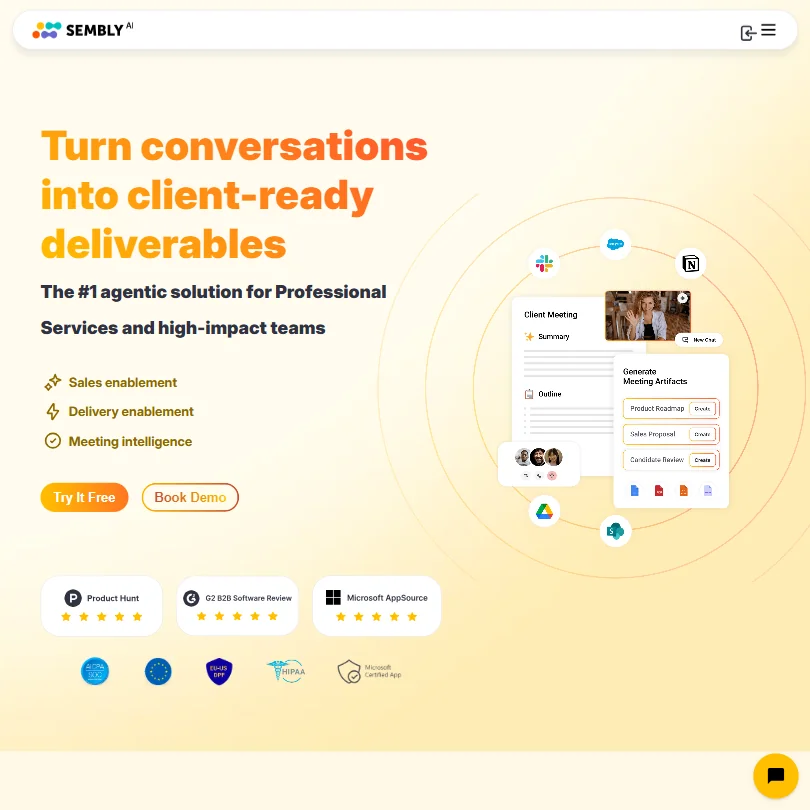
Sembly is a meeting assistant that records and transcribes calls, then turns the notes into branded client deliverables like proposals, decks and case studies. There is no persistent free plan, only a Free Trial capped at one meeting hour, and its three paid tiers differ mainly in how many users, credits and features like video capture, custom templates or CRM automation you get. What decides whether it suits you is how many meeting hours and monthly AI credits your team needs, and whether you want in-person capture alongside online meetings.
Sembly homepage screenshot
Sembly, Homepage

What is Sembly?

Sembly today leads with turning meeting context into branded client deliverables such as proposals, decks and case studies for professional services firms; meeting capture and notes remain bundled into every plan underneath that. Sembly is a company headquartered in the United States.

Sembly runs as a cloud service in the browser, with a mobile app for recording in-person conversations or for uploading pre-recorded audio files.

What Sembly captures from a meeting

Sembly connects to your calendar to record meetings on Google Meet, Microsoft Teams, Zoom and Webex, and captures in-person conversations through its mobile app's audio recorder or by uploading pre-recorded MP3, WAV or MP4 files. Transcription covers 45+ languages on every plan.

Video capture is not part of the Free Trial or Basic plan; standard video capture is on Pro, and HD video is on MAX. Custom meeting note templates and multi-meeting AI chat, for asking questions across past meetings, are also Pro-plan features and above. Pro and above additionally add sentiment analysis, notes on risks and issues, and an analytics dashboard.

There is no clip or highlight feature. Notes can be pushed to a connected CRM such as Salesforce or HubSpot, or to Asana, either natively or through Zapier or MCP.

Working with other people

Basic is capped at one user; Pro supports teams up to 40 and MAX up to 500, with clients and brand packages shared in one workspace. Sembly also connects to tools including Jira, Notion, Slack, Microsoft Teams, Google Drive and Dropbox. An MCP server is available on Pro and above, and custom single sign-on is on MAX and Enterprise.

Sembly pricing: what each plan gives
Sembly pricing screenshot
Sembly, Pricing

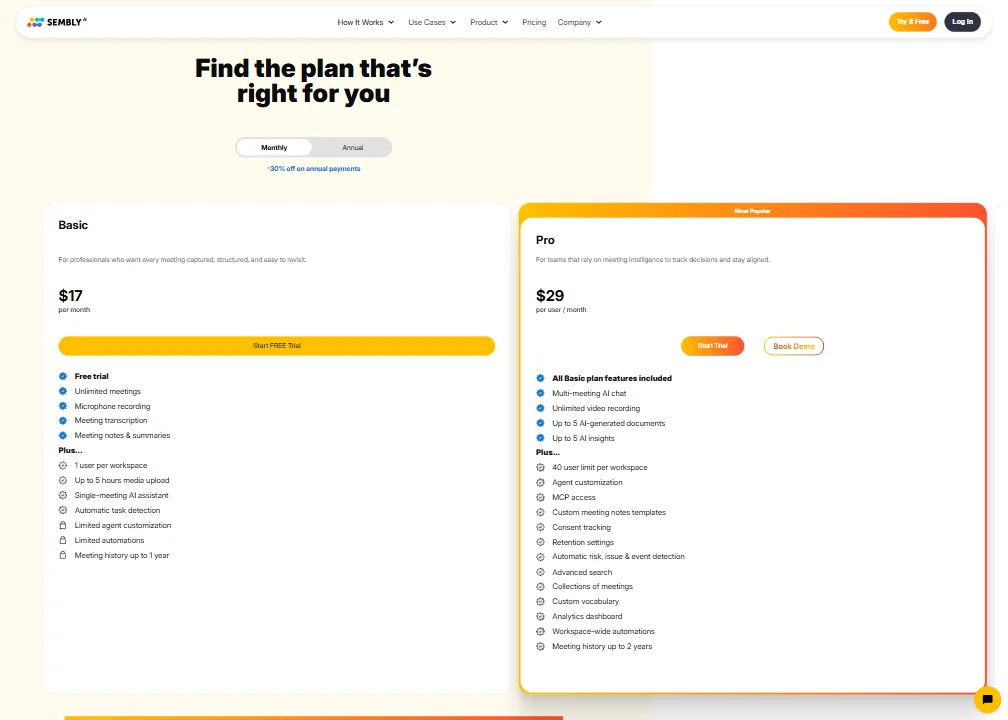
The Free Trial costs nothing and is not a persistent free plan. It covers 1 meeting hour in total for 1 user, with 750 credits a month plus a one-time bonus, unlimited capture and transcription in 45+ languages across Google Meet, Teams, Zoom and Webex, and notes, tasks and basic AI chat.

Basic costs $17 a month ($10 a month billed annually) for a single user and includes unlimited meeting hours, 2,500 credits a month, and notes, tasks and basic AI chat, but no video capture. Pro costs $29 a month ($20 a month billed annually) per user, for teams up to 40, and adds video capture, custom note templates, multi-meeting AI chat, MCP access, sentiment analysis, an analytics dashboard, and notification and consent tracking. MAX costs $39 a month ($30 a month billed annually) per user, for teams up to 500, and adds HD video, custom single sign-on and HIPAA compliance.

Privacy and security

Sembly excludes Enterprise customers' audio, video and text from AI model training by default; every other plan can opt out of training as well. Sembly is SOC 2 Type II certified and GDPR compliant, with an EU-based data storage option for EU users. HIPAA compliance and custom single sign-on are on MAX and Enterprise. Recording notifications and consent tracking are on Pro and above.

Support runs through email and a help center.

Who Sembly suits

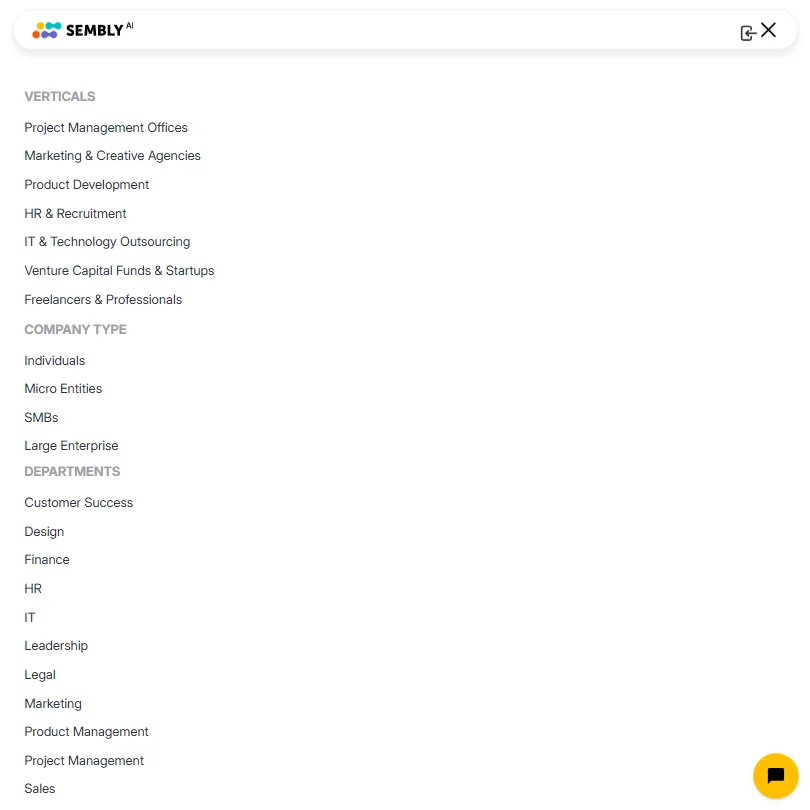
Sembly suits professional services teams who want meeting notes turned automatically into branded client deliverables, and who need capture across Google Meet, Teams, Zoom and Webex plus in-person recording.

It suits less well solo users who want a lasting free plan, since Sembly only offers a one-hour trial, or teams that need video capture, custom templates or multi-meeting chat without moving up to Pro.

Screenshots
Sembly features screenshot
Sembly, Features

How Sembly compares

Sembly scores 6.5 out of 10 among the AI meeting assistants we rate. These three do the same job and are the closest to it, compared on what each vendor publishes.

6.5Sembly
vs
6.4Otter.ai

Otter.ai

Sembly keeps the meeting video, a feature Otter lacks, and transcribes 45 languages against Otter's 6. Otter has a free Basic plan; Sembly's free tier is a trial only, and its cheapest paid plan is $17 a month against Otter's $16.99. Sembly lets you opt out of AI training, while Otter trains on your data with no opt-out. Both include AI in full on the cheapest paid plan and track talk time.

Pick Otter.ai if you want a genuine free plan with no trial limits.
Pick Sembly if you need more languages or want to opt out of training.

Sembly vs Otter.ai →
6.5Sembly
vs
9.1Fireflies.ai

Fireflies.ai

Fireflies cuts and shares clips; Sembly does not have that feature. Fireflies has a free plan, while Sembly's no-cost tier is a trial, though Sembly's cheapest paid plan is $17 a month against Fireflies at $18. Sembly includes its AI in full on that plan; Fireflies caps AI credits at 20 a seat on its cheapest paid tier. Fireflies does not train on your data at all, while Sembly trains on your data unless you opt out.

Pick Fireflies.ai if you want clips cut from meetings and a genuine free plan.
Pick Sembly if you want unlimited AI included without watching a credit cap.

Sembly vs Fireflies.ai →
6.5Sembly
vs
7.0Avoma

Avoma

Sembly can keep your data in the EU, while Avoma cannot, its subprocessors all based in the US. Avoma transcribes 70 languages against Sembly's 45 and lets you cut and share clips, a feature Sembly lacks. Sembly's cheapest paid plan is $17 a month against Avoma's $29. Neither has a free plan, only a trial, and both include AI in full on the cheapest paid tier.

Pick Avoma if you need more languages transcribed and clips you can share.
Pick Sembly if you want a cheaper plan that can keep data in the EU.

Sembly vs Avoma →

Frequently Asked Questions

How much does Sembly cost?

There is no persistent free plan, only a Free Trial limited to 1 meeting hour. Paid plans start at Basic for $17 a month ($10 a month billed annually) for a single user, then Pro at $29 a month ($20 a month billed annually) per user and MAX at $39 a month ($30 a month billed annually) per user.

What AI features come with the cheapest paid plan?

Basic already includes AI notes, tasks and basic AI chat, metered by 2,500 credits a month. Video capture, custom note templates and multi-meeting AI chat require Pro or above.

What does Sembly do with a meeting once it's captured?

Sembly turns captured meetings into notes, tasks and, using its AI credits, branded client deliverables such as proposals, decks and case studies. Notes can also be pushed directly to a connected CRM such as Salesforce or HubSpot.

Does Sembly train on my meetings?

Enterprise customers are excluded from AI model training by default. Every other plan can opt out of training as well.


Sembly is featured in

Alternatives to Sembly

Other AI Productivity Tool options we've reviewed.

Glean logo

Glean

Large companies that want AI search and agents across their own apps, bought through a sales team

Not scored yet
Free plan: noFree trial: yesAPI: yes
Price not publishedNo free plan
→
Asana logo

Asana

Teams that plan across many projects with goals, portfolios, timelines and intake forms

7.2
Rank #6 of 7 AI work management tools
Best:Privacy and trust8
Weakest:Working with others7
Free plan: yesFree trial: noAPI: yes
From $13.49Free plan
73% from published facts · checked 26 Sep
→
ChatGPT logo

ChatGPT

People who want images, voice, memory and deep research in one assistant, starting on a free plan

8.8
Rank #1 of 8 AI assistants
Best:What it can do10
Weakest:Privacy and trust6.2
Free plan: yesFree trial: noAPI: yes
From $8Free plan
100% from published facts · checked 22 Sep
→
Jamie logo

Jamie

Professionals who want private meeting notes with no recording kept, and storage and processing in Europe

6.8
Rank #11 of 17 AI meeting assistants
Best:Where it works10
Weakest:What it captures4.5
Keeps the meeting video: noCuts and shares clips: noTalk time and coaching insights: no
From $27 (€25)Free plan
87% from published facts · checked 21 Sep
→
Read AI logo

Read AI

Anyone who wants a personal meeting coach on the free plan, plus in-person meetings captured through the phone app

8.2
Rank #3 of 17 AI meeting assistants
Best:Where it works10
Weakest:Privacy and trust7.5
Keeps the meeting video: yesCuts and shares clips: yesTalk time and coaching insights: yes
From $19.75Free plan
98% from published facts · checked 21 Sep
→
monday logo

monday

Teams who want board-based projects with AI meeting notes and answers about their whole workspace built in

8.1
Rank #4 of 7 AI work management tools
Best:Privacy and trust10
Weakest:Working with others4
Free plan: yesFree trial: noAPI: yes
From $12Free plan
96% from published facts · checked 22 Sep
→

User reviews

Review Sembly

Your rating

Reviews are moderated and appear once approved.






