SAASINSPECTOR
Avoma logo

Avoma Review

Sales teams, growing organizations, and enterprises needing AI meeting assistance and revenue intelligence

Visit AvomaFrom $29/mo

Research-based review. We analyzed vendor documentation, customer reviews on G2, Capterra, and Reddit, and live pricing — not hands-on testing yet. We update as our team puts tools through real workflows.

The verdict

Avoma is an AI meeting assistant built for sales and revenue teams that combines call recording, automated note-taking, scheduling, conversation intelligence, and pipeline forecasting in a single platform. It targets both individual reps who want to eliminate manual note-writing and RevOps managers who need deal visibility, a combination most competitors don't attempt. With over 1,000 organizations using it and support for 70+ languages, it's a credible all-in-one option, though its breadth may be more than some teams need.

Pros

  • Avoma automatically generates meeting notes, action items, follow-up email drafts, and CRM data pushes after every call without manual input.
  • Smart Chapters automatically break conversations into labeled sections, making it easy to navigate long recordings.
  • Custom topic tracking lets teams flag specific keywords like competitor mentions or budget discussions to fit existing workflows.
  • Supports transcription in over 70 languages, putting it on par with the largest players in the conversation intelligence space.
  • The platform spans meeting recording, scheduling, lead routing, conversation intelligence, and revenue forecasting all in one place.
  • Works across web, iOS, and Android, giving sales reps flexibility regardless of device.
  • Serves both individual sales reps who need automated notes and RevOps managers who need pipeline visibility from a single platform.

Cons

  • The platform tries to cover a very wide surface area, which can make it feel complex or overwhelming for teams that only need a narrow use case.
  • Recording quality directly impacts the reliability of transcription and note generation, creating inconsistent results in poor audio conditions.
  • The all-in-one positioning means it competes with multiple point solutions, some of which may go deeper in specific areas like forecasting or scheduling.
  • The review is based on secondary research rather than hands-on testing, so real-world edge cases may not be fully represented.
  • Teams already invested in specialized tools for CRM, scheduling, or forecasting may find the overlap redundant rather than additive.
From $29/moFree plan YesFree trial Yes

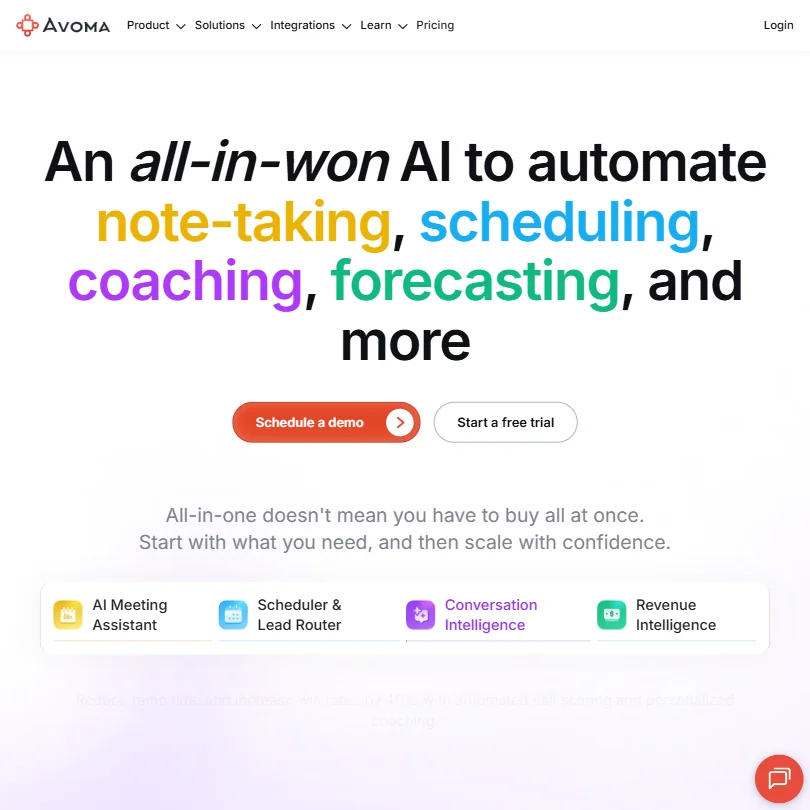
Avoma homepage screenshot
Avoma — Homepage

What is Avoma?

Calling itself an AI meeting assistant sells the product short. Recording meetings and generating notes automatically is the entry point, yes. But from there it branches into scheduling and lead routing, conversation analysis across a full sales team, and revenue forecasting with deal risk alerts built in.

The target user sits somewhere between a sales rep who hates writing call notes and a RevOps manager trying to understand why deals are slipping. That gap is real. Most tools pick one of those users and quietly ignore the other, which is what makes Avoma's positioning interesting rather than just ambitious. It's trying to serve both from the same platform.

Over 1,000 organizations use it. Web, iOS, and Android all covered. Transcription in more than 70 languages, which puts it alongside the big players on language support alone.

Avoma Features: Automation, AI Assistant & Workflow Capabilities

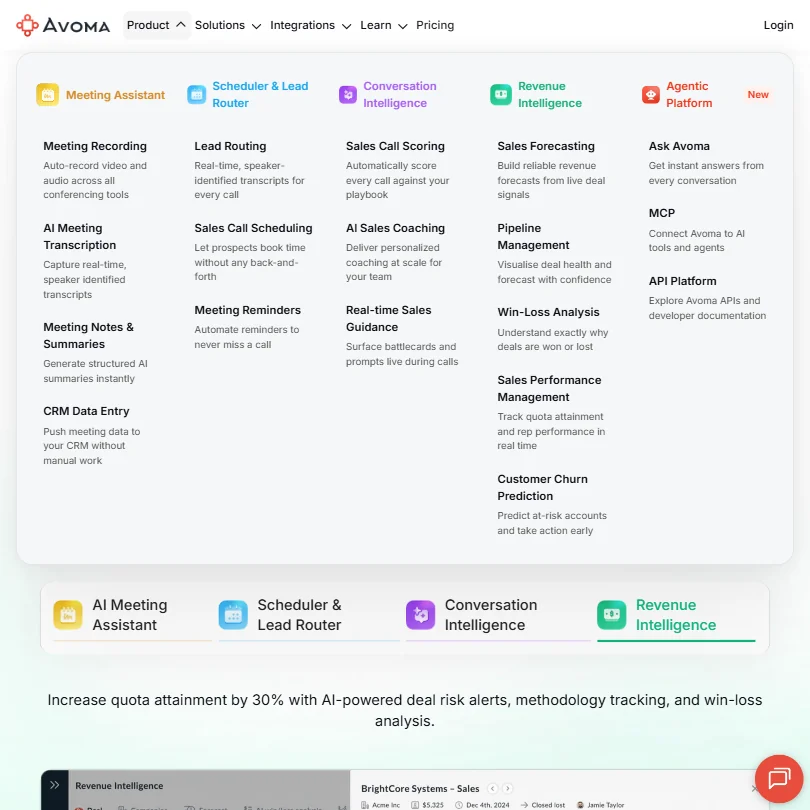
Avoma features screenshot
Avoma — Features

After a meeting ends, Avoma generates notes, pulls out action items, drafts a follow-up email, and pushes the relevant data into your CRM. No one lifts a finger. That's the core loop. From what we read across user reports on G2 and Capterra, it holds up reliably when recording quality is decent.

The note-taking uses Smart Chapters, which break a conversation into labeled sections automatically. Custom topic tracking sits on top of that, so if your team always wants to flag when a prospect mentions a competitor or a budget ceiling, you can build that in. That's the difference between a tool that fits into an existing process and one that forces you to adapt.

Honestly, the CRM auto-fill is the feature that comes up most in reviews. Sales reps don't like updating Salesforce. Avoma handles it. Not perfectly every time, but consistently enough that people name it as the reason they stayed.

Shared playlists of call recordings and collaborative note editing also show up. And the free viewer seats are unlimited, across all paid plans. A whole team of managers can access recordings without touching the paid seat count. That's a real structural advantage.

Avoma AI Quality: How Smart and Useful Is the Assistant?

"Ask Avoma" is the AI assistant. Two modes: ask it about a single meeting, or ask it across all your recorded conversations at once. The second mode is where it gets interesting. Want to know what objections came up most in last quarter's lost deals? That's what it's built for.

We cross-referenced their documentation with user threads on Reddit and the pattern was mostly positive, with a caveat. The AI summaries are good when a conversation is structured. When a call gets chaotic or multi-threaded, the outputs get vague. Not a knock unique to Avoma. Every meeting intelligence tool struggles with messy conversations. But worth knowing before you rely on it for complex stakeholder calls.

The proprietary AI model means there's no transparency about what's powering any of this, which bothers some users and doesn't move others. We're skeptical of the idea that proprietary automatically means better. But we also can't say it's worse. Not enough data from the outside.

Avoma Integrations: What Does It Connect To?

Meeting platform coverage is solid. Zoom, Microsoft Teams, Google Meet, WebEx, and GoToMeeting are all supported. That covers most enterprise environments. On the CRM side, Salesforce and HubSpot connect directly. For sales engagement, Outreach and Salesloft are both in there.

Slack works for collaboration. Google Calendar and Microsoft Outlook both sync for scheduling. API access and webhooks exist, but only from the Organization plan upward at $39 per recorder seat per month. That gate matters for teams expecting to automate early.

Zapier is officially documented. Avoma's own help docs explain how to generate credentials, connect accounts, and pipe Avoma data into 2,000-plus services through Zapier. That's a meaningful disclosure, and it changes the automation story for teams with complex stacks. We initially couldn't confirm it from the integrations page alone. Had to go into the documentation.

Teams that need deeper cross-platform knowledge search layered on top of meeting data should look at Glean as a complementary option, though the two solve adjacent rather than identical problems.

Is Avoma Easy to Use?

Connect your calendar, join meetings, Avoma records. That's the intended experience, and the setup is described as low-friction in vendor materials. In practice, the initial configuration, especially CRM field mapping and custom topic setup, takes more time than the landing page implies. That came up enough in user reviews to be a pattern, not an outlier.

Mobile apps exist for iOS and Android. More than some competitors can say. Whether mobile access is genuinely useful for a meeting recorder is debatable. But it's there.

New users coming in without a clear use case tend to feel overwhelmed by the module count. Layering conversation intelligence and revenue forecasting on top of basic note-taking has a real learning curve. Whether that's a product problem or an onboarding problem is genuinely hard to call from the outside.

Avoma Pricing: Is It Worth It vs Free Alternatives?

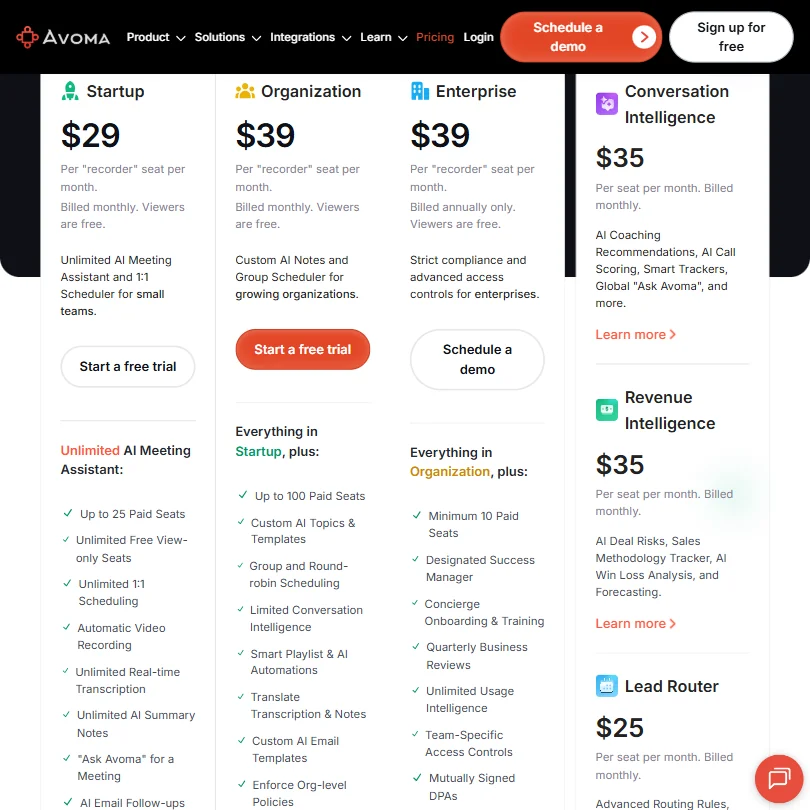
Avoma pricing screenshot
Avoma — Pricing

Four things to know upfront. Startup is $29 per recorder seat per month billed monthly. Organization is $39. Enterprise is also $39 but billed annually only, with a minimum of 10 paid seats. Free viewer seats are unlimited on every plan.

Not cheap. Fathom offers free tiers with actual recording functionality. Jamie competes on similar note-taking ground at a different price point. Avoma is sitting above what you'd pay for a pure note-taker.

The counterargument is that it's not competing with just note-takers. Alongside the Startup and Organization plans, Avoma sells modular add-ons: Conversation Intelligence at $35 per seat per month, Revenue Intelligence at another $35, and Lead Router at $25. Stacking those against what Gong or Clari would cost at equivalent functionality, and the math shifts considerably. Buyer reports on Gong put it well above $100 per seat per month in most deployments.

Fair. For a small sales team that needs call coaching and pipeline visibility without a Gong contract, this holds up.

Refund policy isn't publicly stated. That gap matters more at the annual Enterprise tier than anywhere else. Ask before you commit.

Avoma vs Gong: Which Productivity Tool Wins?

Gong is the category reference. Also significantly more expensive. Avoma at $39 per recorder seat is playing in a completely different budget range, before you even factor in that Gong's viewer seats aren't structured the same way.

What Gong does better: depth of conversation analytics, forecasting model maturity, and coaching toolset breadth. Gong has had more time to mature those systems. Avoma's conversation intelligence is real and functional, but it isn't at parity with Gong's core product, and we won't pretend otherwise.

What Avoma does better is bundling. Scheduling, lead routing, meeting recording, revenue forecasting, and free viewer seats together in one product. Gong doesn't offer that combination at this price. Not close.

Chorus and Jiminny sit in the same conversation. Neither is dramatically better across all dimensions. Avoma holds its own against both.

Who Should Use Avoma? (And Who Shouldn't)

Sales teams at companies with 10 to 200 people. That's where the fit is clearest. Enough meeting volume to benefit from call coaching, enough deals to want pipeline visibility. Both in one place at under $40 a recorder seat.

RevOps and customer success teams. Both show up consistently in the user base. Automated CRM updates are a genuine pain point for both functions, and Avoma addresses it directly.

Solo professionals wanting basic AI meeting notes. Probably overkill. The free plan has no recording functionality, and there are dedicated note-taker tools that do less but do it cheaper. Not worth the complexity for a single user.

Teams with complex Salesforce configurations should stress-test the CRM integration before committing to an annual plan. It works for many users. The edge cases in public reviews suggest it's not universally smooth.

Avoma Review Verdict

Seven years of building since 2017. It shows. This isn't a rushed MVP trying to capitalize on the AI meeting assistant wave. It's a product that's iterated toward a genuine full-stack pitch for sales meeting intelligence, at a price that doesn't require a procurement process.

The caveats are real. Pricing is above the category median for a category that includes free tools. The AI struggles with unstructured conversations. And the refund policy silence is a minor red flag at the annual tier.

None of that makes Avoma the wrong choice, it makes it a choice that needs a clear use case. Come in knowing you need meeting automation plus sales intelligence, not just one of those things. The free viewer seats and the modular add-on structure give you room to expand. The Zapier documentation confirms the automation story is real. For the right team, it punches above its weight.

Frequently Asked Questions

Does Avoma offer a free plan?

Yes, with a meaningful limitation. The free plan gives you unlimited view-only seats, so you can observe and review recordings without paying. What you can't do is record meetings yourself. Recording requires a paid plan starting at $29 per recorder seat per month on the Startup tier. A 14-day free trial covers the full product before you commit.

How does Avoma compare to Fathom or Fireflies?

Fathom and Fireflies focus primarily on meeting notes and transcription. Avoma goes further, into scheduling and lead routing, conversation intelligence for coaching, and revenue forecasting with pipeline visibility. That broader scope means Avoma costs more than either competitor. Teams that want clean AI meeting notes after a call will likely find Fathom more cost-efficient. Teams that need the full sales intelligence layer will find Avoma's scope worth the premium.

Is Avoma suitable for non-sales teams?

Customer success teams, yes. Avoma markets to them directly. Automated note-taking and CRM updates are useful whether you're running a discovery call or a customer onboarding. That said, the deeper features, particularly revenue forecasting and pipeline review, are built for sales workflows. A general knowledge team or an internal-meetings-only use case would be paying for a lot of functionality they'd never touch.

Avoma is featured in

Alternatives to Avoma

See all Avoma alternatives →

Other AI Productivity Tool options we've reviewed.

User reviews

Review Avoma

Your rating

Reviews are moderated and appear once approved.