SAASINSPECTOR
Supernormal logo

Supernormal Review

Teams needing AI meeting notes and document generation

Visit SupernormalFrom $0/mo

Research-based review. We analyzed vendor documentation, customer reviews on G2, Capterra, and Reddit, and live pricing — not hands-on testing yet. We update as our team puts tools through real workflows.

The verdict

Supernormal is a meeting AI tool built specifically for agencies, converting call notes into finished deliverables like proposals, briefs, and slide decks without a bot joining the call. It stands out for its narrow, purposeful positioning and a more functional free tier than most competitors. Whether the output quality justifies replacing manual workflows is the key question for teams evaluating it.

Pros

  • No bot joins the call, which is genuinely unusual and avoids alerting clients to third-party recording tools on Zoom.
  • Converts meeting notes directly into finished deliverables like proposals, creative briefs, and slide decks — not just summaries or transcripts.
  • The free plan offers five daily credits, fifteen monthly credits, unlimited projects, and the ability to generate slides and documents at no cost.
  • Narrowly focused positioning on agency use cases makes the tool more purposeful than broad-purpose meeting AI tools.
  • AI Slides can produce pitch decks and post-kickoff presentations directly from meeting notes.
  • Supports multiple output types including documents, spreadsheets, and proposals from a single discovery call.
  • Has grown to over 700,000 organizations in roughly three years, suggesting real-world adoption and product-market fit.

Cons

  • No mobile app available, limiting use for teams who work outside of desktop environments.
  • No offline mode, making the tool unusable without an active internet connection.
  • The Windows Desktop Notetaker only supports Windows 11 or later, excluding users on older operating systems.
  • Daily credit cap on the free plan will be restrictive for higher-volume users who need consistent output.
  • Pricing data is not easily publicly available, making it harder to evaluate cost before committing.
  • AI Spreadsheet generation feels like a stretch for the platform's core use case and may not suit all agency workflows.
From $0/moFree plan YesFree trial No

We pulled vendor docs, community threads, and whatever pricing data Supernormal makes publicly available. That last part is more work than it should be. The company launched in 2021 out of San Francisco and now claims over 700,000 organizations. For a three-year-old tool, those are real numbers. Whether the product earns them is a different question.

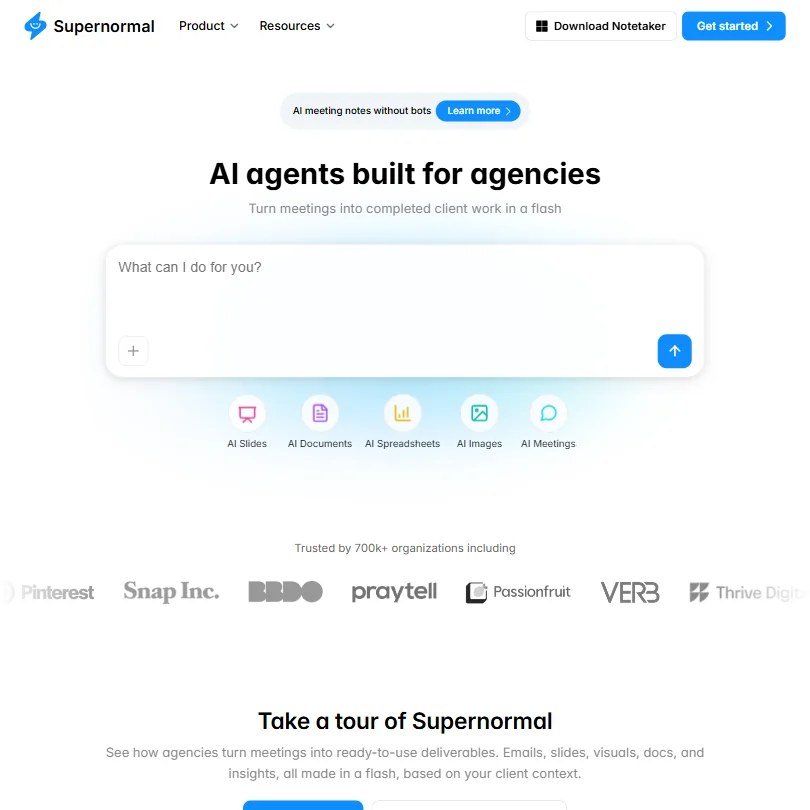
Supernormal homepage screenshot
Supernormal — Homepage

What is Supernormal?

The pitch is narrower than you'd expect. Supernormal isn't trying to be Otter.ai or Fireflies.ai, the tools that just transcribe everything and call it a day. It's aimed at agencies. The idea is that you take a client call, and the tool turns that call into finished work. Not a transcript. Not a summary. Actual files: a proposal, a creative brief, a slide deck.

No bot joins your call. That's the other angle they push hard, and it's genuinely unusual in this category. The no-bot meeting notetaker matters to teams whose clients would notice a third-party recorder appearing in the Zoom participant list. It's a real differentiator, not just a marketing line.

Honestly, the positioning is cleaner than most tools we review. They're not trying to do everything.

Supernormal Features: Automation, AI Assistant & Workflow Capabilities

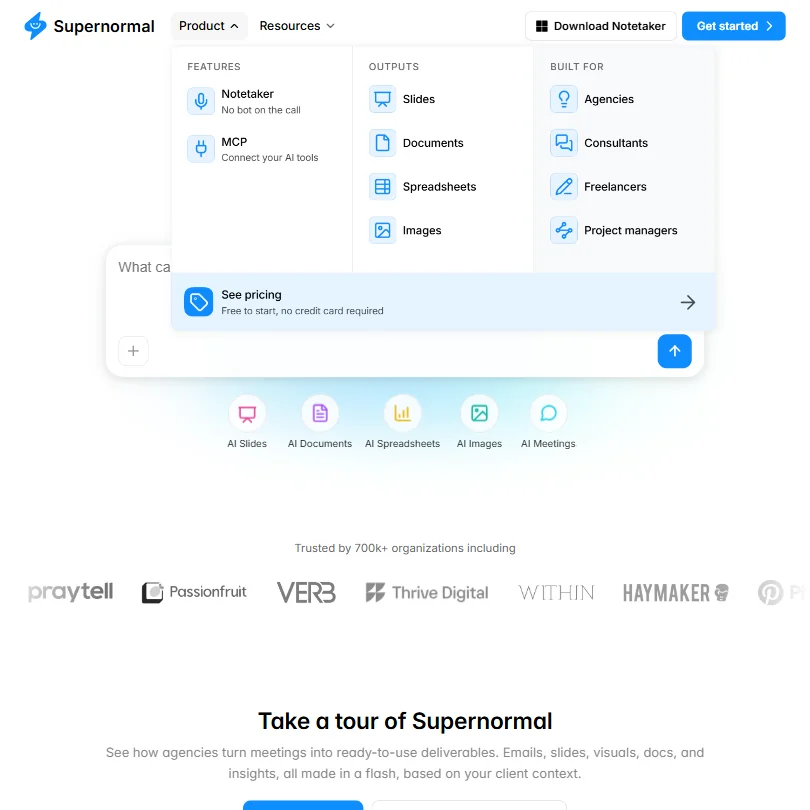
Supernormal features screenshot
Supernormal — Features

The core loop is simple. You take meeting notes, Supernormal uses those notes as raw material, and the AI generates a finished file based on whatever template you choose. That loop covers more territory than it sounds.

AI Slides can produce a pitch deck or a post-kickoff presentation. AI Documents covers creative briefs and one-pagers. AI Spreadsheets exist too, which feels like a stretch, but apparently maps to certain agency workflows. Proposals out of discovery calls are in scope. The free plan includes access to all of this, capped at five daily credits and fifteen monthly credits, with unlimited projects. We've seen worse free tiers. We've also seen free tiers without a daily credit throttle, so volume is the real variable here.

Task automation means the AI handles the jump from raw notes to finished file. Most tools stop at the summary. Supernormal is at least attempting the next step, which is the whole bet.

Not great on the hardware side. The Windows Desktop Notetaker only runs on Windows 11 or later. No mobile app. No offline mode. Those aren't minor footnotes for a tool built around capturing meeting context wherever it happens.

Supernormal AI Quality: How Smart and Useful Is the Assistant?

Supernormal runs on a proprietary model described as GPT-based. What that means for output quality in practice is hard to verify without hands-on testing, which we haven't done. What we can read is what users report across the web.

The pattern we kept seeing is that output quality tracks directly with input quality. Strong notes go in, genuinely usable deliverables come out. Thin notes go in, the output reflects that. That tracks for any AI system pulling context from unstructured input, but it matters more here because the entire value proposition rests on the quality of what comes out, not just what gets captured.

The AI Agents framing is interesting. Supernormal positions these as agents built for agencies. We're skeptical of the "agent" label. It's applied loosely across the industry right now, and from what we can determine, these function more like smart templates with AI fill-in than anything running autonomous multi-step work. Fine. Still useful. Just not what "agent" implies.

Supernormal Integrations: What Does It Connect To?

Less sparse than we initially found. Google Calendar is a confirmed native integration, and it's not passive, the vendor documentation says it can automatically supply notes for scheduled meetings. Google Drive connects bidirectionally: it can pull in context and receive generated outputs. Slack is referenced in integration documentation too, which matters for teams whose approval loops live there.

What they also confirm, right there in the free plan, is MCP (Model Context Protocol) support for connecting Supernormal to other tools. That's a technically forward-looking move. MCP is gaining traction as a context-sharing standard across the AI tooling world. But MCP support aimed at developers is not the same as a native integration an agency staffer will use on Monday morning without reading documentation.

The Google Calendar and Drive confirms are meaningful for teams already in that ecosystem. The Slack piece is useful but less detailed than we'd want. Zapier confirmation we couldn't find. Teams with complex stacks should pressure-test the integrations page directly before committing.

Is Supernormal Easy to Use?

The template model helps a lot here. You're not staring at a blank prompt box. You pick the deliverable type, the AI fills it from your notes. For agencies with repeatable workflows, that structure is actually the feature.

The no-bot angle removes a setup headache that tools like Fireflies.ai require. No installing a bot, no getting host permission, no explaining to clients what that thing is in the participant list. That friction reduction is real, and it's not nothing.

The Windows-only desktop notetaker is a genuine constraint. Mac users are on the web version. No mobile app means no quick capture between back-to-back meetings on your phone, which is exactly when you'd want it. Hard to overlook for a tool whose whole job is catching meeting context.

Supernormal doesn't appear on G2 or Capterra at meaningful scale, which means we don't have user-reported onboarding friction data from those platforms. That's unusual for a tool claiming 700,000-plus organizational users. We'd expect a more substantial review trail by now.

Supernormal Pricing: Is It Worth It vs Free Alternatives?

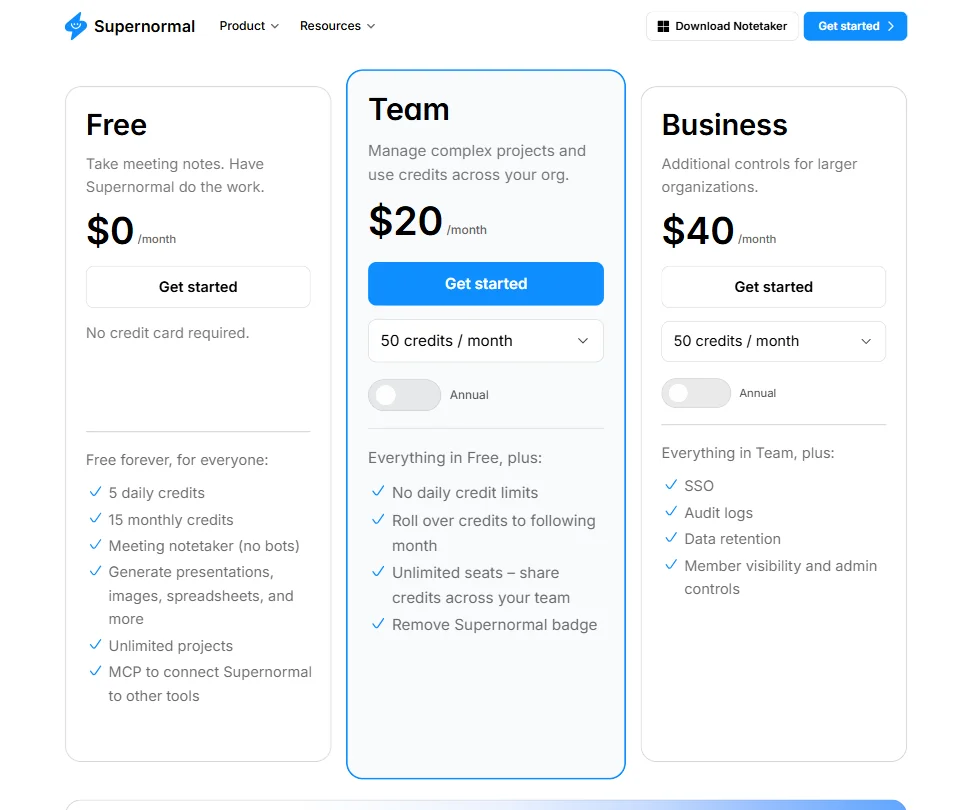
Supernormal pricing screenshot
Supernormal — Pricing

Three tiers. Free at $0, Team at $20 per month, Business at $40 per month. The Team plan removes daily credit limits, rolls credits over to the following month, and adds unlimited seats with shared credits across the team. Business adds SSO, audit logs, data retention, and member visibility with admin controls. Both paid plans start at 50 credits per month, with the option to scale up.

At $20, Supernormal sits above the category median of roughly $16, landing as the 22nd cheapest of 33 tools we track in this space. Not the priciest, but not a bargain. Fathom offers a generous free tier at a lower paid entry point. tl;dv's pricing is easier to find and compare. Otter.ai's entry point undercuts it.

The unlimited seats feature is a real plus. Shared credits across the team is how the Business plan is designed to scale for larger agencies. Refund policy isn't publicly stated, which we noted. Minor friction, but worth knowing before you commit.

The free plan gives you enough to test the core idea. Fifteen monthly credits will tell you whether the output quality fits your workflow. Whether the paid jump is worth it depends entirely on deliverable volume.

Supernormal vs Otter.ai: Which Productivity Tool Wins?

Different tools, honestly. Otter.ai is transcription-first. It records, transcribes, and summarizes, and it does those things well at a lower starting price. The audience is broader, covering individual professionals and teams who want searchable notes after the call.

Supernormal is trying to skip past transcription entirely and land on a finished file. A proposal. A brief. Something you send to a client. That's a meaningfully different goal, and the two tools aren't really competing for the same user.

Otter.ai wins on transcription accuracy, platform availability, and integrations. Supernormal wins if the thing you need at the end of a meeting is a client deliverable, not a searchable transcript. Whether its output is consistently clean enough to send without heavy rework is the bet you're making on the $20 plan.

For teams already using Read AI, the comparison is closer. Read AI covers meeting summaries and cross-platform knowledge search. The overlap is real. Supernormal's agency-deliverable angle is the one thing Read AI doesn't replicate.

Who Should Use Supernormal? (And Who Shouldn't)

Agencies running frequent client calls. That's the fit. Specifically, teams producing the same deliverable types on repeat: proposals, briefs, decks. The template model works best when your outputs are predictable and your meeting notes are structured.

Windows shops on Windows 11 or later will get more out of it than mixed environments. Not a dealbreaker for everyone. A dealbreaker for some.

Solo professionals who mainly want clean transcripts. Otter.ai or Jamie will serve them better at a lower cost. Jamie is built for high-volume meeting users who need tight summaries without the deliverable-generation overhead, so it's a sharper tool for that narrower job.

Teams living in Google Calendar and Google Drive will find the native integrations genuinely useful. Teams that rely heavily on Slack workflows should verify the depth of that integration before committing. The MCP layer is promising for developers. It's not a drop-in for everyone else.

Supernormal Review Verdict

Supernormal is doing something genuinely different from most meeting AI tools. The move from "here's your transcript" to "here's your finished file" is a real product idea, and the no-bot approach is a legitimate differentiator for client-facing agency work.

The concerns are real too. Review coverage is almost nonexistent for a tool this size, pricing sits above the category average without an obvious justification beyond the deliverable angle, and the Windows-only desktop notetaker cuts off a portion of potential users immediately. The Google Calendar and Drive integrations are confirmed and useful. The broader integration picture is still thinner than we'd want for teams with complex stacks.

The free plan is worth testing if you run agency-style meetings. Fifteen monthly credits will tell you whether the output quality fits your workflow. If it does, $20 a month for a team is defensible. If deliverables need heavy rework every time, it isn't.

We'd want to see a more substantial public review presence before fully trusting the 700,000-plus organization claim. The product concept is solid. The execution evidence is thinner than we'd like.

Frequently Asked Questions

Does Supernormal join your meetings as a bot?

No, and that's one of the things they push hardest. The notetaker doesn't appear as a participant in your call, which removes the awkward moment with clients who'd notice a third-party recorder in the participant list. The Windows Desktop Notetaker captures audio locally, so nothing visible joins on their end.

What can Supernormal actually create from a meeting?

From a set of meeting notes, the tool can generate slides, proposals, and creative briefs. It also handles one-pagers, spreadsheets, and emails drafted from meeting context. Output types are template-driven, so what you get depends on which template you choose, not an open-ended prompt. That structure is a feature for agencies with repeatable deliverable types, and a constraint for everyone else.

How does Supernormal's free plan work?

Five daily credits and fifteen monthly credits, no payment required. The free plan includes slide generation, document creation, unlimited projects, and MCP access to connect Supernormal to other tools. The credit cap is the real constraint: heavy users will hit the ceiling fast. Paid plans start at $20 per month, remove the daily credit limit, allow credit rollover to the following month, and pool credits across unlimited team seats.

Supernormal is featured in

Alternatives to Supernormal

See all Supernormal alternatives →

Other AI Productivity Tool options we've reviewed.

User reviews

Review Supernormal

Your rating

Reviews are moderated and appear once approved.