SAASINSPECTOR
Fathom logo

Fathom Review

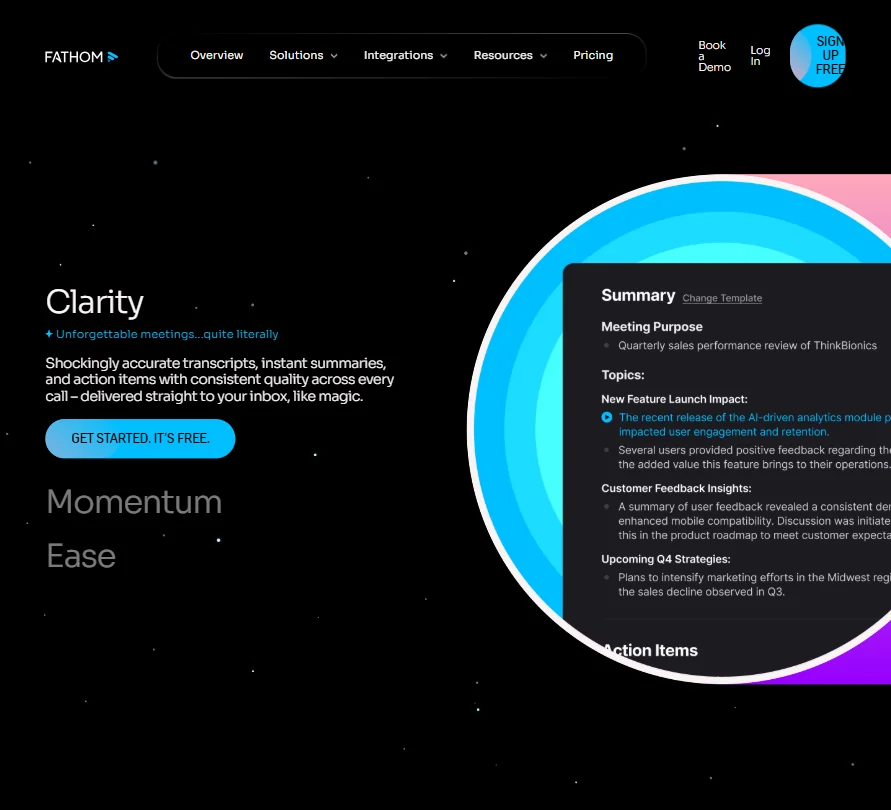
As an AI meeting assistant, Fathom records video calls, shows a live transcript during the meeting, and lets you cut clips right from the free plan. It trains its AI on de-identified meeting data unless you opt out, and adds coaching metrics for sales teams on paid tiers.

Visit FathomFrom $19/mo

Research-based review. Features and prices are checked on the vendor's own website, and the score is worked out from those facts. We haven't tested it hands-on yet.

The verdict

Fathom is worth it for anyone who wants free video notes with a live transcript and clips; sales teams pay for coaching metrics, and it trains on de-identified data unless you opt out.

Pros

  • The free plan includes unlimited recordings and transcriptions, plus clips, playlists and search across calls, at no cost.
  • A beta bot-free recording mode on Mac works alongside the standard bot that joins Zoom, Google Meet and Microsoft Teams.
  • Third-party AI providers are not permitted to train on your data, and in-house model training can be opted out of in account settings.
  • Advanced call summaries, action items and a custom meeting bot are included on the cheapest paid plan rather than sold as an add-on.

Cons

  • In-person meetings are not captured; only Zoom, Google Meet and Microsoft Teams calls are recorded.
  • Fathom trains its own models on de-identified meeting data unless you opt out in account settings.
  • Coaching metrics and AI scorecards are on the Business plan only, which needs at least two users.
From $19/moFree plan YesFree trial Yes
6.7/10

Spec Score

Fathom against 17 AI meeting assistants
#13
of 17 AI meeting assistants
-0.7
vs the average
95%
from published facts
Ahead of other AI meeting assistants
Pricing+0.5
Behind other AI meeting assistants
Privacy and trust-1.5What it captures-1.1Where it works-0.6
Every criterion
Tap a row for the facts
What it captures5.5
-1.1 vs 6.6 avg22 of 40 points
Languages it transcribes7 languages0.5 / 2
Meeting apps it records3 meeting apps0.5 / 2
Keeps the meeting videoyes1.5 / 1.5
Records in-person meetingsno0 / 1.5
Cuts and shares clipsyes1 / 1
Talk time and coaching insightsyes1 / 1
Live transcript during the callyes1 / 1
Why these numbers

Languages it transcribes: Full seven languages are on Premium and Team plans and up.

Meeting apps it records: Counted from meeting_platforms.

Records in-person meetings: In-person capture is described as an iOS app feature, and the iOS app is not out yet (waitlist). Coming soon counts as no.

Cuts and shares clips: Included on the Free plan.

Talk time and coaching insights: Business plan ("Coaching metrics & AI scorecards").

Where it works8.0
-0.6 vs 8.6 avg16 of 20 points
Where it runs3 platforms2 / 4
APIyes3 / 3
Apps it connects to11 integrations3 / 3
Why these numbers

Where it runs: Counted from platforms. iOS app is waitlist-only ("join the waitlist" on fathom.ai/ios-app), so not counted as a shipped platform; no Android app found.

Apps it connects to: Counted from integrations. Meeting platforms and CRM/automation apps named across the homepage nav and pricing feature table.

Pricing8.5
+0.5 vs 8.0 avg18.7 of 22 points
Cheapest paid plan, monthly$192.5 / 4
Free planyes3 / 3
AI on the cheapest paid planincluded3 / 3
Why these numbers

Cheapest paid plan, monthly: Cheapest paid plan on the monthly term. Struck-through figure is the monthly-term price, the lower figure is the annual per-month price. Team and Business require a 2-user minimum. Enterprise is quote-only (Talk to sales); the $34 shown next to it is not treated as its price.

AI on the cheapest paid plan: No add-on price or small-credit allowance language found for Premium's AI features.

Privacy and trust5.5
-1.5 vs 7.0 avg9.9 of 18 points
Does not train AI on your dataunless you opt out1.8 / 3.5
Tells participants it is recordingnot published, half points0.8 / 1.5
HIPAAyes1.5 / 1.5
Data can stay in the EUnot published, half points0.5 / 1
Ways to reach support2 support channels1 / 2.5
Why these numbers

Does not train AI on your data: Trains its in-house models on de-identified meeting data unless you opt out in account settings; third-party AI providers are not allowed to train on it.

HIPAA: Enterprise plan per the pricing page; Trust Center also lists HIPAA under Compliance.

Ways to reach support: Counted from support_channels. No live chat, phone or community forum confirmed on the pages read.

yesnonot published average for AI meeting assistants
How the Spec Score works

Scored from what Fathom publishes on its own site. Not a hands-on test.

Compared with 17 AI meeting assistants. Facts checked 21 Sep 2026.

A fact the vendor does not publish gets half the points, or the typical value for a number, and says so. It never counts as a no. How we score.

Fathom records and summarizes meetings through a bot that joins your call, or through a beta bot-free mode on Mac. It has a free forever plan and three priced paid tiers, so what decides whether it suits you is whether you need CRM sync or coaching metrics, and whether the seat minimums on its Team and Business plans fit your team size.
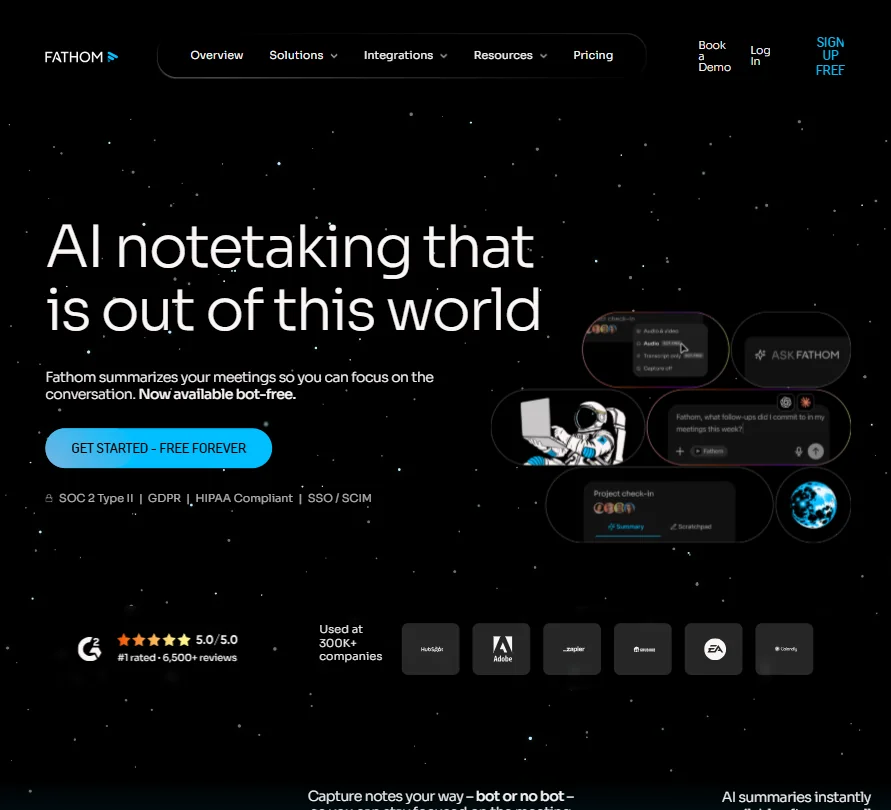
Fathom homepage screenshot
Fathom, Homepage

What is Fathom AI Notetaker?

Fathom is now part of Superhuman, though it continues to run and sell as its own product with its own plans. It is a company headquartered in the United States, offered as a cloud service reached through the web and Windows or Mac desktop apps; every version needs an account and processes meetings on Fathom's servers.

What Fathom AI Notetaker captures from a meeting

The Fathom Notetaker joins Zoom, Google Meet or Microsoft Teams calls as a bot and captures full video, audio and a searchable transcript. On Mac, a beta bot-free mode captures meetings without a bot in the call, offering full video, audio-plus-transcript or transcript-only options. Fathom does not capture in-person meetings.

Transcription is available live as the meeting happens. The Premium and Team plans transcribe natively in seven languages: English, Spanish, Dutch, French, Italian, German and Portuguese. Advanced call summaries draw on more than 15 expert meeting templates, including frameworks such as BANT and Sandler, though the free plan only gets limited use of them.

Ask Fathom lets you ask questions about a single call on the free plan, and an account-wide, beta version searches and answers across all your calls on paid plans. Clips, playlists and search across calls are included from the free plan. Coaching metrics, tracking speaking patterns and behaviors, are on the Business plan. CRM sync pushes meeting summaries and notes automatically into Salesforce or HubSpot records.

Working with other people

A team workspace, with team members, a team recordings view, team folders, and comments and mentions, starts on the Team plan. A public API and an MCP server are available for building custom integrations. Fathom can surface meeting context inside ChatGPT or Claude. It runs on the web and has Windows and Mac desktop apps.

Fathom AI Notetaker pricing: what each plan gives
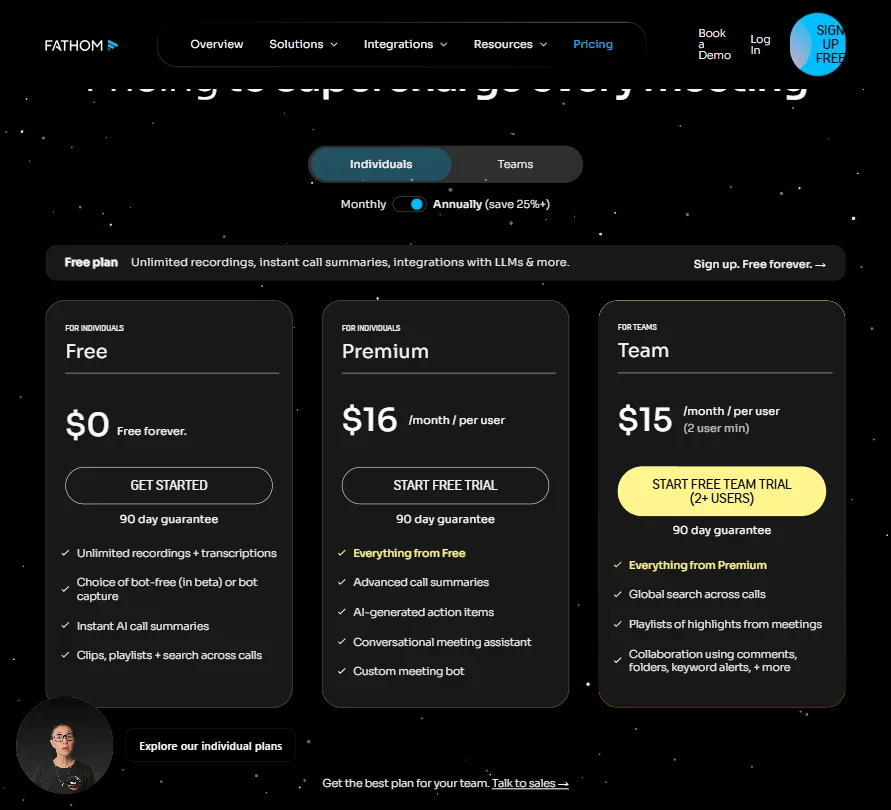
Fathom pricing screenshot
Fathom, Pricing

Free costs nothing and gives unlimited recordings and transcriptions, instant AI call summaries, clips, playlists and search across calls, and a choice of bot-free (beta) or bot capture.

Premium costs $20 per user a month ($16 per user a month billed yearly) and adds advanced call summaries, AI-generated action items, a conversational meeting assistant and a custom meeting bot. Team costs $19 per user a month ($15 per user a month billed yearly, 2 user minimum) and adds the team workspace. Business costs $34 per user a month ($25 per user a month billed yearly, 2 user minimum) and adds coaching metrics and AI scorecards. Enterprise is priced by quote and adds single sign-on through Okta, SCIM provisioning and a HIPAA business associate agreement.

Privacy and security

Fathom may use de-identified meeting data to train its own models, and you can opt out of this in your account settings; its third-party AI providers are not permitted to train on your data. Fathom is SOC 2 Type II certified, GDPR compliant, and offers a signed HIPAA business associate agreement on the Enterprise plan, which also adds single sign-on. Support runs through email and a help center.

Who Fathom AI Notetaker suits

Fathom suits teams that want a free plan to start recording on, the option of a bot-free Mac workflow, and AI call summaries, action items and a custom meeting bot included from the cheapest paid plan rather than sold as an add-on.

It suits less well anyone who needs to capture in-person meetings, teams smaller than two people who want the Team or Business plan's features, or anyone uncomfortable with de-identified meeting data training Fathom's own models unless they actively opt out.

How Fathom compares

Fathom scores 6.7 out of 10 among the AI meeting assistants we rate. These three do the same job and are the closest to it, compared on what each vendor publishes.

6.7Fathom
vs
9.1Fireflies.ai

Fireflies.ai

Fireflies transcribes 100 languages, far ahead of Fathom's 7, and it records in-person meetings, something Fathom cannot do yet since its iOS app is still on a waitlist. At $18 a month, Fireflies is also slightly cheaper than Fathom's $19. Fathom includes its AI in full on its cheapest paid plan, while Fireflies caps premium AI features at 20 credits a seat on Pro.

Pick Fireflies.ai if you need more languages and in person recording.
Pick Fathom if you want AI in full on the cheapest paid plan.

Fathom vs Fireflies.ai →
6.7Fathom
vs
6.4Otter.ai

Otter.ai

Fathom keeps the meeting video, while Otter only offers audio playback with no video captured at all. Otter records in-person meetings, something Fathom cannot do yet since its iOS app is still on a waitlist, and starts cheaper at $16.99 a month against Fathom's $19. Fathom trains on your data unless you opt out, while Otter trains on recordings and transcripts with no opt-out option at all.

Pick Otter.ai if you need in person recording at a lower price.
Pick Fathom if you want meeting video kept and a training opt out.

Fathom vs Otter.ai →
6.7Fathom
vs
7.4Granola

Granola

Granola starts at $14 a month against Fathom's $19, and transcribes 31 languages compared with Fathom's 7. Fathom keeps the meeting video itself, while Granola stores only the transcript and screen share screenshots. Fathom also lets you cut and share clips on its free plan, a feature Granola's plans do not offer.

Pick Granola if you want more languages at a lower starting price.
Pick Fathom if you want the meeting video kept and clips to share.

Fathom vs Granola →

Frequently Asked Questions

How much does Fathom AI Notetaker cost?

The free plan costs nothing and gives unlimited recordings and transcriptions. Paid plans start at Team for $19 per user a month ($15 per user a month billed yearly, 2 user minimum), with Premium at $20 per user a month and Business at $34 per user a month, and Enterprise priced by quote.

Can Fathom AI Notetaker record without a bot?

Yes, on Mac. A beta bot-free mode captures meetings without a bot in the call, with full video, audio-plus-transcript or transcript-only options. Elsewhere, the Fathom Notetaker joins as a bot on Zoom, Google Meet and Microsoft Teams.

Does Fathom AI Notetaker sync with a CRM?

Yes. It automatically pushes meeting summaries and notes into Salesforce or HubSpot records.

Does Fathom AI Notetaker train on my meeting data?

It may use de-identified meeting data to train its own models, but you can opt out in your account settings. Its third-party AI providers are not permitted to train on your data.


Screenshots

Fathom features screenshot
Fathom, Features
Fathom is featured in

Alternatives to Fathom

Other AI Productivity Tool options we've reviewed.

Glean logo

Glean

Large companies that want AI search and agents across their own apps, bought through a sales team

Not scored yet
Free plan: noFree trial: yesAPI: yes
Price not publishedNo free plan
Asana logo

Asana

Teams that plan across many projects with goals, portfolios, timelines and intake forms

7.0
Rank #6 of 7 AI work management tools
Best:Privacy and trust8
Weakest:Pricing6.3
Free plan: yesFree trial: noAPI: yes
From $13.49Free plan
73% from published facts · checked 22 Sep
ChatGPT logo

ChatGPT

People who want images, voice, memory and deep research in one assistant, starting on a free plan

8.8
Rank #1 of 8 AI assistants
Best:What it can do10
Weakest:Privacy and trust6.2
Free plan: yesFree trial: noAPI: yes
From $8Free plan
100% from published facts · checked 22 Sep
Jamie logo

Jamie

Professionals who want private meeting notes with no recording kept, and storage and processing in Europe

6.8
Rank #11 of 17 AI meeting assistants
Best:Where it works10
Weakest:What it captures4.5
Keeps the meeting video: noCuts and shares clips: noTalk time and coaching insights: no
From $27 (€25)Free plan
87% from published facts · checked 21 Sep
Read AI logo

Read AI

Anyone who wants a personal meeting coach on the free plan, plus in-person meetings captured through the phone app

8.2
Rank #3 of 17 AI meeting assistants
Best:Where it works10
Weakest:Privacy and trust7.5
Keeps the meeting video: yesCuts and shares clips: yesTalk time and coaching insights: yes
From $19.75Free plan
98% from published facts · checked 21 Sep
monday logo

monday

Teams who want board-based projects with AI meeting notes and answers about their whole workspace built in

8.1
Rank #3 of 7 AI work management tools
Best:Privacy and trust10
Weakest:Working with others4
Free plan: yesFree trial: noAPI: yes
From $12Free plan
96% from published facts · checked 22 Sep

User reviews

Review Fathom

Your rating

Reviews are moderated and appear once approved.