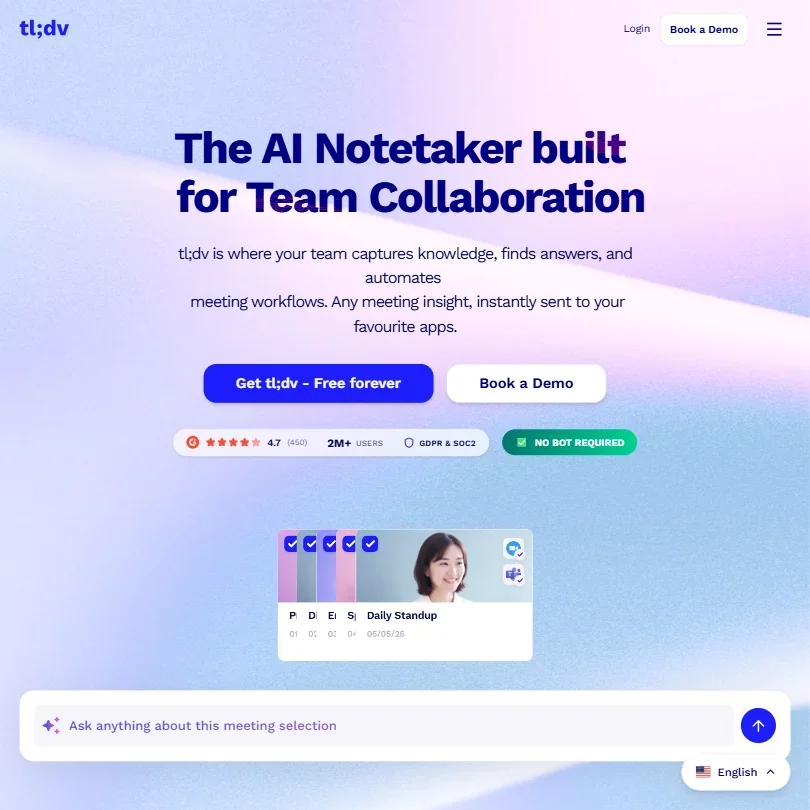
Two million users. That number lives on their homepage. Fine. But user count tells you about growth, not fit, and what we kept seeing across G2, Reddit, and their own docs was a tool that's drifted pretty far from "meeting recorder" into territory that Gong and Chorus used to own exclusively. Whether that's useful depends entirely on what you're trying to do.

We pulled G2 reviews, cross-referenced pricing claims against what users reported paying, read through 2024 and 2025 Reddit threads, and went through their public integration docs. Founded in Cologne in 2020. Over two million users claimed. Those are the anchoring facts. Everything else is where it gets complicated.
What is Tldv?
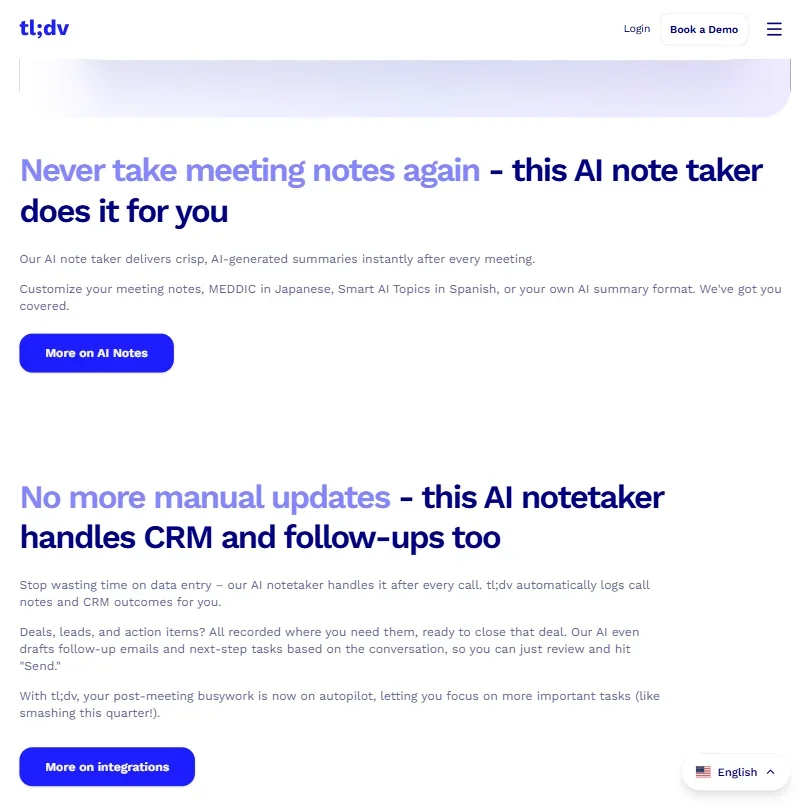
At its base, tldv records meetings, transcribes them, and generates summaries. That's the entry point. The real pitch is what happens after the call ends, specifically CRM updates, follow-up email drafts, and action item assignments handled automatically. The recording is just the input to a larger workflow.
It works across Google Meet, Zoom, and Microsoft Teams. Chrome extension, iOS and Android apps, and a web dashboard for reviewing everything after the fact. The AI underneath is Anthropic's Claude, which is a meaningful choice. Claude handles long, noisy text better than several alternatives, and meeting transcripts are exactly that.
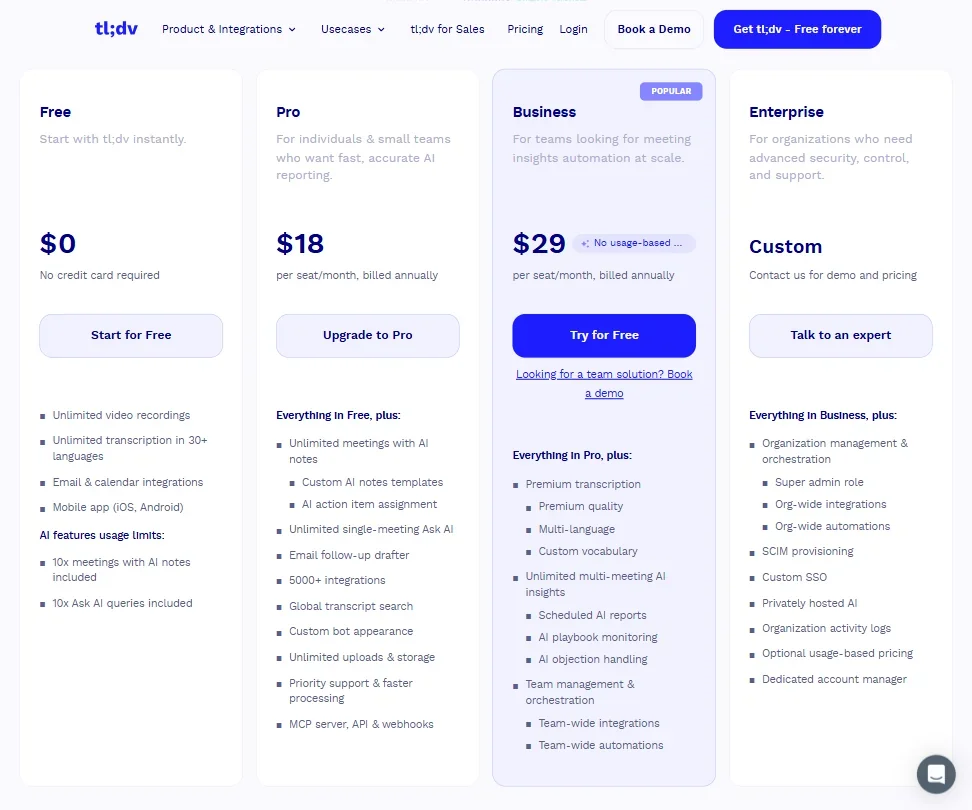
The free plan is genuinely usable. Unlimited recordings, unlimited transcription in 30+ languages, 10 AI-summarized meetings per month, and 10 Ask AI queries. Email and calendar integrations included. Most competitors cap transcription minutes. Fireflies.ai does. tldv doesn't. That's a real difference.
Where some users get frustrated is at the paid tier. That's where the automation and multi-meeting intelligence lives. We'll get there.
Tldv Features: Automation, AI Assistant & Workflow Capabilities

The feature set splits into two halves. There's the recording and transcription side, which works well by most accounts. Then there's the automation side, which is where tldv makes its real argument for your budget.
On note-taking: after each call, the AI generates a summary using customizable templates. MEDDIC is a preset for sales teams. Custom AI notes templates are also available on Pro and above, and G2 reviewers in sales roles flag the MEDDIC support consistently as a real differentiator, not a gimmick. It maps conversation content to fields rather than dumping raw text.
The CRM automation is the feature that earns the most discussion in user reviews, with Salesforce and HubSpot as the primary targets. After a call, tldv logs notes, updates deal stages, and populates fields automatically. That's the claim. G2 reviews from 2024 describe it working cleanly on straightforward deals and getting messier on complex ones. Fair. No automation handles edge cases perfectly.
Playbook monitoring is worth separating out. It checks whether reps are following specific talk tracks or asking the right questions. Useful for onboarding. It's closer to what Gong offers than anything you'd find in Otter.ai or basic transcription tools, at a lower price point.
The multi-meeting AI insights feature lets you query across a set of recorded meetings. Something like "what objections came up most across last quarter's discovery calls?" Product managers on G2 mentioned using it to aggregate feature requests from customer calls without watching hours of recordings. That's a real research capability. Unlimited multi-meeting AI insights land on the Business plan at $39 per seat per month.
Action item assignment works. Folder management and shared team libraries are available. tldv doesn't try to be a presentation builder or spreadsheet tool. We'd argue that's the right call.
Tldv AI Quality: How Smart and Useful Is the Assistant?
Running on Claude matters. Transcription quality across non-English languages gets solid marks from users writing in German and Spanish, and our research didn't surface widespread accuracy complaints in supported languages. Better than can be said for some competitors at this price point.
The Ask AI feature is where Claude's strengths show up most clearly. Single-meeting queries are available on the free plan at 10 per month. Cross-meeting queries require a paid plan. Users describe asking detailed questions and getting responses that reference specific conversation moments, not just generic summaries. That tracks with how Claude handles context.
Scheduled AI reports, a paid feature, send a digest of cross-meeting insights on a regular cadence. A few Reddit users from 2025 called this genuinely useful for managers who can't attend every call. The concept is sound and Claude handles synthesis reasonably well. That tracks.
Where the AI gets wobbly is follow-up email drafting. Multiple G2 reviewers noted the drafts are a reasonable starting point but need editing before you'd actually send them. Not a disaster. It's just not the "review and hit send" experience their homepage implies. We're skeptical of that framing. Most AI-drafted emails need a human pass, and tldv's aren't an exception.
Objection handling analysis flags moments where objections were raised and how the rep responded. Useful for coaching. Less useful in real time, since the analysis is post-call. Worth being clear about that distinction.
Tldv Integrations: What Does It Connect To?
The headline integrations are Salesforce and HubSpot, both on paid plans. Jira and Linear for product teams. Notion and Confluence for documentation. Slack via Zapier rather than a native connection, which adds a setup step and a potential cost if you're hitting Zapier's free task limits. That detail isn't disclosed prominently.
Zapier access opens up 5,000+ connections, but only on Pro and above. The free plan covers email and calendar integrations, Google Calendar and Microsoft 365, and that's about it. API access, webhooks, and an MCP server are available on Pro and above, which matters for teams building custom workflows.
Honestly, the integration depth is where tldv separates itself from lighter tools like Fathom AI Notetaker. Fathom does well on recording and summary for individuals and small teams. But if you need meeting data flowing into Salesforce automatically, Fathom isn't the answer.
tldv has a dedicated public integration page for Google Drive workflows, covering how meeting information from Zoom, Teams, and Google Meet can be transferred into Drive. That documentation exists, despite a few G2 reviewers flagging uncertainty around Drive export. Not a dealbreaker, but teams living in Google Workspace should verify the workflow matches their setup before assuming it's plug-and-play.
One thing we cross-referenced between the docs and user reports: the Slack setup requires Zapier, which means an extra configuration layer and potential cost. Not unusual, but worth knowing before you assume it works like a native integration.
Is Tldv Easy to Use?
Setup is fast. Install the Chrome extension, connect your calendar, and tldv is ready for your next meeting. That part gets consistent praise across G2 and Reddit. No complicated configuration for basic use.
The dashboard is where opinions split. First-time users describe it as intuitive. Power users, especially those configuring playbook monitoring or cross-meeting insights, describe a real learning curve. Not unusual for a tool with this much functionality. G2 reviewers at smaller companies rated usability higher than reviewers at enterprise-scale teams, which suggests the complexity scales with the feature set you're actually trying to use.
Mobile apps exist for iOS and Android. Reviews are thinner there. Most users interact through the web dashboard, and the mobile experience reads as functional rather than polished from what we could find. Not great. But most meeting tools treat mobile as secondary anyway.
No offline mode. Relevant if your team records in spotty connectivity environments. Uncommon scenario, but real for some.
The "no bot required" setup works differently depending on the platform. On Windows or macOS, the desktop app records system audio locally without adding a visible participant to the call. For Google Meet specifically, the Chrome extension can send a visible tldv bot into the call instead. Both options exist. Which one works best depends on your platform and your preference for discretion.
Tldv Pricing: Is It Worth It vs Free Alternatives?

The free plan is real. Unlimited recordings, unlimited transcription, 10 AI meeting summaries per month. Better than Fireflies.ai's free tier, which caps transcription minutes. If basic recording and occasional AI summaries cover your needs, you might never leave free.
Pro is $29 per seat per month billed monthly. Business is $39. Enterprise is custom, contact for pricing. Those are the numbers on the current pricing page.
The jump from free to Pro unlocks unlimited meetings with AI notes, CRM integrations, Zapier, API access, and custom bot appearance, which is where the value argument gets real for sales teams. $29 per seat isn't aggressive pricing if those automations save reps meaningful time on post-call admin. The ROI math works for straightforward use cases. G2 reviews suggest it mostly holds up there.
No public refund policy. We couldn't find it. Small irritant. Not unusual in SaaS, but not ideal.
Compared to Gong or Chorus, tldv is substantially cheaper. Those tools target enterprise deals and price accordingly. The Business plan at $39 per seat is accessible for a 10-person sales team in a way that Gong simply isn't. The trade-off is depth of analytics. If you need Gong-level analysis, you'll pay for it.
Worth a look: Read AI sits in a similar price range and also offers cross-meeting intelligence. We'd compare both before committing, particularly if CRM automation isn't your primary need.
Tldv vs Fireflies.ai: Which Productivity Tool Wins?
Fireflies.ai is the most direct comparison for most users. Both record, both transcribe, both summarize. The free tiers are the first real difference. tldv offers unlimited recording and transcription on free. Fireflies caps transcription minutes. Advantage tldv for free users.
Fireflies has a native Slack integration. tldv's goes through Zapier. For teams that use Slack heavily and want zero configuration, that matters.
Where tldv pulls ahead is the sales-specific layer: playbook monitoring, MEDDIC templates, and multi-meeting AI insights. Fireflies doesn't go there in the same way. General-purpose teams might find Fireflies simpler. Sales teams that want coaching features and CRM automation built in should lean toward tldv.
Gong and Chorus keep coming up in the same conversations. Both are enterprise conversation intelligence platforms at enterprise prices. Different buyer, different budget. Not really competing at the $29-$39 price point.
Grain is lighter-weight, focused on video clips and sharing. Different use case. It keeps appearing in comparison threads but it's not the same product category.
Who Should Use Tldv? (And Who Shouldn't)
Sales teams running high call volumes. Clearest fit. The MEDDIC templates, CRM automation, and playbook monitoring are built for that workflow, and at $29-$39 per seat the math makes sense if reps spend real time on post-call admin.
Product managers aggregating customer feedback across many calls without watching recordings. The multi-meeting AI insights feature was clearly built with this persona in mind, and the G2 reviews from PMs back that up.
Remote teams needing shared access to recordings and summaries across time zones. The team library and collaboration features handle this.
Solo users or tiny teams wanting basic recording and occasional summaries. Free plan covers them. No need to pay.
Who shouldn't bother. Teams that need Gong-level analytics depth, tldv doesn't match it. Enterprise buyers with complex IT requirements should check the Enterprise plan terms carefully before assuming features are available. Anyone whose workflows live primarily in tools tldv doesn't natively support should audit the integration list before committing.
Tldv Review Verdict
tldv has built something more specific than a generic meeting transcription software category suggests. It's a post-meeting workflow tool with a recording input. The recording and transcription are good. The AI summaries are good. The sales-specific features are where the real argument for paying lives.
The free plan is one of the better ones in this category. Genuinely. Unlimited transcription at zero cost is not common, and if that's all you need, you won't feel cheated.
The paid tiers require honest math. $29 per seat for Pro is reasonable if CRM automation saves your reps even one hour a week. Less obvious for teams without heavy post-call admin. And the email drafting quality is good-but-not-done, not the one-click-send experience the marketing implies. We'd rather they were honest about that.
The things that bother us are small but real. No public refund policy. Slack requiring Zapier rather than running natively. These aren't reasons to avoid the tool. They're reasons to go in with clear expectations.
Users who fit the intended use case are genuinely happy based on G2 volume and sentiment. The complaints that surface tend to be about the gap between marketing framing and reality, not the core product. That's a manageable gap.
Sales teams and product managers at the $29-$39 price point, we'd recommend tldv without much hesitation. Everyone else, the free plan is a low-stakes way to find out if the paid features are worth it.
Frequently Asked Questions
Does tldv work with Microsoft Teams?
Yes. tldv supports Microsoft Teams alongside Google Meet and Zoom. Calendar and email integrations with Microsoft 365 are included on all plans, including free. The Chrome extension handles recording across these platforms.
Is tldv's free plan actually free forever, or does it expire?
Permanently free, not a trial. The free plan includes unlimited recording and transcription, which is the main differentiator from competitors who cap minutes. AI-specific features like meeting summaries and Ask AI queries are limited to 10 per month on free. You'll know quickly if those limits are a problem for your workflow.
How does tldv handle data privacy and compliance?
tldv is GDPR compliant and SOC 2 certified, both listed prominently on their homepage. For teams in regulated industries or those handling sensitive customer conversations, that baseline matters. We'd still recommend reviewing their data processing agreement before rolling it out across a large sales team, since compliance certifications and actual data handling practices aren't always identical.