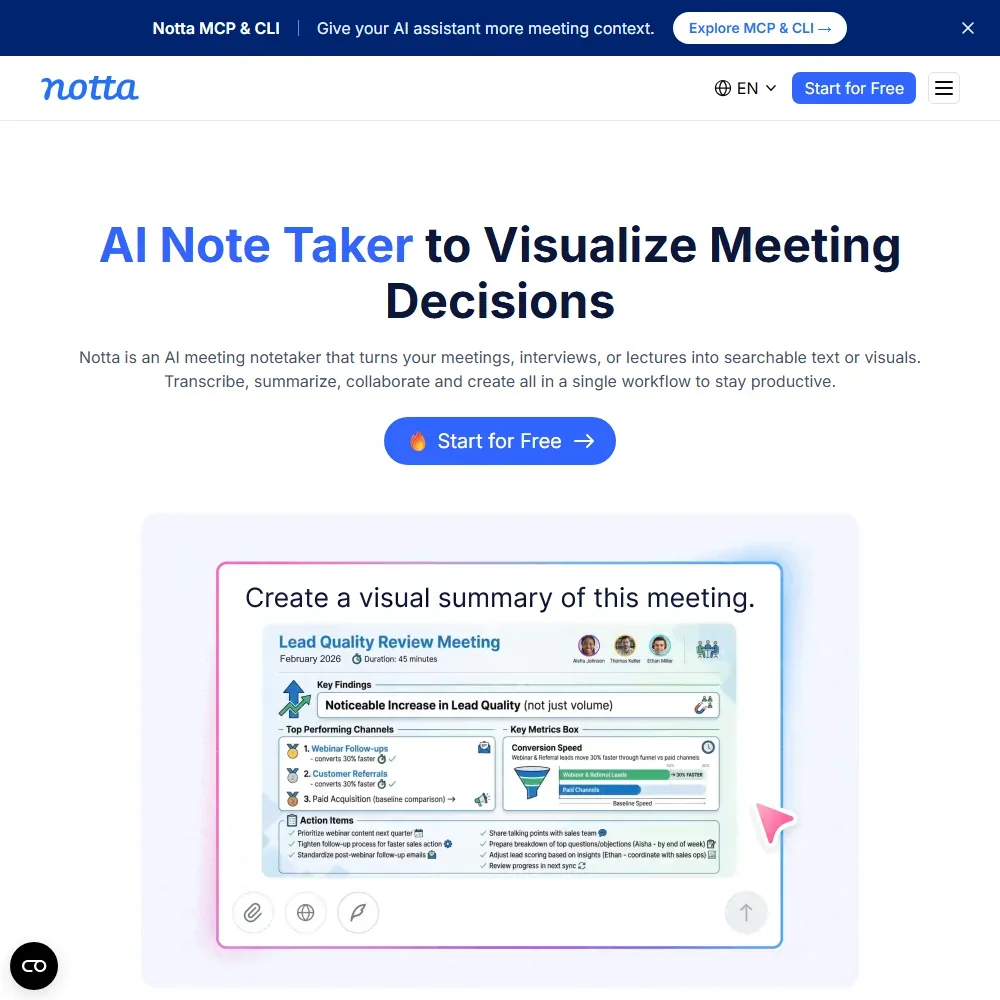
Notta records, transcribes and summarizes meetings, either through a bot that joins the call or through a desktop app that records without one. It has a free plan, two priced paid tiers and an Enterprise plan, so what decides whether it suits you is how many transcription minutes and AI summaries you need each month, and whether you need the video, team and CRM features that start on Business.
What is Notta?
Notta is an AI meeting recorder and transcriber made by Notta PTE. LTD., incorporated in Singapore, together with Notta Kabushiki Kaisha in Japan. It runs in the browser, as a Chrome extension that captures audio from any browser tab, as Notta Desktop for Mac and Windows, and as apps for iOS and Android. Notta Desktop is in beta. Every version needs an account, and processing runs on Notta's cloud.
What Notta captures from a meeting
Notta can send a bot into Zoom, Google Meet, Microsoft Teams, Webex and Slack huddles. Notta Desktop records straight from your computer instead, with no bot joining and no extra name in the participant list, and it works with more than 40 meeting apps, including Discord and WhatsApp Desktop. The mobile apps record in-person meetings and calls, and so does the Notta Memo device.
Notta transcribes live as you speak and covers 58 languages for transcription. It records web meeting video on Business and up, and Pro includes screen recording. AI notes can follow your own prompts and custom templates; a lower plan caps the number of custom AI templates and higher plans make them unlimited.
Notta Brain answers questions across all your meetings and runs on AI credits that come with each plan. CRM sync is on Business and works with Salesforce, HubSpot, Pipedrive, Zoho CRM, Zendesk Sell, Salesflare and Freshsales.
Working with other people
A team workspace, where members can view and work on content other members created, is on Business and Enterprise. Pro covers one seat. Notta connects with Slack, Notion, Google Drive, Google Calendar and Outlook Calendar, and its Zapier connection, on Business with the CRM integrations, sends meeting notes and summaries to more than 5,000 apps. Notta also offers an MCP server for working through a compatible AI assistant, and a CLI for typed commands.
Notta pricing: what each plan gives
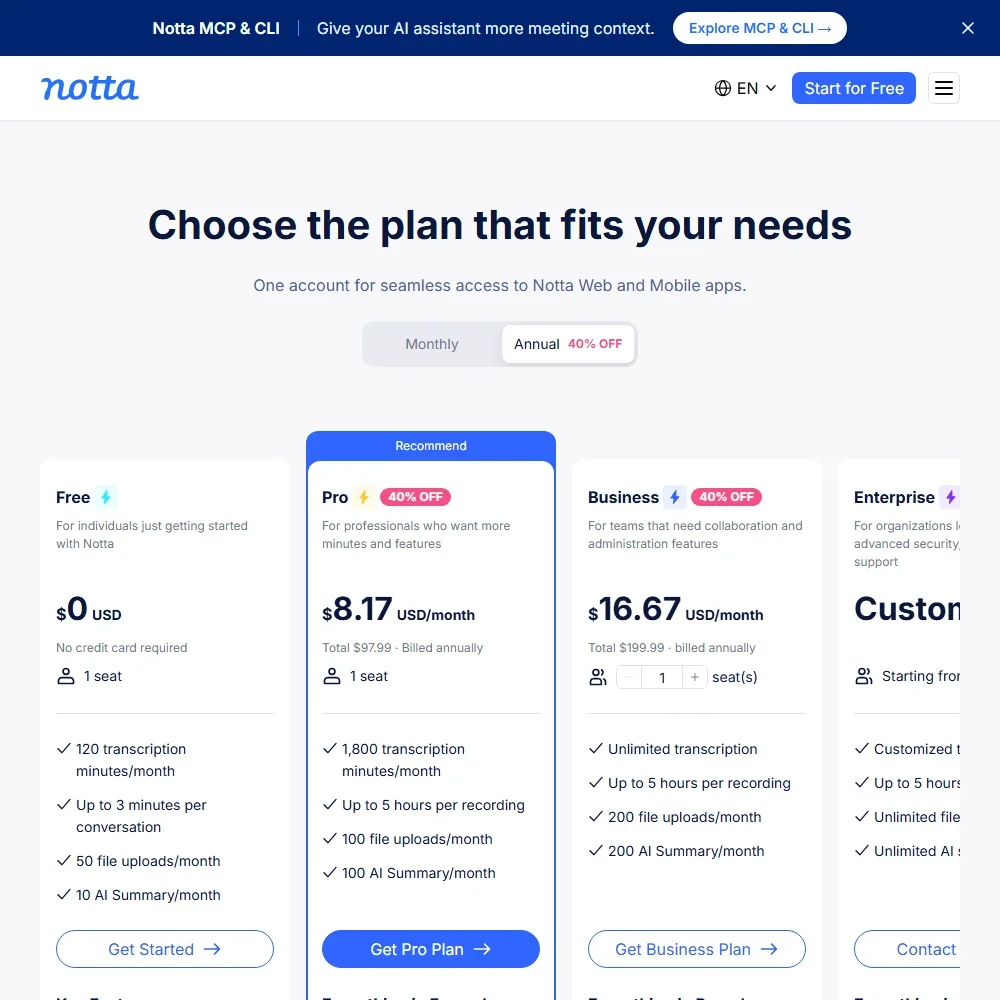
Free costs nothing, needs no credit card and covers one seat with 120 transcription minutes a month, recordings of up to 3 minutes each, 50 file uploads a month, 10 AI summaries a month and 1,000 Notta Brain AI credits a month.
Pro costs $13.49 a month, or $8.17 a month billed yearly ($97.99 a year), for one seat. It gives 1,800 transcription minutes a month, recordings of up to 5 hours each, 100 file uploads, 100 AI summaries and 1,000 Notta Brain AI credits a month. Business costs $27.99 per seat a month, or $16.67 per seat a month billed yearly, and gives unlimited transcription minutes, 200 file uploads and 200 AI summaries, along with video recording, the team workspace and the CRM and Zapier integrations. Enterprise is priced through sales, starts at 51 seats, has unlimited AI summaries and adds SAML single sign-on, full data access control and audit logs. A 7-day trial of Business is available.
Three add-ons are sold to Pro, Business and Enterprise. Monolingual Translation costs $10 per user a month or $6 per user a month billed yearly, and Bilingual Transcription and Translation costs $15 per user a month or $9 per user a month billed yearly. Extra Notta Brain credits cost $93.59 per user a year for 8,000 AI credits a month.
Privacy and security
Notta is SOC 2 Type II certified and compliant with the GDPR. It hosts customer data on Amazon Web Services, and Notta Desktop has a Privacy Mode that can transcribe on your own computer. SAML single sign-on is on the Enterprise plan. Support runs through email and a help center.
Who Notta suits
Notta suits people who record across many meeting apps and want to do it without a bot, who record in person on a phone, or who need live transcripts in many languages. A single person can get a full working allowance on Pro, and sales teams on Business get CRM sync to a wide range of CRMs.
It suits less well anyone who wants to judge it on the free plan, because free recordings stop at 3 minutes each. Small teams that want a shared workspace or video recording have to pay for Business, and anyone who relies on bot-free recording should know that Notta Desktop is still in beta.
Frequently Asked Questions
How much does Notta cost?
The free plan costs nothing. Pro costs $13.49 a month or $8.17 a month billed yearly for one seat, Business costs $27.99 per seat a month or $16.67 per seat a month billed yearly, and Enterprise is priced through sales from 51 seats.
Can Notta record without a bot?
Yes. Notta Desktop for Mac and Windows, which is in beta, records from your computer with no bot joining the call and works with more than 40 meeting apps. A bot option for Zoom, Google Meet, Microsoft Teams, Webex and Slack huddles is also available.
How many languages does Notta transcribe?
Notta transcribes 58 languages, and it can transcribe live as you speak. Translation is sold separately, as the Monolingual Translation and Bilingual Transcription and Translation add-ons.
Is Notta secure?
Notta is SOC 2 Type II certified, compliant with the GDPR and hosts customer data on Amazon Web Services. The Enterprise plan adds SAML single sign-on, full data access control and audit logs.











